Introduction
Document Management Systems (DMS) are software platforms designed to store, organize, manage, and track digital documents in a centralized and secure environment. Instead of relying on scattered folders, emails, or physical files, a DMS provides structured workflows, version control, and easy retrieval of documents across teams.
In today’s digital-first work environment, DMS tools have become essential for handling growing data volumes, enabling remote collaboration, and ensuring compliance with regulatory requirements. Businesses across industries now rely on these systems to streamline operations and reduce manual document handling.
Common Use Cases
- Managing contracts, invoices, and legal documents
- Centralized document storage and retrieval
- Workflow automation (approvals, routing)
- Compliance and audit tracking
- Collaboration across distributed teams
What Buyers Should Evaluate
- Centralized storage and accessibility
- Advanced search and metadata tagging
- Version control and audit trails
- Workflow automation capabilities
- Integration with business tools (CRM, ERP)
- Security and compliance features
- Scalability for growing teams
- Deployment options (cloud vs on-premise)
- User experience and onboarding
- Pricing and total cost of ownership
Best for: Enterprises, SMBs, legal firms, healthcare organizations, and teams managing high volumes of documents.
Not ideal for: Individuals or small teams needing only basic file storage (simple cloud drives may suffice).
Key Trends in Document Management Systems
- AI-powered document classification and summarization
- Metadata-driven organization replacing folder structures
- Workflow automation with approval routing
- Integration with CRM, ERP, and collaboration tools
- Cloud-first deployment with remote access
- Enhanced compliance (GDPR, ISO, audit logs)
- Intelligent search using OCR and indexing
- Hybrid DMS + workflow automation platforms
- Real-time collaboration and co-authoring
- Increased focus on ransomware protection and backups
How We Selected These Tools (Methodology)
- Market adoption and enterprise usage
- Feature completeness (storage, automation, compliance)
- Ease of use and onboarding experience
- Integration ecosystem (CRM, ERP, productivity tools)
- Deployment flexibility (cloud, on-premise, hybrid)
- Security and compliance capabilities
- Performance and scalability
- Innovation (AI, automation, metadata systems)
- Customer fit across SMB to enterprise
- Community, documentation, and vendor support
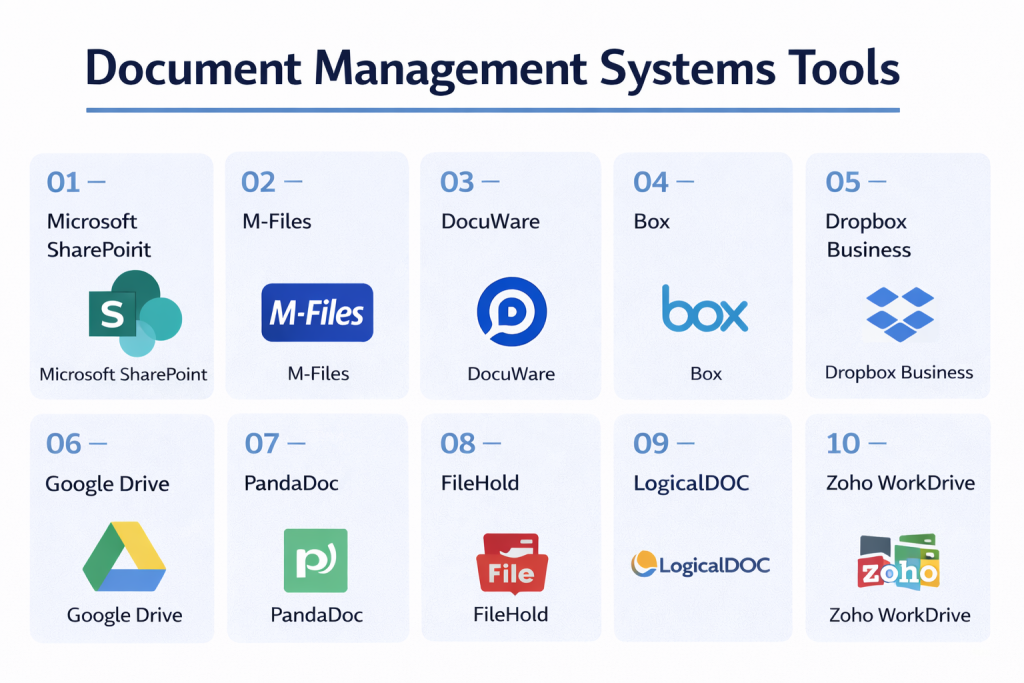
Top 10 Document Management Systems Tools
#1 — Microsoft SharePoint
Short description: An enterprise-grade document management and collaboration platform integrated with Microsoft ecosystem.
Key Features
- Centralized document libraries
- Version control and history tracking
- Role-based permissions
- Workflow automation
- Real-time co-authoring
- Advanced search and indexing
Pros
- Strong enterprise integration
- Highly scalable
Cons
- Complex setup
- Requires training
Platforms / Deployment
Web / Windows / Mobile
Cloud / Hybrid
Security & Compliance
Enterprise-grade security, access control, compliance tools
Integrations & Ecosystem
Deep integration with Microsoft ecosystem.
- Microsoft Teams
- Office apps
- Power Automate
Support & Community
Extensive enterprise support and documentation.
#2 — M-Files
Short description: A metadata-driven document management system focused on automation and compliance.
Key Features
- Metadata-based organization
- AI document classification
- Workflow automation
- Version control and audit trails
- Duplicate detection
- Integration with external repositories
Pros
- Powerful automation
- Reduces document duplication
Cons
- Learning curve
- Premium pricing
Platforms / Deployment
Windows / Web
Cloud / On-premise / Hybrid
Security & Compliance
SSO, audit logs, GDPR, ISO compliance
Integrations & Ecosystem
Strong enterprise integrations.
- Microsoft 365
- Salesforce
- ERP systems
Support & Community
Strong enterprise support and training.
#3 — DocuWare
Short description: A cloud-based DMS focused on workflow automation and document digitization.
Key Features
- Document capture and indexing
- Workflow automation
- Secure storage
- Mobile access
- Integration tools
- Audit trails
Pros
- Excellent automation
- Scalable
Cons
- Pricing not transparent
- Setup effort required
Platforms / Deployment
Web / Mobile
Cloud
Security & Compliance
Not publicly stated
Integrations & Ecosystem
Supports business workflows and integrations.
Support & Community
Strong enterprise adoption.
#4 — Box
Short description: A cloud content management platform designed for collaboration and secure file sharing.
Key Features
- Cloud storage and sync
- AI-powered document insights
- Workflow automation
- Access controls
- File sharing
- Document generation
Pros
- Strong collaboration
- Easy to use
Cons
- Advanced features cost extra
- Less control than on-premise
Platforms / Deployment
Web / Desktop / Mobile
Cloud
Security & Compliance
Encryption, enterprise controls
Integrations & Ecosystem
- Google Workspace
- Microsoft 365
- Adobe
Support & Community
Large global user base.
#5 — Dropbox Business
Short description: A cloud-based file storage and document management solution for teams.
Key Features
- File syncing and sharing
- Version history
- Smart search
- Collaboration tools
- Cloud storage
- File recovery
Pros
- Easy to use
- Widely adopted
Cons
- Limited advanced workflows
- Not a full DMS
Platforms / Deployment
Web / Desktop / Mobile
Cloud
Security & Compliance
Encryption, access controls
Integrations & Ecosystem
- Slack
- Zoom
- Microsoft Office
Support & Community
Large user base.
#6 — Google Drive
Short description: A cloud storage platform with basic document management features.
Key Features
- Cloud storage
- File sharing
- Real-time collaboration
- Search and indexing
- Version history
- Integration with Google apps
Pros
- Simple and accessible
- Strong collaboration
Cons
- Limited workflow automation
- Not a full DMS
Platforms / Deployment
Web / Mobile
Cloud
Security & Compliance
Encryption, Google security framework
Integrations & Ecosystem
- Google Workspace
- Third-party apps
Support & Community
Widely used globally.
#7 — PandaDoc
Short description: A document workflow platform focused on document creation and e-signatures.
Key Features
- Document templates
- E-signatures
- Workflow automation
- Analytics
- CRM integrations
- Document tracking
Pros
- Strong for sales workflows
- Easy document creation
Cons
- Not a full DMS
- Limited storage features
Platforms / Deployment
Web
Cloud
Security & Compliance
Not publicly stated
Integrations & Ecosystem
- CRM systems
- Payment tools
Support & Community
Strong business adoption.
#8 — FileHold
Short description: A document management system designed for mid-sized to enterprise organizations.
Key Features
- Document indexing
- Workflow automation
- Version control
- Search tools
- Access control
- Compliance features
Pros
- Strong compliance features
- Good for structured environments
Cons
- Older UI
- Limited flexibility
Platforms / Deployment
Windows / Web
On-premise / Cloud
Security & Compliance
Not publicly stated
Integrations & Ecosystem
Supports enterprise workflows.
Support & Community
Moderate enterprise adoption.
#9 — LogicalDOC
Short description: An open-source document management system with enterprise features.
Key Features
- Document indexing
- Workflow automation
- Version control
- Search
- Access control
- Open-source flexibility
Pros
- Customizable
- Open-source option
Cons
- Requires setup
- Limited UI polish
Platforms / Deployment
Web
Cloud / On-premise
Security & Compliance
Varies / N/A
Integrations & Ecosystem
Supports extensions and APIs.
Support & Community
Active open-source community.
#10 — Zoho WorkDrive
Short description: A team-focused document management platform with collaboration and storage features.
Key Features
- Team folders
- File sharing
- Version history
- Collaboration tools
- Search
- Integration with Zoho apps
Pros
- Affordable
- Easy to use
Cons
- Limited enterprise features
- Smaller ecosystem
Platforms / Deployment
Web / Mobile
Cloud
Security & Compliance
Not publicly stated
Integrations & Ecosystem
- Zoho ecosystem
- Third-party tools
Support & Community
Growing SMB adoption.
Comparison Table (Top 10)
| Tool Name | Best For | Platform(s) Supported | Deployment | Standout Feature | Public Rating |
|---|---|---|---|---|---|
| SharePoint | Enterprise | Web/Windows/Mobile | Hybrid | Microsoft integration | N/A |
| M-Files | Automation | Cross-platform | Hybrid | Metadata system | N/A |
| DocuWare | Workflows | Web/Mobile | Cloud | Automation | N/A |
| Box | Collaboration | Cross-platform | Cloud | AI features | N/A |
| Dropbox Business | SMBs | Cross-platform | Cloud | File sync | N/A |
| Google Drive | Basic use | Web/Mobile | Cloud | Simplicity | N/A |
| PandaDoc | Sales docs | Web | Cloud | E-signatures | N/A |
| FileHold | Compliance | Windows/Web | Hybrid | Document control | N/A |
| LogicalDOC | Open-source | Web | Hybrid | Customization | N/A |
| Zoho WorkDrive | SMB teams | Web/Mobile | Cloud | Affordability | N/A |
Evaluation & Scoring of Document Management Systems
| Tool Name | Core (25%) | Ease (15%) | Integrations (15%) | Security (10%) | Performance (10%) | Support (10%) | Value (15%) | Weighted Total |
|---|---|---|---|---|---|---|---|---|
| SharePoint | 10 | 7 | 10 | 9 | 9 | 9 | 8 | 8.9 |
| M-Files | 9 | 7 | 9 | 9 | 9 | 8 | 7 | 8.5 |
| DocuWare | 9 | 7 | 8 | 8 | 8 | 8 | 7 | 8.1 |
| Box | 8 | 9 | 9 | 8 | 8 | 9 | 7 | 8.3 |
| Dropbox Business | 7 | 10 | 8 | 7 | 8 | 8 | 9 | 8.2 |
| Google Drive | 6 | 10 | 9 | 7 | 8 | 8 | 10 | 8.1 |
| PandaDoc | 7 | 9 | 8 | 7 | 8 | 8 | 8 | 7.9 |
| FileHold | 8 | 7 | 7 | 8 | 8 | 7 | 7 | 7.6 |
| LogicalDOC | 8 | 6 | 7 | 7 | 7 | 7 | 9 | 7.5 |
| Zoho WorkDrive | 7 | 9 | 8 | 7 | 8 | 7 | 9 | 7.9 |
How to interpret scores:
- Higher scores indicate balanced enterprise-ready tools
- Some tools excel in specific use cases (e.g., sales, SMBs)
- Simpler tools rank high on ease/value
- Enterprise tools rank high on security and integrations
- Always evaluate based on your workflow needs
Which Document Management System Is Right for You?
Solo / Freelancer
- Best: Google Drive, Dropbox
- Focus on simplicity and low cost
SMB
- Best: Zoho WorkDrive, Box
- Balance usability and collaboration
Mid-Market
- Best: M-Files, DocuWare
- Need automation and workflows
Enterprise
- Best: SharePoint, M-Files
- Require compliance, scalability, integrations
Budget vs Premium
- Budget: Google Drive, Zoho WorkDrive
- Premium: M-Files, DocuWare
Feature Depth vs Ease of Use
- Advanced: M-Files, SharePoint
- Easy: Dropbox, Google Drive
Integrations & Scalability
- Strong: SharePoint, Box
- Moderate: others
Security & Compliance Needs
- Strong: M-Files, SharePoint
- Others: Not publicly stated
Frequently Asked Questions (FAQs)
What is a Document Management System?
A DMS is software that stores, organizes, and manages digital documents.
Why do businesses need a DMS?
To improve efficiency, collaboration, and compliance.
What features are most important?
Search, version control, workflow automation, and security.
Are cloud DMS secure?
Yes, most include encryption and access controls.
What is metadata in DMS?
It helps categorize and search documents efficiently.
Can small businesses use DMS?
Yes, many tools are designed for SMBs.
What is version control?
It tracks document changes and history.
Are DMS tools expensive?
Pricing varies from free to enterprise-level.
Can DMS integrate with other tools?
Yes, most support CRM, ERP, and productivity tools.
What are common mistakes?
Poor organization and lack of workflow setup.
Conclusion
Document Management Systems have become essential for modern businesses dealing with large volumes of data and complex workflows. From simple cloud storage solutions to advanced enterprise platforms, these tools enable better organization, collaboration, and compliance.
