Introduction
Customer Journey Mapping Tools are platforms that help businesses visualize, analyze, and optimize every interaction a customer has with a brand across multiple touchpoints. These tools create visual maps of customer experiences, making it easier to identify pain points, improve engagement, and design better user journeys.
Customer journey mapping is a strategic process that shows how customers interact with a brand across channels like websites, social media, and support systems, helping teams understand behavior and improve experiences.
In modern customer-centric organizations, these tools play a critical role in aligning teams, improving retention, and delivering personalized experiences.
Real-world use cases include:
- Mapping end-to-end customer journeys
- Identifying friction points in user experience
- Designing onboarding and conversion flows
- Improving omnichannel engagement
- Aligning marketing, product, and support teams
What buyers should evaluate:
- Ease of use and visual mapping capabilities
- Collaboration and real-time editing features
- Integration with analytics and CRM tools
- Customization and templates
- Data visualization and reporting
- Scalability across teams
- Automation and journey orchestration
- Pricing and flexibility
Best for: CX teams, product managers, marketers, UX designers, and enterprises focused on improving customer experience.
Not ideal for: Businesses with very simple customer interactions or those not analyzing customer journeys.
Key Trends in Customer Journey Mapping Tools
- AI-driven journey analytics and recommendations
- Real-time customer journey tracking
- Integration with behavioral analytics tools
- Omnichannel journey visualization
- Automation of workflows and touchpoints
- Collaborative mapping across teams
- Data-driven personalization strategies
- Cloud-based platforms with global access
- Integration with marketing automation tools
- Focus on customer sentiment and emotional mapping
How We Selected These Tools
- Evaluated market adoption and popularity
- Assessed journey mapping and visualization features
- Considered ease of use and collaboration capabilities
- Reviewed integration ecosystem and APIs
- Analyzed scalability across organizations
- Evaluated reporting and analytics features
- Considered security and compliance readiness
- Assessed value for money and flexibility
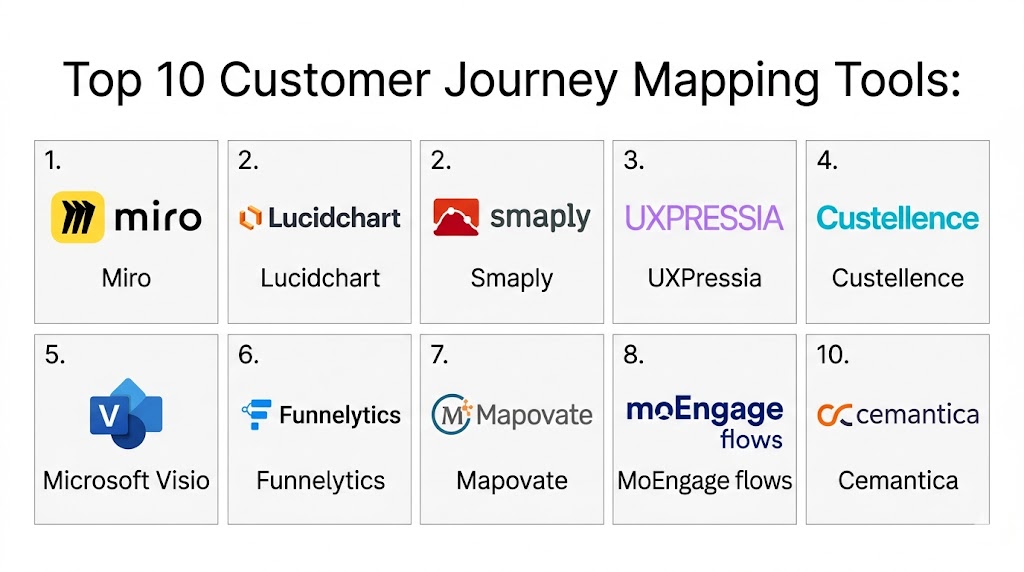
Top 10 Customer Journey Mapping Tools
#1 — Miro
Short description: Miro is a collaborative whiteboard platform that allows teams to create customer journey maps, brainstorm ideas, and visualize workflows in real time.
Key Features
- Visual mapping canvas
- Collaboration tools
- Templates for journey mapping
- Real-time editing
- Integration with productivity tools
Pros
- Easy collaboration
- Flexible design
- User-friendly
Cons
- Limited analytics
- Requires manual structuring
- Can get cluttered
Platforms / Deployment
- Web Mobile
- Cloud
Security & Compliance
- Encryption, access control
- Not publicly stated
Integrations & Ecosystem
Integrates with productivity and design tools.
- Project tools
- APIs
Support & Community
Strong community and documentation.
#2 — Lucidchart
Short description: Lucidchart is a diagramming tool used for mapping customer journeys, workflows, and processes with strong visualization features.
Key Features
- Flowchart creation
- Templates
- Collaboration tools
- Data linking
- Visual diagrams
Pros
- Easy to use
- Strong visualization
- Good integrations
Cons
- Limited advanced analytics
- Subscription pricing
- Learning curve
Platforms / Deployment
- Web
- Cloud
Security & Compliance
- Not publicly stated
Integrations & Ecosystem
Integrates with productivity tools.
- Google Workspace
- APIs
Support & Community
Good support resources.
#3 — Smaply
Short description: Smaply is a specialized journey mapping tool designed for CX teams to visualize customer journeys and identify pain points.
Key Features
- Journey mapping
- Persona creation
- Emotional journey tracking
- Collaboration tools
- Reporting
Pros
- Purpose-built for CX
- Strong visualization
- Insightful analytics
Cons
- Limited integrations
- Smaller ecosystem
- Pricing
Platforms / Deployment
- Web
- Cloud
Security & Compliance
- Not publicly stated
Integrations & Ecosystem
Basic integrations with export capabilities.
- Export tools
- APIs
Support & Community
Good support for CX teams.
#4 — UXPressia
Short description: UXPressia is a journey mapping platform that helps teams create detailed maps, personas, and service blueprints.
Key Features
- Journey maps
- Persona builder
- Templates
- Collaboration
- Reporting
Pros
- Rich templates
- Easy to use
- Good visualization
Cons
- Limited integrations
- Pricing tiers
- Smaller ecosystem
Platforms / Deployment
- Web
- Cloud
Security & Compliance
- Not publicly stated
Integrations & Ecosystem
Supports export and integrations.
- APIs
- Data tools
Support & Community
Good documentation and onboarding.
#5 — Custellence
Short description: Custellence is a journey mapping tool focused on collaboration and workflow optimization for CX teams.
Key Features
- Journey visualization
- Collaboration
- Workflow management
- Templates
- Data integration
Pros
- Strong collaboration
- Easy mapping
- Flexible
Cons
- Limited analytics
- Smaller ecosystem
- Fewer integrations
Platforms / Deployment
- Web
- Cloud
Security & Compliance
- Not publicly stated
Integrations & Ecosystem
Supports integrations with CX tools.
- APIs
- Export tools
Support & Community
Responsive support.
#6 — Microsoft Visio
Short description: Visio is a diagramming tool used to create structured customer journey maps and process flows.
Key Features
- Diagramming tools
- Templates
- Data linking
- Visualization
- Integration
Pros
- Powerful diagrams
- Microsoft integration
- Flexible
Cons
- Not CX-specific
- Requires training
- Subscription cost
Platforms / Deployment
- Windows Web
- Cloud
Security & Compliance
- Not publicly stated
Integrations & Ecosystem
Integrates with Microsoft ecosystem.
- Office tools
- APIs
Support & Community
Strong support.
#7 — Funnelytics
Short description: Funnelytics is a journey mapping and funnel visualization tool focused on marketing and conversion tracking.
Key Features
- Funnel mapping
- Conversion tracking
- Analytics
- Visualization
- Reporting
Pros
- Marketing-focused
- Easy visualization
- Conversion insights
Cons
- Limited CX features
- Smaller ecosystem
- Basic integrations
Platforms / Deployment
- Web
- Cloud
Security & Compliance
- Not publicly stated
Integrations & Ecosystem
Supports marketing integrations.
- Marketing tools
- APIs
Support & Community
Growing support base.
#8 — Mapovate
Short description: Mapovate provides customer journey mapping and analytics tools to improve CX strategies.
Key Features
- Journey mapping
- Analytics
- Feedback tracking
- Reporting
- Visualization
Pros
- Data-driven insights
- Good analytics
- Scalable
Cons
- Complex setup
- Learning curve
- Pricing
Platforms / Deployment
- Web
- Cloud
Security & Compliance
- Not publicly stated
Integrations & Ecosystem
Integrates with CX systems.
- APIs
- Data tools
Support & Community
Enterprise support.
#9 — MoEngage Flows
Short description: MoEngage Flows is a journey orchestration tool that helps marketers design and automate customer journeys.
Key Features
- Journey automation
- Campaign management
- Analytics
- Segmentation
- Reporting
Pros
- Strong automation
- Marketing integration
- Scalable
Cons
- Not pure mapping tool
- Complex setup
- Learning curve
Platforms / Deployment
- Web
- Cloud
Security & Compliance
- Not publicly stated
Integrations & Ecosystem
Integrates with marketing tools.
- CRM
- APIs
Support & Community
Strong support.
#10 — Cemantica
Short description: Cemantica is a strategic journey mapping platform focused on aligning customer journeys with business strategy.
Key Features
- Journey mapping
- Strategy alignment
- Visualization
- Reporting
- Collaboration
Pros
- Strategic focus
- Good visualization
- Scalable
Cons
- Limited integrations
- Smaller ecosystem
- Learning curve
Platforms / Deployment
- Web
- Cloud
Security & Compliance
- Not publicly stated
Integrations & Ecosystem
Supports integration with business tools.
- APIs
- Data systems
Support & Community
Growing support ecosystem.
Comparison Table
| Tool Name | Best For | Platform Supported | Deployment | Standout Feature | Public Rating |
|---|---|---|---|---|---|
| Miro | Collaboration | Web Mobile | Cloud | Visual canvas | N/A |
| Lucidchart | Diagramming | Web | Cloud | Flowcharts | N/A |
| Smaply | CX teams | Web | Cloud | Journey analytics | N/A |
| UXPressia | UX teams | Web | Cloud | Templates | N/A |
| Custellence | Collaboration | Web | Cloud | Workflow mapping | N/A |
| Visio | Enterprise diagrams | Windows Web | Cloud | Structured diagrams | N/A |
| Funnelytics | Marketing funnels | Web | Cloud | Funnel tracking | N/A |
| Mapovate | Analytics | Web | Cloud | Data insights | N/A |
| MoEngage Flows | Automation | Web | Cloud | Journey automation | N/A |
| Cemantica | Strategy | Web | Cloud | Strategic alignment | N/A |
Evaluation & Scoring of Customer Journey Mapping Tools
| Tool Name | Core | Ease | Integrations | Security | Performance | Support | Value | Weighted Total |
|---|---|---|---|---|---|---|---|---|
| Miro | 8 | 9 | 7 | 7 | 8 | 8 | 9 | 8.2 |
| Lucidchart | 8 | 9 | 8 | 7 | 8 | 8 | 8 | 8.1 |
| Smaply | 9 | 8 | 6 | 7 | 8 | 7 | 7 | 7.8 |
| UXPressia | 8 | 8 | 6 | 7 | 7 | 7 | 8 | 7.6 |
| Custellence | 7 | 8 | 6 | 7 | 7 | 7 | 7 | 7.2 |
| Visio | 8 | 6 | 8 | 8 | 8 | 8 | 7 | 7.7 |
| Funnelytics | 7 | 8 | 6 | 7 | 7 | 7 | 8 | 7.3 |
| Mapovate | 8 | 6 | 7 | 7 | 8 | 7 | 7 | 7.4 |
| MoEngage Flows | 8 | 7 | 8 | 7 | 8 | 7 | 7 | 7.6 |
| Cemantica | 8 | 6 | 6 | 7 | 7 | 7 | 7 | 7.2 |
Scores are comparative and help evaluate tools across usability, features, and value. Choose based on your specific use case rather than just the highest score.
Which Customer Journey Mapping Tool Is Right for You
Solo / Freelancer
Miro or Lucidchart are simple and flexible.
SMB
UXPressia and Smaply offer strong value.
Mid Market
Miro and Mapovate provide scalability.
Enterprise
Visio and Cemantica are strong options.
Budget vs Premium
Miro is budget-friendly, Smaply is premium.
Feature Depth vs Ease of Use
Smaply for depth, Miro for ease.
Integrations & Scalability
Lucidchart and MoEngage Flows are strong.
Security & Compliance Needs
Enterprise tools offer stronger controls.
Frequently Asked Questions
1. What is customer journey mapping
Customer journey mapping is the process of visualizing how customers interact with a brand across different touchpoints. It helps identify pain points and improve experiences. It provides a clear view of the customer lifecycle.
2. Why are journey mapping tools important
These tools help businesses understand customer behavior and improve engagement. They provide insights into customer needs and expectations. This leads to better decision-making.
3. How much do these tools cost
Pricing varies depending on features and scale. Some tools offer free versions, while others require subscriptions. Enterprise tools are more expensive.
4. Can small businesses use these tools
Yes, many tools are designed for small and mid-sized businesses. They are easy to use and affordable. They help improve customer experience.
5. Are these tools secure
Most platforms provide encryption and access control features. Security varies by provider. It is important to evaluate security features.
6. Do these tools support analytics
Yes, many tools include analytics and reporting features. These help track customer behavior and performance. Analytics improve decision-making.
7. How long does implementation take
Implementation can take a few days to weeks. It depends on complexity and integrations. Vendors usually provide onboarding support.
8. Do they integrate with other systems
Most tools integrate with CRM, marketing, and analytics systems. APIs allow custom integrations. Integration improves workflow efficiency.
9. What are common mistakes in journey mapping
Common mistakes include ignoring data and focusing only on assumptions. Lack of collaboration can also cause issues. Tools help avoid these problems.
10. Are there alternatives to these tools
Alternatives include spreadsheets or manual diagrams. However, these are less efficient. Software provides better visualization and insights.
Conclusion
Customer journey mapping tools have become essential for businesses aiming to understand and optimize customer experiences across multiple touchpoints. These platforms provide visual insights into customer behavior, helping organizations identify friction points and improve engagement strategies effectively. From collaborative tools like Miro and Lucidchart to specialized platforms like Smaply and UXPressia, each solution offers unique capabilities depending on business needs. The right tool depends on your organization’s size, complexity, and level of data integration required rather than a single universal option. Companies should focus on usability, analytics, and scalability when selecting a platform. It is always recommended to shortlist a few tools, test them in real scenarios, and ensure alignment with long-term customer experience goals.

One aspect that often gets overlooked is keeping journey maps updated as customer behavior changes. Even the most detailed map loses value over time if it doesn’t reflect how users actually interact with the business today.