Introduction
Workflow orchestration tools help organizations automate, schedule, coordinate, and monitor complex workflows across multiple systems, applications, cloud platforms, and teams. These platforms simplify how businesses manage repetitive operational tasks, infrastructure automation, data pipelines, application deployments, and enterprise workflows from a centralized environment.
Modern organizations rely heavily on workflow orchestration to improve operational efficiency, reduce manual intervention, enhance reliability, and support scalable cloud-native environments. As businesses adopt distributed infrastructure, Kubernetes, AI workloads, and hybrid cloud architectures, orchestration platforms have become critical for maintaining automation consistency and visibility.
Common use cases include:
- Data pipeline orchestration
- Infrastructure and cloud automation
- CI/CD workflow management
- AI and machine learning pipeline scheduling
- Enterprise business process automation
Key evaluation criteria include:
- Workflow scalability
- Scheduling and dependency management
- Ease of use
- Integration ecosystem
- Monitoring and observability
- Security and RBAC
- Cloud-native support
- Pricing and operational cost
- Reliability and fault tolerance
- Community and vendor support
Best for: DevOps teams, cloud engineers, IT operations teams, platform engineering groups, data engineering teams, and enterprises managing large automation workloads.
Not ideal for: Small businesses with very simple automation needs or teams that only require lightweight task automation.
Key Trends in Workflow Orchestration Tools
- AI-assisted workflow creation is becoming increasingly common.
- Event-driven orchestration is replacing static scheduling in many environments.
- Kubernetes-native orchestration support is rapidly expanding.
- Low-code workflow builders are improving accessibility for non-developers.
- Hybrid-cloud orchestration is becoming a standard enterprise requirement.
- Security-focused automation with RBAC and audit logging is gaining importance.
- Observability and real-time workflow monitoring are improving operational visibility.
- Workflow orchestration for AI and MLOps pipelines is growing significantly.
- Usage-based pricing models are becoming more common.
- API-first orchestration platforms are improving extensibility and interoperability.
How We Selected These Tools
The tools in this list were selected using a balanced evaluation methodology focused on enterprise readiness, developer usability, scalability, and ecosystem maturity.
- Market adoption and industry reputation
- Workflow reliability and scalability
- Feature completeness
- Cloud-native capabilities
- Security and governance features
- API and integration ecosystem
- Deployment flexibility
- Community and vendor support quality
- Ease of workflow management
- Suitability across SMB and enterprise environments
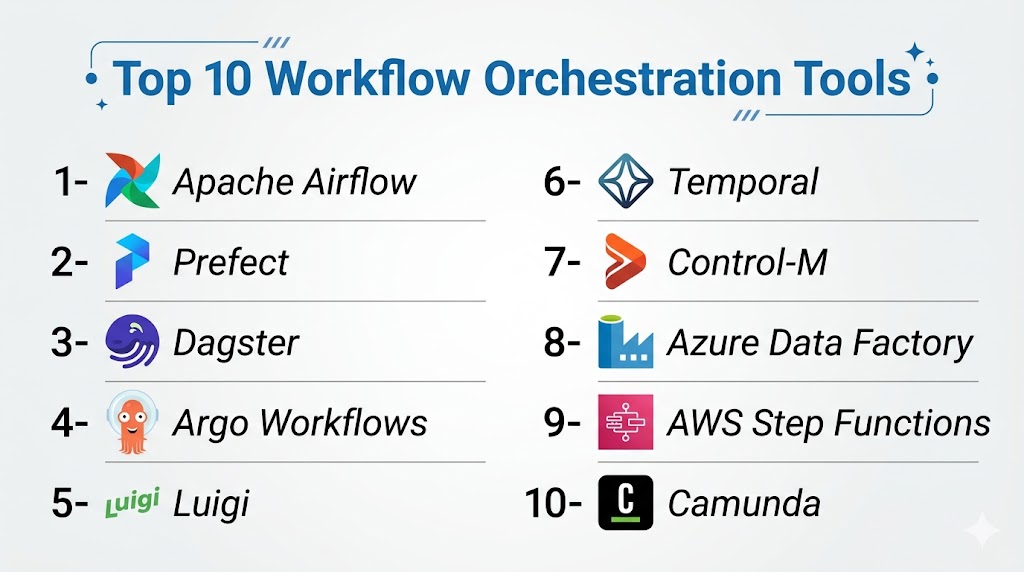
Top 10 Workflow Orchestration Tools
1- Apache Airflow
Short description: Apache Airflow is one of the most widely used open-source workflow orchestration platforms for managing data pipelines and scheduled workflows. It allows teams to define workflows using Python-based DAGs and provides advanced scheduling, monitoring, and automation capabilities. Airflow is especially popular among data engineering and analytics teams operating large-scale cloud and hybrid infrastructures.
Key Features
- Python-based DAG orchestration
- Advanced scheduling engine
- Workflow dependency management
- Real-time monitoring dashboard
- Kubernetes and Docker support
- Retry and failure handling
- Extensive plugin ecosystem
Pros
- Extremely flexible platform
- Strong open-source community
- Excellent data engineering support
- Broad cloud integrations
Cons
- Steep learning curve
- Operational overhead for self-hosting
- Complex UI for beginners
- Requires infrastructure planning
Platforms / Deployment
Web / Linux
Cloud / Self-hosted / Hybrid
Security & Compliance
RBAC, SSO support, encryption support, audit logging capabilities.
Integrations & Ecosystem
Apache Airflow supports a very large ecosystem of integrations through operators and plugins. It works well with cloud services, databases, analytics platforms, and containerized environments.
- AWS integrations
- Azure integrations
- Google Cloud support
- Kubernetes operators
- Snowflake integration
- Databricks support
Support & Community
Very strong open-source ecosystem with extensive community documentation and enterprise support options.
2- Prefect
Short description: Prefect is a modern orchestration platform designed for cloud-native automation workflows and data operations. It emphasizes ease of deployment, observability, and developer productivity while simplifying workflow management compared to traditional orchestration tools. Prefect is commonly used by engineering teams managing dynamic cloud workflows and infrastructure automation.
Key Features
- Dynamic workflow orchestration
- Cloud-native execution
- Event-driven automation
- Real-time workflow monitoring
- Infrastructure automation support
- Automated retries and alerts
- Flexible execution environments
Pros
- Clean and modern interface
- Easier setup experience
- Strong observability features
- Good cloud scalability
Cons
- Smaller ecosystem than Airflow
- Enterprise features may require paid plans
- Limited low-code functionality
- Less mature plugin library
Platforms / Deployment
Web / Windows / macOS / Linux
Cloud / Self-hosted / Hybrid
Security & Compliance
RBAC, SSO/SAML support, encryption support, audit controls.
Integrations & Ecosystem
Prefect integrates with cloud platforms, developer tools, infrastructure services, and modern orchestration environments.
- AWS support
- Azure support
- Google Cloud support
- Docker integration
- Kubernetes support
- Terraform workflows
Support & Community
Growing developer-focused community with strong product documentation and active platform development.
3- Control-M
Short description: Control-M is an enterprise-grade workload automation and orchestration platform designed for mission-critical workflows and large-scale IT operations. It provides advanced scheduling, workload management, SLA monitoring, and cross-platform orchestration capabilities. Large enterprises commonly use Control-M for complex hybrid infrastructure environments.
Key Features
- Enterprise workload automation
- Cross-platform orchestration
- SLA management
- Advanced workflow scheduling
- Predictive analytics support
- File transfer orchestration
- Business service monitoring
Pros
- Enterprise-level reliability
- Excellent workload visibility
- Strong governance capabilities
- Broad enterprise integrations
Cons
- Expensive licensing model
- Complex implementation process
- Requires experienced administrators
- May be excessive for SMBs
Platforms / Deployment
Web / Windows / Linux
Cloud / Self-hosted / Hybrid
Security & Compliance
RBAC, MFA, audit logs, encryption, SSO/SAML support.
Integrations & Ecosystem
Control-M supports extensive enterprise application integrations and hybrid infrastructure orchestration.
- SAP integration
- Oracle support
- Kubernetes integration
- AWS support
- Azure support
- Managed file transfer support
Support & Community
Strong enterprise support organization with onboarding, training, and consulting services.
4- Dagster
Short description: Dagster is a workflow orchestration platform focused heavily on modern data engineering and software-defined assets. It offers advanced observability, testing, lineage tracking, and modular orchestration capabilities. Dagster is widely used by organizations managing large-scale analytics and data platform workflows.
Key Features
- Software-defined assets
- Data lineage tracking
- Workflow testing tools
- Observability dashboards
- Cloud-native orchestration
- Python-native development
- Asset dependency management
Pros
- Excellent developer experience
- Strong data observability
- Modern architecture
- Good testing capabilities
Cons
- Smaller ecosystem than Airflow
- Learning curve for asset concepts
- Enterprise features may require paid versions
- Limited business workflow support
Platforms / Deployment
Web / Windows / macOS / Linux
Cloud / Self-hosted / Hybrid
Security & Compliance
RBAC, authentication support, audit logging.
Integrations & Ecosystem
Dagster integrates with modern data engineering, analytics, and cloud infrastructure platforms.
- dbt integration
- Snowflake support
- Kubernetes integration
- AWS support
- Databricks support
- Airbyte integration
Support & Community
Strong developer community with growing adoption in modern analytics environments.
5- n8n
Short description: n8n is an open-source workflow automation and orchestration platform combining low-code automation with developer flexibility. It enables teams to build integrations, automate APIs, and create custom workflows using a visual interface. The platform is widely adopted by SMBs, startups, and automation-focused teams.
Key Features
- Visual workflow builder
- API automation support
- Open-source architecture
- Event-driven workflows
- Self-hosted deployment option
- AI integration support
- Custom node creation
Pros
- Affordable automation platform
- Flexible workflow customization
- Strong API integration support
- Self-hosted availability
Cons
- Limited enterprise governance
- Scaling may require tuning
- Smaller enterprise ecosystem
- Some advanced features are paid
Platforms / Deployment
Web / Windows / macOS / Linux
Cloud / Self-hosted
Security & Compliance
RBAC support, credential encryption, authentication controls.
Integrations & Ecosystem
n8n supports a broad collection of connectors and automation integrations for SaaS and cloud services.
- Slack integration
- Salesforce integration
- GitHub integration
- Google Workspace support
- OpenAI integration
- Webhook automation
Support & Community
Large open-source community with active workflow sharing and documentation support.
6- Camunda
Short description: Camunda is an enterprise workflow and business process orchestration platform designed for BPMN-based automation. It helps organizations automate business operations, approvals, and process-driven workflows across distributed systems. Camunda is widely used by enterprises requiring advanced process visibility and governance.
Key Features
- BPMN workflow automation
- Decision automation
- Process monitoring
- Human workflow support
- Business rules engine
- API-first architecture
- Cloud-native deployment
Pros
- Strong business process support
- Enterprise scalability
- Excellent BPMN capabilities
- Flexible integrations
Cons
- BPMN learning curve
- Complex implementation
- Enterprise features may be costly
- Requires technical expertise
Platforms / Deployment
Web / Windows / Linux
Cloud / Self-hosted / Hybrid
Security & Compliance
SSO/SAML, RBAC, audit logs, encryption support.
Integrations & Ecosystem
Camunda integrates well with enterprise systems, APIs, and cloud-native infrastructure.
- REST API support
- Kafka integration
- Kubernetes support
- SAP integration
- Spring Boot integration
- Cloud platform support
Support & Community
Large enterprise community with extensive documentation and professional support services.
7- Azure Logic Apps
Short description: Azure Logic Apps is Microsoft’s cloud-native workflow orchestration platform built for enterprise automation and system integration. It enables users to automate workflows using low-code visual builders and integrates deeply with Microsoft cloud services and enterprise applications.
Key Features
- Visual workflow designer
- Serverless orchestration
- Enterprise integration connectors
- Event-driven automation
- Hybrid workflow support
- AI service integrations
- Monitoring dashboards
Pros
- Excellent Microsoft integration
- Easy workflow creation
- Strong scalability
- Enterprise-grade reliability
Cons
- Best for Azure-centric organizations
- Usage-based pricing can grow quickly
- Workflow complexity can become difficult
- Limited portability outside Azure
Platforms / Deployment
Web
Cloud / Hybrid
Security & Compliance
SSO, RBAC, encryption, Azure Active Directory integration, audit logging.
Integrations & Ecosystem
Azure Logic Apps integrates deeply with Microsoft services and enterprise SaaS applications.
- Microsoft 365 integration
- Dynamics integration
- SAP integration
- Salesforce support
- Azure AI services
- API Management integration
Support & Community
Strong Microsoft enterprise support ecosystem with extensive learning resources.
8- AWS Step Functions
Short description: AWS Step Functions is a serverless orchestration service designed for coordinating distributed applications and cloud workflows. It enables teams to build scalable event-driven workflows across AWS services while simplifying application orchestration and infrastructure automation.
Key Features
- Serverless workflow orchestration
- Visual workflow management
- Event-driven execution
- Error handling and retries
- AWS-native integrations
- State machine workflows
- High scalability
Pros
- Strong AWS ecosystem support
- Highly scalable architecture
- Minimal infrastructure management
- Reliable cloud execution
Cons
- AWS-focused architecture
- Limited portability
- Complex pricing estimation
- Learning curve for state machines
Platforms / Deployment
Web
Cloud
Security & Compliance
IAM integration, encryption, audit logging, RBAC support.
Integrations & Ecosystem
AWS Step Functions integrates tightly with AWS cloud services and serverless infrastructure components.
- Lambda integration
- ECS integration
- SageMaker support
- DynamoDB support
- API Gateway integration
- EventBridge support
Support & Community
Extensive AWS documentation ecosystem with strong enterprise support programs.
9- StackStorm
Short description: StackStorm is an event-driven automation platform focused on infrastructure orchestration, DevOps workflows, and operational remediation automation. It allows IT teams to automate incident response, infrastructure management, and operational workflows across distributed systems.
Key Features
- Event-driven automation
- Infrastructure orchestration
- ChatOps support
- Rule-based workflows
- DevOps integrations
- Remediation automation
- Extensible plugin system
Pros
- Strong infrastructure automation
- Excellent event handling
- Open-source flexibility
- Good DevOps workflow support
Cons
- Smaller community ecosystem
- Less modern interface
- Requires technical expertise
- Complex beginner setup
Platforms / Deployment
Linux
Self-hosted
Security & Compliance
RBAC support, authentication controls, audit logging.
Integrations & Ecosystem
StackStorm integrates with infrastructure platforms, monitoring tools, and DevOps environments.
- Kubernetes integration
- Ansible support
- Slack integration
- ServiceNow support
- AWS support
- Monitoring platform integrations
Support & Community
Active open-source infrastructure automation community with technical documentation resources.
10- Kestra
Short description: Kestra is a modern orchestration platform designed for scalable workflow automation using YAML-based workflow definitions. It focuses on cloud-native execution, developer simplicity, observability, and event-driven automation for modern infrastructure environments.
Key Features
- YAML-based orchestration
- Event-driven automation
- Cloud-native scalability
- Built-in observability
- API-first architecture
- Real-time monitoring
- Multi-language support
Pros
- Modern lightweight architecture
- Easy workflow readability
- Strong scalability support
- Flexible deployment options
Cons
- Smaller ecosystem
- Lower enterprise adoption
- Fewer integrations than mature platforms
- Growing community
Platforms / Deployment
Web / Windows / macOS / Linux
Cloud / Self-hosted
Security & Compliance
RBAC, authentication support, encryption support.
Integrations & Ecosystem
Kestra supports modern API-driven workflows and cloud-native orchestration environments.
- Docker integration
- Kubernetes support
- AWS support
- Git integration
- Kafka integration
- Database connectors
Support & Community
Growing open-source ecosystem with modern developer-focused documentation.
Comparison Table
| Tool Name | Best For | Platform(s) Supported | Deployment | Standout Feature | Public Rating |
|---|---|---|---|---|---|
| Apache Airflow | Data engineering teams | Web, Linux | Cloud, Self-hosted, Hybrid | Python DAG orchestration | N/A |
| Prefect | Cloud-native workflows | Web, Windows, macOS, Linux | Cloud, Hybrid | Dynamic workflows | N/A |
| Control-M | Enterprise workload automation | Web, Windows, Linux | Hybrid | Enterprise scheduling | N/A |
| Dagster | Modern data orchestration | Web, Windows, macOS, Linux | Cloud, Hybrid | Software-defined assets | N/A |
| n8n | SMB automation | Web, Windows, macOS, Linux | Cloud, Self-hosted | Low-code workflows | N/A |
| Camunda | Business process automation | Web, Windows, Linux | Hybrid | BPMN orchestration | N/A |
| Azure Logic Apps | Microsoft ecosystem automation | Web | Cloud | Azure-native workflows | N/A |
| AWS Step Functions | AWS cloud orchestration | Web | Cloud | Serverless orchestration | N/A |
| StackStorm | DevOps automation | Linux | Self-hosted | Event-driven remediation | N/A |
| Kestra | YAML-based workflows | Web, Windows, macOS, Linux | Cloud, Self-hosted | YAML-native orchestration | N/A |
Evaluation & Scoring of Workflow Orchestration Tools
| Tool Name | Core 25% | Ease 15% | Integrations 15% | Security 10% | Performance 10% | Support 10% | Value 15% | Weighted Total |
|---|---|---|---|---|---|---|---|---|
| Apache Airflow | 9.5 | 7.0 | 9.5 | 8.5 | 9.0 | 9.0 | 8.5 | 8.8 |
| Prefect | 8.8 | 8.5 | 8.5 | 8.2 | 8.8 | 8.2 | 8.5 | 8.5 |
| Control-M | 9.2 | 7.5 | 9.0 | 9.2 | 9.5 | 9.0 | 7.0 | 8.7 |
| Dagster | 8.7 | 8.0 | 8.3 | 8.0 | 8.7 | 8.0 | 8.4 | 8.3 |
| n8n | 7.8 | 9.0 | 8.5 | 7.5 | 7.8 | 7.8 | 9.0 | 8.2 |
| Camunda | 9.0 | 7.5 | 8.8 | 8.8 | 9.0 | 8.8 | 7.8 | 8.6 |
| Azure Logic Apps | 8.5 | 8.8 | 9.0 | 9.0 | 8.8 | 8.7 | 7.8 | 8.5 |
| AWS Step Functions | 8.7 | 8.0 | 9.2 | 9.0 | 9.3 | 8.7 | 7.8 | 8.6 |
| StackStorm | 7.8 | 6.8 | 8.0 | 7.8 | 8.0 | 7.0 | 8.5 | 7.8 |
| Kestra | 8.0 | 8.5 | 7.8 | 7.8 | 8.2 | 7.5 | 8.8 | 8.1 |
These scores are comparative rather than absolute. Organizations should prioritize the criteria that align most closely with their operational goals, infrastructure strategy, and technical capabilities. Enterprise buyers may prioritize governance, integrations, and reliability, while SMBs may focus more on affordability and usability. Open-source tools can provide excellent flexibility but often require additional operational expertise.
Which Workflow Orchestration Tool Is Right for You?
Solo / Freelancer
n8n and Kestra are strong options for individuals and small technical teams looking for lightweight orchestration with manageable setup complexity and lower costs.
SMB
Prefect, n8n, and Azure Logic Apps provide a good balance between usability, scalability, and operational simplicity for growing businesses.
Mid-Market
Apache Airflow, Dagster, and Camunda are strong choices for organizations requiring better governance, scalability, and workflow visibility.
Enterprise
Control-M, Camunda, Apache Airflow, and AWS Step Functions are better suited for large enterprises managing hybrid environments and mission-critical workloads.
Budget vs Premium
Open-source tools offer better cost flexibility, while premium enterprise solutions provide stronger governance, support, and operational reliability.
Feature Depth vs Ease of Use
Enterprise orchestration platforms often provide deeper functionality but require greater implementation effort. Low-code platforms prioritize simplicity and faster onboarding.
Integrations & Scalability
Organizations heavily invested in cloud ecosystems should evaluate native orchestration services, while hybrid environments may require broader cross-platform compatibility.
Security & Compliance Needs
Regulated industries should prioritize tools offering RBAC, audit logging, encryption, SSO/SAML integration, and strong governance controls.
Frequently Asked Questions
1. What are workflow orchestration tools used for?
Workflow orchestration tools automate and coordinate multi-step processes across applications, cloud services, databases, and infrastructure environments. They simplify scheduling, monitoring, retries, and dependency management for operational workflows.
2. What is the difference between orchestration and automation?
Automation focuses on individual tasks, while orchestration manages how multiple automated tasks interact and execute together. Orchestration platforms coordinate complex workflows across systems and teams.
3. Are workflow orchestration tools suitable for small businesses?
Yes. Many modern orchestration platforms offer lightweight and affordable deployment models suitable for SMBs and startups. The best choice depends on workflow complexity and technical expertise.
4. Which orchestration tool is best for data engineering?
Apache Airflow and Dagster are among the strongest choices for data engineering due to their advanced scheduling, observability, and workflow dependency management capabilities.
5. Are open-source orchestration tools reliable for enterprises?
Many enterprises successfully use open-source orchestration platforms in production. However, organizations should carefully evaluate operational overhead, support availability, and scalability requirements.
6. What security features are important in orchestration platforms?
Key features include RBAC, audit logging, encryption, MFA, SSO/SAML integration, credential management, and API security controls for workflow governance.
7. Can workflow orchestration tools integrate with AI systems?
Yes. Many orchestration tools now support AI pipeline scheduling, MLOps workflows, AI API integrations, and event-driven automation for machine learning operations.
8. What deployment models are commonly available?
Most platforms support cloud, self-hosted, or hybrid deployment models. The best option depends on compliance requirements, infrastructure strategy, and operational expertise.
9. How difficult is workflow orchestration implementation?
Implementation complexity varies significantly. Enterprise platforms may require experienced engineering teams, while low-code cloud-native platforms are generally easier to deploy.
10. How should businesses evaluate workflow orchestration platforms?
Organizations should assess workflow complexity, scalability, integrations, deployment flexibility, security capabilities, pricing, and operational requirements before selecting a platform.
Conclusion
Workflow orchestration tools have become critical operational platforms for businesses managing cloud infrastructure, application automation, DevOps pipelines, data workflows, and enterprise process automation. The market now includes a diverse mix of open-source platforms, enterprise workload automation solutions, low-code workflow builders, and cloud-native orchestration services designed for different operational needs and technical maturity levels. Organizations focused on scalability and governance may prefer enterprise-grade platforms such as Control-M or Camunda, while developer-focused teams may prioritize Apache Airflow, Dagster, or Prefect for flexibility and extensibility. Smaller businesses and automation-focused teams may find n8n or Kestra more practical due to simpler deployment and affordability. Ultimately, the best orchestration platform depends on workflow complexity, infrastructure strategy, security requirements, integration needs, and internal expertise. Businesses should shortlist a few platforms, run pilot workflows, validate integrations, and evaluate long-term scalability before committing to full deployment.

One area that deserves more attention is workflow ownership and operational governance. Most orchestration evaluations focus on features, integrations, and scalability, but large-scale failures are often caused by unclear ownership, weak alerting strategies, and poorly documented dependencies rather than platform limitations. As workflows span multiple teams, environments, and business functions, organizations need lineage visibility, SLA monitoring, auditability, and standardized deployment practices. Teams that treat workflow definitions as version-controlled assets with CI/CD validation and observability tend to scale much more successfully than those relying solely on visual workflow builders. In many production environments, maintainability and incident response become more important than the orchestration features themselves.
Workflow orchestration platforms are often compared on scheduling and automation features, but operational visibility becomes a key differentiator as environments grow. When hundreds or thousands of workflows are running daily, identifying bottlenecks, tracing failures across dependencies, and understanding execution trends can be challenging. More discussion around observability, auditability, and operational reporting would help teams assess how well these tools support long-term production workloads.
Workflow orchestration is most effective when it can adapt to changing business conditions without requiring extensive redesign. As organizations introduce new applications, AI services, and cloud environments, workflows need to remain flexible while preserving governance and reliability. Adding guidance on modular workflow architecture, event-driven orchestration, and version management would give readers a deeper understanding of how orchestration platforms can support long-term scalability and continuous business evolution.