Introduction
Email Client Software refers to applications installed on a device—or accessed via a browser—that allow users to manage, send, and receive electronic mail from multiple providers. In 2026, the humble inbox has evolved into an “AI Command Center.” Modern clients no longer just display text; they act as agentic assistants that can autonomously draft replies, summarize lengthy threads, and link emails to relevant documents and meetings. For technical managers and engineers, the right email client is the difference between “inbox zero” and a fragmented workflow scattered across Slack, Jira, and Outlook.
The primary shift in the current landscape is the integration of “Cross-Channel Context.” Leading tools now treat email as one part of a larger knowledge graph, pulling in data from calendar invites, CRM records, and team chat to ensure that every reply is contextually aware. For organizations, this move toward “Agentic Email” reduces the manual labor of triage and scheduling, transforming the inbox from a chore into a high-fidelity productivity engine.
Real-world use cases for these tools include:
- Using autonomous AI proxies to handle routine scheduling and meeting follow-ups.
- Consolidating multiple professional and personal accounts into a single, unified “Focused” inbox.
- Integrating email threads directly with project management boards (e.g., Notion, Salesforce).
- Applying end-to-end PGP encryption for sensitive corporate or legal communication.
- Managing shared team inboxes with collision detection to prevent multiple agents from replying to the same customer.
When evaluating these solutions, buyers should analyze:
- Protocol Support: Full support for IMAP, POP3, and native Microsoft Exchange.
- AI Capability: Depth of summarization, drafting, and autonomous agent features.
- Unified Inbox Efficiency: How well the tool merges multiple accounts without clutter.
- Privacy Architecture: End-to-end encryption (PGP/S-MIME) and data training transparency.
- Search Performance: Speed of indexing across decades of archived messages.
- Cross-Platform Sync: Consistency between desktop, mobile, and web versions.
- Integration Ecosystem: Connectivity with CRMs, Slack, and cloud storage providers.
- Offline Access: Robustness of local data storage for work in low-connectivity areas.
- Automation Engine: Quality of rules, filters, and “snoozing” capabilities.
- Resource Footprint: Impact on system RAM and CPU during high-volume usage.
Mandatory paragraph
- Best for: High-volume professionals, technical managers, and customer-facing teams who need to consolidate communication and utilize AI to reduce “inbox fatigue.”
- Not ideal for: Casual users who only check email once a week, or legacy environments where strictly web-based portals (like basic Gmail) are the only authorized access points.
Key Trends in Email Client Software for 2026 and Beyond
- Agentic Proxies: AI “proxies” (like Read AI’s Ada) can now be CC’d on threads to autonomously draft responses and schedule meetings based on your 10,000+ document context.
- Cross-Platform Knowledge Graphs: Inboxes are connecting to Slack, Zoom, and Jira to understand that an email follow-up relates to a decision made in a meeting three weeks ago.
- Post-Quantum Privacy: Leading secure clients (like Proton Mail) are implementing PQC algorithms to ensure that today’s encrypted emails remain secure against future quantum decryption.
- Omnichannel Integration: Tools like Front are merging email with WhatsApp, SMS, and Social DM’s into a single, collaborative team surface.
- “Task-First” Emailing: The shift toward treating every email as a “To-Do,” with built-in Kanban views and status tracking (e.g., Notion Mail, Shortwave).
- Human-Centric Triage: Advanced “Focused Inboxes” use AI to automatically collapse newsletters and low-priority updates while surfacing urgent client requests.
How We Selected These Tools (Methodology)
The selection of the “Top 10” email clients for 2026 followed a strict evaluation of professional utility and technological innovation:
- Market Dominance & Stability: We included the industry standards that define the enterprise and consumer baseline (Outlook, Gmail).
- AI Innovation Leaders: Selection was heavily weighted toward “AI-native” clients that offer more than just simple drafting (Superhuman, Canary, Shortwave).
- Open-Source & Privacy: We prioritized tools that offer high transparency and user sovereignty (Thunderbird, Proton).
- Workflow Integration: Tools that successfully bridge the gap between email and external project management were favored (Notion Mail, Front).
- Platform Versatility: We looked for consistent experiences across Windows, Mac, iOS, and Android.
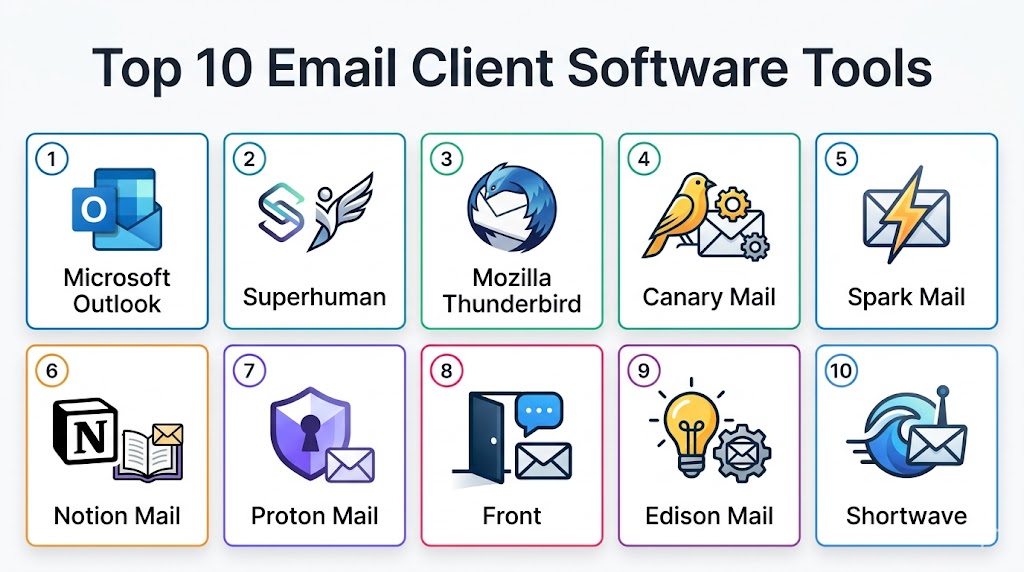
Top 10 Email Client Software Tools
#1 — Microsoft Outlook
Short description: Outlook remains the global enterprise standard, providing a massive suite of features integrated into the Microsoft 365 ecosystem. In 2026, it has fully transitioned to a unified web-based architecture for Windows and Mac, featuring the powerful “Copilot” AI for deep organizational and scheduling support.
Key Features
- Microsoft Copilot Integration: Native AI that can summarize long threads and draft complex replies based on your OneDrive files.
- Focused Inbox: Uses machine learning to automatically separate important emails from “Other” clutter.
- Unified Calendar: Deeply integrated scheduling assistant with native Teams and Exchange support.
- Powerful Rules Engine: The industry’s most robust automation for sorting, forwarding, and tagging mail.
- Enterprise Security: Built-in protection against phishing, malware, and data exfiltration (DLP).
Pros
- Unrivaled integration with Word, Excel, Teams, and corporate Exchange servers.
- Best-in-class administrative controls for IT managers.
- Strong offline access and mobile performance for professional users.
Cons
- Can feel “bloated” or heavy for users who only want a simple email experience.
- The transition to the “New Outlook” (web-based) has polarized some legacy power users.
- Microsoft telemetry data collection is a concern for privacy purists.
Platforms / Deployment
- Windows / macOS / Web / iOS / Android
- Cloud / Hybrid
Security & Compliance
- Encrypted data at rest/transit, MFA.
- GDPR, HIPAA, FedRAMP compliant.
Integrations & Ecosystem
Outlook is the heart of the Microsoft 365 environment.
- Native sync with Windows/macOS notification centers.
- Direct integration with Salesforce, HubSpot, and Jira via add-ins.
- Unified identity via Entra ID (Azure AD).
Support & Community
Microsoft offers 24/7 enterprise support, a massive “Microsoft Learn” database, and a global community of IT professionals.
#2 — Superhuman
Short description: Superhuman is a premium “speed-first” email client designed for professionals who manage high-volume inboxes. Following its 2025 acquisition by Grammarly, it now features world-class AI writing assistance alongside its signature keyboard-centric design and “blazingly fast” performance.
Key Features
- AI Triage: Automatically prioritizes your most important emails so you see them first.
- Keyboard Shortcuts: Designed to be used entirely without a mouse for maximum speed.
- Auto Drafts: Generates full email replies in your personal voice based on previous conversation patterns.
- Read Receipts: Built-in tracking to see exactly when and where your emails are opened.
- Split Inbox: Allows you to create separate views for different projects or categories.
Pros
- The fastest interface on the market for clearing a cluttered inbox.
- Personalized 1-on-1 onboarding for every new user.
- Deep Grammarly AI integration for perfectly polished writing.
Cons
- High subscription cost ($30/mo) makes it inaccessible for casual users.
- Steep learning curve to master the keyboard-centric workflow.
- Requires an existing Gmail or Outlook account to function.
Platforms / Deployment
- macOS / iOS / Android / Web (Chromium)
- Cloud
Security & Compliance
- Zero-access encryption for your emails.
- SOC 2 Type 2 certified.
Integrations & Ecosystem
Superhuman acts as a high-performance layer on top of your existing provider.
- Native integration with HubSpot and Salesforce for sales teams.
- Deep calendar integration for quick “invite” creation.
- Unified search across Gmail and Outlook accounts.
Support & Community
Superhuman provides “white-glove” customer support, including a dedicated growth manager for professional accounts.
#3 — Mozilla Thunderbird
Short description: Thunderbird is the leading open-source email client, favored for its independence and massive customization potential. In 2026, it features a modernized UI and native Microsoft Exchange support, making it a viable free alternative to Outlook for both personal and professional use.
Key Features
- Open-Source Sovereignty: Completely free to use with no ads or data tracking.
- Native Exchange Support: Full bi-directional sync with Microsoft 365 and Exchange (since late 2025).
- Extensive Add-on Library: Thousands of community-made plugins for themes, encryption, and productivity.
- End-to-End Encryption: Built-in OpenPGP and S/MIME support for secure communication.
- Unified Folders: View all your “Sent” or “Inbox” messages from different accounts in a single list.
Pros
- Completely free forever; a favorite for privacy advocates and non-profits.
- Highly customizable; you can modify the entire interface via themes and CSS.
- Excellent local data management for those who want their emails on their own hard drive.
Cons
- The interface, while modernized, still lacks the “slick” polish of paid competitors.
- Can be resource-intensive on older systems compared to lightweight web clients.
- Mobile version (Android) is still catching up to the desktop feature set.
Platforms / Deployment
- Windows / macOS / Linux / Android
- Local / Cloud (Sync)
Security & Compliance
- OpenPGP, S/MIME, Anti-phishing protection.
- Open-source audited.
Integrations & Ecosystem
Thunderbird is built to be a standalone, independent communications hub.
- Integrated Chat (Matrix, XMPP, IRC).
- Native Calendar and Task management.
- Import/Export tools for almost any legacy email format.
Support & Community
Thunderbird offers a massive community-driven wiki, the “Support Mozilla” (SUMO) forums, and a very active developer community on GitHub.
#4 — Canary Mail
Short description: Canary Mail is a privacy-focused client that has become a leader in the “AI Copilot” space. It is designed for users who want the security of end-to-end encryption combined with an AI that can draft, summarize, and prioritize emails directly in a secure, local environment.
Key Features
- AI Copilot: An integrated assistant that drafts replies, summarizes threads, and highlights urgent mail.
- Zero-Knowledge Encryption: Built-in PGP encryption that works out of the box without complex setup.
- Read Receipts: Alerts you the moment your recipient opens your email.
- Biometric Lock: Secure your inbox with FaceID or Fingerprint on mobile and desktop.
- Secure File Sharing: Allows for sending large encrypted files that expire automatically.
Pros
- The best balance of “High AI” and “High Privacy” in a single client.
- Clean, minimalist design that works well across all platforms.
- One of the most reliable mobile apps for professional users.
Cons
- The AI-powered features require a paid subscription.
- The learning curve for the AI Copilot can be steep for traditional users.
- Fewer third-party integrations compared to “enterprise” hubs like Outlook.
Platforms / Deployment
- Windows / macOS / iOS / Android
- Cloud
Security & Compliance
- End-to-end PGP encryption, MFA.
- GDPR compliant.
Integrations & Ecosystem
Canary focuses on being a secure front-end for your existing email providers.
- Supports Gmail, iCloud, Outlook, Yahoo, and IMAP.
- Integrated calendar and contact management.
- Customizable swipe gestures and notification alerts.
Support & Community
Canary provides a detailed help center, responsive email support, and a dedicated community for beta-testers.
#5 — Spark Mail
Short description: Spark is a collaboration-first email client that treats the inbox as a shared team workspace. It is famous for its “Smart Inbox” that categorizes mail by type and its real-time collaboration features that allow teams to draft emails together.
Key Features
- Smart Inbox: Automatically groups emails from real people at the top, while pushing newsletters and notifications below.
- Shared Drafts: Allows team members to compose a single email together in real-time (like a Google Doc).
- Shared Inboxes: Multiple team members can manage a single account (e.g., info@company.com) with internal commenting.
- AI Summaries: Quickly catch up on long threads with concise, AI-generated bullet points.
- Email Snoozing & Scheduling: Precise controls to hide emails until they are relevant or send them when a recipient is active.
Pros
- The best client for teams that need to collaborate on customer or client replies.
- Excellent design and user experience, especially on macOS and iOS.
- Reasonable pricing for small-to-medium teams compared to Superhuman.
Cons
- Historical performance issues on Android compared to the iOS original.
- Limited advanced automation/rules compared to Microsoft Outlook.
- Team features require every member to use the Spark client.
Platforms / Deployment
- macOS / Windows / iOS / Android
- Cloud
Security & Compliance
- Data encryption at rest, secure team sharing.
- GDPR compliant.
Integrations & Ecosystem
Spark is designed to be a central hub for professional teamwork.
- Integration with Slack, Trello, and Asana for task creation.
- Built-in Calendar and Video Conferencing links.
- Cloud storage integration (Drive, Dropbox, OneDrive).
Support & Community
Spark offers a robust help portal, a dedicated blog for productivity tips, and active social media support.
#6 — Notion Mail
Short description: Notion Mail is a new, project-centric email client that merges your inbox directly with your Notion workspace. It is designed for users who want to turn emails into tasks and database entries without leaving their primary work platform.
Key Features
- Inbox-as-Database: Filter and sort your email using Notion’s powerful database properties (Status, Priority, Project).
- Direct Task Linking: One-click conversion of an email into a Notion task or project update.
- AI Drafting: Uses Notion AI to draft replies based on the context of your existing meeting notes and projects.
- Customizable Groups: Split your inbox into specific “views” tailored to your current work focus.
- Template Integration: Use your existing Notion templates to draft standardized professional emails.
Pros
- Eliminates the “context switching” between your email and your project management tool.
- Incredible flexibility; you can build your own custom email management system.
- Perfect for teams already living inside the Notion ecosystem.
Cons
- Currently only supports Gmail accounts (Outlook support is in development).
- Can feel overwhelming for users who don’t already use or understand Notion.
- Lacks some “legacy” email features like deep IMAP/POP3 configuration.
Platforms / Deployment
- Web / Windows / macOS / iOS / Android
- Cloud
Security & Compliance
- Standard Notion security encryption.
- SOC 2 Type 2.
Integrations & Ecosystem
Notion Mail is a native expansion of the Notion productivity platform.
- Deep sync with Notion Calendar and Databases.
- Integrated AI across the entire workspace.
- Unified search for emails and internal docs.
Support & Community
Notion provides a massive community of template-builders, a detailed help center, and 24/7 technical support for business accounts.
#7 — Proton Mail
Short description: Proton Mail is the industry leader in encrypted email, based in Switzerland. It is a “privacy-first” provider and client that offers end-to-end encryption for all messages, ensuring that even the provider cannot read your data. It is the gold standard for journalists, activists, and security-conscious professionals.
Key Features
- Zero-Access Encryption: All mail is encrypted before reaching the server; your data is unreadable to everyone but you.
- Swiss-Based Privacy: Protected by the world’s strictest privacy laws (outside US/EU jurisdiction).
- Open-Source Security: The entire client and server code is open for public auditing.
- Proton Sentinel: Advanced AI-driven account protection for high-risk users.
- Passwordless Login: Native support for Passkeys and biometric authentication.
Pros
- Unrivaled privacy and security reputation.
- Excellent “Hide-my-email” aliasing to prevent tracking and spam.
- Completely ad-free experience even on the free tier.
Cons
- It is a “provider-first” client; it does not support non-Proton accounts (like Gmail) in the main app.
- The IMAP “Bridge” (to use it with other clients) is a paid-only feature.
- Free tier storage (1GB) is significantly smaller than Gmail.
Platforms / Deployment
- Web / iOS / Android / Windows (Beta) / macOS (Beta)
- Cloud
Security & Compliance
- PQC-ready End-to-End Encryption, MFA, Swiss FADP.
- Open-source audited.
Integrations & Ecosystem
Proton Mail is the anchor for the Proton privacy suite.
- Integrated Proton Calendar and Proton Drive.
- Native Proton VPN connectivity.
- “Easy Switch” tool for importing data from Gmail and Outlook.
Support & Community
Proton offers a high-quality help center, a dedicated subreddit (r/ProtonMail), and active engagement with the privacy and human rights community.
#8 — Front
Short description: Front is an “Omnichannel” email client designed for customer service and sales teams. It combines email, SMS, Chat, and Social media into a single collaborative surface, allowing teams to handle customer inquiries with extreme efficiency and internal transparency.
Key Features
- Omnichannel Inbox: Manage Email, WhatsApp, Slack, and SMS in one unified view.
- Collision Detection: See in real-time when a teammate is drafting a reply to avoid double-responding.
- AI Autopilot: An agentic assistant that can automatically resolve simple customer queries without human intervention.
- Internal Commenting: Discuss an email with teammates directly in the thread without forwarding or CCing.
- Sophisticated Analytics: Detailed reports on response times, volume, and customer sentiment.
Pros
- The most powerful tool for shared team inboxes (support@, sales@).
- Eliminates internal “forwarding” and keeps conversations clean.
- Excellent for maintaining high SLA (Service Level Agreement) standards.
Cons
- Very high cost ($59+/user/mo) makes it strictly an enterprise tool.
- Over-engineered for individual or personal use.
- Steep implementation time for complex team workflows.
Platforms / Deployment
- Web / Windows / macOS / iOS / Android
- Cloud
Security & Compliance
- SOC 2 Type 2, GDPR compliant.
- Advanced RBAC (Role-Based Access Control).
Integrations & Ecosystem
Front is built to be the “customer-facing” layer of your business.
- Native integration with Salesforce, HubSpot, and Intercom.
- API for custom bot development.
- Connectivity with 100+ third-party business apps.
Support & Community
Front provides dedicated account managers for enterprise tiers, a detailed “Front Academy” for training, and 24/7 technical support.
#9 — Edison Mail
Short description: Edison Mail is a “speed-and-simplicity” focused client for iOS and Android (with a growing desktop presence). It is famous for its ad-free experience and built-in “Assistant” that automatically tracks packages, bills, and subscriptions without any setup.
Key Features
- Smart Assistant: Automatically pulls tracking numbers, flight details, and bills into a specialized view.
- One-Tap Unsubscribe: A famous feature that allows you to kill unwanted mailing lists with a single click.
- Read Receipts & Tracking Block: Blocks the tracking pixels that send data back to marketers.
- Fastest Sync: Specifically optimized for low-latency email loading on mobile devices.
- Sender Verification: Flags potential phishing attempts by verifying the sender’s identity.
Pros
- Completely free and ad-free; a rare combination in the mobile market.
- The package and bill tracking are incredibly helpful for busy individuals.
- Clean, aesthetic interface that feels native to mobile OS designs.
Cons
- Historical privacy concerns regarding Edison’s research data collection.
- Desktop versions are still less mature than the mobile applications.
- Customization options are minimal compared to Thunderbird or Airmail.
Platforms / Deployment
- iOS / Android / macOS / Windows
- Cloud
Security & Compliance
- Standard data encryption, Biometric lock.
- Privacy-focused (though research-based).
Integrations & Ecosystem
Edison is designed to be a standalone, high-performance mobile inbox.
- Supports Gmail, Outlook, iCloud, Yahoo, and IMAP.
- Integrated calendar and contact management.
- Direct link to package tracking services.
Support & Community
Edison provides a robust help center and active email support for its user base.
#10 — Shortwave
Short description: Shortwave is an AI-native email client built on top of Gmail. It treats your inbox like a messaging app, bundling threads by topic and using an AI “Knowledge Graph” to understand the contents of your mail. It is designed for users who want to spend as little time as possible on manual triage.
Key Features
- AI Knowledge Graph: Understands the relationships between people, projects, and threads to provide smarter summaries.
- Topic Bundling: Automatically groups newsletters, updates, and specific project threads into single, collapsible rows.
- AI Drafts & Subject Lines: Generates context-aware replies and catchy subject lines in one click.
- Predictive Scheduling: Suggests the best time to send an email based on when the recipient is likely to engage.
- Command Palette: Fast, keyboard-driven navigation for power users.
Pros
- The most innovative “AI-first” experience for Gmail users.
- Transforms the “messy” inbox into a clean, prioritized to-do list.
- Highly efficient for managing high-volume project-based threads.
Cons
- Currently only supports Gmail (Outlook support is in public beta).
- No native Windows app (Web/Electron based).
- Subscription required for full AI capabilities.
Platforms / Deployment
- Web / iOS / Android / macOS
- Cloud
Security & Compliance
- Zero-access encryption for your email data.
- GDPR compliant.
Integrations & Ecosystem
Shortwave acts as an intelligent assistant for the Google Workspace ecosystem.
- Deep sync with Google Calendar.
- Integrated “Task” management.
- Unified search across all archived Gmail messages.
Support & Community
Shortwave offers a detailed help center, a very active Discord community, and direct support for premium users.
Comparison Table (Top 10)
| Tool Name | Best For | Platform(s) Supported | Deployment | Standout Feature | Public Rating |
|---|---|---|---|---|---|
| Microsoft Outlook | Enterprise Standard | Win, Mac, Mobile, Web | Cloud/Hybrid | Deep 365/Copilot Sync | 4.7/5 |
| Superhuman | Speed & Power Users | Mac, iOS, Android, Web | Cloud | AI Triage & Auto-Drafts | 4.6/5 |
| Thunderbird | Open-Source Custom | Win, Mac, Linux, Android | Local/Cloud | Native Exchange & Privacy | 4.3/5 |
| Canary Mail | AI + Secure Privacy | Win, Mac, iOS, Android | Cloud | Built-in PGP & AI Copilot | 4.6/5 |
| Spark Mail | Team Collaboration | Mac, Win, iOS, Android | Cloud | Real-time Shared Drafts | 4.6/5 |
| Notion Mail | Project-First Email | Web, Win, Mac, Mobile | Cloud | Linked Project Databases | 4.5/5 |
| Proton Mail | Absolute Security | Web, iOS, Android, Desktop | Cloud | Swiss-Based Encryption | 4.5/5 |
| Front | Customer Operations | Web, Win, Mac, Mobile | Cloud | Omnichannel Collision Detection | 4.8/5 |
| Edison Mail | Mobile Assistant | iOS, Android, Desktop | Cloud | One-Tap Unsubscribe | 4.6/5 |
| Shortwave | AI-Native Gmail | Web, Mac, Mobile | Cloud | AI Knowledge Graph | 4.6/5 |
Export to Sheets
Evaluation & Scoring of Email Client Software
The following scores evaluate the tools based on their performance in a modern, AI-integrated professional environment.
| Tool Name | Core (25%) | Ease (15%) | Integrations (15%) | Security (10%) | Performance (10%) | Support (10%) | Value (15%) | Weighted Total |
|---|---|---|---|---|---|---|---|---|
| Outlook | 10 | 8 | 10 | 9 | 8 | 10 | 9 | 9.20 |
| Superhuman | 9 | 7 | 8 | 9 | 10 | 10 | 6 | 8.25 |
| Thunderbird | 8 | 6 | 7 | 10 | 9 | 7 | 10 | 8.10 |
| Canary Mail | 9 | 8 | 8 | 10 | 9 | 8 | 9 | 8.75 |
| Spark Mail | 8 | 9 | 8 | 8 | 9 | 8 | 8 | 8.25 |
| Notion Mail | 9 | 8 | 10 | 8 | 9 | 8 | 8 | 8.70 |
| Proton Mail | 7 | 8 | 6 | 10 | 9 | 9 | 8 | 8.10 |
| Front | 10 | 7 | 10 | 9 | 8 | 9 | 5 | 8.05 |
| Edison Mail | 7 | 9 | 7 | 8 | 10 | 8 | 10 | 8.25 |
| Shortwave | 9 | 8 | 8 | 9 | 9 | 8 | 8 | 8.55 |
Export to Sheets
Which Email Client Software Tool Is Right for You?
Solo / Freelancer
If you are an independent professional managing multiple clients, Superhuman or Shortwave are the gold standards. They allow you to clear a high-volume inbox in half the time through AI triage and keyboard-centric speed. If you are budget-conscious, Edison Mail offers incredible automated tracking for free.
SMB
For a small team that needs to collaborate on client communication, Spark Mail is the winner. Its “Shared Drafts” and internal commenting allow a small team to work together on a single reply without the mess of Slack or forwarding.
Mid-Market
For companies that already live in a specific productivity ecosystem, Notion Mail (for Notion users) and Microsoft Outlook (for 365 users) provide the best scalability. They eliminate context-switching by linking every email to an existing project or document.
Enterprise
For large-scale organizations, Microsoft Outlook remains the only logical choice due to its enterprise-grade security, administrative oversight, and native Exchange architecture. For customer-facing enterprises, Front is the industrial choice for handling high-volume omnichannel support.
Budget vs Premium
Thunderbird and Edison Mail are the champions of the budget-conscious, providing world-class features for zero cost. For those willing to pay for a “premium” experience, Superhuman and Canary Mail offer AI-driven efficiencies that justify their cost for busy executives.
Feature Depth vs Ease of Use
If you want a tool that “just works” with a beautiful interface, Edison Mail and Spark are the leaders. If you want a tool you can spend hours configuring with custom CSS and PGP keys, Thunderbird is the workhorse.
Integrations & Scalability
If your primary goal is connecting your inbox to a CRM or project board, Notion Mail and Front are the most scalable options.
Security & Compliance Needs
For users in high-risk environments (legal, medical, or investigative), Proton Mail and Canary Mail provide the highest levels of encryption and Swiss-grade privacy.
Frequently Asked Questions (FAQs)
1. What is the difference between an email “provider” and an email “client”?
An email provider (like Gmail, Outlook.com, or Proton) is the service that hosts your email on their servers. An email client (like Superhuman, Thunderbird, or Spark) is the software application you use to view and manage those emails. You can often use a third-party client to manage your Gmail or Outlook provider account.
2. Is it safe to use AI features with my sensitive emails?
Most modern AI-integrated clients (like Microsoft Copilot or Superhuman) have “Data Control” policies where your emails are processed to provide summaries but are not used to train their global AI models. However, you should always check the vendor’s privacy policy to ensure they offer “Enterprise-grade” data handling before using them for sensitive work.
3. Can I use these apps on multiple devices at once?
Yes. Almost all modern clients are cloud-based and sync your data in real-time. You can “snooze” an email on your desktop and it will automatically reappear at the top of your mobile inbox at the scheduled time.
4. What is “Agentic Email” and do I need it?
Agentic email involves an AI that can act on your behalf. For example, if someone asks for a meeting, an agentic client can check your calendar, suggest a time, and send a calendar invite without you ever typing a word. It is highly valuable for anyone who spends more than two hours a day on routine scheduling.
5. Why should I use a dedicated app instead of just my web browser?
Dedicated apps (like Outlook or Thunderbird) offer better “Focused” notification controls, offline access to your emails, and deeper integration with your computer’s OS. They also prevent you from getting distracted by other open browser tabs.
6. Do these apps work with multiple accounts?
Yes. One of the main reasons to use an email client is to merge multiple accounts (e.g., your Work Gmail, Personal Outlook, and iCloud Mail) into a single “Unified Inbox” where you can manage everything in one view.
7. What is end-to-end encryption and who needs it?
End-to-end encryption (like PGP) ensures that an email is encrypted on your device and only decrypted on the recipient’s device. No one in the middle (not even the provider) can read it. It is essential for lawyers, journalists, and high-level executives handling trade secrets.
8. Can I switch from Gmail or Outlook to a new client easily?
Absolutely. Modern clients have “Import” tools that allow you to simply log in with your existing credentials. The app will then pull in your folders, labels, and historical emails automatically within a few minutes.
9. What is “Inbox Zero” and how do these apps help?
Inbox Zero is a philosophy of keeping your main inbox empty. Apps help this by using “Snooze” (hiding an email until later) and “Reminders” (alerting you if someone doesn’t reply). This transforms your inbox from a static list into a dynamic to-do list.
10. How much do these email clients typically cost?
Costs range from completely free (Thunderbird, Edison) to $8–$15 per month for professional tools (Spark, Notion Mail), and up to $30 per month for premium, speed-centric tools (Superhuman). Many offer free tiers for individual use with paid tiers for team collaboration.
Conclusion
The email client in 2026 is no longer just a viewer; it is a high-speed intelligence layer for your professional communication. Whether you choose the industrial strength of Microsoft Outlook, the privacy sovereignty of Proton Mail, or the AI-driven speed of Superhuman, your choice dictates your daily productivity. For most technical professionals, the “best” setup involves a primary, AI-integrated client that merges multiple accounts while providing deep links to your project management boards. As the inbox moves toward an “agentic” future, ensuring your client is secure and capable of handling cross-platform context is the single most important task for maintaining an efficient workflow.
