Introduction
Incident Management Tools are platforms designed to help teams detect, respond to, manage, and resolve incidents that impact systems, applications, or services. These tools streamline the entire incident lifecycle—from alerting and escalation to resolution and post-incident analysis—ensuring minimal downtime and faster recovery.
In modern DevOps and SRE environments, incidents are inevitable due to distributed systems, cloud infrastructure, and continuous deployments. Without a structured incident management process, teams struggle with delayed responses, miscommunication, and prolonged outages. These tools centralize alerts, automate workflows, and improve collaboration, helping teams reduce Mean Time to Resolution (MTTR).
Common use cases include:
- Real-time incident detection and alerting
- On-call scheduling and escalation management
- Incident response coordination
- Root cause analysis and postmortems
- Service reliability and uptime improvement
Key evaluation criteria:
- Alerting and escalation capabilities
- Automation and workflow management
- Integration with monitoring tools
- Collaboration and communication features
- Scalability and reliability
- Ease of use and onboarding
- Security and access control
- Analytics and reporting
Best for: DevOps teams, SREs, IT operations, and enterprises managing complex, always-on systems.
Not ideal for: Small teams with minimal infrastructure or environments without real-time operational requirements.
Key Trends in Incident Management Tools
- AI-driven incident detection and root cause analysis
- ChatOps (Slack/Teams-native incident workflows)
- Automation of incident response and runbooks
- Integration with observability platforms (logs, metrics, traces)
- Predictive incident management using machine learning
- Unified incident lifecycle management
- Real-time collaboration tools for distributed teams
- Focus on reducing MTTR through automation
- API-first and extensible platforms
- Increased adoption of AIOps for intelligent operations
How We Selected These Tools (Methodology)
- Strong market adoption and industry relevance
- Feature completeness across alerting, response, and analytics
- Reliability and performance in production environments
- Security capabilities and enterprise readiness
- Integration ecosystem with monitoring and DevOps tools
- Ease of use and onboarding experience
- Documentation and community support
- Flexibility for different team sizes
- Balance between enterprise and developer-first tools
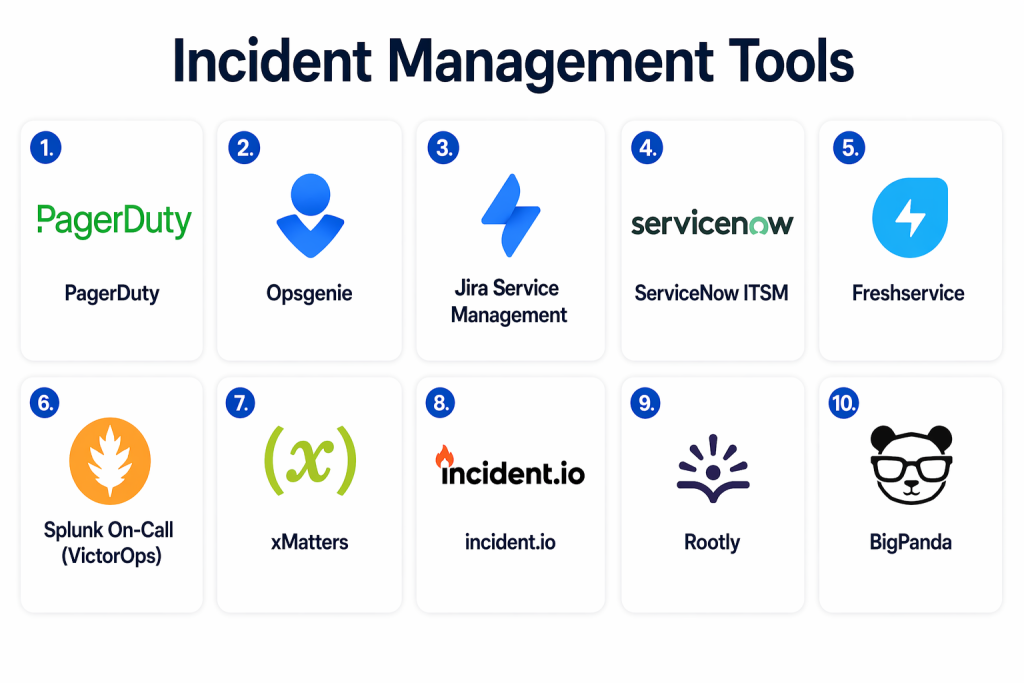
Top 10 Incident Management Tools Tools
#1 — PagerDuty
Short description: PagerDuty is a leading incident management platform focused on real-time alerting, on-call scheduling, and automated incident response.
Key Features
- Real-time alerting and escalation
- On-call scheduling
- Incident automation
- Event intelligence
- Analytics and reporting
- Multi-channel notifications
Pros
- Highly reliable alert delivery
- Strong integration ecosystem
Cons
- Pricing can be high
- Setup complexity
Platforms / Deployment
- Web / Mobile
- Cloud
Security & Compliance
- RBAC, encryption
- Not publicly stated
Integrations & Ecosystem
PagerDuty integrates with a wide range of monitoring and DevOps tools.
- Datadog
- AWS
- Slack
- APIs
Support & Community
Strong enterprise support and large user base.
#2 — Opsgenie
Short description: Opsgenie (Atlassian) provides alerting, escalation, and incident response management for distributed teams.
Key Features
- Alert routing and escalation
- On-call scheduling
- Incident workflows
- Notifications
- Monitoring integrations
Pros
- Easy integration with Atlassian tools
- Flexible alerting
Cons
- Transitioning ecosystem
- Limited standalone future
Platforms / Deployment
- Web / Mobile
- Cloud
Security & Compliance
- Not publicly stated
Integrations & Ecosystem
- Jira
- Confluence
- Monitoring tools
- APIs
Support & Community
Strong Atlassian ecosystem support.
#3 — Jira Service Management
Short description: Jira Service Management is an ITSM platform with strong incident management capabilities integrated with development workflows.
Key Features
- Incident tracking
- SLA management
- Workflow automation
- Integration with Jira
- Reporting dashboards
Pros
- Deep integration with development tools
- Enterprise-ready
Cons
- Complex configuration
- Learning curve
Platforms / Deployment
- Cloud / Self-hosted
Security & Compliance
- RBAC, audit logs
- Not publicly stated
Integrations & Ecosystem
- Atlassian suite
- DevOps tools
- APIs
Support & Community
Large enterprise community.
#4 — ServiceNow ITSM
Short description: ServiceNow provides enterprise-grade incident management as part of its ITSM platform.
Key Features
- Incident lifecycle management
- Automation workflows
- SLA tracking
- Reporting and analytics
- Integration capabilities
Pros
- Highly scalable
- Enterprise-grade features
Cons
- Expensive
- Complex implementation
Platforms / Deployment
- Cloud
Security & Compliance
- Not publicly stated
Integrations & Ecosystem
- Enterprise tools
- APIs
- ITSM ecosystem
Support & Community
Strong enterprise support.
#5 — Freshservice
Short description: Freshservice is a modern ITSM platform with incident management, automation, and AI-driven features.
Key Features
- Incident tracking
- Workflow automation
- AI-powered assistance
- SLA management
- Reporting
Pros
- User-friendly
- Affordable
Cons
- Limited advanced features
- Customization constraints
Platforms / Deployment
- Cloud
Security & Compliance
- Not publicly stated
Integrations & Ecosystem
- DevOps tools
- APIs
- Cloud platforms
Support & Community
Good support and onboarding.
#6 — incident.io
Short description: incident.io is a Slack-native incident management platform focused on collaboration and automation.
Key Features
- Slack-based workflows
- Automated incident timelines
- Real-time collaboration
- Incident analytics
- Workflow automation
Pros
- Seamless ChatOps experience
- Easy to use
Cons
- Limited outside Slack
- Growing ecosystem
Platforms / Deployment
- Cloud
Security & Compliance
- Not publicly stated
Integrations & Ecosystem
- Slack
- Monitoring tools
- APIs
Support & Community
Growing community and adoption.
#7 — Rootly
Short description: Rootly is a modern incident management platform designed for Slack-native workflows and automation.
Key Features
- Automated incident workflows
- Slack-native operations
- Runbooks and playbooks
- Incident analytics
- Postmortem generation
Pros
- Highly automated
- Modern interface
Cons
- Requires Slack usage
- Smaller ecosystem
Platforms / Deployment
- Cloud
Security & Compliance
- Not publicly stated
Integrations & Ecosystem
- Slack
- APIs
- DevOps tools
Support & Community
Rapidly growing adoption.
#8 — Splunk On-Call (VictorOps)
Short description: Splunk On-Call focuses on alerting, incident response, and collaboration for DevOps teams.
Key Features
- Alerting and escalation
- Incident collaboration
- On-call scheduling
- Real-time notifications
- Analytics
Pros
- Strong alerting system
- Good integration
Cons
- Interface complexity
- Pricing
Platforms / Deployment
- Cloud
Security & Compliance
- Not publicly stated
Integrations & Ecosystem
- Splunk
- Monitoring tools
- APIs
Support & Community
Enterprise-level support.
#9 — FireHydrant
Short description: FireHydrant is an incident management platform focused on reliability engineering and automation.
Key Features
- Incident workflows
- Automation
- Postmortems
- Analytics
- Service catalog
Pros
- Developer-focused
- Automation capabilities
Cons
- Smaller ecosystem
- Learning curve
Platforms / Deployment
- Cloud
Security & Compliance
- Not publicly stated
Integrations & Ecosystem
- Slack
- APIs
- DevOps tools
Support & Community
Growing developer community.
#10 — xMatters
Short description: xMatters provides incident response and communication tools with strong automation and orchestration.
Key Features
- Alerting and notifications
- Workflow automation
- Incident orchestration
- Reporting
- Integration tools
Pros
- Strong automation
- Enterprise features
Cons
- Complex setup
- UI limitations
Platforms / Deployment
- Cloud
Security & Compliance
- Not publicly stated
Integrations & Ecosystem
- DevOps tools
- APIs
- Cloud platforms
Support & Community
Enterprise-grade support.
Comparison Table (Top 10)
| Tool Name | Best For | Platform(s) Supported | Deployment | Standout Feature | Public Rating |
|---|---|---|---|---|---|
| PagerDuty | Alerting & on-call | Web/Mobile | Cloud | Real-time escalation | N/A |
| Opsgenie | Atlassian users | Web/Mobile | Cloud | Alert routing | N/A |
| Jira Service Mgmt | ITSM | Web | Hybrid | Dev integration | N/A |
| ServiceNow | Enterprise | Web | Cloud | ITSM platform | N/A |
| Freshservice | SMB ITSM | Web | Cloud | Ease of use | N/A |
| incident.io | ChatOps | Web | Cloud | Slack-native | N/A |
| Rootly | Automation | Web | Cloud | Slack workflows | N/A |
| Splunk On-Call | DevOps | Web | Cloud | Alerting | N/A |
| FireHydrant | SRE teams | Web | Cloud | Incident automation | N/A |
| xMatters | Enterprise | Web | Cloud | Workflow orchestration | N/A |
Evaluation & Scoring of Incident Management Tools
| Tool Name | Core | Ease | Integrations | Security | Performance | Support | Value | Weighted Total |
|---|---|---|---|---|---|---|---|---|
| PagerDuty | 10 | 8 | 10 | 9 | 10 | 9 | 7 | 9.0 |
| Opsgenie | 9 | 8 | 9 | 8 | 9 | 8 | 8 | 8.6 |
| Jira Service Mgmt | 9 | 7 | 10 | 9 | 9 | 9 | 8 | 8.8 |
| ServiceNow | 10 | 6 | 10 | 10 | 10 | 9 | 6 | 8.9 |
| Freshservice | 8 | 9 | 8 | 8 | 8 | 8 | 9 | 8.3 |
| incident.io | 8 | 9 | 8 | 7 | 8 | 7 | 8 | 8.0 |
| Rootly | 9 | 8 | 8 | 7 | 9 | 7 | 8 | 8.2 |
| Splunk On-Call | 9 | 7 | 9 | 8 | 9 | 8 | 7 | 8.3 |
| FireHydrant | 8 | 7 | 8 | 7 | 8 | 7 | 8 | 7.8 |
| xMatters | 9 | 7 | 9 | 8 | 9 | 8 | 7 | 8.3 |
Interpretation:
These scores are comparative and reflect overall platform capabilities, usability, and ecosystem strength. Higher scores indicate well-rounded enterprise tools, while lower scores reflect niche or specialized solutions.
Which Incident Management Tools Tool Is Right for You?
Solo / Freelancer
Simple alerting tools or lightweight platforms are sufficient.
SMB
Freshservice or Opsgenie provide ease of use and affordability.
Mid-Market
PagerDuty or Rootly offer strong automation and integrations.
Enterprise
ServiceNow and Jira Service Management provide scalability and governance.
Budget vs Premium
Lower-cost tools work for basic needs; premium tools offer automation and analytics.
Feature Depth vs Ease of Use
Advanced tools provide deep workflows but require setup.
Integrations & Scalability
Choose tools that integrate with your monitoring and DevOps stack.
Security & Compliance Needs
Enterprises should prioritize governance, audit logs, and access control.
Frequently Asked Questions (FAQs)
1. What is incident management?
Incident management is the process of detecting, responding to, and resolving IT incidents.
2. Why are incident management tools important?
They reduce downtime, improve response time, and enhance system reliability.
3. What is MTTR?
Mean Time to Resolution measures how quickly incidents are resolved.
4. Can incident management be automated?
Yes, modern tools automate alerting, escalation, and workflows.
5. What integrations are important?
Monitoring tools, CI/CD platforms, and communication tools like Slack.
6. Are these tools scalable?
Yes, enterprise tools are designed for large-scale environments.
7. What is ChatOps?
ChatOps enables incident management directly within chat platforms.
8. Are AI features useful?
Yes, AI helps detect anomalies and automate root cause analysis.
9. How secure are these tools?
Security varies; enterprise tools provide stronger controls.
10. Is implementation difficult?
Some tools require setup, but many offer guided onboarding.
Conclusion
Incident Management Tools have become a critical component of modern IT and DevOps operations, enabling teams to respond quickly and efficiently to system disruptions. As infrastructures grow more complex and distributed, having a structured approach to incident handling is essential to maintaining reliability and minimizing downtime. These tools not only streamline alerting and escalation but also enhance collaboration and automate repetitive tasks, significantly improving response times. While enterprise platforms offer advanced features and scalability, newer tools are focusing on simplicity and ChatOps-driven workflows to improve usability. The right choice depends on your team size, operational maturity, and integration requirements. It is important to evaluate how well a tool fits into your existing ecosystem and whether it supports automation and scalability. Start by identifying your incident response gaps, shortlist a few tools, and test them in real scenarios. A well-implemented incident management solution can dramatically improve system resilience and operational efficiency.
