Introduction
UX prototyping tools enable teams to create interactive, clickable representations of digital products before development begins. These tools simulate user flows, transitions, micro-interactions, and forms, allowing stakeholders to validate usability and functionality early. By testing prototypes, teams reduce costly rework, align product and design teams, and improve user satisfaction.
Modern products are increasingly complex, making rapid prototyping essential for startups, SMBs, and enterprises. Cloud-based platforms, AI-assisted workflows, and real-time collaboration have become key for designing high-quality digital experiences efficiently.
Real-world use cases:
- Testing mobile app navigation before launch
- Presenting product concepts to clients or stakeholders
- Validating SaaS onboarding workflows
- Designing complex dashboards and interactive web apps
- Conducting usability testing for feature optimization
Evaluation Criteria for Buyers:
- Ease of use for designers and non-design stakeholders
- High-fidelity interaction support
- Collaboration and commenting tools
- Design system and component library support
- Developer handoff capabilities
- Integrations with engineering and research tools
- Security features like SSO, MFA, RBAC, and audit logs
- Performance with large prototypes and multiple users
- Flexible pricing for freelancers, SMBs, and enterprises
- Version control and export options
Best for: UX designers, UI designers, product managers, startups, agencies, and enterprise teams needing fast validation before development.
Not ideal for: Teams that only need static wireframes or rely entirely on code-based prototypes.
Key Trends in UX Prototyping Tools
- AI-assisted design suggestions and auto-layout generation
- Design-to-code workflows for seamless developer handoff
- Advanced interactions: conditional logic, variables, and micro-interactions
- Design system management with shared components and tokens
- Real-time collaboration with commenting and version control
- Enterprise security with SSO, MFA, RBAC, and audit logging
- Mobile realism including gestures, scrolling, and device sensors
- No-code/low-code tools enabling rapid prototyping for non-technical users
- Interoperability with Figma, Jira, Slack, GitHub, Storybook, and analytics tools
- Flexible subscription pricing based on team size and feature needs
How We Selected These Tools
- Market adoption and popularity across design and product teams
- Feature completeness including prototyping, collaboration, and design systems
- High-fidelity capabilities for interactive flows and realistic user experiences
- Collaboration features including comments and review workflows
- Security and compliance with enterprise-ready controls
- Integration with design, product, and development ecosystems
- Suitability for freelancers, SMBs, mid-market, and enterprise teams
- Onboarding, learning curve, and documentation quality
- Performance and reliability for large multi-user projects
- Exclusive focus on UX prototyping functionality, not static UI
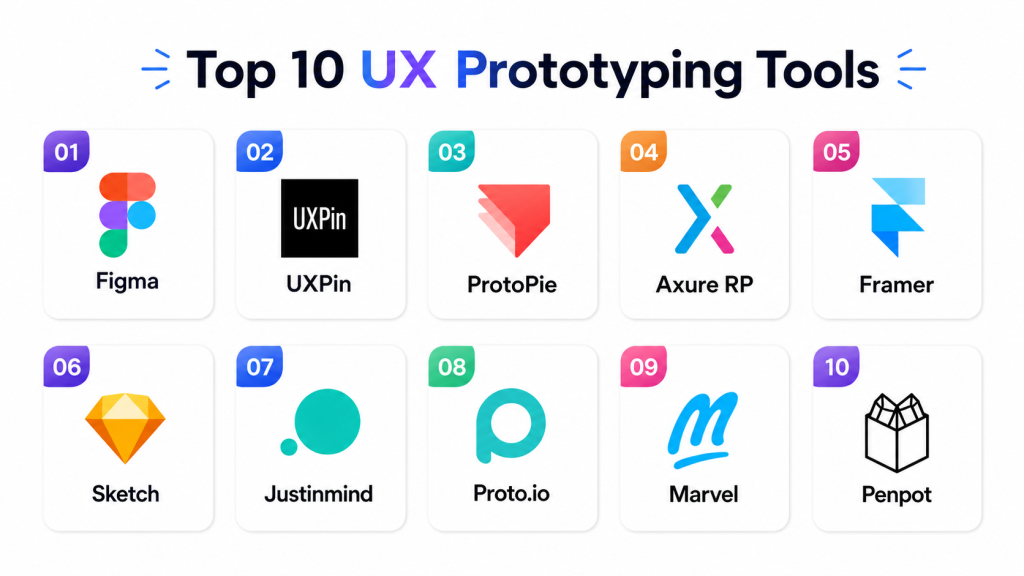
Top 10 UX Prototyping Tools
#1 — Figma
Short description:
Figma is a cloud-based collaborative design and prototyping tool that allows teams to create high-fidelity interactive prototypes with animations and overlays. Its real-time collaboration features make it ideal for distributed teams, startups, agencies, and enterprises. Figma supports reusable component libraries, templates, and a plugin ecosystem, enabling fast iteration while keeping stakeholders aligned.
Key Features
- Real-time collaboration with multiple users
- Interactive flows with overlays and transitions
- Shared design systems and reusable components
- Commenting and review tools for stakeholders
- Developer handoff with specs and inspection
- Extensive plugin ecosystem
- Browser-based access with desktop apps
Pros
- Excellent for distributed teams
- Strong design system management
- Easy sharing and stakeholder feedback
- Large community and tutorials
Cons
- Limited advanced logic interactions
- Large files may require governance
- Enterprise features require higher-tier plans
- Requires library discipline to avoid clutter
Platforms / Deployment
Web / Windows / macOS — Cloud
Security & Compliance
SSO, MFA, and admin controls; enterprise certifications should be verified.
Integrations & Ecosystem
Integrates with Slack, Jira, GitHub, Storybook, Notion, and plugin workflows.
Support & Community
Extensive tutorials, templates, and a global community.
#2 — UXPin
Short description:
UXPin provides logic-based high-fidelity prototyping for complex workflows. It supports conditional logic, variables, interactive forms, reusable components, and design systems. Ideal for enterprise SaaS applications, dashboards, and internal tools, UXPin helps reduce development rework by mimicking production behavior closely.
Key Features
- Conditional interactions, variables, and dynamic states
- Design systems and reusable components
- Code component integration
- Interactive forms and realistic states
- Collaboration and commenting
- Developer handoff
- Enterprise governance
Pros
- Handles complex workflows effectively
- Supports design system integration
- Reduces rework for production-like prototypes
- Ideal for enterprise SaaS dashboards
Cons
- Steeper learning curve
- Premium pricing
- Smaller community than Figma
- Complexity for new users
Platforms / Deployment
Web — Cloud
Security & Compliance
SSO, MFA, RBAC; enterprise compliance should be verified.
Integrations & Ecosystem
Figma import, Storybook, Jira, Slack; design system and developer workflows.
Support & Community
Structured documentation, tutorials, and enterprise support.
#3 — ProtoPie
Short description:
ProtoPie enables realistic mobile interaction prototyping, supporting gestures, sensors, variables, and device-specific behaviors without coding. It is ideal for mobile apps, IoT devices, and automotive interfaces, allowing usability testing for advanced interactions and gestures.
Key Features
- Conditional logic, variables, and states
- Native mobile preview and testing
- Multi-scene prototyping
- Device sensor and gesture support
- Team sharing and review
- Import from Figma and Sketch
Pros
- Excellent for gesture-based interactions
- Ideal for mobile and IoT testing
- Supports usability testing with realistic behavior
- Advanced micro-interaction support
Cons
- Learning curve for advanced logic
- Requires pairing with design tools for visuals
- Not ideal for simple web prototypes
- Paid plans required for full features
Platforms / Deployment
Windows / macOS / iOS / Android — Cloud
Security & Compliance
Enterprise security available; verify directly.
Integrations & Ecosystem
Figma, Sketch, Adobe XD import; mobile preview; team collaboration.
Support & Community
Tutorials, templates, and interaction-focused community.
#4 — Axure RP
Short description:
Axure RP is a professional tool for enterprise workflows, supporting dynamic panels, conditional logic, variables, and forms. Ideal for complex internal applications, dashboards, and enterprise software, Axure enables realistic interaction modeling and detailed documentation.
Key Features
- Conditional logic and dynamic panels
- Form fields and data-driven prototypes
- Wireframing and documentation
- Team collaboration and shared libraries
- Developer handoff support
- Specification export
Pros
- Excellent for enterprise-scale projects
- Advanced logic and interaction support
- Supports detailed UX documentation
- Reliable for internal workflows
Cons
- Less modern interface
- Steep learning curve
- Collaboration less fluid than cloud-native tools
- Not suitable for quick prototypes
Platforms / Deployment
Windows / macOS — Cloud / Desktop
Security & Compliance
Team access and password-protected prototypes; verify certifications.
Integrations & Ecosystem
Jira, Slack, Teams, HTML prototype export, and documentation workflows.
Support & Community
Comprehensive tutorials, documentation, and professional UX community.
#5 — Framer
Short description:
Framer combines design, interactive prototyping, and web publishing in one platform. It is ideal for creating web prototypes, landing pages, and marketing demos. Designers can build responsive layouts, animations, and publish prototypes as functional web experiences. Framer is especially suitable for startups, agencies, and product teams focused on polished interactive demos.
Key Features
- Interactive web and mobile prototyping
- Responsive layout tools
- Animation and transitions
- Website publishing and CMS integration
- Component-based workflow
- AI-assisted prototyping
- Collaboration and feedback features
Pros
- Polished prototypes for web and marketing
- Strong motion design and responsive layouts
- Fast prototyping for quick iteration
- Easy sharing and stakeholder review
Cons
- Limited advanced app logic
- Paid plans required for full features
- Web/website focus may not fit all teams
- Enterprise workflow features less mature
Platforms / Deployment
Web / macOS — Cloud
Security & Compliance
Basic account and team controls; verify enterprise compliance.
Integrations & Ecosystem
Figma import, CMS workflows, analytics, code components.
Support & Community
Tutorials, templates, and active creative community.
#6 — Sketch
Short description:
Sketch is a macOS-native design and prototyping tool with symbols, reusable components, and libraries. It is ideal for Apple-centric design teams, agencies, and professionals who require structured design systems and developer handoff support. Sketch integrates well with other macOS-based tools for a seamless workflow.
Key Features
- UI design and prototyping
- Symbols and reusable components
- Design system management
- Developer handoff tools
- Extensive plugin ecosystem
Pros
- Native macOS experience
- Mature library and symbol management
- Established plugin ecosystem
- Strong for design workflows and team standards
Cons
- Limited collaboration compared with cloud-native tools
- Windows/Linux users restricted
- Moderate prototyping depth
- Less modern interface compared to newer tools
Platforms / Deployment
macOS / Web sharing — Cloud / Desktop workflows
Security & Compliance
Team management and sharing controls; verify certifications.
Integrations & Ecosystem
Plugins, Abstract, Zeplin, developer handoff workflows.
Support & Community
Documentation, tutorials, and a loyal design community.
#7 — Justinmind
Short description:
Justinmind is a wireframing and interactive prototyping tool supporting conditional logic, reusable components, and realistic transitions. It is suitable for UX teams, product managers, and business analysts creating interactive prototypes without code. Justinmind allows teams to simulate real user experiences for web and mobile applications.
Key Features
- Wireframing and interactive prototypes
- Conditional logic, states, and form simulation
- Web and mobile UI libraries
- Gestures and transitions
- Team collaboration
- Developer handoff
Pros
- Balanced between wireframing and interactivity
- Supports form-heavy workflows
- Realistic interaction simulation
- Useful for usability testing
Cons
- Interface less modern
- Smaller ecosystem than leading tools
- Learning curve for advanced features
- Collaboration experience moderate
Platforms / Deployment
Windows / macOS — Cloud / Desktop workflows
Security & Compliance
Varies; verify certifications.
Integrations & Ecosystem
UI kits, developer handoff, collaboration, mobile preview.
Support & Community
Documentation, tutorials, onboarding resources; moderate community support.
#8 — Proto.io
Short description:
Proto.io is a no-code, web-based prototyping platform for web and mobile apps. It enables teams to quickly build interactive prototypes using animations, templates, and UI libraries. Proto.io is ideal for rapid concept validation, client demos, and usability testing without requiring coding knowledge.
Key Features
- Interactive screens with animations
- Web and mobile support
- Pre-built UI libraries and templates
- Sharing and stakeholder review
- User testing workflow support
- No-code interface
Pros
- Fast, no-code prototyping
- Easy for client demos and testing
- Built-in UI libraries
- Supports usability testing
Cons
- Limited advanced logic
- Smaller collaboration ecosystem
- Enterprise governance limited
- Less suitable for design system-heavy workflows
Platforms / Deployment
Web — Cloud
Security & Compliance
Account and team controls; verify compliance.
Integrations & Ecosystem
Design import, sharing links, user testing, team feedback.
Support & Community
Documentation, tutorials, templates, onboarding resources.
#9 — Marvel
Short description:
Marvel is a beginner-friendly tool focusing on simple, clickable prototypes. It allows teams to create and share interactive prototypes for usability testing, client feedback, and early validation. Marvel is suitable for small teams, educators, or startups prioritizing speed and simplicity over complex interactions.
Key Features
- Wireframing and clickable prototypes
- User testing and feedback collection
- Team collaboration and commenting
- Developer handoff support
- Templates and pre-built resources
Pros
- Easy to learn and use
- Fast prototype creation for validation
- Simple feedback collection for stakeholders
- Low learning curve
Cons
- Limited support for advanced interactions
- Smaller ecosystem than major tools
- Not ideal for enterprise workflows
- Lacks full design system support
Platforms / Deployment
Web — Cloud
Security & Compliance
Team access controls; verify certifications.
Integrations & Ecosystem
User testing tools, collaboration links, design handoff, project sharing workflows.
Support & Community
Documentation, tutorials, and learning materials.
#10 — Penpot
Short description:
Penpot is an open-source, browser-based design and prototyping platform. It supports interactive prototypes, reusable components, and self-hosting options. Penpot is ideal for teams valuing open-source flexibility, collaboration between designers and developers, and platform control. It allows customization of workflows while providing full browser-based accessibility.
Key Features
- Open-source design and prototyping
- Web-based collaborative workspace
- Components and design systems
- Interactive prototyping
- Developer-friendly and self-hosted options
- Cross-platform browser access
Pros
- Open-source flexibility
- Collaboration between designers and developers
- Platform control and customization
- Cross-platform browser accessibility
Cons
- Smaller ecosystem than commercial leaders
- Advanced features less mature
- Enterprise support is limited
- Self-hosting requires technical setup
Platforms / Deployment
Web — Cloud / Self-hosted
Security & Compliance
Self-hosting allows internal control; managed-cloud compliance should be verified.
Integrations & Ecosystem
Open-source community support, developer handoff, browser collaboration, design systems.
Support & Community
Documentation, tutorials, active community; enterprise support varies.
Comparison Table
| Tool Name | Best For | Platform(s) Supported | Deployment | Standout Feature | Public Rating |
|---|---|---|---|---|---|
| Figma | Collaborative teams | Web, Windows, macOS | Cloud | Real-time collaboration | N/A |
| UXPin | Enterprise SaaS | Web | Cloud | Logic-based prototyping | N/A |
| ProtoPie | Mobile interaction design | Windows, macOS, iOS, Android | Cloud | Realistic device interactions | N/A |
| Axure RP | Enterprise workflows | Windows, macOS | Cloud/Desktop | Advanced logic & conditional states | N/A |
| Framer | Web prototypes | Web, macOS | Cloud | Responsive web publishing | N/A |
| Sketch | macOS design teams | macOS, Web | Cloud/Desktop | Mature macOS workflow | N/A |
| Justinmind | Web & mobile forms | Windows, macOS | Cloud/Desktop | Form-heavy prototypes | N/A |
| Proto.io | Web & mobile prototypes | Web | Cloud | Fast no-code prototyping | N/A |
| Marvel | Beginner-friendly | Web | Cloud | Clickable prototypes | N/A |
| Penpot | Open-source teams | Web | Cloud/Self-hosted | Open-source collaborative prototyping | N/A |
Evaluation & Scoring Table
| Tool Name | Core | Ease | Integrations | Security | Performance | Support | Value | Weighted Total |
|---|---|---|---|---|---|---|---|---|
| Figma | 9 | 9 | 9 | 8 | 8 | 9 | 8 | 8.65 |
| UXPin | 9 | 7 | 8 | 8 | 8 | 8 | 7 | 8.00 |
| ProtoPie | 9 | 7 | 8 | 7 | 8 | 8 | 7 | 7.95 |
| Axure RP | 9 | 6 | 7 | 7 | 8 | 8 | 7 | 7.65 |
| Framer | 8 | 8 | 8 | 7 | 8 | 8 | 8 | 7.90 |
| Sketch | 8 | 8 | 7 | 7 | 8 | 8 | 7 | 7.60 |
| Justinmind | 8 | 7 | 7 | 6 | 7 | 7 | 7 | 7.15 |
| Proto.io | 7 | 8 | 7 | 6 | 7 | 7 | 7 | 7.10 |
| Marvel | 6 | 9 | 6 | 6 | 7 | 7 | 8 | 7.00 |
| Penpot | 7 | 7 | 7 | 7 | 7 | 7 | 9 | 7.25 |
Which UX Prototyping Tool Is Right for You?
Solo / Freelancer
Figma, Framer, Marvel, Proto.io are best for speed, ease of use, and simple collaboration. ProtoPie is ideal for advanced mobile interactions.
SMB
Figma for collaboration and libraries; Framer for web prototypes; UXPin for dashboard workflows; Penpot for open-source flexibility.
Mid-Market
Figma, UXPin, Axure RP, ProtoPie for governance, design system support, and complex workflows.
Enterprise
Figma Enterprise, UXPin Enterprise, Axure RP, ProtoPie Enterprise for admin controls, security, and scalable design operations.
Budget vs Premium
Penpot, Marvel, Proto.io for cost-conscious teams; premium tools reduce rework and improve handoff quality.
Feature Depth vs Ease of Use
Figma, Marvel, Proto.io, Framer for ease; UXPin, Axure RP, ProtoPie for advanced logic and interactions.
Integrations & Scalability
Figma leads ecosystem; UXPin for design system-heavy workflows; Framer for web publishing; Penpot for self-hosting control.
Security & Compliance
Enterprise buyers should verify SSO, MFA, RBAC, audit logs, and workspace controls before adoption.
Frequently Asked Questions
1. What is a UX prototyping tool?
It allows teams to create interactive versions of digital products before development. Teams can simulate flows, interactions, and transitions to test usability and validate designs early, reducing costly rework.
2. How is prototyping different from wireframing?
Wireframes are low-fidelity layouts, while prototypes include interactive flows, logic, and transitions. Prototyping enables testing of user experience in real contexts.
3. Which tools are best for beginners?
Figma, Marvel, Proto.io, and Framer are beginner-friendly. They offer templates, simple interfaces, and easy sharing for early validation.
4. Which tools handle advanced interactions?
ProtoPie, UXPin, and Axure RP support logic, variables, conditional flows, and gestures. Ideal for complex workflows and enterprise applications.
5. Can prototyping tools replace developers?
No. They reduce ambiguity, improve communication, and prevent mistakes, but production code still requires engineering.
6. What pricing models are common?
Most use subscriptions based on editors, viewers, or seats. Free tiers exist, but enterprise and collaboration features usually require paid plans.
7. What security features should be checked?
Look for SSO, MFA, RBAC, encryption, and audit logs. Enterprise buyers should verify vendor certifications and governance.
8. Can prototyping tools scale for enterprises?
Yes, when they provide governance, shared libraries, permissions, and admin dashboards. Enterprise plans support multi-team workflows.
9. Common mistakes when selecting a tool?
Choosing solely on popularity, ignoring workflow fit, overlooking integrations, and underestimating the learning curve. Piloting is essential.
10. How long to implement a tool?
Small teams: hours. Medium teams: days to weeks for libraries, permissions, and workflows. Enterprises may take longer for training and integration.
Conclusion
UX prototyping tools are vital for validating ideas, testing user experiences, and reducing development risks. Figma excels for collaboration, UXPin and Axure RP for complex interactions, ProtoPie for mobile gestures, Framer for web publishing, and Penpot for open-source flexibility. The right choice depends on workflow, team size, and project complexity. Start by shortlisting 2–3 tools, pilot real projects, verify integrations and security, and scale the solution that best fits your needs.

I found this comparison very useful. It gives a clear overview of the UX prototyping tools and highlights their key differences, making the decision process much easier for designers and teams.