Introduction
Translation Management Systems (Localization) are software platforms that help organizations manage the translation and localization of content efficiently. They streamline workflows, coordinate translators and reviewers, and ensure consistent messaging across multiple languages and regions. These systems are essential for businesses aiming to expand globally, maintain brand voice, and deliver localized customer experiences.
In practice, these platforms help automate translation processes, integrate with content management systems, manage glossaries and translation memories, and maintain quality control across diverse languages. Organizations can reduce manual errors, accelerate time-to-market, and improve consistency across websites, apps, marketing campaigns, and documentation.
Real-world use cases include localizing product interfaces for global markets, translating marketing campaigns, producing multilingual documentation, coordinating international e-learning content, and supporting multilingual customer support operations.
Evaluation criteria for buyers should include workflow automation, language coverage, translation memory management, integration capabilities, real-time collaboration, reporting and analytics, security and compliance, ease of use, scalability, and pricing flexibility.
Best for: Enterprises, localization teams, software companies, marketing departments, and agencies managing large-scale multilingual content.
Not ideal for: Small businesses with minimal translation needs or individuals requiring only occasional content localization.
Key Trends in Translation Management Systems
- AI-assisted translation for faster and more consistent localization
- Increased integration with content management systems, e-commerce, and marketing platforms
- Expansion of multilingual support and regional dialects
- Collaborative platforms enabling remote translators and reviewers
- Translation memory and glossary management for consistent terminology
- Cloud-based deployment for scalable global teams
- Real-time quality assurance and automated error detection
- Flexible pricing models including subscription and pay-per-word
- API-driven automation for workflow integration
- Support for multimedia localization including video and audio content
How We Selected These Tools
- Evaluated market adoption and reputation among enterprises and localization teams
- Assessed feature completeness including translation memory, workflow automation, and AI-assisted translation
- Verified reliability and performance for high-volume localization projects
- Examined security posture including encryption, access control, and compliance
- Considered integration capabilities with CMS, marketing, and e-commerce platforms
- Prioritized ease of use for project managers and translators
- Evaluated scalability for global teams and multi-language projects
- Reviewed customer support quality, documentation, and community engagement
- Balanced pricing models relative to feature depth and volume requirements
- Checked flexibility of deployment: cloud, hybrid, or self-hosted
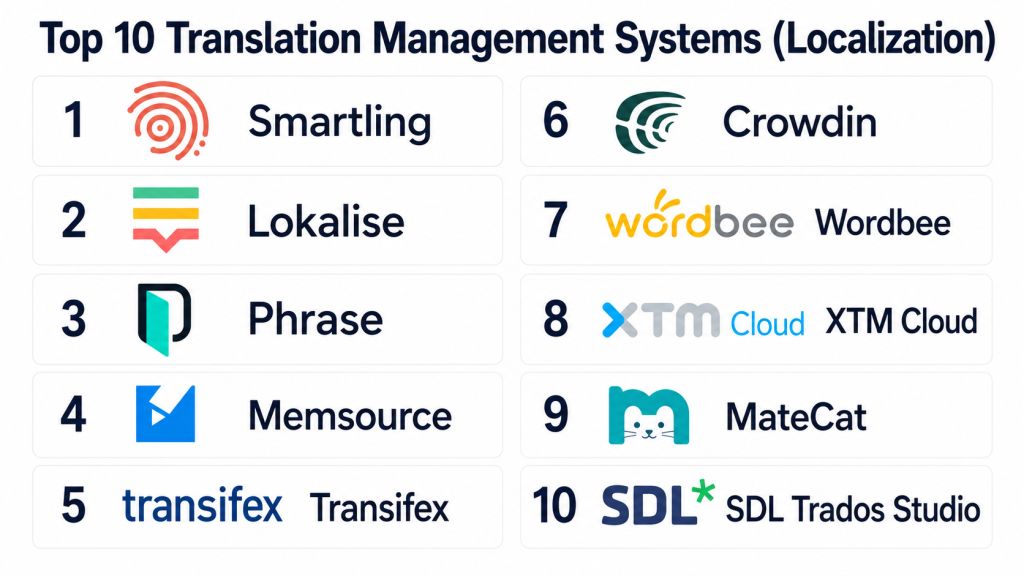
Top 10 Translation Management Systems
#1 — Smartling
Short description: Smartling is a cloud-based localization platform that enables enterprises to manage multilingual content across websites, apps, and marketing campaigns efficiently.
Key Features
- Translation memory for consistent terminology
- AI-assisted translation suggestions
- Workflow automation and collaboration tools
- Multi-format content support
- Integration with CMS and e-commerce platforms
Pros
- Streamlines large-scale localization
- Supports enterprise-level workflows
- Strong reporting and analytics
Cons
- Premium pricing may not suit smaller teams
- Requires training for advanced features
- Occasional integration setup complexity
Platforms / Deployment
- Web
- Cloud
Security & Compliance
- SOC 2 certified
- GDPR compliant
Integrations & Ecosystem
Integrates with content and marketing platforms
- WordPress, Drupal
- Salesforce, HubSpot
- API for custom workflows
Support & Community
Email and phone support, knowledge base, webinars, and user forums
#2 — Lokalise
Short description: Lokalise is a collaborative translation platform that allows development and localization teams to manage app and website content efficiently in multiple languages.
Key Features
- API and SDK for seamless integration
- Translation memory and glossary management
- In-context translation for mobile and web apps
- Automated workflow management
- Real-time collaboration for translators and developers
Pros
- Developer-friendly and highly scalable
- Supports agile localization workflows
- Multi-platform integration
Cons
- May require technical knowledge for API setup
- Some advanced features are premium-only
- Limited offline capabilities
Platforms / Deployment
- Web, iOS, Android
- Cloud
Security & Compliance
- SOC 2 certified
- GDPR compliant
Integrations & Ecosystem
- GitHub, GitLab, Bitbucket
- Slack, Jira
- Custom API workflows
Support & Community
Documentation, chat support, tutorials, and community forums
#3 — Transifex
Short description: Transifex is a cloud-based translation management platform for websites, apps, and software projects. It helps teams streamline localization workflows and maintain consistent messaging.
Key Features
- Translation memory and terminology management
- In-context translation editing
- Workflow automation and notifications
- Multi-format content support
- Collaboration for translators and reviewers
Pros
- Efficient for software and digital product localization
- Real-time collaboration
- Supports multiple content formats
Cons
- Interface may be complex for beginners
- Subscription pricing for full features
- Limited offline functionality
Platforms / Deployment
- Web
- Cloud
Security & Compliance
- GDPR compliant
- Not publicly stated
Integrations & Ecosystem
- GitHub, GitLab
- CMS integration
- API access
Support & Community
Documentation, email support, and online tutorials
#4 — Phrase
Short description: Phrase is a translation management platform focused on software localization, providing automation and collaboration for multilingual product content.
Key Features
- API-first localization management
- Translation memory and glossaries
- Contextual editing tools
- Multi-language support
- Automated workflow notifications
Pros
- Developer-friendly with API support
- Scalable for enterprise-level projects
- Supports continuous localization
Cons
- Some learning curve for non-technical users
- Paid plans needed for advanced features
- Offline capabilities are limited
Platforms / Deployment
- Web
- Cloud
Security & Compliance
- SOC 2 certified
- GDPR compliant
Integrations & Ecosystem
- GitHub, GitLab, Jira
- Slack, CMS platforms
- API integration for custom workflows
Support & Community
Email support, tutorials, developer documentation, and webinars
#5 — SmartCAT
Short description: SmartCAT is a translation platform combining CAT tools and marketplace access to professional translators, ideal for businesses managing multilingual content.
Key Features
- Cloud-based CAT tool
- Translation memory and glossary
- Marketplace for professional translators
- Workflow automation
- Collaboration and reporting tools
Pros
- Access to professional translation network
- Streamlined workflow management
- Supports multiple languages
Cons
- Marketplace costs may increase project budget
- Some platform features require subscription
- Learning curve for complex workflows
Platforms / Deployment
- Web
- Cloud
Security & Compliance
- Not publicly stated
Integrations & Ecosystem
- CMS and e-commerce platforms
- API for custom integration
- Project management tools
Support & Community
Email support, tutorials, and community forums
#6 — Memsource
Short description: Memsource is an AI-enhanced translation management platform that supports enterprise localization with automation and collaboration capabilities.
Key Features
- AI-assisted translation suggestions
- Translation memory and terminology management
- Workflow automation
- Real-time collaboration
- Multi-format content support
Pros
- Scalable for global enterprises
- Integrates AI for faster localization
- Strong reporting and analytics
Cons
- Premium pricing for full features
- Requires training for advanced features
- Some integration complexity
Platforms / Deployment
- Web
- Cloud
Security & Compliance
- GDPR compliant
- Not publicly stated
Integrations & Ecosystem
- CMS, marketing, and e-commerce platforms
- API integration
- Collaboration tools
Support & Community
Documentation, email support, and webinars
#7 — Crowdin
Short description: Crowdin is a cloud-based localization platform supporting software, mobile apps, and web content with collaborative translation tools and workflow automation.
Key Features
- Translation memory and glossaries
- In-context editing for software and apps
- Automated workflow management
- Multi-language support
- Integration with development tools
Pros
- Developer-friendly localization
- Real-time collaboration
- Scalable for enterprise projects
Cons
- Learning curve for non-technical users
- Some features are premium-only
- Offline functionality limited
Platforms / Deployment
- Web
- Cloud
Security & Compliance
- GDPR compliant
- Not publicly stated
Integrations & Ecosystem
- GitHub, GitLab
- Jira, Slack
- API for custom workflows
Support & Community
Email support, documentation, and tutorials
#8 — LingoHub
Short description: LingoHub offers translation management for websites and software, focusing on collaboration and continuous localization for development teams.
Key Features
- Translation memory and glossary
- API and plugin support
- Collaboration for translators
- Automated workflows
- Multi-language support
Pros
- Seamless integration with development pipelines
- Supports agile localization
- Easy collaboration for distributed teams
Cons
- Paid plans required for full features
- Some integrations require technical knowledge
- Limited offline functionality
Platforms / Deployment
- Web
- Cloud
Security & Compliance
- GDPR compliant
- Not publicly stated
Integrations & Ecosystem
- GitHub, GitLab
- CMS platforms
- API access
Support & Community
Documentation, email support, and tutorials
#9 — XTM Cloud
Short description: XTM Cloud is a translation management platform with robust workflow automation, translation memory, and team collaboration for global content operations.
Key Features
- Translation memory and glossary
- Workflow automation
- Real-time collaboration
- Multi-language and multi-format support
- API for integration
Pros
- Scalable for global projects
- Supports complex workflows
- Integrates with CMS and marketing platforms
Cons
- Premium pricing for enterprise features
- Learning curve for new users
- Limited offline editing
Platforms / Deployment
- Web
- Cloud
Security & Compliance
- SOC 2 compliant
- GDPR compliant
Integrations & Ecosystem
- CMS, marketing, and e-commerce platforms
- API integration
- Collaboration tools
Support & Community
Email support, tutorials, and user forums
#10 — Phrase TMS
Short description: Phrase TMS provides cloud-based localization for software and content, offering translation memory, glossary management, and collaborative workflows.
Key Features
- Translation memory and glossary
- In-context editing for apps and websites
- API and plugin support
- Workflow automation
- Multi-language support
Pros
- Streamlined localization for development teams
- Supports agile workflows
- Integration with multiple platforms
Cons
- Paid plans needed for advanced features
- Some integrations require setup knowledge
- Offline functionality limited
Platforms / Deployment
- Web
- Cloud
Security & Compliance
- GDPR compliant
- SOC 2 certified
Integrations & Ecosystem
- GitHub, GitLab
- CMS and e-commerce platforms
- API access
Support & Community
Documentation, email support, tutorials, and forums
Comparison Table (Top 10)
| Tool Name | Best For | Platform(s) Supported | Deployment | Standout Feature | Public Rating |
|---|---|---|---|---|---|
| Smartling | Enterprise, marketing | Web | Cloud | AI-assisted workflow | N/A |
| Lokalise | Developers, apps | Web, iOS, Android | Cloud | In-context translation | N/A |
| Transifex | Software, digital content | Web | Cloud | Multi-format support | N/A |
| Phrase | Software, enterprise | Web | Cloud | Continuous localization | N/A |
| SmartCAT | Agencies, teams | Web | Cloud | CAT + translator marketplace | N/A |
| Memsource | Enterprise, global teams | Web | Cloud | AI-assisted translation | N/A |
| Crowdin | Software, apps | Web | Cloud | Developer-friendly tools | N/A |
| LingoHub | Web and software dev | Web | Cloud | API and plugin integration | N/A |
| XTM Cloud | Global teams, marketing | Web | Cloud | Workflow automation | N/A |
| Phrase TMS | Software, development | Web | Cloud | Collaborative TMS | N/A |
Evaluation & Scoring
| Tool Name | Core | Ease | Integrations | Security | Performance | Support | Value | Weighted Total |
|---|---|---|---|---|---|---|---|---|
| Smartling | 9 | 8 | 8 | 8 | 9 | 8 | 7 | 8.3 |
| Lokalise | 8 | 8 | 8 | 7 | 8 | 8 | 7 | 7.9 |
| Transifex | 8 | 8 | 7 | 7 | 8 | 7 | 7 | 7.6 |
| Phrase | 9 | 8 | 8 | 8 | 9 | 8 | 7 | 8.3 |
| SmartCAT | 8 | 7 | 8 | 7 | 8 | 7 | 7 | 7.6 |
| Memsource | 9 | 8 | 8 | 7 | 9 | 8 | 7 | 8.3 |
| Crowdin | 8 | 8 | 7 | 7 | 8 | 7 | 7 | 7.7 |
| LingoHub | 8 | 7 | 7 | 7 | 8 | 7 | 7 | 7.4 |
| XTM Cloud | 9 | 8 | 8 | 8 | 9 | 8 | 7 | 8.3 |
| Phrase TMS | 9 | 8 | 8 | 7 | 9 | 8 | 7 | 8.3 |
Which Translation Management System Is Right for You
Solo / Freelancer
Choose simple, low-cost platforms like LingoHub or SmartCAT to manage occasional content translation efficiently.
SMB
Teams needing collaboration, translation memory, and API integration benefit from Lokalise, Crowdin, or Transifex.
Mid-Market
Organizations with multiple platforms and apps may prefer Phrase, Memsource, or Smartling for scalable workflows and AI-assisted translation.
Enterprise
Large-scale operations requiring automation, compliance, and multi-language support should consider Smartling, Memsource, or XTM Cloud.
Budget vs Premium
Smaller teams can use LingoHub or SmartCAT for cost-effective solutions. Enterprises with heavy localization needs may prioritize Smartling or Memsource.
Feature Depth vs Ease of Use
Beginner-friendly tools like Crowdin and LingoHub allow rapid deployment. Advanced enterprise workflows and automation are better supported by Smartling and Memsource.
Integrations & Scalability
For large-scale projects integrating with CMS, marketing platforms, and development pipelines, Smartling, Phrase, and Memsource offer robust APIs and automation.
Security & Compliance Needs
Enterprises handling sensitive content or regulated data should select platforms with SOC 2, GDPR compliance, and encryption features such as Smartling, XTM Cloud, and Memsource.
Frequently Asked Questions
1. What is a Translation Management System?
A TMS is software that helps organizations manage, automate, and track translation and localization projects across multiple languages and teams.
2. How does AI improve localization?
AI assists by suggesting translations, maintaining consistent terminology, predicting context, and accelerating the workflow for large content volumes.
3. Can TMS platforms integrate with CMS and e-commerce systems?
Yes, most TMS solutions offer integrations with content management systems, e-commerce platforms, and marketing tools to streamline workflow.
4. How do translation memories work?
Translation memories store previous translations so that repeated content can be reused, improving efficiency, consistency, and reducing costs.
5. Do TMS platforms support multimedia content?
Yes, many platforms support video, audio, and interactive content, allowing subtitles, captions, and localized media to be managed efficiently.
6. Are these platforms suitable for large teams?
TMS solutions are scalable and often include multi-user management, collaboration tools, and role-based access for teams of any size.
7. How secure is the content stored in a TMS?
Enterprise platforms use encryption, access control, and compliance standards such as SOC 2, GDPR, and ISO certifications to protect sensitive content.
8. Can freelance translators use a TMS?
Yes, freelance translators can be added as collaborators, accessing projects, translation memories, and glossaries while tracking progress.
9. How does pricing work for TMS platforms?
Pricing may be subscription-based, pay-per-word, or enterprise licensing. Costs depend on user count, content volume, and advanced features.
10. How do I select the right TMS for my organization?
Evaluate based on content volume, language coverage, workflow complexity, integrations, security needs, and whether AI-assisted translation is required.
Conclusion
Translation Management Systems are essential for businesses and content teams looking to manage multilingual content efficiently. Choosing the right platform depends on the size of your team, volume of content, language coverage, integration needs, and compliance requirements. Smaller teams may focus on ease of use and cost-effective platforms, while enterprises require scalability, automation, and robust security. AI-assisted features, translation memory, and workflow automation accelerate localization while maintaining consistency. By evaluating your organization’s needs and piloting suitable platforms, you can streamline global content operations, reduce time-to-market, and enhance customer experience in every language. A thoughtful selection ensures efficiency, accuracy, and brand consistency across all localized content.

This comparison provides a clear look at translation management systems and how they streamline multilingual projects. The detailed feature analysis and pros-and-cons breakdown make it easier to compare platforms and choose the right solution.