Introduction
Localization QA Tools are software platforms designed to ensure that translated content is accurate, consistent, and culturally appropriate across multiple languages. These tools help companies identify linguistic, functional, and formatting errors in localized websites, apps, games, and marketing content. They are essential for maintaining quality in global content operations and improving user experience in international markets.
Real-world use cases include verifying translations in mobile and web applications, checking localized marketing content for consistency, ensuring compliance with regional standards, testing in-game text for multilingual video games, and automating QA checks in continuous localization workflows. Key evaluation criteria include language support, automation features, integration with localization pipelines, error reporting, collaboration support, scalability, pricing, and technical support.
Best for: localization managers, QA teams, translation agencies, developers managing global apps, and enterprises with multi-language content.
Not ideal for: small projects without frequent updates, teams managing a single language, or cases where manual linguistic review is sufficient.
Key Trends in Localization QA Tools
- Increased automation using AI for translation validation and error detection.
- Integration with translation management systems (TMS) and version control tools.
- Support for functional QA, including UI and formatting checks.
- Cloud-based deployment for team collaboration and remote workflows.
- Multi-language and regional dialect coverage expansion.
- Inclusion of contextual and linguistic rules for consistent style.
- Real-time QA during continuous localization pipelines.
- Support for enterprise reporting and dashboards.
- Pricing flexibility with subscription or pay-per-check models.
- Enhanced interoperability with content management and software testing tools.
How We Selected These Tools
- Evaluated market adoption and recognition among localization teams.
- Assessed feature completeness, including automated QA, linguistic, and functional testing.
- Reviewed performance, reliability, and scalability of the tools.
- Considered integration with TMS, CMS, and CI/CD pipelines.
- Checked multi-language and regional dialect support.
- Measured ease of use and learning curve for localization specialists.
- Analyzed reporting, collaboration, and audit features.
- Compared pricing and perceived value.
- Assessed support options, documentation, and community strength.
- Prioritized tools with consistent updates and strong vendor commitment.
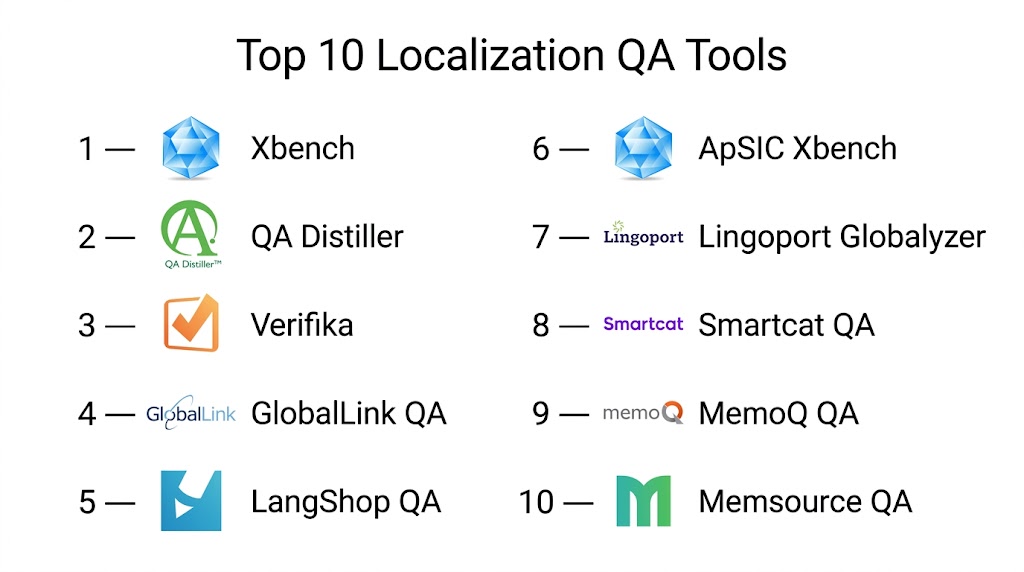
Top 10 Localization QA Tools
#1 — Xbench
Short description: Xbench provides a robust platform for linguistic QA, glossary consistency, and translation memory verification. It is widely used by translators, QA teams, and localization managers.
Key Features
- Automated consistency checks
- Terminology validation
- Multi-language support
- Integration with TMS
- Customizable QA rules
Pros
- Efficient error detection
- Supports multiple file formats
- Strong terminology management
Cons
- Desktop-focused interface
- Cloud collaboration limited
- Advanced features require setup
Platforms / Deployment
- Windows, macOS
- Desktop
Security & Compliance
- Not publicly stated
Integrations & Ecosystem
- TMS integration
- API access limited
- Supports translation memory systems
Support & Community
- Tutorials and documentation
- Email support
- User forums
#2 — QA Distiller
Short description: QA Distiller focuses on automated QA for translation projects. It targets translation agencies and corporate localization teams.
Key Features
- Automatic error detection
- Terminology and style checks
- Multi-language support
- Excel and XML processing
- Reporting and logging
Pros
- High-speed automated QA
- Customizable rules
- Supports multiple file types
Cons
- Desktop-based
- Limited collaboration features
- Steeper learning curve
Platforms / Deployment
- Windows
- Desktop
Security & Compliance
- Not publicly stated
Integrations & Ecosystem
- Supports common TMS exports
- File-based workflow
- Limited API integration
Support & Community
- Documentation
- Email support
- User forum
#3 — Verifika
Short description: Verifika automates translation QA with advanced linguistic and formatting checks. It is suited for translators, QA specialists, and localization teams.
Key Features
- Linguistic QA checks
- Formatting and style verification
- Multi-language support
- Customizable QA rules
- Reporting dashboards
Pros
- Fast QA process
- Handles multiple file formats
- Reduces manual review
Cons
- Requires Windows
- Desktop-only solution
- Limited cloud collaboration
Platforms / Deployment
- Windows
- Desktop
Security & Compliance
- Not publicly stated
Integrations & Ecosystem
- TMS export compatible
- Excel, XML, XLIFF support
- Batch processing
Support & Community
- Tutorials
- Email support
- User community
#4 — Verifika Enterprise
Short description: Enterprise edition of Verifika extends functionality for large-scale localization QA, with reporting, collaboration, and automation features.
Key Features
- Enterprise dashboards
- Automated linguistic checks
- Team collaboration
- Multi-language support
- Customizable QA rules
Pros
- Suitable for large teams
- Integration with TMS
- Streamlines workflow
Cons
- Premium pricing
- Setup complexity
- Windows-based
Platforms / Deployment
- Windows
- Desktop, Cloud
Security & Compliance
- Not publicly stated
Integrations & Ecosystem
- TMS and CMS integration
- API support for automation
- Batch processing
Support & Community
- Enterprise support
- Tutorials
- Limited community
#5 — ApSIC Xbench Cloud
Short description: Cloud version of Xbench enables remote QA and collaboration for localization teams. It is designed for multi-location teams.
Key Features
- Cloud-based QA
- Terminology and style checks
- Multi-language support
- TMS integration
- Reporting and dashboards
Pros
- Supports team collaboration
- Real-time QA
- Accessible from multiple locations
Cons
- Subscription required
- Limited offline functionality
- Some desktop features missing
Platforms / Deployment
- Web
- Cloud
Security & Compliance
- Not publicly stated
Integrations & Ecosystem
- TMS and CMS APIs
- Browser-based interface
- Export QA reports
Support & Community
- Tutorials
- Email support
- User forums
#6 — Globalyzer
Short description: Globalyzer focuses on internationalization QA for software and apps, helping teams identify code-level localization issues.
Key Features
- Source code scanning
- Internationalization issue detection
- Multi-language support
- Reporting and metrics
- Integration with development pipelines
Pros
- Prevents localization defects in software
- Integrates with CI/CD
- Scalable for enterprise applications
Cons
- Technical setup required
- Cloud deployment limited
- Higher pricing
Platforms / Deployment
- Windows, Linux
- Desktop, Cloud
Security & Compliance
- Not publicly stated
Integrations & Ecosystem
- CI/CD pipelines
- Git integration
- IDE plugins
Support & Community
- Documentation
- Email support
- Enterprise community
#7 — Verifika Plus
Short description: Verifika Plus enhances QA with advanced rules and batch processing, ideal for translation agencies and enterprise localization teams.
Key Features
- Batch QA processing
- Advanced linguistic rules
- Multi-language support
- Reporting dashboards
- Customizable error detection
Pros
- Fast and scalable
- Reduces manual QA effort
- Supports multiple formats
Cons
- Windows only
- Desktop-focused
- Learning curve for advanced rules
Platforms / Deployment
- Windows
- Desktop
Security & Compliance
- Not publicly stated
Integrations & Ecosystem
- TMS export support
- Batch processing
- Limited cloud integration
Support & Community
- Tutorials
- Email support
- Online forums
#8 — Lingoport
Short description: Lingoport offers internationalization and localization QA for software applications, providing automation and integration with development workflows.
Key Features
- Source code QA
- String analysis and validation
- Multi-language support
- Integration with CI/CD
- Reporting dashboards
Pros
- Enterprise-ready
- Reduces internationalization defects
- Supports developer workflows
Cons
- Requires technical knowledge
- Limited for non-software content
- Premium pricing
Platforms / Deployment
- Windows, Linux
- Desktop, Cloud
Security & Compliance
- Not publicly stated
Integrations & Ecosystem
- CI/CD pipeline integration
- Git and version control support
- Reporting APIs
Support & Community
- Documentation
- Enterprise support
- Limited community
#9 — Smartling QA
Short description: Smartling QA ensures translation quality in TMS workflows, focusing on consistency, terminology, and formatting checks.
Key Features
- Automated QA checks
- Terminology consistency
- Style and formatting validation
- TMS integration
- Reporting dashboards
Pros
- Seamless TMS integration
- Reduces manual QA
- Cloud-based accessibility
Cons
- Premium pricing
- Limited offline functionality
- Learning curve for advanced checks
Platforms / Deployment
- Web
- Cloud
Security & Compliance
- Not publicly stated
Integrations & Ecosystem
- Smartling TMS integration
- API for automation
- Reports export
Support & Community
- Tutorials
- Email support
- Community forums
#10 — Memsource QA Checker
Short description: Memsource QA Checker provides automated linguistic QA within the Memsource TMS platform, ideal for translation agencies and corporate teams.
Key Features
- Automated QA checks
- Terminology and style enforcement
- Multi-language support
- Reporting and dashboards
- Integration within Memsource TMS
Pros
- Seamless integration with Memsource
- Reduces QA effort
- Supports multiple languages
Cons
- Requires Memsource subscription
- Cloud-only
- Limited standalone use
Platforms / Deployment
- Web
- Cloud
Security & Compliance
- Not publicly stated
Integrations & Ecosystem
- Memsource TMS integration
- API access
- Reporting features
Support & Community
- Documentation
- Email support
- Memsource community
Comparison Table
| Tool Name | Best For | Platform(s) Supported | Deployment | Standout Feature | Public Rating |
|---|---|---|---|---|---|
| Xbench | Translators, QA teams | Windows, macOS | Desktop | Terminology and consistency | N/A |
| QA Distiller | Translation agencies | Windows | Desktop | Automated error detection | N/A |
| Verifika | QA specialists | Windows | Desktop | Linguistic and formatting QA | N/A |
| Verifika Enterprise | Large localization teams | Windows | Desktop, Cloud | Enterprise dashboards | N/A |
| ApSIC Xbench Cloud | Remote localization teams | Web | Cloud | Cloud-based QA | N/A |
| Globalyzer | Software internationalization | Windows, Linux | Desktop, Cloud | Source code QA | N/A |
| Verifika Plus | Translation agencies, enterprise | Windows | Desktop | Batch processing | N/A |
| Lingoport | Software developers | Windows, Linux | Desktop, Cloud | Dev workflow integration | N/A |
| Smartling QA | TMS-integrated QA | Web | Cloud | Terminology consistency | N/A |
| Memsource QA Checker | Memsource users | Web | Cloud | Integrated QA in TMS | N/A |
Evaluation & Scoring
| Tool Name | Core | Ease | Integrations | Security | Performance | Support | Value | Weighted Total |
|---|---|---|---|---|---|---|---|---|
| Xbench | 9 | 8 | 7 | 7 | 8 | 8 | 8 | 8.10 |
| QA Distiller | 8 | 7 | 7 | 7 | 8 | 7 | 7 | 7.45 |
| Verifika | 9 | 7 | 7 | 7 | 8 | 7 | 7 | 7.60 |
| Verifika Enterprise | 9 | 7 | 8 | 7 | 8 | 8 | 7 | 7.75 |
| ApSIC Xbench Cloud | 8 | 8 | 8 | 7 | 8 | 7 | 7 | 7.55 |
| Globalyzer | 9 | 7 | 8 | 7 | 9 | 7 | 7 | 7.85 |
| Verifika Plus | 9 | 7 | 7 | 7 | 8 | 7 | 7 | 7.55 |
| Lingoport | 8 | 7 | 8 | 7 | 8 | 7 | 7 | 7.45 |
| Smartling QA | 8 | 8 | 8 | 7 | 8 | 7 | 7 | 7.60 |
| Memsource QA Checker | 8 | 8 | 8 | 7 | 8 | 7 | 7 | 7.55 |
Which Localization QA Tool Is Right for You
Solo / Freelancer
Xbench and QA Distiller provide efficient error detection for small-scale translation projects.
SMB
Verifika and Verifika Plus offer structured QA and batch processing for mid-sized teams.
Mid-Market
ApSIC Xbench Cloud, Smartling QA, and Memsource QA Checker balance automation, reporting, and TMS integration.
Enterprise
Verifika Enterprise, Globalyzer, and Lingoport deliver enterprise-grade QA, integration with CI/CD pipelines, and collaboration features.
Budget vs Premium
Xbench and QA Distiller are budget-friendly, while enterprise versions and Globalyzer offer premium automation, reporting, and workflow integration.
Feature Depth vs Ease of Use
Xbench and ApSIC Xbench Cloud provide a balance of features and usability; enterprise tools require technical setup but scale efficiently.
Integrations & Scalability
Enterprise users should prioritize Globalyzer, Verifika Enterprise, and Lingoport for TMS and CI/CD integrations, team collaboration, and multi-language support.
Security & Compliance Needs
Platforms with secure cloud deployment, role-based access, and audit logs are recommended for managing sensitive translation projects.
Frequently Asked Questions
1. What are Localization QA Tools used for?
They are used to ensure translations are accurate, consistent, and culturally appropriate across websites, apps, games, and multimedia content.
2. Can they integrate with TMS platforms?
Yes, most tools integrate with popular TMS and CMS solutions to automate QA and reduce manual review.
3. Are these tools suitable for small projects?
Yes, desktop-based tools like Xbench and QA Distiller work for small-scale projects, though cloud collaboration may be limited.
4. How many languages do they support?
Support varies; enterprise tools handle dozens of languages and regional dialects, while desktop tools may be more limited.
5. Do these tools check formatting and UI elements?
Many tools, including Globalyzer and Verifika, check both linguistic and functional errors such as UI display, truncation, or formatting issues.
6. Can I automate QA checks?
Yes, most enterprise tools support automated rule-based checks and batch processing to streamline workflows.
7. Is there reporting for management?
Yes, reporting dashboards provide error summaries, progress tracking, and metrics for decision-making.
8. Are these tools cloud-based?
Some tools are desktop-only, while enterprise and collaborative versions like ApSIC Xbench Cloud and Smartling QA are fully cloud-based.
9. Can freelancers use them effectively?
Desktop tools like Xbench and QA Distiller are ideal for individual translators or small teams managing translation QA.
10. Do these tools support continuous localization?
Yes, enterprise platforms integrate with CI/CD pipelines and TMS systems to provide real-time QA in continuous localization workflows.
Conclusion
Localization QA Tools help organizations maintain high-quality translations while reducing manual review effort. Selection depends on project scale, language requirements, workflow integration, and desired automation. Freelancers and small teams benefit from Xbench and QA Distiller, SMBs from Verifika and ApSIC Xbench Cloud, and enterprises from Globalyzer, Verifika Enterprise, and Lingoport. Evaluating integration, reporting, automation, and support ensures the right tool is selected. A recommended approach is to shortlist 2–3 tools, run a pilot on real projects, assess QA results and workflow fit, and scale usage across localization teams for consistent, high-quality global content.

This article offers a helpful overview of localization QA tools and the features that support accurate multilingual content. The clear comparison of strengths and limitations makes it easier to identify the right solution for quality assurance workflows.