Introduction
Terminology Management Tools are software platforms that help organizations create, maintain, and standardize domain-specific vocabularies across multiple languages and content channels. These tools ensure consistent terminology usage in marketing materials, product documentation, legal contracts, software interfaces, and global communications.
In practice, terminology management tools help businesses reduce inconsistencies, improve translation quality, maintain brand voice, and comply with regulatory standards. They integrate with content management systems, translation workflows, and localization platforms to provide accurate, reusable, and up-to-date term databases.
Real-world use cases include standardizing technical terminology in product manuals, maintaining brand terms in marketing campaigns, ensuring consistency across multilingual websites, supporting legal or compliance documentation, and assisting translators with up-to-date glossaries.
Evaluation criteria for buyers should include term database size, multi-language support, integration with translation and content platforms, workflow automation, searchability, version control, user collaboration, reporting capabilities, and security and compliance.
Best for: Localization teams, content managers, translation agencies, legal departments, and enterprises maintaining multilingual content at scale.
Not ideal for: Small organizations with minimal content, teams not managing translations, or individuals requiring simple glossaries.
Key Trends in Terminology Management Tools
- Cloud-based term databases with multi-language support
- AI-assisted term suggestion and auto-synonym detection
- Integration with translation management systems and CMS
- Collaborative platforms for teams of translators and content creators
- Workflow automation for approval, review, and versioning
- Real-time search and smart filtering across large terminology databases
- Regulatory and compliance support for legal and technical terms
- Flexible pricing models for freelancers, SMBs, and enterprises
- API-first platforms for integration with translation workflows
- Support for multimedia content and software localization
How We Selected These Tools
- Evaluated market adoption and popularity among localization teams and enterprises
- Assessed feature completeness including glossaries, AI suggestions, and term validation
- Verified reliability and scalability for enterprise-scale content
- Examined security and compliance capabilities for sensitive content
- Considered integration with CMS, TMS, and marketing platforms
- Prioritized ease of use for project managers, translators, and content teams
- Reviewed collaboration features for distributed teams
- Balanced cost against feature set and scalability
- Evaluated reporting, audit trails, and version control capabilities
- Verified deployment flexibility: cloud, hybrid, or self-hosted
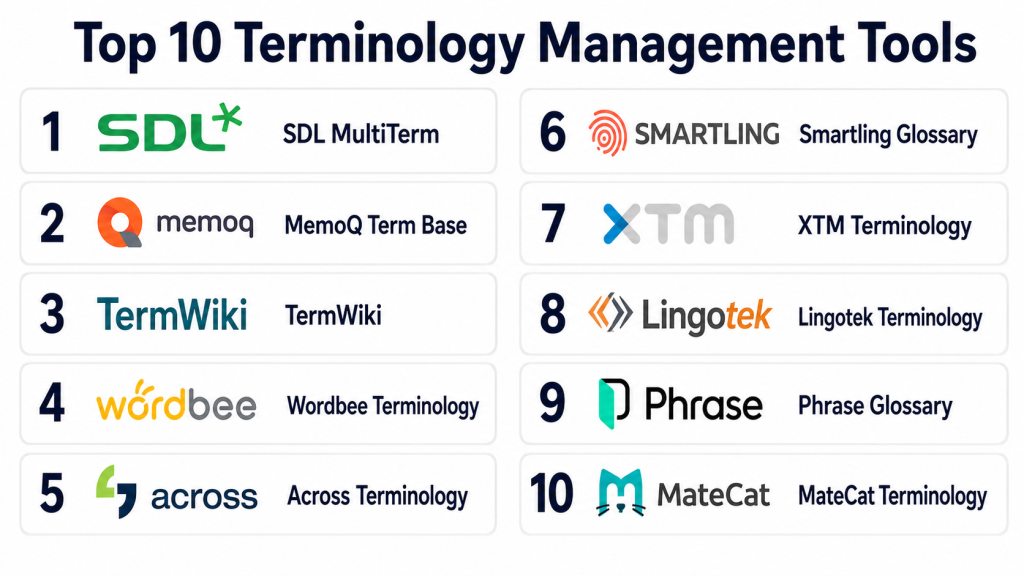
Top 10 Terminology Management Tools
#1 — SDL MultiTerm
Short description: SDL MultiTerm provides enterprise-grade terminology management for translators, localization teams, and global content operations, helping maintain consistent multilingual terminology.
Key Features
- Centralized term database
- Integration with SDL Trados Studio and translation platforms
- Term validation and approval workflows
- Multi-language support
- Reporting and analytics
Pros
- Enterprise-ready with robust features
- Streamlines large-scale localization
- Supports complex multilingual content
Cons
- Requires training for full functionality
- Premium pricing for enterprise deployment
- Less intuitive for small teams
Platforms / Deployment
- Windows, Web
- Cloud, On-prem
Security & Compliance
- GDPR compliant
- SOC 2 certified
Integrations & Ecosystem
Integrates with translation tools, CMS, and workflow automation
- SDL Trados Studio
- CMS platforms
- API access
Support & Community
Email support, training resources, user forums, and documentation
#2 — TermBase
Short description: TermBase offers a collaborative terminology management solution for translation teams, helping maintain consistent language across projects.
Key Features
- Centralized glossary management
- Real-time collaboration for teams
- Multi-language and multi-domain support
- Term approval and version tracking
- Integration with TMS and CMS
Pros
- Easy collaboration and term sharing
- Scalable for multiple projects
- Streamlined approval workflows
Cons
- Some features require paid plan
- Limited offline support
- Smaller user community than larger platforms
Platforms / Deployment
- Web
- Cloud
Security & Compliance
- Not publicly stated
Integrations & Ecosystem
Integrates with translation and content platforms
- TMS tools
- CMS plugins
- API for custom workflows
Support & Community
Email support, online tutorials, and community forum
#3 — memoQ Term Base
Short description: memoQ Term Base allows translation teams to manage terminology with multilingual support and integration into translation workflows.
Key Features
- Multi-language glossaries
- Contextual term suggestions
- Integration with memoQ Translator Pro
- Version control and auditing
- Collaboration tools for translators
Pros
- Efficient term reuse across projects
- Integrates seamlessly with translation tools
- Context-aware term suggestions
Cons
- Requires familiarity with memoQ
- Paid plans needed for full features
- Less suitable for non-translation users
Platforms / Deployment
- Windows, Web
- Cloud, On-prem
Security & Compliance
- GDPR compliant
- Not publicly stated
Integrations & Ecosystem
- memoQ translation platform
- CMS and content tools
- API for automation
Support & Community
Documentation, tutorials, and user forum
#4 — XTM Cloud Terminology
Short description: XTM Cloud Terminology is a module within the XTM translation platform, enabling global teams to maintain consistent terminology across software, websites, and content.
Key Features
- Centralized term management
- Workflow automation
- Multi-language support
- Term approval and auditing
- Integration with translation projects
Pros
- Scalable for enterprise teams
- Streamlines translation consistency
- Supports continuous localization
Cons
- Premium pricing for advanced features
- Learning curve for non-technical users
- Requires XTM platform subscription
Platforms / Deployment
- Web
- Cloud
Security & Compliance
- GDPR compliant
- SOC 2 certified
Integrations & Ecosystem
- XTM TMS
- CMS platforms
- API for automation
Support & Community
Email support, webinars, tutorials
#5 — Memsource Term Base
Short description: Memsource Term Base helps organizations manage and standardize terminology for translation projects, ensuring accuracy and consistency.
Key Features
- Multi-language term databases
- Workflow management and approvals
- Integration with Memsource TMS
- Glossary and translation memory connection
- Reporting and analytics
Pros
- Enterprise-ready and scalable
- AI-assisted suggestions for translation
- Maintains consistent brand terminology
Cons
- Paid subscription required for full features
- Setup may require training
- Limited offline capabilities
Platforms / Deployment
- Web
- Cloud
Security & Compliance
- GDPR compliant
- Not publicly stated
Integrations & Ecosystem
- Memsource TMS
- CMS and marketing tools
- API for integration
Support & Community
Email support, documentation, and webinars
#6 — Smartling Term Management
Short description: Smartling Term Management enables localization teams to maintain consistent terminology across multiple languages, websites, and applications.
Key Features
- Centralized term database
- Workflow automation and approvals
- Multi-language support
- Glossary management
- Integration with translation and CMS platforms
Pros
- Enterprise-ready
- Supports large-scale content
- AI-assisted term suggestions
Cons
- Premium pricing
- Requires training for advanced features
- May be complex for small teams
Platforms / Deployment
- Web
- Cloud
Security & Compliance
- GDPR compliant
- SOC 2 certified
Integrations & Ecosystem
- CMS integration
- TMS platforms
- API access
Support & Community
Email support, tutorials, webinars
#7 — TermWiki
Short description: TermWiki provides collaborative terminology management for localization and translation projects, enabling team access and term standardization.
Key Features
- Collaborative term management
- Multi-language support
- Workflow tracking
- Glossary creation
- API for integrations
Pros
- User-friendly interface
- Collaboration across global teams
- Easy glossary creation
Cons
- Some features behind subscription
- Smaller enterprise adoption
- Limited offline support
Platforms / Deployment
- Web
- Cloud
Security & Compliance
- Not publicly stated
Integrations & Ecosystem
- Translation and CMS tools
- API for custom workflows
- Collaboration platforms
Support & Community
Email support, documentation, tutorials
#8 — LingoHub Terminology
Short description: LingoHub Terminology allows developers and localization teams to maintain glossaries and term consistency across web and software content.
Key Features
- Glossary management
- Context-aware term suggestions
- Workflow automation
- API and plugin support
- Multi-language support
Pros
- Developer-friendly
- Supports agile workflows
- Streamlined collaboration
Cons
- Paid plans required for advanced features
- Limited offline functionality
- Smaller community
Platforms / Deployment
- Web
- Cloud
Security & Compliance
- GDPR compliant
- Not publicly stated
Integrations & Ecosystem
- GitHub, GitLab
- CMS and TMS tools
- API integration
Support & Community
Documentation, email support, tutorials
#9 — Crowdin Terminology
Short description: Crowdin Terminology is a centralized module for maintaining consistent terms across software, websites, and mobile applications.
Key Features
- Centralized term repository
- Glossary and term management
- Workflow automation
- Multi-language support
- Integration with Crowdin TMS
Pros
- Developer-friendly and scalable
- Streamlined localization
- Real-time collaboration
Cons
- Requires subscription for full features
- Learning curve for beginners
- Limited offline support
Platforms / Deployment
- Web
- Cloud
Security & Compliance
- GDPR compliant
- Not publicly stated
Integrations & Ecosystem
- Crowdin TMS
- GitHub, GitLab
- API access
Support & Community
Email support, tutorials, documentation
#10 — Phrase Terminology
Short description: Phrase Terminology allows teams to manage multilingual glossaries and maintain consistent language across content and software projects.
Key Features
- Centralized glossary management
- Workflow automation
- Multi-language support
- API and plugin support
- Term versioning
Pros
- Scalable for enterprise teams
- Supports agile localization
- Easy collaboration
Cons
- Paid subscription required
- Some integrations need setup
- Limited offline access
Platforms / Deployment
- Web
- Cloud
Security & Compliance
- GDPR compliant
- SOC 2 certified
Integrations & Ecosystem
- GitHub, GitLab
- CMS and TMS platforms
- API integration
Support & Community
Documentation, email support, tutorials
Comparison Table (Top 10)
| Tool Name | Best For | Platform(s) Supported | Deployment | Standout Feature | Public Rating |
|---|---|---|---|---|---|
| SDL MultiTerm | Enterprise localization | Windows, Web | Cloud, On-prem | Robust term database | N/A |
| TermBase | Teams, agencies | Web | Cloud | Collaboration features | N/A |
| memoQ Term Base | Translation teams | Windows, Web | Cloud, On-prem | Context-aware terms | N/A |
| XTM Cloud Terminology | Global content teams | Web | Cloud | Workflow automation | N/A |
| Memsource Term Base | Enterprises, localization | Web | Cloud | AI-assisted suggestions | N/A |
| Smartling Term Management | Enterprise teams | Web | Cloud | AI term suggestions | N/A |
| TermWiki | Localization teams | Web | Cloud | Glossary collaboration | N/A |
| LingoHub Terminology | Developers, apps | Web | Cloud | Agile workflows | N/A |
| Crowdin Terminology | Software and apps | Web | Cloud | Centralized glossary | N/A |
| Phrase Terminology | Enterprise, software | Web | Cloud | API and plugin support | N/A |
Evaluation & Scoring
| Tool Name | Core | Ease | Integrations | Security | Performance | Support | Value | Weighted Total |
|---|---|---|---|---|---|---|---|---|
| SDL MultiTerm | 9 | 8 | 8 | 8 | 9 | 8 | 7 | 8.3 |
| TermBase | 8 | 8 | 7 | 7 | 8 | 7 | 7 | 7.6 |
| memoQ Term Base | 8 | 8 | 7 | 7 | 8 | 7 | 7 | 7.6 |
| XTM Cloud Terminology | 9 | 8 | 8 | 8 | 9 | 8 | 7 | 8.3 |
| Memsource Term Base | 9 | 8 | 8 | 7 | 9 | 8 | 7 | 8.3 |
| Smartling Term Management | 9 | 8 | 8 | 8 | 9 | 8 | 7 | 8.3 |
| TermWiki | 8 | 7 | 7 | 7 | 8 | 7 | 7 | 7.4 |
| LingoHub Terminology | 8 | 7 | 7 | 7 | 8 | 7 | 7 | 7.4 |
| Crowdin Terminology | 8 | 8 | 7 | 7 | 8 | 7 | 7 | 7.6 |
| Phrase Terminology | 9 | 8 | 8 | 8 | 9 | 8 | 7 | 8.3 |
Which Terminology Management Tool Is Right for You
Solo / Freelancer
LingoHub and TermWiki provide simple, collaborative features suitable for small-scale projects.
SMB
Teams requiring multi-language glossaries and collaborative workflows benefit from TermBase, memoQ, or Crowdin Terminology.
Mid-Market
Organizations needing enterprise features with workflow automation should consider Memsource Term Base, XTM Cloud Terminology, or Phrase Terminology.
Enterprise
Large-scale projects with global localization requirements are best served by SDL MultiTerm, Smartling Term Management, or Memsource Term Base.
Budget vs Premium
Smaller teams may opt for TermWiki or LingoHub, while large organizations benefit from enterprise-grade SDL, Smartling, or XTM solutions.
Feature Depth vs Ease of Use
Beginner-friendly platforms like TermWiki and LingoHub allow rapid deployment. Advanced enterprise workflows require SDL MultiTerm, Smartling, or Memsource Term Base.
Integrations & Scalability
Enterprise teams needing integration with TMS, CMS, and translation pipelines should prioritize Smartling, Memsource, or Phrase Terminology.
Security & Compliance Needs
Organizations handling sensitive or regulated content should select platforms with GDPR or SOC 2 compliance, such as SDL MultiTerm, Smartling, or XTM Cloud.
Frequently Asked Questions
1. What is a terminology management tool?
A terminology management tool is software that helps organizations maintain consistent, accurate terminology across multiple languages and content channels, ensuring brand and translation quality.
2. How does a term database improve translation quality?
A central term database ensures translators and content creators use consistent vocabulary, reducing errors and maintaining brand messaging across projects.
3. Can these tools support multiple languages?
Yes, most platforms support dozens of languages, allowing multilingual teams to manage global content efficiently.
4. Are these tools suitable for small teams?
Some tools like TermWiki and LingoHub are user-friendly for small teams, while enterprise tools may be more complex and costly.
5. How do these tools integrate with translation workflows?
They often integrate with TMS, CMS, and API workflows, enabling automated term suggestion, approvals, and context-aware translation.
6. Can multiple users collaborate on term databases?
Yes, most platforms provide collaborative features with role-based access, workflow approvals, and version control.
7. What types of content benefit from terminology management?
Software interfaces, websites, marketing campaigns, product documentation, legal content, and e-learning materials benefit most.
8. How secure is my terminology data?
Enterprise platforms provide encryption, access controls, and compliance with GDPR or SOC 2 to protect sensitive content.
9. Can terminology be updated dynamically?
Yes, platforms allow real-time updates, versioning, and synchronization across integrated translation and content systems.
10. How do I choose the right tool?
Consider project size, team needs, language coverage, integration requirements, compliance, and budget when selecting a terminology management platform.
Conclusion
Terminology Management Tools are essential for organizations managing multilingual content across global operations. Selecting the right platform depends on team size, content volume, language coverage, integration needs, and compliance requirements. Smaller teams may benefit from intuitive and cost-effective tools, while enterprises require scalable solutions with workflow automation, security, and collaboration features. AI-assisted term suggestions and centralized glossaries accelerate localization and maintain consistency across projects. Evaluating multiple platforms and piloting solutions ensures that terminology remains accurate, up-to-date, and aligned with brand and regulatory standards. Implementing the right TMS enhances efficiency, translation quality, and global communication for any organization.

A well-structured comparison that explains terminology management tools in a clear and practical way. The feature breakdown helps readers evaluate which solution is best for maintaining consistency across projects and teams.