Introduction
Internal Developer Platforms (IDPs) are centralized platforms designed to streamline software development workflows within organizations. They combine infrastructure provisioning, CI/CD pipelines, observability, and self-service environments to help developers focus on building features rather than managing infrastructure. By standardizing workflows and providing centralized dashboards, IDPs reduce operational friction, accelerate delivery, and enforce governance across engineering teams.
In modern development environments, IDPs are essential for managing microservices, multi-cloud deployments, and internal APIs. Real-world use cases include automating deployments, standardizing CI/CD processes, enabling GitOps workflows, managing internal services catalogues, and monitoring system performance across teams.
Evaluation criteria for buyers include platform flexibility, automation capabilities, developer experience, security and compliance, ecosystem integrations, scalability, performance, and pricing.
Best for: mid-to-large enterprises, platform engineering teams, DevOps-focused organizations, and companies aiming to scale complex software environments efficiently.
Not ideal for: very small teams or startups with simple workflows, where lightweight CI/CD tools or cloud-managed services may be sufficient.
Key Trends in Internal Developer Platforms (IDP)
- AI-driven automation for optimizing deployments, detecting inefficiencies, and suggesting code patterns.
- Multi-cloud and hybrid deployment support for consistent workflows across cloud providers.
- GitOps integration for declarative infrastructure management.
- Enhanced compliance and security automation, including RBAC, SSO, and audit logs.
- Low-code/no-code options for creating internal services quickly.
- Built-in observability, monitoring, and metrics dashboards.
- Cost optimization and automated scaling for cloud resources.
- Modular architecture with APIs, plugins, and marketplace support.
- Centralized governance for services, APIs, and internal libraries.
- Emphasis on developer experience with unified dashboards, CLI tools, and self-service environments.
How We Selected These Tools (Methodology)
- Evaluated market adoption and mindshare within the IDP category.
- Reviewed feature completeness, including automation, CI/CD, and observability.
- Assessed performance and reliability in large-scale deployments.
- Considered security posture and compliance, including audit features.
- Analyzed integrations and ecosystem support for CI/CD, cloud, and monitoring tools.
- Measured customer fit across solo developers, SMBs, mid-market, and enterprise.
- Evaluated developer experience and ease of onboarding.
- Reviewed deployment flexibility: cloud, hybrid, or self-hosted.
- Considered pricing and total cost of ownership.
- Verified support resources and community strength.
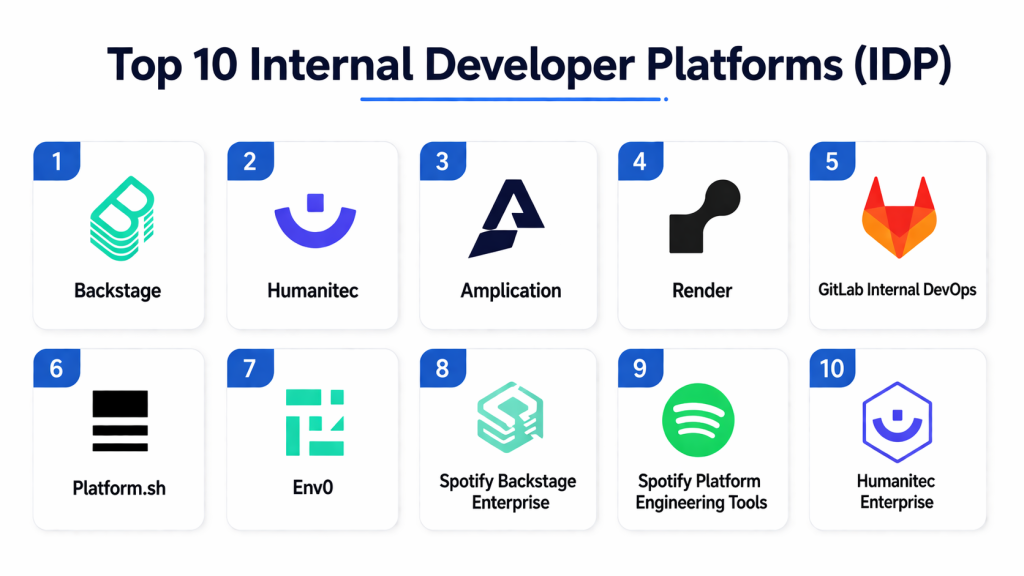
Top 10 Internal Developer Platforms (IDP) Tools
#1 — Backstage
Short description: Backstage is an open-source developer portal that centralizes infrastructure and internal tools. It provides a service catalog, self-service portals, and a plugin ecosystem, making it ideal for platform engineering teams standardizing developer workflows.
Key Features
- Centralized software catalog
- Plugin ecosystem for CI/CD, monitoring, and documentation
- Self-service developer portals
- Kubernetes and cloud integration
- Service templates and scaffolding
Pros
- Open-source and highly customizable
- Encourages consistent developer experience
- Strong plugin marketplace
Cons
- Requires technical expertise for setup and maintenance
- Advanced features need platform engineering knowledge
- Limited analytics out-of-the-box
Platforms / Deployment
- Web / Cloud / Self-hosted
Security & Compliance
- SSO/SAML, RBAC
- Not publicly stated for formal certifications
Integrations & Ecosystem
Supports a variety of CI/CD, cloud, and observability tools.
- Jenkins, GitHub Actions
- AWS, GCP, Azure
- Prometheus, Grafana
Support & Community
- Active open-source community
- Comprehensive documentation
- Community-driven support
#2 — Humanitec
Short description: Humanitec is a cloud-agnostic IDP for managing environment provisioning, deployments, and developer self-service. It is suitable for medium-to-large enterprises looking to centralize workflows, automate deployments, and enforce governance.
Key Features
- Declarative environment management
- Multi-cloud orchestration
- CI/CD pipeline automation
- Developer self-service portals
- Audit and compliance tracking
Pros
- Reduces operational overhead
- Enhances developer autonomy
- Built-in observability and governance
Cons
- Higher learning curve for new teams
- Enterprise pricing may be high for SMBs
- Some integrations require manual configuration
Platforms / Deployment
- Web / Cloud / Hybrid
Security & Compliance
- SSO/SAML, RBAC
- SOC 2, GDPR
- Audit logs
Integrations & Ecosystem
- CI/CD pipelines: Jenkins, GitHub Actions
- Cloud providers: AWS, Azure, GCP
- Monitoring: Prometheus, Grafana
Support & Community
- Enterprise support tiers available
- Extensive documentation
- Growing community
#3 — Amplication
Short description: Amplication is an open-source platform designed to accelerate backend service development. It provides auto-generated APIs, microservice scaffolding, and CI/CD integration, suitable for developers looking for rapid backend creation.
Key Features
- Auto-generates backend code
- Microservice scaffolding
- API management
- Plugin system for extensibility
- Self-hosted or cloud deployment
Pros
- Accelerates backend development
- Open-source and flexible
- Active developer community
Cons
- Focused on backend workflows
- Limited enterprise features
- Requires technical expertise for deployment
Platforms / Deployment
- Web / Cloud / Self-hosted
Security & Compliance
- Not publicly stated
Integrations & Ecosystem
- REST/GraphQL APIs
- Database connectors
- CI/CD pipelines
Support & Community
- Active open-source community
- Clear technical documentation
#4 — Render Platform
Short description: Render is a cloud-native IDP that simplifies application deployment and infrastructure management. It is best suited for small-to-medium teams looking for simplicity and automation without extensive operational overhead.
Key Features
- One-click deployments
- Automated SSL and scaling
- Git integration for CI/CD
- Internal monitoring dashboards
- Environment management
Pros
- Developer-friendly
- Cloud-native automation
- Low operational complexity
Cons
- Limited hybrid or on-premises deployment
- Less flexibility for complex stacks
- Smaller ecosystem than larger platforms
Platforms / Deployment
- Web / Cloud
Security & Compliance
- SSO support
- Encryption in transit and at rest
- Not publicly stated for certifications
Integrations & Ecosystem
- GitHub, GitLab, Bitbucket
- Cloud database connectors
- Monitoring APIs
Support & Community
- Robust documentation
- Enterprise support available
- Active community
#5 — GitLab Internal DevOps
Short description: GitLab extends its DevOps platform into IDP territory, unifying code management, CI/CD pipelines, and deployment automation. Ideal for teams already using GitLab workflows.
Key Features
- Git repository management
- Integrated CI/CD pipelines
- Infrastructure automation via runners
- Security scanning and compliance
- Observability and logging
Pros
- End-to-end DevOps platform
- Strong community support
- Reduces toolchain complexity
Cons
- Heavyweight for small teams
- Limited flexibility outside GitLab ecosystem
- Enterprise features require paid plans
Platforms / Deployment
- Web / Cloud / Self-hosted
Security & Compliance
- SSO/SAML, RBAC
- SOC 2, ISO 27001
- Audit logging
Integrations & Ecosystem
- Cloud: AWS, GCP, Azure
- Monitoring: Prometheus, Grafana
- External CI/CD pipelines
Support & Community
- Extensive documentation
- Large developer community
- Enterprise support tiers
#6 — Platform.sh
Short description: Platform.sh is a cloud-native IDP for building, deploying, and managing applications with environment cloning and multi-language support. Suitable for mid-market and enterprise teams.
Key Features
- Continuous deployment and environment cloning
- Multi-language support
- Automated infrastructure provisioning
- Integrated monitoring
- Git-based workflows
Pros
- Simplifies deployments across environments
- Reduces operational complexity
- Cloud-native automation
Cons
- Learning curve for newcomers
- Higher pricing for small teams
- Custom integrations require effort
Platforms / Deployment
- Web / Cloud
Security & Compliance
- SSO/SAML, MFA
- Not publicly stated
Integrations & Ecosystem
- Git repositories
- CI/CD pipelines
- Monitoring APIs
Support & Community
- Enterprise support available
- Documentation robust
- Active community
#7 — Env0
Short description: Env0 offers infrastructure-as-code automation, governance, and developer self-service for cloud-native environments. Ideal for organizations using Terraform or Pulumi.
Key Features
- Terraform/Pulumi IaC automation
- Policy enforcement and governance
- Cost monitoring
- Environment management
- Multi-cloud orchestration
Pros
- Strong IaC support
- Simplifies governance
- Developer-friendly self-service
Cons
- Cloud infrastructure-focused
- Customization requires expertise
- Enterprise pricing can be high
Platforms / Deployment
- Web / Cloud / Hybrid
Security & Compliance
- SSO/SAML, RBAC
- Not publicly stated
Integrations & Ecosystem
- Terraform, Pulumi
- Cloud providers: AWS, Azure, GCP
- CI/CD pipelines
Support & Community
- Documentation available
- Enterprise support tiers
- Growing community
#8 — Spotify Backstage Enterprise
Short description: Enterprise Backstage offers scalable developer portals with plugin management and centralized service catalogs. Best for large organizations with multiple teams.
Key Features
- Service catalog at scale
- Plugin management
- Deployment orchestration
- Centralized documentation
- Metrics dashboards
Pros
- Scalable for large organizations
- Standardizes developer workflows
- Supports multi-team collaboration
Cons
- Requires platform engineering expertise
- Setup and maintenance can be complex
- Enterprise support varies
Platforms / Deployment
- Web / Hybrid / Self-hosted
Security & Compliance
- RBAC, SSO/SAML
- Not publicly stated
Integrations & Ecosystem
- CI/CD pipelines
- Monitoring dashboards
- Internal APIs
Support & Community
- Varies / Not publicly stated
- Documentation available
- Active developer community
#9 — Spotify Platform Engineering Tools
Short description: Spotify’s internal platform tools standardize workflows, providing service templates, CI/CD management, and developer portals. Best for large engineering organizations seeking consistency.
Key Features
- Service templates and scaffolding
- Unified CI/CD management
- Deployment automation
- Metrics dashboards
- Internal API management
Pros
- Proven at scale
- Workflow consistency
- Focused on developer experience
Cons
- Not fully open-source
- Requires enterprise expertise
- Limited external support
Platforms / Deployment
- Web / Hybrid
Security & Compliance
- Not publicly stated
Integrations & Ecosystem
- CI/CD pipelines
- Cloud provider integrations
- Monitoring dashboards
Support & Community
- Internal community support
- Limited external documentation
#10 — Humanitec Enterprise
Short description: Humanitec Enterprise emphasizes governance, automation, and compliance for regulated industries. It supports large-scale deployments with developer self-service and policy enforcement.
Key Features
- Multi-cloud orchestration
- Environment templates
- Self-service portals
- Automated compliance checks
- Metrics dashboards
Pros
- Reduces operational burden
- Strong automation features
- Supports compliance-heavy industries
Cons
- High cost for small teams
- Setup complexity
- Customization requires expertise
Platforms / Deployment
- Web / Cloud / Hybrid
Security & Compliance
- SOC 2, GDPR
- SSO/SAML, RBAC
- Audit logs
Integrations & Ecosystem
- AWS, Azure, GCP
- CI/CD pipelines
- Observability tools
Support & Community
- Enterprise support tiers
- Extensive documentation
- Growing community
Comparison Table
| Tool Name | Best For | Platform(s) Supported | Deployment | Standout Feature | Public Rating |
|---|---|---|---|---|---|
| Backstage | Platform engineering teams | Web | Cloud / Self-hosted | Plugin ecosystem and service catalog | N/A |
| Humanitec | Medium-to-large enterprises | Web | Cloud / Hybrid | Environment management | N/A |
| Amplication | Backend developers | Web | Cloud / Self-hosted | Backend scaffolding automation | N/A |
| Render | SMBs and startups | Web | Cloud | One-click deployment | N/A |
| GitLab | Teams using GitLab | Web | Cloud / Self-hosted | End-to-end DevOps | N/A |
| Platform.sh | Mid-market & enterprise | Web | Cloud | Environment cloning & deployment | N/A |
| Env0 | Cloud infrastructure teams | Web | Cloud / Hybrid | Terraform IaC automation | N/A |
| Spotify Backstage Enterprise | Large organizations | Web | Hybrid / Self-hosted | Scalable developer portal | N/A |
| Spotify Platform Engineering Tools | Large engineering orgs | Web | Hybrid | Internal developer portals | N/A |
| Humanitec Enterprise | Regulated industries | Web | Cloud / Hybrid | Compliance & governance | N/A |
Evaluation & Scoring of Internal Developer Platforms (IDP)
| Tool Name | Core (25%) | Ease (15%) | Integrations (15%) | Security (10%) | Performance (10%) | Support (10%) | Value (15%) | Weighted Total |
|---|---|---|---|---|---|---|---|---|
| Backstage | 9 | 7 | 8 | 7 | 8 | 7 | 8 | 8.0 |
| Humanitec | 9 | 8 | 8 | 8 | 9 | 8 | 7 | 8.4 |
| Amplication | 7 | 8 | 7 | 6 | 7 | 6 | 8 | 7.3 |
| Render | 7 | 9 | 7 | 6 | 8 | 7 | 8 | 7.7 |
| GitLab | 9 | 8 | 8 | 8 | 9 | 8 | 8 | 8.6 |
| Platform.sh | 8 | 8 | 8 | 7 | 8 | 7 | 7 | 7.8 |
| Env0 | 8 | 8 | 8 | 7 | 8 | 7 | 7 | 7.8 |
| Spotify Backstage Ent. | 9 | 7 | 8 | 7 | 8 | 7 | 8 | 8.0 |
| Spotify Tools | 8 | 7 | 7 | 7 | 8 | 6 | 7 | 7.4 |
| Humanitec Ent. | 9 | 8 | 8 | 8 | 9 | 8 | 7 | 8.4 |
Interpretation: Weighted totals reflect comparative strengths across features, ease, security, integrations, performance, and value. Higher scores indicate platforms better suited for large-scale, complex environments.
Which Internal Developer Platforms (IDP) Tool Is Right for You?
Solo / Freelancer
- Render or Amplication for simplicity, low cost, and self-service deployment.
SMB
- Render, GitLab, or Humanitec for balanced automation, integrations, and support.
Mid-Market
- GitLab, Platform.sh, or Humanitec Enterprise for collaboration across teams and multi-cloud deployments.
Enterprise
- Humanitec Enterprise, Spotify Backstage Enterprise, or Backstage for scalability, governance, and compliance.
Budget vs Premium
- Open-source platforms reduce cost but require technical setup.
- Premium platforms provide SLA-backed support, automation, and compliance features.
Feature Depth vs Ease of Use
- Amplication and Render focus on ease of use.
- Humanitec, GitLab, and Platform.sh deliver deeper orchestration, compliance, and multi-cloud management.
Integrations & Scalability
- GitLab and Humanitec excel at multi-cloud and CI/CD integrations.
- Lightweight platforms are simpler but may require custom workflows for complex stacks.
Security & Compliance Needs
- Humanitec Enterprise and GitLab provide governance for regulated industries.
- SMBs can rely on built-in RBAC, SSO, and audit logs in cloud IDPs.
Frequently Asked Questions (FAQs)
1. What is an Internal Developer Platform (IDP)?
An IDP centralizes developer workflows, combining CI/CD, infrastructure automation, and observability. It improves productivity and standardizes processes across teams.
2. How do IDP pricing models vary?
Pricing ranges from free open-source tools to enterprise subscriptions. Costs depend on user count, deployment scale, and advanced features.
3. How easy is onboarding for new teams?
Cloud-native IDPs provide self-service portals and documentation. Open-source platforms require technical expertise to configure.
4. Can IDPs support multi-cloud deployments?
Yes. Leading IDPs like Humanitec, GitLab, and Platform.sh enable consistent workflows across AWS, Azure, and GCP.
5. Are security and compliance features included?
Most provide SSO/SAML, RBAC, encryption, and audit logs. Enterprise plans may include SOC 2 or ISO certifications.
6. How do IDPs integrate with CI/CD pipelines?
IDPs offer native integrations or plugins for Jenkins, GitHub Actions, GitLab pipelines, or Terraform workflows.
7. What common mistakes should teams avoid?
Avoid overcomplicating setup, ignoring developer experience, selecting platforms without ecosystem support, and underestimating maintenance.
8. How scalable are these platforms?
Enterprise IDPs like Humanitec and GitLab support thousands of services and multiple teams. Lightweight platforms suit smaller projects.
9. Which IDP is best for regulated industries?
Humanitec Enterprise and GitLab offer governance, auditing, and compliance features suited for finance, healthcare, and other regulated sectors.
10. Can IDPs reduce operational costs?
Yes. Automating environment setup, deployments, and monitoring reduces manual tasks, infrastructure errors, and downtime.
Conclusion
Internal Developer Platforms are essential for organizations looking to scale software delivery, enforce governance, and improve developer productivity. Choosing the right IDP depends on team size, workflow complexity, and compliance requirements. SMBs may benefit from simpler platforms like Render or Amplication, while enterprises gain from Humanitec Enterprise or GitLab for full-featured orchestration and governance. Use the comparison and scoring tables to shortlist 2–3 platforms, run pilots, and validate integrations and security before full adoption. A well-implemented IDP can streamline development, reduce operational burden, and enhance team efficiency across the organization.

I found this article very informative. The comparison is clear and practical, making it easier to understand how different internal developer platforms can improve developer productivity and workflow management.