Introduction
IVR (Interactive Voice Response) Design Tools allow businesses to automate phone interactions, providing self-service options, routing calls efficiently, and enhancing customer satisfaction. These platforms help call centers, enterprises, and support teams reduce wait times, optimize agent utilization, and gather customer insights. Modern IVR tools integrate AI, natural language processing, and analytics for smarter call flows and improved efficiency.
Real-world use cases include:
- Automating customer support for high-volume call centers.
- Routing calls dynamically to the appropriate departments or agents.
- Enabling self-service options for payments, scheduling, and FAQs.
- Collecting data and feedback during calls to improve service.
- Monitoring call metrics and analytics to optimize IVR performance.
Evaluation criteria buyers should consider:
- Ease of designing and customizing IVR flows
- Natural language processing and AI capabilities
- Multi-channel support including phone, mobile apps, and web
- Integration with CRM, helpdesk, and analytics platforms
- Call routing flexibility and personalization options
- Reporting and analytics for IVR effectiveness
- Security and compliance standards (PCI DSS, GDPR, HIPAA)
- Scalability for SMBs to enterprise-level deployments
- Pricing flexibility based on call volume and features
- Support quality, documentation, and community resources
Best for: Call centers, customer support teams, telecom providers, banks, and healthcare organizations.
Not ideal for: Small businesses with minimal call volume or where human operators handle all inquiries.
Key Trends in IVR Design Tools
- AI-powered speech recognition and natural language understanding for dynamic call routing
- Multi-channel IVR deployment across phone, mobile apps, and web portals
- Integration with CRM, helpdesk, and analytics for contextual responses
- Automated workflows for common queries, payments, and scheduling
- Real-time analytics to monitor IVR performance and call trends
- Voice biometrics and authentication for enhanced security
- Cloud-based deployment for scalability and remote management
- Drag-and-drop IVR flow designers for ease of configuration
- Hybrid AI-human handoff models for complex interactions
- Flexible subscription and usage-based pricing models
How We Selected These Tools
- Evaluated market adoption and mindshare across SMBs and enterprises
- Assessed feature completeness, including AI, NLP, analytics, and routing flexibility
- Reviewed ease of designing and deploying call flows
- Analyzed security and compliance capabilities, including PCI DSS, GDPR, and HIPAA
- Examined integration ecosystem with CRM, helpdesk, and analytics systems
- Considered scalability for multi-site operations and high call volumes
- Evaluated support and documentation quality
- Factored in innovation, AI voice recognition, and automated workflows
- Reviewed pricing models for flexibility and value
- Prioritized platforms with long-term support and product roadmaps
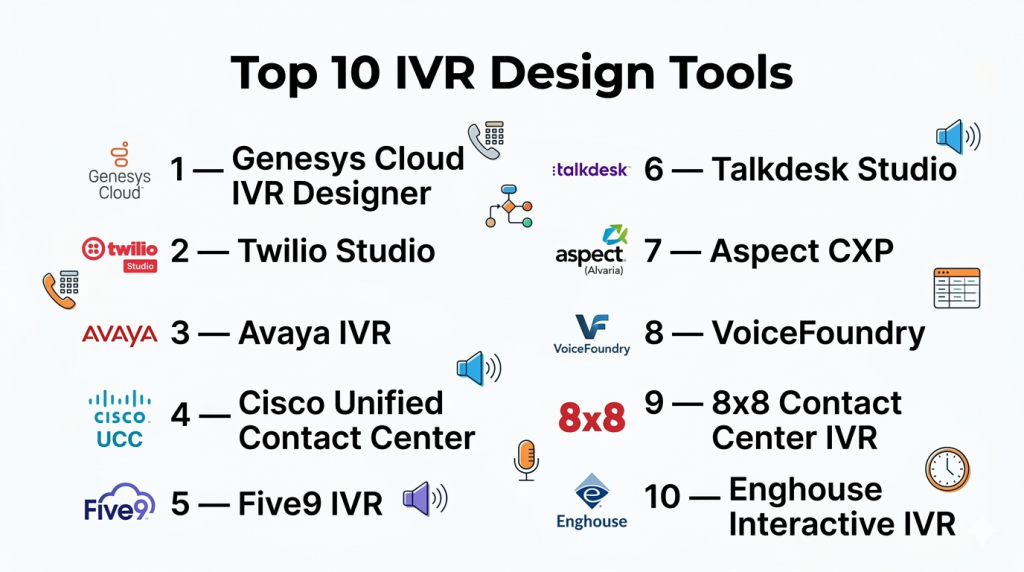
Top 10 IVR Design Tools
#1 — Genesys Cloud CX
Short description: Genesys Cloud CX provides enterprise IVR solutions with AI-driven call routing and omnichannel support. It allows businesses to design complex call flows, automate self-service, and gain analytics insights for optimizing customer interactions.
Key Features
- Drag-and-drop IVR flow builder
- AI-powered speech recognition
- Omnichannel support (voice, chat, email)
- Real-time analytics dashboards
- Self-service automation
Pros
- Scalable for enterprise operations
- Strong AI and NLP capabilities
- Multi-channel routing
Cons
- High cost for SMBs
- Implementation requires planning and training
- Complex feature set for beginners
Platforms / Deployment
- Web / Mobile / Phone
- Cloud
Security & Compliance
- SOC 2, GDPR, PCI DSS
Integrations & Ecosystem
- Salesforce, Zendesk, ServiceNow
- Analytics and reporting tools
Support & Community
- Enterprise support, documentation, community forums
#2 — Twilio Flex
Short description: Twilio Flex is a programmable cloud contact center that allows businesses to design fully customizable IVR flows. It supports AI, multi-channel communications, and real-time analytics for enhanced customer experience.
Key Features
- Customizable IVR workflows
- AI and NLP support for voice and chat
- Multi-channel deployment
- Real-time monitoring and reporting
- API-first platform for developers
Pros
- Highly flexible and developer-friendly
- Strong AI integration
- Scalable multi-channel capabilities
Cons
- Requires development expertise for advanced features
- Can be complex for small teams
- Usage-based pricing may be costly at scale
Platforms / Deployment
- Web / Mobile / Phone
- Cloud
Security & Compliance
- SOC 2, GDPR
Integrations & Ecosystem
- CRM systems, analytics, messaging apps
Support & Community
- Developer support, documentation
#3 — Avaya OneCloud
Short description: Avaya OneCloud delivers cloud-based IVR solutions with AI-driven routing and analytics. It is designed for enterprises seeking advanced call flow customization and self-service automation for customer support.
Key Features
- Drag-and-drop IVR builder
- AI/NLP-powered call routing
- Multi-channel support (voice, web, mobile)
- Real-time analytics
- Self-service automation
Pros
- Enterprise scalability
- Advanced AI features
- Multi-channel support
Cons
- High price point
- Implementation complexity
- Requires trained personnel
Platforms / Deployment
- Web / Mobile / Phone
- Cloud
Security & Compliance
- SOC 2, GDPR, HIPAA
Integrations & Ecosystem
- Salesforce, Microsoft Dynamics
- Helpdesk and analytics systems
Support & Community
- Enterprise support, training resources
#4 — Cisco Contact Center
Short description: Cisco Contact Center provides robust IVR design and call routing solutions. It enables enterprises to manage high-volume calls efficiently, using AI-driven routing and analytics for improved customer service.
Key Features
- Advanced IVR designer
- AI-powered voice recognition
- Omnichannel routing
- Real-time dashboards
- Automated self-service
Pros
- Reliable for large enterprise operations
- AI and NLP integration
- Multi-channel support
Cons
- Complex configuration
- Requires technical expertise
- Enterprise-level pricing
Platforms / Deployment
- Web / Mobile / Phone
- Cloud / Hybrid
Security & Compliance
- SOC 2, ISO 27001, GDPR
Integrations & Ecosystem
- CRM, support desks, analytics
Support & Community
- Enterprise support, documentation
#5 — Five9
Short description: Five9 is a cloud IVR and contact center platform that automates routing, self-service, and analytics for enterprises. It supports AI-based call flows and provides insights to optimize customer interactions.
Key Features
- AI-powered IVR
- Customizable call flows
- Multi-channel support
- Analytics and reporting
- Call recording
Pros
- Cloud-based scalability
- AI-driven routing and self-service
- Analytics dashboards
Cons
- Complex setup for advanced features
- Higher cost for SMBs
- Limited pre-built templates
Platforms / Deployment
- Web / Mobile / Phone
- Cloud
Security & Compliance
- SOC 2, GDPR, PCI DSS
Integrations & Ecosystem
- Salesforce, HubSpot
- Analytics and support platforms
Support & Community
- Documentation, enterprise support
#6 — Genesys Engage
Short description: Genesys Engage provides AI-enabled IVR solutions for multi-channel enterprise call management. It enables complex routing, self-service automation, and real-time analytics to improve customer support efficiency.
Key Features
- Drag-and-drop IVR designer
- AI/NLP routing
- Omnichannel support
- Analytics dashboards
- Self-service automation
Pros
- Enterprise reliability
- Strong AI voice recognition
- Scalable multi-channel support
Cons
- High cost for small businesses
- Requires trained personnel
- Complex configuration
Platforms / Deployment
- Web / Mobile / Phone
- Cloud / Hybrid
Security & Compliance
- SOC 2, GDPR, HIPAA
Integrations & Ecosystem
- CRM, analytics, support systems
Support & Community
- Enterprise support, documentation
#7 — Aspect Via
Short description: Aspect Via provides AI-powered IVR design and call routing for enterprises. It focuses on self-service automation and multi-channel engagement to improve call center efficiency.
Key Features
- AI-driven IVR
- Omnichannel routing
- Custom call flows
- Analytics and reporting
- Self-service automation
Pros
- Efficient for large call centers
- Strong AI capabilities
- Multi-channel support
Cons
- Requires technical setup
- Cost can be high
- Learning curve for advanced features
Platforms / Deployment
- Web / Mobile / Phone
- Cloud / Hybrid
Security & Compliance
- SOC 2, GDPR
Integrations & Ecosystem
- CRM, analytics, support platforms
Support & Community
- Enterprise support, documentation
#8 — Talkdesk
Short description: Talkdesk offers cloud IVR solutions with AI-driven routing, multi-channel support, and analytics for enterprises. It enables automated support and optimized call flows.
Key Features
- AI-powered call routing
- Multi-channel IVR
- Analytics dashboards
- Customizable flows
- Self-service automation
Pros
- Scalable cloud solution
- AI and analytics integration
- Multi-channel capabilities
Cons
- Expensive for SMBs
- Complex flow setup
- Staff training required
Platforms / Deployment
- Web / Mobile / Phone
- Cloud
Security & Compliance
- SOC 2, GDPR
Integrations & Ecosystem
- CRM, analytics, support systems
Support & Community
- Documentation, enterprise support
#9 — 8×8 Virtual Contact Center
Short description: 8×8 provides IVR tools for enterprises with AI call routing, multi-channel support, and reporting. It helps businesses optimize call flows and improve customer support efficiency.
Key Features
- AI-based call routing
- Multi-channel IVR
- Analytics and reporting
- Self-service options
- Call recording
Pros
- Enterprise-ready scalability
- Integrated analytics
- Multi-channel support
Cons
- Complex setup
- High cost for small teams
- Limited AI customization
Platforms / Deployment
- Web / Mobile / Phone
- Cloud
Security & Compliance
- SOC 2, GDPR, HIPAA
Integrations & Ecosystem
- CRM, analytics, support platforms
Support & Community
- Documentation, enterprise support
#10 — Vonage Contact Center
Short description: Vonage Contact Center provides IVR design and call routing with AI, automation, and analytics. It helps enterprises optimize workflows, handle high call volumes, and improve customer experience.
Key Features
- AI-powered routing and NLP
- Multi-channel support
- Analytics and monitoring
- Self-service flows
- Real-time reporting
Pros
- Enterprise scalability
- AI-driven routing
- Comprehensive analytics
Cons
- High cost for small teams
- Setup complexity
- Requires staff training
Platforms / Deployment
- Web / Mobile / Phone
- Cloud
Security & Compliance
- SOC 2, GDPR, HIPAA
Integrations & Ecosystem
- CRM, analytics, support systems
Support & Community
- Enterprise support, documentation
Comparison Table (Top 10)
| Tool Name | Best For | Platform(s) Supported | Deployment | Standout Feature | Public Rating |
|---|---|---|---|---|---|
| Genesys Cloud CX | Enterprise IVR | Web / Mobile / Phone | Cloud | AI-powered multi-channel IVR | N/A |
| Twilio Flex | Programmable IVR | Web / Mobile / Phone | Cloud | Custom workflows | N/A |
| Avaya OneCloud | Enterprise IVR | Web / Mobile / Phone | Cloud | AI + NLP integration | N/A |
| Cisco Contact Center | Large-scale call centers | Web / Mobile / Phone | Cloud / Hybrid | Advanced IVR designer | N/A |
| Five9 | Cloud-based IVR | Web / Mobile / Phone | Cloud | AI-powered routing | N/A |
| Genesys Engage | Multi-channel enterprise | Web / Mobile / Phone | Cloud / Hybrid | AI & omnichannel routing | N/A |
| Aspect Via | Intelligent IVR | Web / Mobile / Phone | Cloud / Hybrid | AI-driven call routing | N/A |
| Talkdesk | Cloud IVR & analytics | Web / Mobile / Phone | Cloud | AI-based call flows | N/A |
| 8×8 Virtual Contact Center | Enterprise call management | Web / Mobile / Phone | Cloud | Flexible IVR & self-service | N/A |
| Vonage Contact Center | Multi-channel enterprise | Web / Mobile / Phone | Cloud | AI-powered routing & analytics | N/A |
Frequently Asked Questions (FAQs)
1. What pricing models are available for IVR tools?
Most platforms use subscription-based, usage-based, or tiered enterprise pricing. Costs scale with agents, call volume, and advanced features.
2. How long does it take to implement IVR flows?
Basic flows can deploy in days; enterprise setups with integrations may require weeks.
3. Can non-technical staff configure IVR?
Many platforms provide drag-and-drop interfaces, but advanced AI and complex routing require technical expertise.
4. Are these platforms secure and compliant?
Enterprise IVR tools often support SOC 2, GDPR, PCI DSS, and HIPAA for regulated industries.
5. How is IVR performance measured?
Analytics track routing accuracy, self-service success, call duration, and customer satisfaction metrics.
6. Can IVR integrate with CRM or support systems?
Yes, integrations enable contextual routing, automated workflows, and analytics.
7. Are IVR solutions scalable?
Enterprise tools can handle high call volumes, multi-site operations, and thousands of agents efficiently.
8. Can IVR handle multiple channels?
Yes, many platforms support phone, mobile apps, web, and messaging integration.
9. What are common mistakes in IVR design?
Avoid long menus, lack of fallback options, poor routing, and neglecting analytics for optimization.
10. Are there alternatives to IVR tools?
Alternatives include live agents, chatbots, and messaging platforms, though they may not handle high call volumes efficiently.
Conclusion
Choosing the right IVR Design Tool depends on company size, call volume, and automation needs. Enterprise solutions like Genesys Cloud CX, Avaya OneCloud, and Twilio Flex provide AI-driven routing, multi-channel support, and analytics. SMBs may prefer Five9 or Talkdesk for cost-effective deployment. To implement effectively, shortlist 2–3 platforms, run pilot IVR flows, verify integrations and compliance, and scale based on performance. Properly designed IVR systems improve call efficiency, reduce wait times, and enhance customer satisfaction.

This was a well-organized and informative article. I liked how it clearly explained the key differences between the IVR design tools, making the selection process much simpler.