Introduction
RSS aggregators are tools that collect, organize, and display content from multiple websites and feeds in one centralized location. They streamline information consumption by allowing users to subscribe to blogs, news sites, and other content sources, reducing the need to visit each site individually. These apps are increasingly relevant as content volume grows and users seek efficient ways to stay informed.
Real-world use cases include:
- Keeping up with industry news and market updates.
- Aggregating blogs, research articles, or newsletters for professional development.
- Monitoring competitor content or trends.
- Personalizing content consumption based on interests.
- Centralizing updates from multiple websites to save time.
Key evaluation criteria for buyers:
- Feed management and organization
- Multi-platform support (desktop, mobile, web)
- Offline reading and synchronization
- Search and filtering capabilities
- Integration with productivity apps or note-taking tools
- Customizable notifications and alerts
- Ease of use and user interface design
- Automation for importing or categorizing feeds
- Social sharing or collaboration features
- Security and privacy standards
Best for: Knowledge workers, content creators, researchers, marketers, and professionals who need efficient content monitoring.
Not ideal for: Users who primarily consume social media or prefer manual content curation, or those who require minimal content aggregation.
Key Trends in RSS Aggregators
- AI-powered content recommendations and summarization.
- Real-time feed updates with push notifications and alerts.
- Integration with note-taking, productivity, and knowledge management tools.
- Multi-device synchronization across desktops, tablets, and smartphones.
- Support for podcasts, newsletters, and multimedia feeds.
- Customizable feed filtering, tagging, and prioritization.
- Cloud-based aggregation with offline reading capabilities.
- Enhanced search and content organization for large feed collections.
- Social sharing and collaboration for team content monitoring.
- Freemium and subscription pricing with advanced automation features.
How We Selected These Tools (Methodology)
- Evaluated market adoption and user base.
- Assessed core feed aggregation and management features.
- Measured performance, reliability, and uptime.
- Reviewed security, privacy, and compliance measures.
- Considered integration with productivity and note-taking tools.
- Analyzed suitability for solo users, teams, and enterprise monitoring.
- Factored in AI content curation and recommendation capabilities.
- Reviewed ease of use and learning curve.
- Assessed customer support, documentation, and community resources.
- Compared pricing models, freemium vs. premium value, and scalability.
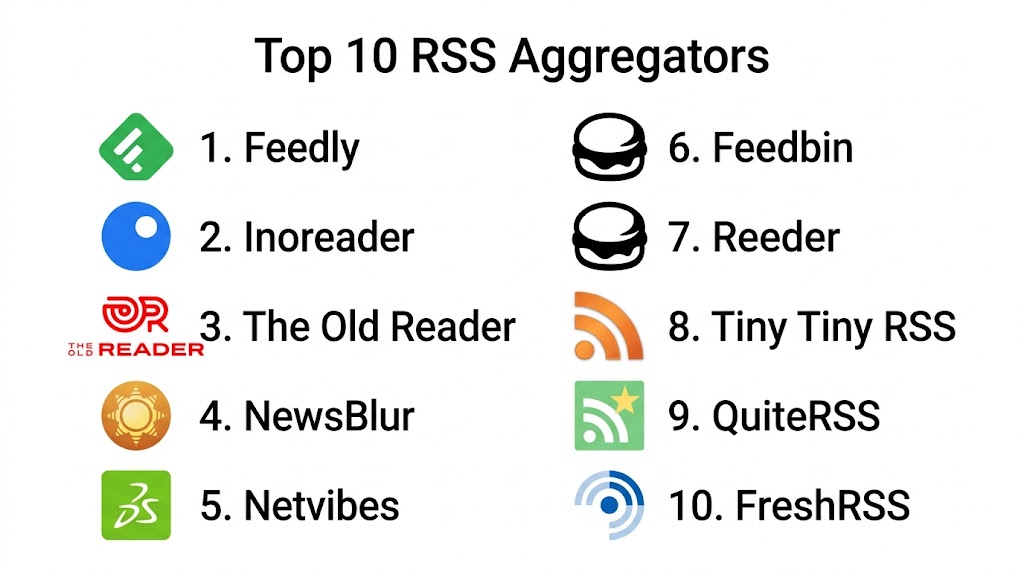
Top 10 RSS Aggregators Tools
#1 — Feedly
Short description (4–5 lines): Feedly is a popular RSS aggregator that organizes content from multiple sources into customizable feeds. It’s ideal for professionals and knowledge workers looking to monitor news, blogs, and industry updates efficiently.
Key Features
- Customizable boards and categories
- AI-driven content suggestions
- Multi-platform synchronization
- Keyboard shortcuts for quick navigation
- Integration with productivity apps
Pros
- Easy to organize large numbers of feeds
- AI-powered discovery improves content relevance
Cons
- Some advanced features require premium subscription
- Can be overwhelming for beginners with many feeds
Platforms / Deployment
- Web, iOS, Android; Cloud-based
Security & Compliance
- Not publicly stated
Integrations & Ecosystem
- Evernote
- OneNote
- Zapier
- Trello
Support & Community
Email support, tutorials, and active community forum.
#2 — Inoreader
Short description (4–5 lines): Inoreader provides advanced RSS feed management with automation rules and search capabilities. Ideal for power users and content professionals who manage a high volume of feeds.
Key Features
- Feed rules and filters for automation
- Offline reading support
- Full-text search across feeds
- Tagging and organization options
- Multi-device synchronization
Pros
- Powerful automation and filtering
- Excellent search and content organization
Cons
- Premium required for advanced automation
- Interface may appear complex for casual users
Platforms / Deployment
- Web, iOS, Android; Cloud-based
Security & Compliance
- Not publicly stated
Integrations & Ecosystem
- Evernote
- Dropbox
- Trello
- Microsoft OneNote
Support & Community
Documentation, email support, active user community.
#3 — The Old Reader
Short description (4–5 lines): The Old Reader is a simple, social RSS aggregator that allows users to share feeds and articles with friends. Suitable for casual readers who want a lightweight interface.
Key Features
- Social sharing and recommendations
- Simple feed organization
- Multi-device sync
- Bookmarking and favorites
- Lightweight and fast
Pros
- Minimalist and user-friendly
- Social integration for content discovery
Cons
- Limited advanced features
- Smaller user base compared to competitors
Platforms / Deployment
- Web, iOS, Android; Cloud-based
Security & Compliance
- Not publicly stated
Integrations & Ecosystem
- Basic social sharing and bookmarking
- Export to OPML
Support & Community
Online documentation and community support forums.
#4 — NewsBlur
Short description (4–5 lines): NewsBlur offers an RSS aggregator with advanced filtering, training, and story highlighting. Ideal for readers who want to prioritize relevant content and filter out noise.
Key Features
- Smart filters and story training
- Highlighting and annotations
- Offline reading capabilities
- Multi-device sync
- Folder organization
Pros
- Customizable reading experience
- Effective content filtering
Cons
- Premium required for full feed capacity
- Interface can feel dated
Platforms / Deployment
- Web, iOS, Android; Cloud-based
Security & Compliance
- Not publicly stated
Integrations & Ecosystem
- Instapaper
- Evernote
- Email forwarding
Support & Community
Email support, tutorials, user forums.
#5 — Feedbin
Short description (4–5 lines): Feedbin is a minimalist RSS aggregator with email integration. Ideal for readers who want simple, clean design with essential feed organization and search features.
Key Features
- Clean and simple UI
- Email-based feed subscription
- Tagging and search
- Multi-device support
- Read-later capabilities
Pros
- Minimalist and easy to use
- Integrates with email-based workflows
Cons
- Premium subscription required
- Limited automation or discovery features
Platforms / Deployment
- Web, iOS; Cloud-based
Security & Compliance
- Not publicly stated
Integrations & Ecosystem
- Readability tools
- Instapaper
- Zapier
Support & Community
Email support and documentation.
#6 — Reeder
Short description (4–5 lines): Reeder is a Mac and iOS RSS reader known for sleek design and offline reading capabilities. Ideal for Apple ecosystem users seeking aesthetic and functional reading experiences.
Key Features
- Offline reading
- Multiple account support
- Gesture-based navigation
- Full-text search
- Clean, customizable interface
Pros
- Beautiful interface with smooth UX
- Works well offline
Cons
- Apple-only
- Limited collaboration features
Platforms / Deployment
- macOS, iOS; Cloud-based
Security & Compliance
- Not publicly stated
Integrations & Ecosystem
- Instapaper
- Feedly
Support & Community
Email support and community forums.
#7 — NetNewsWire
Short description (4–5 lines): NetNewsWire is an open-source RSS reader for macOS and iOS. Suitable for users who prefer a lightweight, privacy-focused app with no frills.
Key Features
- Open-source and free
- Offline reading support
- Clean, fast interface
- Multi-feed management
- Keyboard shortcuts
Pros
- Lightweight and fast
- Privacy-friendly
Cons
- Limited advanced features
- Apple-only
Platforms / Deployment
- macOS, iOS; Self-hosted/Cloud sync
Security & Compliance
- Not publicly stated
Integrations & Ecosystem
- OPML import/export
- Minimal external integrations
Support & Community
Open-source community and GitHub support.
#8 — Flipboard
Short description (4–5 lines): Flipboard aggregates news, blogs, and social content into a magazine-style layout. Ideal for users who want visually appealing content discovery across topics.
Key Features
- Magazine-style feed layout
- Curated topic subscriptions
- Integration with social content
- Save and share articles
- Multi-device sync
Pros
- Visually appealing and engaging
- Broad content discovery
Cons
- Limited RSS customization
- Focus on curation over strict feed management
Platforms / Deployment
- Web, iOS, Android; Cloud-based
Security & Compliance
- Not publicly stated
Integrations & Ecosystem
- Social media
- Email sharing
Support & Community
Online help center and tutorials.
#9 — BazQux Reader
Short description (4–5 lines): BazQux Reader provides an RSS aggregator with clean design, fast performance, and threaded comments. Ideal for users seeking simplicity with reading and commenting capabilities.
Key Features
- Threaded comments display
- Fast feed loading
- Tagging and filtering
- Offline reading
- Multi-device sync
Pros
- Lightweight and fast
- Supports comment viewing in feeds
Cons
- Paid subscription required
- Limited collaboration features
Platforms / Deployment
- Web, iOS, Android; Cloud-based
Security & Compliance
- Not publicly stated
Integrations & Ecosystem
- Instapaper
- RSS feed import/export
Support & Community
Documentation and email support.
#10 — Vienna
Short description (4–5 lines): Vienna is an open-source RSS reader for macOS, focusing on offline reading, folder management, and customizable feed organization.
Key Features
- Folder and feed organization
- Offline reading
- Multi-feed support
- Smart search and filtering
- Lightweight interface
Pros
- Free and open-source
- Efficient feed management
Cons
- macOS-only
- Limited modern features
Platforms / Deployment
- macOS; Self-hosted/Cloud-supported
Security & Compliance
- Not publicly stated
Integrations & Ecosystem
- OPML import/export
- Basic integration with productivity apps
Support & Community
Open-source community support and forums.
Comparison Table (Top 10)
| Tool Name | Best For | Platform(s) Supported | Deployment | Standout Feature | Public Rating |
|---|---|---|---|---|---|
| Feedly | Professionals & knowledge workers | Web, iOS, Android | Cloud | AI content discovery | N/A |
| Inoreader | Power users & content managers | Web, iOS, Android | Cloud | Automation rules & filtering | N/A |
| The Old Reader | Casual readers & social sharing | Web, iOS, Android | Cloud | Social feed sharing | N/A |
| NewsBlur | Prioritized reading | Web, iOS, Android | Cloud | Smart filters & story training | N/A |
| Feedbin | Minimalist users | Web, iOS | Cloud | Email-based feed subscriptions | N/A |
| Reeder | Apple ecosystem | macOS, iOS | Cloud | Sleek offline reading | N/A |
| NetNewsWire | Privacy-conscious users | macOS, iOS | Cloud/Self-hosted | Open-source, lightweight | N/A |
| Visual content discovery | Web, iOS, Android | Cloud | Magazine-style layout | N/A | |
| BazQux Reader | Threaded commenting & fast reading | Web, iOS, Android | Cloud | Threaded comments | N/A |
| Vienna | macOS offline users | macOS | Cloud/Self-hosted | Folder management | N/A |
Evaluation & Scoring of RSS Aggregators
| Tool Name | Core (25%) | Ease (15%) | Integrations (15%) | Security (10%) | Performance (10%) | Support (10%) | Value (15%) | Weighted Total (0–10) |
|---|---|---|---|---|---|---|---|---|
| Feedly | 9 | 8 | 8 | 7 | 9 | 8 | 7 | 8.35 |
| Inoreader | 9 | 7 | 8 | 7 | 8 | 7 | 7 | 7.85 |
| The Old Reader | 7 | 8 | 5 | 7 | 7 | 6 | 6 | 6.70 |
| NewsBlur | 8 | 7 | 7 | 7 | 8 | 7 | 7 | 7.45 |
| Feedbin | 7 | 8 | 6 | 7 | 7 | 6 | 6 | 6.80 |
| Reeder | 8 | 8 | 6 | 7 | 8 | 7 | 7 | 7.50 |
| NetNewsWire | 7 | 8 | 5 | 7 | 7 | 6 | 7 | 6.95 |
| 7 | 8 | 6 | 7 | 7 | 6 | 7 | 7.05 | |
| BazQux Reader | 7 | 7 | 6 | 7 | 7 | 6 | 7 | 6.95 |
| Vienna | 7 | 7 | 5 | 7 | 7 | 6 | 7 | 6.80 |
Interpretation: Higher weighted totals indicate more balanced RSS aggregators offering strong core features, ease of use, integrations, and overall value.
Which RSS Aggregator Tool Is Right for You?
Solo / Freelancer
Use minimalistic tools like Feedbin, Reeder, or NetNewsWire for personal reading, offline access, and simple feed organization.
SMB
Inoreader, Feedly, or NewsBlur support team content tracking, shared feeds, and collaboration for small business monitoring or research.
Mid-Market
Feedly and NewsBlur provide multi-feed management, AI suggestions, and automated filtering suitable for professional and team workflows.
Enterprise
Feedly, Inoreader, or BazQux Reader are ideal for large teams requiring structured content monitoring, advanced automation, and multi-device synchronization.
Budget vs Premium
Free tools like The Old Reader and NetNewsWire are suitable for light users; premium versions of Feedly, Inoreader, and NewsBlur unlock advanced AI, filtering, and collaboration.
Feature Depth vs Ease of Use
Feedly, Inoreader, and NewsBlur are feature-rich but may require learning time. Reeder, Feedbin, and Vienna offer simplicity for casual users.
Integrations & Scalability
Feedly and Inoreader integrate with productivity tools, note-taking apps, and cloud storage for scalable content monitoring.
Security & Compliance Needs
Verify enterprise-level encryption, authentication, and compliance (GDPR or internal standards) when monitoring sensitive content feeds.
Frequently Asked Questions (FAQs)
1. What is an RSS aggregator?
RSS aggregators are tools that collect and organize web content from multiple sources into a centralized feed, allowing users to read and monitor content efficiently without visiting each site individually.
2. Can RSS aggregators handle multimedia content?
Yes, many aggregators support not only articles and blogs but also podcasts, videos, and newsletters, enabling users to centralize diverse content types.
3. Are these tools suitable for teams?
Yes, tools like Feedly and Inoreader provide team features for shared feeds, collaborative annotation, and content monitoring across groups.
4. Do they work offline?
Some aggregators, like Reeder, NetNewsWire, and Xodo, allow offline reading, letting users access cached feeds and articles without an internet connection.
5. Can RSS aggregators integrate with productivity apps?
Yes, many connect with Evernote, OneNote, Trello, Pocket, and other tools to streamline workflows and content organization.
6. Are RSS aggregators secure?
Most cloud-based aggregators use standard encryption. Enterprises should verify GDPR, SOC 2, or HIPAA compliance for confidential content monitoring.
7. Can AI assist with RSS feeds?
Modern aggregators like Feedly use AI for content recommendations, filtering, and prioritization to highlight the most relevant articles.
8. How do I manage a large number of feeds?
Tools with folders, tagging, filtering rules, and search (like Inoreader and Feedly) allow users to organize thousands of feeds efficiently.
9. Are RSS aggregators free?
Many offer freemium plans, with premium subscriptions providing advanced features such as AI recommendations, unlimited feeds, and team collaboration.
10. How do I choose the right aggregator?
Consider your platform, volume of content, need for AI-driven filtering, collaboration requirements, and preferred interface. Trying free tiers helps determine usability and fit.
Conclusion
RSS aggregators are essential tools for efficiently consuming, organizing, and monitoring content across multiple sources. Choosing the right app depends on user type, workflow complexity, and collaboration needs. Minimalist apps like Feedbin and NetNewsWire are ideal for solo users, while Feedly, Inoreader, and NewsBlur cater to professionals and teams needing AI-assisted content curation and automation. Evaluate offline capabilities, integration options, and security standards before selecting a tool. Start by shortlisting 2–3 apps, testing key features, and validating workflow integration to ensure a seamless content management experience.

This article does a great job of comparing RSS aggregators in a simple and organized way. The feature breakdown helps readers quickly identify the best option for staying updated with their favorite content sources.