Introduction
Creative Project Management Tools are software platforms designed to help teams plan, execute, and track creative projects efficiently. These tools combine task management, collaborative workflows, proofing, asset management, and reporting to optimize creative output. They enable creative teams to manage deadlines, streamline approvals, and maintain transparency across projects.
Real-world use cases include coordinating design and marketing campaigns, tracking content creation pipelines, collaborating on video or multimedia projects, managing creative assets and approvals, and integrating project progress with broader organizational workflows.
Evaluation criteria for buyers include task management capabilities, collaboration features, creative asset handling, workflow automation, reporting and analytics, integration with other creative and business tools, scalability, security/compliance, user interface, and customer support.
Best for: Marketing teams, design teams, advertising agencies, video production companies, and enterprises with distributed creative operations.
Not ideal for: Small teams with minimal creative output or organizations relying on basic spreadsheets for project tracking.
Key Trends in Creative Project Management Tools
- Integration with design and multimedia tools (Adobe Creative Cloud, Figma, Canva)
- Real-time collaboration and commenting features
- Workflow automation for review and approval processes
- Proofing and version control for creative assets
- AI-driven task prioritization and resource allocation
- Cloud-based deployment for distributed creative teams
- Analytics dashboards to track project performance and productivity
- Multi-channel project management across marketing, design, and video teams
- Customizable templates and project boards
- Integration with messaging, CRM, and marketing platforms
How We Selected These Tools (Methodology)
- Market adoption and recognition among creative teams and agencies
- Feature completeness including task management, collaboration, and proofing
- Ease of use and user experience for designers and project managers
- Integration capabilities with creative and business tools
- Scalability for small teams to enterprise creative departments
- Security and compliance features for sensitive content
- AI and automation capabilities for workflow optimization
- Reporting and analytics dashboards
- Customer support, onboarding, and training resources
- Pricing transparency and total cost of ownership
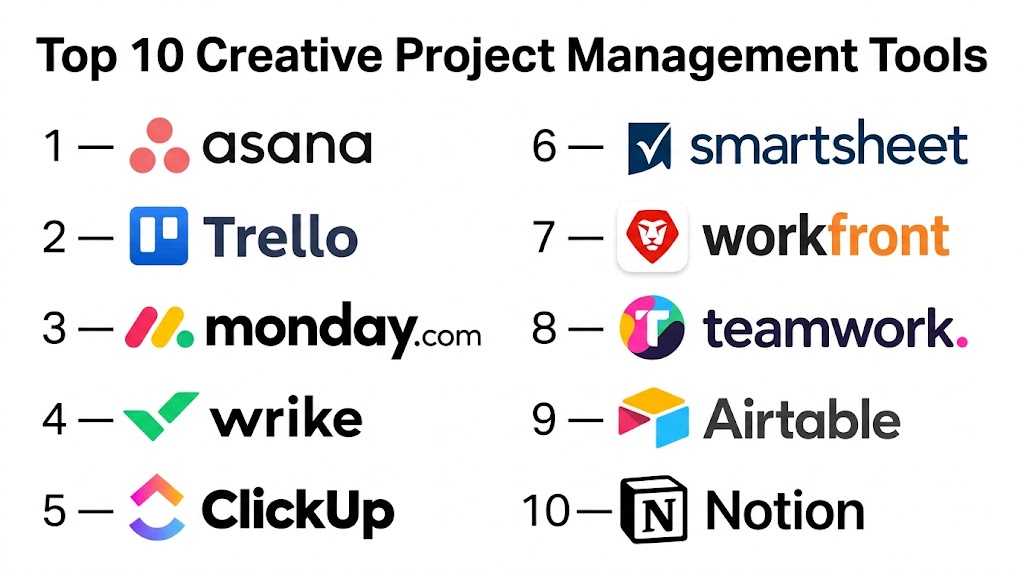
Top 10 Creative Project Management Tools
#1 — Asana
Short description: Asana is a versatile project management platform that helps creative teams plan, organize, and track projects collaboratively. Its visual boards, timelines, and automation capabilities streamline workflow management across creative initiatives.
Key Features
- Task management and timelines
- Workflow automation and approvals
- File attachments and asset tracking
- Reporting dashboards and project analytics
- Integration with creative tools like Adobe and Figma
Pros
- Easy-to-use interface for teams of all sizes
- Strong task and project visualization
- Scales from small to enterprise teams
Cons
- Limited advanced proofing tools
- Heavy reliance on third-party integrations for asset management
- Premium features require subscription
Platforms / Deployment
- Web / Windows / macOS / iOS / Android
- Cloud
Security & Compliance
- SOC 2, GDPR
Integrations & Ecosystem
- Adobe Creative Cloud, Figma, Slack, Google Drive
- CRM systems and file storage
Support & Community
- Enterprise support, documentation, user community
#2 — Trello
Short description: Trello offers a flexible Kanban-style project management interface that enables creative teams to visualize workflows, assign tasks, and collaborate on projects in real-time with boards, cards, and checklists.
Key Features
- Kanban boards and card-based task management
- Task assignments and deadlines
- File attachments and comments
- Customizable workflows with Power-Ups
- Reporting and activity logs
Pros
- Intuitive drag-and-drop interface
- Quick adoption for small teams
- Highly visual and flexible
Cons
- Limited advanced analytics and proofing
- Requires Power-Ups for integration with creative tools
- Can be overwhelming with very large projects
Platforms / Deployment
- Web / Windows / macOS / iOS / Android
- Cloud
Security & Compliance
- SOC 2, GDPR
Integrations & Ecosystem
- Adobe Creative Cloud, Slack, Google Drive
- Zapier integrations for workflow automation
Support & Community
- Documentation, community forums, email support
#3 — Monday.com
Short description: Monday.com provides a highly customizable work operating system that supports creative project management through visual boards, timelines, automation, and collaboration tools.
Key Features
- Customizable project boards and timelines
- Automation for recurring tasks and approvals
- Asset management and file attachments
- Reporting and analytics dashboards
- Collaboration features including commenting and notifications
Pros
- Highly customizable workflows
- Scales from small to large creative teams
- Supports integration with multiple creative tools
Cons
- Learning curve for complex automation
- Premium pricing for advanced features
- May require setup support
Platforms / Deployment
- Web / Windows / macOS / iOS / Android
- Cloud
Security & Compliance
- SOC 2, GDPR
Integrations & Ecosystem
- Adobe Creative Cloud, Figma, Slack, Google Drive
- CRM and analytics platforms
Support & Community
- Enterprise support, documentation, training resources
#4 — Wrike
Short description: Wrike is a collaborative work management platform that allows creative teams to manage projects, track tasks, proof assets, and measure project performance with advanced analytics.
Key Features
- Task and project tracking
- Proofing and version control for creative assets
- Real-time collaboration and commenting
- Custom dashboards and reporting
- Workflow automation and approvals
Pros
- Comprehensive project tracking
- Built-in proofing and asset management
- Scalable for mid-market and enterprise teams
Cons
- Interface may be complex for new users
- Premium plans needed for full proofing features
- Setup can be time-consuming
Platforms / Deployment
- Web / Windows / macOS / iOS / Android
- Cloud
Security & Compliance
- SOC 2, GDPR
Integrations & Ecosystem
- Adobe Creative Cloud, Figma, Slack
- CRM and analytics systems
Support & Community
- Enterprise support, documentation, webinars
#5 — ClickUp
Short description: ClickUp combines task management, collaboration, and workflow automation to help creative teams organize projects efficiently and track progress in one unified platform.
Key Features
- Task lists, boards, and timelines
- Proofing and file attachments
- Automation and reminders
- Analytics and dashboards
- Multi-team collaboration
Pros
- Versatile and customizable
- Supports remote and distributed teams
- Affordable for SMBs and scalable for enterprises
Cons
- Interface can be overwhelming
- Advanced reporting requires paid plans
- Learning curve for complex features
Platforms / Deployment
- Web / Windows / macOS / iOS / Android
- Cloud
Security & Compliance
- SOC 2, GDPR
Integrations & Ecosystem
- Adobe Creative Cloud, Slack, Google Drive
- CRM and analytics tools
Support & Community
- Documentation, community forums, enterprise support
#6 — Teamwork
Short description: Teamwork provides creative project management tools with task management, time tracking, collaboration, and file management. It is ideal for agencies and creative teams managing multiple client projects.
Key Features
- Task boards and timelines
- Collaboration and commenting
- File management and proofing
- Time tracking for projects
- Reporting dashboards
Pros
- Effective for agency workflows
- Built-in time tracking
- Strong collaboration features
Cons
- Less AI-driven insights
- Advanced proofing requires higher-tier plan
- Setup for complex projects may be intensive
Platforms / Deployment
- Web / Windows / macOS / iOS / Android
- Cloud
Security & Compliance
- GDPR, SOC 2
Integrations & Ecosystem
- Adobe Creative Cloud, Slack, Google Drive
- CRM and analytics tools
Support & Community
- Enterprise support, documentation
#7 — Notion
Short description: Notion is a flexible all-in-one workspace that supports creative project management through task boards, note-taking, collaboration, and database tracking.
Key Features
- Kanban boards and task lists
- Collaboration and commenting
- File attachment and database tracking
- Templates for creative projects
- Reporting via dashboards
Pros
- Highly flexible for small creative teams
- Integrates notes and project management
- Easy collaboration and sharing
Cons
- Limited advanced automation
- Less suited for large enterprise teams
- No built-in proofing for assets
Platforms / Deployment
- Web / Windows / macOS / iOS / Android
- Cloud
Security & Compliance
- GDPR
Integrations & Ecosystem
- Slack, Google Drive, Figma
- Zapier for workflow automation
Support & Community
- Documentation, community forums
#8 — Smartsheet
Short description: Smartsheet provides a spreadsheet-like interface for creative project management with workflow automation, collaboration, and reporting dashboards.
Key Features
- Grid, Gantt, and card views
- Workflow automation and approvals
- File attachments and versioning
- Reporting and analytics dashboards
- Collaboration features
Pros
- Familiar spreadsheet-style interface
- Scalable for mid-market and enterprise
- Flexible views for project tracking
Cons
- Less intuitive for purely creative workflows
- Premium pricing for advanced features
- Proofing and creative-specific tools limited
Platforms / Deployment
- Web / Windows / macOS / iOS / Android
- Cloud
Security & Compliance
- SOC 2, GDPR
Integrations & Ecosystem
- Adobe Creative Cloud, Slack, Google Drive
- CRM and analytics tools
Support & Community
- Documentation, enterprise support
#9 — Airtable
Short description: Airtable combines database functionality with project management tools, enabling creative teams to organize projects, assets, and tasks with flexibility and visualization.
Key Features
- Customizable tables, grids, and Kanban views
- Collaboration and commenting
- File attachment and asset management
- Templates for creative workflows
- Dashboards and reporting
Pros
- Flexible for creative teams
- Supports project tracking and asset management
- Easy collaboration
Cons
- Limited automation for approvals
- Advanced analytics require integrations
- Can become complex for large projects
Platforms / Deployment
- Web / Windows / macOS / iOS / Android
- Cloud
Security & Compliance
- GDPR, SOC 2
Integrations & Ecosystem
- Adobe Creative Cloud, Slack, Google Drive
- Zapier for automation
Support & Community
- Documentation, support tiers
#10 — Workfront
Short description: Workfront is an enterprise-grade creative project management platform offering workflow automation, proofing, collaboration, and reporting for large creative teams.
Key Features
- Task management and workflow automation
- Proofing and version control
- Collaboration and commenting
- Reporting dashboards and analytics
- Resource allocation and planning
Pros
- Enterprise scalability
- Advanced proofing and automation
- Integrated analytics
Cons
- Complex setup for small teams
- Premium pricing
- Requires training for full adoption
Platforms / Deployment
- Web / Windows / macOS / iOS / Android
- Cloud
Security & Compliance
- GDPR, SOC 2
Integrations & Ecosystem
- Adobe Creative Cloud, Slack, Google Drive
- CRM and analytics tools
Support & Community
- Enterprise support, documentation, training
Comparison Table (Top 10)
| Tool Name | Best For | Platform(s) Supported | Deployment | Standout Feature | Public Rating |
|---|---|---|---|---|---|
| Asana | Task tracking & collaboration | Web / Desktop / Mobile | Cloud | Flexible boards & timelines | N/A |
| Trello | Visual workflow management | Web / Desktop / Mobile | Cloud | Kanban-style boards | N/A |
| Monday.com | Custom workflows | Web / Desktop / Mobile | Cloud | Customizable boards & automation | N/A |
| Wrike | Proofing & collaboration | Web / Desktop / Mobile | Cloud | Asset proofing & version control | N/A |
| ClickUp | Task & collaboration unified | Web / Desktop / Mobile | Cloud | Flexible tasks & dashboards | N/A |
| Teamwork | Agency & multi-project mgmt | Web / Desktop / Mobile | Cloud | Time tracking & workflow | N/A |
| Notion | Lightweight creative teams | Web / Desktop / Mobile | Cloud | Flexible workspace & templates | N/A |
| Smartsheet | Spreadsheet-style project mgmt | Web / Desktop / Mobile | Cloud | Grid & Gantt visualization | N/A |
| Airtable | Database-style project mgmt | Web / Desktop / Mobile | Cloud | Custom tables & views | N/A |
| Workfront | Enterprise creative teams | Web / Desktop / Mobile | Cloud | Workflow automation & proofing | N/A |
Evaluation & Scoring of Creative Project Management Tools
| Tool Name | Core (25%) | Ease (15%) | Integrations (15%) | Security (10%) | Performance (10%) | Support (10%) | Value (15%) | Weighted Total |
|---|---|---|---|---|---|---|---|---|
| Asana | 9 | 8 | 8 | 8 | 9 | 8 | 7 | 8.3 |
| Trello | 8 | 9 | 7 | 8 | 8 | 7 | 7 | 7.8 |
| Monday.com | 9 | 7 | 8 | 8 | 9 | 7 | 7 | 8.0 |
| Wrike | 8 | 7 | 8 | 8 | 8 | 7 | 7 | 7.7 |
| ClickUp | 8 | 8 | 8 | 8 | 8 | 7 | 7 | 7.8 |
| Teamwork | 8 | 7 | 8 | 8 | 8 | 7 | 7 | 7.7 |
| Notion | 7 | 9 | 7 | 7 | 7 | 7 | 7 | 7.2 |
| Smartsheet | 8 | 7 | 7 | 8 | 8 | 7 | 7 | 7.6 |
| Airtable | 7 | 8 | 7 | 7 | 7 | 7 | 7 | 7.1 |
| Workfront | 9 | 7 | 8 | 8 | 9 | 8 | 7 | 8.0 |
Which Creative Project Management Tool Is Right for You?
Solo / Freelancer
Notion or Trello are lightweight, flexible, and easy to adopt for small creative teams or individual projects.
SMB
ClickUp or Asana provide robust task tracking, collaboration, and workflow automation for growing teams.
Mid-Market
Wrike or Monday.com are ideal for teams needing proofing, reporting, and multi-project management.
Enterprise
Workfront, Teamwork, or Asana Enterprise provide workflow automation, proofing, and advanced reporting for large creative departments.
Budget vs Premium
Lightweight platforms like Trello or Notion are cost-effective. Premium platforms like Workfront or Monday.com provide advanced analytics, automation, and scalability.
Feature Depth vs Ease of Use
Notion and Trello are simpler to adopt. Workfront and Monday.com offer deeper feature sets for enterprise-level project management.
Integrations & Scalability
Enterprise-ready platforms integrate with Adobe Creative Cloud, Figma, Slack, and CRM systems to support distributed teams and complex workflows.
Security & Compliance Needs
Enterprise solutions provide SOC 2, GDPR, and encryption compliance for secure project management and data handling.
Frequently Asked Questions (FAQs)
1. What is a creative project management tool?
A software platform that helps creative teams organize tasks, manage workflows, track assets, and collaborate efficiently on projects.
2. Can small creative teams use these tools?
Yes. Tools like Notion and Trello are lightweight and cost-effective for freelancers and small teams.
3. Do these platforms support proofing and version control?
Yes. Wrike, Workfront, and Monday.com provide built-in proofing and version control for creative assets.
4. Can I integrate with design tools?
Most platforms integrate with Adobe Creative Cloud, Figma, Canva, and other design tools for seamless workflow.
5. Are these tools cloud-based?
Yes. All top creative project management platforms are cloud-based for remote collaboration and scalability.
6. How do these tools improve productivity?
By automating task assignments, approvals, and tracking, teams spend less time on coordination and more on creative output.
7. Can I track project analytics?
Yes. Platforms provide dashboards and reporting tools to monitor timelines, progress, and resource utilization.
8. Are these platforms scalable?
Yes. They can handle small teams up to enterprise creative departments with multiple projects and distributed teams.
9. Is training required?
Some advanced platforms like Workfront or Monday.com may require onboarding or training for full adoption.
10. Can these tools manage multiple creative projects simultaneously?
Yes. Most platforms support multiple boards, workspaces, and campaigns to manage concurrent projects efficiently.
Conclusion
Creative Project Management Tools are essential for managing complex projects, streamlining workflows, and enhancing team collaboration. Small teams can leverage Notion or Trello for simplicity and affordability, while mid-market teams benefit from ClickUp or Wrike. Enterprise creative departments should consider **Workfront

This is a useful comparison of creative project management tools that highlights the features teams need to stay organized and productive. The clear pros-and-cons breakdown makes it easier to evaluate different platforms and choose the best fit.