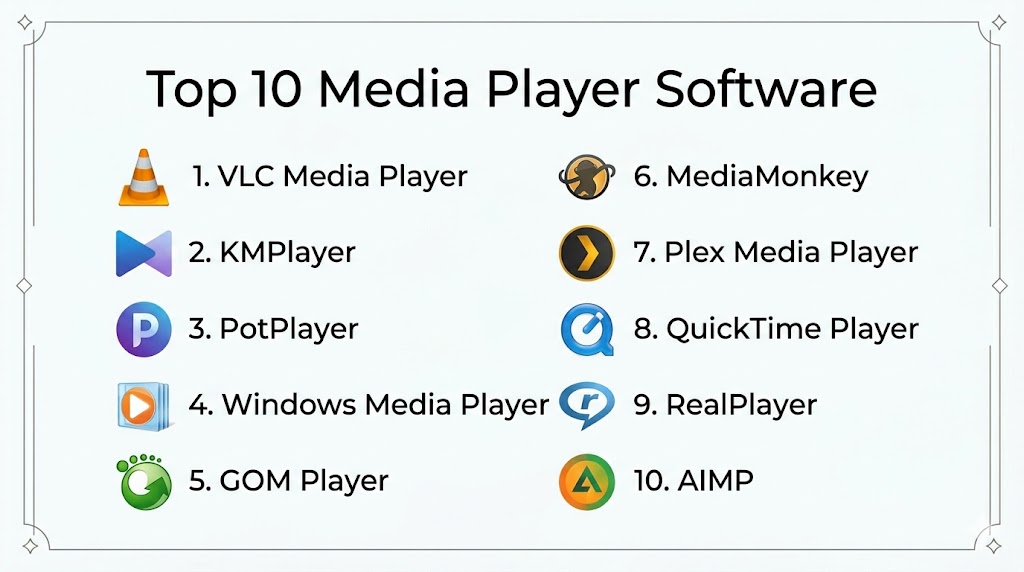
Introduction
Media player software refers to applications that play audio, video, and other multimedia formats on computers, mobile devices, and entertainment systems. These tools are essential for consuming media content locally or via streaming sources. Modern media players support wide codec libraries, subtitles, playlists, and integration with media libraries, making them indispensable for personal and professional use.
Real‑world use cases include:
- Playing local audio/video files in various formats for entertainment or presentations.
- Streaming online media and podcasts.
- Managing large media libraries with tagging, playlists, and metadata.
- Supporting subtitles, multi‑audio tracks, and custom rendering.
- Serving as backend playback engines for custom entertainment setups or home media centers.
Key evaluation criteria for buyers:
- Format and codec support
- Playback performance and stability
- User interface and ease of use
- Customization and advanced playback controls
- Subtitle and audio track support
- Library management and metadata handling
- Cross‑platform compatibility
- Integration with streaming services or plugins
- Security and privacy controls
- Extensibility via plugins or APIs
Best for: Home users, media enthusiasts, professionals requiring robust playback, and anyone managing large media collections.
Not ideal for: Users who rely solely on browser‑based streaming and rarely play local media files.
Key Trends in Media Player Software
- Native support for high‑definition and ultra‑high‑definition formats.
- AI‑assisted transcoding and upscaling.
- Integration with cloud libraries and streaming services.
- Cross‑platform sync of playlists and watch history.
- Enhanced subtitle handling and live translation features.
- Modular architectures with plugin ecosystems.
- Hardware acceleration for smoother playback on low‑power devices.
- Gesture and voice controls on mobile and smart TV platforms.
- Improved security sandboxing to protect against malicious media.
- Adaptive bit‑rate playback for varied network conditions.
How We Selected These Tools (Methodology)
- Evaluated adoption and user popularity across platforms.
- Assessed range of supported formats and playback features.
- Measured performance, stability, and hardware acceleration support.
- Reviewed subtitle, audio track, and customization capabilities.
- Considered library management, metadata, and search.
- Factored in cross‑platform compatibility and interface quality.
- Reviewed plugin ecosystems and extensibility.
- Analyzed security practices and privacy safeguards.
- Assessed documentation, support, and community ecosystem.
- Compared pricing models and overall value.
Top 10 Media Player Software
#1 — VLC Media Player
Short description (4–5 lines): VLC Media Player is a versatile, open‑source media player supporting virtually all multimedia formats without additional codecs. It’s ideal for users who want reliable, no‑nonsense playback with advanced settings and extensibility.
Key Features
- Broad codec support without extra packs
- Plays audio, video, streams, and discs
- Advanced playback controls and filters
- Subtitle support and synchronization
- Lightweight with hardware acceleration
- Plugin support and network streaming
Pros
- Handles virtually any format out of the box
- Extremely stable and fast performance
Cons
- Interface is functional but dated
- Advanced features can be intimidating
Platforms / Deployment
- Windows, macOS, Linux, iOS, Android; Desktop & mobile
Security & Compliance
- Not publicly stated
Integrations & Ecosystem
VLC supports network streams, playlist imports, and third‑party plugins:
- Streaming URL support
- Plugin extensions
- Playlist formats: M3U, XSPF
- Network discovery
Support & Community
Large open‑source community, extensive documentation, active forums.
#2 — MPC‑HC (Media Player Classic – Home Cinema)
Short description (4–5 lines): MPC‑HC is a lightweight, open‑source Windows media player with simple UI and powerful playback capabilities. Ideal for users on older hardware or minimalists seeking efficient playback.
Key Features
- Lightweight and efficient
- Supports most video/audio formats
- Customizable toolbars
- Subtitle rendering and sync
- Full‑screen and scaler options
Pros
- Very low system resource use
- Highly customizable
Cons
- Windows‑only
- Limited streaming support
Platforms / Deployment
- Windows; Desktop only
Security & Compliance
- Not publicly stated
Integrations & Ecosystem
- DirectShow filters
- Plugin support
- External subtitle sources
Support & Community
Documentation, user forums, active enthusiast community.
#3 — KMPlayer
Short description (4–5 lines): KMPlayer is a multimedia player with strong format support and advanced playback options. It includes built‑in codecs, subtitle tools, and customizable interfaces, appealing to power users.
Key Features
- Native codec support
- 3D and 4K playback
- Subtitle editor and subtitle search
- Audio and video effects
- Drag & drop playlists
Pros
- Wide range of playback features
- Strong subtitle support
Cons
- Includes bundled extras in installer
- Occasional ads or prompts
Platforms / Deployment
- Windows, macOS, iOS, Android; Desktop & mobile
Security & Compliance
- Not publicly stated
Integrations & Ecosystem
- Cloud support
- Subtitle databases
- Plugin compatibility
Support & Community
Knowledge base, email support, user forums.
#4 — PotPlayer
Short description (4–5 lines): PotPlayer is a feature‑rich media player with optimized performance and extensive customization. It supports high‑resolution playback, hardware acceleration, and detailed audio/video controls.
Key Features
- Advanced codec and filter support
- Hardware acceleration
- 3D and 4K playback
- Customizable rendering
- Screen capture and bookmarks
Pros
- Highly configurable with performance tuning
- Excellent playback quality
Cons
- Windows‑only and complex settings
- UI can be overwhelming
Platforms / Deployment
- Windows; Desktop only
Security & Compliance
- Not publicly stated
Integrations & Ecosystem
- Plugin support
- Subtitle library access
- External filter integration
Support & Community
User forums, documentation, online resources.
#5 — Plex Media Player
Short description (4–5 lines): Plex Media Player is part of the Plex ecosystem, combining playback with media library organization and streaming. It’s ideal for users who want unified home media management and remote streaming.
Key Features
- Library organization
- Remote streaming
- Metadata fetching
- Transcoding support
- Multi‑device sync
Pros
- Excellent media library management
- Stream to multiple devices
Cons
- Requires server setup
- Some features behind subscription
Platforms / Deployment
- Windows, macOS, Linux, Smart TV, mobile; Cloud/Local
Security & Compliance
- Not publicly stated
Integrations & Ecosystem
- Plex server ecosystem
- Mobile apps
- Remote access
- Metadata services
Support & Community
Official support, active user forums, knowledge base.
#6 — Kodi
Short description (4–5 lines): Kodi is an open‑source media center that plays local and streaming media, with extensible add‑on support. It’s excellent for home theater setups and custom media environments.
Key Features
- Local and network media playback
- Add‑ons for streaming
- Library and playlist management
- Remote control apps
- Skin and UI customization
Pros
- Extremely extensible
- Great for home media centers
Cons
- Add‑on management can be complex
- Not focused solely on local playback
Platforms / Deployment
- Windows, macOS, Linux, mobile, smart TV; Cloud/Local
Security & Compliance
- Not publicly stated
Integrations & Ecosystem
- Add‑on repository
- Network media sources
- Remote apps
- Home automation integration
Support & Community
Large open‑source community, documentation, forums.
#7 — iTunes / Apple Music App
Short description (4–5 lines): Apple’s media player combines music playback with library management, podcasts, and device syncing. It’s tailored for Apple ecosystem users seeking integrated media handling.
Key Features
- Music and video playback
- Playlists and library organization
- Podcast integration
- Device sync support
- Store and downloads
Pros
- Seamless Apple ecosystem integration
- Strong library features
Cons
- Heavy application footprint
- Limited outside Apple ecosystem
Platforms / Deployment
- macOS, Windows, iOS; Cloud/Local
Security & Compliance
- Not publicly stated
Integrations & Ecosystem
- iCloud sync
- Apple devices
- Podcast library
Support & Community
Official help, community discussions, guides.
#8 — Windows Media Player / Groove Music
Short description (4–5 lines): Windows Media Player and its successor Groove Music offer built‑in playback for audio and video with basic library management. Ideal for users who want simple out‑of‑the‑box media handling.
Key Features
- Basic audio/video playback
- Playlist support
- Library view
- Device sync
- Simple interface
Pros
- Built into Windows
- Easy and familiar interface
Cons
- Limited advanced features
- Weak format support compared to others
Platforms / Deployment
- Windows; Desktop
Security & Compliance
- Not publicly stated
Integrations & Ecosystem
- Microsoft ecosystem
- Basic device management
Support & Community
Official support resources and community forums.
#9 — Foobar2000
Short description (4–5 lines): Foobar2000 is a customizable, advanced audio player with modular components and extensive format support. It’s ideal for audiophiles and users who want precise playback control.
Key Features
- Modular interface
- High‑resolution audio support
- Extensive format support
- Plugin components
- Custom skins and layouts
Pros
- Powerful audio features
- Highly customizable
Cons
- Not suitable for video
- Interface requires setup
Platforms / Deployment
- Windows, macOS, mobile; Cloud/Local
Security & Compliance
- Not publicly stated
Integrations & Ecosystem
- Plugin ecosystem
- Codec packs
- Interface modules
Support & Community
User forums, documentation, enthusiast community.
#10 — MediaMonkey
Short description (4–5 lines): MediaMonkey is a media manager and player focusing on large libraries and advanced tagging. It’s suitable for users with extensive audio/video collections needing organization and playback.
Key Features
- Library organization and tagging
- Playlist and queue management
- Sync with devices
- Format conversion
- CD ripping and burning
Pros
- Excellent library tools
- Comprehensive playback controls
Cons
- Premium features require license
- Learning curve for advanced tools
Platforms / Deployment
- Windows, Android; Cloud/Local
Security & Compliance
- Not publicly stated
Integrations & Ecosystem
- Mobile sync
- Plugin support
- Tagging services
Support & Community
Documentation, forums, email support.
Comparison Table (Top 10)
| Tool Name | Best For | Platforms Supported | Deployment | Standout Feature | Public Rating |
|---|---|---|---|---|---|
| VLC Media Player | Universal format support | All major platforms | Local | Broad codec support | N/A |
| MPC‑HC | Lightweight Windows playback | Windows | Local | Low resource usage | N/A |
| KMPlayer | Feature‑rich playback | Multi | Local/Cloud | Advanced subtitle & effects | N/A |
| PotPlayer | Performance & customization | Windows | Local | Hardware acceleration | N/A |
| Plex Media Player | Library & streaming | Multi | Local/Cloud | Unified media library | N/A |
| Kodi | Home theater & add‑ons | Multi | Local/Cloud | Extensible add‑on ecosystem | N/A |
| iTunes/Apple Music App | Apple ecosystem users | Apple & Windows | Local/Cloud | Integrated library & podcasts | N/A |
| Windows Media Player / Groove Music | Basic users | Windows | Local | Built‑in playback | N/A |
| Foobar2000 | Audiophiles | Multi | Local | Audio customization | N/A |
| MediaMonkey | Large library managers | Windows, Android | Local | Deep library organization | N/A |
Evaluation & Scoring of Media Player Software
| Tool Name | Core (25%) | Ease (15%) | Integrations (15%) | Security (10%) | Performance (10%) | Support (10%) | Value (15%) | Weighted Total |
|---|---|---|---|---|---|---|---|---|
| VLC Media Player | 9 | 8 | 8 | 7 | 9 | 8 | 8 | 8.35 |
| MPC‑HC | 8 | 9 | 6 | 7 | 9 | 7 | 7 | 7.75 |
| KMPlayer | 8 | 7 | 7 | 7 | 8 | 7 | 7 | 7.40 |
| PotPlayer | 9 | 6 | 7 | 7 | 9 | 7 | 7 | 7.55 |
| Plex Media Player | 8 | 7 | 8 | 7 | 8 | 8 | 7 | 7.65 |
| Kodi | 8 | 6 | 8 | 7 | 8 | 7 | 7 | 7.45 |
| iTunes/Apple Music App | 7 | 8 | 7 | 7 | 7 | 8 | 7 | 7.35 |
| Windows Media Player / Groove Music | 6 | 9 | 5 | 7 | 6 | 7 | 6 | 6.85 |
| Foobar2000 | 7 | 7 | 6 | 7 | 7 | 7 | 7 | 7.10 |
| MediaMonkey | 8 | 6 | 7 | 7 | 8 | 7 | 7 | 7.35 |
Interpretation: Higher weighted totals indicate tools that provide balanced core playback features, ease of use, integrations, and overall value. Use this comparison to align your choice with needs such as performance, library management, or cross‑platform support.
Which Media Player Tool Is Right for You?
Solo / Freelancer
For simple and reliable playback across formats, VLC and MPC‑HC are ideal because they support almost any media type with minimal setup.
SMB / Small Team
Plex Media Player or Kodi provide shared library features and streaming capabilities suitable for collaborative environments or shared media rooms.
Mid‑Market
Tools like PotPlayer and KMPlayer offer advanced playback controls and customization for professional use without the complexity of full media server setups.
Enterprise
Enterprise content teams may benefit from Plex or Kodi with managed servers, metadata services, and remote access for distributed workforces.
Budget vs Premium
Free tools such as VLC, MPC‑HC, and Foobar2000 are powerful for most users. Premium media center features in Plex or Apple Music App provide enhanced library and streaming features.
Feature Depth vs Ease of Use
VLC and PotPlayer offer deep feature sets but require familiarity; Windows Media Player and Groove Music provide straightforward playback.
Integrations & Scalability
Plex and Kodi integrate with home setups, cloud sync, and remote streaming, scaling from solo use to media centers.
Security & Compliance Needs
Verify secure playback environments when streaming or connecting to external media sources; sandboxing and network security practices help protect systems.
Frequently Asked Questions (FAQs)
1. What is media player software?
Media player software is an application that plays audio, video, and multimedia files on computers, mobile devices, and entertainment systems. It supports formats, playlists, and often libraries to organize content efficiently.
2. Why do I need a media player software instead of just streaming?
Streaming services cover online content, but media players allow you to play downloaded or local files, manage personal libraries, and support formats that may not be available via online platforms.
3. How do media players support subtitles and multiple audio tracks?
Most media players allow loading external subtitle files, embedding subtitles, and switching between audio tracks, which is essential for foreign films and accessibility.
4. Can media players handle high‑definition video formats?
Yes, modern media players support high‑definition and ultra‑high‑definition formats with hardware acceleration to ensure smooth playback on compatible devices.
5. Are media players secure to use?
Secure media players implement sandboxing and limit network access to protect against malicious content. Users should keep players updated and avoid opening untrusted media sources.
6. Do media players support streaming?
Many modern media players support network streaming via URLs, media servers, or integrated streaming services, allowing playback without downloading files.
7. How do I organize large media libraries?
Media players like Plex and Kodi include library management, metadata fetching, tagging, and search features to organize large collections across genres and formats.
8. Can I use media players on mobile devices?
Yes, most major media players offer mobile versions with cross‑device sync, playlists, and remote control features to allow media consumption on the go.
9. Is advanced configuration necessary for power users?
Power users may benefit from configurable playback filters, hardware acceleration, codec settings, and plugin ecosystems to tailor the playback environment.
10. How should I choose the right media player?
Consider the formats you need, library size, device compatibility, desire for streaming or local playback, and the user interface experience. Testing free versions helps determine the best fit.
Conclusion
Media player software remains a foundational tool for consuming and managing digital media, whether for entertainment, professional use, or personal libraries. Choosing the right player depends on your device environment, media formats, need for library organization, and whether streaming or local playback is paramount. VLC and MPC‑HC excel at format support and lightweight operation, while Plex and Kodi offer comprehensive media ecosystems for larger collections and multi‑device streaming. Tools like PotPlayer and KMPlayer provide advanced controls for power users. Evaluate ease of use, extensibility, and integration with cloud or network storage before deciding. To start, shortlist a few players, test their playback and library features with your own media, and choose the one that best fits your workflow and device setup.

I found this comparison very useful for understanding the strengths of different media player software options. The clear feature breakdown and balanced pros-and-cons analysis make it much easier to choose the right player for everyday use.