Introduction
Bookmark managers are tools that help users save, organize, and retrieve web pages and online resources efficiently. They are essential for professionals, researchers, and students who consume large volumes of online content and need to keep track of useful links. Modern bookmark managers provide tagging, folders, search, and cross-device synchronization, making it easy to manage knowledge and streamline workflows.
Real-world use cases include:
- Saving research articles, blogs, and references for later use.
- Organizing project resources or team-shared links.
- Curating reading lists or learning resources.
- Managing personal content libraries across devices.
- Tracking frequently visited sites for productivity purposes.
Key evaluation criteria for buyers:
- Ease of saving and organizing bookmarks
- Cross-device synchronization
- Tagging, folder, and collection management
- Search, filtering, and metadata support
- Collaboration and sharing capabilities
- Integration with browsers and productivity tools
- Offline access and backup options
- User interface and usability
- Security and privacy controls
- Pricing models and scalability
Best for: Knowledge workers, researchers, content creators, students, and teams managing multiple links and references.
Not ideal for: Users who rarely save web links or rely mainly on browser-native bookmarking features.
Key Trends in Bookmark Managers
- Cloud-based synchronization across devices for seamless access
- AI-driven link recommendations and content discovery
- Collaborative bookmarking and team libraries
- Tagging and smart folders for advanced organization
- Offline access for reference management
- Integration with productivity and note-taking tools
- Enhanced search and metadata handling
- Support for multimedia bookmarks including videos and PDFs
- Security and encryption for sensitive links
- Freemium and subscription models with advanced automation features
How We Selected These Tools (Methodology)
- Evaluated adoption and popularity among individuals and teams
- Assessed feature completeness including tagging, search, and collaboration
- Measured cross-device and cross-browser synchronization
- Reviewed security, encryption, and privacy posture
- Analyzed integration with browsers, productivity, and knowledge tools
- Considered scalability for individual and team use
- Evaluated AI and content discovery features
- Assessed user interface and usability
- Reviewed customer support and community presence
- Compared pricing models and overall value
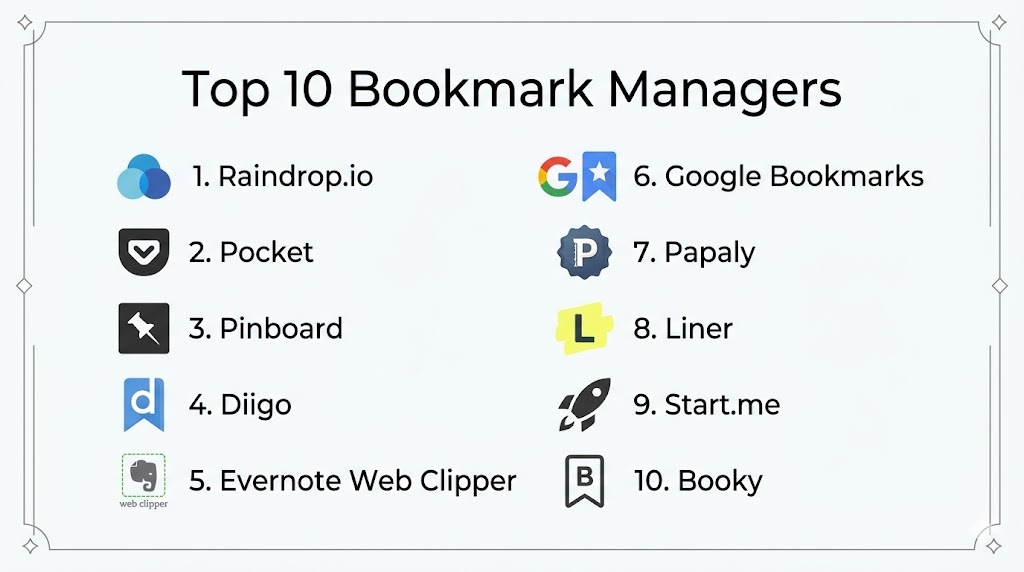
Top 10 Bookmark Managers Tools
#1 — Raindrop.io
Short description (4–5 lines): Raindrop.io is a feature-rich bookmark manager with cloud sync, collections, and tagging. It is suitable for individuals and teams seeking to organize links visually and collaborate on shared libraries.
Key Features
- Cloud-based bookmark storage
- Collections, tags, and smart folders
- Cross-device synchronization
- Browser extensions and mobile apps
- Collaborative sharing and team libraries
Pros
- Intuitive visual interface
- Supports team collaboration
Cons
- Advanced features require premium subscription
- Can be overwhelming for new users
Platforms / Deployment
- Web, Windows, macOS, iOS, Android; Cloud-based
Security & Compliance
- Not publicly stated
Integrations & Ecosystem
- Google Chrome, Firefox, Safari extensions
- Pocket integration
- Zapier automation
- Slack sharing
Support & Community
Email support, online guides, active community forum.
#2 — Pocket
Short description (4–5 lines): Pocket is a simple bookmark manager designed to save articles and videos for later reading. Ideal for individuals who want offline reading and cross-device accessibility.
Key Features
- Save articles, videos, and webpages
- Offline reading mode
- Tagging and search functionality
- Cross-device synchronization
- Recommended content suggestions
Pros
- Easy to use and minimalist
- Excellent offline reading
Cons
- Limited advanced organization features
- Collaboration is not supported
Platforms / Deployment
- Web, iOS, Android; Cloud-based
Security & Compliance
- Not publicly stated
Integrations & Ecosystem
- Browser extensions (Chrome, Firefox, Safari)
- Integration with Evernote and Notion
- Email sharing
Support & Community
Online documentation, email support, moderate community forums.
#3 — Pinboard
Short description (4–5 lines): Pinboard is a no-frills, paid bookmark manager focused on speed, reliability, and privacy. It’s suitable for users who need fast, efficient bookmarking without distractions.
Key Features
- Fast bookmarking with tagging
- Minimalist interface
- Full-text search of bookmarks
- Browser extensions and API support
- Private or public link options
Pros
- Lightweight and reliable
- Privacy-focused
Cons
- Paid service
- No modern visual interface
Platforms / Deployment
- Web; Cloud-based
Security & Compliance
- Not publicly stated
Integrations & Ecosystem
- Browser extensions
- IFTTT integration
- API for automation
Support & Community
Email support, documentation, active user forum.
#4 — Diigo
Short description (4–5 lines): Diigo is a collaborative bookmark manager with annotation capabilities. Ideal for students, researchers, and teams who want to highlight and comment on webpages.
Key Features
- Bookmark saving and tagging
- Webpage annotation and highlighting
- Shared libraries for teams
- Screenshot capture and archiving
- Full-text search
Pros
- Combines bookmarking with annotations
- Strong collaboration features
Cons
- Interface may feel dated
- Some features behind subscription
Platforms / Deployment
- Web, iOS, Android; Cloud-based
Security & Compliance
- Not publicly stated
Integrations & Ecosystem
- Google Drive integration
- Browser extensions
- Team library collaboration
Support & Community
Email support, tutorials, and user forums.
#5 — Start.me
Short description (4–5 lines): Start.me provides a visual bookmarking dashboard with widgets and content aggregation. Suitable for knowledge workers and teams who want a homepage-style bookmark manager.
Key Features
- Customizable dashboards
- Bookmark collections and widgets
- Team and workspace sharing
- RSS feed integration
- Browser extensions
Pros
- Visual and customizable interface
- Team and workspace collaboration
Cons
- Premium subscription needed for full features
- Can be complex for casual users
Platforms / Deployment
- Web, iOS, Android; Cloud-based
Security & Compliance
- Not publicly stated
Integrations & Ecosystem
- Evernote
- Slack
- Browser extensions
- RSS feeds
Support & Community
Documentation, email support, active online community.
#6 — Bookmark OS
Short description (4–5 lines): Bookmark OS organizes bookmarks like a desktop operating system. Ideal for users who prefer folder structures and drag-and-drop organization.
Key Features
- Folder-based organization
- Drag-and-drop interface
- Cloud sync and backup
- Tagging and search
- Multi-device access
Pros
- Familiar desktop-like experience
- Easy organization and management
Cons
- Limited collaboration
- Design less modern
Platforms / Deployment
- Web; Cloud-based
Security & Compliance
- Not publicly stated
Integrations & Ecosystem
- Browser extensions
- Google Drive backup
- Email sharing
Support & Community
Online documentation and email support.
#7 — Toby
Short description (4–5 lines): Toby organizes browser tabs and bookmarks into collections for productivity-focused users. Suitable for professionals managing multiple projects or research topics.
Key Features
- Save and categorize browser tabs
- Cloud-based sync
- Shared collections
- Drag-and-drop organization
- Keyboard shortcuts
Pros
- Boosts productivity by managing tabs and bookmarks
- Easy sharing of collections
Cons
- Browser extension dependent
- Limited mobile app functionality
Platforms / Deployment
- Web, Chrome, Firefox, Edge; Cloud-based
Security & Compliance
- Not publicly stated
Integrations & Ecosystem
- Trello
- Slack
- Google Drive
- Export to CSV
Support & Community
Email support, knowledge base, user community.
#8 — Pinboard.in
Short description (4–5 lines): Pinboard.in is a fast and minimalistic bookmarking service for professionals who prioritize speed and privacy. Ideal for advanced users managing a large number of bookmarks efficiently.
Key Features
- Simple bookmarking interface
- Tagging and search
- Private/public bookmarks
- Browser extensions
- API access
Pros
- Fast and reliable
- Privacy-focused
Cons
- Paid service
- Minimal modern interface
Platforms / Deployment
- Web; Cloud-based
Security & Compliance
- Not publicly stated
Integrations & Ecosystem
- Browser extensions
- IFTTT automation
- API for developers
Support & Community
Documentation, email support, active forum.
#9 — Larder
Short description (4–5 lines): Larder is a developer-focused bookmark manager for saving and organizing code snippets, articles, and tools. Ideal for programmers and technical teams.
Key Features
- Save and tag code snippets and links
- Team collaboration and sharing
- Browser extension support
- Search and filtering
- Project-based organization
Pros
- Focused on developer workflow
- Collaborative features for teams
Cons
- Limited appeal outside technical users
- Subscription required for full features
Platforms / Deployment
- Web; Cloud-based
Security & Compliance
- Not publicly stated
Integrations & Ecosystem
- GitHub
- VS Code
- Slack
- Browser extensions
Support & Community
Email support and documentation.
#10 — Evernote Web Clipper
Short description (4–5 lines): Evernote Web Clipper allows users to save web pages and annotate them directly into Evernote notebooks. Ideal for students, researchers, and professionals integrating bookmarks with notes.
Key Features
- Clip articles, PDFs, and webpages
- Annotate and highlight
- Organize into notebooks
- Cloud sync
- Tagging and search
Pros
- Seamless integration with Evernote notes
- Supports multimedia content
Cons
- Requires Evernote account
- Limited standalone bookmarking features
Platforms / Deployment
- Web, iOS, Android; Cloud-based
Security & Compliance
- Not publicly stated
Integrations & Ecosystem
- Evernote notebooks
- Browser extensions
- Google Drive
Support & Community
Email support, tutorials, active community.
Comparison Table (Top 10)
| Tool Name | Best For | Platform(s) Supported | Deployment | Standout Feature | Public Rating |
|---|---|---|---|---|---|
| Raindrop.io | Teams & visual organization | Web, Windows, macOS, iOS, Android | Cloud | Collections & collaborative boards | N/A |
| Offline reading & personal | Web, iOS, Android | Cloud | Save for offline reading | N/A | |
| Pinboard | Privacy & speed | Web | Cloud | Minimalist bookmarking | N/A |
| Diigo | Research & annotation | Web, iOS, Android | Cloud | Annotation + collaboration | N/A |
| Start.me | Dashboard & aggregation | Web, iOS, Android | Cloud | Customizable visual dashboard | N/A |
| Bookmark OS | Desktop-style organization | Web | Cloud | Folder-based organization | N/A |
| Toby | Productivity & tab management | Web, Chrome, Firefox, Edge | Cloud | Collections for browser tabs | N/A |
| Pinboard.in | Speed & privacy | Web | Cloud | Minimalist, fast bookmarking | N/A |
| Larder | Developers & teams | Web | Cloud | Save & share code/bookmarks | N/A |
| Evernote Web Clipper | Note integration | Web, iOS, Android | Cloud | Clip & annotate into Evernote | N/A |
Evaluation & Scoring of Bookmark Managers
| Tool Name | Core (25%) | Ease (15%) | Integrations (15%) | Security (10%) | Performance (10%) | Support (10%) | Value (15%) | Weighted Total (0–10) |
|---|---|---|---|---|---|---|---|---|
| Raindrop.io | 9 | 8 | 8 | 7 | 8 | 8 | 7 | 8.10 |
| 8 | 9 | 7 | 7 | 8 | 7 | 7 | 7.85 | |
| Pinboard | 9 | 7 | 6 | 7 | 9 | 7 | 6 | 7.60 |
| Diigo | 8 | 7 | 7 | 7 | 8 | 7 | 7 | 7.45 |
| Start.me | 8 | 8 | 7 | 7 | 8 | 7 | 7 | 7.55 |
| Bookmark OS | 7 | 8 | 6 | 7 | 8 | 7 | 6 | 7.15 |
| Toby | 8 | 8 | 7 | 7 | 8 | 7 | 7 | 7.55 |
| Pinboard.in | 9 | 7 | 6 | 7 | 9 | 7 | 6 | 7.60 |
| Larder | 8 | 7 | 7 | 7 | 8 | 7 | 7 | 7.45 |
| Evernote Web Clipper | 8 | 8 | 7 | 7 | 8 | 7 | 7 | 7.50 |
Interpretation: Weighted totals show which tools balance core features, usability, integration, and value. Higher totals indicate stronger overall suitability.
Which Bookmark Manager Tool Is Right for You?
Solo / Freelancer
Use lightweight tools like Pocket, Pinboard, or NetNewsWire for personal bookmarking and offline access.
SMB
Raindrop.io, Start.me, and Diigo support team collaboration, shared collections, and workflow integration.
Mid-Market
Toby and Bookmark OS provide advanced organization and multi-project management for professional teams.
Enterprise
Raindrop.io, Pinboard.in, and Diigo are ideal for large teams needing structured libraries, automation, and secure cloud access.
Budget vs Premium
Free tools like Pocket and Larder work for basic use. Premium versions of Raindrop.io, Start.me, and Pinboard.in offer collaboration and automation features.
Feature Depth vs Ease of Use
Pinboard.in and Larder are feature-rich but require learning; Pocket and Bookmark OS are simple and intuitive.
Integrations & Scalability
Raindrop.io, Toby, and Start.me integrate with productivity apps, cloud storage, and team workflows, supporting scaling to enterprise teams.
Security & Compliance Needs
Check encryption, authentication, and cloud storage privacy. Most consumer apps provide basic protections; enterprise users may require stricter compliance.
Frequently Asked Questions (FAQs)
1. What is a bookmark manager?
Bookmark managers are tools to save, organize, and retrieve web pages efficiently. They help users manage large numbers of links across devices, improving productivity and knowledge management.
2. Can teams collaborate using bookmark managers?
Yes, tools like Raindrop.io, Diigo, and Start.me allow sharing of collections, annotations, and group libraries, supporting team workflows.
3. Are these tools cross-platform?
Most support web, iOS, and Android. Some, like Reeder or Vienna, are platform-specific. Cross-device sync ensures access to bookmarks from multiple devices.
4. Do bookmark managers work offline?
Many allow offline access to saved links. Offline mode is especially useful for research, reading, and content curation without continuous internet access.
5. Can bookmark managers handle multimedia content?
Yes, tools like Pocket and Evernote Web Clipper support articles, PDFs, videos, and images, providing flexibility for different content types.
6. Are bookmark managers secure?
Cloud-based managers use standard encryption; enterprise users should verify compliance with privacy standards like GDPR if storing sensitive links.
7. How do I organize large numbers of bookmarks?
Use tags, folders, collections, and smart filters. Advanced tools like Inoreader or Raindrop.io provide AI-assisted categorization.
8. Can bookmark managers integrate with other tools?
Yes, popular integrations include Evernote, Trello, Slack, Zapier, and note-taking apps to streamline workflows.
9. Are these apps free?
Many offer freemium models. Advanced features, team collaboration, and automation usually require a paid subscription.
10. How should I choose the right bookmark manager?
Consider your platform, number of bookmarks, collaboration needs, offline access, and desired integrations. Trialing free versions helps determine usability and fit.
Conclusion
Bookmark managers help individuals and teams organize, retrieve, and collaborate on online resources efficiently. The choice depends on user needs, team size, and workflow complexity. Tools like Pocket and Larder are ideal for solo users or lightweight usage, while Raindrop.io, Start.me, and Diigo offer advanced organization, collaboration, and AI-assisted features for teams. Evaluate cross-device sync, integrations, and offline capabilities before selecting a tool. To begin, shortlist 2–3 apps, test core features, and ensure they fit your workflow to maximize productivity and knowledge management.

This was a useful read that clearly compares the top bookmark managers in one place. The pros and cons section makes it much easier to find a tool that fits different organization needs.