Introduction
Content Curation Tools help individuals and teams discover, organize, and deliver relevant content from multiple sources in a structured and branded way. These tools play a crucial role in modern content strategies by consolidating news, blog posts, social updates, and topic‑specific materials into digestible streams that can be shared with audiences or used for internal insights. With the pace of information creation rising daily, curation tools help professionals filter noise, highlight what matters, and provide context to their audiences.
Real‑world use cases include marketers aggregating industry updates for newsletters, community managers providing daily topical digests, educators compiling learning resources for students, sales and competitive intelligence teams tracking market news, and creators building topic hubs around niche interests. Curation platforms enable efficient workflows by supporting discovery, organization, annotation, and sharing across internal teams and external audiences.
Evaluation criteria for these tools include discovery capabilities, automation, workflow integrations, export and sharing options, personalization controls, collaboration features, analytics and reporting, ease of use, platform support, security and privacy, and value for budget.
Best for: Marketing teams, content strategists, community managers, educators, research professionals, and anyone responsible for filtering and delivering curated content.
Not ideal for: Users focused only on original content creation without curation needs, or teams relying solely on direct sourcing without aggregation and filtering.
Key Trends in Content Curation Tools
- AI‑driven topic discovery and recommendation based on audience interests
- Automated tagging and classification for refined categorization
- Native newsletter creation and scheduling support
- Dynamic embedding of curated feeds into websites and apps
- Integration with social and collaboration platforms
- Analytics dashboards for engagement and content performance
- Support for multimedia curation including video and audio
- Personalized content streams per audience segment
- Workflow automation with triggers and alerts
- Privacy and compliance controls for curated data
How We Selected These Tools
- Evaluated adoption by professionals and organizations
- Assessed discovery and recommendation intelligence
- Reviewed automation capabilities for workflow efficiency
- Checked export and sharing formats available
- Considered collaboration and team workflow support
- Weighed ease of use and onboarding experience
- Analyzed analytics and content performance insights
- Examined integration with external tools and platforms
- Considered customization and branding options
- Evaluated value relative to pricing structure
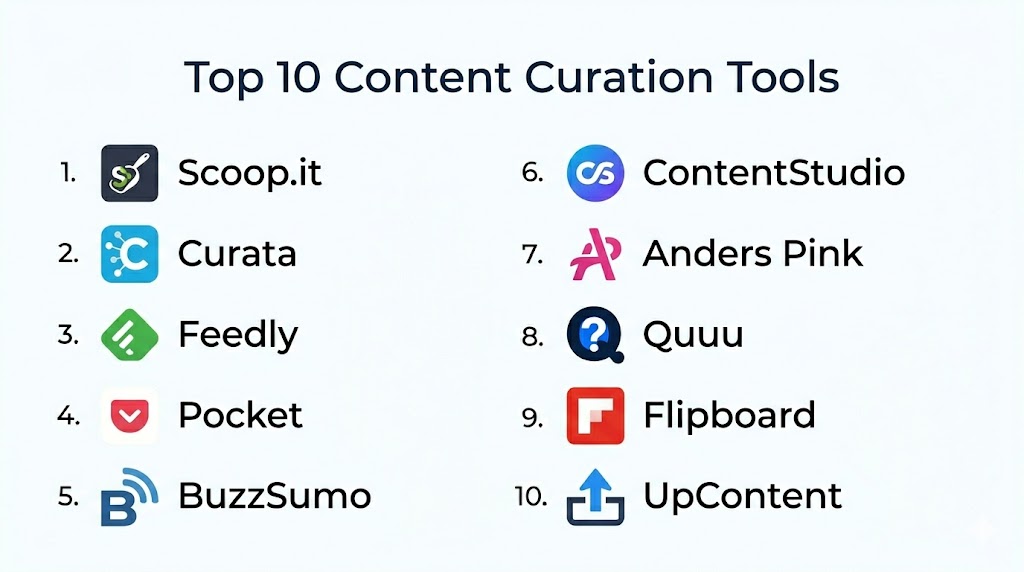
Top 10 Content Curation Tools
#1 — Scoop.it
Short description: Scoop.it is a content curation platform that enables users to discover content through topic recommendations, organize articles into boards, and publish curated streams to audiences. It supports marketers and educators looking to showcase relevant content.
Key Features
- Topic discovery recommendations
- Boards for organizing curated content
- Publisher options for newsletters and web displays
- Tagging and categorization
- Metrics on content engagement
- Team collaboration options
Pros
- Strong discovery tools for topic trends
- Multiple publishing options for audiences
Cons
- Advanced features require paid subscription
- Setup and optimization take time
Platforms / Deployment
- Web
- Cloud
Security & Compliance
- Enterprise access controls
- Not publicly stated for certifications
Integrations & Ecosystem
Integrates with productivity and social tools
- Email newsletters
- Social sharing
- Analytics feeds
Support & Community
- Documentation library
- Support channels
- User community
#2 — Curata
Short description: Curata is an enterprise content curation platform built for business teams to discover, organize, and publish curated content at scale, with analytics and workflow management support.
Key Features
- Automated content discovery
- Custom topic profiles
- Workflow review and approval tracks
- Publishing tools for newsletters and site embeds
- Performance reporting
- Team collaboration dashboards
Pros
- Enterprise‑ready with workflow management
- Strong analytics and reporting
Cons
- Higher complexity for small teams
- Requires onboarding and setup
Platforms / Deployment
- Web
- Cloud
Security & Compliance
- Enterprise access controls
- Not publicly stated for certifications
Integrations & Ecosystem
Supports enterprise workflows
- Analytics platforms
- Email systems
- CMS integration
Support & Community
- Dedicated onboarding support
- Help documentation
- Team training resources
#3 — Feedly
Short description: Feedly is a news aggregation and content curation tool that allows users to follow RSS feeds, blogs, and topic sources, and curate selected items for sharing and internal use.
Key Features
- RSS and blog feed aggregation
- Topic boards for organizing curated items
- AI recommendations
- Save‑for‑later lists
- Shareable content collections
- Team boards
Pros
- Flexible source control
- Great for research and discovery
Cons
- Manual curation effort required
- Deep automation tied to premium plans
Platforms / Deployment
- Web, iOS, Android
- Cloud
Security & Compliance
- Secure login and authentication
- Not publicly stated for certifications
Integrations & Ecosystem
- API and workflow integration
- Sharing to collaboration apps
- Export options
Support & Community
- Help center
- User forums
- Tutorials
#4 — Flipboard
Short description: Flipboard curates content in visually styled magazines based on topics of interest. Users and brands can create curated magazines to share with readers.
Key Features
- Topic magazines
- Multimedia content integration
- User‑curated collections
- Algorithm recommendations
- Shareable magazine feeds
Pros
- Visual and engaging content presentation
- Easy content discovery
Cons
- Less structured for deep curation workflows
- Limited analytics
Platforms / Deployment
- Web, iOS, Android
- Cloud
Security & Compliance
- Secure user authentication
- Not publicly stated for certifications
Integrations & Ecosystem
- Social sharing
- Content embedding
Support & Community
- Help documentation
- Community galleries
#5 — Anders Pink
Short description: Anders Pink provides curated content streams for teams using automation rules and topic definitions. It supports dynamic updates and team workflows.
Key Features
- Automated topic streams
- Custom filters and rules
- Daily briefings
- Team dashboards
- Integration with collaboration tools
- Analytics snapshots
Pros
- Automated updates save time
- Good for teams needing briefs
Cons
- Setup requires definition of rules
- Less suited for individual social curation
Platforms / Deployment
- Web
- Cloud
Security & Compliance
- Team controls
- Not publicly stated for certifications
Integrations & Ecosystem
- Collaboration tools
- Email trends
- Export options
Support & Community
- Support documentation
- Email support
- Help resources
#6 — Curated
Short description: Curated enables teams to create newsletters from curated content easily with drag‑and‑drop tools, audience segmentation, and performance tracking.
Key Features
- Drag‑and‑drop newsletter builder
- Subscriber management
- Curation from multiple sources
- Custom templates
- Analytics and open metrics
Pros
- Newsletter focus with strong audience tools
- Easy publication workflow
Cons
- Less discovery automation
- Best suited for newsletter heavy workflows
Platforms / Deployment
- Web
- Cloud
Security & Compliance
- Secure login
- Not publicly stated for certifications
Integrations & Ecosystem
- Email systems
- Metrics platforms
- Subscriber sync
Support & Community
- Help docs
- Templates
- Support channels
#7 — Evernote
Short description: Evernote is a note and clip capture platform that many teams use for ad‑hoc content curation by saving web clips, research notes, and curated insight collections.
Key Features
- Web clipper
- Notebook organization
- Tagging and search
- Multi‑media storage
- Shared notebooks
Pros
- Flexible personal curation
- Strong search and tagging
Cons
- Not a purpose‑built curation tool
- Limited automation
Platforms / Deployment
- Web, Windows, macOS, iOS, Android
- Cloud
Security & Compliance
- Encryption and secure access
- Not publicly stated for certifications
Integrations & Ecosystem
- Productivity tools
- Export and sharing
- Task integrations
Support & Community
- Documentation
- User forums
- Help resources
#8 — Pocket
Short description: Pocket allows users to save articles, videos, and content into a personal library to read later, tag items, and curate lists for later review.
Key Features
- Save‑for‑later content
- Tags and collections
- Offline reading
- Recommended articles
- Reading history
Pros
- Simple and intuitive curation
- Great for individual research
Cons
- Not built for team workflows
- Limited exports
Platforms / Deployment
- Web, iOS, Android
- Cloud
Security & Compliance
- Secure login
- Not publicly stated
Integrations & Ecosystem
- Browser extensions
- Social sharing
- Playlist creation
Support & Community
- Help resources
- FAQs
- Email support
#9 — ContentGems
Short description: ContentGems uses search filters and topic definitions to automatically surface content matching team interests for sharing and insights.
Key Features
- Topic filters and alerts
- Daily curated lists
- Custom topic pages
- Sharing workflows
- Metrics snapshots
Pros
- Strong automatic discovery
- Useful for topic tracking
Cons
- Interface can feel dated
- Limited deep customization
Platforms / Deployment
- Web
- Cloud
Security & Compliance
- Secure access controls
- Not publicly stated
Integrations & Ecosystem
- Sharing and export
- Alerts
- Email workflows
Support & Community
- Documentation
- Help support
#10 — BuzzSumo
Short description: BuzzSumo delivers content insights and topical trends across the web, helping teams uncover top‑performing content, influencers, and trending topics.
Key Features
- Content performance search
- Trend discovery
- Influencer insights
- Topic alerts
- Exportable reports
Pros
- Powerful trend and performance data
- Useful competitive insights
Cons
- More analytics than pure curation
- Requires training for full value
Platforms / Deployment
- Web
- Cloud
Security & Compliance
- Secure login
- Not publicly stated
Integrations & Ecosystem
- Analytics exports
- Performance dashboards
Support & Community
- Guides
- Support portal
- Community forums
Comparison Table
| Tool Name | Best For | Platform(s) Supported | Deployment | Standout Feature | Public Rating |
|---|---|---|---|---|---|
| Scoop.it | Topic discovery and publishing | Web | Cloud | Topic recommendations and boards | N/A |
| Curata | Enterprise curation workflows | Web | Cloud | Enterprise automation and reporting | N/A |
| Feedly | Flexible feed aggregation | Web, iOS, Android | Cloud | Custom RSS and topic boards | N/A |
| Visual magazine‑style curation | Web, iOS, Android | Cloud | Magazine‑style presentation | N/A | |
| Anders Pink | Team content brief automation | Web | Cloud | Automated topic streams | N/A |
| Curated | Newsletter‑centric curation | Web | Cloud | Newsletter creation and segmentation | N/A |
| Evernote | Flexible research curation | Web, Windows, macOS, iOS, Android | Cloud | Clipper and search | N/A |
| Personal save‑for‑later curation | Web, iOS, Android | Cloud | Offline save and tags | N/A | |
| ContentGems | Automatic topic discovery | Web | Cloud | Topic alert filters | N/A |
| BuzzSumo | Trend and content performance | Web | Cloud | Performance insights and trends | N/A |
Evaluation & Scoring
| Tool Name | Core (25%) | Ease (15%) | Integrations (15%) | Security (10%) | Performance (10%) | Support (10%) | Value (15%) | Weighted Total |
|---|---|---|---|---|---|---|---|---|
| Scoop.it | 8 | 7 | 8 | 7 | 7 | 7 | 8 | 7.8 |
| Curata | 9 | 6 | 8 | 7 | 8 | 8 | 7 | 7.9 |
| Feedly | 8 | 8 | 8 | 8 | 8 | 7 | 8 | 8.1 |
| 7 | 9 | 7 | 7 | 8 | 8 | 7 | 7.8 | |
| Anders Pink | 7 | 7 | 7 | 7 | 7 | 7 | 7 | 7.0 |
| Curated | 7 | 8 | 7 | 7 | 7 | 7 | 7 | 7.4 |
| Evernote | 7 | 8 | 7 | 8 | 8 | 7 | 7 | 7.6 |
| 6 | 9 | 7 | 7 | 7 | 7 | 8 | 7.5 | |
| ContentGems | 7 | 7 | 7 | 7 | 7 | 7 | 7 | 7.0 |
| BuzzSumo | 8 | 7 | 8 | 8 | 8 | 8 | 7 | 8.0 |
Scores provide a comparative perspective on features, integration, ease of use, security, performance, support, and value. Higher weighted totals suggest broader utility across needs.
Which Content Curation Tool Is Right for You?
Solo / Freelancer
Individuals who want a simple path to curate content should consider Feedly, Pocket, or Flipboard for personal curation, research, and audience sharing.
SMB
Small teams with some content workflows benefit from Scoop.it, Anders Pink, and Evernote’s flexible clip and organization systems.
Mid‑Market
Curata, Feedly, and BuzzSumo work well for mid‑market teams that need automation, analytics, and structured publishing in newsletters and embeds.
Enterprise
Curata and BuzzSumo provide enterprise‑level workflows with workflow reviews and deep analytics to support team insight creation.
Budget vs Premium
Budget‑oriented teams can lean on Pocket, Flipboard, and Evernote, while premium plans in Scoop.it, Curata, and BuzzSumo unlock deeper analytics and automation.
Feature Depth vs Ease of Use
Feedly and BuzzSumo deliver depth and flexibility, while Flipboard and Pocket prioritize ease of use and quick adoption.
Integrations & Scalability
Feedly and Curata provide stronger integration and workflow hooks for scaling content curation across platforms and teams.
Security & Compliance Needs
Apps with robust authentication and access controls, such as Scoop.it, Curata, and BuzzSumo, help teams with organized content workflows where security matters.
Frequently Asked Questions (FAQs)
1. What is content curation and why do I need a tool for it?
Content curation is the process of discovering, organizing, and sharing relevant information on topics that matter to your audience. A tool helps streamline discovery, organize large volumes of content, and deliver consistency without manual searching.
2. How do curation tools find relevant content?
Many tools use automated discovery through topic keywords, RSS feeds, AI recommendations, and topic filters. Some provide suggestions based on audience interest or predefined topics, helping users surface content faster.
3. Can content curation tools automate my workflows?
Yes, some tools support automation rules, daily briefs, topic alerts, and rule‑based filtering that reduce manual effort and ensure fresh content is surfaced based on defined criteria.
4. Are these tools suitable for newsletters?
Absolutely. Many content curation platforms offer built‑in newsletter creation and scheduling, allowing curated content to be published to subscribers with custom templates and segments.
5. Can multiple team members collaborate?
Yes, team features vary by tool. Enterprise tools provide workflow reviews, approval tracking, shared boards, and dashboards, while simpler tools enable shared boards and collections.
6. How do I measure the impact of curated content?
Analytics and engagement metrics help track content performance, clicks, opens, and audience engagement. Many tools include dashboards to assess what content resonates most.
7. Is automated discovery reliable?
Automated discovery helps sift through large information streams, but defining accurate topic filters and keywords improves relevance. Manual tweaking often enhances results over time.
8. Can I integrate curated content into my website or app?
Yes, advanced tools allow content embeds, API access, and integration with web platforms so curated streams display directly within external properties.
9. Are there privacy concerns?
Privacy depends on the platform. Most tools provide secure login and access controls, and some offer team roles to restrict access. It is important to review data handling policies for compliance.
10. How do I choose the right curation tool?
Start by identifying your goals, such as newsletters, topic tracking, internal briefs, or embeds. Shortlist tools based on discovery, automation, and publishing needs, and trial them to see workflow fit.
Conclusion
Content Curation Tools play a vital role in helping individuals and teams keep up with the pace of information by surfacing, organizing, and sharing relevant content in structured ways. The right tool depends on goals such as discovery automation, contributor workflows, publishing channels, analytics, and integration with existing systems. Solo users and creators may choose quick‑to‑adopt tools for personal curation, while teams and enterprises benefit from structured workflow and performance insights. Comparing feature sets and scalability helps narrow options before adoption. Shortlist tools that match your curation objectives, run pilots to verify fit, and embed the selected tool into workflows for maximum value. Effective content curation builds authority, informs audiences, and keeps teams well‑informed with less effort.

Great comparison of content curation tools with clear explanations of their key features. The article makes it easy to understand which platform is best suited for different content management needs.