Introduction
Personal Knowledge Management (PKM) Tools are digital platforms designed to help individuals capture, organize, and retrieve information efficiently. They combine note-taking, task tracking, document management, and knowledge linking to enable smarter learning, better decision-making, and improved productivity. In modern work environments where information overload is common, PKM tools help professionals manage personal and professional knowledge systematically.
Real-world use cases include managing research notes for academics, capturing insights from meetings and projects, organizing ideas and creative work for writers or designers, tracking learning progress for personal development, and building a centralized knowledge base for consulting or technical work.
Evaluation criteria for PKM tools include ease of note creation and linking, search and retrieval capabilities, multimedia support, cross-device synchronization, collaboration features, integrations with productivity apps, security and privacy, workflow customization, pricing, and support resources.
Best for: Knowledge workers, researchers, students, writers, designers, and professionals who need to capture and organize information for personal or team use. Suitable for freelancers, SMBs, and enterprises looking for structured knowledge capture and sharing.
Not ideal for: Users who rely solely on simple to-do lists or single-purpose note apps without complex linking or retrieval needs. Teams needing enterprise-grade document management may require more advanced knowledge platforms.
Key Trends in Personal Knowledge Management Tools
- AI-assisted content summarization, linking, and context suggestions
- Integration with productivity suites, calendars, and task managers
- Real-time collaboration for shared knowledge and research projects
- Cross-platform availability including web, desktop, and mobile apps
- Advanced search with tagging, backlinks, and semantic linking
- Enhanced encryption and data privacy features for sensitive content
- Support for multimedia content including audio, video, and code snippets
- Template libraries for research, project planning, and goal tracking
- Interoperability with cloud storage and third-party automation tools
- Gamification and habit tracking for knowledge retention
How We Selected These Tools
- Assessed adoption among professionals, researchers, and creatives
- Evaluated feature completeness including note-taking, linking, and search
- Considered reliability and performance across platforms
- Reviewed security posture and privacy options
- Examined integrations with productivity and collaboration tools
- Checked suitability for individuals, SMBs, and enterprise contexts
- Prioritized tools with strong AI or automation features
- Reviewed community support and available documentation
- Weighed subscription flexibility and pricing models
- Considered cross-platform synchronization and offline capabilities
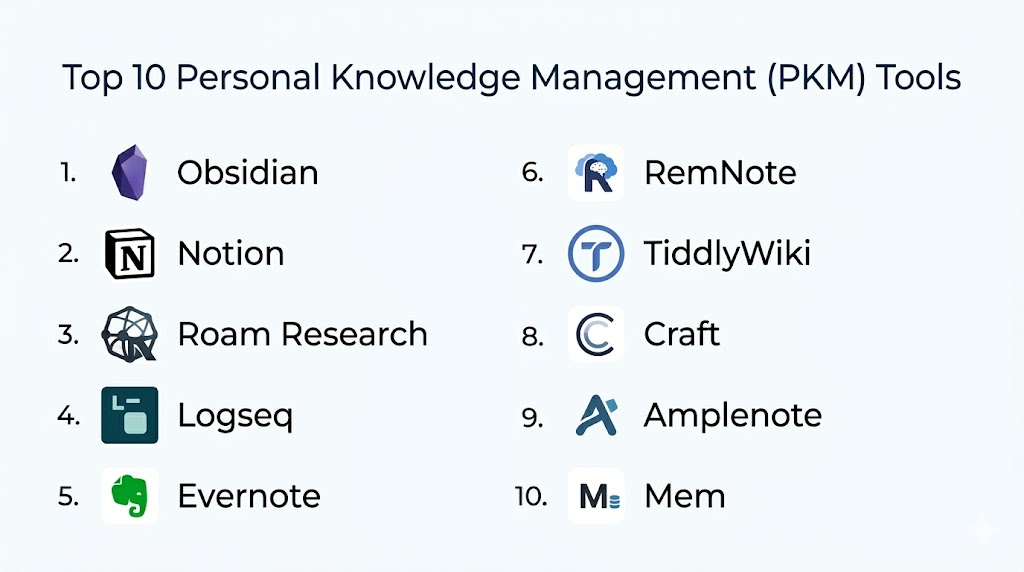
Top 10 Personal Knowledge Management Tools
#1 — Obsidian
Short description: Obsidian is a markdown-based PKM tool that emphasizes linking notes for building a personal knowledge graph. Ideal for researchers and knowledge workers seeking flexible, connected note-taking.
Key Features
- Bi-directional linking between notes
- Markdown support for lightweight formatting
- Graph view to visualize note relationships
- Plugins for task management, daily notes, and templates
- Offline-first with local storage
- Customizable themes and hotkeys
Pros
- Powerful linking and knowledge graph visualization
- Offline and private by default
Cons
- Learning curve for plugin ecosystem
- No native cloud sync; optional paid sync service required
Platforms / Deployment
- Windows, macOS, Linux, iOS, Android
- Cloud / Local
Security & Compliance
- Local storage by default
- Not publicly stated for certifications
Integrations & Ecosystem
Obsidian supports plugins and APIs for customization
- Calendar integration via plugins
- Task management plugins
- Community-driven extensions
Support & Community
- Extensive documentation and forums
- Active user community and plugin marketplace
#2 — Notion
Short description: Notion is an all-in-one workspace combining notes, databases, wikis, and task management. Suitable for individuals and teams needing structured PKM with collaboration.
Key Features
- Pages, databases, and linked tables
- Templates for project, knowledge, and personal planning
- Real-time collaboration with comments and mentions
- Web clipper for capturing content
- Integration with calendars, Slack, and other productivity tools
Pros
- Versatile for both personal and team PKM
- Strong collaboration features
Cons
- Can feel complex for personal use only
- Offline capabilities limited compared to other apps
Platforms / Deployment
- Web, Windows, macOS, iOS, Android
- Cloud
Security & Compliance
- SSO, encryption in transit
- Not publicly stated for SOC 2 or ISO certifications
Integrations & Ecosystem
Supports extensive integrations with productivity apps
- Slack, Google Workspace, Microsoft 365
- Automation via Zapier
Support & Community
- Knowledge base, tutorials, and webinars
- Community forums and template libraries
#3 — Roam Research
Short description: Roam Research focuses on networked thought and bi-directional linking, enabling knowledge graphs that map ideas and research over time.
Key Features
- Bi-directional linking between notes
- Daily notes and journaling
- Graph view for visualizing connections
- Markdown formatting
- API for automation
Pros
- Excellent for building interconnected knowledge
- Strong research and idea mapping features
Cons
- Paid-only service with steep learning curve
- Limited offline functionality
Platforms / Deployment
- Web, iOS, Android
- Cloud
Security & Compliance
- Not publicly stated
Integrations & Ecosystem
- Web clipper and export tools
- API integrations for workflows
Support & Community
- Documentation and community Slack
- Active user groups for best practices
#4 — Evernote
Short description: Evernote provides structured note-taking, tagging, and search for personal and professional knowledge management.
Key Features
- Rich text notes with attachments
- Tagging and notebooks for organization
- Powerful search including scanned documents
- Web clipping for content capture
- Templates for productivity and planning
Pros
- Strong search capabilities
- Mature and reliable platform
Cons
- Free plan limitations
- Some features locked behind premium subscription
Platforms / Deployment
- Windows, macOS, iOS, Android, Web
- Cloud
Security & Compliance
- Encryption in transit and at rest
- Not publicly stated for certifications
Integrations & Ecosystem
- Google Drive, Outlook, Slack
- Zapier and API access
Support & Community
- Tutorials and knowledge base
- Email support and forums
#5 — TiddlyWiki
Short description: TiddlyWiki is a self-contained wiki for personal knowledge, ideal for users who want complete control over data and structure.
Key Features
- Single HTML file for full portability
- Linking and tagging of entries
- Customizable templates and plugins
- Offline-first approach
Pros
- Full control over knowledge data
- Highly customizable
Cons
- Requires technical comfort for setup
- Limited native collaboration
Platforms / Deployment
- Windows, macOS, Linux, Web
- Self-hosted
Security & Compliance
- Local storage ensures privacy
- Not publicly stated
Integrations & Ecosystem
- Plugins for enhanced functionality
- Export and backup options
Support & Community
- Community forums
- Documentation maintained by users
#6 — RemNote
Short description: RemNote combines note-taking with spaced repetition, suitable for students and professionals aiming to retain and recall knowledge efficiently.
Key Features
- Bi-directional linking
- Spaced repetition flashcards
- Hierarchical notes and tags
- Daily and weekly planning
Pros
- Ideal for learning and knowledge retention
- Integrates notes and flashcards seamlessly
Cons
- Mobile experience less polished
- Limited offline access
Platforms / Deployment
- Web, Windows, macOS, iOS, Android
- Cloud
Security & Compliance
- Not publicly stated
Integrations & Ecosystem
- Markdown export
- API access for workflows
Support & Community
- Tutorials and knowledge base
- Active online community
#7 — Obsidian Publish
Short description: Obsidian Publish extends Obsidian to allow controlled sharing of notes publicly or within a team, supporting PKM with collaborative visibility.
Key Features
- Publish selected notes online
- Permission management
- Linking and graph view
- Plugins for workflow automation
Pros
- Enables sharing without compromising private vaults
- Retains Obsidian’s linking capabilities
Cons
- Requires paid subscription
- Learning curve for setup
Platforms / Deployment
- Windows, macOS, Linux, iOS, Android
- Cloud
Security & Compliance
- Local vault encrypted
- Not publicly stated
Integrations & Ecosystem
- API for publishing and embedding
- Compatible with Obsidian plugins
Support & Community
- Documentation and tutorials
- Community forums
#8 — Bear
Short description: Bear is a note-taking app focused on simplicity, tags, and markdown, ideal for writers and personal PKM.
Key Features
- Markdown support with simple editor
- Tag-based organization
- Cross-note linking
- Export in multiple formats
Pros
- Minimalistic and fast
- Strong writing-oriented PKM
Cons
- iOS/macOS only
- No team collaboration
Platforms / Deployment
- macOS, iOS
- Cloud
Security & Compliance
- Not publicly stated
Integrations & Ecosystem
- iCloud sync
- Export to PDF, HTML, Markdown
Support & Community
- Knowledge base
- Email support
#9 — Zettlr
Short description: Zettlr is an open-source PKM and writing tool with citation management, suitable for researchers and academics.
Key Features
- Markdown-based editing
- Citation and reference management
- Note linking and tagging
- Export to multiple formats
Pros
- Open-source and customizable
- Supports academic workflows
Cons
- Limited mobile experience
- Requires familiarity with Markdown
Platforms / Deployment
- Windows, macOS, Linux
- Local / Cloud optional
Security & Compliance
- Not publicly stated
Integrations & Ecosystem
- Reference managers
- PDF and Markdown export
Support & Community
- Community forums
- Documentation maintained online
#10 — Logseq
Short description: Logseq is an open-source knowledge base and PKM platform with bi-directional linking and task management.
Key Features
- Bi-directional links and graph view
- Markdown and Org-mode support
- Task management and journaling
- Offline-first and sync options
Pros
- Full control over knowledge
- Combines PKM with task tracking
Cons
- Steeper learning curve
- Mobile version less feature-rich
Platforms / Deployment
- Windows, macOS, Linux, iOS, Android
- Self-hosted / Cloud optional
Security & Compliance
- Local-first storage
- Not publicly stated
Integrations & Ecosystem
- Plugins for extended functionality
- Sync options via third-party cloud
Support & Community
- Documentation online
- Active open-source community
Comparison Table
| Tool Name | Best For | Platform(s) Supported | Deployment | Standout Feature | Public Rating |
|---|---|---|---|---|---|
| Obsidian | Researchers & knowledge workers | Windows, macOS, Linux, iOS, Android | Local / Cloud | Knowledge graph & linking | N/A |
| Notion | Teams & individuals | Web, Windows, macOS, iOS, Android | Cloud | All-in-one workspace | N/A |
| Roam Research | Researchers & writers | Web, iOS, Android | Cloud | Networked thought & backlinks | N/A |
| Evernote | Professionals & students | Windows, macOS, iOS, Android, Web | Cloud | Powerful search & web clipping | N/A |
| TiddlyWiki | Technical users & open-source enthusiasts | Windows, macOS, Linux, Web | Self-hosted | Single-file portable wiki | N/A |
| RemNote | Students & lifelong learners | Web, Windows, macOS, iOS, Android | Cloud | Spaced repetition integration | N/A |
| Obsidian Publish | Teams needing sharing | Windows, macOS, Linux, iOS, Android | Cloud | Controlled publishing | N/A |
| Bear | Writers & creatives | macOS, iOS | Cloud | Minimalistic note-taking | N/A |
| Zettlr | Academics & researchers | Windows, macOS, Linux | Local / Cloud | Citation & research workflows | N/A |
| Logseq | PKM enthusiasts & teams | Windows, macOS, Linux, iOS, Android | Self-hosted / Cloud | Bi-directional linking & tasks | N/A |
Evaluation & Scoring
| Tool Name | Core (25%) | Ease (15%) | Integrations (15%) | Security (10%) | Performance (10%) | Support (10%) | Value (15%) | Weighted Total |
|---|---|---|---|---|---|---|---|---|
| Obsidian | 9 | 7 | 8 | 7 | 8 | 8 | 8 | 8.0 |
| Notion | 8 | 8 | 9 | 7 | 8 | 8 | 7 | 8.0 |
| Roam Research | 9 | 7 | 7 | 6 | 8 | 7 | 6 | 7.4 |
| Evernote | 8 | 8 | 8 | 7 | 8 | 7 | 7 | 7.7 |
| TiddlyWiki | 7 | 6 | 6 | 7 | 7 | 6 | 8 | 6.8 |
| RemNote | 8 | 7 | 7 | 6 | 7 | 6 | 7 | 7.0 |
| Obsidian Publish | 8 | 7 | 7 | 7 | 7 | 6 | 6 | 6.9 |
| Bear | 7 | 8 | 6 | 6 | 7 | 6 | 7 | 7.0 |
| Zettlr | 7 | 6 | 6 | 6 | 6 | 6 | 7 | 6.5 |
| Logseq | 8 | 6 | 7 | 7 | 7 | 6 | 7 | 6.9 |
Scores provide a comparative perspective. Weighted totals show overall suitability but context and workflow needs should guide the final choice.
Which PKM Tool Is Right for You
Solo / Freelancer
Bear, Obsidian, and RemNote provide personal-focused PKM for note-taking, learning, and idea management.
SMB
Notion, Logseq, and Obsidian Publish support small teams needing collaborative note linking, structured knowledge, and project integration.
Mid-Market
Evernote, Notion, and Roam Research work well for knowledge-heavy workflows, research management, and integrated documentation.
Enterprise
Notion and Obsidian Publish provide controlled sharing, compliance, and team visibility for enterprise knowledge management.
Budget vs Premium
Open-source tools like TiddlyWiki and Logseq offer budget-friendly flexibility. Premium options like Roam Research and Obsidian Publish provide advanced linking and collaboration.
Feature Depth vs Ease of Use
Bear and RemNote are simple and quick to adopt, while Obsidian and Roam offer deep linking, analytics, and advanced workflows.
Integrations & Scalability
Notion, Obsidian Publish, and Logseq support integrations with calendars, task managers, and automation platforms for scaling knowledge workflows.
Security & Compliance Needs
Local storage and offline-first platforms like Obsidian and TiddlyWiki provide privacy. Cloud-based tools should be assessed for encryption and access controls.
Frequently Asked Questions (FAQs)
1. What pricing models do PKM tools use?
Most tools offer free plans with basic features and subscription tiers for premium features, collaboration, and cloud sync.
2. How easy is onboarding for new users?
Tools like Bear and RemNote are simple and intuitive, while Obsidian and Roam may require learning plugins and graph workflows.
3. Can I integrate PKM tools with calendars and task apps?
Yes, many tools integrate with productivity apps, calendars, and automation platforms to connect knowledge and workflow.
4. Are there AI features for knowledge linking?
Some PKM platforms offer AI-assisted linking, summarization, or recommendations, while others rely on manual note connections.
5. Can multiple users collaborate in PKM tools?
Yes, Notion, Logseq, and Obsidian Publish support team collaboration, while Bear and RemNote are mostly individual-focused.
6. Are these tools available on mobile devices?
Most PKM tools provide iOS and Android apps, with synchronization to cloud or local storage for cross-device access.
7. How secure are PKM tools?
Security varies. Tools like Obsidian and TiddlyWiki provide offline storage, while cloud tools offer encryption and access controls, but many do not publicly disclose certifications.
8. Do PKM tools support multimedia content?
Yes, most tools support images, videos, PDFs, and code snippets within notes or knowledge pages.
9. Can I perform advanced searches?
Yes, features include tagging, backlinks, full-text search, and graph-based visualization to retrieve information efficiently.
10. How do I migrate from another note-taking tool?
Most platforms allow imports via Markdown, HTML, or CSV, but linking structures may require manual adjustments.
Conclusion
Personal Knowledge Management tools help individuals and teams organize, retrieve, and utilize knowledge efficiently. Choosing the right tool depends on workflow, team size, integration needs, and desired features like linking, AI assistance, and collaboration. Solo users benefit from lightweight apps like Bear and RemNote, while teams and enterprises gain value from Notion, Obsidian Publish, and Logseq. Comparing feature sets, integrations, and value scores helps narrow choices. The next step is to shortlist two or three tools, run a small pilot, and validate workflow and security before scaling adoption. Consistent use of a PKM tool enhances productivity, knowledge retention, and informed decision-making.

A very informative comparison that clearly explains the strengths of different personal knowledge management tools. The feature breakdown makes it easier to choose a platform for organizing notes, ideas, and information effectively.