Introduction
Grocery List Apps are digital tools that help users create, organize, and manage grocery shopping lists on mobile and web devices. These applications simplify the shopping process, enable collaboration with family members or roommates, and often integrate meal planning, price tracking, and pantry inventory. Grocery list apps can save time, reduce food waste, and help users stick to budgets while shopping smarter.
Real‑world use cases include planning weekly groceries with a family, sharing lists with partners or roommates, integrating shopping lists with meal plans, tracking pantry items and expiration dates, and budgeting and price comparisons while shopping. Buyers should evaluate list sharing, multi‑device sync, meal plan integration, pantry management, budget tools, reminders and alerts, ease of list creation, barcode scanning, integrations with retailers, and support quality.
Best for: busy households, families, meal planners, budget‑conscious shoppers, and anyone who shops with shared lists frequently.
Not ideal for: users who only keep simple notes or use paper lists without needing collaboration or tracking features.
Key Trends in Grocery List Apps
- Real‑time multi‑device syncing and shared lists for households
- Integration with recipe and meal planning apps
- Automatic categorization and aisle organization
- Barcode scanning for quick item entry and pantry tracking
- Price tracking and coupon integration
- Pantry inventory and expiration reminders
- Voice‑assistant/item input via voice commands
- Grocery delivery and pickup integration
- AI‑powered suggestions based on shopping history
- Budget tracking and spending summaries
How We Selected These Tools
- Reviewed adoption and ratings among shoppers
- Assessed grocery list creation and sharing features
- Evaluated pantry and inventory management tools
- Considered meal planning and recipe list integrations
- Checked barcode scanning and quick entry options
- Measured multi‑device sync and collaborative features
- Compared budget tools, price tracking, and alerts
- Examined ease of use and accessibility
- Reviewed subscription models and value
- Evaluated support resources and documentation
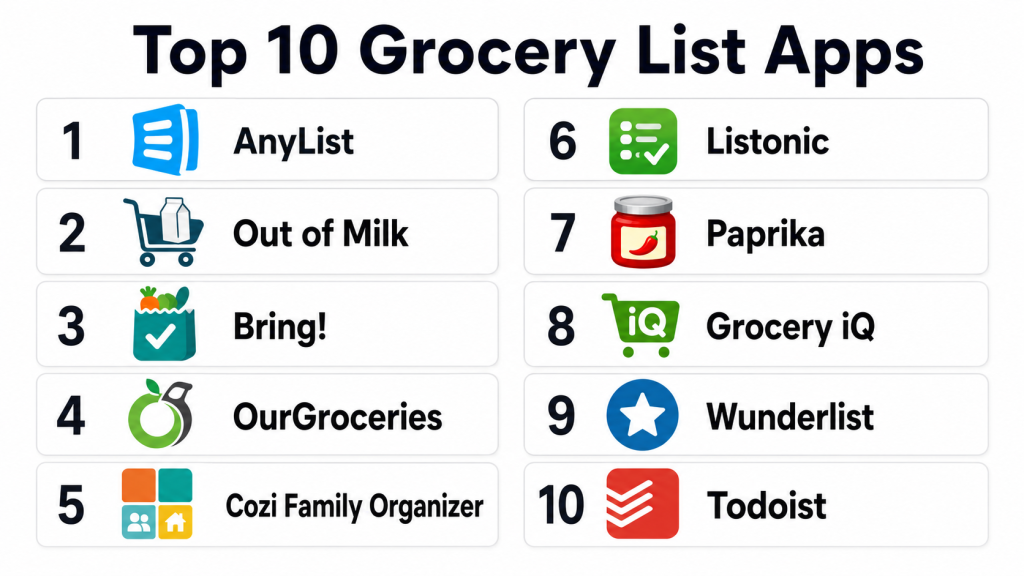
Top 10 Grocery List Apps
#1 — AnyList
Short description: AnyList is a powerful grocery list and meal planning app that lets users create, share, and organize shopping lists with ease. It includes recipe import and pantry tracking, making it a top choice for busy households.
Key Features
- List sharing and collaboration
- Recipe import and meal planning
- Pantry inventory tracking
- Automatic categorization
- Multi‑device sync
Pros
- Excellent list sharing
- Pantry and recipe integration
- Intuitive UI
- Works offline
Cons
- Premium subscription for some features
- No direct retailer price comparison
- Limited budgeting tools
- Pantry setup can be time‑intensive
Platforms / Deployment
- iOS / Android / Web
- Cloud
Security & Compliance
- Not publicly stated
Integrations & Ecosystem
AnyList works with recipe sources and family sharing workflows.
- Recipe import
- Grocery annotations
- List sharing
- Sync across devices
- Pantry management
Support & Community
Offers documentation, FAQs, and support resources.
#2 — Out of Milk
Short description: Out of Milk is a straightforward grocery list app focused on simplicity, list sharing, and quick item entry. It’s ideal for users who want a traditional list experience enhanced with modern tools.
Key Features
- Grocery list builder
- Pantry list tracking
- To‑do lists
- Sharing with others
- Barcode scanning
Pros
- Simple to use
- Barcode scanning speeds entry
- Pantry list support
- Multiple list types
Cons
- Ads in free version
- Sync can be inconsistent
- No meal planning features
- Budget tools are limited
Platforms / Deployment
- iOS / Android
- App
Security & Compliance
- Not publicly stated
Integrations & Ecosystem
Out of Milk focuses primarily on list and pantry management.
- Barcode scanning
- List sharing
- Pantry tracking
- To‑do lists
Support & Community
Documentation and help resources available.
#3 — Google Keep
Short description: Google Keep is a flexible note‑taking tool used by many as a grocery list app. Its simplicity, multi‑device sync, and shareable notes make it a practical choice for collaborative list management.
Key Features
- Shared notes for lists
- Color‑coded list items
- Reminders and checkboxes
- Voice‑to‑text entry
- Cross‑device sync
Pros
- Very simple and versatile
- Sync across devices
- Voice entry support
- Integration with Google services
Cons
- Not specifically designed for groceries
- No meal planning or pantry tracking
- Limited grocery‑specific features
- Requires manual category setup
Platforms / Deployment
- iOS / Android / Web
- Cloud
Security & Compliance
- Google security standards apply
Integrations & Ecosystem
Google Keep fits into broader Google account workflows.
- Google ecosystem sync
- Reminders
- Shared notes
- Labels and organization
Support & Community
Google documentation and help center are available.
#4 — Bring!
Short description: Bring! focuses on collaborative grocery lists with a visual interface and shared items for families and groups. It emphasizes simple, shared list workflows.
Key Features
- Shared lists and categories
- Visual icons for items
- Quick entry views
- Group management
- Sync across devices
Pros
- Visual and intuitive interface
- Great for shared lists
- Category suggestions
- Works offline
Cons
- Limited pantry tracking
- No meal planning
- Budget tracking absent
- Premium tier required for advanced features
Platforms / Deployment
- iOS / Android / Web
- Cloud
Security & Compliance
- Not publicly stated
Integrations & Ecosystem
Bring! focuses on collaborative list workflows.
- Shared lists
- Visual icons
- Sync across devices
- Category tags
Support & Community
Help resources and FAQs available.
#5 — Grocery iQ
Short description: Grocery iQ is a grocery list and coupon app that helps users create efficient shopping lists, clip coupons, and save on purchases. It includes barcode scanning and list templates.
Key Features
- List creation and templates
- Coupon integration
- Barcode scanning
- Item sorting
- Price tracking
Pros
- Built‑in coupons
- Barcode scanning
- List templates
- Price comparisons
Cons
- Interface feels dated
- Sync issues reported
- Limited meal planning
- Less pantry support
Platforms / Deployment
- iOS / Android
- App
Security & Compliance
- Not publicly stated
Integrations & Ecosystem
Works with coupon feeds and shopping workflows.
- Price tracking
- Coupons integration
- Barcode scanning
- Share lists
Support & Community
Documentation and help guides.
#6 — Cozi Family Organizer
Short description: Cozi Family Organizer is a family planning app with grocery list capabilities, shared calendars, recipe storage, and reminders. It serves as a wider household management hub.
Key Features
- Grocery list sharing
- Family calendar
- Recipe box
- To‑do lists
- Reminders
Pros
- All‑in‑one family hub
- Shared lists and calendars
- Recipe storage supports lists
- Sync across devices
Cons
- Grocery features not as deep as dedicated apps
- Some tools require subscription
- Pantry and nutrition tracking absent
- Interface can feel busy
Platforms / Deployment
- iOS / Android / Web
- Cloud
Security & Compliance
- Not publicly stated
Integrations & Ecosystem
Cozi works as a comprehensive family organizer.
- Shared lists
- Family calendar
- Recipe box
- To‑do lists
- Reminders
Support & Community
Help resources, tutorials, and support forums exist.
#7 — Listonic
Short description: Listonic is a grocery list app focused on speed and simplicity, with features like voice entry, barcode scanning, and smart suggestions based on previous lists.
Key Features
- Smart grocery list builder
- Voice input
- Barcode scanner
- Price estimates
- List templates
Pros
- Fast list creation
- Smart suggestions
- Barcode scanner
- Price estimates for budgeting
Cons
- Pantry features limited
- Meal planning absent
- Premium features behind subscription
- Some features limited outside certain regions
Platforms / Deployment
- iOS / Android / Web
- Cloud
Security & Compliance
- Not publicly stated
Integrations & Ecosystem
Listonic supports quick list entry and trip planning.
- Voice input
- Smart suggestions
- Barcode scanning
- List sharing
Support & Community
Documentation and help guides available.
#8 — Any.do
Short description: Any.do is a general task and grocery list app that supports shared lists, reminders, voice entry, and cross‑platform syncing. It is useful for users who want grocery lists integrated with task management.
Key Features
- Grocery and task lists
- Shared lists
- Voice entry
- Reminders and alerts
- Cross‑platform sync
Pros
- All‑in‑one task and grocery management
- Easy shared lists
- Good integration with reminders
- Clean UI
Cons
- Not grocery‑specific
- Pantry tracking absent
- Meal planning missing
- Some features require subscription
Platforms / Deployment
- iOS / Android / Web
- Cloud
Security & Compliance
- Not publicly stated
Integrations & Ecosystem
Any.do fits into broader personal productivity workflows.
- Grocery and task lists
- Reminders
- Shared lists
- Voice input
- Sync across devices
Support & Community
Support resources and documentation available.
#9 — Outlist
Short description: Outlist is a shared grocery list app designed for collaborative shopping with roommates or families. It emphasizes simple list sharing, item reminders, and quick entry.
Key Features
- Shared grocery lists
- Item reminders
- Quick add
- Sync across devices
- Multiple list support
Pros
- Straightforward shared lists
- Easy sync
- Simple interface
- Best for group shopping
Cons
- Basic feature set
- No pantry or planning features
- No barcode scanning
- Minimal budget tools
Platforms / Deployment
- iOS / Android
- Cloud
Security & Compliance
- Not publicly stated
Integrations & Ecosystem
Built for shared list workflows.
- Shared lists
- Notifications
- Sync
Support & Community
Simple help resources available.
#10 — Bring! Meal Planner
Short description: Bring! Meal Planner combines grocery lists with meal planning tools, recipe suggestions, and shared lists. It helps users plan meals and generate shopping lists based on selections.
Key Features
- Grocery and meal planner
- Shared lists
- Recipe suggestions
- Category icons
- Sync across devices
Pros
- Combines planning with lists
- Easy sharing
- Recipe connections
- Visual icons
Cons
- Premium subscription needed
- Nutrition tracking absent
- Pantry tracking limited
- Some features region‑specific
Platforms / Deployment
- iOS / Android / Web
- Cloud
Security & Compliance
- Not publicly stated
Integrations & Ecosystem
Integrates list and planning workflows.
- Recipe suggestions
- List sharing
- Sync
- Meal planner
Support & Community
Help resources and guides available.
Comparison Table
| Tool Name | Best For | Platforms Supported | Deployment | Standout Feature | Public Rating |
|---|---|---|---|---|---|
| AnyList | Collaborative lists + pantry | iOS, Android, Web | Cloud | Recipe import + pantry | N/A |
| Out of Milk | Simple grocery lists | iOS, Android | App | Barcode scanning | N/A |
| Google Keep | General list flexibility | iOS, Android, Web | Cloud | Shared notes and reminders | N/A |
| Bring! | Shared lists | iOS, Android, Web | Cloud | Visual icons | N/A |
| Grocery iQ | Coupons and lists | iOS, Android | App | Coupons integration | N/A |
| Cozi Family Organizer | Family hub | iOS, Android, Web | Cloud | Multi‑tool family lists | N/A |
| Listonic | Smart list suggestions | iOS, Android, Web | Cloud | Smart suggestions | N/A |
| Any.do | Task + list combo | iOS, Android, Web | Cloud | Task + grocery integration | N/A |
| Outlist | Shared group lists | iOS, Android | Cloud | Simple sync | N/A |
| Bring! Meal Planner | Meal planning + lists | iOS, Android, Web | Cloud | Planning + sharing | N/A |
Evaluation & Scoring
| Tool Name | Core | Ease | Integrations | Security | Performance | Support | Value | Weighted Total |
|---|---|---|---|---|---|---|---|---|
| AnyList | 9 | 9 | 8 | 7 | 9 | 8 | 8 | 8.40 |
| Out of Milk | 8 | 9 | 7 | 7 | 8 | 7 | 7 | 7.65 |
| Google Keep | 8 | 9 | 9 | 8 | 8 | 8 | 8 | 8.10 |
| Bring! | 8 | 8 | 8 | 7 | 8 | 7 | 7 | 7.75 |
| Grocery iQ | 7 | 8 | 8 | 7 | 8 | 7 | 7 | 7.45 |
| Cozi Family Organizer | 7 | 7 | 8 | 7 | 7 | 8 | 7 | 7.55 |
| Listonic | 8 | 9 | 8 | 7 | 8 | 7 | 8 | 7.85 |
| Any.do | 7 | 9 | 8 | 7 | 8 | 8 | 8 | 7.85 |
| Outlist | 6 | 8 | 7 | 7 | 7 | 7 | 7 | 7.10 |
| Bring! Meal Planner | 8 | 8 | 8 | 7 | 8 | 7 | 7 | 7.75 |
Which Grocery List App Is Right for You
Solo & Simple Shoppers
For straightforward grocery list needs, Out of Milk, Google Keep, Listonic, and Outlist deliver simplicity, fast entry, and shared lists without complexity.
Families & Shared Lists
AnyList, Bring!, and Cozi Family Organizer shine for collaborative list syncing, pantry tracking, and shared household coordination.
Meal Planning & Integration
Bring! Meal Planner and Listonic provide meal planning and smart list suggestions for users who want lists connected to meals and templates.
Budget & Savings Focus
Grocery iQ’s coupon integration helps budget‑focused users find deals and track savings alongside list creation.
All‑in‑One Organizers
Any.do’s task and grocery combo suits users who want unified task and shopping workflows; Cozi blends lists with family calendars and reminders.
Feature Depth vs Ease of Use
Apps like AnyList and Listonic balance robust features with ease of use. Simple tools like Google Keep and Out of Milk are intuitive but less specialized.
Integrations & Scalability
Cloud sync, barcode scanning, and smart suggestions matter for frequent shoppers. Tools like AnyList, Listonic, and Bring! support rich integration features.
Security & Compliance
Review privacy policies and data controls before storing grocery behavior or syncing lists. Cloud‑based apps typically follow standard security practices.
Frequently Asked Questions
1. What is a Grocery List App?
A Grocery List App helps users create and manage shopping lists digitally, often with features like sharing, syncing, barcode scanning, and pantry tracking for better efficiency.
2. Can I share lists with family?
Yes, many apps like AnyList, Bring!, and Outlist support shared lists so multiple users can view and edit the same grocery list in real time.
3. Do these apps help with meal planning?
Some grocery apps like Bring! Meal Planner and Listonic offer meal planning features or integrations with meal templates to generate lists.
4. Can I scan barcodes to add items?
Yes, several apps including Out of Milk and Listonic provide barcode scanning for quick item entry and pantry tracking.
5. Will grocery apps sync across devices?
Most cloud‑based apps sync lists across phones, tablets, and web so that family members can access up‑to‑date lists from anywhere.
6. Do grocery apps track prices?
Some apps like Grocery iQ feature price tracking and coupon integration to help users find deals and track savings.
7. Are Grocery List Apps free?
Many offer free versions with basic list management. Premium subscriptions may unlock advanced features like shared folders, meal planning, or smart lists.
8. Can grocery lists integrate with delivery services?
Certain apps integrate with grocery delivery or pickup services, enabling direct fulfillment based on lists created in the app.
9. Are grocery apps useful without internet?
Some apps support offline use, letting users create lists without internet and sync changes once reconnected.
10. Do Grocery List Apps replace handwritten lists?
Yes, digital grocery apps offer advantages like syncing, sharing, templates, reminders, and search, making them a superior alternative to paper lists.
Conclusion
Grocery List Apps make shopping smarter by helping users create, organize, and share grocery lists while adding features like barcode scanning, pantry tracking, meal planning, and budget tools. AnyList stands out with robust collaboration and pantry integration, while Google Keep and Out of Milk offer simple, intuitive list creation for everyday needs. Listonic and Bring! Meal Planner provide smart suggestions and visual workflows, and Grocery iQ adds savings through coupons and price tracking. Families and roommates benefit from shared lists and sync features, and task‑centric Any.do blends shopping with productivity workflows. The right choice depends on your household size, collaboration needs, meal planning preferences, and desire for budget or pantry tools; test 2–3 apps to find one that fits how you shop, share, and track your groceries.
