Introduction
Digital reading and annotation apps are tools that help individuals and organizations read, highlight, and annotate documents, PDFs, eBooks, and research materials. These apps streamline study, research, and professional reading by allowing users to capture insights, organize notes, and share annotated content. With the increasing reliance on remote learning, research collaboration, and digital workflows, these apps have become essential productivity tools.
Real-world use cases include:
- Academic research: highlighting key points and organizing notes for papers and literature reviews.
- Professional reading: reviewing contracts, reports, and technical documents efficiently.
- Team collaboration: sharing annotated documents for feedback or review.
- Learning and personal development: marking and tracking insights from books and journals.
- Workflow integration: connecting reading notes with task managers and knowledge bases.
Key evaluation criteria for buyers:
- Annotation and highlighting capabilities
- Support for multiple file formats (PDF, EPUB, DOCX, etc.)
- Collaboration and sharing features
- Integration with note-taking or productivity apps
- Search, indexing, and knowledge organization
- Offline access and synchronization
- AI-assisted summarization or insight extraction
- Security, privacy, and compliance
- Cross-platform compatibility
- Ease of use and user interface design
Best for: Students, researchers, professionals, and teams requiring efficient reading, annotation, and collaboration tools.
Not ideal for: Users who prefer physical reading, basic note-taking without digital integration, or those with minimal document annotation needs.
Key Trends in Digital Reading & Annotation Apps
- AI-powered summarization and insight extraction for faster comprehension.
- Real-time collaboration for teams across remote and hybrid environments.
- Integration with knowledge management systems, note-taking, and productivity tools.
- Enhanced search and indexing within annotated content.
- Multi-format support including PDFs, eBooks, and web-based articles.
- Cloud-based synchronization with offline access capabilities.
- Mobile-first experiences to support reading on tablets and smartphones.
- Gamified learning and reading progress tracking in educational apps.
- Advanced security and compliance features for confidential documents.
- Customizable annotation workflows with tags, color-coding, and templates.
How We Selected These Tools (Methodology)
- Evaluated market adoption and popularity among professionals and students.
- Assessed annotation features, reading tools, and collaboration options.
- Measured performance, reliability, and cross-platform support.
- Reviewed security measures, encryption, and compliance signals.
- Considered integration capabilities with productivity and knowledge apps.
- Examined suitability for different user types: solo, SMB, educational institutions, and enterprise.
- Evaluated user interface, ease of use, and accessibility.
- Factored in AI capabilities for summarization and insights.
- Analyzed customer support, documentation, and community presence.
- Compared pricing models, freemium options, and premium value.
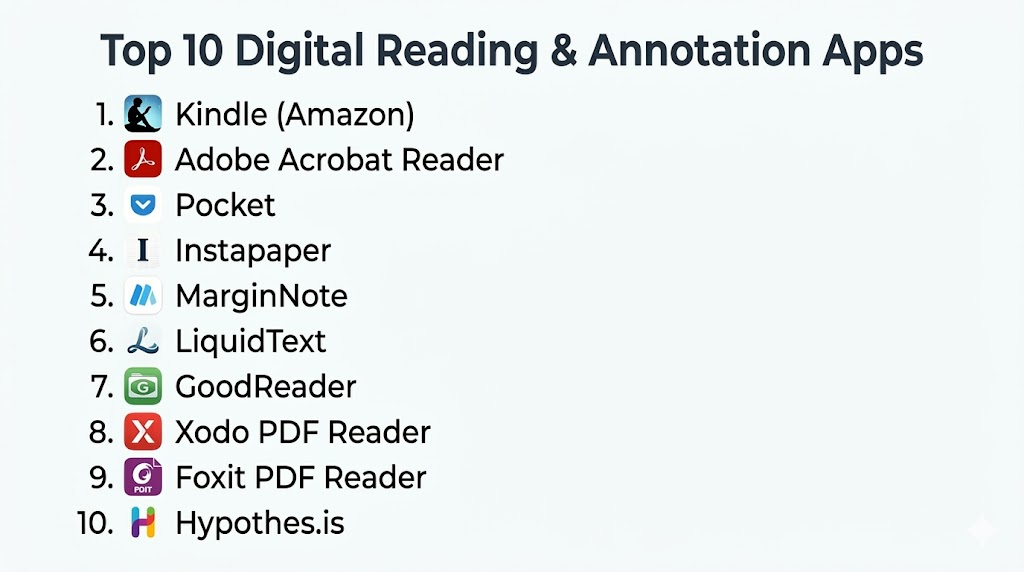
Top 10 Digital Reading & Annotation Apps
#1 — Adobe Acrobat Reader
Short description (4–5 lines): Adobe Acrobat Reader is a widely used PDF reader and annotation tool that supports highlighting, commenting, and document signing. Ideal for professionals and students who need robust PDF handling features.
Key Features
- Highlighting, comments, and notes
- PDF editing and signing
- Searchable annotations
- Multi-platform support
- Cloud-based document storage and sharing
- Form filling and interactive PDFs
Pros
- Comprehensive PDF annotation tools
- Reliable and widely adopted
Cons
- Advanced features require subscription
- Can be resource-intensive on older devices
Platforms / Deployment
- Windows, macOS, iOS, Android; Cloud-based
Security & Compliance
- Not publicly stated
Integrations & Ecosystem
Integrates with document storage and productivity tools:
- Microsoft Office
- Google Drive
- Dropbox
- Box
Support & Community
Extensive documentation, active community forums, premium support options.
#2 — Foxit PDF Reader
Short description (4–5 lines): Foxit PDF Reader provides lightweight PDF reading and annotation with collaborative features. Suitable for users seeking fast, efficient PDF handling and cloud-based sharing.
Key Features
- Annotation, highlighting, and commenting
- PDF form filling and signing
- Collaboration through shared documents
- Customizable toolbar and interface
- Cloud storage integration
Pros
- Fast and lightweight
- Supports team collaboration
Cons
- Some advanced features are paid
- Limited AI features compared to competitors
Platforms / Deployment
- Windows, macOS, iOS, Android; Cloud-supported
Security & Compliance
- Not publicly stated
Integrations & Ecosystem
- Google Drive
- OneDrive
- Dropbox
- SharePoint
Support & Community
Email support, online tutorials, active user forums.
#3 — Kami
Short description (4–5 lines): Kami is an online PDF and document annotation platform for education and professional use. It emphasizes collaborative annotation and real-time sharing for teams and classrooms.
Key Features
- Real-time collaboration on documents
- Highlighting, drawing, and commenting
- Text-to-speech and accessibility tools
- Cloud-based document management
- Integration with LMS platforms
Pros
- Excellent for education and remote collaboration
- User-friendly interface
Cons
- Requires internet connection for real-time features
- Free version has limited functionalities
Platforms / Deployment
- Web, iOS, Android; Cloud-based
Security & Compliance
- Not publicly stated
Integrations & Ecosystem
- Google Classroom
- Canvas
- OneDrive
- Google Drive
Support & Community
Online help center, tutorials, educator community forums.
#4 — Xodo PDF Reader & Editor
Short description (4–5 lines): Xodo offers a fast, intuitive PDF reader and editor with annotation, signing, and collaboration tools. Ideal for students and professionals seeking a free, feature-rich PDF app.
Key Features
- Highlighting, commenting, and drawing
- PDF signing and form filling
- Multi-document tabs
- Cloud sync and sharing
- Offline reading
Pros
- Free and lightweight
- Supports cross-platform syncing
Cons
- Some advanced editing features limited
- Collaboration less robust than dedicated team apps
Platforms / Deployment
- Windows, iOS, Android, Web; Cloud-supported
Security & Compliance
- Not publicly stated
Integrations & Ecosystem
- Google Drive
- Dropbox
- OneDrive
Support & Community
Online documentation and email support, active user base.
#5 — Notability
Short description (4–5 lines): Notability is a mobile-first note-taking and annotation app for iOS users. It combines handwriting, typing, and multimedia annotations for personal, educational, or professional use.
Key Features
- Handwriting and typed notes
- PDF annotation and import
- Audio recording synced with notes
- Multi-note organization
- Cloud backup and sync
Pros
- Excellent for iPad users and stylus support
- Combines notes and document annotation
Cons
- iOS only
- Requires in-app purchases for some features
Platforms / Deployment
- iOS, iPadOS, macOS; Cloud-based
Security & Compliance
- Not publicly stated
Integrations & Ecosystem
- iCloud
- Google Drive
- Dropbox
Support & Community
Email support, tutorials, and active Apple community forums.
#6 — GoodReader
Short description (4–5 lines): GoodReader is a powerful iOS PDF reader with robust annotation, file management, and document organization. Ideal for professional reading and large document handling.
Key Features
- PDF annotation and highlighting
- File management and organization
- PDF merging and editing
- Offline access
- Cloud storage support
Pros
- Supports large PDFs and complex documents
- Offline access for travel and fieldwork
Cons
- iOS only
- Interface may feel outdated
Platforms / Deployment
- iOS, iPadOS; Cloud-supported
Security & Compliance
- Not publicly stated
Integrations & Ecosystem
- Dropbox
- OneDrive
- Google Drive
Support & Community
Documentation, email support, moderate online community.
#7 — MarginNote
Short description (4–5 lines): MarginNote is a study-focused reading and annotation app for iOS and macOS. It offers mind-mapping, flashcards, and note organization alongside document annotation.
Key Features
- Mind-mapping linked to notes
- PDF and EPUB annotation
- Flashcard generation
- Search and highlight indexing
- Study workflow management
Pros
- Excellent for students and research
- Combines annotation with study tools
Cons
- Learning curve for mind-mapping features
- Paid app for full features
Platforms / Deployment
- iOS, macOS; Cloud-supported
Security & Compliance
- Not publicly stated
Integrations & Ecosystem
- Evernote
- Anki flashcards
- iCloud
Support & Community
User guides, tutorials, and active student forums.
#8 — PDF Expert
Short description (4–5 lines): PDF Expert is a robust PDF editor and annotation tool for macOS and iOS. It supports editing, highlighting, and collaboration for professional document workflows.
Key Features
- PDF annotation and editing
- Highlighting and note-taking
- Document merging and form filling
- Cross-device synchronization
- File organization
Pros
- Strong editing and annotation tools
- Easy synchronization across devices
Cons
- Apple-only ecosystem
- Premium features require purchase
Platforms / Deployment
- macOS, iOS; Cloud-based
Security & Compliance
- Not publicly stated
Integrations & Ecosystem
- iCloud
- Dropbox
- Google Drive
Support & Community
Email support, tutorials, online knowledge base.
#9 — LiquidText
Short description (4–5 lines): LiquidText is an iOS and Windows app focused on interactive document reading. It allows users to link annotations, extract quotes, and organize notes dynamically.
Key Features
- Interactive note linking
- Highlighting and extraction tools
- Document organization panels
- PDF and web annotation
- Cross-device syncing
Pros
- Innovative interactive annotation
- Ideal for research and study workflows
Cons
- Platform limitations
- Paid features for full capabilities
Platforms / Deployment
- iOS, Windows; Cloud-supported
Security & Compliance
- Not publicly stated
Integrations & Ecosystem
- Dropbox
- OneDrive
- Google Drive
Support & Community
Online help center and tutorials, moderate user forums.
#10 — ReadCube Papers
Short description (4–5 lines): ReadCube Papers is a research-focused reading and annotation platform. It supports PDFs, citations, and collaborative note-taking for academics and researchers.
Key Features
- PDF annotation and highlighting
- Citation management
- Cloud syncing and library organization
- Collaborative notes
- Smart search and metadata extraction
Pros
- Combines reading with research management
- Collaborative features for academic teams
Cons
- May feel complex for casual users
- Some advanced features require subscription
Platforms / Deployment
- Windows, macOS, iOS; Cloud-based
Security & Compliance
- Not publicly stated
Integrations & Ecosystem
- Zotero
- EndNote
- Dropbox
Support & Community
Documentation, email support, academic user forums.
Comparison Table (Top 10)
| Tool Name | Best For | Platform(s) Supported | Deployment | Standout Feature | Public Rating |
|---|---|---|---|---|---|
| Adobe Acrobat Reader | Professionals, students | Windows, macOS, iOS, Android | Cloud | PDF annotation & editing | N/A |
| Foxit PDF Reader | Lightweight PDF handling | Windows, macOS, iOS, Android | Cloud | Fast and efficient | N/A |
| Kami | Education, collaboration | Web, iOS, Android | Cloud | Real-time collaboration | N/A |
| Xodo PDF Reader | Students, mobile users | Windows, iOS, Android, Web | Cloud | Multi-document tabs & annotation | N/A |
| Notability | iOS note-taking | iOS, iPadOS, macOS | Cloud | Handwriting & audio notes | N/A |
| GoodReader | Professionals, fieldwork | iOS, iPadOS | Cloud | Large PDF handling | N/A |
| MarginNote | Students, research | iOS, macOS | Cloud | Mind-mapping & flashcards | N/A |
| PDF Expert | Mac/iOS professionals | macOS, iOS | Cloud | PDF editing & annotation | N/A |
| LiquidText | Research, interactive reading | iOS, Windows | Cloud | Interactive annotation linking | N/A |
| ReadCube Papers | Academic research | Windows, macOS, iOS | Cloud | Research management & annotations | N/A |
Evaluation & Scoring of Digital Reading & Annotation Apps
| Tool Name | Core (25%) | Ease (15%) | Integrations (15%) | Security (10%) | Performance (10%) | Support (10%) | Value (15%) | Weighted Total (0–10) |
|---|---|---|---|---|---|---|---|---|
| Adobe Acrobat Reader | 9 | 8 | 8 | 7 | 9 | 8 | 7 | 8.35 |
| Foxit PDF Reader | 8 | 8 | 7 | 7 | 8 | 7 | 8 | 7.80 |
| Kami | 8 | 7 | 7 | 7 | 8 | 7 | 7 | 7.45 |
| Xodo PDF Reader | 8 | 8 | 6 | 7 | 8 | 7 | 8 | 7.65 |
| Notability | 7 | 8 | 6 | 7 | 8 | 7 | 7 | 7.35 |
| GoodReader | 8 | 7 | 6 | 7 | 8 | 7 | 7 | 7.30 |
| MarginNote | 8 | 7 | 7 | 7 | 8 | 7 | 7 | 7.45 |
| PDF Expert | 8 | 8 | 7 | 7 | 8 | 7 | 7 | 7.55 |
| LiquidText | 8 | 7 | 6 | 7 | 8 | 7 | 7 | 7.30 |
| ReadCube Papers | 9 | 7 | 7 | 7 | 8 | 7 | 7 | 7.55 |
Interpretation: Weighted scores indicate which apps have the strongest balance of core functionality, ease of use, integrations, and value. Higher totals suggest stronger overall suitability for research, academic, or professional workflows.
Which Digital Reading & Annotation App Is Right for You?
Solo / Freelancer
Use lightweight apps like Xodo, LiquidText, or Notability for personal annotation and reading efficiency.
SMB
Tools like Kami, PDF Expert, and Foxit PDF Reader support team collaboration, shared notes, and workflow integration.
Mid-Market
Adobe Acrobat Reader and MarginNote are suitable for structured research, document management, and multi-user annotations.
Enterprise
ReadCube Papers and Adobe Acrobat Pro provide advanced collaboration, security, and large-scale document management capabilities.
Budget vs Premium
Free tools like Xodo and Kami work for basic reading and annotation, whereas Adobe Acrobat Pro, PDF Expert, and MarginNote offer professional features and AI-assisted productivity.
Feature Depth vs Ease of Use
MarginNote and ReadCube Papers are feature-rich but may require learning time; Xodo and Notability are intuitive and quick to adopt.
Integrations & Scalability
Adobe Acrobat, PDF Expert, and ReadCube Papers integrate well with cloud storage, productivity, and research management systems for scalable use.
Security & Compliance Needs
Enterprise users should confirm encryption, authentication, and compliance with GDPR or other relevant standards. Most consumer apps provide basic cloud protections.
Frequently Asked Questions (FAQs)
1. What are digital reading and annotation apps?
These apps allow users to read, highlight, annotate, and organize documents and eBooks digitally. They enhance comprehension, knowledge capture, and workflow efficiency for academic and professional use.
2. Can teams collaborate using these apps?
Yes, apps like Kami, Adobe Acrobat, and ReadCube Papers allow multiple users to annotate documents, share comments, and manage group workflows in real-time.
3. Do these apps support multiple document types?
Most apps handle PDFs, eBooks, DOCX, and web articles. Some, like MarginNote, also support flashcards and mind-mapping for deeper learning workflows.
4. Are these apps secure for confidential documents?
Many apps use cloud encryption and authentication protocols. Enterprise deployments may require compliance verification for GDPR, HIPAA, or SOC 2 standards.
5. Can I use these apps offline?
Apps like Xodo and GoodReader offer offline functionality, while cloud-based apps may require periodic connectivity for syncing annotations and progress.
6. Do they integrate with other productivity tools?
Yes, integrations commonly include cloud storage, task managers, LMS platforms, and research tools such as Google Drive, Dropbox, OneDrive, and Zotero.
7. Are AI features available?
Some modern apps provide AI-powered summarization, search, and insight extraction to streamline reading and annotation processes.
8. Which apps are best for students?
Kami, MarginNote, and Notability are excellent for note-taking, study workflows, and interactive annotations in educational contexts.
9. Which apps are best for professionals?
Adobe Acrobat, PDF Expert, and ReadCube Papers offer robust PDF editing, annotation, collaboration, and document management features.
10. How should I choose the right app?
Consider your platform, file formats, collaboration needs, AI features, and whether you require team or individual functionality. Trial versions help determine usability and fit.
Conclusion
Digital reading and annotation apps streamline reading, note-taking, and collaboration across academic, professional, and personal workflows. The right app depends on user type, desired features, platform, and collaboration needs. Xodo, Notability, and MarginNote work well for solo users, while Adobe Acrobat, ReadCube Papers, and PDF Expert provide enterprise-grade annotation and collaboration. Evaluate AI capabilities

This article provides a useful overview of digital reading and annotation apps with a clear comparison of their features. The insights shared make it easier to find a tool that supports better reading, note-taking, and organization.