Introduction
Transcoding & Encoding Tools are software solutions that convert multimedia content from one format to another, ensuring compatibility across devices, platforms, and streaming protocols. They are essential for media companies, broadcasters, streaming services, and enterprises handling video content. These tools optimize file sizes, maintain quality, and support multiple codecs, resolutions, and delivery formats.
Real-world use cases include:
- Converting raw video content into multiple resolutions for streaming.
- Optimizing video files for mobile, desktop, and OTT platforms.
- Preparing media assets for live streaming, VOD, or broadcast distribution.
- Automating batch encoding workflows to save time and reduce manual errors.
- Supporting adaptive bitrate streaming for high-quality viewer experiences.
Evaluation criteria for buyers include:
- Supported codecs, formats, and resolutions
- Speed and efficiency of transcoding
- Automation and batch processing capabilities
- Integration with video platforms, CMS, or streaming services
- Scalability for large video libraries and high-volume workflows
- Cloud, on-prem, or hybrid deployment options
- Security and compliance for media content
- Ease of use and user interface
- Reporting and analytics on encoding performance
- Pricing flexibility and licensing options
Best for: Media companies, broadcasters, OTT platforms, and enterprises managing large video libraries or streaming content.
Not ideal for: Teams producing minimal video content or using standard media formats without multi-device distribution requirements.
Key Trends in Transcoding & Encoding Tools
- Cloud-based transcoding for scalable, high-volume workflows
- AI-assisted encoding for quality optimization and bitrate management
- Support for AV1, H.265/HEVC, VP9, and other modern codecs
- Real-time streaming optimization and adaptive bitrate encoding
- Batch processing and automation for high-volume video libraries
- Integration with OTT, VOD, CMS, and cloud storage platforms
- Multi-format output for mobile, web, and broadcast
- Analytics and monitoring dashboards for performance tracking
- Security and DRM compliance for content protection
- API-driven workflows for developer automation
How We Selected These Tools
- Evaluated support for modern codecs, formats, and streaming standards
- Assessed encoding speed, quality, and efficiency
- Reviewed automation and batch processing capabilities
- Considered integrations with video platforms, CMS, and cloud services
- Evaluated scalability for high-volume workflows
- Assessed security, DRM, and compliance features
- Considered analytics, monitoring, and reporting capabilities
- Reviewed ease of use, user interface, and workflow design
- Evaluated pricing models for subscription, perpetual license, or pay-per-use
- Considered customer support, documentation, and community resources
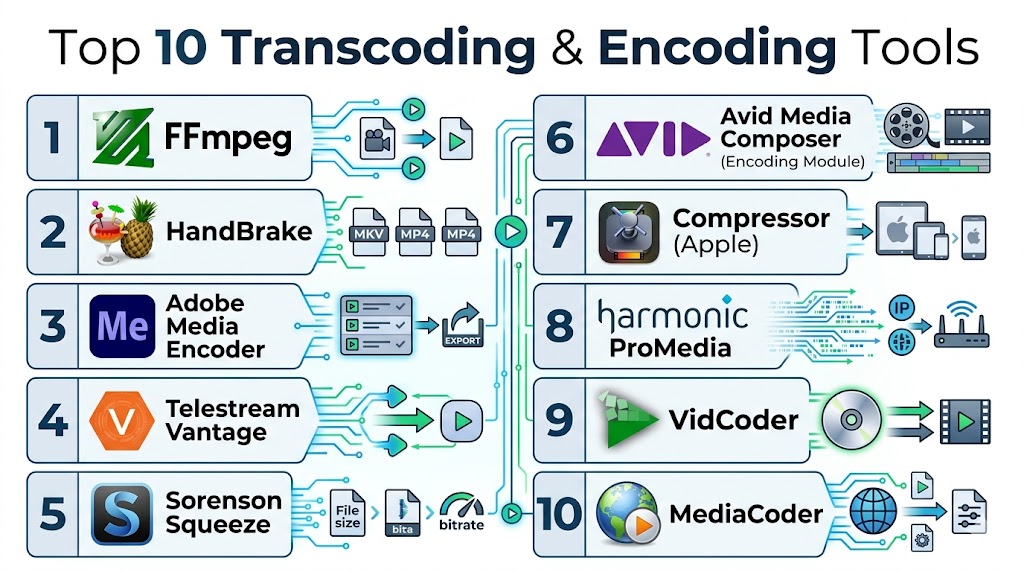
Top 10 Transcoding & Encoding Tools
#1 — FFmpeg
Short description: FFmpeg is an open-source multimedia framework for transcoding, encoding, decoding, and streaming video and audio. It supports a wide range of codecs and formats and is widely used by developers and media professionals.
Key Features
- Command-line transcoding and encoding
- Wide codec and container support
- Real-time streaming support
- Batch processing and automation
- Cross-platform compatibility
Pros
- Free and open-source
- Extremely versatile and powerful
- Supports almost all media formats
Cons
- Command-line interface may be challenging for beginners
- No native GUI
- Learning curve for advanced features
Platforms / Deployment
- Windows, macOS, Linux
- Cloud / On-prem
Security & Compliance
- Varies / N/A
Integrations & Ecosystem
- Works with VLC, OBS, GStreamer
- Can be integrated into custom pipelines
Support & Community
- Active developer community, forums, documentation
#2 — HandBrake
Short description: HandBrake is a free, open-source video transcoder for converting videos to modern formats. It provides presets for devices and streaming platforms and supports batch processing.
Key Features
- Device presets and custom encoding profiles
- Batch conversion support
- H.264, H.265, and VP9 codec support
- Subtitle and metadata handling
- GUI and command-line interface
Pros
- Free and beginner-friendly
- Supports multiple platforms
- High-quality video output
Cons
- Limited advanced streaming features
- Slower for very large batches
- Lacks enterprise-grade automation
Platforms / Deployment
- Windows, macOS, Linux
- On-prem
Security & Compliance
- Varies / N/A
Integrations & Ecosystem
- Can integrate with FFmpeg pipelines
- Compatible with media workflows
Support & Community
- Community forums, documentation
#3 — Telestream Vantage
Short description: Telestream Vantage is an enterprise video processing platform for transcoding, encoding, and workflow automation. It supports multi-format delivery and integrates with broadcast and streaming workflows.
Key Features
- Enterprise transcoding and encoding
- Automation workflows and scheduling
- Multi-format and multi-bitrate support
- Integration with CMS, CDN, and OTT platforms
- Metadata handling and reporting
Pros
- Scalable for enterprise workloads
- Advanced workflow automation
- High-quality encoding
Cons
- High cost for small teams
- Complex setup
- Requires training for full feature utilization
Platforms / Deployment
- Windows, Linux
- Cloud / On-prem
Security & Compliance
- DRM, SOC 2, GDPR
Integrations & Ecosystem
- CDN, CMS, OTT platforms
- Media workflow automation tools
Support & Community
- Enterprise support, documentation, training
#4 — Adobe Media Encoder
Short description: Adobe Media Encoder is a professional encoding tool for video production workflows. It integrates seamlessly with Adobe Premiere Pro and After Effects for efficient batch encoding and format conversion.
Key Features
- Integration with Adobe Creative Cloud
- Multi-format export and presets
- Batch processing and watch folders
- High-quality H.264, H.265, and ProRes encoding
- Metadata and caption support
Pros
- Seamless Adobe ecosystem integration
- Supports multiple formats and devices
- Streamlines production workflows
Cons
- Subscription required
- Limited non-Adobe integrations
- Complex for non-creative teams
Platforms / Deployment
- Windows, macOS
- Cloud / On-prem
Security & Compliance
- GDPR
Integrations & Ecosystem
- Adobe Premiere Pro, After Effects
- Creative Cloud Libraries
Support & Community
- Adobe support portal, tutorials, forums
#5 — Sorenson Squeeze
Short description: Sorenson Squeeze is a professional video encoding and transcoding tool for broadcast and OTT content. It offers high-quality output, advanced compression, and batch processing features.
Key Features
- Multi-format encoding
- Advanced compression algorithms
- Batch processing and automation
- Integration with media servers
- Presets for streaming platforms
Pros
- High-quality video output
- Broad codec support
- Optimized for streaming and broadcast
Cons
- Premium pricing
- Interface may feel dated
- Requires technical knowledge
Platforms / Deployment
- Windows, macOS
- On-prem
Security & Compliance
- Varies / N/A
Integrations & Ecosystem
- Media servers, CMS integration
- Streaming platforms
Support & Community
- Documentation, support portal
#6 — AWS Elemental MediaConvert
Short description: AWS Elemental MediaConvert is a cloud-based service for transcoding video files for on-demand and broadcast workflows. It supports adaptive bitrate encoding and multiple output formats.
Key Features
- Cloud-based transcoding
- Multi-bitrate and adaptive streaming
- Codec support for H.264, H.265, VP9
- Integration with AWS cloud services
- Automated workflow and batch processing
Pros
- Scalable cloud solution
- Pay-per-use pricing
- Supports high-quality streaming outputs
Cons
- AWS account required
- Cost can scale with high-volume processing
- Learning curve for AWS services
Platforms / Deployment
- Web / Cloud
Security & Compliance
- GDPR, SOC 2, encryption
Integrations & Ecosystem
- AWS S3, CloudFront, Lambda
- OTT and streaming platforms
Support & Community
- AWS support, documentation, forums
#7 — Telestream Cloud
Short description: Telestream Cloud is a cloud-native video encoding and transcoding platform for high-volume workflows. It provides automated processing, multi-format delivery, and analytics.
Key Features
- Cloud-based transcoding
- Automated workflow management
- Multi-format support
- Monitoring and reporting dashboards
- Integration with OTT and VOD platforms
Pros
- Scalable for enterprise
- Reduces infrastructure maintenance
- High-quality output
Cons
- Subscription cost for premium plans
- May require workflow configuration
- Less flexible for small teams
Platforms / Deployment
- Web / Cloud
Security & Compliance
- GDPR, SOC 2
Integrations & Ecosystem
- CDN, CMS, OTT platforms
- Video workflow management
Support & Community
- Enterprise support, documentation
#8 — Bitmovin
Short description: Bitmovin provides cloud-based encoding, transcoding, and adaptive streaming for OTT and live streaming. It supports modern codecs and multi-bitrate streaming.
Key Features
- Cloud encoding and transcoding
- Adaptive bitrate streaming
- H.264, H.265, VP9, AV1 support
- API and automation workflows
- Real-time analytics
Pros
- Optimized for streaming and OTT
- Supports modern codecs
- Scalable for high-volume media
Cons
- Premium pricing
- Complex setup for beginners
- Enterprise focus
Platforms / Deployment
- Web / Cloud
Security & Compliance
- GDPR, SOC 2
Integrations & Ecosystem
- CDN, OTT platforms, analytics tools
- API integration
Support & Community
- Documentation, support portal
#9 — Wowza Streaming Engine
Short description: Wowza Streaming Engine is a media server software for live and on-demand streaming. It provides encoding, transcoding, and adaptive streaming for enterprise workflows.
Key Features
- Live and on-demand streaming
- Multi-format encoding
- Adaptive bitrate support
- DRM and security features
- API integration
Pros
- Reliable for live streaming
- Multi-format support
- Enterprise-grade features
Cons
- On-prem or cloud setup needed
- Enterprise pricing
- Requires technical expertise
Platforms / Deployment
- Windows, Linux
- Cloud / On-prem
Security & Compliance
- DRM, GDPR
Integrations & Ecosystem
- CDN, CMS, OTT platforms
- Video analytics tools
Support & Community
- Documentation, training, support portal
#10 — MediaCoder
Short description: MediaCoder is a free and professional transcoding tool for video and audio files. It supports batch processing, multiple codecs, and high-quality conversions for desktop users.
Key Features
- Batch transcoding
- Wide codec support
- Audio and video encoding
- Presets for devices and formats
- Quality optimization
Pros
- Free and flexible
- Supports multiple formats
- Good for local workflows
Cons
- Limited cloud and integration support
- Desktop-based only
- Less suitable for enterprise streaming
Platforms / Deployment
- Windows, Linux
- On-prem
Security & Compliance
- Varies / N/A
Integrations & Ecosystem
- Compatible with FFmpeg and media players
Support & Community
- Documentation, forums
Comparison Table (Top 10)
| Tool Name | Best For | Platform(s) Supported | Deployment | Standout Feature | Public Rating |
|---|---|---|---|---|---|
| FFmpeg | Developers / media pros | Windows, macOS, Linux | Cloud / On-prem | Open-source codec support | N/A |
| HandBrake | SMB / desktop users | Windows, macOS, Linux | On-prem | User-friendly transcoding | N/A |
| Telestream Vantage | Enterprise workflows | Windows, Linux | Cloud / On-prem | Automated batch workflows | N/A |
| Adobe Media Encoder | Creative Cloud users | Windows, macOS | Cloud / On-prem | Adobe integration & presets | N/A |
| Sorenson Squeeze | Professional media | Windows, macOS | On-prem | High-quality compression | N/A |
| AWS Elemental MediaConvert | Cloud streaming | Web / Cloud | Cloud | Scalable cloud encoding | N/A |
| Telestream Cloud | Enterprise cloud media | Web / Cloud | Cloud | Cloud-native transcoding | N/A |
| Bitmovin | OTT & streaming | Web / Cloud | Cloud | Adaptive bitrate & codecs | N/A |
| Wowza Streaming Engine | Live / on-demand streaming | Windows, Linux | Cloud / On-prem | Streaming server features | N/A |
| MediaCoder | Desktop users | Windows, Linux | On-prem | Batch local transcoding | N/A |
Evaluation & Scoring of Transcoding & Encoding Tools
| Tool Name | Core (25%) | Ease (15%) | Integrations (15%) | Security (10%) | Performance (10%) | Support (10%) | Value (15%) | Weighted Total |
|---|---|---|---|---|---|---|---|---|
| FFmpeg | 9 | 7 | 8 | 7 | 9 | 7 | 8 | 8.0 |
| HandBrake | 8 | 8 | 7 | 7 | 8 | 7 | 8 | 7.7 |
| Telestream Vantage | 9 | 7 | 8 | 8 | 9 | 8 | 7 | 8.2 |
| Adobe Media Encoder | 8 | 8 | 8 | 7 | 8 | 7 | 7 | 7.7 |
| Sorenson Squeeze | 8 | 7 | 7 | 7 | 8 | 7 | 7 | 7.4 |
| AWS Elemental MediaConvert | 9 | 7 | 8 | 8 | 9 | 8 | 7 | 8.2 |
| Telestream Cloud | 8 | 7 | 8 | 8 | 8 | 7 | 7 | 7.7 |
| Bitmovin | 8 | 7 | 8 | 8 | 9 | 7 | 7 | 7.9 |
| Wowza Streaming Engine | 8 | 7 | 7 | 8 | 9 | 7 | 7 | 7.8 |
| MediaCoder | 7 | 8 | 7 | 7 | 7 | 6 | 7 | 7.0 |
Which Transcoding & Encoding Tool Is Right for You?
Solo / Freelancer
HandBrake or MediaCoder provide cost-effective desktop-based encoding for small projects and local workflows.
SMB
Adobe Media Encoder or Sorenson Squeeze offer presets, automation, and integration for content creation teams.
Mid-Market
Telestream Cloud or Bitmovin deliver scalable cloud encoding with adaptive streaming and automation for mid-sized workflows.
Enterprise
AWS Elemental MediaConvert, Telestream Vantage, or Wowza Streaming Engine provide high-volume, enterprise-grade transcoding and streaming capabilities.
Budget vs Premium
Free tools like FFmpeg or HandBrake are great for small teams; premium enterprise platforms provide automation, multi-format output, and analytics.
Feature Depth vs Ease of Use
MediaCoder and HandBrake are easier to adopt; Telestream Vantage and AWS MediaConvert offer advanced features but require setup.
Integrations & Scalability
Bitmovin, AWS MediaConvert, and Telestream Cloud integrate with OTT, VOD, and CMS platforms for high-volume operations.
Security & Compliance Needs
Enterprise platforms provide encryption, DRM, and SOC 2/GDPR compliance to secure media content.
Frequently Asked Questions (FAQs)
1. What is a transcoding & encoding tool?
A platform that converts video and audio content into compatible formats, resolutions, and codecs.
2. Can small teams use these tools?
Yes, HandBrake and MediaCoder provide cost-effective desktop encoding for small workflows.
3. Do these tools support multiple codecs?
Yes, top tools support H.264, H.265, VP9, AV1, ProRes, and more.
4. Are cloud-based options available?
Yes, platforms like AWS MediaConvert and Telestream Cloud provide scalable cloud transcoding.
5. Can I automate batch encoding?
Most enterprise and cloud tools provide automation, watch folders, and batch processing.
6. Are these tools suitable for streaming?
Yes, they support adaptive bitrate streaming and multi-format delivery.
7. Do they integrate with creative software?
Yes, Adobe Media Encoder integrates with Premiere Pro and After Effects; others provide APIs and CMS integration.
8. How scalable are these tools?
Cloud platforms like Bitmovin and AWS MediaConvert scale for high-volume enterprise workflows.
9. Are enterprise platforms secure?
Yes, they provide encryption, DRM, and compliance with GDPR and SOC 2 standards.
10. How long does setup take?
Desktop tools require minimal setup; cloud/enterprise platforms may take days for full workflow integration.
Conclusion
Transcoding & Encoding Tools are essential for converting, optimizing, and delivering video and audio content efficiently. Freelancers and small teams can leverage HandBrake or MediaCoder for local, cost-effective encoding. Mid-market teams benefit from Bitmovin or Telestream Cloud for scalable cloud workflows, while enterprises require **AWS Elemental Media

This article does a great job of comparing transcoding and encoding tools with clear explanations of their key features. The structured overview makes it easy to understand the differences and select the right tool for specific video processing needs.