Introduction
Speech-to-Text (Transcription) Platforms are software solutions that convert spoken language into written text, using advanced AI and machine learning algorithms. These platforms help organizations, content creators, and individuals quickly transcribe meetings, interviews, podcasts, webinars, and videos into accurate, readable text.
In modern workflows, these tools are essential for creating searchable meeting notes, generating captions for video content, enabling accessibility, and supporting multilingual operations. They reduce the manual effort of transcription and allow teams to focus on analysis and content creation instead of labor-intensive typing.
Real-world use cases include transcribing corporate meetings for compliance, creating subtitles for online courses and video content, generating searchable archives of interviews or podcasts, capturing call center conversations for quality assurance, and assisting journalists in producing written content from audio sources.
Evaluation criteria for buyers should include transcription accuracy, support for multiple languages and dialects, real-time or batch processing, speaker identification, integration with collaboration tools, security and compliance standards, ease of use, pricing model, and scalability.
Best for: Enterprises, content creators, e-learning providers, media teams, and research organizations that require accurate, fast transcription at scale.
Not ideal for: Individuals needing only occasional transcription or projects where manual transcription suffices and cost is a concern.
Key Trends in Speech-to-Text Platforms
- AI-powered real-time transcription with high accuracy
- Multilingual and dialect support expanding globally
- Speaker diarization for distinguishing multiple voices
- Integration with video conferencing and collaboration platforms
- Cloud-based scalable processing for large volumes
- Support for both real-time and batch transcription workflows
- Automated punctuation, formatting, and capitalization
- Improved compliance with GDPR, SOC 2, and HIPAA standards
- API-first platforms for embedding transcription into SaaS workflows
- Hybrid human-AI models to enhance accuracy for complex content
How We Selected These Tools
- Evaluated market adoption and popularity across industries
- Assessed transcription accuracy and language coverage
- Verified performance and reliability under large workloads
- Reviewed security posture and compliance certifications
- Examined integration capabilities with video, audio, and collaboration tools
- Considered usability and accessibility for teams and individuals
- Prioritized scalability and multi-user management
- Balanced features and cost to suit freelancers, SMBs, and enterprise needs
- Checked customer support, documentation, and active community presence
- Verified flexibility in deployment: cloud, hybrid, or self-hosted
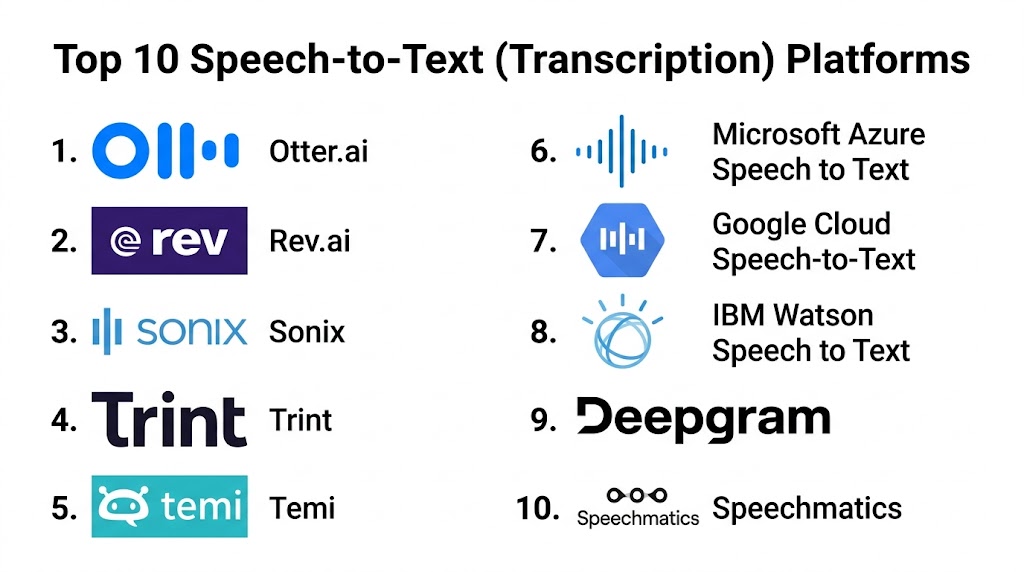
Top 10 Speech-to-Text Platforms
#1 — Otter.ai
Short description: Otter.ai provides real-time and batch transcription for meetings, interviews, and lectures. It is widely used by business teams, educators, and media creators seeking accurate and searchable transcripts.
Key Features
- Real-time transcription with speaker recognition
- Multi-device support
- Collaborative editing and sharing
- Integration with Zoom, Teams, and Google Meet
- Automated summaries and keyword extraction
Pros
- High accuracy and real-time capabilities
- Easy to collaborate on transcripts
- Strong integration with conferencing tools
Cons
- Advanced features behind paid plans
- Occasional misidentification of speakers
- Limited language support for non-English content
Platforms / Deployment
- Web, iOS, Android
- Cloud
Security & Compliance
- SOC 2 Type II compliant
- GDPR and HIPAA support
Integrations & Ecosystem
Integrates with productivity tools, meeting platforms, and file storage.
- Zoom, Microsoft Teams, Google Meet
- Google Drive, Dropbox
- Slack, Notion
Support & Community
Email support, knowledge base, webinars, and active user community
#2 — Rev AI
Short description: Rev AI offers AI-powered transcription with high accuracy for enterprises, media companies, and developers. It is suitable for audio/video content and customer support workflows.
Key Features
- Real-time and batch transcription
- Multi-language support
- Speaker diarization
- Punctuation and formatting automation
- API access for custom integrations
Pros
- Reliable and scalable transcription
- Easy integration into existing workflows
- Strong support for multiple audio formats
Cons
- Premium pricing for advanced features
- May require API knowledge for full capabilities
- Some languages have lower accuracy
Platforms / Deployment
- Web, API
- Cloud
Security & Compliance
- Not publicly stated
Integrations & Ecosystem
Integrates with media workflows, CRMs, and analytics platforms
- Zoom, Webex
- Salesforce, HubSpot
- Custom API for developers
Support & Community
Email support, documentation, and developer forums
#3 — Sonix
Short description: Sonix is an AI transcription platform that converts audio and video files into searchable text. It is widely used by media teams, content creators, and academic researchers.
Key Features
- Automated multi-language transcription
- Speaker labeling and timestamping
- Integrated text editor for corrections
- Export in multiple formats
- Collaboration tools for teams
Pros
- Fast transcription and high accuracy
- Supports multiple file types
- Collaborative workflow for team projects
Cons
- Free plan limited in usage
- Occasional errors with accented speech
- No offline functionality
Platforms / Deployment
- Web
- Cloud
Security & Compliance
- GDPR compliant
- Not publicly stated
Integrations & Ecosystem
Supports editing and content workflows
- Zoom, Dropbox
- Adobe Premiere, Final Cut
- Slack
Support & Community
Email support, online tutorials, and active forums
#4 — Trint
Short description: Trint provides automated transcription with AI-enhanced editing and collaboration features. It is popular among journalists, media agencies, and corporate teams.
Key Features
- AI-powered transcription with timestamps
- Multi-language support
- Collaboration and commenting features
- Export to Word, PDF, SRT, and other formats
- Audio/video player integration
Pros
- Intuitive interface and collaboration
- Supports multiple export formats
- Strong editing and correction tools
Cons
- Paid plans needed for advanced features
- May misidentify speakers in complex audio
- Limited offline functionality
Platforms / Deployment
- Web
- Cloud
Security & Compliance
- SOC 2 compliant
- GDPR support
Integrations & Ecosystem
Integrates with video editors and workflow tools
- Adobe Premiere, Final Cut
- Slack, Zapier
- Microsoft Teams
Support & Community
Email support, tutorials, and knowledge base
#5 — Happy Scribe
Short description: Happy Scribe is a transcription platform for media production, e-learning, and research. It offers AI-powered and human-verified transcription options.
Key Features
- Automated and human-verified transcripts
- Multi-language support
- Timestamped text output
- Speaker identification
- Collaboration and export tools
Pros
- Supports many languages
- Option for human-reviewed accuracy
- Easy collaboration on transcripts
Cons
- Human-verified transcription is more expensive
- Some AI-generated text requires manual correction
- Occasional errors with noisy audio
Platforms / Deployment
- Web
- Cloud
Security & Compliance
- GDPR compliant
- Not publicly stated
Integrations & Ecosystem
Works with video editors, LMS, and media platforms
- Zoom, YouTube, Vimeo
- Slack, Google Drive
- API access
Support & Community
Email support, documentation, and tutorials
#6 — Microsoft Azure Speech to Text
Short description: Microsoft Azure Speech to Text offers enterprise-grade transcription services with AI-driven models and real-time conversion. It suits corporate environments and developers building custom solutions.
Key Features
- Real-time and batch transcription
- Multi-language and dialect support
- Custom vocabulary and acoustic models
- Speaker diarization
- API and SDK for integration
Pros
- Enterprise-grade scalability
- Customizable models for domain-specific terms
- Reliable cloud infrastructure
Cons
- Requires Azure account and configuration
- Some features require technical expertise
- Pricing based on usage
Platforms / Deployment
- Web, API
- Cloud
Security & Compliance
- ISO 27001, SOC 2, GDPR
- Enterprise security controls
Integrations & Ecosystem
Integrates with enterprise software and custom applications
- Microsoft Teams
- Azure Cognitive Services
- Custom API workflows
Support & Community
Enterprise support, documentation, and developer forums
#7 — Google Cloud Speech-to-Text
Short description: Google Cloud Speech-to-Text provides AI-powered transcription for developers and enterprises, offering high accuracy and multi-language support.
Key Features
- Real-time and batch transcription
- 120+ languages and variants
- Speaker diarization
- Custom vocabulary and models
- Streaming transcription API
Pros
- High accuracy and multi-language support
- Scalable for large volumes
- Easy integration with Google Cloud ecosystem
Cons
- Requires cloud configuration knowledge
- Pay-as-you-go pricing can be complex
- Advanced features require API experience
Platforms / Deployment
- Web, API
- Cloud
Security & Compliance
- SOC 2, ISO 27001, GDPR
Integrations & Ecosystem
Integrates with video editors, learning platforms, and enterprise apps
- Google Workspace
- YouTube
- Custom API
Support & Community
Enterprise support, documentation, developer community
#8 — Amazon Transcribe
Short description: Amazon Transcribe is a cloud-based transcription service that converts speech to text in real-time or from recordings. It is ideal for enterprises and developers needing accurate transcription at scale.
Key Features
- Real-time and batch transcription
- Speaker identification
- Custom vocabulary support
- Punctuation and formatting automation
- Multi-language support
Pros
- Scalable and reliable
- Flexible API for integration
- Supports specialized vocabulary
Cons
- Requires AWS account
- Technical setup needed
- Pay-per-use pricing can be high for heavy workloads
Platforms / Deployment
- Web, API
- Cloud
Security & Compliance
- SOC 2, ISO 27001, GDPR, HIPAA
Integrations & Ecosystem
- Amazon Web Services
- Video/audio processing pipelines
- Custom application integration
Support & Community
AWS support plans, documentation, and developer forums
#9 — IBM Watson Speech to Text
Short description: IBM Watson Speech to Text provides enterprise AI transcription with real-time and batch capabilities. It is used in healthcare, customer support, and media workflows.
Key Features
- Real-time transcription
- Multi-language and dialect support
- Custom language models
- Speaker diarization
- Streaming and batch options
Pros
- Enterprise-level reliability
- Customizable for domain-specific needs
- Integration with Watson ecosystem
Cons
- Complex pricing model
- Some features require technical setup
- User interface may be less intuitive for beginners
Platforms / Deployment
- Web, API
- Cloud
Security & Compliance
- SOC 2, ISO 27001, GDPR, HIPAA
Integrations & Ecosystem
- IBM Cloud services
- CRM and analytics platforms
- Custom API
Support & Community
Enterprise support, documentation, developer community
#10 — Speechmatics
Short description: Speechmatics provides accurate AI transcription across multiple languages and accents, suitable for media, research, and corporate teams.
Key Features
- Multi-language support
- Real-time and batch transcription
- Custom vocabulary and domain adaptation
- Speaker diarization
- Integration API
Pros
- High accuracy in multiple languages
- Scalable for large projects
- Flexible deployment options
Cons
- Requires subscription for advanced features
- Some regional accents may need manual review
- Technical knowledge required for API usage
Platforms / Deployment
- Web, API
- Cloud
Security & Compliance
- Not publicly stated
Integrations & Ecosystem
- Video editors, research tools, CRM platforms
- API for automation
- Workflow integration
Support & Community
Email support, tutorials, and documentation
Comparison Table (Top 10)
| Tool Name | Best For | Platform(s) Supported | Deployment | Standout Feature | Public Rating |
|---|---|---|---|---|---|
| Otter.ai | Meetings, interviews | Web, iOS, Android | Cloud | Real-time AI transcription | N/A |
| Rev AI | Enterprise, media | Web, API | Cloud | API-based scalable service | N/A |
| Sonix | Media, academics | Web | Cloud | Multi-language transcription | N/A |
| Trint | Journalists, corporate | Web | Cloud | Collaboration and editing | N/A |
| Happy Scribe | Media, education | Web | Cloud | AI + human verified | N/A |
| Microsoft Azure Speech to Text | Enterprise, developers | Web, API | Cloud | Custom vocab & models | N/A |
| Google Cloud Speech-to-Text | Enterprise, developers | Web, API | Cloud | Multi-language accuracy | N/A |
| Amazon Transcribe | Enterprise, developers | Web, API | Cloud | Real-time transcription | N/A |
| IBM Watson Speech to Text | Enterprise, healthcare | Web, API | Cloud | Custom language models | N/A |
| Speechmatics | Media, research | Web, API | Cloud | Domain-adapted accuracy | N/A |
Evaluation & Scoring
| Tool Name | Core | Ease | Integrations | Security | Performance | Support | Value | Weighted Total |
|---|---|---|---|---|---|---|---|---|
| Otter.ai | 9 | 9 | 8 | 7 | 9 | 8 | 8 | 8.5 |
| Rev AI | 9 | 8 | 8 | 7 | 8 | 8 | 8 | 8.3 |
| Sonix | 8 | 8 | 7 | 7 | 8 | 7 | 8 | 7.9 |
| Trint | 9 | 8 | 8 | 8 | 8 | 8 | 7 | 8.3 |
| Happy Scribe | 8 | 8 | 7 | 7 | 8 | 7 | 7 | 7.6 |
| Microsoft Azure Speech to Text | 9 | 7 | 8 | 8 | 9 | 8 | 7 | 8.3 |
| Google Cloud Speech-to-Text | 9 | 8 | 8 | 8 | 9 | 8 | 7 | 8.3 |
| Amazon Transcribe | 9 | 8 | 8 | 8 | 9 | 8 | 7 | 8.3 |
| IBM Watson Speech to Text | 9 | 7 | 8 | 8 | 9 | 8 | 7 | 8.2 |
| Speechmatics | 8 | 8 | 7 | 7 | 8 | 7 | 7 | 7.7 |
Scores reflect comparative strength in features, usability, integrations, security, performance, and value. Higher weighted totals indicate better suitability for enterprise-scale projects.
Which Speech-to-Text Platform Is Right for You
Solo / Freelancer
Choose platforms with low-cost plans, easy-to-use interfaces, and minimal integrations. Otter.ai, Sonix, and Happy Scribe are ideal.
SMB
Teams benefit from collaboration, multi-language support, and integration with video or learning tools. Rev AI, Trint, and Microsoft Azure Speech to Text are recommended.
Mid-Market
Organizations needing branded workflows, custom vocabularies, and advanced API support should consider Google Cloud Speech-to-Text, IBM Watson, and Azure Speech to Text.
Enterprise
Large-scale operations requiring accuracy, security, compliance, and multi-user management may prefer Amazon Transcribe, IBM Watson, and Google Cloud Speech-to-Text.
Budget vs Premium
Freelancers can opt for Otter.ai and Happy Scribe. Enterprises investing in reliability, integration, and custom vocabularies may prioritize Azure, Google Cloud, or Amazon Transcribe.
Feature Depth vs Ease of Use
Simple UI tools like Sonix and Otter.ai allow quick transcription. Advanced customization and enterprise-level features are available with Azure, IBM, and Google Cloud.
Integrations & Scalability
Teams requiring API access and enterprise workflows should consider Azure, Google Cloud, and Amazon Transcribe for scalable and automated transcription.
Security & Compliance Needs
Enterprises handling sensitive content should evaluate SOC 2, ISO, HIPAA, and GDPR-compliant platforms such as Microsoft Azure, IBM Watson, and Amazon Transcribe.
Frequently Asked Questions
1. What types of content can be transcribed?
Speech-to-text platforms can transcribe meetings, interviews, webinars, podcasts, videos, lectures, and phone conversations into readable text quickly and accurately.
2. How accurate are AI transcription platforms?
Accuracy depends on audio quality, background noise, and language complexity. Most leading platforms offer 85–95 percent accuracy, with human review enhancing results.
3. Can multiple speakers be identified?
Yes, many platforms provide speaker diarization, allowing identification and labeling of multiple voices in a conversation for clarity and context.
4. Are these platforms suitable for multiple languages?
Most support multiple languages and regional accents. Some enterprise platforms also allow custom vocabulary for domain-specific terminology.
5. How quickly can transcription be generated?
AI platforms can transcribe in real-time or process batch files within minutes depending on file size and complexity. Large enterprise workloads may take longer.
6. Can transcripts be edited?
Yes, platforms usually provide text editors for corrections, adding punctuation, formatting, and speaker labels to ensure professional-quality output.
7. Do these platforms integrate with other tools?
Yes, they often integrate with video conferencing software, learning management systems, CRM platforms, and APIs for automated workflows.
8. How secure is my audio data?
Enterprise platforms implement encryption, access controls, and compliance measures like SOC 2, HIPAA, or GDPR to protect sensitive content.
9. Can transcripts be exported to multiple formats?
Yes, most platforms support exporting to Word, PDF, SRT, VTT, TXT, or integration with video editors and content management systems.
10. Is human verification available?
Some platforms offer human-reviewed transcription for higher accuracy, especially useful for complex or noisy recordings.
Conclusion
Speech-to-Text platforms have become indispensable for organizations and content creators seeking fast, accurate, and scalable transcription. Selecting the right solution depends on project size, language support, integration requirements,

A well-organized comparison that clearly explains the strengths of different speech-to-text transcription platforms. The feature breakdown and pros-and-cons analysis make it easier to choose the right tool for accurate and efficient transcription.