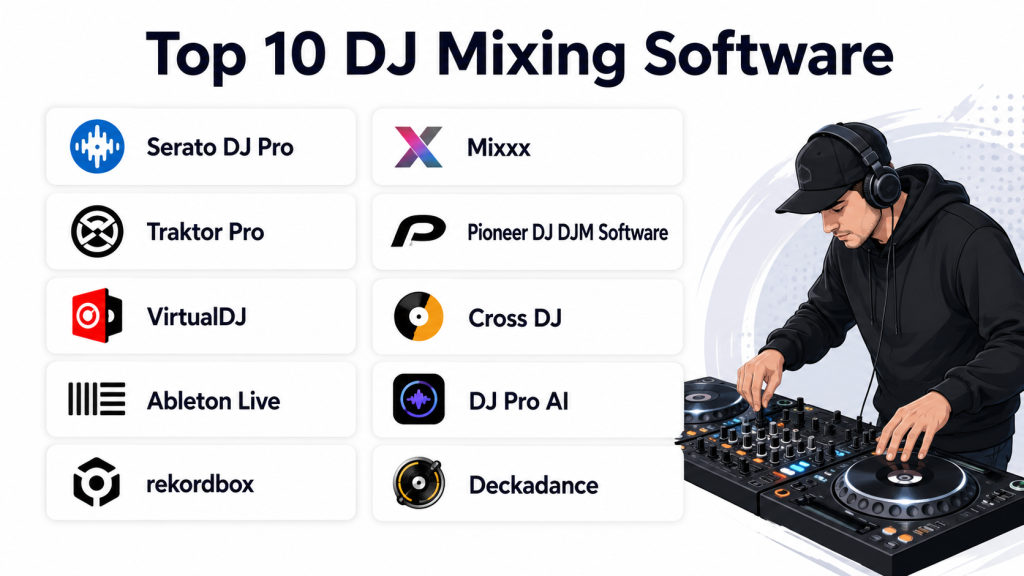
Introduction
DJ mixing software refers to applications that allow users to mix, edit, and manipulate audio tracks in real time for performances, podcasts, and recordings. These tools are essential for professional DJs, music producers, and hobbyists, offering beat matching, effects, looping, and recording capabilities. Modern DJ software supports multi-track mixing, integration with hardware controllers, and streaming services for diverse music sources.
Real-world use cases include:
- Live DJ performances at clubs, events, and parties
- Music production and remix creation
- Podcasting and online broadcasting
- Practice and training for amateur DJs
- Music library management and organization
Key evaluation criteria for buyers:
- Real-time mixing capabilities
- Effects, loops, and sample management
- Multi-track and multi-deck support
- Hardware controller compatibility
- Library and playlist management
- Integration with streaming services
- Recording and exporting formats
- Cross-platform support
- Performance and low-latency audio
- Security and DRM considerations
Best for: Professional DJs, hobbyist DJs, music producers, event organizers, and educators in music production.
Not ideal for: Casual listeners or users who only play pre-mixed playlists without requiring real-time control or mixing.
Key Trends in DJ Mixing Software
- Cloud library integration and streaming service compatibility
- AI-assisted beat matching and auto-mixing features
- Multi-deck and multi-channel mixing capabilities
- Support for high-quality audio formats (FLAC, WAV, AIFF)
- Advanced effects, loops, and sampler functionalities
- Hardware controller integration with plug-and-play setups
- Cross-platform support for desktop, tablet, and mobile
- Low-latency performance for live events
- Recording, broadcasting, and live streaming features
- Subscription models with regular content and updates
How We Selected These Tools (Methodology)
- Evaluated market adoption and DJ community popularity
- Assessed real-time mixing and track manipulation features
- Measured performance, latency, and stability
- Reviewed effects, loops, and sampler capabilities
- Considered hardware controller compatibility
- Analyzed library management, playlist features, and streaming integration
- Factored cross-platform support and usability
- Evaluated recording, exporting, and broadcasting options
- Reviewed documentation, tutorials, and community support
- Compared pricing models, subscriptions, and value
Top 10 DJ Mixing Software Tools
#1 — Serato DJ Pro
Short description (4–5 lines): Serato DJ Pro is a professional-grade DJ software known for reliability, multi-deck mixing, and hardware integration. Ideal for club DJs, touring artists, and advanced hobbyists.
Key Features
- Multi-deck mixing and cueing
- Real-time effects and loops
- Hardware controller compatibility
- Library management and playlists
- Recording and export options
Pros
- Industry-standard software for professional DJs
- Stable performance in live environments
Cons
- Subscription or license required for full features
- Steeper learning curve for beginners
Platforms / Deployment
- Windows, macOS; Desktop
Security & Compliance
- Not publicly stated
Integrations & Ecosystem
- Supports Serato controllers
- MIDI mapping for third-party devices
- Compatible with streaming services
- Plugin support
Support & Community
Extensive tutorials, active DJ forums, email support.
#2 — VirtualDJ
Short description (4–5 lines): VirtualDJ is a flexible DJ software for both beginners and professionals, offering multi-deck mixing, video support, and an extensive effects library. It is suitable for performance, recording, and online streaming.
Key Features
- Multi-deck and multi-channel mixing
- Video mixing and karaoke support
- Extensive audio effects and samplers
- Hardware and MIDI controller integration
- Streaming service access
Pros
- Feature-rich and beginner-friendly
- Supports video and audio mixing
Cons
- Interface can feel cluttered
- Some features require a paid subscription
Platforms / Deployment
- Windows, macOS; Desktop
Security & Compliance
- Not publicly stated
Integrations & Ecosystem
- MIDI controllers
- Streaming platforms
- Video mixers
- Plugin and skin support
Support & Community
Documentation, online tutorials, and active community forums.
#3 — Traktor Pro
Short description (4–5 lines): Traktor Pro is known for precise beat matching and integration with Native Instruments hardware. Ideal for club DJs and electronic music performers seeking professional-grade control.
Key Features
- Four-deck mixing
- Looping and cue points
- Effects and sampler decks
- Sync with Native Instruments controllers
- Advanced library organization
Pros
- High precision beatmatching
- Seamless hardware integration
Cons
- Requires investment in compatible hardware
- Learning curve for advanced features
Platforms / Deployment
- Windows, macOS; Desktop
Security & Compliance
- Not publicly stated
Integrations & Ecosystem
- Native Instruments controllers
- MIDI mapping
- Streaming services
- Plugin support
Support & Community
Official support, tutorials, forums, and DJ communities.
#4 — Rekordbox
Short description (4–5 lines): Rekordbox is a DJ software and music management system for professional DJs, optimized for Pioneer hardware. It includes performance, library management, and exporting for live sets.
Key Features
- Track analysis and beat grid
- Performance decks with effects
- Playlist and library management
- Hardware integration with Pioneer CDJs
- Recording and performance export
Pros
- Tight integration with Pioneer equipment
- Comprehensive library and performance tools
Cons
- Best features require hardware purchase
- Limited appeal outside Pioneer ecosystem
Platforms / Deployment
- Windows, macOS; Desktop
Security & Compliance
- Not publicly stated
Integrations & Ecosystem
- Pioneer CDJs and controllers
- MIDI mapping
- Streaming and content import
Support & Community
Official tutorials, online guides, forums.
#5 — Ableton Live
Short description (4–5 lines): Ableton Live is a DAW (Digital Audio Workstation) with advanced DJ performance capabilities, live looping, and sample manipulation. Suitable for performers and producers integrating live production with DJ sets.
Key Features
- Multi-track playback
- Live looping and sampling
- MIDI controller integration
- Audio effects and plugins
- Recording and export
Pros
- Combines production and performance
- Flexible for live remixing
Cons
- More complex interface for beginners
- Requires music production knowledge
Platforms / Deployment
- Windows, macOS; Desktop
Security & Compliance
- Not publicly stated
Integrations & Ecosystem
- MIDI controllers
- VST/AU plugins
- External audio devices
Support & Community
Documentation, tutorials, active production and DJ community.
#6 — Mixxx
Short description (4–5 lines): Mixxx is an open-source DJ software with professional features such as beat matching, vinyl control, and multi-deck support. Ideal for beginners and hobbyists seeking free solutions.
Key Features
- Four-deck mixing
- BPM and key detection
- Vinyl and MIDI controller support
- Recording and broadcasting
- DJ effects and loops
Pros
- Free and open-source
- Robust features for hobbyists
Cons
- Interface is utilitarian
- Limited official support
Platforms / Deployment
- Windows, macOS, Linux; Desktop
Security & Compliance
- Not publicly stated
Integrations & Ecosystem
- MIDI controllers
- Vinyl control
- Plugin support
Support & Community
Open-source community forums, documentation.
#7 — Serato Studio
Short description (4–5 lines): Serato Studio is a beginner-friendly DJ and beat-making software designed for music production and remixing. Ideal for DJs creating original tracks and practice sets.
Key Features
- Beat making and remix tools
- Sample library access
- MIDI controller integration
- Drag-and-drop interface
- Loop and effects management
Pros
- Beginner-friendly interface
- Combines DJing with production
Cons
- Less suitable for live club performance
- Requires premium features for full sample libraries
Platforms / Deployment
- Windows, macOS; Desktop
Security & Compliance
- Not publicly stated
Integrations & Ecosystem
- Serato DJ integration
- MIDI controller support
- Sample packs and loops
Support & Community
Tutorials, forums, community support.
#8 — Cross DJ
Short description (4–5 lines): Cross DJ is a versatile software offering mixing for desktop and mobile. It provides multi-deck support, effects, and cloud integration for modern DJs on the go.
Key Features
- Multi-deck mixing
- Real-time effects and looping
- Cloud library integration
- MIDI and controller support
- Sync between desktop and mobile
Pros
- Cross-platform support
- Cloud and mobile integration
Cons
- Advanced features require paid license
- Mobile experience limited compared to desktop
Platforms / Deployment
- Windows, macOS, iOS, Android; Desktop & mobile
Security & Compliance
- Not publicly stated
Integrations & Ecosystem
- Cloud services
- MIDI controllers
- Plugin and effect libraries
Support & Community
Email support, forums, and tutorials.
#9 — DJ ProDecks
Short description (4–5 lines): DJ ProDecks is a lightweight DJ mixing software with essential multi-deck features, effects, and playlist management. Suitable for beginners and semi-professional DJs.
Key Features
- Two and four-deck mixing
- Effects and crossfader
- Playlist and library support
- Audio recording
- MIDI controller mapping
Pros
- Lightweight and easy to use
- Quick setup for basic DJing
Cons
- Limited advanced effects
- Windows-focused
Platforms / Deployment
- Windows; Desktop
Security & Compliance
- Not publicly stated
Integrations & Ecosystem
- MIDI controllers
- Playlist import/export
- Limited plugin support
Support & Community
Documentation, email support, small user community.
#10 — UltraMixer
Short description (4–5 lines): UltraMixer is professional DJ software focusing on live performance, video mixing, and recording. Ideal for event DJs and multimedia performances.
Key Features
- Audio and video mixing
- Multiple decks and channels
- Effects, loops, and sampler
- Recording and broadcasting
- Playlist and library management
Pros
- Supports audio and video performances
- Advanced live performance features
Cons
- Paid license required
- Interface may be complex
Platforms / Deployment
- Windows, macOS; Desktop
Security & Compliance
- Not publicly stated
Integrations & Ecosystem
- MIDI controllers
- External mixers
- Streaming integration
Support & Community
Documentation, forums, tutorials.
Comparison Table (Top 10)
| Tool Name | Best For | Platforms Supported | Deployment | Standout Feature | Public Rating |
|---|---|---|---|---|---|
| Serato DJ Pro | Professional DJs | Windows, macOS | Desktop | Multi-deck reliability | N/A |
| VirtualDJ | Beginners & professionals | Windows, macOS | Desktop | Video + audio mixing | N/A |
| Traktor Pro | Club & electronic DJs | Windows, macOS | Desktop | Beat matching precision | N/A |
| Rekordbox | Pioneer hardware users | Windows, macOS | Desktop | Library + performance integration | N/A |
| Ableton Live | DJ + production | Windows, macOS | Desktop | Live looping & sampling | N/A |
| Mixxx | Hobbyists & beginners | Windows, macOS, Linux | Desktop | Open-source and free | N/A |
| Serato Studio | Beat-making & remixing | Windows, macOS | Desktop | Beginner-friendly production | N/A |
| Cross DJ | Mobile + desktop DJs | Windows, macOS, iOS, Android | Desktop & Mobile | Cloud integration | N/A |
| DJ ProDecks | Beginners | Windows | Desktop | Lightweight multi-deck | N/A |
| UltraMixer | Live performances | Windows, macOS | Desktop | Audio + video mixing | N/A |
Evaluation & Scoring of DJ Mixing Software
| Tool Name | Core (25%) | Ease (15%) | Integrations (15%) | Security (10%) | Performance (10%) | Support (10%) | Value (15%) | Weighted Total |
|---|---|---|---|---|---|---|---|---|
| Serato DJ Pro | 9 | 8 | 8 | 7 | 9 | 8 | 7 | 8.35 |
| VirtualDJ | 8 | 8 | 7 | 7 | 8 | 7 | 7 | 7.65 |
| Traktor Pro | 9 | 7 | 8 | 7 | 9 | 7 | 7 | 7.85 |
| Rekordbox | 8 | 7 | 7 | 7 | 8 | 7 | 7 | 7.45 |
| Ableton Live | 9 | 6 | 8 | 7 | 9 | 7 | 7 | 7.60 |
| Mixxx | 7 | 8 | 6 | 7 | 8 | 7 | 7 | 7.15 |
| Serato Studio | 8 | 8 | 7 | 7 | 8 | 7 | 7 | 7.50 |
| Cross DJ | 8 | 7 | 7 | 7 | 8 | 7 | 7 | 7.40 |
| DJ ProDecks | 7 | 8 | 6 | 7 | 7 | 7 | 6 | 6.95 |
| UltraMixer | 8 | 7 | 7 | 7 | 8 | 7 | 7 | 7.40 |
Which DJ Mixing Software Tool Is Right for You?
Solo / Freelancer
Mixxx, Serato Studio, or DJ ProDecks are ideal for beginners and hobbyists seeking free or lightweight software to practice.
SMB / Small Team
VirtualDJ or Cross DJ offer collaborative and versatile features for small events, practice studios, or online streaming.
Mid-Market
Traktor Pro and Ableton Live provide precise mixing and live-looping capabilities for semi-professional DJs and music producers.
Enterprise / Professional
Serato DJ Pro, Rekordbox, and UltraMixer are suitable for club DJs, touring artists, and event managers requiring robust performance and hardware integration.
Budget vs Premium
Free or open-source tools like Mixxx and DJ ProDecks work for learning and casual use. Premium versions of Serato, Traktor, and UltraMixer provide advanced features, low latency, and professional support.
Feature Depth vs Ease of Use
Ableton Live and Traktor Pro are feature-rich but complex, whereas VirtualDJ and Mixxx offer simpler interfaces for beginners.
Integrations & Scalability
Serato DJ Pro, Rekordbox, and UltraMixer integrate with hardware controllers, streaming services, and multi-deck setups for scalability in live events.
Security & Compliance Needs
Ensure safe playback and system integrity when connecting to external devices or online streaming services. Most tools rely on local deployment.
Frequently Asked Questions (FAQs)
1. What is DJ mixing software?
DJ mixing software allows users to mix, edit, and manipulate audio tracks in real time for performances, recording, or practice.
2. Can these software tools be used for live performances?
Yes, professional tools like Serato DJ Pro, Traktor Pro, and UltraMixer are designed for club or event performances with low-latency playback.
3. Do DJ software applications support hardware controllers?
Most professional DJ tools support MIDI controllers and DJ hardware for tactile control over decks, crossfaders, and effects.
4. Can I use DJ software on multiple platforms?
Many apps like VirtualDJ, Ableton Live, and Cross DJ support Windows and macOS. Some also provide mobile or tablet versions.
5. Are these tools suitable for beginners?
Mixxx, DJ ProDecks, and Serato Studio are beginner-friendly, with simplified interfaces and tutorials, whereas Traktor Pro and Ableton Live require more experience.
6. Can I mix audio and video simultaneously?
Yes, software like VirtualDJ and UltraMixer supports video mixing, karaoke, and multimedia content alongside audio.
7. Is DJ software free or paid?
Options range from free and open-source (Mixxx) to paid professional solutions (Serato, Traktor, UltraMixer) with advanced features and support.
8. Do these apps allow recording and exporting mixes?
Yes, most DJ software enables recording live mixes and exporting in formats such as WAV, MP3, or AAC.
9. Can these tools integrate with streaming services?
Some software, like VirtualDJ and Cross DJ, allow streaming from cloud sources or online music libraries.
10. How do I choose the right DJ software?
Consider experience level, hardware, format support, live vs practice needs, and required features. Test free versions before committing to professional licenses.
Conclusion
DJ mixing software is essential for both aspiring and professional DJs, enabling real-time track manipulation, remixing, and live performance. Beginners may start with Mixxx or DJ ProDecks for learning, while professionals benefit from Serato DJ Pro, Traktor Pro, and UltraMixer for advanced performance, multi-deck mixing, and hardware integration. Consider hardware compatibility, format support, and live performance needs before selecting a tool. Testing 2–3 applications and evaluating interface, latency, and effects will help determine the best fit for your workflow and event requirements.

This comparison offers a great overview of DJ mixing software and the features that matter most for both beginners and experienced DJs. The clear pros-and-cons breakdown makes it easy to compare options and find the right software for different mixing styles.