Introduction
Queue Management Software is a digital solution that helps organizations organize, control, and optimize how customers wait for services—whether in physical locations or virtual environments. Instead of unmanaged lines, these systems create structured queues, improving service efficiency and customer experience.
In today’s experience-driven economy, long wait times are a major cause of customer frustration and lost revenue. Modern queue systems solve this by offering virtual queues, appointment scheduling, and real-time notifications. They transform chaotic waiting lines into predictable, streamlined workflows that improve both customer satisfaction and operational efficiency.
Common use cases include:
- Managing customer flow in banks, hospitals, and retail stores
- Appointment scheduling and virtual queuing
- Government and public service operations
- Telecom and service center management
- Customer support and service desks
When evaluating queue management software, buyers should consider:
- Queue types such as virtual, physical, hybrid
- Automation and scheduling capabilities
- Real-time analytics and reporting
- Integration with CRM and service systems
- Ease of use and setup
- Scalability across locations
- Notification systems like SMS and email
- Security and data privacy
Best for: Retail chains, hospitals, banks, government offices, telecom providers, and customer service teams aiming to reduce wait times and improve service delivery.
Not ideal for: Very small businesses with minimal customer flow or operations that do not require structured queuing.
Key Trends in Queue Management Software
- Rise of virtual queues allowing customers to wait remotely
- AI-driven analytics predicting wait times and demand
- Integration with appointment scheduling platforms
- Contactless check-ins via mobile apps and QR codes
- Real-time dashboards for service performance monitoring
- Cloud-based deployment replacing on-premise systems
- Omnichannel communication including SMS and WhatsApp alerts
- Edge computing for faster queue processing
- Customer experience analytics becoming standard
- Integration with CRM, POS, and ticketing systems
How We Selected These Tools Methodology
We evaluated the top queue management software based on:
- Market adoption and industry credibility
- Feature completeness including virtual queuing and analytics
- Ease of use and onboarding
- Integration with enterprise systems
- Performance and reliability
- Scalability across multiple locations
- Security and compliance features
- Customer experience improvements
- Vendor support and ecosystem
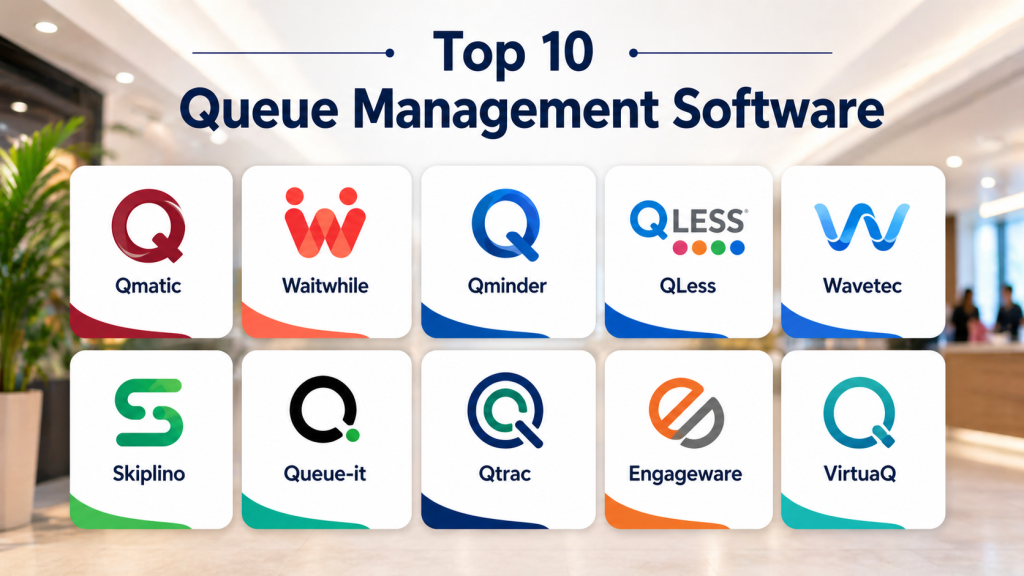
Top 10 Queue Management Software Tools
#1 — Qmatic
Short description: A global leader in queue management solutions, Qmatic offers enterprise-grade systems for managing customer journeys across industries like banking and healthcare.
Key Features
- Customer journey management
- Real-time queue monitoring
- Appointment scheduling
- Analytics dashboards
- Multi-channel communication
- Integration capabilities
Pros
- Enterprise-grade solution
- Strong analytics
Cons
- Expensive
- Complex deployment
Platforms / Deployment
Cloud / Hybrid
Security & Compliance
Not publicly stated
Integrations & Ecosystem
Integrates with enterprise systems and service platforms
- CRM systems
- APIs
- IoT integrations
Support & Community
Enterprise-level support
#2 — Waitwhile
Short description: A modern virtual queue platform designed for businesses to manage waitlists, bookings, and customer flow efficiently.
Key Features
- Virtual queue management
- SMS notifications
- Appointment scheduling
- Real-time analytics
- Mobile-friendly interface
- Multi-location support
Pros
- Easy to use
- Flexible pricing
Cons
- Limited enterprise features
- Cloud dependency
Platforms / Deployment
Web / Cloud
Security & Compliance
Not publicly stated
Integrations & Ecosystem
Supports integrations with business tools
- APIs
- CRM tools
- Messaging platforms
Support & Community
Strong documentation
#3 — Qminder
Short description: A customer flow management platform that helps businesses reduce wait times and improve service delivery with real-time insights.
Key Features
- Real-time queue tracking
- Customer notifications
- Service analytics
- Appointment scheduling
- Staff performance insights
- Multi-channel support
Pros
- Strong analytics
- Easy deployment
Cons
- Subscription-based
- Limited customization
Platforms / Deployment
Cloud
Security & Compliance
Not publicly stated
Integrations & Ecosystem
Supports integration with service systems
- APIs
- CRM integration
- IoT systems
Support & Community
Active support
#4 — QLess
Short description: A virtual queue system that allows customers to join queues remotely and wait without physically standing in line.
Key Features
- Virtual queueing
- Mobile check-in
- Appointment scheduling
- Real-time updates
- Analytics
- Multi-location support
Pros
- Reduces physical crowding
- Improves customer experience
Cons
- Requires user adoption
- Subscription pricing
Platforms / Deployment
Cloud / Mobile
Security & Compliance
Not publicly stated
Integrations & Ecosystem
Integrates with service platforms and systems
- APIs
- CRM tools
- Mobile integrations
Support & Community
Reliable support
#5 — Wavetec
Short description: A comprehensive queue management system designed for large enterprises and government sectors.
Key Features
- Digital signage
- Customer flow management
- Ticketing system
- Real-time analytics
- Multi-branch support
- Appointment scheduling
Pros
- Strong enterprise capabilities
- Scalable
Cons
- Complex setup
- High cost
Platforms / Deployment
Hybrid
Security & Compliance
Not publicly stated
Integrations & Ecosystem
Supports enterprise integrations
- APIs
- IoT devices
- CRM systems
Support & Community
Enterprise support
#6 — Skiplino
Short description: A digital queue management system focused on improving customer experience through virtual queuing and analytics.
Key Features
- Virtual queue system
- Customer notifications
- Analytics
- Appointment booking
- Multi-location support
- Mobile access
Pros
- User-friendly
- Good analytics
Cons
- Limited enterprise features
- Smaller ecosystem
Platforms / Deployment
Cloud
Security & Compliance
Not publicly stated
Integrations & Ecosystem
Supports integration with business systems
- APIs
- CRM tools
Support & Community
Good support
#7 — Queue-it
Short description: A virtual waiting room solution designed for managing high-traffic events like ticket sales and product launches.
Key Features
- Virtual waiting room
- Traffic control
- Queue prioritization
- Analytics
- Scalability
- Security features
Pros
- Handles high traffic
- Reliable performance
Cons
- Niche use cases
- Premium pricing
Platforms / Deployment
Cloud
Security & Compliance
Not publicly stated
Integrations & Ecosystem
Integrates with web platforms
- APIs
- E-commerce systems
Support & Community
Enterprise support
#8 — Qtrac
Short description: A queue management solution focused on improving customer experience and reducing perceived wait times.
Key Features
- Customer flow optimization
- Real-time monitoring
- Analytics
- Notification system
- Multi-location support
- Reporting
Pros
- Improves service quality
- Strong analytics
Cons
- Limited customization
- Pricing varies
Platforms / Deployment
Cloud
Security & Compliance
Not publicly stated
Integrations & Ecosystem
Supports integrations with service systems
- APIs
- CRM tools
Support & Community
Reliable support
#9 — Engageware
Short description: A customer engagement platform that includes queue management, appointment scheduling, and analytics features.
Key Features
- Appointment scheduling
- Queue management
- Analytics
- Customer engagement tools
- Multi-channel communication
- Integration capabilities
Pros
- All-in-one solution
- Strong integrations
Cons
- Complex interface
- Higher cost
Platforms / Deployment
Cloud
Security & Compliance
Not publicly stated
Integrations & Ecosystem
Supports enterprise integrations
- APIs
- CRM systems
- Communication platforms
Support & Community
Enterprise support
#10 — VirtuaQ
Short description: A virtual queue system designed for service centers and public sector organizations to manage customer flow efficiently.
Key Features
- Virtual queueing
- Notifications
- Analytics
- Appointment scheduling
- Multi-location support
- Reporting
Pros
- Easy deployment
- Affordable
Cons
- Limited advanced features
- Smaller ecosystem
Platforms / Deployment
Cloud
Security & Compliance
Not publicly stated
Integrations & Ecosystem
Supports integrations with business tools
- APIs
- CRM systems
Support & Community
Good support
Comparison Table
| Tool Name | Best For | Platform Supported | Deployment | Standout Feature | Public Rating |
|---|---|---|---|---|---|
| Qmatic | Enterprise | Web | Hybrid | Customer journey mgmt | N/A |
| Waitwhile | SMB | Web | Cloud | Virtual queues | N/A |
| Qminder | Analytics | Web | Cloud | Real-time insights | N/A |
| QLess | Virtual queues | Mobile Web | Cloud | Remote check-in | N/A |
| Wavetec | Government | Hybrid | Hybrid | Digital signage | N/A |
| Skiplino | SMB | Web | Cloud | User-friendly | N/A |
| Queue-it | High traffic | Web | Cloud | Virtual waiting room | N/A |
| Qtrac | CX optimization | Web | Cloud | Experience analytics | N/A |
| Engageware | All-in-one | Web | Cloud | Engagement platform | N/A |
| VirtuaQ | Public sector | Web | Cloud | Affordable solution | N/A |
Evaluation & Scoring of Queue Management Software
| Tool Name | Core | Ease | Integrations | Security | Performance | Support | Value | Weighted Total |
|---|---|---|---|---|---|---|---|---|
| Qmatic | 9 | 7 | 9 | 8 | 9 | 9 | 7 | 8.6 |
| Waitwhile | 8 | 9 | 8 | 7 | 8 | 8 | 9 | 8.3 |
| Qminder | 8 | 9 | 8 | 7 | 8 | 8 | 8 | 8.2 |
| QLess | 9 | 8 | 8 | 7 | 8 | 8 | 8 | 8.3 |
| Wavetec | 9 | 7 | 8 | 7 | 9 | 8 | 7 | 8.2 |
| Skiplino | 8 | 8 | 7 | 7 | 8 | 7 | 8 | 7.9 |
| Queue-it | 8 | 8 | 8 | 8 | 9 | 8 | 7 | 8.2 |
| Qtrac | 8 | 8 | 7 | 7 | 8 | 7 | 8 | 7.9 |
| Engageware | 8 | 7 | 9 | 7 | 8 | 8 | 7 | 7.9 |
| VirtuaQ | 7 | 8 | 7 | 7 | 7 | 7 | 9 | 7.7 |
These scores are comparative and highlight relative strengths. Higher scores indicate broader capabilities and scalability, while lower scores reflect simpler or niche solutions. Always evaluate based on your specific needs.
Which Queue Management Software Is Right for You
Solo / Freelancer
Simple tools like Waitwhile and VirtuaQ are easy to deploy and affordable.
SMB
Qminder and Skiplino offer strong usability and analytics.
Mid-Market
QLess and Qtrac provide better automation and scalability.
Enterprise
Qmatic and Wavetec are ideal for large-scale operations.
Budget vs Premium
Budget tools focus on basic queueing, while premium tools offer analytics and integrations.
Feature Depth vs Ease of Use
Advanced platforms provide deep insights but require training, while simpler tools prioritize ease of use.
Integrations & Scalability
Choose tools with strong API support for long-term growth.
Security & Compliance Needs
Organizations should evaluate data protection, access control, and compliance features.
Frequently Asked Questions FAQs
1. What is queue management software
It is a system that organizes and manages customer flow in service environments. It replaces physical queues with structured digital systems.
2. How does it improve customer experience
It reduces wait times and provides clear updates to customers. This improves satisfaction and reduces frustration.
3. What industries use it
Industries include healthcare, retail, banking, government, and telecom. It is used wherever customer flow needs management.
4. What is a virtual queue
A virtual queue allows customers to wait remotely instead of standing in line. They receive notifications when it is their turn.
5. Can it integrate with other systems
Yes, most tools integrate with CRM, POS, and scheduling systems. This improves workflow efficiency.
6. Is it scalable
Yes, modern queue systems are designed to scale across locations and users.
7. How much does it cost
Costs vary depending on features, deployment, and scale. Cloud solutions often use subscription models.
8. Does it reduce wait times
Yes, it optimizes service flow and improves efficiency, reducing both actual and perceived wait times.
9. Is it secure
Most platforms include data protection features, but security depends on vendor and configuration.
10. Can small businesses use it
Yes, many tools are designed for SMBs with simple and affordable features.
Conclusion
Queue Management Software has become a critical tool for businesses aiming to deliver faster, more efficient, and customer-friendly service experiences. By replacing traditional waiting lines with structured digital systems, these platforms help reduce frustration, optimize staff performance, and improve operational efficiency. Modern solutions go beyond simple queue handling by offering analytics, automation, and virtual queuing capabilities that align with evolving customer expectations. The right choice depends on your business size, complexity, and integration needs. Smaller organizations may benefit from lightweight and easy-to-use tools, while enterprises require scalable and feature-rich platforms. It is essential to evaluate usability, integration capabilities, and long-term value before making a decision. Start by shortlisting a few tools, testing them in real scenarios, and validating their impact on customer experience. A well-implemented queue management system can significantly enhance service quality and competitive advantage.

A valuable factor to consider is how clearly these systems communicate wait times to customers. Even when queues are unavoidable, keeping people informed can significantly improve their experience and reduce frustration.