Introduction
Enterprise Social Networks are internal collaboration platforms designed to help employees communicate, share knowledge, collaborate on projects, and build organizational communities within a secure digital workspace. These platforms combine messaging, social feeds, communities, file sharing, employee engagement tools, and enterprise collaboration features into a centralized environment that improves communication across distributed teams and departments.
Modern organizations increasingly rely on Enterprise Social Networks to support hybrid work, remote collaboration, knowledge management, and cross-functional communication. As digital workplaces become more decentralized, businesses need platforms that reduce information silos, improve employee engagement, and enable real-time collaboration while maintaining governance and security controls.
Real-world use cases include:
- Internal employee communication and announcements
- Cross-department collaboration and project discussions
- Knowledge sharing and documentation communities
- Employee engagement and culture-building initiatives
- Hybrid and remote workforce collaboration
Evaluation criteria for buyers:
- Collaboration and communication capabilities
- Integration with productivity and business systems
- Scalability and enterprise performance
- Security and governance controls
- Mobile and remote workforce support
- Community and engagement features
- Search and knowledge management functionality
- AI and automation capabilities
- Ease of onboarding and administration
- Reporting and analytics features
Best for: Enterprises, remote organizations, global teams, healthcare providers, educational institutions, government agencies, and businesses seeking centralized employee collaboration and communication.
Not ideal for: Very small teams relying only on lightweight chat applications or organizations with minimal internal collaboration requirements.
Key Trends in Enterprise Social Networks
- AI-powered enterprise search and knowledge discovery
- Integration of collaboration and workflow automation
- Growth of employee experience and engagement platforms
- Stronger support for hybrid and remote work environments
- Unified communication across messaging, video, and communities
- Expansion of low-code workflow and automation tools
- Personalized employee dashboards and content feeds
- Advanced analytics for engagement and productivity insights
- Increased focus on governance, compliance, and data security
- Integration with generative AI assistants and enterprise copilots
How We Selected These Tools
- Enterprise market adoption and ecosystem maturity
- Communication and collaboration feature completeness
- Integration support across productivity ecosystems
- Security, governance, and compliance capabilities
- Scalability for global organizations
- Employee engagement and community-building functionality
- AI and automation innovation
- Ease of deployment and administration
- Mobile and cross-platform support
- Vendor support quality and long-term viability
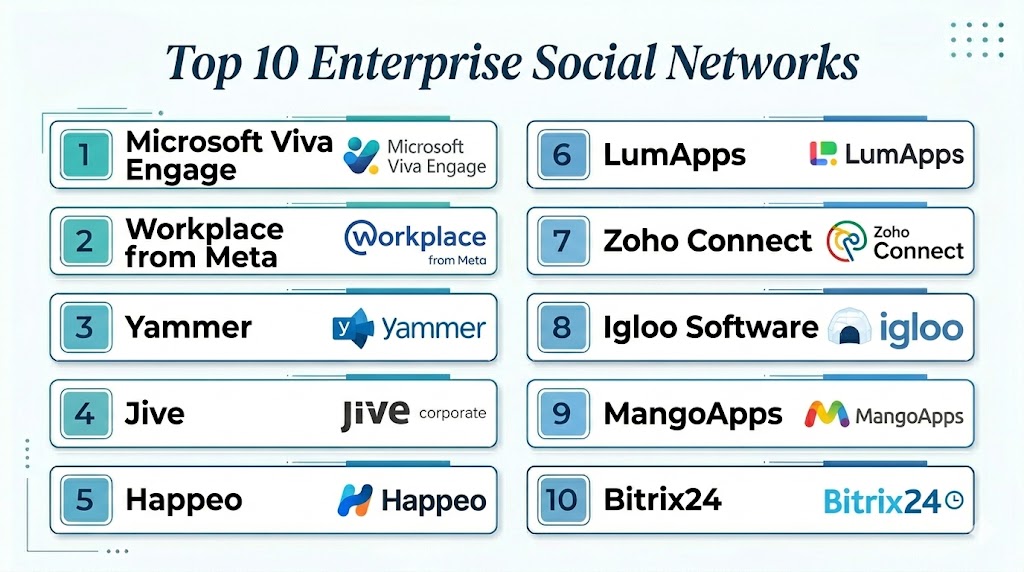
Top 10 Enterprise Social Networks
#1 — Microsoft Viva Engage
Short description: Microsoft Viva Engage, previously known as Yammer, is Microsoft’s enterprise social networking platform designed to improve employee communication, engagement, and community collaboration across organizations. It integrates deeply with Microsoft 365 and Teams.
Key Features
- Enterprise communities and discussion spaces
- Employee engagement and announcements
- Integration with Microsoft Teams
- AI-powered knowledge discovery
- Leadership communication tools
- Enterprise search capabilities
- Mobile collaboration support
Pros
- Strong Microsoft ecosystem integration
- Excellent enterprise scalability
- Familiar user experience for Microsoft users
- Good governance and compliance support
Cons
- Best suited for Microsoft-centric organizations
- Some advanced customization requires administration expertise
- User engagement depends on adoption strategy
Platforms / Deployment
- Web / Windows / macOS / Android / iOS
- Cloud
Security & Compliance
- SOC 2
- ISO 27001
- RBAC and SSO
- GDPR support
- Audit logging
Integrations & Ecosystem
Microsoft Viva Engage integrates tightly with productivity, communication, and collaboration systems across the Microsoft ecosystem.
- Microsoft Teams
- SharePoint
- OneDrive
- Power Platform
- Outlook
Support & Community
- Enterprise support plans
- Large Microsoft partner ecosystem
- Extensive training and documentation
#2 — Workplace from Meta
Short description: Workplace from Meta provides enterprise communication and collaboration features inspired by consumer social networking experiences, helping organizations improve employee engagement and collaboration.
Key Features
- News feed and community spaces
- Video and live streaming support
- Group collaboration and messaging
- Employee engagement analytics
- Mobile-first collaboration tools
- Enterprise communication workflows
Pros
- Familiar social media-style experience
- Strong video and live communication tools
- Easy onboarding for users
- Good mobile experience
Cons
- Privacy concerns for some enterprises
- Heavy dependence on Meta ecosystem
- Limited customization compared to some enterprise platforms
Platforms / Deployment
- Web / Android / iOS
- Cloud
Security & Compliance
- SSO support
- Encryption and governance controls
- GDPR support
Integrations & Ecosystem
- Microsoft 365
- Google Workspace
- Okta
- Enterprise identity providers
Support & Community
- Enterprise onboarding support
- Documentation and training resources
- Large user adoption community
#3 — Slack
Short description: Slack combines team messaging, channels, workflow automation, and collaboration features into a highly scalable enterprise communication platform widely adopted across industries.
Key Features
- Real-time messaging and channels
- Workflow automation
- AI-powered search and summaries
- File sharing and integrations
- Voice and video collaboration
- Enterprise Grid administration
Pros
- Massive integration ecosystem
- Strong developer and automation support
- Excellent usability and onboarding
- Highly scalable enterprise deployment
Cons
- Information overload can become an issue
- Costs increase significantly at scale
- Requires governance management for large deployments
Platforms / Deployment
- Web / Windows / macOS / Linux / Android / iOS
- Cloud
Security & Compliance
- SOC 2
- SSO and RBAC
- Enterprise Key Management
- GDPR support
Integrations & Ecosystem
Slack has one of the largest collaboration integration ecosystems available for enterprise productivity and automation.
- Salesforce
- Google Workspace
- Jira
- GitHub
- Zoom
- Microsoft 365
Support & Community
- Large developer ecosystem
- Extensive documentation
- Enterprise support tiers
- Massive community adoption
#4 — Salesforce Chatter
Short description: Salesforce Chatter is an enterprise social collaboration platform integrated into Salesforce, enabling teams to communicate, collaborate, and share updates around customer and business workflows.
Key Features
- Enterprise social feeds
- CRM-centric collaboration
- File sharing and task management
- Workflow notifications
- Team collaboration spaces
- Mobile collaboration support
Pros
- Deep Salesforce integration
- Good customer-centric collaboration
- Enterprise workflow alignment
- Familiar experience for Salesforce users
Cons
- Best suited for Salesforce environments
- Limited standalone collaboration capabilities
- Smaller ecosystem than Slack or Teams
Platforms / Deployment
- Web / Android / iOS
- Cloud
Security & Compliance
- SOC 2
- SSO and RBAC
- GDPR support
- Audit logging
Integrations & Ecosystem
- Salesforce CRM
- Tableau
- MuleSoft
- Marketing Cloud
- Service Cloud
Support & Community
- Salesforce support ecosystem
- Large enterprise user base
- Training and certification resources
#5 — HCL Connections
Short description: HCL Connections is an enterprise social collaboration platform focused on knowledge sharing, communities, and secure enterprise communication for large organizations.
Key Features
- Community collaboration spaces
- Enterprise content sharing
- Employee engagement tools
- Knowledge management features
- Workflow and task management
- Enterprise search functionality
Pros
- Strong enterprise governance capabilities
- Good knowledge management support
- Flexible deployment options
- Suitable for regulated industries
Cons
- Interface feels dated to some users
- Smaller ecosystem than Microsoft or Slack
- Advanced customization requires expertise
Platforms / Deployment
- Web / Windows / macOS / Android / iOS
- Cloud / Hybrid / Self-hosted
Security & Compliance
- SSO and RBAC
- Encryption and governance controls
- GDPR support
Integrations & Ecosystem
- Microsoft Office
- IBM enterprise systems
- Enterprise identity providers
- Collaboration tools
Support & Community
- Enterprise support plans
- Technical documentation
- Enterprise consulting ecosystem
#6 — Jive
Short description: Jive is an enterprise collaboration and social networking platform designed to improve employee engagement, communication, and knowledge sharing across organizations.
Key Features
- Enterprise communities
- Collaboration and discussions
- Employee engagement analytics
- Knowledge sharing tools
- Personalized activity streams
- Mobile workforce support
Pros
- Strong community-building capabilities
- Good engagement features
- Flexible deployment options
- Mature enterprise collaboration functionality
Cons
- Premium pricing for enterprise deployments
- User interface may feel complex
- Requires strong adoption planning
Platforms / Deployment
- Web / Android / iOS
- Cloud / Hybrid
Security & Compliance
- SSO support
- Encryption and governance controls
- GDPR support
Integrations & Ecosystem
- Microsoft 365
- Salesforce
- Google Workspace
- CRM systems
Support & Community
- Enterprise onboarding services
- Technical support resources
- Community management guidance
#7 — LumApps
Short description: LumApps combines enterprise social networking, intranet functionality, and employee experience management into a modern digital workplace platform.
Key Features
- Social intranet capabilities
- Employee communication hubs
- AI-powered content recommendations
- Personalized employee dashboards
- Mobile collaboration support
- Workflow integrations
Pros
- Strong employee experience focus
- Modern user interface
- Good Google Workspace integration
- AI-powered personalization features
Cons
- Best suited for intranet-centric organizations
- Advanced workflows may require configuration
- Smaller ecosystem than Microsoft platforms
Platforms / Deployment
- Web / Android / iOS
- Cloud
Security & Compliance
- SSO and RBAC
- GDPR support
- Access management controls
Integrations & Ecosystem
- Google Workspace
- Microsoft 365
- Slack
- HR platforms
Support & Community
- Enterprise support plans
- Documentation and onboarding assistance
- Customer success programs
#8 — Zoho Connect
Short description: Zoho Connect is a team collaboration and enterprise social networking platform designed for SMBs and mid-sized organizations needing communication, forums, and workflow collaboration tools.
Key Features
- Team collaboration spaces
- Enterprise forums and discussions
- Task and workflow management
- Employee announcement boards
- File sharing and collaboration
- Mobile communication support
Pros
- Affordable pricing model
- Easy onboarding experience
- Good integration with Zoho ecosystem
- Suitable for SMB collaboration
Cons
- Limited enterprise-scale governance features
- Smaller third-party ecosystem
- Advanced analytics capabilities limited
Platforms / Deployment
- Web / Android / iOS
- Cloud
Security & Compliance
- SSO support
- Encryption and access controls
- GDPR support
Integrations & Ecosystem
- Zoho CRM
- Zoho Projects
- Zoho Mail
- Productivity applications
Support & Community
- Customer support resources
- Documentation and tutorials
- SMB-focused onboarding support
#9 — Bitrix24
Short description: Bitrix24 combines enterprise social networking, collaboration, CRM, project management, and communication tools into a unified business platform.
Key Features
- Social collaboration feeds
- Messaging and video conferencing
- CRM and task management integration
- Workflow automation
- Document collaboration
- Employee communication tools
Pros
- Broad all-in-one functionality
- Good value for SMBs
- Flexible deployment options
- Integrated CRM support
Cons
- Interface can feel crowded
- Learning curve for beginners
- Advanced administration complexity
Platforms / Deployment
- Web / Windows / macOS / Android / iOS
- Cloud / Self-hosted
Security & Compliance
- SSO and RBAC
- Encryption and governance controls
- Access management support
Integrations & Ecosystem
- CRM systems
- Productivity platforms
- Telephony integrations
- Workflow automation tools
Support & Community
- Community forums
- Documentation and tutorials
- SMB support ecosystem
#10 — MangoApps
Short description: MangoApps is a digital workplace and enterprise social networking platform focused on employee communication, collaboration, and knowledge management.
Key Features
- Employee communities and collaboration
- Enterprise communication feeds
- Knowledge sharing and intranet features
- Workflow and task management
- Mobile workforce support
- Employee engagement analytics
Pros
- Strong employee engagement features
- Flexible deployment capabilities
- Good mobile experience
- Unified digital workplace approach
Cons
- Smaller ecosystem than major competitors
- Enterprise customization complexity
- Advanced analytics require configuration
Platforms / Deployment
- Web / Android / iOS
- Cloud / Hybrid
Security & Compliance
- SSO and RBAC
- Encryption and governance controls
- GDPR support
Integrations & Ecosystem
- Microsoft 365
- Google Workspace
- HR systems
- CRM integrations
Support & Community
- Enterprise onboarding services
- Technical documentation
- Customer success support
Comparison Table
| Tool Name | Best For | Platforms Supported | Deployment | Standout Feature | Public Rating |
|---|---|---|---|---|---|
| Microsoft Viva Engage | Microsoft enterprises | Web / Mobile / Desktop | Cloud | Deep Microsoft 365 integration | N/A |
| Workplace from Meta | Employee engagement | Web / Mobile | Cloud | Social media-style collaboration | N/A |
| Slack | Team collaboration | Web / Mobile / Desktop | Cloud | Massive integration ecosystem | N/A |
| Salesforce Chatter | CRM-centric collaboration | Web / Mobile | Cloud | Salesforce-native communication | N/A |
| HCL Connections | Knowledge management | Web / Mobile / Desktop | Hybrid | Enterprise knowledge sharing | N/A |
| Jive | Enterprise communities | Web / Mobile | Hybrid | Community engagement features | N/A |
| LumApps | Employee experience platforms | Web / Mobile | Cloud | AI-powered intranet experience | N/A |
| Zoho Connect | SMB collaboration | Web / Mobile | Cloud | Affordable team collaboration | N/A |
| Bitrix24 | All-in-one business collaboration | Web / Mobile / Desktop | Hybrid | Unified CRM and communication | N/A |
| MangoApps | Digital workplace management | Web / Mobile | Hybrid | Employee engagement and intranet tools | N/A |
Evaluation & Scoring of Enterprise Social Networks
| Tool Name | Core 25% | Ease 15% | Integrations 15% | Security 10% | Performance 10% | Support 10% | Value 15% | Weighted Total |
|---|---|---|---|---|---|---|---|---|
| Microsoft Viva Engage | 9 | 8 | 9 | 9 | 9 | 8 | 8 | 8.6 |
| Workplace from Meta | 8 | 9 | 7 | 7 | 8 | 8 | 8 | 7.9 |
| Slack | 9 | 9 | 10 | 9 | 9 | 9 | 7 | 8.9 |
| Salesforce Chatter | 8 | 7 | 9 | 9 | 8 | 8 | 7 | 8.0 |
| HCL Connections | 8 | 6 | 7 | 9 | 8 | 7 | 7 | 7.5 |
| Jive | 8 | 7 | 8 | 8 | 8 | 8 | 7 | 7.8 |
| LumApps | 8 | 8 | 8 | 8 | 8 | 8 | 8 | 8.0 |
| Zoho Connect | 7 | 8 | 7 | 7 | 7 | 7 | 9 | 7.5 |
| Bitrix24 | 8 | 7 | 7 | 7 | 7 | 7 | 8 | 7.4 |
| MangoApps | 8 | 7 | 7 | 8 | 8 | 7 | 7 | 7.5 |
These scores are comparative and intended to help organizations evaluate communication, collaboration, governance, scalability, and integration capabilities across enterprise social networking platforms.
Which Enterprise Social Network Is Right for You?
Solo / Freelancer
Slack and Zoho Connect provide lightweight collaboration and communication functionality suitable for smaller teams and freelancers.
SMB
Zoho Connect, Bitrix24, and MangoApps offer affordable collaboration capabilities with integrated communication and workflow support.
Mid-Market
LumApps, Jive, and Slack provide stronger employee engagement, integrations, and scalability for growing organizations.
Enterprise
Microsoft Viva Engage, Slack Enterprise Grid, HCL Connections, and Salesforce Chatter are best suited for enterprises needing governance, scalability, and ecosystem integrations.
Budget vs Premium
- Budget-friendly: Zoho Connect, Bitrix24
- Premium enterprise: Slack Enterprise Grid, Microsoft Viva Engage, HCL Connections
Feature Depth vs Ease of Use
- Easier onboarding: Slack, Workplace from Meta, Zoho Connect
- Deep enterprise governance: Microsoft Viva Engage, HCL Connections, Salesforce Chatter
Integrations & Scalability
Organizations with complex productivity ecosystems should prioritize platforms with strong integration support for CRM, workflow automation, and enterprise identity systems.
Security & Compliance Needs
Highly regulated industries should prioritize governance controls, SSO, RBAC, audit logging, and compliance-focused deployment options.
Frequently Asked Questions
1. What is an Enterprise Social Network?
An Enterprise Social Network is an internal communication and collaboration platform that allows employees to share information, communicate, and collaborate within a secure digital workspace.
2. How are Enterprise Social Networks different from chat apps?
Enterprise Social Networks typically include broader community, knowledge-sharing, engagement, and governance capabilities beyond basic messaging and chat functionality.
3. Why are Enterprise Social Networks important?
They improve employee communication, reduce information silos, support hybrid work, and strengthen organizational collaboration and engagement.
4. Are these platforms secure for enterprise use?
Most enterprise platforms provide encryption, SSO, RBAC, governance controls, and compliance support for secure organizational communication.
5. Can Enterprise Social Networks integrate with productivity tools?
Yes. Most platforms integrate with CRM systems, project management tools, cloud storage, HR systems, and collaboration platforms.
6. Which industries benefit most from Enterprise Social Networks?
Large enterprises, healthcare organizations, educational institutions, government agencies, technology companies, and distributed workforces benefit significantly.
7. Are these platforms suitable for remote work?
Yes. Enterprise Social Networks are widely used to support hybrid and remote workforce communication and collaboration.
8. Do Enterprise Social Networks support AI capabilities?
Modern platforms increasingly include AI-powered search, recommendations, summaries, workflow automation, and employee engagement analytics.
9. Can these platforms replace email?
Many organizations use Enterprise Social Networks to reduce internal email usage, though email often remains important for external communication and formal workflows.
10. What should buyers evaluate before choosing a platform?
Organizations should evaluate integrations, governance controls, collaboration features, scalability, security, usability, and alignment with existing productivity ecosystems.
Conclusion
Enterprise Social Networks have evolved into essential digital workplace platforms that support collaboration, employee engagement, communication, and knowledge sharing across modern organizations. From lightweight collaboration platforms for SMBs to enterprise-grade ecosystems integrated with productivity and workflow tools, the best solution depends on your organization’s size, governance requirements, and existing technology stack. Start by identifying your primary communication and collaboration needs, shortlist a few platforms aligned with your productivity ecosystem, and run pilot programs focused on employee adoption, integrations, and governance workflows. A well-implemented Enterprise Social Network can significantly improve organizational collaboration, employee engagement, and operational efficiency across distributed work environments.
