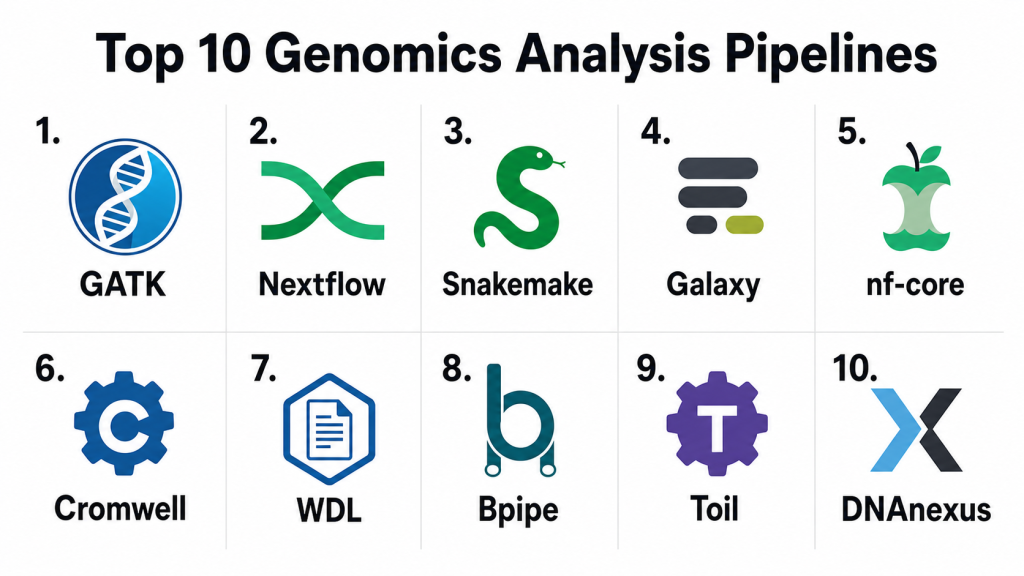
Introduction
Genomics analysis pipelines are structured workflows used to process, analyze, validate, and interpret genomic sequencing data. These pipelines help convert raw sequencing files into meaningful biological insights such as variants, gene expression patterns, copy number changes, structural variants, microbial profiles, or clinical research outputs. Instead of manually running dozens of tools one by one, genomics pipelines organize each step into a repeatable process that improves accuracy, consistency, and scalability.
These tools matter because genomics data is large, complex, and sensitive. Research labs, hospitals, biotechnology companies, pharmaceutical teams, and population genomics projects need pipelines that can handle high-throughput sequencing, reproducible workflows, cloud or HPC execution, containerized environments, workflow tracking, quality control, and secure data management.
Common use cases include:
- Whole genome sequencing analysis
- Whole exome sequencing analysis
- RNA sequencing analysis
- Variant calling and annotation
- Single-cell genomics workflows
- Metagenomics and microbiome analysis
- Clinical research data processing
- Population-scale genomics projects
Buyers should evaluate:
- Workflow reproducibility
- Supported sequencing use cases
- Ease of pipeline development
- Cloud and HPC compatibility
- Container support
- Security and access control
- Data provenance and auditability
- Integration with storage and databases
- Scalability for large datasets
- Community, documentation, and support
Best for: bioinformatics teams, genomics labs, clinical research groups, pharmaceutical companies, biotech startups, academic institutions, population genomics programs, and organizations processing large sequencing datasets.
Not ideal for: teams that only need simple sequence viewing, small manual analysis tasks, or occasional educational demonstrations. In those cases, standalone bioinformatics tools, genome browsers, or lightweight analysis notebooks may be enough.
Key Trends in Genomics Analysis Pipelines
- Cloud-native genomics workflows are becoming more common because sequencing datasets are large and require scalable storage and compute.
- Workflow standardization is a major priority, especially for clinical research, population genomics, and multi-site studies.
- Containerized execution is now expected, with Docker, Singularity, Apptainer, and Conda helping improve reproducibility.
- Nextflow and WDL-based pipelines are widely adopted for portable, scalable, and version-controlled genomics workflows.
- Community-maintained pipelines are gaining trust, especially where peer review, versioning, and transparent development are important.
- AI-assisted interpretation is growing, especially for variant prioritization, disease association, and functional annotation.
- Data security and governance are becoming critical, because genomics data is sensitive and often connected to personal health information.
- Hybrid compute models are expanding, where teams run workflows across laptops, institutional HPC, private cloud, and public cloud.
- Multi-omics pipelines are becoming more important, combining genomics, transcriptomics, epigenomics, proteomics, and clinical metadata.
- Pipeline observability and cost control are now practical concerns, especially for large-scale sequencing and cloud-based research programs.
How We Selected These Tools
- We selected tools that are widely recognized in genomics, bioinformatics, clinical research, and large-scale sequencing workflows.
- We included a balanced mix of workflow engines, pipeline collections, cloud platforms, and user-friendly analysis environments.
- We considered support for common genomics use cases such as WGS, WES, RNA-seq, single-cell, metagenomics, and variant calling.
- We prioritized reproducibility, scalability, workflow portability, and compatibility with modern compute environments.
- We considered whether each tool supports containers, cloud execution, HPC systems, workflow tracking, and automation.
- We included tools that are useful for different user types, from command-line bioinformaticians to clinical research teams.
- We evaluated community strength, documentation, ecosystem adoption, and practical implementation value.
- We avoided guessing ratings, compliance certifications, or enterprise controls where details are not clearly stated.
- We considered both open-source flexibility and enterprise platform convenience.
- We selected tools that can support real-world genomics workloads rather than only small experimental scripts.
Top 10 Genomics Analysis Pipelines Tools
#1 — GATK
Short description: GATK is a widely used genomics analysis toolkit focused on variant discovery and genotyping workflows. It is commonly used for germline variant calling, somatic variant calling, quality control, recalibration, and sequencing data processing. GATK is especially useful for teams working with whole genome, whole exome, and targeted sequencing data. It is best suited for bioinformatics teams that need reliable, research-grade variant analysis workflows.
Key Features
- Germline and somatic variant calling workflows
- Support for whole genome and whole exome sequencing
- Base quality score recalibration workflows
- Variant filtering and refinement capabilities
- Integration with BAM, CRAM, VCF, and genomic data formats
- Works well in scripted and workflow-managed environments
- Strong use in research and clinical genomics pipelines
Pros
- Strong reputation for variant discovery workflows
- Useful for standardized genomics analysis
- Works well with workflow engines such as WDL and Nextflow
- Strong documentation and research adoption
Cons
- Requires bioinformatics expertise
- Can be compute-intensive for large datasets
- Not a full end-to-end genomics platform by itself
- Workflow setup may be complex for beginners
Platforms / Deployment
Linux / macOS / Varies
Self-hosted / Cloud / Hybrid
Security & Compliance
Security depends on where GATK is deployed, such as local servers, HPC systems, or cloud environments. Native enterprise controls such as SSO, RBAC, audit logs, and compliance certifications are not publicly stated as built-in universal features.
Integrations & Ecosystem
GATK fits into many genomics pipelines and is commonly used with workflow engines, sequencing data tools, annotation tools, and cloud platforms. It is often part of larger analysis workflows rather than a standalone interface.
- Works with WDL, Cromwell, Nextflow, and Snakemake workflows
- Supports standard genomics file formats
- Useful with alignment, QC, and annotation tools
- Can run on cloud or HPC infrastructure
- Fits variant calling and clinical research workflows
- Commonly used in reproducible genomics pipelines
Support & Community
GATK has strong documentation, tutorials, and community usage across bioinformatics and genomics research. Support depends on the deployment environment and internal team expertise, but the ecosystem is broad and mature.
#2 — Nextflow
Short description: Nextflow is a workflow orchestration engine used to build scalable, portable, and reproducible data pipelines. It is especially popular in genomics because it supports containers, cloud execution, HPC systems, and version-controlled workflows. Nextflow helps teams run the same pipeline across local machines, clusters, and cloud platforms. It is best suited for bioinformatics teams that need flexible and production-ready workflow automation.
Key Features
- Workflow orchestration for genomics and bioinformatics
- Container support with Docker, Singularity, Apptainer, and Conda
- Runs on local, HPC, and cloud environments
- Strong support for scalable pipeline execution
- Checkpointing and workflow resume capabilities
- Good fit for reproducible pipeline development
- Strong ecosystem through community pipelines
Pros
- Highly scalable and portable
- Strong container and cloud support
- Excellent for production-grade genomics workflows
- Strong community and pipeline ecosystem
Cons
- Requires scripting and workflow design skills
- No simple built-in GUI for non-technical users
- Debugging complex workflows can take time
- Governance depends on deployment setup
Platforms / Deployment
Linux / macOS / Windows via compatible environments / Varies
Self-hosted / Cloud / Hybrid
Security & Compliance
Security depends on the execution environment, cloud account, container registry, storage layer, and access controls. Native compliance features are not publicly stated as universal product capabilities because Nextflow is mainly a workflow engine.
Integrations & Ecosystem
Nextflow has a strong ecosystem for genomics pipeline development and works with many bioinformatics tools, cloud services, container systems, and workflow repositories.
- Works with Docker, Singularity, Apptainer, and Conda
- Supports AWS, Google Cloud, Azure, HPC, and local execution
- Integrates with nf-core pipelines
- Version control friendly
- Works with bioinformatics command-line tools
- Useful for multi-step genomics workflows
Support & Community
Nextflow has strong documentation, community support, training resources, and ecosystem adoption. Enterprise support may be available through related commercial offerings or implementation partners, while open-source users often rely on community knowledge and internal expertise.
#3 — Snakemake
Short description: Snakemake is a Python-based workflow management system used to create reproducible and scalable bioinformatics pipelines. It allows users to define workflow rules, dependencies, inputs, outputs, and execution logic in a transparent structure. Snakemake is especially useful for researchers and bioinformaticians who already work with Python. It is best suited for academic labs, research teams, and technical users who need flexible workflow control.
Key Features
- Python-based workflow definition
- Rule-based pipeline structure
- Automatic dependency resolution
- Local, cluster, and cloud execution support
- Container and environment management support
- Reproducible workflow execution
- Good fit for research pipelines and custom workflows
Pros
- Easy to understand for Python users
- Lightweight and flexible
- Strong fit for academic and research workflows
- Version control friendly
Cons
- Less enterprise-oriented than commercial platforms
- Requires technical skills
- GUI options are limited
- Large-scale production setup may need extra engineering
Platforms / Deployment
Linux / macOS / Windows via compatible environments / Varies
Self-hosted / Cloud / Hybrid
Security & Compliance
Security depends on the infrastructure where Snakemake runs. Native enterprise security features such as SSO, RBAC, audit logs, and compliance certifications are not publicly stated as built-in universal features.
Integrations & Ecosystem
Snakemake integrates well with Python tools, bioinformatics command-line applications, containers, and HPC systems. It is especially useful for teams that want transparent and customizable workflows.
- Native Python ecosystem alignment
- Works with Conda and containers
- Supports cluster and cloud execution
- Integrates with standard bioinformatics tools
- Version control friendly workflow files
- Useful for custom genomics pipelines
Support & Community
Snakemake has strong academic and open-source community support. Documentation and examples are available, but production teams should plan for internal workflow ownership and technical expertise.
#4 — Galaxy
Short description: Galaxy is a web-based genomics and bioinformatics analysis platform designed to make data analysis more accessible. It allows users to run workflows through a graphical interface without deep programming knowledge. Galaxy supports many bioinformatics tools and emphasizes reproducibility, workflow sharing, and data provenance. It is best suited for labs, educators, and research teams that need accessible analysis workflows.
Key Features
- Web-based graphical user interface
- Large collection of integrated bioinformatics tools
- Workflow creation and sharing
- Data provenance tracking
- Support for many omics workflows
- Public and private deployment options
- Good for training, education, and collaborative analysis
Pros
- Beginner-friendly compared with command-line workflows
- Strong focus on reproducibility and transparency
- Useful for teaching and collaborative research
- Reduces coding requirements for many users
Cons
- May be less flexible than scripting-first workflows
- Performance depends on server and deployment setup
- Complex custom pipelines may require administration
- Enterprise governance depends on deployment configuration
Platforms / Deployment
Web
Cloud / Self-hosted / Hybrid
Security & Compliance
Security depends on whether Galaxy is used through a public instance, private deployment, or institutional environment. Access control, authentication, encryption, and audit features should be reviewed based on the specific deployment.
Integrations & Ecosystem
Galaxy has a broad ecosystem of bioinformatics tools and supports workflow sharing, tool wrappers, and reproducible analysis environments.
- Supports many genomics and omics tools
- Works with workflow sharing and reuse
- Useful for training and education
- Can be deployed privately by institutions
- Integrates with data repositories and storage systems
- Supports reproducible analysis histories
Support & Community
Galaxy has a strong community, extensive documentation, training materials, and public learning resources. Institutional deployments may require local administrators, while public instances are easier to access for learning and small analyses.
#5 — nf-core
Short description: nf-core is a community-driven collection of standardized, curated, and reusable genomics pipelines built using Nextflow. It provides ready-to-use workflows for many analysis types such as RNA-seq, variant calling, metagenomics, ChIP-seq, single-cell, and more. nf-core is valuable because it combines best-practice pipeline design with community review and versioning. It is best for teams that want reproducible pipelines without building everything from scratch.
Key Features
- Curated community genomics pipelines
- Built on Nextflow
- Containerized and reproducible workflows
- Standardized pipeline structure
- Support for many omics use cases
- Versioned releases and transparent development
- Strong quality control and reporting practices
Pros
- Saves time compared with building pipelines from scratch
- Strong reproducibility and standardization
- Active community governance
- Works across local, HPC, and cloud environments
Cons
- Requires Nextflow knowledge for deeper customization
- Some pipelines may need parameter tuning
- Not a standalone enterprise platform
- Support is mostly community-driven
Platforms / Deployment
Linux / macOS / Windows via compatible environments / Varies
Self-hosted / Cloud / Hybrid
Security & Compliance
Security depends on the execution environment, storage, compute backend, and access controls. Native enterprise compliance features are not publicly stated as universal capabilities because nf-core is a community pipeline ecosystem.
Integrations & Ecosystem
nf-core works closely with Nextflow and integrates with container systems, cloud platforms, HPC environments, and standard genomics tools.
- Built on Nextflow
- Works with Docker, Singularity, Apptainer, and Conda
- Supports cloud and HPC execution
- Integrates with genomics tools and QC reports
- Version control friendly
- Useful for standardized multi-omics analysis
Support & Community
nf-core has a strong open-source community, documentation, templates, pipeline standards, and user support channels. It is especially valuable for teams that want community-reviewed workflows and reproducible analysis practices.
#6 — Cromwell
Short description: Cromwell is a workflow execution engine commonly used to run workflows written in Workflow Description Language. It is often used for genomics pipelines that need scalable execution, reproducibility, and compatibility with cloud or local compute environments. Cromwell is especially relevant for teams using WDL-based pipelines. It is best suited for bioinformatics groups that need structured workflow execution and scalable data processing.
Key Features
- Workflow execution for WDL-based pipelines
- Local, HPC, and cloud execution support
- Task-level workflow management
- Reproducible analysis execution
- Good fit for large genomics workflows
- Supports metadata tracking
- Useful for standardized pipelines and production workflows
Pros
- Strong fit for WDL workflows
- Useful for scalable genomics execution
- Supports structured workflow management
- Works well in cloud and research environments
Cons
- Requires WDL and workflow management knowledge
- Less beginner-friendly than GUI platforms
- Operational setup can be complex
- Best value depends on technical expertise
Platforms / Deployment
Linux / Varies
Self-hosted / Cloud / Hybrid
Security & Compliance
Security depends on the cloud or local infrastructure used to run Cromwell. Authentication, access control, audit logging, encryption, and compliance must be evaluated at the environment level.
Integrations & Ecosystem
Cromwell is commonly used with WDL workflows and genomics pipelines that need scalable execution, task metadata, and reproducibility.
- Supports WDL pipeline execution
- Works with cloud and local backends
- Fits large-scale genomics workflows
- Integrates with containerized tools
- Supports workflow metadata tracking
- Useful in research and production genomics environments
Support & Community
Cromwell has strong recognition among WDL users and genomics workflow teams. Support is generally community and documentation-driven, though enterprise environments may rely on internal platform engineering teams.
#7 — Terra
Short description: Terra is a cloud-based platform for biomedical research, genomics analysis, collaboration, and large-scale data processing. It allows teams to organize workspaces, run workflows, manage datasets, and collaborate on complex research projects. Terra is especially useful for large research consortia, population genomics, and collaborative cloud-based analysis. It is best suited for teams that need secure, scalable, and shared research environments.
Key Features
- Cloud-based genomics analysis workspaces
- Workflow execution at scale
- Data sharing and collaboration
- Support for WDL-based workflows
- Interactive analysis environments
- Access control and workspace governance
- Useful for large biomedical research projects
Pros
- Strong fit for large collaborative research teams
- Scales well for cloud-based genomics workloads
- Supports workspace-based organization
- Useful for shared datasets and team analysis
Cons
- Requires cloud cost and permission management
- May be complex for small labs
- Users need cloud and workflow knowledge
- Data governance should be carefully planned
Platforms / Deployment
Web
Cloud
Security & Compliance
Security depends on platform configuration, workspace permissions, cloud identity controls, and data governance policies. Buyers should validate authentication, access control, encryption, auditability, and compliance requirements before using sensitive data.
Integrations & Ecosystem
Terra is designed for cloud-based biomedical research and integrates with workflow engines, cloud storage, notebooks, datasets, and analysis environments.
- Supports WDL workflows
- Works with cloud storage and compute
- Provides workspace-based collaboration
- Supports notebook-style analysis
- Useful for large shared datasets
- Fits research consortium workflows
Support & Community
Terra offers documentation and user support resources, with strong relevance in research consortium and biomedical data science environments. Teams should plan onboarding for workflow execution, cloud cost management, and data governance.
#8 — DNAnexus
Short description: DNAnexus is a cloud-based precision health and biomedical data platform used for genomics analysis, data management, collaboration, and regulated research workflows. It supports pipeline execution, large-scale data processing, secure collaboration, and scientific workflow management. DNAnexus is especially useful for organizations that need enterprise-ready genomics infrastructure. It is best suited for biotech, pharma, clinical research, and large genomics programs.
Key Features
- Cloud-based genomics data analysis platform
- Workflow and pipeline execution
- Secure data collaboration
- Large-scale biomedical data management
- Support for regulated research environments
- App and tool ecosystem
- Useful for clinical research and precision health workflows
Pros
- Strong enterprise and biomedical research fit
- Good for secure collaboration and data management
- Scales well for large sequencing datasets
- Useful for regulated and multi-team research projects
Cons
- Pricing and usage can vary by workload
- May be more platform than small labs need
- Cloud governance requires planning
- Customization may require technical support
Platforms / Deployment
Web
Cloud / Hybrid / Varies
Security & Compliance
DNAnexus is positioned for secure biomedical data workflows, but specific compliance requirements should be validated during procurement. Authentication, access controls, encryption, auditability, and regulatory alignment should be confirmed for each deployment and use case.
Integrations & Ecosystem
DNAnexus fits into enterprise genomics and biomedical data environments where secure collaboration, cloud-scale analysis, and workflow execution matter.
- Supports genomics workflows and apps
- Works with cloud storage and compute
- Integrates with biomedical data workflows
- Supports collaboration across teams
- Useful for clinical research pipelines
- Can support custom tools and pipelines
Support & Community
Support is vendor-led through documentation, onboarding, customer success, and enterprise support options. DNAnexus is especially relevant for organizations that need managed cloud infrastructure and secure genomics workflows.
#9 — Seven Bridges
Short description: Seven Bridges is a cloud-based bioinformatics and genomics analysis platform designed for scalable pipelines, data management, and collaborative research. It supports workflow creation, execution, app libraries, and bioinformatics analysis across different use cases. Seven Bridges is useful for teams that want a managed platform with workflow flexibility and collaborative capabilities. It is best suited for research groups, biotech teams, and organizations running cloud-based genomics workloads.
Key Features
- Cloud-based bioinformatics workflow platform
- Library of tools and pipelines
- Visual workflow creation support
- Scalable workflow execution
- Data management and collaboration
- Support for portable workflow standards
- Useful for research and production genomics workflows
Pros
- Strong managed platform experience
- Useful for collaborative genomics analysis
- Supports workflow portability concepts
- Good for teams that want cloud execution without building everything internally
Cons
- Platform cost may be a concern for smaller teams
- Advanced customization may require technical support
- Data governance needs careful setup
- Vendor platform fit should be validated with real workflows
Platforms / Deployment
Web
Cloud / Hybrid / Varies
Security & Compliance
Security controls depend on deployment, subscription, and enterprise agreement. Buyers should confirm access control, encryption, audit logs, data governance, and compliance support before using regulated or sensitive genomic data.
Integrations & Ecosystem
Seven Bridges supports bioinformatics apps, workflows, cloud execution, and collaborative analysis. It is useful for teams that want to combine visual workflow design with scalable cloud infrastructure.
- Supports bioinformatics apps and workflows
- Useful for cloud-scale execution
- Supports collaborative analysis environments
- Can work with portable workflow approaches
- Integrates with data storage and compute resources
- Supports custom applications and workflow design
Support & Community
Support is vendor-led through documentation, platform support, onboarding, and customer success channels. It is most useful for teams that want a managed genomics analysis platform instead of building infrastructure from scratch.
#10 — Illumina Connected Analytics
Short description: Illumina Connected Analytics is a cloud-based platform designed for genomics data analysis, management, and collaboration. It is especially relevant for organizations using Illumina sequencing environments and wanting connected workflows from sequencing output to downstream analysis. The platform supports scalable data processing and structured genomics workflow management. It is best suited for labs and enterprises that want strong sequencing ecosystem alignment.
Key Features
- Cloud-based genomics analysis environment
- Integration with sequencing data workflows
- Support for data management and collaboration
- Pipeline execution and workflow organization
- Useful for sequencing-heavy laboratories
- Scalable storage and compute support
- Strong alignment with sequencing ecosystem workflows
Pros
- Strong fit for Illumina sequencing environments
- Helpful for sequencing data ingestion and analysis
- Cloud-based collaboration and workflow management
- Useful for labs that want connected analysis workflows
Cons
- Best fit may depend on sequencing ecosystem alignment
- Custom workflow flexibility should be validated
- Cloud costs require monitoring
- May not replace all specialized bioinformatics tools
Platforms / Deployment
Web
Cloud
Security & Compliance
Security and compliance details should be validated directly based on subscription, deployment, and intended use case. Buyers should confirm authentication, access controls, encryption, auditability, data retention, and regulatory requirements.
Integrations & Ecosystem
Illumina Connected Analytics fits naturally into sequencing-centered genomics workflows, especially where data is generated from Illumina instruments and needs cloud-based analysis.
- Supports sequencing data workflows
- Works with cloud storage and compute
- Useful for pipeline execution and collaboration
- Aligns with sequencing ecosystem tools
- Supports data management workflows
- Can complement downstream interpretation tools
Support & Community
Support is vendor-led through documentation, platform resources, onboarding, and enterprise support options. It is most useful for organizations that want connected workflows from sequencing data generation to analysis.
Comparison Table
| Tool Name | Best For | Platforms Supported | Deployment | Standout Feature | Public Rating |
|---|---|---|---|---|---|
| GATK | Variant calling and genomic data processing | Linux / macOS / Varies | Self-hosted / Cloud / Hybrid | Germline and somatic variant discovery workflows | N/A |
| Nextflow | Scalable workflow orchestration | Linux / macOS / Windows via compatible environments | Self-hosted / Cloud / Hybrid | Portable and containerized workflow execution | N/A |
| Snakemake | Python-friendly bioinformatics workflows | Linux / macOS / Windows via compatible environments | Self-hosted / Cloud / Hybrid | Rule-based reproducible pipeline design | N/A |
| Galaxy | Accessible web-based genomics analysis | Web | Cloud / Self-hosted / Hybrid | No-code and low-code workflow analysis | N/A |
| nf-core | Standardized community genomics pipelines | Linux / macOS / Windows via compatible environments | Self-hosted / Cloud / Hybrid | Curated Nextflow pipeline ecosystem | N/A |
| Cromwell | WDL workflow execution | Linux / Varies | Self-hosted / Cloud / Hybrid | Scalable WDL pipeline execution | N/A |
| Terra | Collaborative cloud biomedical research | Web | Cloud | Workspace-based genomic analysis | N/A |
| DNAnexus | Enterprise genomics and precision health | Web | Cloud / Hybrid / Varies | Secure cloud genomics data platform | N/A |
| Seven Bridges | Cloud bioinformatics pipelines | Web | Cloud / Hybrid / Varies | Managed workflow and app ecosystem | N/A |
| Illumina Connected Analytics | Sequencing-connected cloud analysis | Web | Cloud | Sequencing ecosystem alignment | N/A |
Evaluation & Scoring of Genomics Analysis Pipelines
| Tool Name | Core 25% | Ease 15% | Integrations 15% | Security 10% | Performance 10% | Support 10% | Value 15% | Weighted Total |
|---|---|---|---|---|---|---|---|---|
| GATK | 9 | 6 | 8 | 5 | 8 | 8 | 8 | 7.60 |
| Nextflow | 9 | 6 | 9 | 5 | 9 | 8 | 9 | 8.00 |
| Snakemake | 8 | 7 | 8 | 5 | 8 | 7 | 9 | 7.55 |
| Galaxy | 8 | 9 | 7 | 6 | 7 | 8 | 8 | 7.75 |
| nf-core | 9 | 7 | 9 | 5 | 8 | 9 | 9 | 8.15 |
| Cromwell | 8 | 5 | 8 | 5 | 8 | 7 | 7 | 6.95 |
| Terra | 8 | 7 | 8 | 8 | 8 | 8 | 6 | 7.50 |
| DNAnexus | 8 | 8 | 8 | 8 | 8 | 8 | 6 | 7.60 |
| Seven Bridges | 8 | 8 | 8 | 7 | 8 | 8 | 6 | 7.50 |
| Illumina Connected Analytics | 8 | 8 | 7 | 7 | 8 | 8 | 6 | 7.35 |
These scores are comparative and should be used as a practical shortlist guide, not as a final scientific ranking. Workflow engines such as Nextflow, Snakemake, and Cromwell score strongly for flexibility and reproducibility but require technical expertise. Managed platforms such as DNAnexus, Seven Bridges, Terra, and Illumina Connected Analytics score well for collaboration, governance, and ease of operation, but may involve higher platform and cloud costs. Community-driven pipelines such as nf-core offer strong value because they reduce the effort of building workflows from scratch. Security scores are conservative because genomics security depends heavily on deployment architecture, cloud configuration, institutional controls, and data governance policies.
Which Genomics Analysis Pipelines Tool Is Right for You?
Solo / Freelancer
Solo bioinformaticians, consultants, and independent researchers usually need flexible, low-cost tools that support custom analysis. Snakemake, Nextflow, GATK, and nf-core are strong choices for technical users. These tools allow deep customization, version control, and reproducible workflow execution without requiring a full enterprise platform.
For users who prefer a graphical interface, Galaxy may be easier to start with. It is especially useful for training, quick analysis, and workflows where coding should be minimized.
SMB
Small biotech companies, research labs, and sequencing service providers need a balance of usability, cost, repeatability, and scalability. Nextflow, nf-core, Galaxy, and Snakemake are strong options for teams with internal bioinformatics skills. DNAnexus or Seven Bridges may be better when the team wants a managed cloud platform and less infrastructure responsibility.
SMBs should focus on workflow repeatability, storage costs, user access management, pipeline validation, and whether the team has enough technical expertise to maintain custom workflows.
Mid-Market
Mid-market genomics organizations often need stronger collaboration, standardization, and workflow governance. Nextflow, nf-core, Terra, DNAnexus, Seven Bridges, and Illumina Connected Analytics are strong candidates depending on cloud strategy and sequencing ecosystem. These tools can help teams manage larger datasets, multiple projects, and shared analysis workflows.
Mid-market buyers should evaluate cloud cost controls, auditability, metadata tracking, integration with LIMS, and support for regulated research workflows.
Enterprise
Enterprise pharmaceutical companies, large diagnostics organizations, national genomics programs, and major research consortia usually need scalable platforms, governance, access control, collaboration, and operational reliability. DNAnexus, Terra, Seven Bridges, Illumina Connected Analytics, Nextflow, nf-core, and Cromwell are strong candidates for enterprise use.
Large organizations may combine managed platforms with workflow engines. For example, a company may run standardized Nextflow or WDL workflows inside a cloud platform with enterprise identity, access control, and data governance.
Budget vs Premium
Budget-focused teams should consider Nextflow, Snakemake, nf-core, GATK, Cromwell, and Galaxy. These tools can provide excellent value, especially when the team has internal technical expertise and access to suitable infrastructure.
Premium buyers should evaluate DNAnexus, Seven Bridges, Terra, and Illumina Connected Analytics if they need managed infrastructure, collaboration, enterprise support, and secure cloud operations. The best choice depends on whether the priority is cost control, speed of deployment, governance, or scalability.
Feature Depth vs Ease of Use
For feature depth and customization, Nextflow, Snakemake, Cromwell, GATK, and nf-core are strong choices. They allow technical teams to design highly specific workflows for different sequencing use cases.
For ease of use, Galaxy, DNAnexus, Seven Bridges, Terra, and Illumina Connected Analytics may be better. These platforms reduce the burden of manual infrastructure setup and make collaboration easier for broader research teams.
Integrations & Scalability
Nextflow and Cromwell are strong choices for large-scale pipeline execution across cloud and HPC environments. Snakemake is excellent for Python-friendly workflows and research pipelines. DNAnexus, Seven Bridges, Terra, and Illumina Connected Analytics offer managed cloud environments for collaboration and data processing.
Teams should evaluate integrations with LIMS, ELN, cloud storage, object storage, container registries, sample tracking systems, annotation tools, genome browsers, and downstream interpretation platforms.
Security & Compliance Needs
Security-sensitive teams should focus on identity management, access control, encryption, audit logs, workspace permissions, cloud region controls, data retention, and data sharing policies. Genomics data is sensitive, so security review should happen before uploading real patient, participant, or proprietary research data.
Managed platforms may offer stronger enterprise controls, but buyers should still validate details directly. Open-source workflow engines can be secure when deployed properly, but the responsibility usually sits with the organization’s IT, cloud, or platform team.
Frequently Asked Questions
1. What is a genomics analysis pipeline?
A genomics analysis pipeline is a structured workflow that processes sequencing data from raw files into usable biological results. It may include quality control, alignment, variant calling, quantification, annotation, reporting, and visualization. Pipelines improve repeatability and reduce manual errors. They are essential for modern sequencing projects because genomic datasets are large and complex.
2. What is the difference between a workflow engine and a pipeline?
A workflow engine runs and manages the steps of a pipeline, while a pipeline is the actual sequence of analysis tasks. Nextflow, Snakemake, and Cromwell are workflow engines. nf-core provides ready-made pipelines built on Nextflow. GATK provides genomics tools and workflows often used inside larger pipelines.
3. Which genomics pipeline tool is best for beginners?
Galaxy is often one of the easiest options for beginners because it provides a web-based interface and reduces the need for coding. It is useful for training, education, and accessible research workflows. Beginners who know Python may also find Snakemake easier than some alternatives. For production workflows, beginners should still get guidance from experienced bioinformaticians.
4. Which tool is best for large-scale genomics projects?
Nextflow, nf-core, Cromwell, Terra, DNAnexus, Seven Bridges, and Illumina Connected Analytics are strong options for large-scale genomics projects. The best choice depends on cloud strategy, workflow language, team expertise, and governance needs. Managed platforms are useful when collaboration and access control matter. Workflow engines are useful when deep customization and portability matter.
5. Are genomics analysis pipelines expensive?
Costs vary depending on software licensing, compute usage, cloud storage, data transfer, support, and team expertise. Open-source workflow tools may reduce licensing costs but still require infrastructure and technical maintenance. Managed cloud platforms may cost more but can reduce operational burden. Teams should estimate total cost based on dataset size, workflow complexity, and frequency of analysis.
6. How do genomics pipelines support reproducibility?
Genomics pipelines support reproducibility by defining each workflow step, tool version, input, output, parameter, and execution environment. Containers, version control, workflow logs, and metadata tracking help teams rerun analyses consistently. Tools like Nextflow, Snakemake, Cromwell, and nf-core are especially useful for reproducible workflows. Reproducibility is critical for research quality and clinical confidence.
7. Can genomics pipelines run in the cloud?
Yes, many genomics pipelines can run in the cloud using platforms or workflow engines that support cloud compute and storage. Nextflow, Cromwell, Terra, DNAnexus, Seven Bridges, and Illumina Connected Analytics are commonly used in cloud-based workflows. Cloud execution helps with scalability but requires cost control and data governance. Teams should plan storage, compute, access, and security before migration.
8. What are common mistakes when building genomics pipelines?
Common mistakes include poor version control, missing documentation, unclear parameters, weak quality control, and lack of reproducibility. Teams may also underestimate compute costs, storage needs, or runtime complexity. Another mistake is building custom workflows without validation against known datasets. A good pipeline should be tested, documented, versioned, and monitored.
9. How important is security in genomics analysis?
Security is very important because genomics data can be sensitive, personal, and difficult to anonymize fully. Teams should protect access, storage, transfers, logs, and collaboration workspaces. Cloud platforms should be reviewed for authentication, encryption, auditability, and data governance. Security should be planned before real participant, patient, or proprietary data is processed.
10. Can genomics pipelines integrate with LIMS or ELN systems?
Yes, many genomics workflows can integrate with LIMS, ELN, sample tracking systems, cloud storage, databases, and reporting tools. Integration may happen through APIs, file exports, metadata tables, workflow triggers, or custom scripts. Managed platforms may provide easier integration options, while open-source tools may require engineering work. Buyers should validate sample metadata flow before production use.
11. Should I choose Nextflow or Snakemake?
Nextflow is often preferred for scalable, containerized, cloud and HPC workflows, especially in large genomics environments. Snakemake is often attractive for Python users and research teams that want transparent rule-based workflows. Both can support reproducible genomics pipelines. The best choice depends on team skills, infrastructure, workflow complexity, and long-term maintenance needs.
12. What are alternatives to genomics analysis pipelines?
Alternatives include standalone bioinformatics tools, manual command-line workflows, genome browsers, statistical notebooks, or managed sequencing analysis apps. These may be enough for small tasks or exploratory work. However, for repeatable sequencing analysis, a pipeline is usually better. Pipelines reduce manual errors, improve tracking, and help teams scale analysis across many samples.
Conclusion
Genomics analysis pipelines are essential for turning complex sequencing data into reliable, reproducible, and meaningful biological insights. The best tool depends on the team’s use case, technical skill, dataset size, cloud strategy, security requirements, and need for collaboration. Nextflow, Snakemake, GATK, nf-core, and Cromwell are strong choices for technical teams that need flexibility and reproducibility, while Galaxy, Terra, DNAnexus, Seven Bridges, and Illumina Connected Analytics are better suited for teams that want accessible or managed environments. No single platform is perfect for every genomics workflow, so buyers should shortlist tools based on sequencing use case, run pilot workflows on real datasets, validate cost and performance, confirm security requirements, and choose the pipeline approach that best fits their research and operational goals.

A useful comparison that breaks down genomics analysis pipelines in a clear and structured way, helping readers understand the key features and differences between leading solutions.