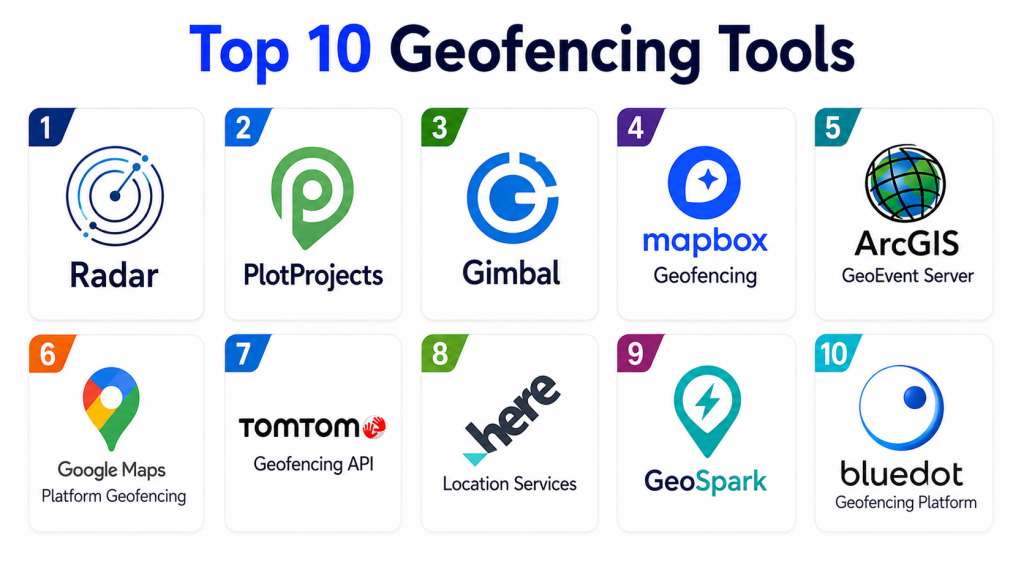
Geofencing Tools help businesses, developers, marketers, logistics teams, field service companies, retailers, security teams, fleet operators, and mobile app teams create virtual boundaries around real-world locations. When a user, vehicle, device, asset, or employee enters, exits, or stays inside a defined area, the system can trigger actions such as push notifications, alerts, attendance logs, route events, marketing campaigns, safety checks, fraud prevention, or operational workflows.
A strong geofencing platform can support location-based marketing, app engagement, store visit detection, asset tracking, delivery arrival alerts, workforce monitoring, fleet compliance, campus safety, smart building automation, and fraud prevention. Modern geofencing tools often combine GPS, Wi-Fi, cellular signals, Bluetooth, SDKs, APIs, maps, rules engines, analytics, and privacy controls to create reliable location-aware experiences.
Why It Matters
Geofencing helps organizations connect digital workflows with physical-world movement. Retailers can send offers when customers enter store areas, logistics teams can confirm arrivals at job sites, field service companies can automate attendance, and app developers can trigger location-based experiences. Without a geofencing tool, teams often rely on manual check-ins, inaccurate location records, delayed updates, or generic location targeting.
For buyers, the right geofencing tool should balance accuracy, scalability, battery efficiency, privacy, integration, and ease of use. Some tools are built for developers, some for advertisers, some for fleet and assets, and some for field workforce operations. That means the best choice depends heavily on whether your use case is marketing, app engagement, logistics, compliance, security, or operations.
Real-World Use Cases
- Retailers sending location-based offers near stores or competitor locations
- Delivery teams triggering arrival and departure events at customer sites
- Field service companies tracking job-site attendance and route activity
- Mobile apps sending contextual notifications based on location
- Fleet operators monitoring vehicles entering restricted or approved zones
- Event teams managing location-based access, alerts, and attendee flow
- Security teams detecting device movement around sensitive zones
- Healthcare and campus teams setting safety boundaries
- Real estate and hospitality brands targeting visitors near key locations
- Logistics teams confirming pickup, drop-off, and warehouse arrival events
Evaluation Criteria for Buyers
- Geofence accuracy and reliability
- Support for circular, polygon, and custom geofences
- Mobile SDK and API quality
- Battery optimization for mobile apps
- Real-time entry, exit, and dwell triggers
- Maps, routing, and location intelligence features
- Fraud prevention and spoofing detection
- Location analytics and visit reporting
- Marketing campaign support
- Fleet, asset, or workforce tracking capabilities
- Privacy, consent, and compliance controls
- Integration with CRM, CDP, marketing automation, fleet, HR, and operations systems
- Ease of setup and admin controls
- Scalability across locations, users, vehicles, or devices
Best for: Retailers, app developers, delivery teams, field service companies, fleets, marketers, security teams, event organizers, and enterprises that need location-triggered automation.
Not ideal for: Teams that only need basic static maps, simple address lookup, or one-time location sharing without automation, analytics, or real-time triggers.
Key Trends in Geofencing Tools
- Privacy-first location workflows: Consent, data minimization, and transparent location permissions are now essential.
- Developer-friendly APIs: Teams want SDKs and APIs that make geofencing easier to embed into mobile and web apps.
- Polygon geofences: Businesses need more accurate boundaries than simple circular radius targeting.
- Battery-efficient tracking: Mobile apps need accurate geofencing without draining user devices.
- Fraud and spoofing prevention: Location-based apps need protection from fake GPS, emulator traffic, and suspicious movement.
- Location intelligence analytics: Geofencing is increasingly used to measure visits, dwell time, route behavior, and store performance.
- Operational automation: Delivery, fleet, and field service teams use geofences to automate arrivals, departures, time logs, and job status.
- Marketing personalization: Brands use geofencing to trigger contextual campaigns around stores, events, and competitor locations.
- Map and routing integration: Geofencing is increasingly connected with maps, ETA, routing, and trip tracking.
- Enterprise governance: Larger teams need roles, audit trails, data controls, and integration with business systems.
How We Selected These Tools
- Strong relevance to geofencing, location intelligence, or location-based automation
- Support for real-time entry, exit, dwell, or location-triggered workflows
- Practical use for apps, marketing, fleet, workforce, logistics, or enterprise operations
- SDK, API, dashboard, or campaign management capabilities
- Accuracy, scalability, and reliability for professional use cases
- Integration potential with business systems
- Analytics and reporting depth
- Privacy and security controls
- Suitability for small teams, developers, and enterprise deployments
- Market credibility and practical adoption across industries
Top 10 Geofencing Tools
1- Radar
Radar is a developer-focused geofencing and location platform built for mobile apps, logistics, retail, restaurants, travel, and on-demand services. It supports geofencing, trip tracking, routing, maps, fraud detection, and location-based events through SDKs and APIs. Radar is especially strong for product and engineering teams that need accurate app-based geofencing with flexible integrations and real-time triggers. It is commonly used when businesses want location intelligence embedded directly into their digital products.
Key Features
- Geofencing SDKs and APIs
- Polygon and custom geofences
- Entry, exit, and dwell events
- Trip tracking and arrival detection
- Fraud and spoofing detection
- Maps and routing APIs
- Real-time webhooks
- Location analytics
- Developer dashboard
- Global location infrastructure
Pros
- Strong developer experience
- Good fit for mobile app geofencing
- Supports operational and marketing use cases
- Flexible APIs and webhooks
Cons
- Best suited for teams with technical resources
- Non-technical marketers may need developer support
- Advanced features may require higher-tier plans
- Pricing depends on usage and scale
Platforms / Deployment
- Cloud-based platform
- iOS and Android SDKs
- APIs and webhooks
- Developer dashboard
Security & Compliance
- Not publicly stated in full detail
- Buyers should verify privacy, consent, data retention, and compliance controls
Integrations & Ecosystem
Radar can integrate with mobile apps, backend systems, CRMs, CDPs, marketing platforms, delivery platforms, analytics tools, maps, and operational dashboards. It is strongest when location events need to power product workflows.
Support & Community
- Developer documentation available
- Vendor support available
- Strong fit for product and engineering teams
2- GroundTruth
GroundTruth is a location-based advertising and marketing platform focused on geofencing, audience targeting, store visits, location insights, and campaign measurement. It is especially useful for retailers, restaurants, franchises, automotive brands, event marketers, and agencies that want to target people based on real-world location behavior. GroundTruth is more marketing-focused than developer SDK-focused, making it practical for advertising teams that want geofence campaigns and foot-traffic insights.
Key Features
- Geofencing advertising
- Location-based audience targeting
- Store visit measurement
- Campaign analytics
- Competitor location targeting
- Real-world behavior insights
- Mobile ad delivery
- Audience segmentation
- Performance reporting
- Brand and agency campaign workflows
Pros
- Strong for location-based advertising
- Useful for retail and local marketing
- Provides campaign and visit measurement
- Good option for agencies and marketers
Cons
- Less suited for developer app geofencing
- Primarily marketing and advertising focused
- Campaign performance depends on targeting strategy
- Pricing varies by campaign scope
Platforms / Deployment
- Cloud-based advertising platform
- Campaign management environment
- Location intelligence and media workflows
Security & Compliance
- Not publicly stated in full detail
- Marketers should review privacy, consent, and audience data policies
Integrations & Ecosystem
GroundTruth fits paid media, retail marketing, franchise campaigns, location-based audience targeting, and store visit measurement workflows. It is best for marketing teams rather than engineering teams building location features.
Support & Community
- Vendor support available
- Campaign support likely available
- Strong fit for marketers and agencies
3- PlotProjects
PlotProjects is a mobile location marketing platform that helps apps trigger location-based messages, campaigns, and engagement workflows through geofencing technology. It is useful for retailers, media apps, loyalty apps, event apps, and brands that want to send push notifications or personalized content when users enter relevant locations. PlotProjects is especially practical for teams that want app-based geofencing for customer engagement.
Key Features
- Mobile geofencing SDK
- Location-based push notifications
- Campaign targeting
- Entry and exit triggers
- Dwell-time support
- Audience segmentation
- Location analytics
- App engagement workflows
- Marketing automation alignment
- Mobile-first campaign setup
Pros
- Strong for mobile marketing use cases
- Good for app engagement campaigns
- Useful for retailers and loyalty programs
- Designed around location-triggered communication
Cons
- Requires mobile app integration
- Less suited for fleet or asset tracking
- Effectiveness depends on app permission rates
- Advanced integrations may require technical support
Platforms / Deployment
- Mobile SDK
- Cloud campaign dashboard
- iOS and Android app workflows
Security & Compliance
- Not publicly stated in full detail
- Buyers should verify privacy, consent, and location data handling
Integrations & Ecosystem
PlotProjects can work with mobile apps, push notification platforms, marketing automation tools, analytics systems, and customer engagement workflows. It is strongest for app-based marketing.
Support & Community
- Vendor support available
- Developer documentation likely available
- Best for app teams and mobile marketers
4- Mapbox Geofencing
Mapbox Geofencing helps developers build applications that respond to location changes around defined geographic boundaries. It is useful for apps that need geofence creation, monitoring, maps, location triggers, and dynamic user experiences on mobile devices. Mapbox is especially strong where geofencing must connect with modern maps, routing, navigation, and custom location experiences.
Key Features
- Geofence creation and management
- Mobile geofence monitoring
- Entry, exit, and stay events
- iOS and Android support
- Mapbox maps integration
- Location-aware app experiences
- APIs for geofence configuration
- Client-side monitoring engine
- Developer tools
- Routing and map ecosystem alignment
Pros
- Strong mapping ecosystem
- Good for custom developer workflows
- Useful when geofencing and maps need to work together
- Flexible for mobile applications
Cons
- Requires developer implementation
- Less suitable for non-technical campaign teams
- Pricing and usage limits should be reviewed
- Advanced analytics may require additional tools
Platforms / Deployment
- Mobile SDKs
- APIs
- Mapbox platform
- iOS and Android app support
Security & Compliance
- Not publicly stated in full detail for every use case
- Buyers should verify data governance, access controls, and privacy settings
Integrations & Ecosystem
Mapbox Geofencing fits apps needing maps, routing, navigation, location triggers, and custom geospatial experiences. It can integrate with mobile backends, dashboards, analytics tools, and operational workflows.
Support & Community
- Developer documentation available
- Mapbox support options available
- Strong developer and geospatial community
5- Google Maps Platform Geofencing API
Google Maps Platform and Android location services support geofencing workflows for apps that need to define geographic boundaries and trigger actions when users enter or exit locations. It is especially relevant for Android developers and teams already building on Google Maps, Places, Routes, and location APIs. The platform is useful for apps that need reliable location context, maps, and geofence-based experiences.
Key Features
- Geofence creation
- Entry and exit triggers
- Android geofencing support
- Maps and Places integration
- Location context workflows
- Mobile app event handling
- Radius-based geofences
- Developer APIs
- Location-based user experiences
- Integration with Google Cloud ecosystem
Pros
- Strong maps and location ecosystem
- Good for Android app developers
- Useful for app-based triggers and location context
- Extensive developer documentation
Cons
- Requires development work
- Geofence limits and platform rules must be considered
- iOS workflows may need additional architecture
- Not a complete marketing campaign platform by itself
Platforms / Deployment
- Android location services
- Google Maps Platform APIs
- Mobile app integration
- Cloud-connected workflows
Security & Compliance
- Security depends on Google account, app permissions, API key controls, and data handling
- Teams should review privacy and consent requirements carefully
Integrations & Ecosystem
Google geofencing workflows integrate with Android apps, Google Maps, Places, Firebase, Google Cloud, analytics, and backend systems. It is best for development teams building custom location-aware applications.
Support & Community
- Extensive documentation
- Large developer community
- Google Cloud support options available
6- Bluedot
Bluedot is a location technology platform focused on precise geofencing, arrival detection, drive-thru, curbside pickup, loyalty, quick service restaurants, retail, and customer experience use cases. It is especially useful for brands that need accurate arrival events and location-triggered service workflows. Bluedot is commonly considered when businesses need geofencing for operational experiences rather than only advertising.
Key Features
- Precise geofencing
- Arrival detection
- Customer location triggers
- Drive-thru and curbside workflows
- Mobile SDK support
- Real-time event triggering
- Dwell and visit insights
- Customer experience automation
- Retail and restaurant workflows
- Location analytics
Pros
- Strong for arrival and pickup experiences
- Good fit for retail and restaurant operations
- Useful for customer experience automation
- Supports app-based geofence triggers
Cons
- Requires mobile app integration
- Best value appears in operational customer journeys
- Not primarily a fleet management platform
- Pricing varies by use case and scale
Platforms / Deployment
- Cloud-based platform
- Mobile SDKs
- APIs and dashboards
- Customer experience workflows
Security & Compliance
- Not publicly stated in full detail
- Buyers should verify privacy, consent, and location data handling
Integrations & Ecosystem
Bluedot can integrate with mobile apps, ordering systems, loyalty platforms, CRM tools, restaurant operations, curbside pickup systems, and customer engagement platforms.
Support & Community
- Vendor support available
- Implementation support likely available
- Best for brands with mobile app and location-triggered service workflows
7- Gimbal
Gimbal is a location and proximity marketing platform focused on geofencing, beacons, mobile engagement, audience insights, and proximity-based customer experiences. It is useful for brands that want to engage users based on physical location, store presence, events, and nearby points of interest. Gimbal is especially relevant for teams that want both geofencing and beacon-powered proximity workflows.
Key Features
- Geofencing
- Beacon-based proximity engagement
- Mobile location intelligence
- Audience segmentation
- Location-triggered messaging
- Visit analytics
- Campaign workflows
- Event and retail engagement
- SDK support
- Customer behavior insights
Pros
- Combines geofencing and beacon capabilities
- Strong for proximity marketing
- Useful for retail, events, and venues
- Supports location-based customer engagement
Cons
- Requires mobile app or campaign integration
- Beacon workflows need hardware planning
- Less suited for fleet or workforce tracking
- Privacy and opt-in strategy are critical
Platforms / Deployment
- Cloud-based platform
- Mobile SDK
- Beacon and geofence ecosystem
- Marketing engagement workflows
Security & Compliance
- Not publicly stated in full detail
- Buyers should verify consent, privacy, and data retention controls
Integrations & Ecosystem
Gimbal can connect with mobile apps, marketing platforms, beacons, customer engagement systems, analytics, and venue-based campaigns. It is strongest for proximity marketing and app engagement.
Support & Community
- Vendor support available
- Implementation guidance likely available
- Useful for retail, venue, and event marketing teams
8- Geoforce
Geoforce is an asset tracking and field operations platform that uses GPS and geofencing to help companies monitor equipment, vehicles, and field assets. It is especially useful for oil and gas, construction, logistics, rental equipment, industrial operations, and remote asset environments. Geoforce is more asset and fleet focused than mobile marketing focused, making it a strong fit for operational tracking and loss prevention.
Key Features
- Asset tracking
- GPS tracking
- Geofence alerts
- Equipment location visibility
- Field asset monitoring
- Vehicle and equipment workflows
- Utilization tracking
- Operational dashboards
- Alerts and reporting
- Rugged asset tracking ecosystem
Pros
- Strong for equipment and asset visibility
- Useful for industrial and field operations
- Helps reduce asset loss and improve utilization
- Good fit for remote and rugged environments
Cons
- Not designed for consumer app marketing
- Hardware may be required
- Best for physical assets and field operations
- Pricing depends on devices and deployment scale
Platforms / Deployment
- Cloud-based tracking platform
- GPS devices and trackers
- Web and mobile access
Security & Compliance
- Not publicly stated in full detail
- Buyers should verify device security, data access, and retention policies
Integrations & Ecosystem
Geoforce fits asset management, fleet tracking, field operations, construction equipment, oilfield operations, rental equipment, and logistics workflows. It can integrate with operations and asset systems depending on implementation.
Support & Community
- Vendor support available
- Hardware and deployment support likely available
- Best for industrial operations teams
9- HERE Technologies Location Services
HERE Technologies provides location services, maps, routing, fleet, tracking, and geospatial APIs that can support geofencing and location-aware applications. It is useful for enterprises building mobility, logistics, automotive, fleet, delivery, smart city, or IoT systems. HERE is especially strong where geofencing needs to connect with routing, maps, ETA, traffic, and enterprise-grade location intelligence.
Key Features
- Location APIs
- Maps and routing
- Fleet and logistics support
- Geofencing workflows through location services
- Traffic and ETA data
- Tracking and positioning
- Developer tools
- Enterprise geospatial services
- Mobility and automotive support
- IoT location workflows
Pros
- Strong enterprise location ecosystem
- Good for logistics, mobility, and fleet apps
- Useful map and routing capabilities
- Suitable for developer-led products
Cons
- Requires technical implementation
- Not a simple marketing campaign tool
- Pricing and API usage need planning
- Geofencing workflows may require architecture design
Platforms / Deployment
- Cloud APIs
- Developer platform
- Web and mobile location services
- Enterprise geospatial deployment
Security & Compliance
- Not publicly stated in full detail for every use case
- Buyers should verify access controls, data usage, and compliance requirements
Integrations & Ecosystem
HERE fits transportation, delivery, automotive, smart city, fleet, IoT, and mobility applications. It can integrate with routing engines, logistics platforms, mobile apps, backend systems, and operational dashboards.
Support & Community
- Developer documentation available
- Enterprise support options available
- Strong location technology ecosystem
10- Esri ArcGIS Geofencing and GeoEvent Workflows
Esri ArcGIS supports geofencing-style workflows through GIS layers, real-time data, spatial analysis, GeoEvent-style processing, and location-aware dashboards. It is useful for public sector, utilities, emergency management, smart cities, campuses, field operations, and asset monitoring teams that already use ArcGIS. Rather than being a simple mobile SDK tool, ArcGIS is strongest when geofences are part of enterprise GIS, maps, sensors, live feeds, and operational dashboards.
Key Features
- GIS-based geofence zones
- Real-time spatial analysis
- Live feed monitoring
- Asset and field data visualization
- Map dashboards
- Spatial rules and alerts
- Enterprise GIS integration
- Field apps and mobile data collection
- Public safety and utilities workflows
- Location intelligence reporting
Pros
- Strong enterprise GIS capabilities
- Excellent for public sector and utilities
- Good for map-based operations and live dashboards
- Works well with spatial data and sensors
Cons
- Requires GIS expertise
- Not a plug-and-play mobile marketing tool
- Licensing can be complex
- Best value appears inside ArcGIS ecosystem
Platforms / Deployment
- ArcGIS Online
- ArcGIS Enterprise
- Real-time GIS workflows
- Web, mobile, and dashboard tools
Security & Compliance
- Security depends on ArcGIS deployment, sharing settings, identity management, and role configuration
- Buyers should verify governance and access controls
Integrations & Ecosystem
ArcGIS fits enterprise GIS workflows involving live maps, geofenced zones, field data, sensors, emergency response, utilities, public works, asset monitoring, and spatial analytics.
Support & Community
- Strong Esri documentation
- Large GIS professional community
- Training and partner ecosystem available
Comparison Table
| Tool Name | Best For | Primary Focus | Deployment | Standout Feature | Public Rating |
|---|---|---|---|---|---|
| Radar | Mobile apps and product teams | Geofencing SDKs and APIs | Cloud / SDK | Developer-ready location automation | Varies / N/A |
| GroundTruth | Retail and location marketing | Geofencing advertising | Cloud | Store visit and campaign measurement | Varies / N/A |
| PlotProjects | Mobile app engagement | Location-based messaging | Cloud / SDK | Push campaigns triggered by geofences | Varies / N/A |
| Mapbox Geofencing | Custom map apps | Maps and geofence APIs | Cloud / SDK | Geofencing tied to modern map experiences | Varies / N/A |
| Google Maps Platform | Android and Google Maps apps | Location context and app triggers | APIs / SDK | Strong Google location ecosystem | Varies / N/A |
| Bluedot | Retail, restaurants, pickup workflows | Precise arrival detection | Cloud / SDK | Customer arrival and curbside automation | Varies / N/A |
| Gimbal | Proximity marketing | Geofencing and beacons | Cloud / SDK | Beacon plus geofence engagement | Varies / N/A |
| Geoforce | Asset and field operations | GPS asset tracking | Cloud / hardware | Rugged asset geofence monitoring | Varies / N/A |
| HERE Technologies | Mobility and logistics apps | Location APIs and routing | Cloud APIs | Enterprise routing and location intelligence | Varies / N/A |
| Esri ArcGIS | GIS and public sector operations | Real-time spatial geofencing | Cloud / enterprise GIS | Map-based geofence analytics | Varies / N/A |
Evaluation and Scoring Table
| Tool | Core 25 | Ease 15 | Integrations 15 | Security 10 | Performance 10 | Support 10 | Value 15 | Weighted Total |
|---|---|---|---|---|---|---|---|---|
| Radar | 9.4 | 8.4 | 9.2 | 8.6 | 9.2 | 8.6 | 8.5 | 8.93 |
| GroundTruth | 8.7 | 8.5 | 8.0 | 8.3 | 8.6 | 8.4 | 8.1 | 8.39 |
| PlotProjects | 8.5 | 8.4 | 8.3 | 8.2 | 8.5 | 8.2 | 8.2 | 8.36 |
| Mapbox Geofencing | 8.9 | 8.0 | 9.1 | 8.5 | 8.8 | 8.4 | 8.2 | 8.61 |
| Google Maps Platform | 8.8 | 8.0 | 9.0 | 8.7 | 8.8 | 8.5 | 8.3 | 8.61 |
| Bluedot | 8.8 | 8.2 | 8.4 | 8.4 | 8.8 | 8.3 | 8.0 | 8.45 |
| Gimbal | 8.3 | 8.2 | 8.0 | 8.2 | 8.3 | 8.1 | 8.0 | 8.18 |
| Geoforce | 8.6 | 8.2 | 8.0 | 8.4 | 8.7 | 8.4 | 8.2 | 8.36 |
| HERE Technologies | 8.8 | 7.8 | 9.0 | 8.6 | 8.9 | 8.5 | 8.1 | 8.56 |
| Esri ArcGIS | 8.7 | 7.6 | 9.2 | 8.8 | 8.8 | 9.0 | 7.9 | 8.54 |
Which Geofencing Tool Is Right for You?
Small Businesses
Small businesses should choose simple tools based on their primary need. If the goal is location-based advertising, GroundTruth may be a practical fit. If the business has a mobile app and wants simple location-triggered engagement, PlotProjects or Radar can be useful. If the need is asset tracking, Geoforce-style tools are more suitable than marketing platforms.
Mobile App Developers
Developers should compare Radar, Mapbox Geofencing, Google Maps Platform, HERE Technologies, and Bluedot. Radar is strong for all-in-one location events, trips, fraud detection, and geofencing. Mapbox and Google are strong when maps and app experiences are central. HERE is strong for logistics, fleet, mobility, and routing-heavy apps.
Retail and Restaurant Brands
Retail and restaurant teams should evaluate GroundTruth, Bluedot, Radar, PlotProjects, and Gimbal. GroundTruth is best for paid media and store visit measurement. Bluedot is strong for arrival detection, curbside pickup, and drive-thru workflows. PlotProjects and Gimbal are useful for app engagement and proximity messaging.
Logistics and Delivery Teams
Logistics teams should prioritize accurate arrival detection, route events, ETA integration, and webhooks. Radar, HERE Technologies, Google Maps Platform, Mapbox, and Geoforce can be strong choices depending on whether the use case is app-based delivery, fleet tracking, or asset monitoring.
Field Service and Workforce Operations
Field teams need job-site arrival tracking, employee location events, compliance workflows, and operational alerts. Geoforce is strong for assets and equipment. Radar, HERE, and Google Maps Platform can support custom field service apps. Workforce-specific platforms may also include geofencing inside attendance and scheduling tools.
Public Sector and Utilities
Public sector, utilities, campuses, and emergency teams should consider Esri ArcGIS when geofencing needs to work with maps, assets, sensors, field crews, and operational dashboards. HERE and Google can support custom mobility workflows, while Radar may fit app-driven citizen or field service experiences.
Marketing Teams
Marketing teams should prioritize campaign setup, audience targeting, reporting, and privacy controls. GroundTruth, Gimbal, PlotProjects, and Bluedot are strong marketing-oriented options. Developer-first tools may still work, but marketing teams will need technical support to use them effectively.
Budget vs Premium
Budget-conscious teams should start with the simplest tool that matches the use case. Developer teams may use Google or Mapbox APIs, while app-focused teams may prefer Radar or PlotProjects. Larger enterprises may need Radar, HERE, ArcGIS, Bluedot, GroundTruth, or Geoforce depending on scale and governance needs.
Feature Depth vs Ease of Use
GroundTruth is easier for ad campaigns, while Radar, Mapbox, Google, and HERE are stronger for developer-led products. Bluedot is strong for operational customer experience, Geoforce is strong for assets, and ArcGIS is strong for GIS-heavy operational environments.
Implementation Playbook
First 30 Days
- Define the main geofencing goal, such as marketing, app engagement, delivery tracking, field service, asset monitoring, or safety alerts.
- List all location types such as stores, warehouses, job sites, restricted zones, event venues, pickup points, or competitor locations.
- Decide whether you need circular geofences, polygon geofences, dynamic geofences, or asset-based zones.
- Identify required triggers such as entry, exit, dwell time, repeat visits, arrival, departure, or route deviation.
- Review mobile app permissions, user consent, privacy policy language, and data retention rules.
- Choose a pilot location group with measurable outcomes.
- Define success metrics such as visits, conversions, arrival accuracy, fewer missed check-ins, reduced delays, or faster alerts.
First 60 Days
- Configure geofences, rules, tags, alerts, webhooks, and campaign logic.
- Test location accuracy across urban, suburban, indoor, and low-signal environments.
- Measure battery impact if using mobile SDKs.
- Integrate events with CRM, CDP, marketing automation, fleet, dispatch, HR, or analytics systems.
- Create dashboards for entry events, exits, dwell time, visits, campaign performance, or operational alerts.
- Train admins, marketers, operators, or developers on workflows.
- Review false positives, false negatives, and edge cases.
First 90 Days
- Expand geofences to more regions, stores, assets, job sites, or campaigns.
- Refine rules based on pilot accuracy and business outcomes.
- Add segmentation for customer type, location category, time of day, route, or asset group.
- Automate reporting for marketing, operations, fleet, or workforce teams.
- Review privacy, consent, and opt-out workflows again before scaling.
- Build standard operating procedures for geofence creation, naming, testing, and removal.
- Measure ROI through visits, conversions, operational savings, compliance improvements, or reduced manual work.
Common Mistakes and How to Avoid Them
- Choosing a tool before defining the use case: Marketing, fleet, app engagement, and asset tracking require different platforms.
- Using only circular geofences: Many real-world locations need polygon boundaries for better accuracy.
- Ignoring location permissions: App-based geofencing depends on user consent and operating system rules.
- Not testing in real environments: Tall buildings, malls, rural areas, tunnels, and poor signal zones can affect accuracy.
- Skipping battery testing: High-frequency tracking can drain devices if not optimized.
- Poor geofence naming: Large programs need clear naming by location, region, campaign, and business function.
- No false-positive review: Entry and exit events should be tested before automation affects customers or operations.
- Over-messaging users: Too many location-triggered notifications can cause opt-outs.
- Ignoring privacy laws: Location data is sensitive and should be handled with clear consent and retention controls.
- No integration plan: Geofence events become more valuable when connected to CRM, dispatch, marketing, or analytics tools.
- Not measuring business impact: Track conversions, time saved, visit lift, route performance, or compliance improvement.
- Treating geofencing as set-and-forget: Geofences need maintenance when stores move, routes change, or campaigns end.
Frequently Asked Questions
1- What is a Geofencing Tool?
A Geofencing Tool creates virtual boundaries around real-world locations and triggers actions when a device, vehicle, user, or asset enters, exits, or stays within that area. These actions can include alerts, messages, logs, workflow updates, or campaign triggers.
2- Who uses Geofencing Tools?
Geofencing tools are used by retailers, marketers, app developers, logistics companies, field service teams, fleet operators, security teams, event organizers, utilities, public agencies, and enterprises that need location-triggered automation.
3- What is the difference between geofencing and GPS tracking?
GPS tracking continuously monitors location, while geofencing focuses on events around defined boundaries. A geofence can trigger an action when a device enters or exits a location, while GPS tracking shows ongoing movement.
4- What is the best Geofencing Tool for mobile apps?
Radar, Mapbox Geofencing, Google Maps Platform, HERE Technologies, Bluedot, and PlotProjects are strong mobile app options. The best choice depends on whether you need developer APIs, marketing triggers, maps, routing, or arrival detection.
5- What is the best Geofencing Tool for marketing?
GroundTruth, PlotProjects, Gimbal, Bluedot, and Radar are strong marketing-oriented options. GroundTruth is especially useful for paid location-based advertising, while PlotProjects and Gimbal are better for app-based engagement.
6- What is polygon geofencing?
Polygon geofencing lets teams draw custom boundaries around real-world locations instead of using simple circles. This improves accuracy for irregular spaces such as stores, campuses, stadiums, parking lots, warehouses, and delivery zones.
7- Can geofencing work indoors?
Geofencing can work indoors, but accuracy may be lower with GPS alone. Indoor use cases may require Wi-Fi, Bluetooth beacons, cellular signals, indoor positioning systems, or specialized location technology.
8- Is geofencing safe for user privacy?
Geofencing can be privacy-safe when organizations collect only necessary data, get clear consent, provide opt-out options, limit retention, protect data, and follow applicable privacy requirements. Location data should always be treated as sensitive.
9- What integrations are important?
Important integrations include CRM, CDP, marketing automation, push notification tools, fleet systems, dispatch software, HR platforms, analytics tools, mobile apps, maps, routing tools, and business intelligence platforms.
10- Which Geofencing Tool is best overall?
There is no single best tool for every use case. Radar is strong for developer-led app geofencing, GroundTruth is strong for advertising, Bluedot is strong for arrival detection, Geoforce is strong for asset tracking, and ArcGIS is strong for GIS-heavy operations.
Conclusion
Geofencing Tools are powerful for connecting real-world movement with digital workflows. The right platform can help teams trigger app experiences, automate arrivals, send location-based campaigns, monitor assets, manage field operations, and improve location intelligence. Radar is a strong choice for developer-led mobile apps, GroundTruth is practical for geofencing advertising, Bluedot supports customer arrival and pickup workflows, Geoforce fits industrial asset tracking, and ArcGIS is useful for GIS-driven operations. Before choosing a tool, define your primary use case, test accuracy in real locations, review privacy and consent requirements, and validate integrations with your existing systems. The best next step is to pilot a small set of geofences, measure business impact, refine rules, and scale only after the workflow proves reliable.

Very informative and well-structured blog on geofencing tools. The comparison of features, pros, and cons is clear and practical, making it easier to understand different location-based tracking and automation solutions.
Great comparison of geofencing tools—this article clearly explains how these platforms help businesses improve location-based targeting, automation, and customer engagement strategies.