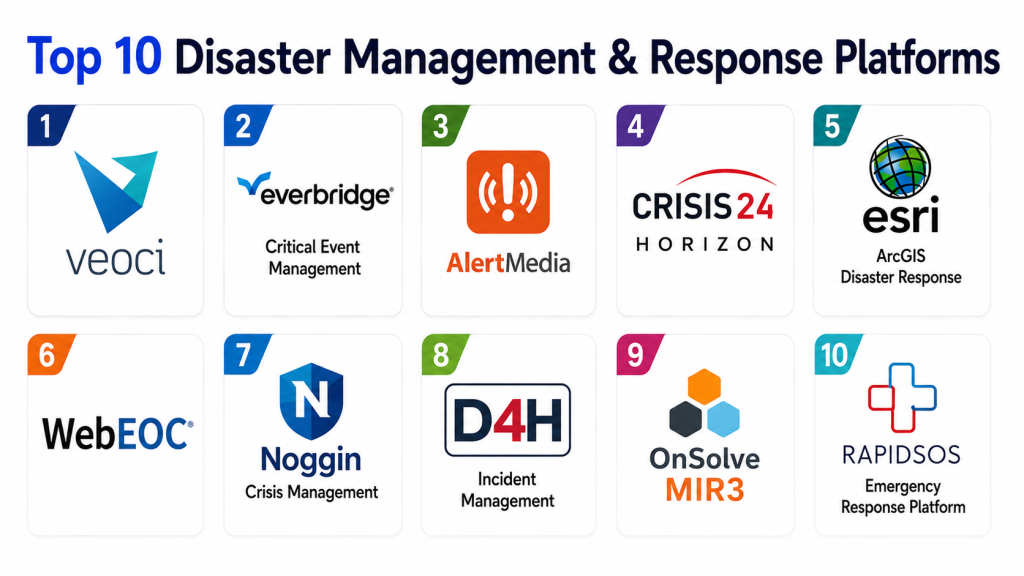
Disaster Management and Response Platforms help emergency management teams, public safety agencies, local governments, utilities, hospitals, universities, airports, enterprises, NGOs, and critical infrastructure teams prepare for, respond to, and recover from disasters. These platforms support incident command, emergency operations centers, situational awareness, mass notification, resource coordination, damage assessment, mapping, task assignment, communication logs, recovery tracking, and after-action reporting.
A strong disaster response platform gives teams a shared operating picture during hurricanes, floods, fires, earthquakes, cyber disruptions, public health emergencies, infrastructure failures, severe weather, and large public incidents. Instead of relying on phone calls, paper forms, spreadsheets, and disconnected chat groups, agencies can use one coordinated system for alerts, plans, dashboards, maps, assignments, documents, and status updates. Emergency management software commonly focuses on situational awareness, team coordination, real-time communication, documentation, and faster decision-making under pressure.
Why It Matters
Disasters move fast, and response teams need accurate information at the right time. When agencies lack a shared platform, teams may duplicate work, miss updates, lose track of resources, delay public alerts, or make decisions using outdated information. A modern disaster management platform helps teams coordinate emergency operations, communicate across departments, document decisions, track resources, manage recovery tasks, and report outcomes after the event.
These tools are especially important for Emergency Operations Centers because they help leaders combine maps, tasks, forms, incident logs, status boards, alerts, plans, documents, and communication channels into one operating environment. D4H describes emergency management software as helping teams create a common operating picture through customizable forms, tasks, logs, maps, and status dashboards, while Veoci positions its emergency management platform as ready-to-run software for modern EOCs.
Real-World Use Cases
- City emergency operations centers coordinating floods, fires, storms, and evacuations
- Disaster management authorities tracking incidents, shelters, teams, and resources
- Hospitals managing surge response, incident command, and emergency communications
- Universities coordinating campus emergencies, closures, alerts, and recovery tasks
- Utilities responding to outages, infrastructure damage, and restoration work
- Airports and transport hubs managing crisis coordination and continuity plans
- NGOs coordinating field teams, supplies, volunteers, and relief operations
- Enterprises managing business continuity, employee safety, and crisis communication
- Public safety teams sharing situational updates across police, fire, EMS, and government agencies
- GIS teams mapping damage, hazards, shelters, assets, and response zones
Evaluation Criteria for Buyers
- Incident command and EOC workflow support
- Common operating picture dashboards
- GIS mapping and spatial awareness
- Mass notification and stakeholder communication
- Task assignment and resource tracking
- Situation reports and incident logs
- Mobile access for field teams
- Forms, checklists, and digital documentation
- Multi-agency collaboration
- Recovery and damage assessment workflows
- Business continuity and crisis plan support
- Integration with weather, GIS, public safety, alerting, and enterprise systems
- Security, role-based access, and audit trails
- Ease of use during high-pressure situations
- Training, implementation, and support readiness
Best for: Emergency management agencies, EOCs, local governments, public safety teams, utilities, hospitals, universities, airports, NGOs, and enterprises that need structured disaster response workflows.
Not ideal for: Very small teams that only need simple alerting, basic contact lists, or manual emergency checklists without complex incident coordination needs.
Key Trends in Disaster Management and Response Platforms
- Common operating picture: Teams need one shared view of incidents, resources, maps, tasks, facilities, shelters, and field updates.
- Mobile field coordination: Responders need to submit updates, photos, forms, and status reports from the field.
- GIS-driven response: Mapping is now central for hazard zones, evacuation routes, shelters, damage reports, assets, and resource staging.
- Mass notification integration: Emergency communications are increasingly connected with response workflows and stakeholder lists.
- No-code workflow configuration: Agencies want configurable forms, boards, tasks, and dashboards without custom development.
- Multi-agency collaboration: Disaster response often involves government, police, fire, EMS, utilities, NGOs, hospitals, and private partners.
- Real-time data feeds: Weather, traffic, sensors, GIS layers, satellite data, and field observations are being pulled into response systems.
- Recovery workflow tracking: Platforms now support damage assessment, reimbursements, repairs, documentation, and long-term recovery tasks.
- Business continuity alignment: Enterprises want crisis response connected to continuity, resilience, and operational risk management.
- AI and analytics support: Some platforms are adding predictive insights, automated summaries, and faster analysis for incident response.
How We Selected These Tools
- Strong relevance to disaster management, crisis response, emergency operations, or incident command
- Practical use for EOCs, agencies, enterprises, utilities, or response teams
- Support for situational awareness, tasking, communications, maps, and documentation
- Ability to coordinate teams during preparedness, response, and recovery
- Mobile and field workflow support
- Integration potential with GIS, alerting, weather, public safety, or enterprise systems
- Security and access control capabilities
- Reporting, after-action, and recovery documentation support
- Vendor credibility in emergency management or crisis response
- Suitability for both planned events and unplanned disasters
Top 10 Disaster Management and Response Platforms
1- Veoci
Veoci is an emergency management, continuity, and operations platform built for EOCs, crisis teams, public-sector agencies, campuses, healthcare organizations, utilities, and enterprises. It supports configurable workflows, dashboards, forms, notifications, tasking, documentation, and collaboration spaces for incident response. Veoci is especially useful for organizations that want a flexible, no-code platform that can adapt to different emergency plans, teams, and operating procedures.
Key Features
- Emergency operations center workflows
- Configurable forms and dashboards
- Incident response rooms
- Task assignments and status tracking
- Notifications and stakeholder communication
- Situation reports and logs
- Business continuity workflows
- Document and plan management
- Multi-team collaboration
- No-code configuration
Pros
- Flexible for different emergency workflows
- Strong fit for EOCs and continuity teams
- Useful for planned and unplanned incidents
- Good option for organizations needing configurable response rooms
Cons
- Configuration requires planning
- Teams need training before real incidents
- Pricing is not publicly standardized
- Best value appears when workflows are well designed
Platforms / Deployment
- Cloud-based platform
- Web access
- Mobile-friendly workflows
- Emergency management and continuity deployment
Security & Compliance
- Not publicly stated in full detail
- Buyers should verify role-based access, audit logs, data hosting, and compliance controls
Integrations & Ecosystem
Veoci can support emergency operations, business continuity, incident management, workflows, notifications, and documentation. It is useful where response teams need a configurable platform across departments and stakeholders.
Support & Community
- Vendor support available
- Implementation and configuration support available
- Best for teams willing to formalize emergency workflows before deployment
2- WebEOC
WebEOC is one of the most recognized emergency operations center platforms for incident management, situational awareness, task assignment, and information sharing. It helps emergency management teams centralize data, manage workflows, coordinate resources, and support daily operations as well as planned and unplanned events. It is especially relevant for government agencies, EOCs, utilities, healthcare systems, and large organizations that need structured incident coordination.
Key Features
- EOC incident management
- Situational awareness boards
- Task assignment
- Resource coordination
- Incident logs
- Information sharing
- Workflow management
- Daily operations support
- Planned event support
- Multi-agency collaboration
Pros
- Strong EOC market presence
- Good fit for public-sector emergency management
- Useful for structured incident workflows
- Supports information sharing across teams
Cons
- Configuration and governance are important
- User experience may depend on implementation
- Training is required for effective use
- Pricing varies by deployment
Platforms / Deployment
- Emergency management software platform
- Deployment varies by organization
- Web-based access commonly used
Security & Compliance
- Not publicly stated in full detail
- Agencies should verify access controls, audit logs, data retention, and compliance requirements
Integrations & Ecosystem
WebEOC is often used as an EOC hub for incident data, tasking, resource status, reports, and partner coordination. It can be aligned with GIS, notification, public safety, and agency systems depending on deployment.
Support & Community
- Vendor support available
- Emergency management user base
- Training and implementation support usually needed
3- Everbridge Critical Event Management
Everbridge Critical Event Management helps organizations identify threats, communicate with stakeholders, coordinate response, and protect people and operations during disasters and disruptions. It is especially strong for mass notification, risk intelligence, crisis communication, and enterprise resilience. Everbridge disaster management solutions focus on clarity, control, communication, and resilience during disaster response.
Key Features
- Critical event management
- Mass notification
- Risk intelligence
- Crisis communication
- Stakeholder alerts
- Incident coordination
- Employee safety workflows
- Business continuity support
- Operational resilience workflows
- Location-aware communication
Pros
- Strong notification and communication capability
- Good fit for enterprises and public-sector crisis teams
- Useful for employee safety and stakeholder outreach
- Supports large-scale critical event workflows
Cons
- Not only an EOC workflow platform
- Configuration and contact data quality are critical
- Advanced capabilities may require broader deployment
- Pricing varies by use case
Platforms / Deployment
- Cloud-based platform
- Web and mobile access
- Enterprise and public-sector deployment
Security & Compliance
- Not publicly stated in full detail
- Buyers should verify security controls, user permissions, and communication data handling
Integrations & Ecosystem
Everbridge can connect crisis communication, risk intelligence, continuity, employee safety, and disaster response workflows. It is strongest where communications and stakeholder notification are central.
Support & Community
- Enterprise support available
- Implementation resources available
- Strong fit for organizations needing resilient communications
4- Crisis24 Horizon
Crisis24 Horizon is a risk intelligence and critical event management platform focused on global threat monitoring, traveler safety, employee protection, and operational risk. It is useful for organizations that need to understand threats before and during crises, including weather disruptions, civil unrest, security events, travel risks, and operational incidents. For disaster management, Horizon is strongest as a risk intelligence and situational awareness layer rather than a traditional EOC task board.
Key Features
- Risk intelligence
- Global threat monitoring
- Critical event alerts
- Traveler and employee safety support
- Location-based risk visibility
- Situation monitoring
- Crisis communication support
- Security operations workflows
- Incident awareness dashboards
- Advisory and intelligence services
Pros
- Strong global risk intelligence
- Useful for enterprises with distributed operations
- Good fit for traveler and employee safety
- Helps teams monitor emerging threats
Cons
- Less focused on local EOC task management
- Best suited for organizations needing intelligence-led response
- May need integration with internal response platforms
- Pricing is not publicly standardized
Platforms / Deployment
- Cloud-based intelligence platform
- Web and mobile access
- Enterprise risk and security operations deployment
Security & Compliance
- Not publicly stated in full detail
Integrations & Ecosystem
Crisis24 Horizon can support corporate security, travel risk, crisis management, and resilience teams by providing risk intelligence and threat awareness. It may be paired with notification, EOC, or continuity systems.
Support & Community
- Vendor support available
- Intelligence and advisory support available
- Best for organizations with global or multi-site risk exposure
5- Esri ArcGIS Disaster Response
Esri ArcGIS Disaster Response supports emergency GIS by providing maps, data, software, configurable apps, and technical support during emergency situations. Esri’s Disaster Response Program offers support for emergency GIS workflows, helping organizations use spatial data for response, recovery, damage assessment, situational awareness, and public information maps. It is especially useful for GIS teams, emergency managers, governments, and utilities that need map-based disaster intelligence.
Key Features
- Emergency GIS mapping
- Disaster response maps
- Configurable apps
- Damage assessment workflows
- Spatial data integration
- Public information dashboards
- Field data collection
- Hazard and asset mapping
- Technical support for emergency GIS
- Situation awareness layers
Pros
- Strongest GIS and mapping ecosystem
- Excellent for spatial disaster awareness
- Useful for governments, utilities, and EOCs
- Supports field collection and public dashboards
Cons
- Not a complete EOC case management tool by itself
- Requires GIS skills for best results
- Licensing and configuration may require planning
- Best used with a clear GIS response strategy
Platforms / Deployment
- ArcGIS Online
- ArcGIS Enterprise
- Field apps and dashboards
- Web and mobile GIS workflows
Security & Compliance
- Security depends on ArcGIS deployment and organization configuration
- Buyers should verify identity, access, sharing, and hosting settings
Integrations & Ecosystem
Esri can integrate with EOC platforms, weather data, field collection, public dashboards, asset systems, imagery, sensors, and government GIS layers. It is a core option for map-heavy disaster response.
Support & Community
- Disaster Response Program support available
- Large GIS community
- Strong documentation and partner ecosystem
6- D4H
D4H is a crisis and emergency management platform designed for incident management, response team readiness, equipment tracking, planning, logs, forms, maps, tasks, and status boards. D4H describes its emergency management software as helping teams create a common operating picture and collaborate through customizable forms, tasks, logs, maps, and dashboards. It is useful for emergency teams, response organizations, local authorities, search and rescue teams, and EOCs that want a practical and user-friendly tool.
Key Features
- Incident management
- Common operating picture
- Digital incident forms
- Communication logs
- Task management
- Status dashboards
- Document library
- Equipment readiness workflows
- Personnel and training tracking
- Mapping support
Pros
- User-friendly emergency management focus
- Strong for response teams and EOCs
- Useful for readiness and incident documentation
- Practical forms and dashboards
Cons
- Advanced enterprise integrations should be validated
- Teams still need clear incident procedures
- Configuration should be tested before deployment
- Pricing depends on requirements
Platforms / Deployment
- Cloud-based platform
- Web access
- Mobile-friendly response workflows
- Emergency management deployment
Security & Compliance
- Not publicly stated in full detail
- Buyers should verify security, audit, access, and data retention controls
Integrations & Ecosystem
D4H can support emergency operations, incident forms, maps, logs, tasking, readiness, and response coordination. It is suitable for teams that need practical response management without unnecessary complexity.
Support & Community
- Vendor support available
- Documentation and onboarding resources available
- Good fit for response teams needing easy adoption
7- Noggin Crisis Management
Noggin is a resilience, crisis, emergency, and incident management platform for organizations that need structured response plans, communication, collaboration, reporting, and operational resilience workflows. It is useful for enterprises, government agencies, critical infrastructure, and organizations that want emergency management connected with risk, safety, continuity, and resilience. Noggin is often evaluated where teams need a configurable platform for different event types and response playbooks.
Key Features
- Crisis management workflows
- Emergency response plans
- Incident management
- Business continuity support
- Risk and resilience workflows
- Task assignments
- Communications and notifications
- Dashboards and reports
- Exercises and preparedness support
- Multi-team collaboration
Pros
- Strong resilience and crisis management orientation
- Good for enterprises and government teams
- Supports preparedness, response, and recovery
- Useful for structured incident playbooks
Cons
- Configuration and governance required
- May be broader than small teams need
- Pricing varies by deployment
- User adoption depends on training
Platforms / Deployment
- Cloud-based resilience platform
- Web access
- Enterprise and public-sector deployment
Security & Compliance
- Not publicly stated in full detail
- Buyers should verify access controls, audit logs, hosting, and compliance requirements
Integrations & Ecosystem
Noggin can connect crisis management, risk, safety, emergency operations, continuity, and resilience workflows into one environment. It is most useful for organizations with mature risk and response programs.
Support & Community
- Vendor support available
- Implementation and training support likely available
- Best for teams building structured resilience programs
8- OnSolve MIR3
OnSolve MIR3 is associated with critical communications, mass notification, emergency alerts, and incident response communication workflows. It is useful for organizations that need to send urgent messages to employees, residents, field teams, suppliers, or stakeholders across multiple channels. While it is not a full GIS-driven EOC platform, it is relevant for disaster management because reliable notification is one of the most important parts of crisis response.
Key Features
- Mass notification
- Emergency alerts
- Multi-channel messaging
- Contact list management
- Incident communication workflows
- Response confirmation
- Escalation rules
- Stakeholder outreach
- Mobile communication support
- Reporting and message logs
Pros
- Strong emergency communication focus
- Useful for employee and stakeholder alerts
- Supports urgent multi-channel messaging
- Good complement to EOC platforms
Cons
- Not a complete incident management suite
- Contact data quality is critical
- May need integration with EOC or continuity tools
- Advanced features depend on configuration
Platforms / Deployment
- Cloud-based notification platform
- Web and mobile access
- Enterprise and public-sector communication workflows
Security & Compliance
- Not publicly stated in full detail
- Buyers should verify message security, user access, and data handling policies
Integrations & Ecosystem
OnSolve MIR3 can support crisis communication, emergency alerts, and response confirmation. It works best when connected with incident response plans, HR data, EOC tools, and stakeholder directories.
Support & Community
- Vendor support available
- Implementation support likely available
- Best for organizations needing dependable emergency messaging
9- RapidSOS Emergency Response Platform
RapidSOS supports emergency response by connecting life-saving data from devices, apps, vehicles, sensors, and connected systems to emergency communications and public safety workflows. It is relevant for 911 centers, emergency responders, public safety agencies, and organizations that need real-time emergency data during incidents. In disaster response, RapidSOS is especially useful as a data layer that improves situational awareness and supports faster emergency decision-making.
Key Features
- Emergency data connectivity
- Public safety data sharing
- Device and app data integration
- Location and incident data support
- 911 center workflows
- Real-time emergency information
- Sensor and connected system support
- Public safety partner ecosystem
- Situational awareness data
- Response support workflows
Pros
- Strong emergency data connectivity
- Useful for public safety communications
- Helps improve real-time response awareness
- Good fit for 911 and emergency response ecosystems
Cons
- Not a full EOC workflow tool
- Best value depends on public safety integrations
- Use case is different from classic disaster management platforms
- Deployment depends on agency ecosystem
Platforms / Deployment
- Emergency response data platform
- Public safety integration environment
- Cloud-connected workflows
Security & Compliance
- Not publicly stated in full detail
- Agencies should verify public safety data handling, access controls, and compliance documentation
Integrations & Ecosystem
RapidSOS is strongest as an emergency data connectivity platform. It can complement CAD, 911, public safety, response, and emergency communications systems by providing additional data to responders.
Support & Community
- Vendor support available
- Public safety implementation support likely available
- Best for emergency communications and response agencies
10- Fusion Framework System
Fusion Framework System supports crisis management, incident management, business continuity, operational resilience, and risk workflows. Fusion’s crisis and incident management tools provide real-time data and analytics to help stakeholders respond effectively. It is especially relevant for enterprises, financial services, healthcare organizations, utilities, and critical infrastructure teams that need disaster response connected to continuity and resilience planning.
Key Features
- Crisis management
- Incident management
- Business continuity planning
- Operational resilience workflows
- Real-time data access
- Analytics and reporting
- Response planning
- Stakeholder collaboration
- Risk and impact visibility
- Recovery tracking
Pros
- Strong enterprise resilience focus
- Useful for continuity and crisis teams
- Good analytics and planning orientation
- Fits organizations with mature risk programs
Cons
- Less focused on public-sector EOC workflows
- May require configuration and governance
- Best suited for enterprise resilience teams
- Pricing varies by scope
Platforms / Deployment
- Cloud-based resilience platform
- Web access
- Enterprise risk, continuity, and crisis deployment
Security & Compliance
- Not publicly stated in full detail
- Buyers should verify compliance, audit, access, and data security controls
Integrations & Ecosystem
Fusion can connect business continuity, crisis response, incident management, risk, and operational resilience workflows. It is a strong fit where disaster response must align with enterprise risk and recovery planning.
Support & Community
- Enterprise support available
- Implementation and training support likely available
- Best for organizations formalizing resilience programs
Comparison Table
| Tool Name | Best For | Primary Focus | Deployment | Standout Feature | Public Rating |
|---|---|---|---|---|---|
| Veoci | EOCs and continuity teams | Configurable emergency workflows | Cloud | No-code emergency response rooms | Varies / N/A |
| WebEOC | Public-sector emergency operations | EOC incident management | Varies / N/A | Situational awareness and tasking | Varies / N/A |
| Everbridge CEM | Enterprise and public alerting | Critical event management | Cloud | Mass notification and risk intelligence | Varies / N/A |
| Crisis24 Horizon | Global risk teams | Risk intelligence and threat monitoring | Cloud | Global situational awareness | Varies / N/A |
| Esri ArcGIS Disaster Response | GIS-led disaster response | Emergency mapping and spatial data | Cloud / enterprise GIS | Maps, data, apps, and GIS support | Varies / N/A |
| D4H | Response teams and EOCs | Incident management and readiness | Cloud | Forms, logs, maps, and status dashboards | Varies / N/A |
| Noggin Crisis Management | Resilience-focused organizations | Crisis and emergency management | Cloud | Integrated resilience workflows | Varies / N/A |
| OnSolve MIR3 | Alerting and communication teams | Mass notification | Cloud | Multi-channel emergency messaging | Varies / N/A |
| RapidSOS Emergency Response Platform | 911 and public safety agencies | Emergency data connectivity | Cloud-connected platform | Real-time emergency data sharing | Varies / N/A |
| Fusion Framework System | Enterprises and critical infrastructure | Crisis, continuity, and resilience | Cloud | Real-time data and resilience analytics | Varies / N/A |
Evaluation and Scoring Table
| Tool | Core 25 | Ease 15 | Integrations 15 | Security 10 | Performance 10 | Support 10 | Value 15 | Weighted Total |
|---|---|---|---|---|---|---|---|---|
| Veoci | 9.0 | 8.5 | 8.6 | 8.5 | 8.7 | 8.6 | 8.4 | 8.68 |
| WebEOC | 9.2 | 7.8 | 8.8 | 8.6 | 8.7 | 8.5 | 8.0 | 8.52 |
| Everbridge CEM | 9.0 | 8.2 | 9.0 | 8.8 | 9.0 | 8.7 | 8.0 | 8.66 |
| Crisis24 Horizon | 8.5 | 8.2 | 8.3 | 8.6 | 8.7 | 8.5 | 7.8 | 8.35 |
| Esri ArcGIS Disaster Response | 8.8 | 7.8 | 9.2 | 8.7 | 9.0 | 9.0 | 8.2 | 8.66 |
| D4H | 8.8 | 9.0 | 8.1 | 8.2 | 8.6 | 8.5 | 8.7 | 8.60 |
| Noggin Crisis Management | 8.7 | 8.0 | 8.4 | 8.5 | 8.5 | 8.3 | 8.0 | 8.35 |
| OnSolve MIR3 | 8.2 | 8.4 | 8.3 | 8.5 | 8.7 | 8.4 | 8.1 | 8.35 |
| RapidSOS Emergency Response Platform | 8.5 | 8.0 | 8.8 | 8.7 | 8.9 | 8.5 | 8.0 | 8.49 |
| Fusion Framework System | 8.5 | 7.8 | 8.5 | 8.6 | 8.5 | 8.4 | 8.0 | 8.34 |
Which Disaster Management and Response Platform Is Right for You?
Small Emergency Teams
Small emergency teams should prioritize ease of use, fast setup, clear incident forms, simple task tracking, and mobile access. D4H is a strong option for response teams that need practical forms, logs, maps, and dashboards. Veoci can also work well if the team needs configurable workflows and plans to formalize response processes.
Local Governments and EOCs
Local governments and EOCs should compare WebEOC, Veoci, D4H, Esri ArcGIS, and Everbridge. WebEOC is strong for traditional EOC operations, Veoci is strong for flexible workflows, D4H is practical for incident coordination, Esri is essential for GIS-driven response, and Everbridge is strong for emergency communications.
Public Safety Agencies
Public safety agencies should prioritize real-time situational awareness, emergency data, CAD alignment, field updates, and interagency collaboration. RapidSOS is especially relevant where emergency data connectivity matters, while WebEOC and D4H can support incident coordination. Esri is valuable when mapping, hazards, and field data are central.
Enterprises and Critical Infrastructure
Enterprises should evaluate Everbridge, Fusion Framework System, Noggin, Crisis24 Horizon, and Veoci. These tools support crisis communication, risk intelligence, business continuity, stakeholder coordination, and resilience workflows. The best fit depends on whether the organization prioritizes notification, continuity, intelligence, or incident command.
GIS and Mapping Teams
GIS-heavy organizations should consider Esri ArcGIS Disaster Response as a core layer for emergency maps, data, dashboards, field collection, and spatial analysis. It is especially useful for damage assessment, shelter mapping, hazard visualization, evacuation planning, and public information dashboards.
NGOs and Humanitarian Teams
NGOs should prioritize field data collection, resource tracking, volunteer coordination, task assignment, and offline or low-connectivity workflows. D4H, Veoci, Esri, and similar platforms can support different parts of humanitarian operations depending on the mission structure.
Budget vs Premium
Budget-focused teams should avoid choosing only by software cost. Emergency response tools must be reliable, easy to use under pressure, secure, and tested before incidents. A lower-cost tool may fail if it cannot support multi-agency workflows, field updates, or critical communications.
Feature Depth vs Ease of Use
D4H is strong for ease of use and practical incident workflows. WebEOC and Veoci are strong for EOC and workflow depth. Everbridge and OnSolve are strong for communication. Esri is strongest for mapping. Fusion, Noggin, and Crisis24 are stronger for enterprise resilience and risk intelligence.
Implementation Playbook
First 30 Days
- Identify your main disaster scenarios, such as flood, fire, storm, earthquake, outage, cyber disruption, public health emergency, or infrastructure failure.
- Map response roles, command structure, escalation paths, and decision authority.
- Define required dashboards, forms, checklists, maps, contacts, shelters, resources, and status boards.
- Build a contact directory for internal teams, external agencies, suppliers, volunteers, and public stakeholders.
- Choose one pilot incident workflow, such as weather response, EOC activation, damage assessment, or shelter coordination.
- Train a small response team on basic navigation, updates, tasks, and communication workflows.
First 60 Days
- Configure incident templates, forms, maps, task boards, notification groups, and situation report formats.
- Test mobile field reporting, photo uploads, resource updates, and approval workflows.
- Integrate GIS layers, weather feeds, contact lists, alerting tools, or asset systems where needed.
- Run a tabletop exercise using realistic incident scenarios.
- Review response time, communication clarity, duplicate work, and dashboard usefulness.
- Update plans based on frontline feedback and leadership review.
First 90 Days
- Expand the platform to additional departments, partner agencies, or facilities.
- Standardize emergency procedures for activation, reporting, escalation, communication, and demobilization.
- Build after-action reporting workflows and recovery tracking dashboards.
- Train backup users and create role-based guides for EOC staff, field teams, leadership, and communications teams.
- Run a second exercise covering a multi-agency or multi-site event.
- Review security, user permissions, audit logs, and data retention.
- Finalize a continuous improvement cycle for plans, forms, maps, and response playbooks.
Common Mistakes and How to Avoid Them
- Buying software without response playbooks: A platform works best when roles, workflows, and escalation paths are already clear.
- Ignoring training and drills: Teams should practice before real disasters, not during the first major incident.
- Overloading dashboards: Too much information can slow decision-making during emergencies.
- Not validating mobile workflows: Field teams need fast, simple, reliable updates from phones or tablets.
- Weak contact data: Notification and coordination tools fail when contact lists are outdated.
- Skipping GIS planning: Maps are only useful when layers, symbols, permissions, and update workflows are prepared in advance.
- No backup communication plan: Teams need procedures for internet outages, phone failures, and system access issues.
- Poor role-based access design: Everyone should not see or edit everything during a sensitive incident.
- Not involving partner agencies: Disasters often involve multiple organizations, so external coordination must be tested.
- Forgetting recovery workflows: Disaster management continues after immediate response, especially for damage assessment, repairs, reimbursements, and reporting.
- Using tools only during major disasters: Regular planned events and exercises help teams stay familiar with the platform.
- Not reviewing after-action data: Logs, tasks, timelines, and reports should improve future preparedness.
Frequently Asked Questions
1- What is a Disaster Management and Response Platform?
A Disaster Management and Response Platform is software that helps teams prepare for, coordinate, respond to, and recover from emergencies. It can include incident command, dashboards, maps, task tracking, alerts, forms, resource coordination, communication logs, and after-action reporting.
2- Who uses Disaster Management and Response Platforms?
These platforms are used by emergency management agencies, EOCs, local governments, police, fire, EMS, utilities, hospitals, universities, airports, NGOs, enterprises, and critical infrastructure teams. Any organization responsible for emergency coordination can benefit from them.
3- How is disaster management software different from mass notification software?
Mass notification software focuses mainly on sending alerts to people. Disaster management software is broader and may include incident logs, tasking, maps, situation reports, resource tracking, recovery workflows, and multi-agency coordination. Some platforms include both.
4- Why is GIS important in disaster response?
GIS helps teams see hazard zones, impacted areas, shelters, evacuation routes, road closures, field reports, resources, and infrastructure assets on a map. Spatial awareness improves decision-making, field coordination, and public information.
5- What features should an EOC look for?
An EOC should look for common operating picture dashboards, incident logs, task assignments, role-based access, situation reports, resource tracking, maps, notifications, document libraries, mobile field updates, and after-action reporting.
6- Can these platforms support recovery after a disaster?
Yes. Many platforms support damage assessments, repair tracking, reimbursement documentation, recovery tasks, volunteer coordination, public assistance workflows, and after-action reporting. Recovery workflows should be configured before disasters occur.
7- Do small agencies need disaster response platforms?
Small agencies may benefit if they coordinate multiple teams, resources, shelters, volunteers, or partner organizations. If the need is only basic alerts, a mass notification tool may be enough, but structured response tools become valuable as complexity grows.
8- What integrations matter most?
Important integrations include GIS, weather feeds, mass notification, CAD, asset systems, HR contact data, public information tools, sensor systems, traffic data, shelter systems, and business continuity platforms. Integration needs depend on the organization’s response model.
9- How should teams prepare before using the platform in a real disaster?
Teams should configure incident templates, contact lists, maps, roles, dashboards, forms, and reports in advance. They should also run tabletop exercises, train backup users, and review workflows after each drill.
10- Which Disaster Management and Response Platform is best overall?
There is no single best platform for every organization. WebEOC is strong for EOC operations, Veoci is strong for configurable workflows, Everbridge is strong for critical communications, Esri is strong for GIS-driven response, D4H is strong for practical incident management, and Fusion or Noggin fit enterprise resilience programs.
Conclusion
Disaster Management and Response Platforms are essential for organizations that need fast coordination, shared situational awareness, reliable communication, and structured recovery workflows during emergencies. The right platform helps teams manage incidents, assign tasks, track resources, map hazards, send alerts, document decisions, coordinate partners, and improve future preparedness. Public-sector EOCs should compare WebEOC, Veoci, D4H, Esri, and Everbridge based on workflow depth, GIS needs, and communication requirements. Enterprises should evaluate Everbridge, Fusion, Noggin, Crisis24, and Veoci based on resilience, risk intelligence, and continuity needs. The best next step is to shortlist platforms based on your disaster scenarios, run tabletop exercises with real users, validate mobile and communication workflows, and refine response plans before the next emergency occurs.

“Really insightful breakdown of disaster management platforms and their real-world applications. The comparison format makes it much easier to understand the strengths of each solution.”