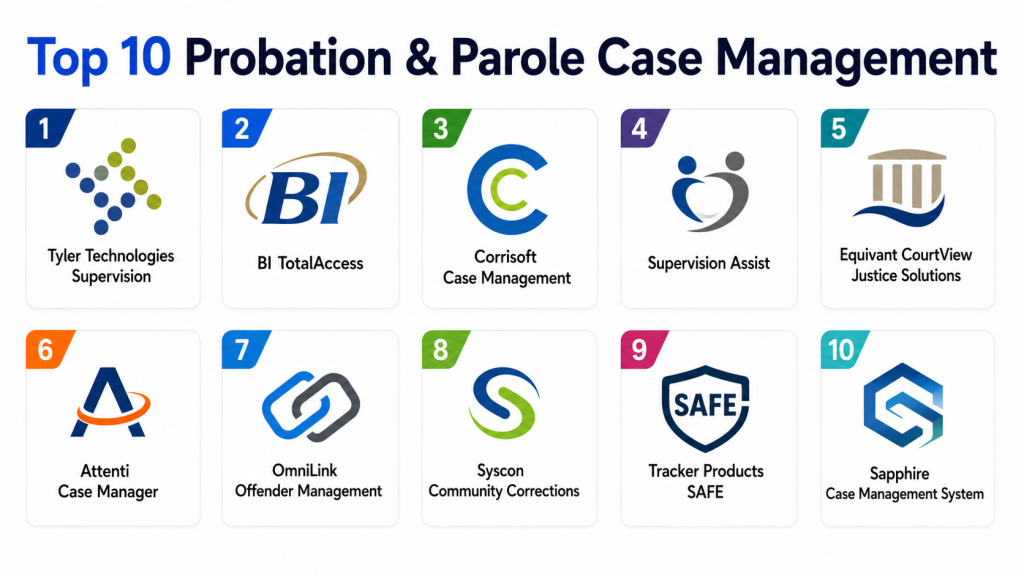
Probation and Parole Case Management Tools help community corrections agencies manage people under supervision, track court-ordered conditions, document officer contacts, monitor compliance, schedule appointments, record violations, manage risk assessments, coordinate treatment referrals, and support rehabilitation-focused case plans. These platforms are designed for adult probation, juvenile probation, parole, pretrial supervision, specialty courts, and community corrections programs. Tyler Technologies describes supervision software as a way to coordinate, communicate, and track pretrial services, adult probation, juvenile probation, parole, and specialty court workflows in a secure web-based environment.
Why It Matters
Community supervision is highly document-heavy and time-sensitive. Officers need fast access to client history, court conditions, appointments, risk levels, drug test results, program referrals, sanctions, incentives, alerts, and progress notes. When these details are scattered across paper files, spreadsheets, emails, and disconnected systems, agencies lose visibility and officers spend too much time on administration. Modern probation and parole case management software helps agencies reduce manual work, improve compliance monitoring, support evidence-based practices, and keep officers focused on client outcomes and public safety. BI TotalAccess, for example, is described as a secure web-based platform that consolidates caseload access, alerts, schedules, client data, and monitoring visibility.
Real-World Use Cases
- Probation officers managing caseloads, appointments, notes, and compliance history
- Parole agencies tracking release conditions, supervision plans, and client progress
- Pretrial programs monitoring court appearances, check-ins, and risk factors
- Juvenile probation teams managing family contact, education, referrals, and sanctions
- Specialty courts coordinating treatment plans, drug testing, hearings, and outcomes
- Community corrections agencies connecting electronic monitoring with case records
- Supervisors reviewing officer activity, caseload balance, alerts, and program performance
- Agencies generating court reports, letters, assessments, and compliance documents
Evaluation Criteria for Buyers
- Adult probation, juvenile probation, parole, and pretrial workflow support
- Risk and needs assessment integration
- Case plan creation and progress tracking
- Appointment scheduling and alerts
- Violation, sanction, incentive, and compliance management
- Electronic monitoring and GPS integration
- Court, jail, RMS, CAD, and justice partner integrations
- Mobile access for field officers
- Secure client communication tools
- Reporting, dashboards, and program analytics
- Role-based access and audit trails
- Configurable forms, letters, and case notes
- Data migration, training, and implementation support
Best for: Probation departments, parole boards, pretrial services, juvenile justice agencies, community corrections programs, specialty courts, and government justice agencies that need structured supervision workflows.
Not ideal for: Very small teams that only need simple note-taking, basic appointment tracking, or generic document storage without supervision-specific compliance needs.
Key Trends in Probation and Parole Case Management Tools
- Real-time supervision visibility: Agencies want dashboards that show compliance status, upcoming appointments, missed contacts, alerts, and officer workload.
- Mobile-first officer workflows: Field officers need mobile access to client profiles, notes, contacts, schedules, and risk information.
- Electronic monitoring integration: Case management is increasingly connected with GPS, alcohol monitoring, mobile check-ins, and location-based alerts.
- Evidence-based practices: Agencies are prioritizing tools that support assessments, case plans, incentives, sanctions, referrals, and behavior-change documentation.
- Client communication tools: Texting, reminders, digital paperwork, mobile apps, and video check-ins can reduce missed appointments and improve engagement.
- Automated documentation: Narrative reports, court letters, case summaries, and compliance documents are being automated to reduce officer paperwork.
- Justice partner connectivity: Courts, treatment providers, labs, law enforcement, and social services need controlled data sharing.
- Program outcome analytics: Agencies want to measure recidivism reduction, completion rates, violations, treatment progress, and supervision efficiency.
- Cloud-based deployment: More agencies are moving to secure web-based systems for easier access, maintenance, and scalability.
- Configurable workflows: Community corrections programs vary widely, so agencies need forms, alerts, case plans, and reporting workflows that can be adapted.
How We Selected These Tools
- Relevance to probation, parole, pretrial, juvenile probation, or community corrections workflows
- Support for case records, supervision plans, alerts, appointments, and compliance tracking
- Ability to connect with courts, electronic monitoring, justice partners, or treatment providers
- Practical value for officers, supervisors, and administrators
- Reporting and dashboard capabilities
- Mobile or field workflow support
- Security, access control, and audit readiness
- Deployment flexibility
- Suitability for small agencies, counties, state programs, or enterprise justice environments
- Availability of implementation, training, and vendor support
Top 10 Probation and Parole Case Management Tools
1- Tyler Technologies Supervision
Tyler Technologies Supervision is a secure web-based SaaS solution for adult probation, juvenile probation, parole, pretrial services, specialty courts, and justice partner coordination. It supports case monitoring, client compliance alerts, dashboards, case plan data, digital signatures, narrative case documents, assessments, forms, letters, and reports. Tyler also describes its platform as helping agencies sync case plan data with third parties such as drug test partners and treatment providers. This makes it a strong fit for courts and supervision agencies that want connected justice workflows.
Key Features
- Adult probation tracking
- Juvenile probation tracking
- Parole supervision workflows
- Pretrial services monitoring
- Specialty court case planning
- Client compliance alerts
- Narrative-style reports, letters, forms, and assessments
- Dashboards for program visibility
- Third-party data synchronization
- Digital signature capture
Pros
- Strong fit for courts and community supervision agencies
- Supports multiple supervision types in one suite
- Useful for agencies needing justice partner coordination
Cons
- May require structured implementation planning
- Best suited for agencies ready for a formal supervision platform
- Pricing is not publicly standardized
Platforms / Deployment
- Web-based SaaS
- Cloud-hosted supervision platform
- Agency deployment varies by configuration
Security & Compliance
- Secure web-based platform is publicly stated
- Detailed certifications should be verified during procurement
Integrations & Ecosystem
Tyler fits well in court and justice environments where probation, parole, pretrial, courts, treatment partners, drug testing partners, and justice agencies need connected information. It is especially useful for agencies already using Tyler justice systems.
Support & Community
- Vendor support available
- Government implementation resources available
- Training and configuration support likely required
2- BI TotalAccess
BI TotalAccess is a secure web-based case management and monitoring platform from BI Incorporated. It is designed to help supervising officers manage clients, alerts, schedules, monitoring data, and BI products from one login. BI describes TotalAccess as combining desktop and mobile visibility with configurable case management services, mobile app support, and predictive analysis. It is especially relevant for agencies that need case management connected with electronic monitoring and client-facing mobile supervision workflows.
Key Features
- Web-based supervision case management
- Caseload access
- Client data management
- Alerts and schedules
- Electronic monitoring visibility
- Mobile app support
- Predictive analysis capabilities
- One-login access to BI products
- Configurable case management services
- Client communication support through related tools
Pros
- Strong electronic monitoring ecosystem
- Useful for parole, probation, and pretrial monitoring
- Good fit for agencies using BI devices and mobile supervision tools
Cons
- Best value appears inside BI monitoring ecosystem
- Agencies should validate integration with existing CMS or RMS tools
- Pricing varies by contract and monitoring scope
Platforms / Deployment
- Secure web-based software
- Desktop and mobile access
- Works with BI monitoring products
Security & Compliance
- Secure web-based platform is publicly stated
- Agencies should verify detailed security controls and compliance documentation
Integrations & Ecosystem
BI TotalAccess is tightly connected with BI’s monitoring devices and mobile supervision tools. It is useful for agencies that want case management, monitoring alerts, client schedules, and electronic monitoring data in one supervision environment.
Support & Community
- Vendor support available
- Monitoring program support available
- Strong fit for agencies managing electronic supervision programs
3- Corrisoft Case Management
Corrisoft Case Management supports community corrections, electronic monitoring, and rehabilitation-focused supervision workflows. It is commonly associated with tools for managing individuals under supervision, supporting accountability, and coordinating case activity. Agencies may use Corrisoft-style solutions when they want to combine client monitoring, supervision events, communications, and program compliance into one operational workflow. Public details vary by product package, so buyers should validate capabilities directly before procurement.
Key Features
- Client supervision records
- Case activity tracking
- Compliance monitoring
- Appointment and event management
- Electronic monitoring alignment
- Client communication support
- Program progress tracking
- Officer notes and documentation
- Alert workflows
- Reporting support
Pros
- Strong fit for community corrections environments
- Useful when supervision and monitoring need to work together
- Practical for agencies focused on accountability and rehabilitation
Cons
- Publicly available feature details may vary
- Agencies should verify integrations before purchase
- May require implementation support for workflow design
Platforms / Deployment
- Deployment varies by agency and product package
- Web-based or cloud workflows may be available
- Mobile support should be verified
Security & Compliance
- Not publicly stated in full detail
Integrations & Ecosystem
Corrisoft Case Management can be evaluated for agencies that need supervision, monitoring, compliance tracking, and client engagement workflows. Buyers should confirm whether it integrates with existing court, monitoring, jail, and reporting systems.
Support & Community
- Vendor support availability should be verified
- Implementation support may be required
- Best for agencies needing community corrections workflow alignment
4- Supervision Assist
Supervision Assist is a probation and parole case management option for agencies that need structured caseload tracking, officer activity records, client history, and compliance workflows. It can be useful for teams looking to organize supervision information, document contacts, manage schedules, and reduce manual paperwork. Because public product details may be limited, agencies should use demos and procurement discussions to validate core workflow coverage.
Key Features
- Caseload management
- Client profile tracking
- Officer notes and contact history
- Appointment management
- Compliance tracking
- Violation documentation
- Court condition tracking
- Reporting workflows
- Supervisor visibility
- Configurable case records
Pros
- Practical for supervision-focused case tracking
- Useful for agencies moving away from manual records
- Can support officer documentation workflows
Cons
- Public product details may be limited
- Integration capabilities should be confirmed
- May not be as broad as larger justice suites
Platforms / Deployment
- Deployment details vary
- Web and desktop support should be verified
- Mobile availability should be confirmed during demos
Security & Compliance
- Not publicly stated
Integrations & Ecosystem
Supervision Assist should be evaluated based on how well it connects to court records, electronic monitoring systems, reporting tools, and agency databases. Integration requirements should be documented before selection.
Support & Community
- Support details should be confirmed with the vendor
- Training may be required for officers and administrators
- Best for agencies seeking focused supervision case management
5- Equivant CourtView Justice Solutions
Equivant CourtView Justice Solutions are commonly associated with court and justice workflows, including case management, court operations, and related justice agency processes. For probation and parole case management, Equivant can be relevant where supervision workflows need to align with courts, hearings, orders, conditions, and justice records. Agencies should evaluate its supervision-specific functionality carefully, especially if the goal is to connect court case management with probation workflows.
Key Features
- Court and justice case workflows
- Case records and party information
- Court order and condition visibility
- Hearing and case activity support
- Justice partner coordination
- Document and workflow management
- Reporting support
- Configurable agency processes
- Role-based access potential
- Public sector justice alignment
Pros
- Strong court and justice environment fit
- Useful where probation workflows need court alignment
- Good option for agencies already using Equivant systems
Cons
- Supervision-specific capabilities should be verified
- May require configuration for probation or parole workflows
- Pricing and deployment vary by agency
Platforms / Deployment
- Court and justice software environment
- Deployment varies by agency
- Web, hosted, or agency-specific deployment should be confirmed
Security & Compliance
- Not publicly stated in full detail
Integrations & Ecosystem
Equivant may be useful when supervision data needs to connect with court case records, orders, hearings, payments, and justice partner workflows. Agencies should verify integration with electronic monitoring, treatment providers, and reporting systems.
Support & Community
- Vendor support available
- Court and justice implementation support likely available
- Best for agencies in court-connected environments
6- Attenti Case Manager
Attenti Case Manager is relevant for agencies that need case management connected to electronic monitoring, location tracking, and community supervision workflows. Attenti is known in the offender monitoring and supervision technology space, so its case management capabilities may support agencies handling monitored clients, compliance events, alerts, and field supervision. Buyers should validate exact case management features, mobile workflows, and integration options during evaluation.
Key Features
- Supervision case records
- Electronic monitoring alignment
- Location and compliance event support
- Alert management
- Client schedule tracking
- Officer workflow support
- Case notes and documentation
- Monitoring status visibility
- Reporting support
- Program oversight workflows
Pros
- Strong fit for agencies using monitoring technology
- Useful for compliance-driven supervision
- Can support high-risk or location-monitored caseloads
Cons
- Best value may depend on Attenti ecosystem usage
- Agencies should confirm integrations with courts and RMS tools
- Public feature details may vary
Platforms / Deployment
- Deployment varies by product and agency setup
- Web-based monitoring and supervision workflows may apply
- Mobile support should be verified
Security & Compliance
- Not publicly stated in full detail
Integrations & Ecosystem
Attenti Case Manager should be evaluated where electronic monitoring, alerts, supervision activity, and client compliance data need to be visible to officers and supervisors in one workflow.
Support & Community
- Vendor support available
- Monitoring program support likely available
- Best for agencies managing electronic monitoring programs
7- OmniLink Offender Management
OmniLink Offender Management is positioned around offender supervision and electronic monitoring workflows. It is useful for agencies managing individuals under community supervision where location data, check-ins, alerts, and case information need to be connected. The platform can be relevant for probation, parole, pretrial, and community corrections teams looking for supervision visibility and monitoring support. Buyers should confirm current product availability, integration options, and detailed case management depth.
Key Features
- Offender supervision records
- Electronic monitoring support
- Compliance event tracking
- Alert visibility
- Client schedule management
- Officer case notes
- Location-related supervision workflows
- Caseload oversight
- Reporting support
- Community corrections alignment
Pros
- Useful for monitoring-centered supervision
- Supports community corrections use cases
- Can help officers track compliance events
Cons
- Detailed public feature information may be limited
- Agencies should verify integration and reporting depth
- May require monitoring ecosystem alignment
Platforms / Deployment
- Deployment varies
- Monitoring and case management workflows may be web-based
- Mobile access should be verified
Security & Compliance
- Not publicly stated
Integrations & Ecosystem
OmniLink Offender Management can be evaluated for agencies that need offender monitoring, compliance tracking, and case visibility connected with broader supervision workflows.
Support & Community
- Vendor support should be verified
- Implementation support may be required
- Best for agencies with monitoring-heavy supervision programs
8- Syscon Community Corrections
Syscon Community Corrections is relevant for agencies managing offender lifecycle workflows across corrections, parole, probation, and community supervision. Syscon is often evaluated in larger justice and corrections environments where offender information, case plans, releases, movements, conditions, and supervision records must be connected. It can be a strong fit for multi-jurisdictional or large-scale correctional organizations that need structured offender management across custody and community settings.
Key Features
- Community corrections case workflows
- Offender lifecycle tracking
- Probation and parole information management
- Case plans and supervision records
- Conditions and compliance tracking
- Agency reporting workflows
- Multi-jurisdiction support potential
- Corrections system alignment
- Role-based access potential
- Administrative oversight
Pros
- Strong fit for larger corrections environments
- Useful when custody and community supervision data need connection
- Suitable for complex offender lifecycle workflows
Cons
- May be too broad for small probation offices
- Implementation can require planning and configuration
- Public feature details should be validated directly
Platforms / Deployment
- Corrections and justice software deployment
- Deployment varies by agency
- Enterprise environment support may be available
Security & Compliance
- Not publicly stated in full detail
Integrations & Ecosystem
Syscon Community Corrections may be most valuable where correctional institutions, parole boards, probation offices, and community programs need connected offender records and supervision workflows.
Support & Community
- Enterprise support likely available
- Implementation support required for larger programs
- Best for correctional agencies and multi-agency justice programs
9- Tracker Products SAFE
Tracker Products SAFE is often associated with evidence tracking and asset accountability, but it may be relevant to probation and parole environments where agencies need secure tracking of collected items, documents, seized property, program assets, or case-related materials. For probation and parole case management specifically, it is not a traditional supervision CMS, so it should be considered a supporting system rather than a full replacement for probation workflow software. Agencies should evaluate it where property, evidence, and accountability workflows intersect with supervision operations.
Key Features
- Item and evidence tracking
- Chain-of-custody workflows
- Barcode and inventory support
- Secure recordkeeping
- Audit trails
- Case-related item management
- Reporting support
- Digital accountability workflows
- User permission controls
- Property and asset visibility
Pros
- Strong fit for evidence and item accountability
- Useful for audit-focused workflows
- Can complement supervision case records
Cons
- Not a complete probation or parole case management system
- May need to be paired with supervision CMS
- Best for property, evidence, or asset workflows
Platforms / Deployment
- Deployment varies
- Web-based tools may be available
- Agency configuration should be verified
Security & Compliance
- Not publicly stated in full detail
Integrations & Ecosystem
Tracker Products SAFE is best evaluated as a complementary solution for agencies that need evidence, property, or asset tracking alongside supervision case management.
Support & Community
- Vendor support should be verified
- Training recommended for evidence or property workflows
- Best for agencies with accountability and inventory needs
10- Sapphire Case Management System
Sapphire Case Management System can support structured case tracking, client records, workflow documentation, and agency reporting needs. For probation and parole use cases, agencies should evaluate whether Sapphire can manage supervision conditions, risk assessments, appointments, contacts, violations, referrals, and compliance history. Because public details may vary, it is best suited for agencies willing to conduct detailed demos and validate supervision-specific requirements before procurement.
Key Features
- Client and case records
- Workflow tracking
- Case notes and documentation
- Appointment and activity logs
- Reporting support
- User permissions
- Configurable fields
- Document management
- Supervisor review workflows
- Administrative oversight
Pros
- Can support structured case management workflows
- Useful for agencies needing configurable records
- May fit smaller or specialized programs depending on setup
Cons
- Supervision-specific features should be verified
- Public documentation may be limited
- May require customization for probation and parole workflows
Platforms / Deployment
- Deployment varies
- Web, desktop, or hosted options should be verified
- Mobile support should be confirmed
Security & Compliance
- Not publicly stated
Integrations & Ecosystem
Sapphire should be evaluated based on its ability to connect with courts, reporting tools, electronic monitoring, document systems, and agency databases. Buyers should request a workflow-specific demo before selection.
Support & Community
- Vendor support should be confirmed
- Implementation support may be required
- Best for agencies needing configurable case management
Comparison Table
| Tool Name | Best For | Primary Focus | Deployment | Standout Feature | Public Rating |
|---|---|---|---|---|---|
| Tyler Technologies Supervision | Courts and supervision agencies | Probation, parole, pretrial, specialty courts | Web-based SaaS | Multi-program supervision suite | Varies / N/A |
| BI TotalAccess | Monitoring-heavy supervision programs | Case management plus electronic monitoring | Web-based | One-login monitoring visibility | Varies / N/A |
| Corrisoft Case Management | Community corrections programs | Client supervision and compliance | Varies / N/A | Monitoring and rehabilitation workflow alignment | Varies / N/A |
| Supervision Assist | Probation and parole offices | Caseload and compliance tracking | Varies / N/A | Focused supervision case records | Varies / N/A |
| Equivant CourtView Justice Solutions | Court-connected agencies | Justice workflows and court alignment | Varies / N/A | Court case management connection | Varies / N/A |
| Attenti Case Manager | Electronic monitoring programs | Monitoring and supervision workflows | Varies / N/A | Compliance event visibility | Varies / N/A |
| OmniLink Offender Management | Offender monitoring teams | Supervision and monitoring support | Varies / N/A | Offender compliance tracking | Varies / N/A |
| Syscon Community Corrections | Corrections and parole agencies | Offender lifecycle management | Varies / N/A | Corrections-to-community workflow support | Varies / N/A |
| Tracker Products SAFE | Evidence and accountability teams | Property and item tracking | Varies / N/A | Chain-of-custody accountability | Varies / N/A |
| Sapphire Case Management System | Configurable case programs | General case management | Varies / N/A | Flexible case records | Varies / N/A |
Evaluation and Scoring Table
| Tool | Core 25 | Ease 15 | Integrations 15 | Security 10 | Performance 10 | Support 10 | Value 15 | Weighted Total |
|---|---|---|---|---|---|---|---|---|
| Tyler Technologies Supervision | 9.4 | 8.2 | 9.2 | 8.6 | 8.8 | 8.7 | 8.1 | 8.75 |
| BI TotalAccess | 9.0 | 8.5 | 8.8 | 8.6 | 8.8 | 8.5 | 8.3 | 8.64 |
| Corrisoft Case Management | 8.4 | 8.2 | 8.0 | 8.0 | 8.2 | 8.0 | 8.2 | 8.17 |
| Supervision Assist | 8.0 | 8.4 | 7.6 | 7.8 | 8.0 | 7.8 | 8.3 | 8.00 |
| Equivant CourtView Justice Solutions | 8.4 | 7.8 | 8.6 | 8.3 | 8.2 | 8.2 | 7.9 | 8.24 |
| Attenti Case Manager | 8.6 | 8.0 | 8.4 | 8.2 | 8.6 | 8.2 | 8.0 | 8.30 |
| OmniLink Offender Management | 8.2 | 8.0 | 8.0 | 8.0 | 8.3 | 8.0 | 8.1 | 8.09 |
| Syscon Community Corrections | 8.8 | 7.5 | 8.5 | 8.4 | 8.5 | 8.2 | 7.7 | 8.26 |
| Tracker Products SAFE | 7.2 | 8.3 | 7.6 | 8.4 | 8.0 | 8.0 | 8.0 | 7.84 |
| Sapphire Case Management System | 7.8 | 8.0 | 7.5 | 7.8 | 7.9 | 7.8 | 8.1 | 7.84 |
Which Probation and Parole Case Management Tool Is Right for You?
Solo or Small Agencies
Small probation offices should prioritize ease of use, simple caseload tracking, appointment management, notes, compliance history, and basic reporting. Supervision Assist, Sapphire Case Management System, and Corrisoft Case Management may be practical options depending on budget and workflow needs. Agencies should avoid buying an oversized justice suite unless they need court integration, statewide reporting, or multi-program support.
SMB Community Corrections Programs
Small and mid-sized agencies need a balance of structured case management, officer efficiency, compliance alerts, reporting, and client communication. BI TotalAccess is strong where electronic monitoring is central to the program. Tyler Technologies Supervision is a strong option where adult probation, juvenile probation, parole, and pretrial workflows need to be managed in one environment.
Mid-Market Agencies
Mid-market agencies should compare Tyler Technologies Supervision, BI TotalAccess, Equivant CourtView Justice Solutions, Attenti Case Manager, and Syscon Community Corrections. These agencies usually need stronger integrations, supervisor dashboards, multi-role permissions, and standardized reporting. The best choice depends on whether the agency is court-connected, monitoring-heavy, corrections-focused, or rehabilitation-focused.
Enterprise and Statewide Programs
Large agencies need scalability, data sharing, auditability, reporting, mobile support, and justice partner integration. Tyler Technologies Supervision, Syscon Community Corrections, Equivant CourtView Justice Solutions, and BI TotalAccess are strong candidates depending on program structure. Enterprise buyers should focus heavily on implementation support, data migration, statewide reporting, and integration with courts, labs, treatment providers, and monitoring vendors.
Budget vs Premium
Budget-focused agencies should not choose only by software price. A low-cost tool can become expensive if it increases manual work, fails to support reporting requirements, or does not integrate with monitoring and court systems. Premium platforms may cost more, but they can reduce duplicated data entry, improve officer visibility, and support long-term program measurement.
Feature Depth vs Ease of Use
Tools like Supervision Assist and Sapphire may be easier for smaller teams if configured simply. Tyler, BI TotalAccess, Syscon, Equivant, and Attenti may offer deeper agency workflows but require more implementation planning. Agencies should test real officer workflows before selecting a platform.
Integrations and Scalability
The strongest tools should connect with courts, jail systems, law enforcement databases, drug testing vendors, treatment providers, electronic monitoring devices, mobile apps, reporting tools, and document management systems. Agencies should create a full integration checklist before demos.
Security and Compliance Needs
Probation and parole systems contain sensitive criminal justice, health-related, family, juvenile, location, and compliance information. Buyers should review access controls, audit logs, encryption, data retention, mobile security, client communication privacy, and government compliance requirements before implementation.
Implementation Playbook
First 30 Days
- Define the supervision programs the system must support, such as adult probation, juvenile probation, parole, pretrial, or specialty courts.
- Map current workflows for intake, assessment, case planning, appointments, contacts, violations, sanctions, incentives, and discharge.
- Identify required integrations with courts, electronic monitoring systems, drug testing labs, treatment providers, jail systems, and reporting tools.
- Create a data migration inventory for client profiles, case histories, court orders, conditions, notes, appointments, and documents.
- Select pilot users from officers, supervisors, administrators, and reporting staff.
- Define success metrics such as reduced paperwork time, fewer missed alerts, better reporting accuracy, and improved supervision visibility.
First 60 Days
- Configure case types, supervision levels, conditions, appointment rules, alerts, forms, reports, and user permissions.
- Build workflows for risk assessments, case plans, program referrals, violations, sanctions, incentives, and court updates.
- Test integrations with monitoring devices, drug testing partners, treatment providers, or court systems.
- Train officers on daily workflows and supervisors on dashboards, approvals, and caseload review.
- Validate mobile access, field note entry, and offline or low-connectivity workflows where applicable.
- Run sample client cases through the full supervision lifecycle before expanding.
First 90 Days
- Expand pilot usage to more officers, units, courts, or supervision programs.
- Review reporting accuracy, alert usefulness, and officer feedback.
- Build dashboards for caseload balance, compliance trends, violations, program referrals, and outcomes.
- Finalize standard operating procedures for case notes, risk assessments, contacts, referrals, violations, and discharge.
- Clean up migrated data and remove duplicate or outdated records.
- Review privacy, security, and audit settings.
- Measure early results and refine configuration before full rollout.
Common Mistakes and How to Avoid Them
- Choosing a tool without mapping workflows: Probation and parole workflows vary by agency, so document real processes before selecting software.
- Ignoring officer usability: A system that slows officers down will create poor data quality and workarounds.
- Skipping mobile testing: Field officers need access during home visits, court appearances, field checks, and community contacts.
- Underestimating integration needs: Monitoring, courts, drug testing, treatment referrals, and reporting tools often need data exchange.
- Weak data migration planning: Old client records, notes, conditions, and documents must be cleaned and mapped carefully.
- Not configuring alerts properly: Too many alerts create noise, while too few can miss important compliance problems.
- Over-customizing early: Start with essential workflows, then refine after pilot feedback.
- Ignoring juvenile-specific needs: Juvenile probation often requires family, education, school, and service-provider workflows.
- Missing supervisor dashboards: Supervisors need visibility into officer workload, overdue tasks, high-risk clients, and program outcomes.
- Not training by role: Officers, supervisors, administrators, and reporting teams need different training.
- Choosing monitoring tools without case management depth: Electronic monitoring alone is not the same as full supervision case management.
- Failing to measure outcomes: Agencies should track compliance, completion, violations, officer workload, and program results.
Frequently Asked Questions
1- What is Probation and Parole Case Management Software?
Probation and Parole Case Management Software is a specialized system that helps agencies manage clients under community supervision. It tracks case records, court conditions, appointments, officer notes, risk assessments, compliance, violations, referrals, and reporting workflows.
2- Who uses Probation and Parole Case Management Tools?
These tools are used by probation officers, parole officers, pretrial service teams, juvenile probation staff, community corrections agencies, specialty courts, supervisors, administrators, and justice partners. They help both frontline officers and leadership teams manage supervision programs.
3- How is this different from general case management software?
General case management software tracks cases broadly, while probation and parole software is built for supervision-specific workflows. It supports court conditions, risk assessments, violations, sanctions, incentives, electronic monitoring, referrals, client contacts, and compliance alerts.
4- Can these tools support both probation and parole?
Yes, many platforms support both probation and parole workflows. Tools such as Tyler Technologies Supervision are designed for adult probation, juvenile probation, parole, pretrial services, and specialty courts in one supervision environment.
5- Do these tools integrate with electronic monitoring?
Some tools integrate directly with electronic monitoring platforms. BI TotalAccess, Attenti Case Manager, OmniLink Offender Management, and Corrisoft-style supervision solutions are especially relevant when agencies need monitoring data connected with case management.
6- What features should officers look for?
Officers should look for simple client profiles, contact notes, appointment scheduling, alerts, mobile access, risk assessment tools, condition tracking, violation documentation, referral management, and quick report generation. Ease of use is critical for adoption.
7- Are mobile apps important for probation and parole teams?
Yes. Mobile access helps officers update notes, check client information, view schedules, and record field contacts outside the office. BI SmartLINK and related mobile supervision tools also show how mobile communication can support clients under supervision.
8- Can these tools help reduce officer paperwork?
Yes. Many systems automate forms, case notes, letters, reports, appointment reminders, alerts, and dashboards. Tyler specifically describes narrative-style case documents, assessments, forms, letters, reports, alerts, and dashboards as part of its supervision platform.
9- What security features should agencies review?
Agencies should review role-based access, audit logs, encryption, mobile security, user permissions, data retention, backup procedures, and compliance documentation. This is especially important because supervision records can include sensitive justice, juvenile, family, health, and location information.
10- Which Probation and Parole Case Management Tool is best overall?
There is no single best tool for every agency. Tyler Technologies Supervision is strong for broad probation, parole, pretrial, and specialty court workflows. BI TotalAccess is strong for electronic monitoring-heavy programs. Syscon and Equivant may fit larger justice environments, while Supervision Assist, Corrisoft, and Sapphire may suit agencies needing focused case management workflows.
Conclusion
Probation and Parole Case Management Tools are essential for agencies that need stronger supervision visibility, better officer productivity, reliable compliance tracking, and more consistent client support. The right platform helps officers manage appointments, conditions, notes, alerts, assessments, referrals, violations, sanctions, and progress in one structured workflow. Tyler Technologies Supervision is a strong option for multi-program supervision environments, BI TotalAccess is powerful for monitoring-connected supervision, and tools such as Corrisoft, Attenti, OmniLink, Syscon, Equivant, Supervision Assist, Tracker Products SAFE, and Sapphire may fit specific agency needs. The best next step is to shortlist tools based on your supervision model, test real officer workflows, validate integrations with courts and monitoring systems, and confirm security, reporting, and training readiness before rollout. A successful implementation should reduce paperwork, improve supervision consistency, strengthen public safety, and support better outcomes for people under community supervision.

Very informative overview of probation and parole case management tools—this article does a great job explaining how these platforms improve case tracking, reporting, and workflow management for justice agencies.
This article offers a clear and informative comparison of probation and parole case management tools. The breakdown of features and benefits makes the evaluation process much more straightforward.