Introduction
Retirement planning tools are specialized financial platforms designed to help individuals and professionals project future income, estimate lifelong expenses, and determine the sustainability of their savings. In the current landscape of 2026, these tools have moved far beyond simple spreadsheets. They now serve as sophisticated simulation engines that integrate real-time market data, tax-law changes (such as SECURE 2.0 provisions), and longevity risk modeling to provide a holistic view of one’s financial horizon. As retirement moves away from a fixed “gold watch” event toward more fluid, multi-stage transitions, these tools provide the data-driven confidence needed to navigate the complexities of modern wealth decumulation.
The significance of these platforms today lies in their ability to handle the “non-linear” nature of modern life. With individuals managing various income streams—from 401(k)s and IRAs to rental properties and side-hustle dividends—the need for a “single source of truth” is paramount. These tools bridge the gap between static savings and dynamic lifestyle goals, helping users answer the critical question: “Will I run out of money?” By visualizing the intersection of inflation, healthcare costs, and investment returns, these tools transform anxiety into a structured, actionable plan.
Real-world use cases include:
- Roth Conversion Modeling: Simulating the long-term tax benefits of moving traditional IRA funds into Roth accounts over several years.
- Social Security Optimization: Calculating the cumulative lifetime impact of claiming benefits at 62 versus 67 or 70.
- Healthcare & Long-Term Care Planning: Projecting the potential impact of high-cost medical events on a portfolio’s longevity.
- Early Retirement (FIRE) Simulations: Determining if a high savings rate can sustain a 40+ year retirement window starting in one’s 40s.
- “What-If” Lifestyle Scenarios: Modeling the impact of selling a primary residence, moving to a lower-tax state, or funding a grandchild’s education.
What buyers should evaluate:
- Mathematical Accuracy: Does the tool use advanced logic like Monte Carlo simulations or historical backtesting?
- Account Aggregation: Can it sync directly with your current banks and brokerages for real-time data?
- Tax Sophistication: Does it account for different tax treatments of various account types (Taxable vs. Deferred vs. Tax-Free)?
- User Interface (UI) Clarity: Is the data presented in a way that is easy to interpret for decision-making?
- Collaboration Capabilities: Can you share access with a spouse or a financial professional?
- Data Privacy & Security: Does the platform offer medical-grade encryption and read-only access to linked accounts?
- Scenario Flexibility: How many different “life paths” can you model and compare side-by-side?
- Cost-to-Feature Ratio: Does the subscription fee align with the depth of the planning capabilities provided?
Mandatory paragraph
- Best for: Working engineers, technical managers, and professionals who manage multiple investment accounts and want a high-precision, data-backed approach to their long-term financial security.
- Not ideal for: Individuals with very simple financial lives (e.g., relying solely on a single pension) or those who prefer a completely hands-off approach without reviewing data.
Key Trends in Retirement Planning Tools for 2026 and Beyond
- AI-Powered “Copilots”: Most top-tier tools now feature AI assistants that proactively highlight “plan leakage” and suggest optimization strategies based on changing tax codes.
- Predictive Longevity Modeling: Advanced tools are integrating personalized wellness data to provide more realistic (and often longer) time horizons for portfolio sustainability.
- SECURE 2.0 Automation: Native features now automatically account for the latest catch-up contribution rules, student loan matching, and delayed Required Minimum Distributions (RMDs).
- Consumption Smoothing Algorithms: A shift away from the “4% rule” toward more flexible algorithms that help users spend more in early retirement years and scale back later.
- Real-Time Tax-Loss Harvesting Sync: Investment-linked planners can now suggest tax-saving moves by scanning connected brokerage accounts daily.
- Interoperability with Workplace Benefits: Direct API links between personal planners and employer-sponsored 401(k) portals allow for more accurate employer-match tracking.
- Cloud-Native “Vaults”: Secure digital storage for estate documents, wills, and beneficiary information is now a standard feature in high-end planning suites.
- Decentralized Finance (DeFi) Integration: Modern tools are beginning to track and model the role of digital assets and staked income within a traditional retirement portfolio.
How We Selected These Tools (Methodology)
The selection of the top 10 retirement planning tools is based on a rigorous evaluation of the current software landscape. Our methodology included:
- Market Adoption & Reputation: Prioritizing platforms with a proven track record among both DIY planners and professional advisors.
- Feature Completeness: Evaluation based on the presence of essential modules like social security optimization, tax modeling, and estate planning.
- Simulation Engine Robustness: Preference was given to tools utilizing Monte Carlo simulations and historical “backtesting” for probability-of-success metrics.
- User Satisfaction Signals: Analysis of recent 2026 software surveys and advisor satisfaction ratings.
- Security & Compliance Standards: Each tool was vetted for modern security protocols, including MFA, SSO, and SOC 2 Type II certifications where applicable.
- Integration Ecosystem: Assessment of how well the tool connects with the broader financial ecosystem, including banks, brokerages, and tax software.
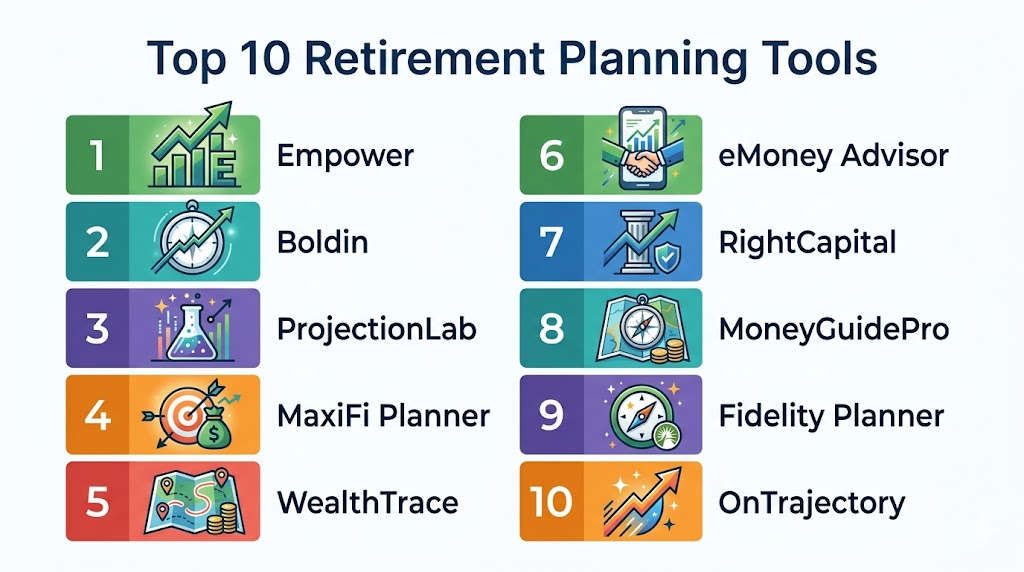
Top 10 Retirement Planning Tools
#1 — Empower (Personal Dashboard)
Short description: Empower is a comprehensive, free-to-use financial dashboard that specializes in real-time net worth tracking and retirement readiness. It is the industry standard for users who want an automated, “big-picture” view of their entire financial life.
Key Features
- Retirement Planner Score: An immediate health check on your probability of retirement success based on your current trajectory.
- Investment Checkup: Analyzes your portfolio for over-concentration and high-fee investments.
- Automated Account Aggregation: Direct sync with nearly all major financial institutions for real-time data updates.
- Smart “What-If” Scenarios: Model the impact of major life events, such as buying a second home or changing retirement dates.
- Savings Planner: Tracks your progress toward annual 401(k) and IRA contribution limits automatically.
Pros
- Completely free for the standard dashboard and planning tools.
- Unmatched automation; once accounts are linked, data updates without manual entry.
- Very clean, professional-grade visual reporting.
Cons
- Users with high net worth may receive marketing outreach for paid advisory services.
- Tax planning and withdrawal strategy modeling are less detailed than paid, specialized tools.
Platforms / Deployment
- Web / iOS / Android
- Cloud
Security & Compliance
- AES-256 encryption, MFA, and SOC 2 compliance.
- Read-only access to linked accounts.
Integrations & Ecosystem
Empower offers one of the widest account aggregation networks in the world.
- Direct sync with thousands of banks and brokerages
- Real estate valuation via Zillow
- Integrated high-yield cash accounts
Support & Community
Extensive help center and access to professional advisors for those who opt into the paid wealth management services.
#2 — Boldin (formerly NewRetirement)
Short description: Boldin is a highly detailed, DIY planning platform that gives users granular control over every variable of their retirement plan. It is designed for the “power user” who wants to build a rock-solid, multi-decade roadmap.
Key Features
- Comprehensive Planning Engine: Includes detailed modules for Roth conversions, Social Security, and Medicare.
- Monte Carlo Simulations: Run thousands of market scenarios to see the probability of your plan’s success.
- Estate Planning Vault: A secure place to organize and store digital copies of critical legal documents.
- Coach Suggestions: An AI-driven “coach” that scans your plan for errors and optimization opportunities.
- Roth Conversion Calculator: Specifically models the lifetime tax impact of different conversion strategies.
Pros
- Exceptional depth in tax and healthcare planning.
- Transparent, “no-ads” business model focused on user success.
- Highly customizable; you can add one-off expenses like weddings or house repairs years into the future.
Cons
- The sheer amount of data can be overwhelming for beginners.
- The free version is limited; the best features are behind a subscription wall.
Platforms / Deployment
- Web
- Cloud
Security & Compliance
- MFA and advanced data encryption protocols.
- SOC 2 Type II certified.
Integrations & Ecosystem
Boldin focuses on being a specialized planning powerhouse.
- Plaid-based bank and brokerage syncing
- Data export to CSV and PDF formats
- Integration with community-led educational webinars
Support & Community
A very active user community and regular educational webinars focusing on advanced planning concepts.
#3 — ProjectionLab
Short description: ProjectionLab has quickly become a favorite tool for the Financial Independence, Retire Early (FIRE) community. It is known for its beautiful design and its “no-sync” privacy-first philosophy.
Key Features
- Visual Trajectory Mapping: Stunning interactive charts that show your wealth building over time.
- Backtesting & Simulations: Test your plan against actual historical market data from different eras.
- Milestone Planning: Easily set and track specific goals like “Coast FIRE” or “Fat FIRE.”
- International Support: Includes tax presets for many countries, making it ideal for global professionals.
- Scenario Comparison: Compare different “life paths” side-by-side to see which decisions lead to better outcomes.
Pros
- Privacy-focused; does not require linking to real bank accounts if you prefer manual entry.
- Best-in-class user interface and data visualizations.
- Very responsive developer team that incorporates user feedback quickly.
Cons
- Lacks automated bank syncing for users who want a “hands-off” experience.
- Does not currently include native Social Security claiming optimization.
Platforms / Deployment
- Web
- Hybrid (Cloud sync or local storage)
Security & Compliance
- No link to real financial accounts (by design).
- Optional cloud sync uses encrypted Google Firebase.
Integrations & Ecosystem
ProjectionLab is built for flexibility and data portability.
- Advanced CSV import/export capabilities
- Custom asset and liability tracking
- Vibrant presence on Discord and Reddit communities
Support & Community
Strong presence on social platforms and a very responsive developer team that interacts with users daily.
#4 — MaxiFi Planner
Short description: Developed by world-renowned economists, MaxiFi Planner is built on the philosophy of “consumption smoothing.” It is designed to ensure you never run out of money by calculating exactly how much you can spend every year.
Key Features
- Living Standard Optimization: Automatically calculates the highest sustainable spending level for your life.
- Life-Cycle Modeling: Accounts for complex variables like inflation, taxes, and changes in family status.
- Maximize Social Security: Integrated tools to find the optimal claiming age for married couples and individuals.
- Tax Analysis: Detailed modeling of how various income sources will be taxed over the decades.
- “Living Standard” Risks: Identifies how your lifestyle might be impacted by poor market returns or longevity.
Pros
- Highly sophisticated economic engine that prioritizes a consistent standard of living.
- Excellent for high-net-worth users with complex tax and estate needs.
- Focuses on “real-world” spending power rather than just account balances.
Cons
- The “consumption smoothing” logic can be difficult for some to grasp initially.
- The interface is more functional than modern/visual.
Platforms / Deployment
- Web
- Cloud
Security & Compliance
- MFA and secure data encryption.
- SSAE-16 SOC 1 and SOC 2 compliant infrastructure.
Integrations & Ecosystem
MaxiFi is a standalone planning powerhouse that focuses on the accuracy of its internal engines.
- Manual and CSV data entry
- PDF report generation
- Access to specialized economic educational content
Support & Community
Professional-grade support and deep educational content explaining the economic logic behind the software.
#5 — eMoney Advisor
Short description: eMoney is a professional-grade platform used by thousands of financial advisors, but it is also accessible through many employer wellness programs. It is known for its incredible depth in cash-flow and estate planning.
Key Features
- Decision Center: An interactive, live scenario tester used during planning sessions.
- Personal Financial Vault: A secure digital locker for wills, trusts, and insurance policies.
- Advanced Cash-Flow Modeling: Handles complex estates, trusts, and business interests with ease.
- Aggregated Net Worth View: Consolidates all personal and business assets into one view.
- Estate Distribution Planner: Visualizes how assets will flow to heirs and charities after death.
Pros
- The gold standard for high-net-worth individuals with complex estates.
- The “Vault” feature is exceptional for organizing a family’s legacy documents.
- Highly reliable data feeds and enterprise-grade security.
Cons
- Typically only accessible through a financial advisor or a corporate plan.
- Can be overly complex for those with simpler planning needs.
Platforms / Deployment
- Web / iOS / Android
- Hybrid
Security & Compliance
- SSO/SAML, MFA, and bank-level encryption.
- SSAE-18 SOC 2 Type II certified.
Integrations & Ecosystem
eMoney is built to be the center of an advisor’s (and client’s) tech stack.
- Over 25 deep integrations with custodians and CRM tools
- Robust API for custom data reporting
- Integration with major employer benefit portals
Support & Community
Extensive help center, training modules, and dedicated support for organizational clients.
#6 — RightCapital
Short description: RightCapital has become a leading alternative to traditional planning software by focusing on a modern, intuitive user experience. It excels at tax distribution strategies and visualizing complex debt management.
Key Features
- Tax Distribution Module: Shows exactly which accounts to draw from in retirement to minimize taxes.
- Debt Management Tools: Sophisticated modeling for student loans and mortgage payoff strategies.
- Social Security Optimization: Detailed analysis of various claiming strategies for individuals and couples.
- Dynamic Budgeting: Connects your current spending habits directly to your long-term plan.
- Insurance Analysis: Reviews life, disability, and long-term care needs within the retirement context.
Pros
- Rated highest in user satisfaction among financial advisors in 2026.
- Very modern, user-friendly interface that feels accessible, not clinical.
- Excellent for mid-career professionals managing both retirement and debt (like student loans).
Cons
- Like eMoney, it is primarily an advisor-facing tool.
- Some niche tax reporting may require additional software for deep year-to-year analysis.
Platforms / Deployment
- Web / iOS / Android
- Cloud
Security & Compliance
- MFA, 256-bit encryption, and regular third-party security audits.
- SOC 2 compliant.
Integrations & Ecosystem
RightCapital offers a modern API and strong custodial integrations.
- Deep links with custodians like Fidelity and Schwab
- Integrations with major CRM and risk profiling tools
- “All-Star” rating for account aggregation in 2026 surveys
Support & Community
High-quality advisor support and a growing library of “Advisor Stories” and best practices.
#7 — MoneyGuidePro
Short description: MoneyGuidePro is a “goals-based” planning tool that focuses on identifying and funding specific life goals rather than just maximizing a number. It is known for its “Play Zone” and stress-testing capabilities.
Key Features
- The Play Zone: A simplified, interactive area where users can adjust variables like retirement age and spending to see instant results.
- Risk Profiler: Deep integration between your personal risk tolerance and your retirement plan.
- SSAE-18 SOC 2 Security: Enterprise-grade data protection and controls.
- Confidence Meter: A central visual gauge showing the probability of funding all your goals.
- Medicare & Social Security: Dedicated modules to handle the complexities of late-life government benefits.
Pros
- Excellent for those who find traditional “cash-flow” software intimidating.
- Very strong focus on identifying “Needs,” “Wants,” and “Wishes.”
- Reliable, proven platform with decades of market presence.
Cons
- The user interface can feel a bit dated compared to newer tools like ProjectionLab.
- Less focus on deep “manual” data manipulation for DIY power users.
Platforms / Deployment
- Web
- Cloud / Desktop
Security & Compliance
- SSAE-18 SOC 2 certified, MFA, and biometric access for internal staff.
- Non-transactional design (funds cannot be moved).
Integrations & Ecosystem
MoneyGuidePro features a massive network of over 100 integration partners.
- All major custodians (FBS, NFS, etc.)
- Portfolio analytics and risk tolerance tools
- Leading CRMs and data aggregators like ByAllAccounts
Support & Community
Industry-best support and extensive training resources for organizational users.
#8 — WealthTrace
Short description: WealthTrace is a robust retirement planning tool known for its accuracy and detailed stress-testing. It is designed for both individuals and advisors who want a clinical look at portfolio sustainability under various economic conditions.
Key Features
- Individual Holding Analysis: The only planner that looks at specific investment holdings to project income and fees.
- Advanced Stress-Testing: See how your plan survives a “Great Recession” or a prolonged period of high inflation.
- Optimal Withdrawal Rate: Calculates the exact amount you can pull from your portfolio each year.
- Real-Time Assumptions: Watch your projections change instantly as you adjust savings or spending levels.
- Required Minimum Distribution (RMD) Planner: Models future RMDs and suggests strategies to mitigate tax hits.
Pros
- Highly accurate because it crunches data at the ticker-symbol level.
- Excellent for stress-testing a plan against rising costs and medical expenses.
- Transparent pricing and high functionality for the cost.
Cons
- The interface is more utilitarian and data-heavy, which may not appeal to visual learners.
- Mobile experience is less refined than some of the newer apps.
Platforms / Deployment
- Web
- Cloud
Security & Compliance
- MFA, SSL encryption, and secure data storage.
- Non-transactional platform.
Integrations & Ecosystem
WealthTrace prioritizes the depth of its internal financial engine.
- Automated account linking for balances and holdings
- Exportable professional-grade reports
- Dedicated Social Security and inflation modeling blogs
Support & Community
Responsive customer support and deep educational content focused on retirement news.
#9 — Fidelity Retirement Planner
Short description: For the millions of people with a 401(k) or IRA at Fidelity, their built-in retirement planner is a powerful, free resource. It provides a specialized “Retirement Score” and actionable insights integrated directly with your accounts.
Key Features
- Retirement Score: An easy-to-understand metric (0-100+) showing your retirement health.
- Automated Savings Analysis: Shows the long-term impact of increasing your 401(k) contribution by 1%.
- Social Security Tool: Simple, built-in calculator for various claiming ages.
- Integrated Managed Accounts: Seamless transition to Fidelity’s professional management if desired.
- Health Care Estimator: Provides personalized estimates for medical costs in retirement based on your location and health status.
Pros
- Completely free for Fidelity account holders.
- Deep integration with workplace benefits and employer matches.
- Very stable, secure, and reliable platform.
Cons
- Primarily limited to those with a Fidelity relationship.
- Less flexibility for complex “what-if” scenarios compared to DIY tools like Boldin.
Platforms / Deployment
- Web / iOS / Android
- Cloud
Security & Compliance
- Enterprise-level banking security, MFA, and SSO.
- Regulated by FINRA and the SEC.
Integrations & Ecosystem
Fidelity’s planner is part of a massive, closed-loop financial ecosystem.
- Direct sync with all Fidelity accounts
- Fidelity Full View for external account aggregation
- Access to a vast library of market research
Support & Community
24/7 phone support and access to local Fidelity Investment Centers nationwide.
#10 — OnTrajectory
Short description: OnTrajectory is a visual-first planning tool that helps users “see” their financial future. It is designed to be intuitive and fast, allowing for quick experiments with different life choices and their long-term effects.
Key Features
- Visual Trajectory Line: A central graph that instantly reacts to any change in income or spending.
- Trajectory AI: A newer 2026 feature that provides “navigational” advice to keep you on track.
- What-If Scenario Modeling: Easily create and save multiple “trajectories” for different life paths.
- Itemized Income & Expenses: Highly detailed breakdown of cash-flow over the next 50+ years.
- Progress Journal: Track your actual net worth against your projections to see if you are ahead or behind.
Pros
- Very high “visual feedback” makes it easy to understand the impact of decisions.
- Affordable price point for individual users.
- Great for people who want a “living plan” they can adjust frequently.
Cons
- Smaller integration marketplace compared to industry giants.
- Lacks the deep estate and trust modeling of professional-grade tools like eMoney.
Platforms / Deployment
- Web
- Cloud
Security & Compliance
- Secure data encryption and MFA.
- Not publicly stated for SOC 2, but utilizes secure cloud infrastructure.
Integrations & Ecosystem
OnTrajectory focuses on individual data control.
- Plaid for account syncing
- Export to CSV for local backup
- Active user forum and guide library
Support & Community
Responsive support team and a growing library of user-submitted planning tips.
Comparison Table (Top 10)
| Tool Name | Best For | Platform(s) Supported | Deployment | Standout Feature | Public Rating |
|---|---|---|---|---|---|
| Empower | Free Net Worth Tracking | Web, iOS, Android | Cloud | Retirement Score Analysis | N/A |
| Boldin | DIY Detailed Planning | Web | Cloud | Roth Conversion Calculator | N/A |
| ProjectionLab | FIRE Community | Web | Hybrid | Historical Backtesting | N/A |
| MaxiFi Planner | Spending Optimization | Web | Cloud | Consumption Smoothing | N/A |
| eMoney Advisor | High-Net-Worth | Web, iOS, Android | Hybrid | Secure Document Vault | 8.1 |
| RightCapital | Modern UX / Tax Strategy | Web, iOS, Android | Cloud | Tax Distribution Module | 8.4 |
| MoneyGuidePro | Goals-Based Planning | Web | Cloud | The “Play Zone” Scenario Tool | 7.6 |
| WealthTrace | Stress-Testing | Web | Cloud | Ticker-Level Holding Analysis | N/A |
| Fidelity Planner | Integrated Savings | Web, iOS, Android | Cloud | Workplace Benefit Sync | N/A |
| OnTrajectory | Visual Trajectory Mapping | Web | Cloud | Trajectory AI Navigation | N/A |
Export to Sheets
Evaluation & Scoring of Retirement Planning Tools
| Tool Name | Core (25%) | Ease (15%) | Integrations (15%) | Security (10%) | Performance (10%) | Support (10%) | Value (15%) | Weighted Total |
|---|---|---|---|---|---|---|---|---|
| Empower | 9 | 10 | 10 | 9 | 10 | 8 | 10 | 9.4 |
| Boldin | 10 | 8 | 9 | 9 | 9 | 9 | 9 | 9.0 |
| ProjectionLab | 8 | 10 | 7 | 10 | 10 | 9 | 9 | 8.7 |
| MaxiFi Planner | 9 | 7 | 7 | 9 | 9 | 8 | 8 | 8.0 |
| eMoney Advisor | 10 | 8 | 10 | 10 | 10 | 9 | 7 | 9.1 |
| RightCapital | 9 | 10 | 10 | 9 | 10 | 10 | 9 | 9.4 |
| MoneyGuidePro | 9 | 9 | 10 | 10 | 9 | 9 | 7 | 8.8 |
| WealthTrace | 9 | 8 | 8 | 9 | 9 | 8 | 9 | 8.5 |
| Fidelity Planner | 8 | 9 | 9 | 10 | 10 | 8 | 10 | 8.9 |
| OnTrajectory | 8 | 9 | 8 | 8 | 9 | 8 | 9 | 8.3 |
Export to Sheets
How to Interpret the Scores
The scoring model above is designed to provide a comprehensive look at how these tools stack up against the rigorous demands of professional retirement planning. A high Core (25%) score indicates a tool with deep mathematical logic, such as Monte Carlo simulations and advanced tax modeling. The Weighted Total represents the overall balance of the platform. For example, Empower and RightCapital score exceptionally high due to their combination of ease of use, reliable integrations, and overall value.
When using this table, you should prioritize the columns that match your planning style. If you are a technical manager who loves data manipulation, look for a high Core and Performance score. If you are just starting and want a simple checkup, the Ease of Use and Value scores should be your primary guide. The weighted total is a global benchmark, but your individual “best fit” may depend on a niche feature like RightCapital’s debt management or eMoney’s document vault.
Which Retirement Planning Tool Is Right for You?
Solo / DIY Planner
If you are an independent professional who enjoys managing your own finances, Boldin or ProjectionLab are the clear winners. Boldin provides the clinical depth needed for tax and Medicare planning, while ProjectionLab offers a privacy-first, visually stunning experience that is perfect for those in the FIRE community.
High-Net-Worth Individuals
If you have a complex financial life involving trusts, real estate, and multiple business interests, eMoney Advisor or MaxiFi Planner are designed for your needs. eMoney provides the “family vault” and enterprise-grade reporting required for significant estates, while MaxiFi ensures your high spending remains sustainable through consumption smoothing logic.
For the FIRE Community
For those aiming to retire in their 30s or 40s, ProjectionLab is the gold standard. Its ability to backtest against historical data and model the “Safe Withdrawal Rate” over a 50+ year horizon is essential for early retirees who cannot rely on standard retirement calculators designed for 65-year-olds.
Integrated Workplace Planning
If your primary savings are held in a corporate 401(k) or 403(b), start with Fidelity Retirement Planner or Empower. These tools are built to recognize and optimize your employer-specific benefits, matching contributions, and automated savings features.
Budget vs Premium
- Budget: Empower and Fidelity are the leaders in free planning, offering robust tools at no cost.
- Premium: Boldin and MaxiFi represent the premium, specialized tools where you pay for the depth of their tax and economic modeling engines.
Feature Depth vs Ease of Use
- Feature Depth: WealthTrace and eMoney offer the most “manual” control over ticker-symbol analysis and estate flow.
- Ease of Use: RightCapital and MoneyGuidePro are designed with a modern UX that prioritizes clarity and decision-making over raw data tables.
Frequently Asked Questions (FAQs)
1. What is the difference between a retirement calculator and retirement software?
A retirement calculator is typically a simple, one-page tool that asks for five or six variables and gives you a single “end number.” Retirement planning software is far more robust, allowing you to link actual bank accounts, model different tax strategies, account for social security claiming ages, and run thousands of market simulations to see your probability of success.
2. Is it safe to link my real financial accounts to these tools?
Most reputable platforms use read-only, bank-level encryption. This means the software can see your balances and transactions to provide an accurate plan, but it cannot move your money or change your account settings. Look for tools that use established aggregators like Plaid or ByAllAccounts and offer multi-factor authentication (MFA).
3. How do these tools account for future inflation?
Top-tier tools allow you to set a custom inflation rate or use historical averages. Advanced planners like WealthTrace and Boldin even allow you to set different inflation rates for different categories, such as a 3% general inflation rate but a 5% or 6% rate for healthcare and education, which is more realistic for long-term planning.
4. Can these tools help me decide when to take Social Security?
Yes, specialized modules in Boldin, MaxiFi, and RightCapital analyze your specific health and financial data to find the “break-even” point. They show you the cumulative lifetime benefit of claiming at age 62 versus age 70, helping you decide if delaying is worth the higher monthly check based on your overall portfolio.
5. Are these tools actually accurate for a 40-year retirement?
While no tool can predict the future with 100% certainty, they use “Monte Carlo simulations” to show you the spectrum of possibilities. By running your plan through 1,000+ different market conditions (including recessions and high-growth years), they give you a “probability of success.” A score of 85% or higher is generally considered a “safe” plan for a long retirement.
6. Do I need to pay for a tool, or is a free one enough?
If your financial situation is straightforward (one or two accounts and simple goals), a free tool like Empower is often enough. However, if you are nearing retirement and need to model Roth conversions, medical expenses, or estate planning, the $10-$15 per month for a premium tool like Boldin can save you thousands in avoided tax errors.
7. How often should I update my retirement plan?
It is best practice to review your plan quarterly or after any major life event (marriage, house sale, job change). Modern tools with automated syncing make this easy, as they update your balances daily. You only need to log in to verify that your long-term assumptions about spending and inflation are still accurate for the current economic climate.
8. Can these tools handle international accounts and taxes?
Most tools are designed for the US tax code. However, ProjectionLab has emerged as a leader in international planning, offering presets for Canada, the UK, Australia, and parts of Europe. If you are an expat or have significant offshore assets, look for a tool that allows for “manual” asset entry in multiple currencies.
9. What is “consumption smoothing” and why does it matter?
Consumption smoothing, used by MaxiFi, is an economic principle that helps you maintain a consistent standard of living throughout your entire life. Instead of having “rich years” while working and “lean years” in retirement, the software calculates a stable spending level that ensures you don’t overspend now and run out of money later.
10. Can I share my plan with my financial advisor or spouse?
Yes, tools like eMoney and RightCapital are designed for collaboration. For DIY tools like Boldin or ProjectionLab, you can often invite a “guest user” or export professional-grade PDF reports to share with your family or a fee-only fiduciary advisor to get a second opinion on your strategy.
Conclusion
Selecting the right retirement planning tool is a foundational step in moving from a “guess-and-hope” approach to a structured, data-driven financial future. Whether you prioritize the automated simplicity of Empower, the deep DIY modeling of Boldin, or the visual elegance of ProjectionLab, the goal remains the same: ensuring your hard-earned wealth lasts as long as you do. As tax codes and market conditions continue to evolve in 2026, these platforms provide the essential “cockpit” needed to adjust your course in real-time. Your next step should be to identify your primary planning hurdle—whether it’s tax optimization or simply knowing your “number”—and shortlist two tools for a trial to see which simulation engine best aligns with your vision for the future.
