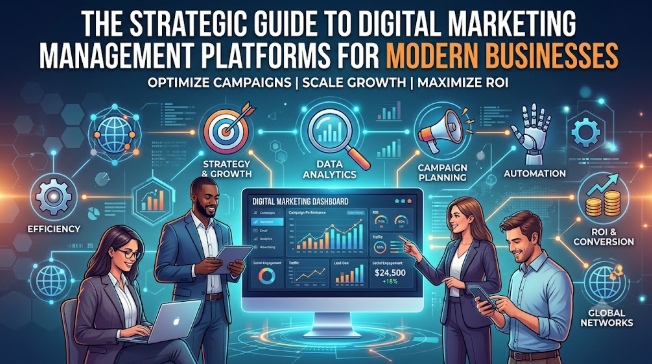
Introduction
The modern digital marketing landscape is expanding at a breakneck pace. To stay competitive, businesses must maintain an active presence across dozens of channels, including search engines, social networks, email, paid advertising, and content syndication. However, this multi-channel reality has introduced unprecedented operational complexity. Marketing teams frequently find themselves drowning in a fragmented ecosystem of disconnected tools, scattered spreadsheets, siloed communication apps, and manual reporting processes. This operational friction results in missed deadlines, inconsistent branding, uncoordinated campaigns, and wasted budget.
To overcome these challenges and maintain agility, modern organizations are shifting away from ad-hoc software setups toward a unified Digital Marketing Management Platform. This centralized solution acts as an operational nervous system, consolidating campaigns, team communication, content pipelines, SEO tracking, and performance analytics into a single source of truth. In this comprehensive guide, we will explore why traditional marketing workflows are broken, examine the strategic advantages of centralized marketing operations, and demonstrate how implementing a dedicated platform like WizBrand can drastically improve productivity, team collaboration, and overall marketing ROI.
What Is a Digital Marketing Management Platform?
A Digital Marketing Management Platform is an enterprise-grade software solution designed to centralize, orchestrate, and optimize all aspects of an organization’s digital marketing operations. Unlike a single-point utility (such as a standalone social scheduler or an isolated keyword tracker), this integrated software serves as a comprehensive workspace. It brings together distinct disciplines—such as content marketing workflow management, SEO project management, social media coordination, and campaign management—into one collaborative environment.
By unifying execution data and team communication, it eliminates data silos and gives stakeholder groups real-time visibility into every active project. It functions simultaneously as a marketing productivity tool, a marketing collaboration software, and a marketing performance management engine. It translates high-level business goals into manageable, trackable day-to-day tasks.
The Evolution of Digital Marketing Management
In the early days of online commerce, digital marketing was simple. A business could focus entirely on basic banner ads or simple website optimization. As search engines matured and social networks grew, specialized roles emerged. Teams split into distinct factions: SEO specialists, social media managers, copywriters, PPC experts, and data analysts.
[Early Era: Single Channel] ──> [Growth Era: Fragmented Tools] ──> [Modern Era: Unified Platform]
(Basic Web & Banner Ads)        (Siloed Teams & Point Solutions)     (Centralized Operations/WizBrand)
Initially, each team adopted its own point solution. The social team used one scheduler, the SEO team tracked rankings in another application, and project progress was manually logged across multiple spreadsheets. This fragmentation created severe visibility issues, making it nearly impossible for leadership to evaluate cross-channel performance or verify that messaging remained aligned. The modern era demands consolidation: a unified system where all specialized roles cooperate seamlessly to maximize velocity and impact.
Why Traditional Marketing Workflows No Longer Work
The traditional approach to handling marketing tasks relies heavily on manual oversight. Teams spend hours manually updating spreadsheets, sending follow-up messages on chat applications, and digging through emails to secure creative sign-offs. These fragmented workflows fail under modern market pressures for several distinct reasons:
- Siloed Communication: When project details are locked inside individual emails or private chat threads, cross-functional collaboration stalls. The creative team builds assets without fully understanding the SEO intent, while the social team schedules posts without knowing when a new blog article will go live.
- Lack of Historical Records: Manual systems rarely maintain a clean audit trail. When a campaign underperforms, tracking down which version of an asset was used, who approved a specific budget shift, or when a critical change occurred requires hours of message sorting.
- Wasted Administrative Time: According to global productivity studies, marketing professionals spend up to 30% of their working hours on “work about work”—manually building status reports, scheduling internal alignment meetings, and transferring data between disconnected systems.
- Delayed Decision-Making: When performance analytics live across five different channel dashboards, calculating true return on investment requires manual data extraction and consolidation. By the time leadership receives a unified performance report, the data is outdated, preventing them from optimizing active campaigns in real time.
Common Operational Challenges Faced by Marketing Teams
Without a dedicated digital marketing operations framework, marketing departments of all sizes frequently encounter the same operational bottlenecks:
- Campaign Delays & Mismanaged Timelines: Without centralized accountability and automated notification systems, tasks get stuck in review queues, pushing back critical launch dates.
- Inconsistent Brand Messaging: When design assets, ad copy, and messaging guidelines live across different local drives, teams accidentally deploy outdated graphics or unapproved taglines.
- Inability to Track True ROI: When marketing spend and performance metrics are disconnected, calculating accurate customer acquisition costs (CAC) and return on ad spend (ROAS) becomes a painful, error-prone chore.
- Team Burnout and Misaligned Resources: Without clear visibility into individual task allocations, managers inadvertently overload top-performing team members, leading to missed details and high turnover.
The Power of Centralized Marketing Operations
Transitioning to a centralized marketing operations model shifts a marketing department from a reactive state to a proactive strategic asset. Research indicates that organizations leveraging unified marketing automation platforms and integrated management software experience a significant boost in performance:
According to industry benchmarks, businesses utilizing centralized marketing workflow management tools see an average 20% to 30% increase in operational productivity and a 15% reduction in time-to-market for complex, multi-channel initiatives.
Centralization provides leadership with a clear view of the entire marketing ecosystem. It allows managers to audit resource allocation, verify that execution matches the overarching strategy, and adjust tactics dynamically based on reliable, centralized data.
Key Features of a Digital Marketing Management Platform
To effectively replace a fragmented tech stack, a digital marketing management platform must offer a robust set of integrated features.
1. Campaign Management
- Purpose: To plan, track, and execute multi-layered marketing initiatives from start to finish within a single system.
- Benefits: Establishes a definitive source of truth for campaign goals, timelines, target audiences, and creative assets.
- Business Impact: Reduces strategic misalignment, prevents conflicting schedules, and ensures all channels launch simultaneously.
- Real-World Use Case: A retail brand schedules a seasonal product launch, linking targeted email flows, paid search copy, and social media schedules to a master campaign timeline.
2. Task Management
- Purpose: To break down broad marketing strategies into specific, assignable, and trackable action items.
- Benefits: Assigns clear ownership, sets realistic deadlines, and outlines explicit task dependencies.
- Business Impact: Eliminates ambiguity over responsibilities, keeps projects moving forward, and flags potential delays before they impact delivery.
- Real-World Use Case: A content coordinator creates a blog production task that automatically alerts the copywriter, then routes the draft to the graphic designer once the text is marked complete.
3. Team Collaboration
- Purpose: To provide built-in communication tools directly within active tasks and projects.
- Benefits: Replaces long, confusing email chains with contextual comments, file attachments, and historical revision tracking.
- Business Impact: Speeds up asset production, reduces communication errors, and keeps all feedback tied directly to the relevant work item.
- Real-World Use Case: An editor highlights a specific sentence in an uploaded draft, tagging the writer to request a statistical source without leaving the platform workspace.
4. Workflow Automation
- Purpose: To automate routine administrative tasks, handoffs, and status changes based on predefined business rules.
- Benefits: Eliminates manual follow-ups, standardizes production steps, and keeps projects moving automatically.
- Business Impact: Frees up creative teams to focus on strategy and asset creation rather than manual administrative updates.
- Real-World Use Case: The moment an ad creative is moved to the “Approved” column, the platform automatically updates its status tag and alerts the PPC manager to launch the live ad.
5. Content Management
- Purpose: To centralize the creation, review, scheduling, and archiving of digital assets and marketing copy.
- Benefits: Organizes marketing collateral logically and ensures teams always use the latest approved versions.
- Business Impact: Protects brand consistency across external channels and prevents the accidental use of old or unapproved creative assets.
- Real-World Use Case: A social team pulls approved product photos and vetted taglines directly from a centralized media asset library for a cross-platform campaign.
6. SEO Tracking
- Purpose: To monitor search engine visibility, track keyword rankings, and audit technical site health from the same operational platform.
- Benefits: Connects organic search data directly to content production schedules and broader campaign goals.
- Business Impact: Allows teams to react quickly to ranking drops and spot content optimization opportunities before organic traffic declines.
- Real-World Use Case: An SEO specialist notices a drop in ranking for a high-value search term and immediately assigns an optimization task to the copywriting team.
7. Social Media Coordination
- Purpose: To plan, write, schedule, and analyze organic social media posts across various networks from a central calendar.
- Benefits: Simplifies multi-platform publishing and ensures social content supports wider company campaigns.
- Business Impact: Improves audience engagement consistency while keeping the brand voice unified across different channels.
- Real-World Use Case: A brand manager schedules an announcement video to go live across LinkedIn, X, and Facebook simultaneously, tracking engagement directly inside the main platform.
8. Reporting and Analytics
- Purpose: To pull performance data from multiple platforms into unified dashboards and customizable reports.
- Benefits: Eliminates the need to log into multiple platforms to gather data, delivering a single clear view of performance.
- Business Impact: Empowers leadership to quickly see which channels drive actual business value and allocate budgets more effectively.
- Real-World Use Case: A marketing director generates a weekly cross-channel performance report to show the executive team exact lead acquisition trends.
9. Performance Monitoring
- Purpose: To continuously monitor live campaign metrics and contrast them against predefined key performance indicators (KPIs).
- Benefits: Surfaces anomalies and performance drops early, enabling fast adjustments.
- Business Impact: Prevents budget waste on underperforming campaigns by flagging issues well before the monthly review cycle.
- Real-World Use Case: An automated system flags an ad set with an unusually high cost-per-click, alerting the paid acquisition team to refine the audience targeting.
10. Resource Management
- Purpose: To analyze and manage team bandwidth, skills, and overall operational capacity.
- Benefits: Gives managers a transparent view of individual workloads, preventing bottlenecks and burnout.
- Business Impact: Boosts operational efficiency, lowers employee turnover, and ensures top-priority projects always have proper coverage.
- Real-World Use Case: An agency director reviews team bandwidth charts to ensure tasks are balanced across available designers before taking on a new client project.
Operational Deep Dives & Practical Use Cases
Managing Multiple Marketing Channels Efficiently
Consider an omni-channel promotion running across paid search, organic social, email, and landing pages. In a manual workflow, the asset requests, status tracking, and copy variations are scattered across separate systems.
Within a modern management platform, this entire project is organized under a single master initiative. The landing page design, promotional email drafts, paid search copy variations, and social media schedules are linked as dependent tasks. If the product launch date shifts, changing the master launch date automatically updates all connected task deadlines, keeping the entire cross-functional team aligned instantly.
The Content Marketing Workflow Management Scenario
Content production often slows down during the review and sign-off stages. A typical platform-driven workflow streamlines this process into clear, automated steps:
[1. Ideation & Briefing] ──> [2. Writing & Optimization] ──> [3. Graphic Asset Design]
                                                                        │
[6. Live Publication]   <──  [5. Editor & Client Sign-Off]  <── [4. Quality Check]
This clear progression ensures that no asset advances to publication without meeting compliance guidelines, passing quality checks, and securing final approvals.
SEO Project Management and Tracking Use Case
Organic search success requires continuous collaboration between technical analysts, writers, and web developers. When an SEO tool flags a technical issue—like slow page load speeds or broken internal links—the platform converts that technical finding into a structured task. The issue is assigned directly to the development team, complete with priority tags and tracking details, ensuring critical technical updates are never forgotten or ignored.
Comprehensive Strategic Comparison Tables
Table 1: Traditional Marketing Workflows vs. Unified Digital Marketing Management Platforms
| Feature / Attribute | Traditional Marketing Management | Digital Marketing Management Platform |
| Data Storage | Scattered across individual spreadsheets and personal hard drives | Centralized in a single secure cloud-based platform |
| Task Assignment | Handled verbally, via chat messages, or through email threads | Clearly defined with assigned owners, due dates, and explicit dependencies |
| Approval Chains | Managed through back-and-forth emails, leading to lost feedback | Built-in contextual approval workflows with clear audit trails |
| Performance Visibility | Requires manual data pulling and compilation from multiple tools | Features real-time, integrated cross-channel analytics dashboards |
| Brand Consistency | Hard to monitor, often leading to unapproved asset usage | Enforced through centralized brand asset management libraries |
Table 2: Manual Operational Processes vs. Platform-Driven Automation
| Process Area | Manual Workflows | Automated Workflows |
| Task Handoffs | Project managers must manually alert the next team member | The system triggers automated alerts as task statuses change |
| Progress Reporting | Team members compile weekly status write-ups by hand | Dashboards display live, real-time project progress automatically |
| Performance Tracking | Data is manually copied from individual channels into sheets | Automated data pipelines refresh performance metrics daily |
| Asset Distribution | Graphics and copy are emailed back and forth among teams | Assets are linked directly to tasks within the shared workspace |
Table 3: Common Marketing Challenges vs. Platform-Based Solutions
| Observed Marketing Bottleneck | Root Operational Cause | Platform-Based Solution |
| Missed Campaign Launch Dates | Unclear project dependencies and poor review tracking | Automated milestone alerts and clear project timelines |
| Inconsistent Creative Quality | Designers work with incomplete or unvetted creative briefs | Mandated briefing templates built into the creation process |
| High Budget Waste | Delayed identification of poorly performing ad sets | Real-time performance monitors that highlight low-ROI campaigns |
| Fragmented Internal Feedback | Comments are spread out across multiple chat tools and email | Contextual, centralized commenting tied directly to the asset |
Table 4: Small Business vs. Enterprise Marketing Management Needs
| Operational Requirement | Small Business (SMEs) Focus | Enterprise Level Requirements |
| Primary Goal | Maximizing resources and reducing tool overhead | Standardizing processes across global, cross-functional teams |
| User Access Control | Simple, open team-wide project visibility | Granular, role-based access controls and custom permissions |
| Integration Needs | Standard connections to core email and social platforms | Custom integrations with complex enterprise ERP and CRM tools |
| Compliance & Auditing | Basic tracking of project completion and updates | Rigorous audit logs for security, legal, and brand review |
Table 5: Business Benefits Comparison by Organization Size
| Organization Tier | Core Operational Benefits | Strategic Business Outcomes |
| Startups / SMEs | Eliminates redundant tool costs and coordinates lean teams | Faster time-to-market and high operational agility |
| Marketing Agencies | Centralizes client management and structures clear approvals | Increased client retention and simplified account scaling |
| Large Enterprises | Unifies disconnected regional offices and global divisions | Total brand consistency and clear operational accountability |
How Different Businesses Benefit from a Centralized Platform
Startups
Startups move fast and work with limited resources. Every team member wears multiple hats, making it easy for tasks to fall through the cracks. A digital marketing management platform provides the structure necessary to organize growth experiments, monitor limited budgets, and ensure the entire team remains focused on high-impact initiatives.
Small Businesses (SMEs)
Small businesses often struggle with fragmented software stacks that drain budget and time. By consolidating their marketing tools into a single platform, SMEs can reduce software subscription costs, simplify their daily operations, and execute professional, multi-channel campaigns that successfully compete with larger brands.
Marketing Agencies
Agencies must manage multiple client accounts simultaneously, each with its own strategies, deliverables, and approval processes. A unified management platform allows agencies to organize clients into separate, secure workspaces. This system simplifies campaign tracking, streamlines client feedback, and provides clear, professional performance reports that demonstrate ongoing agency value.
E-commerce Companies
E-commerce brands operate in a fast-paced environment tied directly to inventory cycles, holiday sales, and changing consumer trends. Centralized platforms allow e-commerce marketers to coordinate promotional launches across email, paid ads, and social media, ensuring all product information and creative assets stay synchronized.
SaaS Businesses
SaaS marketing depends heavily on structured, data-driven content funnels, ongoing search engine visibility, and coordinated product launch campaigns. A unified system connects content production directly to live SEO performance, helping SaaS teams systematically optimize their funnels to drive consistent trial sign-ups and demos.
Large Enterprises
For large corporations, managing marketing operations across multiple product lines, distinct business units, and varied regional teams presents a major challenge. An enterprise platform provides corporate leadership with top-down visibility, ensuring global compliance, protecting brand guidelines, and enabling efficient cross-department collaboration at scale.
How WizBrand Helps Businesses Manage Digital Marketing Effectively
WizBrand is built specifically to address the complexities of modern multi-channel marketing, giving organizations a comprehensive environment to streamline their operations.
                  ┌─────────────────────────────────────────┐
                  │            WIZBRAND PLATFORM            │
                  └────────────────────┬────────────────────┘
          ┌────────────────────────────┼────────────────────────────┐
          ▼                            ▼                            ▼
┌───────────────────┐        ┌───────────────────┐        ┌───────────────────┐
│ Centralized Ops   │        │ Workflow Tracking │        │ Unified Analytics │
│ Single dashboard, │        │ Clear assignments,│        │ Live tracking,    │
│ zero data silos   │        │ no missed dates   │        │ clear ROI metrics │
└───────────────────┘        └───────────────────┘        └───────────────────┘
The platform helps businesses optimize their marketing execution across several core areas:
- Centralized Marketing Management: WizBrand eliminates data silos by bringing your entire marketing operation together into a single dashboard. Teams no longer have to waste time jumping between different applications to check project statuses or find assets.
- Streamlined Team Collaboration: With built-in communication features, WizBrand keeps all feedback, edits, and file versions organized right inside the relevant tasks. This ensures copywriters, design teams, and managers stay aligned without messy email chains.
- Optimized Workflows and Task Tracking: Managers can build structured, repeatable project templates for routine tasks like blog posts, email blasts, and ad launches. This clear structure outlines responsibilities, defines dependencies, and keeps projects moving forward on time.
- Complete Campaign Visibility: WizBrand provides leadership teams with real-time visibility into all active marketing initiatives. This transparency allows managers to monitor project progress, spot potential delays early, and balance team workloads effectively.
- Integrated Performance Monitoring: By combining project management features with real-time campaign data, WizBrand makes it easy to see how operational workflows directly impact marketing results. This unified view helps businesses optimize their strategies and improve overall marketing ROI.
Step-by-Step Guide to Implementing a Digital Marketing Management Platform
Successfully adopting a new platform requires a structured deployment strategy to ensure strong internal adoption and minimize disruption.
Step 1: Identify Business Needs and Audit Existing Tools
Document your current marketing tech stack, noting monthly subscription costs, user counts, and known operational bottlenecks. Interview team members to pinpoint where communication breaks down or where data frequently goes missing.
Step 2: Select the Right Platform
Choose a platform that satisfies your identified workflow needs and integrates well with your core marketing channels. Ensure the software balances powerful, advanced features with an intuitive, user-friendly interface to encourage team-wide adoption.
Step 3: Establish Centralized Workflows and Blueprints
Before moving your entire team into the platform, build out your core workflow templates. Define clear stages for standard processes like content reviews, design approvals, and technical SEO audits to ensure consistency from day one.
Step 4: Onboard and Train the Team
Roll out the platform in structured stages. Run focused training sessions for different roles—such as project managers, copywriters, and analysts—so everyone understands how to log tasks, update project statuses, and collaborate within the new workspace.
Step 5: Integrate Live Marketing Channels
Connect your active external channels, including search tracking tools, social media accounts, and analytics providers, to your centralized management environment. Verify that data flows accurately into your main dashboard views.
Step 6: Launch, Monitor, and Continuously Optimize
Begin running all active campaigns exclusively through the new platform. Schedule brief review sessions over the first few weeks to gather internal feedback, refine your workflow templates, and eliminate any initial process bottlenecks.
Digital Marketing Management Checklist for Businesses
Use this practical operational checklist to verify that your marketing management system is set up for long-term success:
- [ ] Team Collaboration: Centralize all project discussions inside the platform; eliminate project status updates via external chat or email.
- [ ] Campaign Tracking: Link every active asset, copy draft, and deadline to a clearly defined master campaign inside the system.
- [ ] SEO Management: Ensure technical site health audits and keyword monitoring metrics are updated automatically on your central dashboard.
- [ ] Content Workflows: Set up clear, mandatory digital sign-off steps for all content assets prior to publication.
- [ ] Reporting Processes: Configure automated weekly performance summaries to deliver real-time channel insights directly to leadership.
- [ ] Automation Opportunities: Set up automated status updates and handoff notifications to reduce manual follow-up work between teams.
- [ ] Performance Measurement: Review live campaign metrics against your primary business KPIs every week to quickly optimize ad spend and strategic focus.
Frequently Asked Questions (FAQs)
What is the difference between a project management tool and a Digital Marketing Management Platform?
Standard project management tools provide general task lists and timelines suitable for any industry. A dedicated digital marketing management platform is built specifically for marketing teams. It integrates specialized tools like SEO keyword tracking, social media schedulers, content calendars, and cross-channel marketing analytics directly into a shared project environment.
How does a marketing management software improve remote team collaboration?
It provides a single, cloud-based workspace where distributed team members can view project contexts, access creative assets, check task deadlines, and read feedback updates. This centralized setup eliminates communication gaps caused by varying time zones or disjointed chat applications.
Can small businesses benefit from a Digital Marketing Management Platform, or is it only for enterprises?
SMEs often see substantial benefits from these platforms. By consolidating multiple single-purpose tools into a unified system, small businesses can lower software costs, maximize limited team capacity, and run organized, multi-channel marketing campaigns without requiring huge enterprise budgets.
What role does workflow automation play in digital marketing operations?
Automation handles repetitive, manual tasks like assigning follow-up items, alerting teams when creative assets are ready for review, and sending out performance reports. By reducing this administrative overhead, your marketing team can dedicate more time to creative strategy and execution.
How does a centralized platform help maintain brand consistency across channels?
It stores all approved creative collateral, updated logos, design assets, and messaging documentation in a single asset library. Team members can access this central repository directly when building campaigns, ensuring the brand voice and visual style remain consistent across all channels.
How long does it typically take to onboard a marketing team onto a platform like WizBrand?
Depending on the size of your organization and the complexity of your current setups, basic onboarding usually takes between one and three weeks. Starting with clear workflow templates and running role-specific training sessions can help speed up internal adoption.
Does a marketing management platform replace existing tools like Google Analytics or social networks?
Rather than replacing your core channels, the platform acts as an operational layer that connects them. It pulls data from analytics tools and social accounts into unified dashboards, allowing your team to manage tasks and view performance insights in one location.
How does performance monitoring within a platform prevent marketing budget waste?
Traditional manual reporting often reveals underperforming campaigns weeks after they launch. Integrated dashboards flag low-performing ads and drop-offs in real time, allowing managers to adjust targeting or reallocate budgets before wasting resources.
What is content marketing workflow management?
It is the structured process of managing content from initial idea to final publication. It coordinates the work of writers, editors, designers, and managers, ensuring assets pass through all required quality checks and approvals before going live.
How can an agency use a marketing management platform to handle multiple clients?
The platform allows agencies to create separate, secure workspaces for individual clients. This separation ensures client data remains private while enabling account teams to streamline deliverables, manage asset reviews, and generate automated performance reports easily.
Conclusion
Managing modern digital marketing through disconnected spreadsheets, fragmented tools, and scattered emails is no longer sustainable. As channels multiply and markets evolve quickly, businesses need a structured system to stay agile. Implementing a centralized Digital Marketing Management Platform transforms how your marketing department operates by replacing chaotic, manual tasks with clear, automated workflows.
A centralized platform gives your business the structure needed to scale efficiently, offering clear project visibility, smooth team communication, integrated SEO insights, and real-time performance tracking. Solutions like WizBrand empower organizations to eliminate operational silos, protect brand consistency, and make smart, data-driven decisions that lower customer acquisition costs. Stop wasting valuable creative hours on manual administrative tasks. Adopt an integrated marketing operations strategy today to improve your team’s productivity, clear execution bottlenecks, and maximize your long-term marketing ROI.

A digital marketing platform should not only streamline campaign execution but also preserve organizational knowledge as teams evolve. Campaign insights, successful experiments, and lessons from failed initiatives are often lost when employees change roles or leave the company. Adding guidance on institutional knowledge management, reusable campaign playbooks, and decision documentation would help businesses continuously improve their marketing execution instead of repeatedly solving the same operational challenges.