Introduction
Customer Support Knowledge Management Platforms centralize, organize, and deliver information that agents and customers need to resolve issues quickly. They create a single source of truth for FAQs, troubleshooting guides, product documentation, policies, and best practices. By reducing knowledge silos, these platforms improve efficiency, consistency, and customer satisfaction.
These platforms are essential because modern support teams are expected to resolve tickets faster, reduce repetitive inquiries, and provide effective self-service. Common use cases include internal agent knowledge bases, public help centers, AI-powered suggestions, automated knowledge workflows, multilingual content management, and integration with ticketing systems. Buyers should evaluate search capabilities, AI/automation, content creation, workflow management, analytics, CRM/ticketing integration, security controls, scalability, multilingual support, and total cost of ownership.
Best for: Support teams, customer success teams, helpdesk managers, technical documentation teams, SaaS companies, enterprises with large product catalogs, and organizations with high ticket volumes.
Not ideal for: Small teams with minimal support needs, companies that manage knowledge in static documents only, or organizations with limited resources to maintain a knowledge base.
Key Trends in Customer Support Knowledge Management Platforms
- AI-powered knowledge suggestions for agents and customers
- Integration with ticketing, CRM, chatbots, and analytics tools
- Self-service adoption for customer portals and community forums
- Analytics-driven content optimization
- Multilingual knowledge support and automated translation
- Content lifecycle management including versioning, approvals, and archiving
- AI-assisted content creation
- Contextual search and smart filtering
- Mobile-friendly agent and customer access
- Cloud-based scalable deployment with enterprise-grade security
How We Selected These Tools
- Market adoption and mindshare among enterprise and mid-market support teams
- Feature completeness: AI suggestions, analytics, workflow automation, multilingual support
- Reliability, scalability, and performance signals
- Verified security posture where publicly stated (SSO, MFA, encryption, RBAC)
- Integrations with CRM, ticketing, chatbots, and analytics
- Suitability for different team sizes, global operations, and support models
- Proven adoption in SaaS, enterprise, and technical support environments
- Ease of content creation and knowledge maintenance workflows
- Self-service and customer-facing capabilities
- AI, automation, and analytics-driven knowledge management
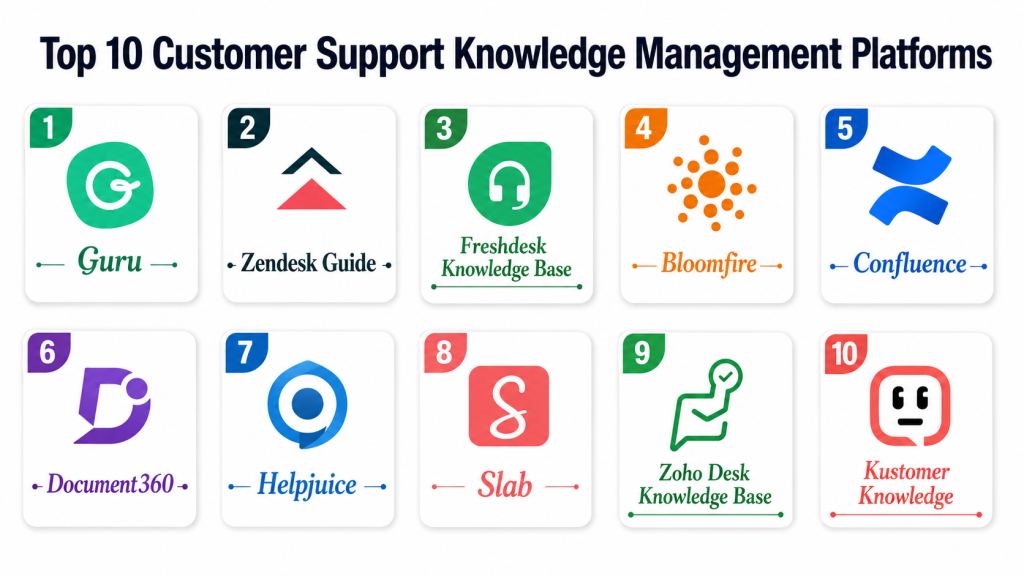
Top 10 Customer Support Knowledge Management Platforms Tools
#1 — Zendesk Guide
Short description: Zendesk Guide provides agents and customers with relevant knowledge at the point of need, streamlining internal workflows and public help center content.
Key Features
- AI-powered content suggestions
- Customizable internal and public knowledge bases
- Multilingual support and translation
- Workflow automation for approvals
- Analytics on article usage
- Version control and lifecycle management
- Integration with Zendesk Support
Pros
- Deep Zendesk ecosystem integration
- Strong AI suggestions
- Scalable for enterprise teams
- Rich analytics
Cons
- Best for Zendesk users
- Advanced features require higher-tier plans
- Migration can be resource-intensive
- Limited flexibility outside Zendesk
Platforms / Deployment
Web / iOS / Android
Cloud
Security & Compliance
- SSO, MFA, RBAC, encryption
- SOC 2, GDPR, ISO 27001
Integrations & Ecosystem
- Zendesk Support
- Live chat and messaging
- CRM systems
- Analytics tools
Support & Community
Extensive documentation, training, community forums, and enterprise support.
#2 — Freshdesk Knowledge Base
Short description: Freshdesk Knowledge Base centralizes FAQs, guides, and solutions, supporting self-service and internal workflows.
Key Features
- AI-powered article recommendations
- Customizable portals
- Multilingual content support
- Workflow approvals and versioning
- Analytics on usage
- Integration with Freshdesk ticketing and chat
- SEO-friendly public help centers
Pros
- Easy setup for SMB/mid-market teams
- Strong self-service
- Integrated with Freshdesk
- Scalable and flexible
Cons
- Limited advanced AI
- Best value with Freshdesk Support
- Migration requires planning
- Limited customization at lower tiers
Platforms / Deployment
Web / iOS / Android
Cloud
Security & Compliance
- SSO, encryption, RBAC
- GDPR, SOC 2
Integrations & Ecosystem
- Freshdesk Support
- Chatbots and messaging
- CRM platforms
- Analytics tools
Support & Community
Documentation, onboarding, community forums, enterprise support.
#3 — Guru
Short description: Guru centralizes knowledge for support and internal teams with context-sensitive cards and AI suggestions to improve productivity and customer experience.
Key Features
- Knowledge cards with context-aware suggestions
- Browser and app integrations
- AI-powered verification and suggestions
- Usage analytics
- Workflow approvals
- Multilingual support
- Slack, CRM, and ticketing integrations
Pros
- Intuitive knowledge capture
- AI-assisted validation
- Browser/app integrations
- Real-time contextual access
Cons
- Small learning curve for card workflows
- Advanced AI requires higher tiers
- Pricing high for large teams
- Requires process discipline
Platforms / Deployment
Web / iOS / Android
Cloud
Security & Compliance
- SSO, MFA, encryption, RBAC
- SOC 2, GDPR
Integrations & Ecosystem
- Slack, Salesforce, Zendesk, Microsoft Teams, chatbots
Support & Community
Documentation, onboarding, dedicated support resources.
#4 — Bloomfire
Short description: Bloomfire centralizes knowledge for employees and customers, offering AI-assisted search and analytics to improve self-service and agent efficiency.
Key Features
- AI-powered search and recommendations
- Rich media support
- Analytics on usage
- Internal collaboration tools
- Workflow approvals
- Integration with CRM/ticketing
- Public and internal portals
Pros
- Excellent AI search
- Rich media support
- User-friendly interface
- Flexible deployment
Cons
- Higher cost than lightweight solutions
- Advanced integrations may require setup
- Best for medium/large organizations
- Limited offline access
Platforms / Deployment
Web / iOS / Android
Cloud
Security & Compliance
- SSO, RBAC, encryption
- SOC 2, GDPR
Integrations & Ecosystem
- Salesforce, Zendesk, Microsoft Teams, Slack
Support & Community
Documentation, onboarding, enterprise support.
#5 — Atlassian Confluence
Short description: Confluence enables internal knowledge documentation, collaboration, and policy tracking for support and IT teams.
Key Features
- Wiki-style creation
- Rich content collaboration
- Workflow approvals and versioning
- Jira integration
- Searchable knowledge base
- Analytics
- Role-based permissions
Pros
- Strong collaboration
- Jira integration
- Flexible content structure
- Scalable for enterprise teams
Cons
- Not AI-driven by default
- Limited public self-service
- Training may be needed
- Advanced reporting requires add-ons
Platforms / Deployment
Web / iOS / Android
Cloud / Self-hosted
Security & Compliance
- SSO, encryption, RBAC
- SOC 2, GDPR
Integrations & Ecosystem
- Jira, Slack, Zendesk, Salesforce
Support & Community
Documentation, community forums, enterprise support.
#6 — Zoho Desk Knowledge Base
Short description: Zoho Desk Knowledge Base supports agents and customers with AI suggestions, workflow automation, and analytics.
Key Features
- AI-assisted suggestions
- Customizable portals
- Workflow automation
- Analytics
- Multilingual support
- Version control
- CRM/ticketing integration
Pros
- Affordable for mid-market
- Strong Zoho integration
- AI suggestions boost productivity
- Easy self-service
Cons
- Limited advanced AI
- Best value with Zoho ecosystem
- Customization may be limited
- Migration requires planning
Platforms / Deployment
Web / iOS / Android
Cloud
Security & Compliance
- SSO, RBAC, encryption
- GDPR, SOC 2
Integrations & Ecosystem
- Zoho CRM, chat, Salesforce, Slack
Support & Community
Onboarding, documentation, and customer support.
#7 — ServiceNow Knowledge Management
Short description: ServiceNow KM integrates with ITSM workflows, offering AI suggestions, structured content, and analytics.
Key Features
- AI recommendations
- ITSM workflow integration
- Analytics
- Content approval/versioning
- Multi-channel delivery
- Role-based access
- Multilingual support
Pros
- Enterprise scalability
- Strong IT workflow integration
- AI suggestions improve efficiency
- Robust governance
Cons
- Expensive
- Requires configuration expertise
- Overkill for small teams
- Complex customization
Platforms / Deployment
Web / iOS / Android
Cloud
Security & Compliance
- SSO, MFA, encryption, RBAC
- SOC 2, GDPR, ISO 27001
Integrations & Ecosystem
- ITSM, ticketing, CRM, collaboration tools
Support & Community
Documentation, training, enterprise support.
#8 — KnowledgeOwl
Short description: KnowledgeOwl provides customizable portals for mid-sized teams with structured content and analytics.
Key Features
- Customizable portals
- Role-based access
- Advanced search
- Analytics
- Workflow approvals
- Multilingual support
- API for integrations
Pros
- Easy setup
- Flexible content structure
- Affordable
- Supports internal/external knowledge
Cons
- Limited AI
- Fewer enterprise integrations
- Best for small to mid-sized teams
- Basic analytics
Platforms / Deployment
Web / iOS / Android
Cloud
Security & Compliance
- SSO, RBAC, encryption
- Not publicly stated
Integrations & Ecosystem
- Zendesk, Salesforce, Slack, Intercom
Support & Community
Documentation and email support.
#9 — Helpjuice
Short description: Helpjuice focuses on agent productivity and customer self-service with AI suggestions and analytics.
Key Features
- AI-powered search
- Customizable portals
- Analytics
- Workflow approvals
- Multilingual support
- Rich content formatting
- CRM/ticketing integration
Pros
- Strong AI search
- Easy to use
- Affordable mid-market
- Customizable look
Cons
- Limited automation
- Fewer integrations
- Migration is manual
- Analytics less sophisticated
Platforms / Deployment
Web / iOS / Android
Cloud
Security & Compliance
- SSO, MFA, encryption
- Not publicly stated
Integrations & Ecosystem
- Zendesk, Salesforce, Slack, Intercom
Support & Community
Documentation and email support.
#10 — Document360
Short description: Document360 provides a structured, enterprise-ready knowledge base with workflow approvals, AI search, and analytics.
Key Features
- AI-powered search
- Workflow approvals/versioning
- Analytics
- Structured hierarchy
- Public/private portals
- Multilingual support
- CRM/ticketing integration
Pros
- Scalable for mid to large teams
- Strong search and analytics
- Easy content maintenance
- Supports self-service
Cons
- Learning curve for complex setups
- Advanced AI requires higher tiers
- Limited integrations
- Workflow planning required
Platforms / Deployment
Web / iOS / Android
Cloud
Security & Compliance
- SSO, RBAC, encryption
- Not publicly stated
Integrations & Ecosystem
- Zendesk, Salesforce, Intercom, Slack
Support & Community
Documentation and email support.
Comparison Table
| Tool Name | Best For | Platform Supported | Deployment | Standout Feature | Public Rating |
|---|---|---|---|---|---|
| Zendesk Guide | Zendesk users | Web, iOS, Android | Cloud | AI suggestions, integrated with Zendesk | N/A |
| Freshdesk Knowledge Base | SMB, mid-market | Web, iOS, Android | Cloud | Easy self-service setup | N/A |
| Guru | Contextual knowledge | Web, iOS, Android | Cloud | AI-assisted cards | N/A |
| Bloomfire | Enterprise rich media | Web, iOS, Android | Cloud | AI search & recommendations | N/A |
| Atlassian Confluence | Internal documentation | Web, iOS, Android | Cloud/Self-hosted | Wiki-style collaboration | N/A |
| Zoho Desk KB | SMB/mid-market | Web, iOS, Android | Cloud | AI content suggestions | N/A |
| ServiceNow KM | Enterprise IT/Support | Web, iOS, Android | Cloud | ITSM workflow integration | N/A |
| KnowledgeOwl | Mid-sized teams | Web, iOS, Android | Cloud | Custom portals | N/A |
| Helpjuice | Customer self-service | Web, iOS, Android | Cloud | AI search & analytics | N/A |
| Document360 | Enterprise-ready KB | Web, iOS, Android | Cloud | Workflow approvals & structured content | N/A |
Evaluation & Scoring
| Tool Name | Core 25% | Ease 15% | Integrations 15% | Security 10% | Performance 10% | Support 10% | Value 15% | Weighted Total |
|---|---|---|---|---|---|---|---|---|
| Zendesk Guide | 9 | 8 | 9 | 9 | 8.5 | 8 | 7.5 | 8.5 |
| Freshdesk Knowledge Base | 8 | 9 | 8.5 | 8 | 8 | 8 | 8 | 8.3 |
| Guru | 8.5 | 8.5 | 8 | 8 | 8 | 7.5 | 7.5 | 8.1 |
| Bloomfire | 8.5 | 8 | 8 | 8 | 8 | 7.5 | 7.5 | 8.0 |
| Atlassian Confluence | 8 | 7.5 | 8 | 8 | 8 | 7.5 | 7.5 | 7.8 |
| Zoho Desk KB | 8 | 8.5 | 7.5 | 7.5 | 7.5 | 7.5 | 8 | 7.9 |
| ServiceNow KM | 9 | 7 | 8.5 | 9 | 8 | 8 | 7.5 | 8.3 |
| KnowledgeOwl | 7.5 | 8 | 7.5 | 7 | 7.5 | 7.5 | 7.5 | 7.5 |
| Helpjuice | 8 | 8 | 7.5 | 7.5 | 7.5 | 7 | 7.5 | 7.7 |
| Document360 | 8.5 | 8 | 7.5 | 7.5 | 8 | 7.5 | 7.5 | 7.9 |
Which Customer Support Knowledge Management Tool Is Right for You?
Solo / Freelancer
KnowledgeOwl or Freshdesk Knowledge Base provide lightweight setup, easy content management, and AI suggestions for self-service.
SMB
Zoho Desk KB or Guru are ideal for SMBs needing AI suggestions, workflow automation, and analytics.
Mid-Market
Bloomfire, Helpjuice, or Guru are strong options, offering contextual AI, analytics, and rich media support.
Enterprise
Zendesk Guide, ServiceNow KM, Document360, and Atlassian Confluence provide enterprise scalability, multi-channel access, workflow automation, and compliance.
Frequently Asked Questions
1. What is a Customer Support Knowledge Management Platform?
A knowledge management platform centralizes internal and customer-facing content, enabling agents and customers to access accurate information quickly. It improves ticket resolution, self-service, and content consistency.
2. How does it differ from a CRM?
CRMs manage customer records and interactions, while knowledge platforms manage content and guidance. Knowledge platforms complement CRMs by reducing support workload and improving information access.
3. Can small businesses benefit?
Yes, small businesses can use lightweight platforms like KnowledgeOwl or Freshdesk KB to organize FAQs, provide self-service portals, and streamline agent workflows.
4. Are AI features necessary?
AI helps surface relevant articles to agents and customers, improving resolution speed. While not mandatory, AI is increasingly valuable for larger teams with growing knowledge bases.
5. How long does setup take?
Setup ranges from days for simple platforms to weeks for enterprise tools, depending on content migration, portal configuration, workflow setup, and integrations.
6. What security features are important?
SSO, MFA, encryption, role-based access, and audit logging are critical to protect sensitive support content and customer data.
7. Can these platforms support multiple languages?
Yes, many support multilingual content and automated translation, making them suitable for global support operations.
8. What integrations matter most?
Ticketing systems, CRM, chatbots, analytics, and collaboration tools are most important for connecting knowledge workflows with support processes.
9. What are common mistakes when implementing?
Not maintaining content accuracy, failing to train agents, underestimating content governance, and ignoring analytics for improvement are common mistakes.
10. How do you measure success?
Metrics include reduced ticket resolution time, higher self-service adoption, improved customer satisfaction, decreased repetitive inquiries, and increased agent productivity.
Conclusion
Customer Support Knowledge Management Platforms are essential for modern support teams aiming to reduce ticket volume, improve resolution speed, and enhance self-service. The best tool depends on team size, support complexity, integrations, workflow requirements, and AI needs. SMBs may prioritize ease of use and affordable automation, while enterprises need scalability, workflow governance, and compliance. Zendesk Guide, Freshdesk Knowledge Base, Guru, Bloomfire, Atlassian Confluence, Zoho Desk KB, ServiceNow KM, KnowledgeOwl, Helpjuice, and Document360 each provide unique strengths. The right approach is to shortlist 2–3 tools, run a pilot using real support data, validate integrations and security, and scale adoption based on measurable improvements.

Support knowledge bases often grow rapidly, but content quality can decline when articles are duplicated, outdated, or disconnected from actual support trends. Over time, this can increase resolution times despite having a large repository of information. Exploring content lifecycle governance, search effectiveness measurement, and feedback-driven article improvement would provide valuable insight into maintaining a knowledge platform that continues to deliver value as support operations scale.
Knowledge repositories tend to grow continuously, but without regular validation they can become difficult to navigate and increasingly inconsistent. Articles that are technically correct may still be ineffective if they no longer reflect current products, workflows, or customer issues. Discussing automated content review cycles, knowledge freshness indicators, and AI-assisted gap detection would add practical value for teams aiming to keep support content accurate and easy to trust.