Introduction
Home Health Care Management Software is a specialized category of digital health technology designed to streamline the clinical, administrative, and financial operations of agencies providing medical and non-medical care within a patient’s residence. Unlike traditional hospital-based electronic health records, these platforms are engineered for a mobile and distributed workforce. They prioritize real-time communication, complex field scheduling, and specialized compliance workflows that are unique to the home setting. In today’s healthcare environment, these tools have transitioned from simple digital filing systems into comprehensive orchestration engines that balance staff logistics with high-acuity clinical requirements.
The significance of these platforms has grown immensely as healthcare shifts toward decentralized models and aging populations choose to age in place. Modern systems now integrate sophisticated features such as predictive analytics to prevent hospital readmissions, automated route optimization for field staff, and seamless data synchronization between home-based care and primary care physicians. For agency owners and administrators, the software serves as the central nervous system of the organization, ensuring that every patient visit is documented accurately, every regulatory requirement is met, and the revenue cycle remains efficient.
Real-world use cases for these tools include:
- Automating the matching of caregivers to patients based on clinical needs, geographic proximity, and language preferences.
- Enabling field nurses to document complex wound care progress and vital signs via mobile devices even in areas without internet connectivity.
- Synchronizing real-time data between various care disciplines—such as physical therapy, nursing, and social work—to ensure a unified care plan.
- Managing intricate billing cycles across diverse payors, including government programs, private insurance, and individual payors.
- Monitoring caregiver attendance and location via electronic verification to ensure patient safety and labor law compliance.
When evaluating these solutions, buyers should analyze several critical factors:
- User interface simplicity for both office administrators and field clinicians.
- Robustness of the mobile application and its ability to function offline.
- Integration capabilities with state-mandated verification aggregators and external health systems.
- Depth of clinical documentation and the presence of automated quality assurance checks.
- Real-time operational reporting and executive-level dashboards.
- The platform’s ability to scale as the agency’s patient census increases.
- Support for multiple lines of business, such as hospice, palliative care, and private duty.
- Automated revenue cycle management to reduce the risk of claim denials.
- Security features that ensure data privacy and regulatory compliance.
- The responsiveness and quality of the vendor’s technical support and onboarding process.
Mandatory paragraph
- Best for: Mid-to-large home health agencies, hospice providers, and multi-entity healthcare organizations that require a unified system to manage complex workforce logistics and high-volume clinical documentation.
- Not ideal for: Individual solo practitioners or very small private-duty providers with fewer than five employees who may find the enterprise-level features and implementation costs unnecessary for their simple administrative needs.
Key Trends in Home Health Care Management Software for the Future
- Ambient AI Documentation: Modern platforms are increasingly incorporating tools that listen to clinician-patient interactions and automatically generate accurate clinical notes, reducing the administrative burden on nurses.
- Predictive Health Analytics: Using machine learning, current software can analyze patient data to flag individuals at high risk for falls or hospital readmissions before an incident occurs.
- Hyper-Personalized Staff Matching: Automation has moved beyond simple availability, matching caregivers to patients based on personality compatibility and historical satisfaction scores to improve care outcomes.
- Integrated Remote Patient Monitoring: The gap between home care software and medical devices is closing, with vitals from wearable heart monitors and smart scales flowing directly into the patient’s clinical record.
- Gig-Economy Staffing Models: Systems are adopting internal “open shift” marketplaces that allow staff to pick up extra hours across different agency branches, helping to mitigate the ongoing labor shortage.
- Zero-Trust Security Frameworks: Vendors are moving toward more advanced security architectures that require multi-factor authentication and granular access controls for every individual data interaction.
- Interoperability via Modern Standards: Platforms are prioritizing modern data exchange standards to ensure that home health data can be easily consumed by hospital systems and larger health networks.
- Automated Regulatory Guardrails: Software now includes “compliance-by-design” workflows that prevent the submission of clinical notes if mandatory data points or assessment criteria are missing.
- Outcome-Based Financial Modeling: As reimbursement models shift toward value-based care, management software is adding features to track and report on specific quality metrics and patient outcomes.
How We Selected These Tools (Methodology)
The selection of these top tools is based on a rigorous evaluation framework designed to identify the most reliable and operationally sound platforms currently available. The methodology focused on several key criteria:
- Market Presence and Adoption: We analyzed which platforms are currently utilized by the largest home health and hospice providers, as high adoption often indicates a stable and well-supported product.
- Feature Depth: Only tools that offer a “full-stack” solution—covering clinical documentation, back-office administration, and financial management—were considered.
- Mobile Experience Performance: Given the nature of field work, we prioritized platforms with highly-rated mobile applications and robust offline documentation capabilities.
- Security and Compliance Posture: We verified the presence of standard safeguards such as encrypted data storage and compliant messaging.
- Ecosystem Connectivity: Preference was given to tools with established partnerships and open APIs that allow for integration with other enterprise software.
- Scalability Signals: The evaluation included the platform’s ability to maintain high performance and speed even as agency data volumes grow.
- Vendor Support Reliability: We reviewed qualitative data regarding the ease of implementation and the responsiveness of the technical support teams.
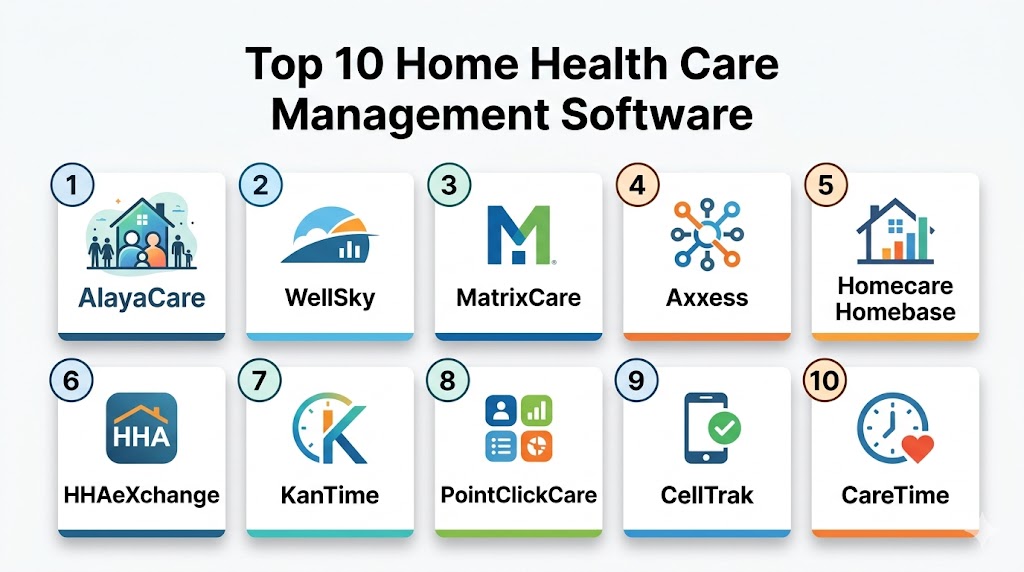
Top 10 Home Health Care Management Software Tools
#1 — AlayaCare
Short description: AlayaCare is a modern, cloud-native platform designed for home care agencies seeking a flexible and data-driven approach. It combines clinical documentation, back-office administration, and a robust client portal into a single interface. The software is particularly well-regarded for its use of automation to optimize scheduling and its focus on future-proofing agencies through advanced data analytics.
Key Features
- High-Impact Automation: Streamlines scheduling by matching staff to clients based on custom business rules and geographic data.
- Clinical Point of Care: An offline-capable mobile app that allows nurses to document assessments and capture signatures without internet.
- Data Exploration Tool: An integrated business intelligence suite that allows agencies to build custom dashboards and reports.
- Vendor Marketplace: A unique feature for managing subcontracted nursing and third-party provider referrals.
- Client & Family Portal: Provides real-time visibility into care plans and schedules for family members, improving transparency.
Pros
- Exceptional user interface that feels modern and intuitive compared to legacy systems.
- Frequent updates and a strong focus on incorporating new technology.
- Flexible architecture that allows for deep custom integrations with other enterprise software.
Cons
- Implementation can be complex and time-consuming for smaller agencies with limited IT resources.
- Higher price point compared to some entry-level competitors.
- Some users report a steep learning curve for the advanced reporting modules.
Platforms / Deployment
- Web / iOS / Android
- Cloud
Security & Compliance
- MFA, RBAC, Data Encryption at rest and in transit.
- HIPAA Compliant, SOC Type II.
Integrations & Ecosystem
AlayaCare offers a robust API and pre-built connectors for various third-party systems to ensure a unified tech stack.
- Zendesk for support tracking.
- Various payroll providers.
- Electronic Data Interchange for billing.
- Health Information Exchanges.
Support & Community
AlayaCare provides a comprehensive training university, a dedicated support portal, and an active user community for peer-to-peer knowledge sharing.
#2 — WellSky Home Health
Short description: WellSky is one of the most widely used platforms in the industry, known for its strong reputation among clinicians for ease of use. It provides a comprehensive suite for home health, hospice, and personal care, with a strong emphasis on clinical accuracy and revenue cycle efficiency. The platform is designed to scale from small independent agencies to massive enterprises.
Key Features
- AI Documentation Assistance: Integrates smart features to assist clinicians with documentation tasks and notes.
- Referral Source Integration: Connects agencies with hospital referral sources to ensure a steady stream of new patients.
- Assessment Analysis: Built-in tools that check clinical notes for consistency and compliance before submission.
- Intuitive Scheduling: A drag-and-drop calendar that manages multiple disciplines in one view.
- Revenue Cycle Management: Automated billing workflows tailored specifically to modern reimbursement models.
Pros
- Very high user satisfaction among field clinicians due to the simple interface.
- Strong reputation for regulatory compliance and staying ahead of policy changes.
- Excellent offline documentation capability that syncs seamlessly once online.
Cons
- Customer support response times can be inconsistent during peak periods.
- Advanced reporting can sometimes feel less flexible than dedicated BI tools.
- The pricing structure can be opaque for smaller agencies.
Platforms / Deployment
- Web / iOS / Android
- Cloud
Security & Compliance
- SSO, MFA, Audit Logs.
- HIPAA Compliant.
Integrations & Ecosystem
WellSky features a large ecosystem of partners, particularly in the hiring and payroll space.
- Hiring and recruitment tools.
- Payment processing.
- Direct integration with major HIE networks.
- Pharmacy management links.
Support & Community
WellSky offers a large knowledge base, regular webinars on regulatory updates, and tiered support packages for enterprise clients.
#3 — MatrixCare
Short description: MatrixCare is a powerhouse in the post-acute care space, offering specialized modules for home health, hospice, and senior living. It is heavily focused on the financial and operational health of the organization, providing deep drill-down capabilities into billing and records. It is a preferred choice for organizations that operate multiple types of care facilities.
Key Features
- Enterprise Records: A centralized database for all patient information, billing, and clinical charts.
- Financial Drill-Down: Allows users to view attached backups and source documents directly from journal entries.
- Multi-Facility Management: Specifically designed for organizations managing a network of different care locations.
- Note Collaboration: Enables multiple staff members to work on a single file with clear versioning.
- Medication Tracking: Advanced monitoring of nursing orders and medication delivery protocols.
Pros
- Highly effective for complex financial auditing and billing across multiple payor sources.
- Robust security settings that allow for granular control of data access.
- Regular regulatory updates ensure the system remains compliant with the latest laws.
Cons
- The user interface can feel more corporate and less modern than some cloud-only competitors.
- Limited customization options for specific screen layouts.
- Not optimized for use on very small tablets; works best on larger screens.
Platforms / Deployment
- Web / Windows
- Cloud
Security & Compliance
- RBAC, MFA, Secure data exports.
- HIPAA Compliant.
Integrations & Ecosystem
MatrixCare focuses on deep financial and clinical integrations to minimize manual data entry.
- Secure links to various payroll vendors.
- Pharmacy system integrations.
- Diagnostic lab result feeds.
Support & Community
MatrixCare provides a dedicated support portal and “Super User” training programs to help organizations manage the software internally.
#4 — Axxess
Short description: Axxess is an industry-leading software known for its massive scale and comprehensive educational resources. It offers a suite of tools that cover home health, home care, and palliative care. Axxess is unique in its focus on empowering the caregiver through integrated training and a user-friendly mobile experience optimized for efficiency.
Key Features
- Learning Hub: A large library of educational content and certifications integrated directly into the platform.
- QA Center: A streamlined quality assurance module with filters to eliminate duplicate work and ensure accurate claims.
- Real-Time Claims: Direct pipeline to major payors for faster reimbursement.
- Policy Advocacy: An integrated way for users to stay informed on healthcare policy changes.
- Efficient Documentation: Mobile app design optimized for clinicians who need to document while on the move.
Pros
- Excellent for agencies that prioritize staff training and continuous education.
- The QA module is highly efficient at catching errors before they become costly denials.
- Very strong mobile app with high user ratings across major app stores.
Cons
- The vast number of features can be overwhelming for new users.
- Some advanced reporting features require additional setup or higher-tier plans.
- Finding specific answers in the help center can sometimes take time.
Platforms / Deployment
- Web / iOS / Android
- Cloud
Security & Compliance
- MFA, SSO, Encryption.
- HIPAA Compliant.
Integrations & Ecosystem
Axxess maintains an extensive partnership network to support all aspects of agency growth.
- Direct government payment pipelines.
- Verification aggregators.
- Integrated workforce management tools.
Support & Community
Axxess boasts a large user community, a comprehensive Help Center, and a support team focused on client success.
#5 — Homecare Homebase
Short description: Homecare Homebase is often considered the gold standard for large, enterprise-level home health and hospice agencies. It is a robust system designed to optimize every aspect of the care lifecycle, from referral intake to final billing. It is built for high-volume agencies that need extreme efficiency and deep data insights to manage thousands of patients.
Key Features
- Advanced Analytics: A powerful data engine that identifies trends in patient outcomes and resource allocation.
- Workflow Automation: Logic-driven tasks that guide every employee through their specific role-based requirements.
- Interoperability Engine: Seamless data exchange with hospitals, physicians, and other care partners.
- Capacity Management: Tools to help leadership understand staffing limits versus patient volume.
- Eligibility Tracking: Automated verification of patient insurance and program eligibility.
Pros
- Unrivaled scalability; the system is designed to handle the largest agencies in the country.
- Extremely deep functionality—there is a module or feature for almost every agency need.
- Strong focus on clinical outcomes and quality-based care metrics.
Cons
- High cost of ownership, making it inaccessible for many small agencies.
- Steep learning curve; implementation often requires a dedicated internal project team.
- The rigidity of the workflows can sometimes feel restrictive to field clinicians.
Platforms / Deployment
- Web / Windows / Android
- Cloud
Security & Compliance
- Audit Trails, SSO, RBAC.
- HIPAA Compliant.
Integrations & Ecosystem
Homecare Homebase is built for an integrated healthcare world, focusing on hospital and referral network connectivity.
- Health Information Exchanges.
- Pharmacy and Lab integrations.
- Comprehensive API for enterprise data warehousing.
Support & Community
The vendor offers high-touch consulting services, a dedicated help desk, and regular industry webinars for its user base.
#6 — HHAeXchange
Short description: HHAeXchange is specifically tailored for home care providers, with a focus on compliance and visit verification. It serves as a bridge between payers and providers, ensuring that services are delivered as authorized and billed accurately. It is a dominant player in regions with strict reporting models where software is used to report directly to state systems.
Key Features
- Verification Excellence: Sophisticated location-based verification that meets strict regulatory requirements.
- Care Insights: A tool that allows caregivers to record observations that can flag early health risks.
- Payer-Provider Link: Real-time synchronization of authorizations and claims between agencies and insurance companies.
- Automated Billing: Connects visit data directly to financial systems to reduce manual entry.
- Pre-billing Checks: Automatically checks for missed tasks or non-compliance before claims are generated.
Pros
- Best-in-class for agencies in regions with strict government reporting requirements.
- Strong communication tools that link all parties—caregiver, office, and payer—together.
- Reduces paperwork significantly through digital plan-of-care task tracking.
Cons
- The interface can feel a bit dated compared to newer cloud-native competitors.
- Mobile app stability can occasionally be an issue during high-traffic periods.
- Technical support can be slow to resolve complex issues.
Platforms / Deployment
- Web / iOS / Android
- Cloud
Security & Compliance
- MFA, Encryption, Audit Logs.
- HIPAA Compliant.
Integrations & Ecosystem
HHAeXchange acts as a hub, connecting agencies directly to financial and regulatory infrastructure.
- Direct links to government aggregators.
- Payroll system exports.
- Secure messaging APIs.
Support & Community
The platform provides extensive online documentation, a ticket-based support system, and regional training sessions.
#7 — KanTime
Short description: KanTime is a comprehensive enterprise software that handles home health, hospice, pediatric, and private duty care. It is highly regarded for its clinical documentation quality and its ability to handle multi-state, multi-entity organizations. Its approach ensures that every clinical action is tied directly to a billable event, maximizing agency revenue.
Key Features
- Clinical Validation: Built-in logic to reduce assessment errors and ensure clinical accuracy.
- Intelligent Scheduling: Matches clinicians based on acuity, geography, and availability in real-time.
- Hospice Modules: Dedicated features for interdisciplinary group meetings and bereavement tracking.
- Financial Modeling: Built-in logic for the latest reimbursement models.
- Mobile Offline Capability: Full clinical documentation access regardless of internet connectivity.
Pros
- Extremely strong clinical guardrails that prevent non-compliant documentation.
- Excellent for agencies with diverse lines of business.
- Transparent and helpful dashboards for monitoring agency performance metrics.
Cons
- The system can be complex to configure initially due to the high degree of flexibility.
- The user interface is functional but not as visually modern as some competitors.
- Some users report that the training period required for new staff is longer than average.
Platforms / Deployment
- Web / iOS / Android
- Cloud
Security & Compliance
- RBAC, MFA, Audit Trails.
- HIPAA Compliant.
Integrations & Ecosystem
KanTime is designed to be the central hub of a larger technical ecosystem.
- Integrated verification solutions.
- Pharmacy management.
- Seamless payroll and HR system links.
Support & Community
KanTime provides a robust knowledge base, regular user training webinars, and a dedicated account management model for enterprise clients.
#8 — PointClickCare
Short description: PointClickCare is a major player in the healthcare software world, primarily known for skilled nursing, but with a powerful home health division. The platform is designed to facilitate smooth transitions between different care settings, making it an ideal choice for health systems that own both hospitals and home care agencies.
Key Features
- Transitions of Care: Tools specifically designed to bridge the gap between hospital discharge and home care intake.
- Value-Based Analytics: Predictive models that help agencies meet quality metrics and reimbursement benchmarks.
- Unified EHR: A single record system that can follow a patient from a nursing facility to their home.
- Real-Time Intelligence: Dashboards that provide visibility into patient status across the entire care continuum.
- Integrated RCM: Comprehensive revenue cycle management to optimize financial outcomes.
Pros
- Unrivaled in its ability to handle patient data across multiple healthcare settings.
- Backed by a massive company with significant resources for research and development.
- The data insights are some of the most sophisticated in the industry.
Cons
- Can be expensive for independent agencies that don’t need hospital-link features.
- The system’s complexity can be overkill for smaller, home-care-only providers.
- Implementation is a major undertaking that requires significant staff time.
Platforms / Deployment
- Web / Windows / iOS / Android
- Cloud
Security & Compliance
- SSO, MFA, Advanced Encryption.
- HIPAA Compliant, SOC Type II.
Integrations & Ecosystem
PointClickCare boasts one of the largest integration marketplaces in the sector.
- Over 200 marketplace partners.
- Direct API access for custom data workflows.
- Integration with nearly all major hospital systems.
Support & Community
PointClickCare offers a dedicated university for training, a massive community forum, and technical support for enterprise users.
#9 — CellTrak
Short description: CellTrak is a mobile-first solution that focuses heavily on the bridge between the office and the field staff. While it offers management features, its strength lies in its mobile application, which automates workflow and verifies visits via GPS. It is often used as a mobile layer on top of other legacy systems.
Key Features
- Field Automation: Fully automates the workflow between office staff and clinicians in the field.
- Location-Based Verification: High-precision tracking to ensure compliance and reduce fraud.
- Real-Time Alerts: Notifies the office immediately of late visits or changes in patient condition.
- Care Team Messaging: Secure, compliant communication within the app.
- Mileage Tracking: Automatically calculates distance and time for accurate payroll.
Pros
- One of the most reliable and user-friendly mobile applications in the industry.
- Can be used as a standalone solution or integrated with existing agency software.
- Strong focus on increasing field efficiency and clinician visits.
Cons
- As a specialized mobile tool, it may lack some deep clinical features of a full EHR.
- Pricing can be high if used merely as an add-on to another system.
- Requires consistent mobile data or GPS signal for optimal performance.
Platforms / Deployment
- Web / iOS / Android
- Cloud
Security & Compliance
- MFA, Encrypted Messaging, Audit Logs.
- HIPAA Compliant.
Integrations & Ecosystem
CellTrak is known for its open approach, designed to work alongside other major healthcare systems.
- Integrations with major EHRs.
- Payroll and HR system connectors.
- API for custom reporting.
Support & Community
CellTrak provides extensive training for field staff, a dedicated customer success team, and a detailed online knowledge base.
#10 — CareTime
Short description: CareTime is a budget-friendly, cloud-based solution ideal for small-to-mid-sized agencies. It focuses on the essentials: scheduling, visit documentation, and billing. Its simplicity and low entry cost make it a popular choice for new agencies looking to get up and running quickly without a massive upfront investment.
Key Features
- Integrated Verification: Built-in visit verification that satisfies most regulatory requirements.
- Automated Scheduling: Simple tools to manage caregiver shifts and patient appointments.
- Direct Billing: Supports Medicaid, private insurance, and private pay billing workflows.
- Real-Time Visibility: Dashboards that show visit status and documentation gaps immediately.
- Mobile Access: A lightweight app for caregivers to clock in and view patient profiles.
Pros
- Very affordable pricing, making it accessible for startups and small businesses.
- The system is very easy to learn and requires minimal training for new staff.
- Good reputation for being responsive to the needs of smaller agencies.
Cons
- Lacks the advanced analytics found in enterprise-level tools.
- The interface is functional but can feel somewhat simplistic.
- May not scale as effectively for agencies with thousands of employees.
Platforms / Deployment
- Web / iOS / Android
- Cloud
Security & Compliance
- MFA, Encryption.
- HIPAA Compliant.
Integrations & Ecosystem
CareTime focuses on the core integrations needed to run a small business efficiently.
- API for basic data exchange.
- Payroll system exports.
- Billing clearinghouse connections.
Support & Community
CareTime offers personalized onboarding, a detailed help center, and direct phone and email support.
Comparison Table
| Tool Name | Best For | Platform(s) Supported | Deployment | Standout Feature | Public Rating |
|---|---|---|---|---|---|
| AlayaCare | Data-Driven Agencies | Web, iOS, Android | Cloud | Marketplace for Subcontractors | N/A |
| WellSky | Clinician Ease-of-Use | Web, iOS, Android | Cloud | AI Documentation Assistance | N/A |
| MatrixCare | Multi-Facility Orgs | Web, Windows | Cloud | Financial Drill-Down Depth | N/A |
| Axxess | Staff Education | Web, iOS, Android | Cloud | Integrated Learning Hub | N/A |
| Homecare Homebase | High-Volume Enterprise | Web, Windows, Android | Cloud | Advanced Workflow Automation | N/A |
| HHAeXchange | Regulatory Compliance | Web, iOS, Android | Cloud | Direct Payer-Provider Link | N/A |
| KanTime | Multi-Line Care | Web, iOS, Android | Cloud | Clinical Validation Logic | N/A |
| PointClickCare | Health Systems | Web, Windows, iOS, Android | Cloud | Care Transition Intelligence | N/A |
| CellTrak | Field Optimization | Web, iOS, Android | Cloud | GPS-Based Field Management | N/A |
| CareTime | Startups & Small Agencies | Web, iOS, Android | Cloud | Low-Cost Entry / Simplicity | N/A |
Export to Sheets
Evaluation & Scoring of Home Health Care Management Software
The following scores represent a comparative analysis of each tool based on industry standards and feature availability.
| Tool Name | Core (25%) | Ease (15%) | Integrations (15%) | Security (10%) | Performance (10%) | Support (10%) | Value (15%) | Weighted Total |
|---|---|---|---|---|---|---|---|---|
| AlayaCare | 9 | 8 | 9 | 9 | 8 | 8 | 7 | 8.35 |
| WellSky | 9 | 9 | 8 | 8 | 8 | 7 | 8 | 8.30 |
| MatrixCare | 8 | 7 | 7 | 9 | 9 | 8 | 7 | 7.70 |
| Axxess | 9 | 8 | 8 | 8 | 8 | 9 | 8 | 8.35 |
| Homecare Homebase | 10 | 6 | 9 | 9 | 9 | 8 | 6 | 8.20 |
| HHAeXchange | 8 | 7 | 9 | 8 | 7 | 6 | 8 | 7.60 |
| KanTime | 9 | 7 | 8 | 8 | 8 | 8 | 8 | 8.10 |
| PointClickCare | 9 | 6 | 10 | 9 | 9 | 8 | 6 | 8.10 |
| CellTrak | 7 | 9 | 8 | 8 | 9 | 8 | 8 | 8.00 |
| CareTime | 7 | 9 | 6 | 8 | 8 | 9 | 10 | 7.95 |
Export to Sheets
The scoring model evaluates how well each tool serves its intended market segment. For instance, a high score in “Core Features” indicates a deep and broad set of administrative and clinical tools, while a high “Value” score reflects affordability for smaller agencies. These ratings are relative; a lower score in “Ease of Use” typically indicates a more complex enterprise system that requires more extensive training, whereas a high score indicates a more intuitive, plug-and-play interface. Decision-makers should prioritize the columns that match their organization’s most pressing needs.
Which Home Health Care Management Software Tool Is Right for You?
Solo / Freelancer
If you are operating as an independent caregiver or managing a very small private-duty agency, CareTime is the logical choice. Its simplicity ensures you spend less time on administration and more time on care, without the financial burden of enterprise-scale software.
SMB
For agencies with a growing team of 10 to 50 caregivers, WellSky and Axxess offer the best combination of professional features and ease of use. These platforms allow for rapid onboarding of new staff and provide the necessary compliance tools to protect a growing business.
Mid-Market
For agencies managing between 50 and 200 field staff, AlayaCare or KanTime are superior options. These tools offer the advanced automation and reporting necessary to maintain operational control as the organization scales across multiple cities or counties.
Enterprise
For organizations with thousands of patients and multi-state operations, Homecare Homebase and PointClickCare are the leaders. They provide the deep data auditing and transitions-of-care features that health systems require to operate at peak efficiency.
Budget vs Premium
CareTime and CellTrak are excellent choices for those seeking value or specialized mobile focus. Conversely, Homecare Homebase is a premium investment that pays off through extreme operational efficiency for organizations with the volume to support it.
Feature Depth vs Ease of Use
If clinical documentation accuracy is your primary concern, KanTime provides the best guardrails. If you want a platform your staff will enjoy using every day with minimal friction, AlayaCare and WellSky lead the market in user interface design.
Integrations & Scalability
For health systems, PointClickCare offers the most robust ecosystem for connecting home care with other healthcare facilities. For independent agencies that want to integrate with a variety of specialized third-party tools, AlayaCare provides the most flexible API.
Security & Compliance Needs
While all tools listed are built for HIPAA compliance, MatrixCare and HHAeXchange are particularly well-suited for organizations that deal with complex multi-payer environments and strict government reporting mandates.
Frequently Asked Questions (FAQs)
1. What are the common pricing structures for home health software?
Most software vendors use a subscription-based pricing model, often calculated per patient, per user, or per visit. Some enterprise-level platforms may also require an initial implementation fee to cover data migration and staff training. It is important to ask about hidden costs for mobile app access or extra reporting features.
2. How long does the software implementation process usually take?
Timelines vary significantly depending on the size of the agency and the complexity of the software. A simple cloud-based system might be ready in a few weeks, while an enterprise-wide deployment can take several months. A successful implementation requires a clear project plan and dedicated time for staff training.
3. Can these tools handle both medical and non-medical home care?
Many of the top platforms are designed to be flexible enough to handle both skilled medical care and non-medical personal care. However, the documentation requirements for these two types of service differ greatly. You should ensure the tool you select has specific workflows for both if your agency offers a mix of services.
4. Is the software compliant with electronic visit verification laws?
Yes, modern management software is designed to meet verification requirements by capturing GPS locations, time stamps, and patient signatures. These features ensure that the agency is compliant with state and federal laws regarding the verification of service delivery. Always verify that a vendor’s method is accepted in your specific region.
5. What happens to my data if I decide to switch software providers?
Most reputable vendors allow you to export your patient and billing data in standard formats like Excel or CSV. However, the ease of this process can vary. It is wise to review the data ownership and export clauses in your contract before signing to ensure you can move your information if needed.
6. Do these platforms offer mobile apps for field clinicians?
Almost all leading providers offer dedicated mobile applications for iOS and Android devices. These apps are essential for field staff to document care at the point of service, view their daily schedules, and communicate securely with the office. High-quality apps also function offline and sync data once a connection is found.
7. How does the software assist with clinical documentation accuracy?
Advanced systems use built-in validation logic and “guardrails” that prevent a clinician from finishing a note if mandatory fields are missing or if the data is inconsistent. This significantly reduces the time spent on manual quality assurance and lowers the risk of claim denials due to documentation errors.
8. Can I manage multiple branches or locations within one system?
Enterprise-level tools like Homecare Homebase and MatrixCare are specifically designed to manage multi-entity organizations. They allow administrators to see high-level data across all branches while also drilling down into the performance of a single location. This is critical for agencies planning to expand geographically.
9. What kind of technical support can I expect after implementation?
Support levels vary by vendor, ranging from basic email and ticket-based systems to 24/7 phone support and dedicated account managers. Most providers also offer a self-service knowledge base and video tutorials. For larger agencies, having a responsive support team is vital to maintaining daily operations.
10. How does the software help in reducing claim denials?
The software helps by ensuring that all documentation is complete and compliant before it is sent for billing. Automated scrubbers check for common errors, verify insurance eligibility, and ensure that authorizations are in place. This proactive approach leads to faster reimbursements and a healthier bottom line for the agency.
Conclusion
Selecting the right Home Health Care Management Software is a foundational decision that impacts every aspect of an agency’s operations. Whether you prioritize the clinical depth of a platform like KanTime or the mobile-first efficiency of CellTrak, the key is to choose a tool that grows with your organization. The current landscape offers solutions for every size and specialty, from budget-friendly startups to massive health systems. We recommend shortlisting two or three platforms that align with your primary goals and conducting a thorough pilot program to validate their security, ease of use, and integration capabilities before making a final commitment.
