Introduction
Nutrition Practice Management Tools are specialized software platforms designed to streamline the administrative, clinical, and business operations of nutrition professionals, including registered dietitians, nutritionists, and health coaches. In the modern landscape, these tools have evolved beyond simple scheduling. They now serve as comprehensive hubs that integrate electronic health records (EHR), telehealth, HIPAA-compliant communication, meal planning, and automated billing into a single ecosystem. As the demand for personalized, data-driven wellness continues to grow, practitioners require robust systems that can handle complex patient data while providing a seamless, professional experience for the client.
The significance of these platforms today lies in their ability to bridge the gap between clinical advice and daily lifestyle implementation. With the rise of hybrid care models, a practice management tool is no longer an optional luxury but a core infrastructure requirement for scaling a practice. These tools allow practitioners to move away from fragmented systems—like using one app for video calls and another for spreadsheets—thereby reducing administrative overhead and focusing more on patient outcomes. These systems are designed to handle the nuances of nutritional care, such as tracking micronutrients, managing food sensitivities, and coordinating with laboratory results for functional testing.
Real-world use cases include:
- Automated Client Onboarding: Using digital intake forms that automatically populate a client’s health profile, reducing manual entry.
- Hybrid Care Delivery: Hosting secure telehealth sessions while simultaneously viewing a client’s real-time food log for immediate feedback.
- Insurance Reimbursement: Generating and submitting professional superbills or CMS-1500 forms for medical nutrition therapy to ensure proper compensation.
- Chronic Disease Management: Tracking specific biomarkers and dietary compliance for patients with conditions like diabetes or hypertension over long periods.
What buyers should evaluate:
- Security and Compliance: Does the platform meet regional health data privacy standards (e.g., HIPAA, GDPR) to protect sensitive patient information?
- Meal Planning Capabilities: Is there a built-in database or integration for creating customized nutritional plans and recipes?
- Client Engagement Features: Does it offer a mobile app for clients to log meals, track progress, and message the practitioner?
- Billing and Payments: Supports both private pay (Stripe/Square) and insurance billing (ICD-10/CPT codes) for versatile revenue streams.
- Workflow Automation: Can it automate appointment reminders, invoicing, and follow-up emails to save administrative time?
- Integration Ecosystem: Does it sync with wearables, laboratories, or existing CRM and accounting systems?
- User Interface (UI): Is the platform intuitive for both the practitioner and the client to ensure high adoption rates?
- Scalability: Can the tool handle a solo practitioner as easily as a multi-clinician group practice or a large wellness center?
Mandatory paragraph
- Best for: Registered Dietitians (RDNs), holistic nutritionists, health coaches, and multidisciplinary wellness clinics looking to centralize their operations, enhance client retention, and improve clinical outcomes.
- Not ideal for: General fitness trainers who do not provide clinical nutrition advice, or large-scale hospital systems that require full hospital information systems (HIS) rather than specialized practice management.
Key Trends in Nutrition Practice Management Tools for the Future
- AI-Assisted Dietary Analysis: Modern platforms are increasingly integrating artificial intelligence to analyze food photos or descriptions, converting them into precise macro and micronutrient data automatically for faster review.
- Wearable Data Synchronization: There is a major shift toward integrating real-time data from devices like continuous glucose monitors (CGMs), smartwatches, and smart scales directly into the practitioner’s dashboard for better monitoring.
- Automated Insurance Verification: Systems are increasingly capable of checking a patient’s insurance eligibility in real-time before the first appointment is even booked, reducing administrative friction and billing surprises.
- Gamification of Client Goals: To improve adherence, tools are incorporating “streaks,” badges, and community challenges within the client portal to keep users engaged with their nutritional plans.
- White-Label Branding: Mid-market and enterprise practices are demanding the ability to fully brand the client app and portal to maintain a consistent professional identity and build brand loyalty.
- Hyper-Personalized Content Delivery: Automated workflows now allow practitioners to trigger specific educational content or “nudges” based on a client’s specific lab results or progress milestones, ensuring relevant education.
- Interoperability with Lab Services: Direct integrations with blood work and functional testing providers allow practitioners to order tests and receive results directly within the EHR for a more holistic view of health.
- Advanced Telehealth Features: Beyond basic video, modern tools offer in-session screen sharing for meal plan editing and collaborative goal setting, making remote sessions more interactive.
How We Selected These Tools (Methodology)
The selection of the top nutrition practice management tools is based on a rigorous evaluation of the current software market. Our methodology focuses on the following pillars:
- Market Adoption and Mindshare: We prioritized tools that are widely recognized and utilized by credentialed nutrition professionals across various specialties.
- Feature Completeness: Evaluation was based on the presence of essential “all-in-one” modules, including EHR, billing, scheduling, and meal planning.
- Reliability and Performance: We looked for platforms with high uptime, fast loading speeds, and consistent performance under heavy data loads.
- Security Posture: Preference was given to tools with a documented commitment to health data privacy and modern encryption standards.
- Integration Depth: We assessed how well these tools play with the broader health-tech ecosystem, including wearables, supplement dispensaries, and accounting software.
- Client Experience: A significant weight was placed on the quality of the client-facing mobile application and portal, as this directly impacts patient adherence.
- Segment Versatility: The list includes options suitable for solo entrepreneurs as well as large, multi-state group practices and multidisciplinary clinics.
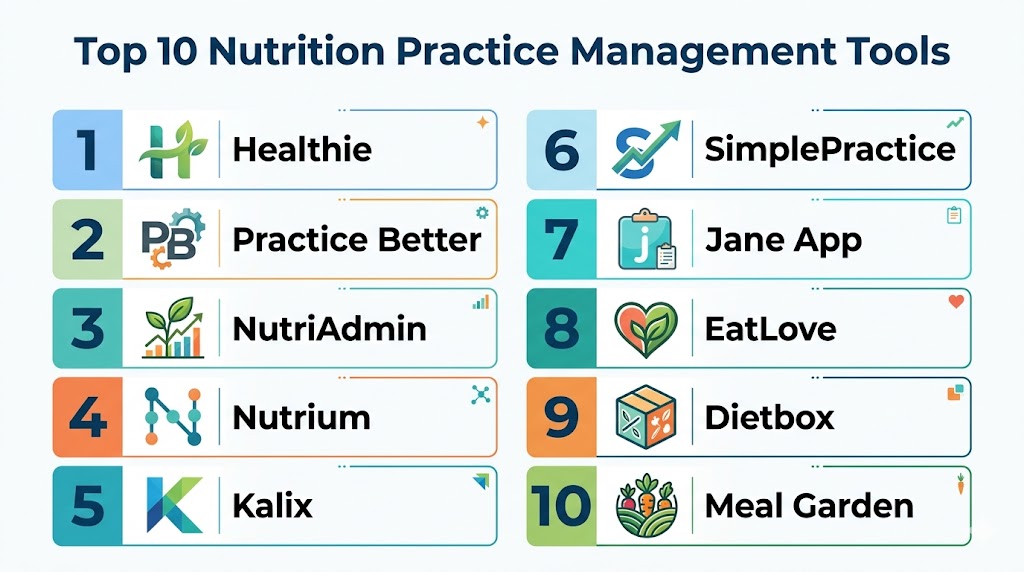
Top 10 Nutrition Practice Management Tools
#1 — Healthie
Short description: Healthie is a comprehensive, enterprise-grade platform designed specifically for nutrition and wellness professionals. It balances clinical depth with a modern, user-friendly interface, making it a favorite for group practices and organizations focused on scaling. The platform is built to support the entire lifecycle of a client relationship.
Key Features
- Full EHR/EMR Functionality: Specialized charting templates for nutrition assessment and progress notes.
- Integrated Telehealth: High-definition video conferencing built directly into the platform with screen-sharing capabilities.
- Insurance Billing: Robust tools for CMS-1500 generation, EOB tracking, and clearinghouse integrations.
- Client Mobile App: A highly-rated app for client food logging, photo journals, messaging, and goal tracking.
- Program Builder: Create and sell automated online courses, workshops, or wellness programs for passive income.
Pros
- Extensive automation for onboarding and client retention workflows.
- Excellent support for multi-provider clinics with granular administrative permissions.
- Deep integration with third-party labs and diagnostic tools.
Cons
- Can have a steeper learning curve due to the vast feature set and customization options.
- The premium pricing may be high for new solo practitioners just starting out.
Platforms / Deployment
- Web / iOS / Android
- Cloud
Security & Compliance
- SSO/SAML, MFA, Encryption at rest and in transit.
- HIPAA and GDPR compliant.
Integrations & Ecosystem
Healthie offers a robust API and integrates with a wide variety of external health and business tools.
- Stripe for payment processing
- Google Calendar / Outlook for scheduling sync
- Fullscript for supplement management
- Apple Health / Google Fit for wearable data
- Zoom for alternative video conferencing options
Support & Community
Offers extensive documentation, a dedicated success manager for larger accounts, and a very active professional community for networking and template sharing.
#2 — Practice Better
Short description: Practice Better is widely regarded as one of the most intuitive and aesthetically pleasing platforms for health and wellness professionals. It excels at client engagement and program delivery, making it ideal for coaches and private practice RDNs who want a high-touch experience.
Key Features
- Automated Workflows: Trigger actions like sending documents or reminders based on client progress or session completion.
- Client Portal: A centralized hub for food journals, lifestyle tracking, and document sharing.
- Group Programs: Supports both evergreen and fixed-date online group coaching with automated content delivery.
- Meal Planning Integration: Seamless connection with external meal planning services for high-quality recipe delivery.
- Booking & Payments: Sophisticated scheduling with automated time zone conversion and payment collection.
Pros
- Exceptionally user-friendly interface for both practitioners and clients.
- Very flexible pricing tiers, including a viable free starter plan for new businesses.
- Strong focus on habit formation and behavioral change tracking through milestones.
Cons
- Insurance billing features are not as deep as some enterprise-focused rivals.
- Advanced automation features are locked behind higher-tier plans.
Platforms / Deployment
- Web / iOS / Android
- Cloud
Security & Compliance
- MFA, Role-based access control.
- HIPAA, GDPR, and PIPEDA compliant.
Integrations & Ecosystem
Practice Better integrates with many popular tools used by solo and small practices.
- Fullscript / Wellevate for clinical supplements
- Stripe / Square for versatile payment options
- Dropbox / Google Drive for file management
- That Clean Life for meal planning
- Fitbit for activity tracking
Support & Community
Comprehensive help center, video tutorials, and a strong presence in professional online groups and forums for peer support.
#3 — NutriAdmin
Short description: NutriAdmin is a specialized tool that focuses heavily on the technical aspects of nutrition, such as meal planning and automated report generation. It is designed to save hours of manual data entry for busy nutritionists who focus on meal analysis.
Key Features
- Automatic Meal Plan Generator: Creates plans based on specific calorie and macro targets using an extensive database.
- Customizable Intake Forms: Forms that automatically update client records upon submission.
- Recipe Database: Large database for creating and sharing nutritional information and shopping lists.
- Client Management: Centralized storage for all clinical notes, history, and uploaded files.
- Report Writing: Tools to generate professional reports for clients or referring doctors with one click.
Pros
- Highly efficient for practitioners who focus on technical meal planning and macro tracking.
- Clean, no-nonsense interface that prioritizes speed and data accuracy.
- Strong customization for data fields and branding to match your practice style.
Cons
- Does not have a dedicated mobile app for clients to log data on the go.
- Telehealth must be managed via third-party integrations as it is not built-in.
Platforms / Deployment
- Web
- Cloud
Security & Compliance
- Encryption and secure backups.
- HIPAA and GDPR compliant.
Integrations & Ecosystem
NutriAdmin focuses on core integrations to maintain its streamlined and efficient nature.
- Stripe for payments
- Google Calendar for scheduling
- Various email marketing tools for client outreach
Support & Community
Direct email support from the developers and a detailed online knowledge base with step-by-step guides.
#4 — Nutrium
Short description: Nutrium is a modern, data-driven platform that places a heavy emphasis on the dietitian-patient relationship. It is particularly strong in the global market, providing localized food data and multilingual support.
Key Features
- Real-time Food Diary: Clients log meals through their app and practitioners can provide instant feedback.
- Nutritional Analysis: Automated calculation of 3-day or 7-day food records based on client logs.
- Appointment Management: Integrated calendar with automated email and push notifications.
- Mobile App for Clients: Focuses on adherence with push notifications for water intake and meals.
- White-labeling: Options to brand the platform and the mobile app for your specific business.
Pros
- Very strong mobile experience for the patient, encouraging better data logging.
- High-quality nutritional database with regional food variations and local brands.
- Competitive pricing models for different practice sizes and stages.
Cons
- Insurance billing is less comprehensive for the US market compared to EHR-first tools.
- Fewer integrations with high-end wearable devices compared to top competitors.
Platforms / Deployment
- Web / iOS / Android
- Cloud
Security & Compliance
- MFA and data encryption.
- GDPR and HIPAA compliant.
Integrations & Ecosystem
Nutrium is expanding its ecosystem, focusing on essential business and clinical tools.
- Stripe for payment processing
- Google Calendar for scheduling
- Various metabolic testing integrations for deeper analysis
Support & Community
Multilingual support and an active blog providing practice management and clinical advice for nutritionists.
#5 — Kalix
Short description: Kalix is an affordable, HIPAA-compliant EHR and practice management solution designed by nutrition professionals. It is known for its flexibility and focus on clinical documentation and insurance billing.
Key Features
- Electronic Charting: Highly customizable templates tailored for the Nutrition Care Process (NCP).
- Insurance Billing: Built-in clearinghouse integration for easy claim submission and tracking.
- Client Messaging: Secure, HIPAA-compliant faxing and messaging for professional coordination.
- Online Scheduling: Embeddable booking widget for websites to capture new leads.
- Automated Reminders: SMS, email, and voice reminders for appointments to reduce no-shows.
Pros
- One of the most affordable options for clinical-heavy practices.
- Exceptional flexibility in template creation for unique specialty needs.
- Reliable insurance claim tracking and management for RDNs.
Cons
- The user interface is more functional than modern or sleek.
- Lacks a robust, native mobile app for client engagement and food logging.
Platforms / Deployment
- Web
- Cloud
Security & Compliance
- MFA, Audit logs, Role-based access control (RBAC).
- HIPAA compliant.
Integrations & Ecosystem
Kalix prioritizes clinical and billing integrations over lifestyle apps.
- Office 365 / Google Workspace for productivity
- Stripe for private pay processing
- Various insurance clearinghouses for medical billing
Support & Community
Known for responsive customer support and a community-driven development roadmap based on user feedback.
#6 — SimplePractice
Short description: While SimplePractice is a general practice management tool for various health professionals, its robust feature set and polished interface make it a top choice for nutritionists who want a high-end, reliable system for business management.
Key Features
- Paperless Onboarding: Send all intake documents and consent forms digitally for signatures.
- Integrated Telehealth: Stable, built-in video platform with no extra configuration needed.
- Client Portal: Secure access for payments, scheduling, and document management.
- Mobile App for Practitioners: Manage your entire practice, including notes, from a smartphone.
- Auto-Pay: Automate the collection of fees at the time of service for better cash flow.
Pros
- Extremely polished and intuitive user experience that reduces staff training time.
- Excellent mobile app for managing the business while away from the desk.
- Very stable and reliable platform with a strong track record of uptime.
Cons
- Not specifically built for nutrition; lacks specialized food logging or meal planning.
- Can become expensive as you add more features and additional staff members.
Platforms / Deployment
- Web / iOS / Android
- Cloud
Security & Compliance
- SOC 2 Type II, HIPAA, and HITRUST.
- High-level encryption and MFA.
Integrations & Ecosystem
SimplePractice offers a wide range of native features, reducing the need for multiple external apps.
- Stripe for integrated billing
- Google Calendar for scheduling sync
- Varies / Not publicly stated
Support & Community
Extensive video library, daily live online classes, and a large help center for self-service support.
#7 — Jane App
Short description: Jane App is a clinic management tool that shines in multidisciplinary environments. If a nutrition practice operates alongside chiropractors or therapists, Jane provides a unified dashboard for the entire clinic.
Key Features
- Unified Scheduling: Manage multiple practitioners, rooms, and resources easily.
- Online Booking: A highly customizable and professional booking interface.
- Chart Templates: A community-shared library of charting templates for various health niches.
- Integrated Payments: Jane Payments handles both online and in-person transactions seamlessly.
- Waitlist Management: Automated filling of cancelled appointments to maximize revenue.
Pros
- Best-in-class scheduling and clinic flow management for group settings.
- Incredible community of users sharing templates and practice advice.
- Very transparent and helpful customer support with a human touch.
Cons
- Does not have native meal planning or nutritional food analysis tools.
- Client engagement features are more focused on booking than daily lifestyle tracking.
Platforms / Deployment
- Web
- Cloud
Security & Compliance
- Role-based access, data encryption.
- HIPAA, PIPEDA, and GDPR compliant.
Integrations & Ecosystem
Jane is designed to be the central hub for a complex clinic environment.
- Mailchimp for marketing automation
- Fullscript for supplement integration
- Various accounting software for financial tracking
Support & Community
Renowned for their “Jane University” training and highly personable support team available via phone and email.
#8 — EatLove
Short description: EatLove is a “nutrition intelligence” platform that focuses almost exclusively on the food and meal planning side of practice management. It is often used as a powerful add-on or a primary tool for food-centric practices.
Key Features
- Personalized Meal Collections: Thousands of dietitian-vetted recipes that adjust to client needs.
- Automated Grocery Lists: Syncs with grocery delivery services to help clients take action.
- Nutrition Prescription: Set specific nutrient targets for various health conditions (e.g., renal, cardiac).
- Restaurant Coaching: Helps clients make healthy choices when dining out with menu analysis.
- Branded Client Experience: High-quality visuals for meal plans that look professional.
Pros
- Unmatched in meal planning and culinary medicine depth.
- High client adherence due to direct grocery and delivery integrations.
- Excellent for chronic disease management where specific food prescriptions are needed.
Cons
- Not a full EHR; practitioners often need a separate tool for clinical charting.
- Focus is very narrow (food/nutrition) compared to all-in-one practice management tools.
Platforms / Deployment
- Web / iOS / Android
- Cloud
Security & Compliance
- Secure data handling and encryption.
- HIPAA compliant.
Integrations & Ecosystem
EatLove integrates with major practice management tools to provide the specialized meal planning component.
- Healthie for full practice management
- Practice Better for holistic coaching
- Instacart / Walmart Grocery for client fulfillment
Support & Community
Excellent onboarding for practitioners and high-quality educational resources on culinary nutrition.
#9 — Dietbox
Short description: Dietbox is an all-in-one management tool that emphasizes the commercial growth of a nutrition practice alongside clinical care. It is particularly popular for its marketing and patient retention features.
Key Features
- Marketing Tools: Features to help attract and convert new leads into paying clients.
- Mobile App: Focuses on the client’s daily journey, motivation, and milestone tracking.
- Nutritional Assessment: Tools for anthropometric measurements and physical data tracking.
- Course Hosting: Sell digital wellness content and courses directly through the platform.
- Finance Management: Track the revenue and expenses of your practice in one dashboard.
Pros
- Strong focus on business growth and marketing automation.
- Very modern and engaging client-facing application to boost satisfaction.
- Good value for the wide feature set provided in the base plans.
Cons
- English-speaking community and support are smaller than top-tier rivals.
- Advanced clinical documentation features for insurance are still evolving.
Platforms / Deployment
- Web / iOS / Android
- Cloud
Security & Compliance
- Data encryption and secure access protocols.
- GDPR compliant.
Integrations & Ecosystem
Dietbox is building out its API and partner network for broader connectivity.
- Stripe for global payments
- Google Calendar for appointment sync
- Varies / N/A
Support & Community
Growing library of webinars and tutorials for practice growth and business development.
#10 — Meal Garden
Short description: Meal Garden is a platform designed for practitioners who want to provide high-touch, recipe-based coaching. It bridges the gap between a recipe database and a practice management tool.
Key Features
- Recipe Sharing: Easily share and organize curated recipes for specific client groups.
- Client Behavior Tracking: See which recipes clients are actually viewing, saving, and cooking.
- Branded Portals: High-quality, aesthetic portal for client interaction and recipe browsing.
- Group Challenges: Run nutrition challenges with automated email content and recipes.
- Content Library: Store and share educational PDFs, videos, and kitchen guides.
Pros
- Very easy for clients to use and follow meal suggestions.
- Great for practitioners who emphasize “whole foods” and home cooking.
- Affordable entry point for new coaches and solo nutritionists.
Cons
- Lacks deep EHR features like insurance billing or complex clinical charting.
- No native telehealth video platform included in the software.
Platforms / Deployment
- Web
- Cloud
Security & Compliance
- Standard web encryption and secure login.
- Not publicly stated (May require external tools for full clinical HIPAA compliance).
Integrations & Ecosystem
Meal Garden is often used alongside other business tools to create a full stack.
- Stripe for simple payment collection
- Email marketing platforms for client engagement
- Varies / N/A
Support & Community
Provides a lot of pre-made content and templates to help practitioners get started with their first programs quickly.
Comparison Table
| Tool Name | Best For | Platform(s) Supported | Deployment | Standout Feature | Public Rating |
|---|---|---|---|---|---|
| Healthie | Scaling Group Practices | Web, iOS, Android | Cloud | Enterprise API & Integrations | N/A |
| Practice Better | Health Coaches & Solo RDNs | Web, iOS, Android | Cloud | Automated Program Workflows | N/A |
| NutriAdmin | Technical Meal Planning | Web | Cloud | Auto Meal Plan Generator | N/A |
| Nutrium | Patient Engagement | Web, iOS, Android | Cloud | Real-time Food Diary Feedback | N/A |
| Kalix | Clinical Billing/Documentation | Web | Cloud | Customizable Charting/Claims | N/A |
| SimplePractice | Polished All-in-One | Web, iOS, Android | Cloud | Mobile Practitioner App | N/A |
| Jane App | Multidisciplinary Clinics | Web | Cloud | Community Charting Library | N/A |
| EatLove | Culinary Nutrition | Web, iOS, Android | Cloud | Grocery Delivery Integration | N/A |
| Dietbox | Marketing & Growth | Web, iOS, Android | Cloud | Built-in Marketing Suite | N/A |
| Meal Garden | Recipe-Based Coaching | Web | Cloud | Behavior Tracking for Recipes | N/A |
Export to Sheets
Evaluation & Scoring of Nutrition Practice Management Tools
| Tool Name | Core (25%) | Ease (15%) | Integrations (15%) | Security (10%) | Performance (10%) | Support (10%) | Value (15%) | Weighted Total |
|---|---|---|---|---|---|---|---|---|
| Healthie | 10 | 7 | 10 | 10 | 9 | 9 | 7 | 8.9 |
| Practice Better | 9 | 10 | 9 | 9 | 10 | 9 | 9 | 9.2 |
| NutriAdmin | 8 | 8 | 7 | 8 | 9 | 8 | 9 | 8.1 |
| Nutrium | 8 | 9 | 7 | 8 | 9 | 8 | 8 | 8.0 |
| Kalix | 9 | 6 | 7 | 9 | 9 | 8 | 10 | 8.2 |
| SimplePractice | 9 | 10 | 7 | 10 | 10 | 9 | 7 | 8.7 |
| Jane App | 8 | 9 | 8 | 9 | 10 | 10 | 8 | 8.5 |
| EatLove | 7 | 9 | 8 | 8 | 9 | 9 | 8 | 7.9 |
| Dietbox | 7 | 8 | 6 | 8 | 8 | 7 | 8 | 7.2 |
| Meal Garden | 6 | 9 | 6 | 7 | 9 | 8 | 9 | 7.4 |
Export to Sheets
How to Interpret the Scores
The scoring model above is designed to provide a comparative look at how these tools stack up against modern industry standards. A high Core (25%) score indicates that the tool provides a comprehensive “all-in-one” experience, including EHR, billing, and advanced clinical features. The Weighted Total is a calculation of overall balance across all categories. For instance, Practice Better scores highest overall due to its exceptional balance of ease of use and client engagement features which are critical for private practice. Conversely, a tool like Kalix scores lower on Ease of Use but higher on Value, reflecting its position as a functional, budget-friendly tool for clinical documentation.
When using this table, you should prioritize the columns that match your specific business needs. If you are an enterprise clinic, the Integrations and Security columns are the most critical. If you are a solo practitioner just starting, the Value and Ease columns will likely be your primary focus. The weighted total is a guide, but the individual scores help identify where a tool specifically shines or falls short.
Which Nutrition Practice Management Tools Tool Is Right for You?
Solo / Freelancer
For the solo practitioner, simplicity and cost-effectiveness are paramount. Practice Better is often the gold standard here because its free tier allows you to start for zero cost and scale as your client roster grows. It provides a professional look without requiring a massive investment. If your focus is purely on technical meal planning and you don’t need a mobile app, NutriAdmin provides excellent efficiency for the price.
SMB (Small to Mid-sized Business)
Practices with several clinicians need better collaboration tools and perhaps more robust billing features. Healthie starts to shine here due to its administrative permissions and group practice features. Nutrium is also a strong contender for SMBs who want to provide a modern, high-tech experience to their clients without a massive enterprise price tag.
Mid-Market
For clinics that are expanding rapidly and require deep reliability and high-level support, SimplePractice offers a level of polish and reliability that is hard to beat. Jane App is the best choice if the nutrition practice is part of a larger wellness center with multiple disciplines, as its scheduling engine handles complex room and resource management better than most.
Enterprise
Large organizations, multi-state clinics, or those building a digital health startup should look toward Healthie. Its robust API allows for custom development on top of its core infrastructure, and its security posture is designed to meet the rigorous demands of enterprise compliance teams. It is built to support thousands of practitioners and millions of clients.
Budget vs Premium
- Budget: Kalix and Meal Garden offer high utility at a lower price point, making them accessible for new or low-overhead businesses.
- Premium: Healthie and SimplePractice represent the higher end of the market, offering more features and a more polished experience for a higher monthly investment.
Feature Depth vs Ease of Use
- Depth: Healthie and Kalix provide deep clinical and administrative functionality that may take some time to master but offer significant power.
- Ease of Use: Practice Better and SimplePractice are designed to be “plug and play,” requiring minimal training for you or your staff to get started.
Integrations & Scalability
If you plan to grow your business into a multi-state or multi-provider organization, you need a tool with an open API. Healthie is the leader in this category. For those who want to integrate with every possible wearable and supplement provider easily, Practice Better offers the widest array of pre-built “one-click” integrations.
Security & Compliance Needs
Every clinical nutrition practice should aim for HIPAA compliance at a minimum. However, if you are working with corporate clients or large healthcare systems, you may need a tool with SOC 2 or HITRUST certification, which makes SimplePractice a top candidate for high-level security verification.
Frequently Asked Questions (FAQs)
1. What are the typical pricing models for these tools?
Most nutrition practice management tools operate on a monthly subscription basis, often tiered by the number of active clients or providers in the system. Some platforms offer a free version with limited features to help you get started, while others charge a flat monthly fee for the software plus a percentage for integrated payment processing. Enterprise plans are usually custom-quoted based on volume and required support levels.
2. How long does the onboarding and implementation process take?
For a solo practitioner using a user-friendly tool like Practice Better, you can be up and running in a few hours. However, for larger practices migrating data from an old system or setting up complex automated workflows, the process can take 2–4 weeks. Most platforms provide import tools to help move your existing client list and notes efficiently.
3. What are the most common mistakes when choosing a tool?
The biggest mistake is choosing a tool based on price alone without considering the time saved through automation and efficiency. Practitioners also frequently overlook the “client experience”—if the client portal is difficult to navigate, engagement and adherence will drop significantly. Finally, failing to verify that a tool supports your specific billing needs (like insurance vs. private pay) can lead to major operational issues later.
4. Are these tools actually HIPAA compliant out of the box?
While the software providers build the tools to be HIPAA-ready, compliance also depends on how you use them within your practice. You must sign a Business Associate Agreement (BAA) with the provider, which most of the top-tier tools offer on their paid plans. Using the tools’ secure messaging and telehealth features correctly is what ensures your practice remains fully compliant.
5. Can I run group coaching programs through these platforms?
Yes, platforms like Practice Better and Healthie have specific modules for group programs. You can upload videos, PDFs, and set up drip-fed content that is automatically delivered to all participants on a schedule. These tools also allow you to manage group chats and webinars, making them much more efficient than using standard email for coaching.
6. How do these tools handle insurance billing and superbills?
Top-tier tools like Kalix and Healthie allow you to generate CMS-1500 forms and submit them directly to insurance clearinghouses for reimbursement. For practitioners who don’t accept insurance but want to help clients get reimbursed, these platforms can automatically generate professional superbills that include all necessary codes.
7. Can I switch from one tool to another easily?
While most tools allow you to export your client list as a CSV file, moving clinical notes and meal plans can be much more complex. Some premium providers offer migration services to help move your data, but it is always best to choose a tool you can stay with for the long term to avoid data loss or fragmentation.
8. Do these tools include a built-in meal planning database?
It varies significantly across the category. Tools like NutriAdmin and Nutrium have built-in databases and plan generators. Others, like Practice Better, often rely on integrations with specialized meal planning software to provide high-quality recipe content. If meal planning is your primary service, look for a tool with a deep, integrated database.
9. Can I use these tools on my phone or tablet?
Most modern practice management solutions offer a mobile app for both the practitioner and the client. This allows the practitioner to check their schedule and respond to messages on the go, while clients can log their meals and track their goals from anywhere. Some budget options are web-only and may not have a native app for mobile use.
10. Are there any good free alternatives to these paid tools?
While you can piece together a system using free tools like Google Calendar, Zoom, and Excel, it is very difficult to remain HIPAA-compliant and professional. Some tools like Practice Better offer a “free forever” plan for a small number of clients, which is a much better alternative than using non-secure, fragmented software for your clinical work.
Conclusion
Selecting the right Nutrition Practice Management Tool is a foundational decision that impacts your clinical efficiency, client satisfaction, and overall business growth. Whether you prioritize deep clinical documentation, high-end client engagement, or enterprise-scale flexibility, the “best” tool is the one that aligns with your specific workflow and long-term goals. Your next step should be to shortlist two or three tools from this list that match your practice size and requirements, sign up for their free trials, and run a pilot with a mock client to see which interface feels most natural for your daily operations.
