Introduction
Library Management Systems are software platforms designed to automate and manage all core library operations such as cataloging, circulation, user management, and resource tracking. These systems act as a centralized hub where librarians can manage books, digital resources, memberships, and borrowing activities efficiently.
In today’s digital-first environment, libraries are no longer limited to physical books. They now handle e-books, journals, multimedia, and online resources, making advanced management systems essential. These platforms improve accessibility, reduce manual work, and enhance user experience by enabling real-time search, borrowing, and reporting capabilities.
Common use cases include:
- Managing book catalog and inventory
- Tracking issued and returned items
- Member and subscription management
- Digital library access and search
- Reporting and analytics for library usage
Key evaluation criteria:
- Cataloging and search capabilities
- Circulation and inventory tracking
- Integration with digital resources
- Automation and workflow efficiency
- User experience and accessibility
- Reporting and analytics
- Security and data management
- Scalability and deployment flexibility
Best for: Schools, colleges, universities, and public libraries managing large collections and digital resources.
Not ideal for: Very small libraries or personal collections with minimal tracking requirements.
Key Trends in Library Management Systems
- Shift toward cloud-based and web-accessible platforms
- Integration with digital libraries and e-resource databases
- Mobile access and self-service user portals
- Use of RFID and barcode systems for automation
- Real-time analytics for library usage insights
- AI-driven search and recommendation systems
- Increased focus on data security and privacy
- Automation of acquisitions and inventory management
- Integration with academic and enterprise systems
- Expansion into multimedia and digital content management
How We Selected These Tools Methodology
- Evaluated global adoption across academic and public libraries
- Assessed core features like cataloging, circulation, and OPAC
- Reviewed scalability and performance capabilities
- Considered integration with digital and academic systems
- Analyzed usability for librarians and users
- Included both open-source and enterprise solutions
- Focused on automation and reporting capabilities
- Balanced cost-effective and premium platforms
Top 10 Library Management Systems
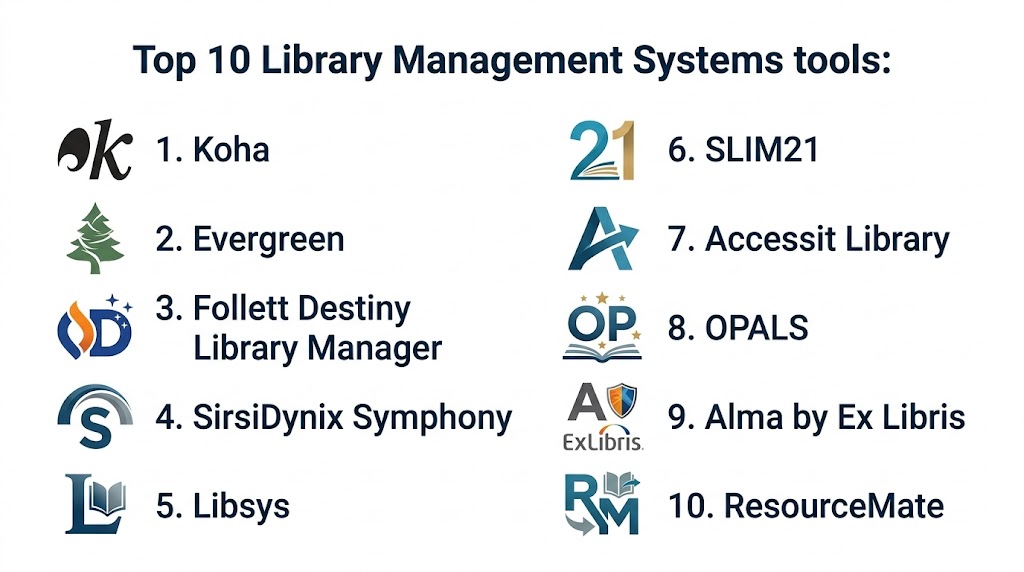
#1 — Koha
Short description:
Koha is one of the most widely used open-source library management systems offering comprehensive tools for cataloging, circulation, and user management. It supports libraries of all sizes with flexible customization options. The platform provides strong community support. It is ideal for institutions seeking cost-effective solutions.
Key Features
- Cataloging and classification
- Circulation management
- OPAC interface
- Reporting and analytics
- User account management
- Integration support
Pros
- Open-source and free
- Highly customizable
- Strong global adoption
Cons
- Requires technical setup
- Maintenance overhead
- Limited official support
Platforms / Deployment
Web / Cloud / Self-hosted
Security & Compliance
Not publicly stated
Integrations & Ecosystem
Supports integration with library and academic systems.
- APIs
- LMS integrations
- Database connections
Support & Community
Strong open-source community
#2 — Evergreen
Short description:
Evergreen is an open-source integrated library system designed for large-scale libraries. It offers robust cataloging and circulation features. The platform is known for scalability and reliability. It is widely used in public library networks.
Key Features
- Catalog management
- Circulation tracking
- OPAC interface
- Reporting tools
- User management
Pros
- Scalable
- Open-source
- Reliable
Cons
- Requires expertise
- Complex setup
- Limited UI modernity
Platforms / Deployment
Web / Self-hosted
Security & Compliance
Not publicly stated
Integrations & Ecosystem
Supports integration with library systems.
- APIs
- Data integrations
Support & Community
Active community
#3 — Follett Destiny Library Manager
Short description:
Follett Destiny is a cloud-based library management system designed for schools. It provides tools for managing physical and digital resources. The platform is user-friendly and scalable. It is widely used in K-12 education.
Key Features
- Resource management
- Digital content access
- Reporting tools
- User management
- Integration support
Pros
- Easy to use
- Cloud-based
- Strong education focus
Cons
- Limited customization
- Pricing varies
- Smaller enterprise features
Platforms / Deployment
Cloud
Security & Compliance
Not publicly stated
Integrations & Ecosystem
Integrates with school and learning systems.
- APIs
- LMS integrations
Support & Community
Good support
#4 — SirsiDynix Symphony
Short description:
SirsiDynix Symphony is an enterprise-grade library management system designed for large institutions. It offers advanced cataloging, analytics, and reporting capabilities. The platform supports complex library operations. It is suitable for large libraries.
Key Features
- Advanced cataloging
- Circulation management
- Analytics tools
- Reporting dashboards
- Integration capabilities
Pros
- Enterprise-grade
- Scalable
- Feature-rich
Cons
- Expensive
- Complex setup
- Requires training
Platforms / Deployment
Cloud / Hybrid
Security & Compliance
Not publicly stated
Integrations & Ecosystem
Integrates with enterprise systems.
- APIs
- Data integrations
Support & Community
Enterprise support
#5 — Libsys
Short description:
Libsys is a library automation software widely used in academic institutions. It offers tools for cataloging, circulation, and digital resource management. The platform is reliable and scalable. It is suitable for educational institutions.
Key Features
- Cataloging
- Circulation management
- Digital resource handling
- Reporting tools
- User management
Pros
- Reliable
- Scalable
- Good for academia
Cons
- Interface limitations
- Pricing varies
- Limited customization
Platforms / Deployment
Cloud
Security & Compliance
Not publicly stated
Integrations & Ecosystem
Supports integration with academic systems.
- APIs
- LMS integrations
Support & Community
Standard support
#6 — SLIM21
Short description:
SLIM21 is a library management solution designed for academic and corporate libraries. It provides tools for managing collections and users. The platform supports automation and reporting. It is suitable for mid-sized institutions.
Key Features
- Collection management
- User tracking
- Reporting tools
- Automation features
- Integration support
Pros
- Easy to use
- Reliable
- Good reporting
Cons
- Limited advanced features
- Smaller ecosystem
- Pricing varies
Platforms / Deployment
Cloud
Security & Compliance
Not publicly stated
Integrations & Ecosystem
Supports integration with enterprise systems.
- APIs
- Data integrations
Support & Community
Standard support
#7 — Accessit Library
Short description:
Accessit Library is a modern library management system designed for schools and colleges. It offers cloud-based access and intuitive features. The platform focuses on ease of use. It is suitable for educational institutions.
Key Features
- Catalog management
- Digital resource access
- Reporting tools
- User management
- Cloud access
Pros
- User-friendly
- Cloud-based
- Easy deployment
Cons
- Limited enterprise features
- Pricing varies
- Smaller ecosystem
Platforms / Deployment
Cloud
Security & Compliance
Not publicly stated
Integrations & Ecosystem
Integrates with school systems.
- APIs
- LMS integrations
Support & Community
Good support
#8 — OPALS
Short description:
OPALS is a cloud-based library automation system designed for schools and institutions. It offers tools for cataloging and circulation. The platform is simple and efficient. It is suitable for small to mid-sized libraries.
Key Features
- Cataloging
- Circulation management
- Reporting tools
- User accounts
- Search functionality
Pros
- Easy to use
- Affordable
- Cloud-based
Cons
- Limited advanced features
- Smaller ecosystem
- Basic analytics
Platforms / Deployment
Cloud
Security & Compliance
Not publicly stated
Integrations & Ecosystem
Supports integration with school systems.
- APIs
- Data integrations
Support & Community
Standard support
#9 — Alma by Ex Libris
Short description:
Alma is a cloud-based library management system designed for academic institutions. It provides advanced resource management and analytics. The platform integrates digital and physical resources. It is suitable for universities.
Key Features
- Unified resource management
- Analytics and reporting
- Digital resource integration
- Workflow automation
- Cloud-based platform
Pros
- Advanced features
- Scalable
- Strong analytics
Cons
- Expensive
- Complex setup
- Requires training
Platforms / Deployment
Cloud
Security & Compliance
Not publicly stated
Integrations & Ecosystem
Integrates with academic and enterprise systems.
- APIs
- LMS integrations
Support & Community
Enterprise support
#10 — ResourceMate
Short description:
ResourceMate is a library management system designed for schools and small libraries. It provides tools for cataloging and circulation. The platform is easy to use and cost-effective. It is suitable for small institutions.
Key Features
- Cataloging
- Circulation tracking
- Reporting tools
- User management
- Search functionality
Pros
- Affordable
- Simple
- Easy to use
Cons
- Limited scalability
- Basic features
- Smaller ecosystem
Platforms / Deployment
Windows / Cloud
Security & Compliance
Not publicly stated
Integrations & Ecosystem
Supports basic integrations.
- APIs
- Data integrations
Support & Community
Standard support
Comparison Table
| Tool Name | Best For | Platform Supported | Deployment | Standout Feature | Public Rating |
|---|---|---|---|---|---|
| Koha | Open-source users | Web | Hybrid | Free and customizable | N/A |
| Evergreen | Large libraries | Web | Self-hosted | Scalability | N/A |
| Follett Destiny | Schools | Web | Cloud | User-friendly | N/A |
| SirsiDynix | Enterprise libraries | Web | Hybrid | Advanced analytics | N/A |
| Libsys | Academic institutions | Web | Cloud | Reliability | N/A |
| SLIM21 | Mid-sized libraries | Web | Cloud | Reporting | N/A |
| Accessit | Schools | Web | Cloud | Ease of use | N/A |
| OPALS | Small libraries | Web | Cloud | Simplicity | N/A |
| Alma | Universities | Web | Cloud | Unified management | N/A |
| ResourceMate | Small institutions | Desktop | Hybrid | Cost-effective | N/A |
Evaluation & Scoring
| Tool Name | Core | Ease | Integrations | Security | Performance | Support | Value | Weighted Total |
|---|---|---|---|---|---|---|---|---|
| Koha | 9 | 7 | 8 | 7 | 9 | 8 | 9 | 8.4 |
| Evergreen | 9 | 6 | 7 | 7 | 9 | 7 | 9 | 8.1 |
| Follett Destiny | 8 | 9 | 7 | 7 | 8 | 8 | 7 | 7.9 |
| SirsiDynix | 9 | 6 | 9 | 9 | 9 | 8 | 6 | 8.3 |
| Libsys | 8 | 7 | 7 | 7 | 8 | 7 | 7 | 7.6 |
| SLIM21 | 7 | 8 | 7 | 7 | 7 | 7 | 7 | 7.3 |
| Accessit | 7 | 9 | 7 | 7 | 7 | 7 | 8 | 7.6 |
| OPALS | 7 | 9 | 6 | 7 | 7 | 6 | 8 | 7.4 |
| Alma | 9 | 6 | 9 | 9 | 9 | 8 | 6 | 8.3 |
| ResourceMate | 7 | 9 | 6 | 7 | 7 | 6 | 9 | 7.5 |
How to interpret these scores:
These scores provide a comparative overview of how each platform performs across key criteria such as features, usability, integrations, and value. Higher scores indicate stronger overall capabilities, but they should not be considered absolute rankings. Open-source tools often score higher in value and flexibility, while enterprise platforms excel in scalability, integrations, and performance. The weighted scoring model balances these factors to give a realistic comparison across different use cases. Institutions should prioritize criteria based on their needs, such as cost, scalability, or digital resource support, rather than relying solely on total scores. Testing shortlisted platforms in real-world scenarios is strongly recommended.
Which Library Management System Is Right for You
Solo / Small Library
Use ResourceMate or OPALS for simplicity and affordability.
SMB
Accessit or SLIM21 provide balanced features and usability.
Mid Market
Koha or Libsys offer flexibility and scalability.
Enterprise
SirsiDynix or Alma provide advanced features and integrations.
Budget vs Premium
Open-source tools are budget-friendly, while enterprise platforms offer advanced capabilities.
Feature Depth vs Ease of Use
Advanced systems provide more control, while simple tools focus on usability.
Integrations & Scalability
API-based and cloud platforms scale better for large libraries.
Security & Compliance Needs
Choose systems with strong data protection and access controls.
Frequently Asked Questions
1 What is a library management system
A library management system is software that helps manage library operations like cataloging, circulation, and user management. It centralizes data and automates workflows. It improves efficiency. It enhances user experience.
2 How does it improve library operations
It automates tasks like issuing books, tracking inventory, and managing users. This reduces manual work. It improves accuracy. It saves time and resources.
3 Can it manage digital resources
Yes, modern systems support e-books, journals, and multimedia content. They provide online access. They improve accessibility. They support digital learning.
4 Is it suitable for small libraries
Yes, there are tools designed for small libraries with simple features. They are affordable and easy to use. They provide basic management capabilities. They are scalable.
5 How much does it cost
Costs vary depending on features and deployment. Open-source tools are free. Enterprise solutions are expensive. Pricing depends on needs.
6 Can it integrate with other systems
Most systems support integration with academic and enterprise platforms. This improves workflows. API support is important. Integration varies.
7 Is it secure
Security depends on the platform. Many tools offer encryption and access controls. Data protection is important. Libraries should choose trusted systems.
8 What industries use these systems
Educational institutions, public libraries, and corporate libraries use them. They manage physical and digital resources. Adoption is widespread. They improve efficiency.
9 What are the main features
Key features include cataloging, circulation, reporting, and user management. Advanced tools include analytics and digital access. They improve operations. They enhance user experience.
10 How do I choose the right system
Evaluate features, scalability, integrations, and cost. Consider your library size and needs. Test multiple tools. Choose one that fits your workflow.
Conclusion
Library Management Systems have become essential for modern libraries by transforming traditional manual processes into efficient, automated workflows that enhance both operational efficiency and user experience. These platforms not only simplify cataloging, circulation, and inventory management but also enable seamless access to digital resources, making libraries more accessible and relevant in a digital-first world. While open-source solutions provide flexibility and cost efficiency for smaller institutions, enterprise-grade platforms offer advanced analytics, scalability, and integration capabilities for large libraries and universities. The right system ultimately depends on your library’s size, budget, and technological requirements. A practical approach is to shortlist a few tools, evaluate them through real-world use cases, and ensure they align with your operational and integration needs before making a final decision.
