Introduction
Smart Lighting Apps are software platforms that allow users to control, automate, and customize lighting systems using smartphones, tablets, or voice assistants. These apps connect with smart bulbs, LED strips, and lighting hubs to enable remote control, scheduling, color adjustments, and automation routines across homes and commercial spaces.
As smart homes evolve, lighting apps have become more intelligent and feature-rich. They now support automation scenarios like wake-up lighting, mood settings, and energy optimization. Many apps also integrate with broader smart home ecosystems, allowing lighting to sync with music, movies, or occupancy patterns.
Common use cases include:
- Remote control of lighting systems
- Creating lighting scenes for mood or productivity
- Energy-saving automation
- Security lighting schedules
- Integration with voice assistants
When evaluating smart lighting apps, buyers should consider:
- Device compatibility and ecosystem
- Automation and scheduling capabilities
- Ease of use and interface design
- Voice assistant integration
- Offline and local control support
- Security and privacy features
- Customization options
- Scalability for multiple rooms
Best for: Homeowners, smart home users, gamers, content creators, and anyone looking to enhance lighting control and ambiance.
Not ideal for: Users with basic lighting needs or those who prefer manual control without automation features.
Key Trends in Smart Lighting Apps
- AI-powered lighting automation adapting to user habits
- Integration with entertainment systems for immersive lighting
- Increased support for interoperability standards like Matter
- Energy monitoring and optimization features
- Augmented reality for lighting previews
- Voice-first control becoming standard
- Expansion of cloud and edge hybrid control
- Scene-based automation tied to routines and location
- Enhanced mobile UI with real-time control
- Security-focused features like presence simulation
How We Selected These Tools Methodology
We evaluated the top smart lighting apps based on:
- Popularity and market adoption
- Device compatibility and ecosystem support
- Automation and customization features
- Ease of use and onboarding
- Performance and reliability
- Integration with smart home platforms
- Security and privacy considerations
- Community and developer support
- Scalability across different environments
Top 10 Smart Lighting Apps Tools
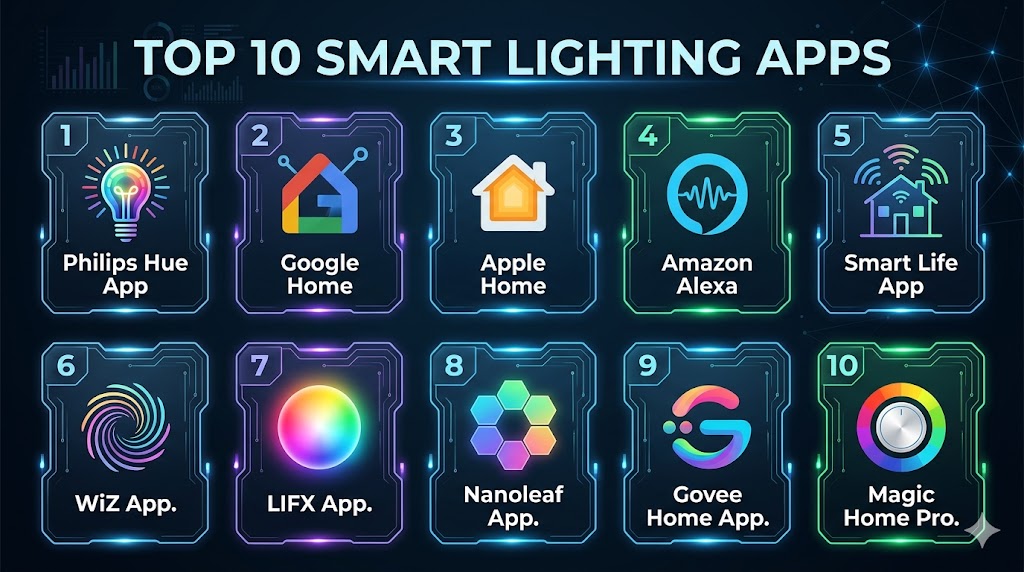
#1 — Philips Hue App
Short description: A leading smart lighting app designed to control Philips Hue devices with advanced automation, scenes, and integrations. It is ideal for users seeking a premium lighting ecosystem with deep customization.
Key Features
- Scene creation and customization
- Automation routines and scheduling
- Sync lighting with music and video
- Voice assistant integration
- Room and zone grouping
- Remote access
Pros
- Highly advanced features
- Strong ecosystem
Cons
- Requires compatible hardware
- Premium pricing
Platforms / Deployment
Android / iOS / Cloud
Security & Compliance
Encryption, account-based security
Integrations & Ecosystem
The app integrates with major smart home platforms and devices, enabling unified control.
- Google Assistant
- Amazon Alexa
- Apple Home
- Smart home APIs
Support & Community
Strong support with a large global user base
#2 — Google Home
Short description: A versatile smart home app that allows users to control lighting along with other smart devices using voice and automation routines.
Key Features
- Voice control with Google Assistant
- Device grouping
- Automation routines
- Multi-device support
- Real-time control
- Smart notifications
Pros
- Easy to use
- Broad compatibility
Cons
- Limited advanced lighting controls
- Cloud dependency
Platforms / Deployment
Android / iOS / Cloud
Security & Compliance
Account-based security features
Integrations & Ecosystem
Supports thousands of devices and integrations
- IoT device compatibility
- Smart home integrations
- API support
Support & Community
Large ecosystem and support
#3 — Apple Home
Short description: A privacy-focused smart home app designed for Apple users, enabling seamless control of smart lighting and devices.
Key Features
- Siri voice control
- Automation scenes
- Secure device pairing
- Local processing
- Home app integration
- Multi-device control
Pros
- Strong privacy
- Seamless Apple ecosystem
Cons
- Limited device support
- Requires Apple devices
Platforms / Deployment
iOS / Cloud
Security & Compliance
Encryption, secure authentication
Integrations & Ecosystem
Works with HomeKit-enabled devices
- Apple ecosystem
- Smart device support
- API integrations
Support & Community
Reliable support
#4 — Amazon Alexa App
Short description: A voice-first smart lighting app that integrates with Alexa-enabled devices and supports a vast ecosystem of smart lights.
Key Features
- Voice control
- Automation routines
- Device grouping
- Smart home dashboard
- Skills integration
- Multi-device support
Pros
- Large ecosystem
- Easy setup
Cons
- Cloud reliance
- Privacy concerns
Platforms / Deployment
Android / iOS / Cloud
Security & Compliance
Account-level security
Integrations & Ecosystem
Supports extensive third-party integrations
- Alexa skills
- IoT integrations
- Smart home devices
Support & Community
Strong support ecosystem
#5 — Smart Life App
Short description: A widely used app for controlling affordable smart lighting devices and IoT products across multiple brands.
Key Features
- Device control and automation
- Scheduling
- Voice assistant integration
- Multi-device support
- Scene creation
- Remote access
Pros
- Affordable ecosystem
- Easy setup
Cons
- Limited advanced features
- Cloud dependency
Platforms / Deployment
Android / iOS / Cloud
Security & Compliance
Not publicly stated
Integrations & Ecosystem
Supports many budget IoT devices
- Smart device compatibility
- API support
- Voice assistant integration
Support & Community
Large user base
#6 — WiZ App
Short description: A simple and intuitive lighting app designed for Wi-Fi-based smart lights, offering quick setup and easy automation.
Key Features
- Wi-Fi connectivity
- Scene creation
- Scheduling
- Voice assistant support
- Energy tracking
- Remote control
Pros
- Easy installation
- No hub required
Cons
- Limited advanced customization
- Smaller ecosystem
Platforms / Deployment
Android / iOS / Cloud
Security & Compliance
Not publicly stated
Integrations & Ecosystem
Works with compatible Wi-Fi devices
- IoT integration
- Voice assistants
- App ecosystem
Support & Community
Good support
#7 — LIFX App
Short description: A feature-rich smart lighting app designed for LIFX bulbs, focusing on vibrant colors and customization.
Key Features
- Color customization
- Scheduling
- Effects and themes
- Device grouping
- Remote access
- Voice integration
Pros
- High-quality lighting control
- No hub required
Cons
- Limited device ecosystem
- Occasional connectivity issues
Platforms / Deployment
Android / iOS / Cloud
Security & Compliance
Not publicly stated
Integrations & Ecosystem
Supports integration with major platforms
- IoT devices
- Voice assistants
- API support
Support & Community
Active user community
#8 — Nanoleaf App
Short description: A creative lighting app designed for decorative and interactive lighting setups, popular among gamers and creators.
Key Features
- Dynamic lighting scenes
- Music synchronization
- Custom animations
- Voice control
- Scheduling
- Device grouping
Pros
- Unique lighting effects
- Creative customization
Cons
- Limited general lighting features
- Premium pricing
Platforms / Deployment
Android / iOS / Cloud
Security & Compliance
Not publicly stated
Integrations & Ecosystem
Supports integrations with smart home platforms
- IoT devices
- Voice assistants
- API support
Support & Community
Active community
#9 — Govee Home App
Short description: A popular smart lighting app offering AI-powered effects and affordable lighting solutions.
Key Features
- AI lighting effects
- Music sync
- Scheduling
- Device control
- Scene customization
- Remote access
Pros
- Affordable
- Innovative features
Cons
- Cloud dependency
- Limited enterprise features
Platforms / Deployment
Android / iOS / Cloud
Security & Compliance
Not publicly stated
Integrations & Ecosystem
Works with Govee and smart home devices
- IoT integrations
- API support
- Voice assistant support
Support & Community
Growing community
#10 — Magic Home Pro
Short description: A simple lighting control app designed for budget smart LED systems with basic automation and customization.
Key Features
- Color control
- Scheduling
- Remote access
- Scene presets
- Device grouping
- Basic automation
Pros
- Easy to use
- Budget-friendly
Cons
- Limited advanced features
- Smaller ecosystem
Platforms / Deployment
Android / iOS / Cloud
Security & Compliance
Not publicly stated
Integrations & Ecosystem
Supports basic IoT integrations
- Smart LED compatibility
- API support
- App ecosystem
Support & Community
Basic support available
Comparison Table
| Tool Name | Best For | Platform Supported | Deployment | Standout Feature | Public Rating |
|---|---|---|---|---|---|
| Philips Hue | Premium users | Android iOS | Cloud | Advanced automation | N/A |
| Google Home | Beginners | Android iOS | Cloud | Voice control | N/A |
| Apple Home | Apple users | iOS | Cloud | Privacy | N/A |
| Amazon Alexa | Voice control | Android iOS | Cloud | Skills ecosystem | N/A |
| Smart Life | Budget users | Android iOS | Cloud | Wide compatibility | N/A |
| WiZ | Easy setup | Android iOS | Cloud | No hub needed | N/A |
| LIFX | Custom lighting | Android iOS | Cloud | Color control | N/A |
| Nanoleaf | Creative users | Android iOS | Cloud | Dynamic effects | N/A |
| Govee Home | Budget + AI | Android iOS | Cloud | AI effects | N/A |
| Magic Home | Basic users | Android iOS | Cloud | Simple control | N/A |
Evaluation & Scoring of Smart Lighting Apps
| Tool Name | Core | Ease | Integrations | Security | Performance | Support | Value | Weighted Total |
|---|---|---|---|---|---|---|---|---|
| Philips Hue | 9 | 8 | 9 | 8 | 9 | 8 | 7 | 8.5 |
| Google Home | 8 | 9 | 9 | 7 | 8 | 8 | 9 | 8.4 |
| Apple Home | 7 | 8 | 7 | 9 | 8 | 8 | 7 | 7.9 |
| Amazon Alexa | 8 | 9 | 9 | 7 | 8 | 8 | 9 | 8.4 |
| Smart Life | 7 | 9 | 8 | 6 | 7 | 7 | 9 | 7.9 |
| WiZ | 7 | 9 | 7 | 6 | 7 | 7 | 9 | 7.8 |
| LIFX | 8 | 8 | 7 | 6 | 8 | 7 | 8 | 7.9 |
| Nanoleaf | 8 | 8 | 7 | 6 | 8 | 7 | 7 | 7.7 |
| Govee | 7 | 9 | 7 | 6 | 7 | 7 | 9 | 7.8 |
| Magic Home | 6 | 9 | 6 | 5 | 7 | 6 | 9 | 7.2 |
These scores are comparative and reflect real-world usability, features, and flexibility. Higher scores indicate more complete solutions, while lower scores highlight niche or basic tools.
Which Smart Lighting App Is Right for You
Solo / Freelancer
Google Home and Smart Life are simple, affordable, and easy to set up.
SMB
WiZ and Govee provide good value with useful automation features.
Mid-Market
LIFX and Nanoleaf offer better customization and creative lighting options.
Enterprise
Philips Hue provides the most advanced ecosystem and scalability.
Budget vs Premium
Budget apps focus on simplicity and affordability, while premium apps deliver advanced automation and ecosystem depth.
Feature Depth vs Ease of Use
Advanced apps offer deep customization but require learning, while simpler apps prioritize usability.
Integrations & Scalability
Choose apps with strong ecosystem support for future expansion.
Security & Compliance Needs
Privacy-focused users should prioritize apps with encryption and local control options.
Frequently Asked Questions FAQs
1. What is a smart lighting app
A smart lighting app allows users to control and automate lights using a mobile device. It connects to smart bulbs or systems and enables features like scheduling, color changes, and remote access. Many apps also support voice control and automation routines.
2. Do I need a hub for smart lighting apps
Not always. Some apps work directly with Wi-Fi-enabled bulbs, while others require a hub for advanced features and better connectivity. The need depends on the ecosystem and scale of your setup.
3. Can smart lighting apps save energy
Yes, they help reduce energy usage by scheduling lights, adjusting brightness, and automating usage. Some apps also provide insights into energy consumption.
4. Are smart lighting apps secure
Most apps include basic security features like encryption and authentication. However, users should follow best practices such as updating apps and using secure networks.
5. Can I control lights remotely
Yes, most apps allow remote control from anywhere using a smartphone. This is useful for convenience and security purposes.
6. Do these apps work with voice assistants
Yes, many apps integrate with voice assistants like Alexa, Google Assistant, and Siri. This allows hands-free control of lighting systems.
7. Can I use multiple lighting apps together
Yes, but it may lead to complexity. Using a unified platform is usually more efficient for managing multiple devices.
8. What is the best app for beginners
Google Home and Smart Life are beginner-friendly options with simple interfaces and easy setup.
9. Are these apps free to use
Most apps are free, but some features may require subscriptions or compatible hardware purchases.
10. Can I expand my smart lighting system later
Yes, most platforms are scalable and allow users to add more devices and automation features over time.
Conclusion
Smart Lighting Apps have become a key part of modern smart homes by enabling users to control, automate, and personalize lighting experiences with ease. From simple on-off control to advanced AI-driven automation, these apps offer a wide range of capabilities for different user needs. Choosing the right app depends on your ecosystem, budget, and desired level of customization. While beginner-friendly apps provide quick setup and ease of use, advanced platforms deliver deeper control and integration options. It is important to consider compatibility with devices and future scalability before making a decision. Testing a few apps with your lighting setup can help identify the best fit. A well-chosen smart lighting app can significantly enhance convenience, efficiency, and ambiance in your environment.
