Introduction
Mac Management Tools help IT teams deploy, secure, monitor, and manage macOS devices from a centralized platform. These tools simplify endpoint administration by automating software deployment, patch management, device enrollment, compliance monitoring, and security enforcement across Apple environments. As more organizations adopt Mac devices for remote work, creative teams, engineering, and executive leadership, centralized Mac management has become essential for operational efficiency and security.
Real-world use cases include zero-touch provisioning for new employees, automated macOS updates, remote troubleshooting, compliance auditing, device inventory management, and integration with identity providers and ITSM platforms. Organizations also use these tools to secure remote and hybrid work environments while maintaining consistent policies across all Apple devices.
Evaluation Criteria for Buyers: Device provisioning, patch management, security enforcement, compliance monitoring, automation capabilities, reporting and analytics, integration ecosystem, scalability, ease of use, remote support, and cloud deployment flexibility.
Best for: Enterprises, MSPs, IT administrators, educational institutions, remote-first organizations, and businesses managing medium-to-large Mac fleets.
Not ideal for: Very small businesses with only a few unmanaged Macs, organizations without centralized IT operations, or teams relying entirely on manual device administration.
Key Trends in Mac Management Tools
- Zero-touch deployment and automated Apple Business Manager integration
- AI-assisted endpoint monitoring and compliance analysis
- Cloud-first Mac management platforms replacing legacy on-prem tools
- Automated patching and vulnerability remediation workflows
- Integration with identity providers and SSO systems
- Cross-platform endpoint management for hybrid device environments
- Real-time analytics dashboards for device health monitoring
- Remote troubleshooting and device remediation capabilities
- Stronger compliance and audit reporting requirements
- Security-focused automation for remote and hybrid workforces
How We Selected These Tools
- Evaluated market adoption and reputation in Apple device management
- Assessed feature completeness for deployment, security, and patching
- Reviewed scalability for SMB, mid-market, and enterprise use cases
- Verified automation capabilities for provisioning and updates
- Evaluated integrations with identity providers, ITSM, and endpoint tools
- Considered reporting, analytics, and compliance visibility
- Assessed usability and deployment simplicity
- Reviewed security posture and compliance capabilities
- Examined customer support quality and documentation resources
- Evaluated innovation in automation, remote management, and analytics
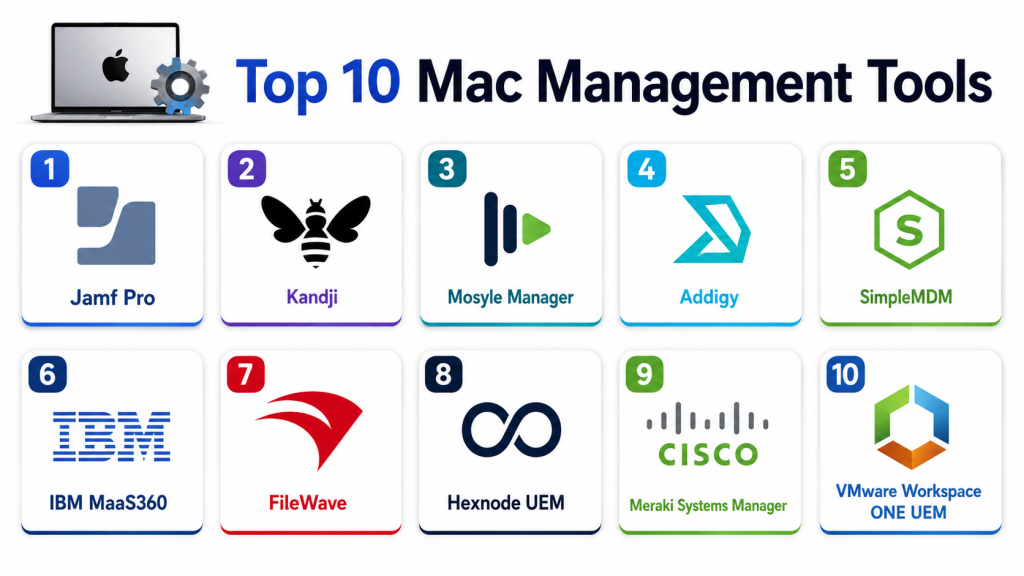
Top 10 Mac Management Tools
#1 — Jamf Pro
Short description: Jamf Pro is one of the most widely adopted Apple device management platforms, offering enterprise-grade macOS deployment, security, compliance, and automation capabilities. It is designed for organizations managing large fleets of Apple devices across distributed environments.
Key Features
- Zero-touch provisioning with Apple Business Manager
- Automated patch and software deployment
- Advanced compliance and policy enforcement
- Real-time device inventory and analytics
- Remote troubleshooting and management
- Integration with identity providers and ITSM platforms
- Automated security workflows
Pros
- Deep Apple ecosystem integration
- Enterprise-grade scalability
- Extensive automation features
- Strong reporting and analytics
Cons
- Premium pricing for smaller teams
- Advanced features require training
- Complex configuration for large deployments
- Mixed OS support is limited
Platforms / Deployment
Web / macOS / iOS
Cloud / On-premise
Security & Compliance
- SSO, MFA, encryption, RBAC
- SOC 2, ISO 27001
Integrations & Ecosystem
Jamf Pro integrates with identity providers, collaboration tools, endpoint security platforms, and ITSM solutions to streamline Apple device operations.
- Okta
- Microsoft Entra ID
- ServiceNow
- Slack
- Google Workspace
- API integrations
Support & Community
Strong enterprise support, extensive documentation, certification programs, and one of the largest Apple IT admin communities.
#2 — Kandji
Short description: Kandji provides automated Apple device management with a strong focus on compliance, security automation, and simplified deployment workflows for modern IT teams.
Key Features
- Automated device enrollment
- Compliance templates and security baselines
- Patch management automation
- Remote monitoring and remediation
- Device inventory reporting
- Automated workflows for macOS updates
- Cloud-based management console
Pros
- Easy-to-use interface
- Strong automation capabilities
- Simplified compliance management
- Cloud-native architecture
Cons
- Premium pricing for advanced plans
- Limited non-Apple management features
- Reporting customization can be limited
- Advanced integrations require setup effort
Platforms / Deployment
Web / macOS / iOS
Cloud
Security & Compliance
- SSO, MFA, encryption
- SOC 2, GDPR
Integrations & Ecosystem
Kandji integrates with ITSM, identity management, and collaboration tools for streamlined Apple endpoint operations.
- Okta
- Microsoft Entra ID
- Slack
- Google Workspace
- API access
Support & Community
Strong onboarding resources, responsive support, and growing enterprise adoption.
#3 — Mosyle Business
Short description: Mosyle Business delivers cloud-based Apple device management with strong automation, patching, inventory management, and compliance controls for SMB and mid-market organizations.
Key Features
- Automated provisioning and enrollment
- Patch and software management
- Device inventory tracking
- Compliance enforcement
- Security configuration management
- Reporting dashboards
- Remote management tools
Pros
- Affordable pricing
- Cloud-based simplicity
- Strong automation features
- Easy deployment process
Cons
- Limited enterprise analytics
- Advanced integrations require customization
- Fewer AI-driven capabilities
- Less enterprise-focused than Jamf
Platforms / Deployment
Web / macOS / iOS
Cloud
Security & Compliance
- SSO, RBAC, encryption
- GDPR
Integrations & Ecosystem
Mosyle integrates with directory services, productivity tools, and Apple ecosystem services for centralized management.
- Google Workspace
- Microsoft Entra ID
- Slack
- Apple Business Manager
- API access
Support & Community
Documentation, onboarding assistance, and responsive customer support.
#4 — Addigy
Short description: Addigy is a cloud-based Apple device management platform designed for MSPs and enterprise IT teams managing distributed macOS environments.
Key Features
- Zero-touch deployment
- Real-time device monitoring
- Automated patch management
- Remote troubleshooting tools
- Compliance policy enforcement
- Reporting dashboards
- Multi-tenant management
Pros
- Excellent for MSPs
- Real-time monitoring capabilities
- Automated patching workflows
- Cloud-native platform
Cons
- Advanced setup may require expertise
- Higher pricing for smaller organizations
- Limited AI-driven insights
- Less suitable for non-Apple devices
Platforms / Deployment
Web / macOS / iOS
Cloud
Security & Compliance
- SSO, encryption, RBAC
- SOC 2
Integrations & Ecosystem
Addigy supports integrations with ITSM, identity management, and collaboration tools for enterprise workflows.
- Okta
- Slack
- Microsoft Entra ID
- ServiceNow
- API integrations
Support & Community
Documentation, onboarding resources, and enterprise support options.
#5 — SimpleMDM
Short description: SimpleMDM provides lightweight cloud-based Apple device management with provisioning, patching, and inventory tracking for SMB and growing IT teams.
Key Features
- Device provisioning and enrollment
- Patch management
- Application deployment
- Inventory management
- Compliance enforcement
- Remote device actions
- Reporting dashboards
Pros
- Easy deployment
- Affordable for SMBs
- Cloud-based management
- Good inventory visibility
Cons
- Limited enterprise analytics
- Fewer advanced automation features
- Minimal AI functionality
- Limited advanced reporting
Platforms / Deployment
Web / macOS / iOS
Cloud
Security & Compliance
- SSO, encryption, RBAC
- GDPR
Integrations & Ecosystem
SimpleMDM integrates with Apple services and common business tools for streamlined endpoint operations.
- Apple Business Manager
- Google Workspace
- Microsoft Entra ID
- API access
Support & Community
Documentation, onboarding support, and responsive customer service.
#6 — VMware Workspace ONE UEM
Short description: Workspace ONE UEM provides unified endpoint management for macOS and other platforms, supporting enterprise-scale device deployment, security, and compliance management.
Key Features
- Cross-platform endpoint management
- macOS provisioning and patching
- Identity and access integration
- Compliance monitoring
- Analytics dashboards
- Remote troubleshooting
- Automated workflows
Pros
- Strong cross-platform support
- Enterprise scalability
- Advanced analytics and reporting
- Unified endpoint visibility
Cons
- Complex deployment process
- Higher licensing costs
- Requires experienced administrators
- Apple-specific features less deep than Jamf
Platforms / Deployment
Web / Windows / macOS / iOS / Android
Cloud / On-premise
Security & Compliance
- SSO, MFA, RBAC, encryption
- SOC 2, ISO 27001
Integrations & Ecosystem
Workspace ONE integrates with enterprise identity providers, ITSM platforms, and endpoint security tools.
- Okta
- ServiceNow
- Microsoft Entra ID
- VMware ecosystem
- API integrations
Support & Community
Enterprise support, training resources, and large technical community.
#7 — Hexnode UEM
Short description: Hexnode UEM provides unified endpoint management with strong macOS support, automation workflows, and compliance features for SMB and enterprise IT teams.
Key Features
- Automated enrollment
- Patch management
- Compliance enforcement
- Device inventory tracking
- Remote management tools
- Kiosk mode and restrictions
- Reporting dashboards
Pros
- Easy-to-use interface
- Affordable pricing
- Good automation workflows
- Strong remote management features
Cons
- Advanced reporting limited
- Smaller ecosystem than enterprise competitors
- Some enterprise features require premium plans
- AI functionality minimal
Platforms / Deployment
Web / Windows / macOS / iOS / Android
Cloud / On-premise
Security & Compliance
- SSO, encryption, RBAC
- GDPR
Integrations & Ecosystem
Hexnode supports integrations with productivity, identity, and endpoint management systems.
- Google Workspace
- Microsoft Entra ID
- Slack
- API access
Support & Community
Documentation, onboarding, and customer support.
#8 — FileWave
Short description: FileWave offers endpoint management for macOS environments with imaging, deployment, inventory tracking, and patch automation capabilities.
Key Features
- Device imaging and deployment
- Patch management
- Inventory reporting
- Remote troubleshooting
- Compliance policies
- Cross-platform support
- Software deployment
Pros
- Strong imaging capabilities
- Cross-platform device management
- Detailed inventory reporting
- Flexible deployment options
Cons
- Interface feels dated
- Learning curve for new admins
- Limited AI capabilities
- Reporting customization can be difficult
Platforms / Deployment
Web / Windows / macOS / iOS
Cloud / On-premise
Security & Compliance
- RBAC, encryption
- Not publicly stated
Integrations & Ecosystem
FileWave integrates with enterprise infrastructure and IT management systems.
- Active Directory
- Apple Business Manager
- Google Workspace
- API integrations
Support & Community
Documentation, support resources, and enterprise onboarding.
#9 — Microsoft Intune
Short description: Microsoft Intune provides unified endpoint management with macOS support, enabling organizations to manage Apple devices alongside Windows and mobile endpoints.
Key Features
- Unified endpoint management
- Device enrollment and provisioning
- Security policy enforcement
- Patch management
- Compliance reporting
- Remote device management
- Integration with Microsoft ecosystem
Pros
- Strong Microsoft ecosystem integration
- Unified management for mixed environments
- Enterprise scalability
- Comprehensive compliance tools
Cons
- Apple-specific functionality less advanced
- Complex policy configuration
- Reporting can be overwhelming
- Advanced features require Microsoft expertise
Platforms / Deployment
Web / Windows / macOS / iOS / Android
Cloud
Security & Compliance
- SSO, MFA, encryption, RBAC
- SOC 2, ISO 27001, GDPR
Integrations & Ecosystem
Intune integrates deeply with Microsoft services and enterprise identity systems.
- Microsoft 365
- Microsoft Entra ID
- Defender
- ServiceNow
- API integrations
Support & Community
Extensive documentation, enterprise support, and large technical ecosystem.
#10 — NinjaOne
Short description: NinjaOne provides endpoint management and remote monitoring capabilities with growing macOS management support for MSPs and distributed IT environments.
Key Features
- Remote monitoring and management
- Patch deployment
- Device inventory tracking
- Automation workflows
- Remote troubleshooting
- Reporting dashboards
- Endpoint health monitoring
Pros
- MSP-friendly platform
- Easy-to-use interface
- Strong automation workflows
- Good remote management tools
Cons
- macOS support less mature than Apple-focused vendors
- Advanced enterprise features limited
- AI capabilities minimal
- Reporting customization limited
Platforms / Deployment
Web / Windows / macOS / iOS / Android
Cloud
Security & Compliance
- SSO, RBAC, encryption
- SOC 2
Integrations & Ecosystem
NinjaOne integrates with IT operations, PSA, and monitoring platforms for centralized endpoint management.
- ServiceNow
- Slack
- PSA tools
- API integrations
Support & Community
Documentation, onboarding, training, and customer support.
Comparison Table
| Tool Name | Best For | Platform Supported | Deployment | Standout Feature | Public Rating |
|---|---|---|---|---|---|
| Jamf Pro | Enterprise Apple management | Web / macOS / iOS | Cloud / On-premise | Deep Apple ecosystem integration | N/A |
| Kandji | Automated Apple compliance | Web / macOS / iOS | Cloud | Automated compliance workflows | N/A |
| Mosyle Business | SMB and mid-market Apple fleets | Web / macOS / iOS | Cloud | Affordable cloud automation | N/A |
| Addigy | MSP and remote Apple management | Web / macOS / iOS | Cloud | Real-time monitoring | N/A |
| SimpleMDM | SMB Apple management | Web / macOS / iOS | Cloud | Simple cloud deployment | N/A |
| Workspace ONE UEM | Unified endpoint management | Web / Multi-platform | Cloud / On-premise | Cross-platform visibility | N/A |
| Hexnode UEM | SMB and mid-market UEM | Web / Multi-platform | Cloud / On-premise | Unified endpoint management | N/A |
| FileWave | Imaging and deployment | Web / Multi-platform | Cloud / On-premise | Imaging and provisioning | N/A |
| Microsoft Intune | Microsoft-centric environments | Web / Multi-platform | Cloud | Microsoft ecosystem integration | N/A |
| NinjaOne | MSP remote management | Web / Multi-platform | Cloud | Remote monitoring automation | N/A |
Evaluation & Scoring
| Tool Name | Core 25% | Ease 15% | Integrations 15% | Security 10% | Performance 10% | Support 10% | Value 15% | Weighted Total |
|---|---|---|---|---|---|---|---|---|
| Jamf Pro | 9.5 | 8 | 9 | 9 | 9 | 8.5 | 7.5 | 8.8 |
| Kandji | 8.5 | 9 | 8 | 8.5 | 8 | 8 | 8 | 8.3 |
| Mosyle Business | 8 | 8.5 | 7.5 | 8 | 8 | 7.5 | 8.5 | 8.1 |
| Addigy | 8 | 8 | 7.5 | 8 | 8 | 7.5 | 8 | 7.9 |
| SimpleMDM | 7.5 | 8.5 | 7 | 7.5 | 7.5 | 7 | 8.5 | 7.8 |
| Workspace ONE UEM | 9 | 7 | 9 | 9 | 8.5 | 8 | 7 | 8.2 |
| Hexnode UEM | 7.5 | 8 | 7.5 | 7.5 | 7.5 | 7 | 8 | 7.6 |
| FileWave | 7.5 | 7 | 7 | 7.5 | 7.5 | 7 | 7.5 | 7.3 |
| Microsoft Intune | 8.5 | 7 | 9 | 9 | 8 | 8 | 7.5 | 8.1 |
| NinjaOne | 7.5 | 8 | 7.5 | 7.5 | 7.5 | 7.5 | 8 | 7.6 |
The scoring reflects comparative strengths across enterprise readiness, automation, integrations, security posture, and operational simplicity. Higher scores indicate stronger feature depth and scalability, while mid-range scores often reflect easier adoption or better SMB affordability. Organizations should prioritize criteria that align with their operational requirements rather than selecting purely based on weighted totals.
Which Mac Management Tool Is Right for You?
Solo / Freelancer
SimpleMDM or Mosyle Business provide lightweight cloud-based management for small Apple environments without requiring enterprise complexity.
SMB
Mosyle Business, Kandji, and Hexnode UEM offer affordable automation, patching, and compliance management for growing teams.
Mid-Market
Addigy and Kandji provide stronger automation, remote management, and compliance enforcement for distributed Mac fleets.
Enterprise
Jamf Pro, Workspace ONE UEM, and Microsoft Intune provide enterprise scalability, security controls, and deep integrations for large organizations.
Budget vs Premium
Mosyle Business and SimpleMDM are cost-effective for SMBs, while Jamf Pro and Workspace ONE UEM target enterprise environments with advanced automation and compliance.
Feature Depth vs Ease of Use
Jamf Pro and Workspace ONE UEM provide deep enterprise functionality but require experienced administrators. Kandji and Mosyle offer simpler deployment and easier administration.
Integrations & Scalability
Organizations using Microsoft ecosystems may prefer Intune, while Apple-centric enterprises often benefit more from Jamf Pro or Kandji integrations.
Security & Compliance Needs
Enterprises handling sensitive data should prioritize tools with strong compliance reporting, RBAC, MFA, encryption, and integration with identity providers.
Frequently Asked Questions
1. What is a Mac Management Tool?
A Mac Management Tool helps IT teams deploy, secure, monitor, and manage macOS devices from a centralized platform while automating routine administrative tasks.
2. Why are these tools important for enterprises?
They reduce manual IT effort, improve device security, automate patching, and provide centralized compliance management across large Apple device fleets.
3. Can these tools manage iPhones and iPads too?
Yes, most Apple-focused platforms also support iOS and iPadOS management through Mobile Device Management functionality.
4. What is zero-touch deployment?
Zero-touch deployment automatically provisions and configures new Mac devices using Apple Business Manager and MDM integration without manual setup.
5. Are cloud deployments common?
Yes, most modern Mac management platforms are cloud-first to support remote workforces and simplified administration.
6. Do these tools support patch management?
Yes, they automate macOS updates, application deployment, and security patching to reduce vulnerabilities and maintenance effort.
7. Which tool is best for Apple-only environments?
Jamf Pro and Kandji are often preferred for Apple-centric organizations due to their deep ecosystem integration and advanced automation.
8. Can these tools support hybrid environments?
Yes, tools like Workspace ONE UEM, Intune, and Hexnode support mixed Windows, macOS, iOS, and Android environments.
9. How do these platforms improve security?
They enforce security policies, automate compliance checks, manage encryption settings, and integrate with identity and access management systems.
10. What should buyers evaluate before choosing a platform?
Organizations should assess automation capabilities, scalability, security controls, integrations, ease of deployment, reporting, and long-term operational costs.
Conclusion
Mac Management Tools have become essential for organizations managing distributed Apple device environments, enabling centralized deployment, security enforcement, patch management, and compliance automation. SMBs often benefit from lightweight platforms like Mosyle Business or SimpleMDM, while mid-market organizations may prefer Kandji or Addigy for stronger automation and remote management capabilities. Large enterprises typically require Jamf Pro, Workspace ONE UEM, or Microsoft Intune for enterprise-grade scalability, integrations, and compliance controls. The right platform depends on company size, Apple ecosystem dependence, security requirements, and IT operational maturity. Before selecting a solution, organizations should shortlist a few platforms, validate integration requirements, test automation workflows, and assess long-term management efficiency through pilot deployments.

This post gave a very practical overview of Mac management tools with clear feature comparisons and easy-to-understand explanations. It’s a helpful guide for anyone exploring device management solutions.
A critical consideration that is often missing from Mac management comparisons is how well these platforms support Apple’s rapidly evolving security architecture. Features such as Platform SSO, Declarative Device Management (DDM), managed software updates, and security controls on Apple Silicon are becoming increasingly important for enterprise deployments. The real differentiator is not simply device enrollment or policy deployment, but how quickly vendors adapt to new macOS capabilities without requiring complex workarounds. Organizations with large Mac fleets should evaluate vendor responsiveness to Apple ecosystem changes, because delayed support can create security gaps, increase operational overhead, and slow OS adoption across the environment. In practice, the long-term success of a Mac management platform is often determined more by its ability to keep pace with Apple’s roadmap than by its current feature checklist.
As Mac deployments expand across remote and hybrid workforces, balancing security requirements with user autonomy becomes increasingly important. Strict management policies can improve compliance, but they may also create friction for developers, designers, and other power users. A deeper discussion on policy segmentation, self-service workflows, and measuring the operational impact of management controls would help organizations design more sustainable endpoint management strategies.