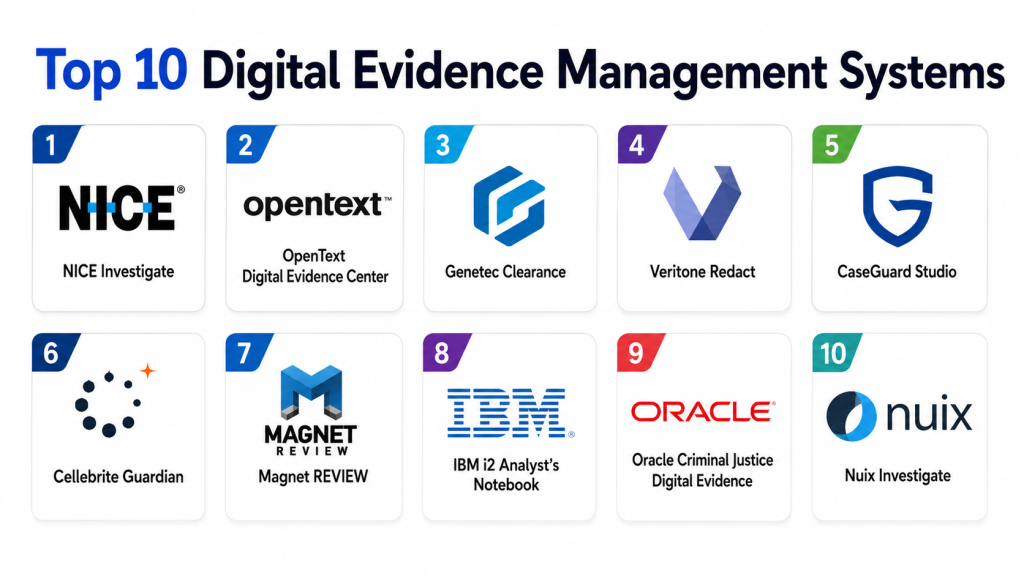
Digital Evidence Management Systems help law enforcement agencies, prosecutors, courts, investigators, compliance teams, and public safety departments collect, store, organize, review, redact, share, and preserve digital evidence. This can include body-camera video, dashcam footage, CCTV files, photos, audio recordings, interview files, mobile extractions, documents, forensic reports, emails, and case media. A strong DEMS protects chain of custody, improves searchability, reduces manual file handling, and helps agencies prepare evidence for disclosure, prosecution, and court workflows.
Why It Matters
Digital evidence volume is growing rapidly because agencies now receive evidence from body cameras, in-car cameras, phones, surveillance systems, drones, online submissions, and forensic tools. Without a structured system, evidence can become scattered across drives, email inboxes, DVDs, cloud folders, and disconnected vendor tools. A modern DEMS centralizes evidence, creates audit trails, supports controlled sharing, and helps protect the integrity of case files. Vendors such as Axon, Motorola Solutions, NICE, OpenText, and FileOnQ describe core DEMS needs around ingestion, review, storage, chain of custody, sharing, and reporting.
Real-World Use Cases
- Police departments managing body-camera and dashcam footage
- Prosecutors receiving, reviewing, and disclosing case evidence
- Digital forensic teams organizing mobile device extractions and media files
- Courts needing defensible evidence packages and secure file access
- Public safety agencies linking evidence to RMS, CAD, and case records
- Internal affairs teams reviewing sensitive video and incident records
- Investigators redacting personally identifiable information before sharing
- Multi-agency task forces exchanging evidence securely
Evaluation Criteria for Buyers
- Evidence ingestion from multiple sources
- Chain-of-custody tracking
- Tamper-resistant audit logs
- Case-based organization
- Video, photo, audio, document, and forensic file support
- Redaction tools
- Secure sharing and disclosure workflows
- Search, tagging, and metadata management
- CAD, RMS, body camera, and prosecutor system integrations
- Role-based access control
- Storage scalability and retention management
- CJIS, compliance, privacy, and audit readiness where applicable
Best for: Law enforcement agencies, public safety departments, prosecutors, courts, digital forensics units, government agencies, and organizations handling legally sensitive digital evidence.
Not ideal for: Teams that only need basic file storage, generic document management, or simple video folders without chain-of-custody, audit, retention, and legal disclosure requirements.
Key Trends in Digital Evidence Management Systems
- Centralized evidence repositories: Agencies are moving away from scattered storage and toward unified evidence libraries.
- Body-camera ecosystem integration: DEMS platforms increasingly connect directly with body-worn cameras, in-car video, and capture devices.
- Automated chain of custody: Audit trails now track uploads, views, downloads, shares, transfers, redactions, and retention actions.
- AI-assisted review: Some platforms are adding transcription, object detection, search assistance, narrative support, and redaction automation.
- Secure disclosure workflows: Prosecutors and courts need controlled evidence access without physical media transfer.
- Multi-format evidence support: Agencies need one system for video, photos, audio, documents, forensic files, and third-party uploads.
- Redaction and privacy controls: Redaction is becoming central because body-camera and CCTV footage often includes faces, plates, minors, victims, and bystanders.
- Cloud and hybrid deployment: Agencies are balancing scalable cloud storage with compliance, sovereignty, and IT policy needs.
- RMS and CAD linkage: Evidence must be connected to incident numbers, case records, officer reports, and dispatch events.
- Retention automation: Evidence retention rules help agencies reduce storage clutter while protecting legally required files.
How We Selected These Tools
- Strong relevance to digital evidence workflows
- Support for law enforcement or public safety use cases
- Evidence ingestion, storage, search, review, sharing, and retention capabilities
- Chain-of-custody and audit trail support
- Integration with cameras, RMS, CAD, forensic tools, or prosecution workflows
- Scalability for video-heavy evidence environments
- Support for redaction, disclosure, and case packaging
- Deployment flexibility
- Vendor credibility in public safety, justice, or investigations
- Practical value for agencies handling sensitive case media
Top 10 Digital Evidence Management Systems
1- Axon Evidence
Axon Evidence is one of the most recognized digital evidence platforms for law enforcement agencies, especially those using Axon body cameras, in-car systems, and public safety workflows. It is built to help agencies capture, review, manage, disclose, and preserve evidence while maintaining chain of custody. The platform supports search, audit trails, case organization, review workflows, and evidence sharing. Axon positions the system as an agency-wide evidence environment for officers, investigators, command staff, and administrators.
Key Features
- Digital evidence storage
- Body-camera evidence management
- Case-based evidence organization
- Audit trails for chain of custody
- Search by officer, incident, location, and tags
- Evidence review workflows
- Disclosure and sharing support
Pros
- Strong body-camera ecosystem
- Well suited for law enforcement agencies
- Good evidence review and search workflows
Cons
- Best fit is often strongest inside the Axon ecosystem
- Non-Axon device workflows may require planning
- Pricing varies by agency scope
Platforms / Deployment
- Cloud-based public safety platform
- Web-based evidence access
- Device ecosystem support varies by agency configuration
Security & Compliance
- Designed for secure public safety evidence workflows
- Detailed certifications and controls should be verified during procurement
Integrations & Ecosystem
Axon Evidence is strongest when used with Axon body cameras, in-car systems, capture devices, reporting workflows, and public safety tools. It is a strong option for agencies that want evidence capture and evidence management in one connected environment.
Support & Community
- Vendor support available
- Agency onboarding and implementation support available
- Strong public safety user base
2- Motorola Solutions CommandCentral Evidence
Motorola Solutions CommandCentral Evidence helps agencies store, search, manage, and share case media from a centralized system. Motorola highlights centralized evidence, device management, redaction support, collections, and AI-assisted workflows in its CommandCentral DEMS offering. It is especially relevant for agencies already using Motorola public safety technologies or body-camera ecosystems. The platform is designed to connect evidence management with broader public safety operations.
Key Features
- Centralized digital evidence management
- Evidence ingestion and organization
- Device management for evidence-capturing devices
- Redaction support
- Collections and tagging
- Case media sharing
- Public safety ecosystem alignment
Pros
- Strong fit for Motorola public safety environments
- Useful for managing body-camera and in-car video evidence
- Centralized evidence control from capture to court
Cons
- Best value appears when aligned with Motorola ecosystem
- May require implementation and configuration planning
- Pricing is agency-specific
Platforms / Deployment
- Public safety software platform
- Cloud or agency-specific deployment may vary
- Device and evidence workflow support
Security & Compliance
- Motorola describes CommandCentral Evidence as CJIS compliant
- Agencies should validate compliance details during procurement
Integrations & Ecosystem
CommandCentral Evidence works well within Motorola’s broader public safety software and device ecosystem. It can support workflows involving body cameras, in-car systems, case media, redaction, and evidence disclosure.
Support & Community
- Enterprise vendor support
- Public safety implementation resources
- Training and deployment support likely required
3- NICE Investigate
NICE Investigate is a digital evidence management platform designed to help public safety and justice teams collect, manage, analyze, and share digital evidence. NICE describes DEMS capabilities around chain-of-custody management, access tracking, modification records, and transfer records. It is useful for agencies that need structured evidence workflows across investigators, prosecutors, and external stakeholders. The platform is often evaluated when agencies want evidence collaboration and case acceleration.
Key Features
- Digital evidence collection
- Case-based evidence management
- Chain-of-custody tracking
- Evidence sharing workflows
- Audit records for access and transfer
- Review and investigation support
- Justice workflow alignment
Pros
- Strong focus on investigation workflows
- Useful for sharing evidence securely
- Good fit for prosecutor and police collaboration
Cons
- Implementation may require workflow mapping
- Public pricing is not standardized
- Integration needs vary by agency systems
Platforms / Deployment
- Cloud-based or agency-specific deployment may vary
- Web-based investigation workflows
- Public safety and justice sector focus
Security & Compliance
- Chain-of-custody and access tracking capabilities are publicly described
- Agencies should verify security certifications during procurement
Integrations & Ecosystem
NICE Investigate can support evidence workflows across law enforcement, prosecutors, and justice stakeholders. It is best suited for agencies needing secure collaboration and structured evidence disclosure.
Support & Community
- Enterprise vendor support
- Implementation guidance available
- Training likely needed for investigators and records teams
4- OpenText Digital Evidence Management
OpenText Digital Evidence Management is designed to ingest, search, store, analyze, share, and report on multiple evidence types within one system. It is relevant for agencies and organizations managing large volumes of digital evidence across investigations and legal workflows. OpenText’s enterprise information management background makes it a practical choice for organizations needing governance, search, storage, and secure evidence handling.
Key Features
- Evidence ingestion
- Multi-format evidence storage
- Search and analysis
- Secure sharing
- Reporting workflows
- Case evidence organization
- Enterprise information governance alignment
Pros
- Strong enterprise content and information management background
- Useful for multi-format evidence environments
- Good fit for organizations needing governance and reporting
Cons
- May require configuration for public safety workflows
- Best suited for organizations with structured IT teams
- Pricing and deployment vary by scope
Platforms / Deployment
- Enterprise digital evidence platform
- Cloud, hybrid, or agency-specific deployment may vary
- Web-based access likely available depending on setup
Security & Compliance
- Not publicly stated in full detail for every deployment
- Compliance details should be verified during procurement
Integrations & Ecosystem
OpenText can fit environments where digital evidence management must connect with broader enterprise content, legal, governance, and information management systems.
Support & Community
- Enterprise vendor support
- Implementation support likely available
- Best for agencies with formal governance and IT processes
5- VIDIZMO Digital Evidence Management System
VIDIZMO Digital Evidence Management System is built for collecting, storing, processing, analyzing, and sharing digital evidence in a secure environment. It is often positioned for law enforcement, public safety, legal, and government evidence workflows. VIDIZMO commonly emphasizes evidence ingestion, redaction, AI-enabled search, chain of custody, controlled sharing, and deployment flexibility. It can be a strong fit for agencies that need a vendor-neutral evidence repository across multiple evidence sources.
Key Features
- Secure evidence repository
- Video, audio, image, and document support
- Chain-of-custody workflows
- AI-powered search and transcription capabilities may vary
- Redaction support
- Secure sharing and access control
- Deployment flexibility
Pros
- Good vendor-neutral DEMS option
- Supports multiple evidence formats
- Useful for redaction and sharing workflows
Cons
- Agencies should validate exact AI and redaction capabilities by plan
- Implementation may require evidence source mapping
- Pricing varies by deployment
Platforms / Deployment
- Cloud, on-premises, or hybrid options may be available depending on plan
- Web-based access
- Enterprise deployment support
Security & Compliance
- Security details should be verified during procurement
- Role-based access and audit workflows are commonly expected in DEMS deployments
Integrations & Ecosystem
VIDIZMO can fit agencies needing evidence ingestion from multiple sources such as body cameras, CCTV, mobile uploads, interview recordings, and case files. Integration planning should be done before rollout.
Support & Community
- Vendor support available
- Implementation support likely available
- Training recommended for evidence administrators and investigators
6- FileOnQ Digital Evidence Management
FileOnQ provides digital evidence management capabilities for law enforcement agencies that need secure evidence storage, accessibility, and critical data management. The vendor describes its DEMS as a way to overcome storage costs and streamline digital evidence data management. FileOnQ is especially relevant for agencies that already need physical and digital evidence workflows connected across property rooms, case files, and investigations.
Key Features
- Digital evidence storage
- Evidence data management
- Secure access workflows
- Search and organization
- Law enforcement evidence support
- Property and evidence process alignment
- Case-related evidence handling
Pros
- Strong evidence management focus
- Useful for agencies managing physical and digital evidence together
- Practical for law enforcement property and evidence workflows
Cons
- Public feature depth may vary by package
- May require configuration for advanced digital media workflows
- Pricing is not publicly standardized
Platforms / Deployment
- Evidence management platform
- Deployment varies by agency requirements
- Digital and property evidence workflow support
Security & Compliance
- Not publicly stated in full detail
- Agencies should review security controls, retention, and audit features
Integrations & Ecosystem
FileOnQ is useful where agencies need evidence management connected to broader property room, case, and investigative workflows. It can support departments modernizing evidence handling from manual or fragmented systems.
Support & Community
- Vendor support available
- Implementation guidance likely available
- Best for law enforcement evidence teams
7- Cellebrite Guardian
Cellebrite Guardian is a digital evidence management and sharing platform that fits naturally into digital investigation workflows. It is especially useful for agencies that use Cellebrite forensic tools and need to manage, review, and share extracted evidence securely. Guardian is often considered by digital forensics teams, prosecutors, investigators, and agencies dealing with mobile device extractions, cloud evidence, and investigative data. It is less of a generic body-camera repository and more aligned with investigative evidence collaboration.
Key Features
- Digital evidence sharing
- Case collaboration
- Forensic evidence workflow support
- Secure review access
- Investigation-focused organization
- Evidence package management
- Alignment with Cellebrite forensic ecosystem
Pros
- Strong fit for digital forensics workflows
- Useful for mobile extraction evidence
- Good option for investigator and prosecutor collaboration
Cons
- Not a full replacement for body-camera-first DEMS in every agency
- Best value appears with Cellebrite ecosystem usage
- Pricing varies by agency and deployment
Platforms / Deployment
- Cloud-based or agency-specific deployment may vary
- Web-based collaboration workflows
- Digital investigation environment
Security & Compliance
- Not publicly stated in full detail
- Agencies should verify security, audit, and compliance controls
Integrations & Ecosystem
Cellebrite Guardian is strongest when connected with Cellebrite digital intelligence and forensic tools. It is useful for agencies that need to move forensic evidence into review and prosecution workflows.
Support & Community
- Vendor support available
- Training available for digital investigation teams
- Strong fit for forensic units and investigators
8- EvidenceOnQ
EvidenceOnQ is an evidence management system used by law enforcement and public safety agencies to manage property, physical evidence, and digital evidence workflows. It is useful for agencies that need structured tracking, storage, chain-of-custody controls, and evidence lifecycle management. EvidenceOnQ is especially relevant for departments that want one evidence management process across physical evidence rooms and digital evidence files.
Key Features
- Evidence tracking
- Chain-of-custody workflows
- Property room management
- Digital evidence support
- Barcode and inventory workflows
- Reporting and audit support
- Evidence lifecycle management
Pros
- Strong evidence tracking orientation
- Useful for physical and digital evidence workflows
- Practical for property and evidence units
Cons
- May need additional integrations for large video ecosystems
- Not always positioned as a body-camera-first platform
- Deployment details vary by agency
Platforms / Deployment
- Evidence management platform
- Deployment varies by agency setup
- Physical and digital evidence workflow support
Security & Compliance
- Not publicly stated in full detail
- Agencies should verify audit, access control, and chain-of-custody capabilities
Integrations & Ecosystem
EvidenceOnQ can support evidence rooms, inventory workflows, digital attachments, and lifecycle management. It is useful where agencies want structured evidence accountability across multiple evidence types.
Support & Community
- Vendor support available
- Implementation support likely required
- Best for evidence technicians and property room teams
9- FotoWare Digital Evidence Management
FotoWare provides digital asset management capabilities that can be adapted for digital evidence workflows, especially where agencies need to review, search, compare, and share visual evidence. FotoWare describes digital evidence management benefits around reviewing videos, searching words in photos or transcripts, comparing multiple perspectives, assembling case narratives, playback, packaging, and secure transfer to legal teams.
Key Features
- Digital evidence review
- Video and image handling
- Metadata and search workflows
- Transcript and content search support
- Evidence packaging
- Secure transfer workflows
- Case narrative support
Pros
- Strong media management background
- Useful for visual evidence and review workflows
- Good fit for agencies needing searchable media libraries
Cons
- May require configuration for strict public safety evidence needs
- Not always a law-enforcement-only DEMS
- Compliance fit should be validated carefully
Platforms / Deployment
- Digital asset and evidence management environment
- Deployment varies by organization
- Web-based workflows may be available depending on setup
Security & Compliance
- Not publicly stated in full detail for evidence-specific deployments
- Agencies should verify audit, retention, and access controls
Integrations & Ecosystem
FotoWare can fit teams that need structured media review, search, sharing, and evidence packaging. It may be useful where digital media management and legal transfer workflows are key.
Support & Community
- Vendor support available
- Implementation support likely available
- Best for teams managing high volumes of visual evidence
10- Oracle Digital Evidence Management
Oracle Digital Evidence Management is positioned for justice and public safety organizations that need secure handling of law enforcement evidence and investigation information. Oracle describes its DEM approach as helping agencies handle information securely and according to legislation while improving investigation and daily police work. It may be a strong fit for large government organizations that already use Oracle infrastructure, cloud, database, or public sector technology.
Key Features
- Digital evidence storage
- Secure information handling
- Investigation workflow support
- Public safety and justice alignment
- Scalable infrastructure support
- Case and data handling capabilities
- Enterprise technology fit
Pros
- Strong enterprise infrastructure background
- Suitable for large government environments
- Useful where evidence management must align with broader IT architecture
Cons
- May require significant implementation planning
- Public feature details are less productized than some DEMS vendors
- Best suited for larger organizations
Platforms / Deployment
- Enterprise digital evidence environment
- Deployment varies by public sector requirements
- Oracle infrastructure alignment may apply
Security & Compliance
- Oracle positions the system around secure handling and legislation-aligned workflows
- Agencies should verify detailed controls during procurement
Integrations & Ecosystem
Oracle Digital Evidence Management is most relevant where agencies need DEMS aligned with broader enterprise architecture, justice systems, databases, cloud services, and large-scale government IT environments.
Support & Community
- Enterprise vendor support
- Public sector implementation support likely available
- Best for large agencies and government IT programs
Comparison Table
| Tool Name | Best For | Deployment | Core Strength | Evidence Types | Standout Feature | Public Rating |
|---|---|---|---|---|---|---|
| Axon Evidence | Law enforcement body-camera evidence | Cloud | Capture-to-disclosure workflow | Video, audio, photos, documents | Strong Axon device ecosystem | Varies / N/A |
| Motorola CommandCentral Evidence | Motorola public safety agencies | Varies / N/A | Centralized case media | Body camera, in-car, media files | Device and evidence workflow alignment | Varies / N/A |
| NICE Investigate | Police and prosecutor collaboration | Varies / N/A | Investigation and sharing | Multi-format evidence | Chain-of-custody and access tracking | Varies / N/A |
| OpenText DEMS | Enterprise evidence governance | Varies / N/A | Ingest, search, store, analyze, share | Multi-format evidence | Enterprise information management fit | Varies / N/A |
| VIDIZMO DEMS | Vendor-neutral evidence management | Cloud / hybrid / on-premises varies | Multi-source evidence repository | Video, audio, images, documents | Redaction and controlled sharing | Varies / N/A |
| FileOnQ DEMS | Law enforcement evidence teams | Varies / N/A | Digital evidence data management | Digital and case evidence | Evidence storage and accessibility | Varies / N/A |
| Cellebrite Guardian | Digital forensics teams | Varies / N/A | Forensic evidence collaboration | Mobile and digital investigation files | Cellebrite ecosystem alignment | Varies / N/A |
| EvidenceOnQ | Property and evidence units | Varies / N/A | Physical and digital evidence tracking | Property, files, digital evidence | Chain-of-custody lifecycle workflows | Varies / N/A |
| FotoWare DEMS | Visual evidence and media review | Varies / N/A | Searchable media evidence | Video, photos, transcripts | Review and evidence packaging | Varies / N/A |
| Oracle DEMS | Large government and justice systems | Varies / N/A | Secure public safety evidence handling | Multi-format evidence | Enterprise government IT alignment | Varies / N/A |
Evaluation and Scoring Table
| Tool | Core 25 | Ease 15 | Integrations 15 | Security 10 | Performance 10 | Support 10 | Value 15 | Weighted Total |
|---|---|---|---|---|---|---|---|---|
| Axon Evidence | 9.4 | 8.8 | 9.0 | 9.0 | 9.0 | 8.8 | 8.2 | 8.90 |
| Motorola CommandCentral Evidence | 9.1 | 8.2 | 9.0 | 9.0 | 8.8 | 8.7 | 8.0 | 8.70 |
| NICE Investigate | 8.9 | 8.4 | 8.7 | 8.8 | 8.6 | 8.5 | 8.1 | 8.58 |
| OpenText DEMS | 8.7 | 7.9 | 8.8 | 8.8 | 8.5 | 8.4 | 8.0 | 8.43 |
| VIDIZMO DEMS | 8.8 | 8.3 | 8.5 | 8.6 | 8.5 | 8.3 | 8.4 | 8.51 |
| FileOnQ DEMS | 8.3 | 8.1 | 8.0 | 8.3 | 8.2 | 8.2 | 8.4 | 8.22 |
| Cellebrite Guardian | 8.6 | 8.0 | 8.7 | 8.6 | 8.5 | 8.5 | 8.0 | 8.43 |
| EvidenceOnQ | 8.2 | 8.0 | 7.9 | 8.4 | 8.1 | 8.2 | 8.3 | 8.14 |
| FotoWare DEMS | 8.0 | 8.2 | 8.0 | 8.1 | 8.2 | 8.1 | 8.2 | 8.11 |
| Oracle DEMS | 8.5 | 7.5 | 8.7 | 8.8 | 8.7 | 8.4 | 7.8 | 8.32 |
Which Digital Evidence Management System Is Right for You?
Solo or Small Agencies
Small agencies should prioritize ease of use, secure sharing, reasonable storage, chain-of-custody tracking, and simple evidence search. FileOnQ, EvidenceOnQ, and FotoWare can be practical options when the agency needs structured evidence management without building a large enterprise public safety stack. If the agency already uses Axon or Motorola cameras, those ecosystems should also be evaluated first.
SMB Public Safety Departments
SMB law enforcement departments should focus on systems that connect evidence with RMS, CAD, body cameras, and prosecutor workflows. Axon Evidence, Motorola CommandCentral Evidence, NICE Investigate, VIDIZMO, and FileOnQ can be strong options depending on camera ecosystem, disclosure needs, and storage volume.
Mid-Market Agencies
Mid-market agencies usually need stronger evidence review, redaction, auditability, prosecutor sharing, and retention workflows. Axon Evidence, Motorola CommandCentral Evidence, NICE Investigate, OpenText, VIDIZMO, and Cellebrite Guardian are useful options depending on whether the agency is body-camera-heavy, investigation-heavy, or forensics-heavy.
Enterprise and Multi-Agency Environments
Large agencies and government programs should prioritize scalability, integrations, compliance, role-based access, retention governance, and multi-agency sharing. Oracle, OpenText, Motorola, Axon, NICE, and VIDIZMO are worth comparing in enterprise environments. Agencies using digital forensics heavily should also evaluate Cellebrite Guardian.
Budget vs Premium
Budget-focused buyers should avoid choosing based only on storage cost. Evidence systems must protect chain of custody, audit access, support retention, and enable secure sharing. A low-cost file repository can become expensive later if it causes disclosure delays, security gaps, or court challenges.
Feature Depth vs Ease of Use
Axon and Motorola offer strong public safety ecosystems, especially for agencies using their devices. NICE, VIDIZMO, and OpenText offer broader evidence workflow and enterprise evidence capabilities. FileOnQ and EvidenceOnQ are strong for evidence teams focused on tracking and lifecycle control. Cellebrite Guardian is best for forensic investigation workflows.
Integrations and Scalability
The best DEMS should integrate with body cameras, dashcams, CCTV, RMS, CAD, prosecutor systems, forensic tools, access control, records systems, and identity management. Agencies should document every evidence source before buying because integration gaps can create manual work and chain-of-custody risk.
Security and Compliance Needs
Digital evidence often contains sensitive criminal justice, victim, witness, juvenile, medical, and personal data. Buyers should verify encryption, audit logs, access controls, retention rules, redaction workflows, secure sharing, CJIS alignment where applicable, and vendor compliance documentation.
Implementation Playbook
First 30 Days
- Identify all evidence sources including body cameras, dashcams, CCTV, drones, mobile phones, interview rooms, uploads, forensic tools, and legacy storage.
- Map evidence workflows from capture to review, disclosure, retention, and deletion.
- Define user roles for officers, investigators, prosecutors, evidence technicians, supervisors, auditors, and external reviewers.
- List required integrations with RMS, CAD, body-camera systems, prosecutor systems, identity tools, and storage systems.
- Create a retention policy matrix based on case type, evidence type, and legal hold requirements.
- Choose a pilot unit, case type, or evidence source for controlled testing.
First 60 Days
- Configure evidence categories, metadata fields, tags, permissions, retention rules, and sharing workflows.
- Test upload speeds, large file handling, search accuracy, redaction workflows, and audit reports.
- Validate chain-of-custody logs for every major evidence action.
- Run sample disclosure workflows with prosecutors or legal teams.
- Train officers, investigators, evidence technicians, and administrators separately.
- Migrate a small batch of legacy evidence and verify accuracy.
- Review security controls with IT, legal, and compliance stakeholders.
First 90 Days
- Expand evidence ingestion to more devices, teams, and case workflows.
- Automate routing between evidence, RMS, CAD, and prosecutor systems where possible.
- Build dashboards for evidence backlog, review status, retention deadlines, and sharing activity.
- Review redaction speed and quality for sensitive video evidence.
- Finalize standard operating procedures for uploads, naming, tagging, access, sharing, legal holds, and deletion.
- Conduct a post-pilot audit to confirm chain-of-custody integrity.
- Scale rollout after users confirm the system improves speed, accuracy, and defensibility.
Common Mistakes and How to Avoid Them
- Using generic cloud storage as DEMS: Basic storage does not provide proper chain of custody, audit trails, legal holds, and controlled disclosure.
- Ignoring evidence source mapping: Agencies must list every source before implementation or risk fragmented workflows.
- Underestimating video storage costs: Body-camera and CCTV files can grow quickly, so retention and storage planning are critical.
- Skipping redaction testing: Redaction quality and speed should be tested before large-scale rollout.
- Weak access control design: Evidence access should be role-based, auditable, and limited by case need.
- Poor metadata planning: Search becomes difficult if evidence is uploaded without consistent tags, incident numbers, or case links.
- No prosecutor workflow testing: Evidence sharing should be tested with legal stakeholders before go-live.
- Overlooking legacy evidence migration: Old DVDs, drives, folders, and archives may need careful handling.
- Not validating audit logs: Audit trails should clearly show who accessed, viewed, downloaded, shared, modified, or transferred evidence.
- Choosing only by camera vendor: Camera ecosystem matters, but agencies should also consider RMS, CAD, prosecutor, and forensic workflows.
- No retention governance: Without retention rules, storage costs rise and evidence lifecycle risks increase.
- Insufficient user training: Officers, investigators, administrators, and prosecutors need different training paths.
Frequently Asked Questions
1- What is a Digital Evidence Management System?
A Digital Evidence Management System is software used to collect, store, organize, review, redact, share, and preserve digital evidence. It helps agencies manage body-camera video, photos, audio, documents, CCTV footage, forensic files, and case media with audit trails and chain-of-custody controls.
2- How is DEMS different from regular cloud storage?
Regular cloud storage mainly stores files, while DEMS manages evidence lifecycle, access permissions, audit logs, legal holds, retention rules, redaction, and secure disclosure. DEMS is designed for legally sensitive evidence, not just file backup.
3- Why is chain of custody important in digital evidence?
Chain of custody proves how evidence was collected, accessed, transferred, reviewed, shared, and preserved. A strong DEMS automatically logs evidence actions so agencies can defend evidence integrity in investigations, prosecution, and court proceedings.
4- Can DEMS handle body-camera footage?
Yes. Many DEMS platforms are built for body-camera and in-car video footage. Axon Evidence and Motorola CommandCentral Evidence are especially relevant for agencies using their camera ecosystems, while other tools can support broader evidence sources.
5- Do Digital Evidence Management Systems support redaction?
Many modern DEMS platforms include or integrate with redaction tools for faces, license plates, screens, documents, and sensitive audio or video segments. Agencies should test redaction quality and workflow speed before buying.
6- What integrations should buyers check?
Buyers should check integrations with RMS, CAD, body cameras, dashcams, CCTV systems, digital forensics tools, prosecutor systems, identity management, cloud storage, and reporting systems. Integration gaps can create duplicate work and evidence risk.
7- Is cloud-based digital evidence management secure?
Cloud-based DEMS can be secure when properly configured with encryption, access controls, audit trails, retention rules, vendor compliance documentation, and agency governance. Buyers should validate security controls before procurement.
8- What evidence types can DEMS manage?
DEMS can manage body-camera video, dashcam video, CCTV footage, photos, audio recordings, interview files, documents, forensic extractions, phone data exports, drone footage, emails, and case-related media. Supported formats vary by platform.
9- Who uses DEMS inside an agency?
Officers, investigators, evidence technicians, prosecutors, records staff, supervisors, command staff, auditors, and legal teams may all use DEMS. Each role usually needs different permissions and workflows.
10- Which Digital Evidence Management System is best overall?
There is no single best system for every agency. Axon Evidence is strong for Axon camera ecosystems, Motorola CommandCentral Evidence fits Motorola public safety environments, NICE Investigate supports investigation collaboration, VIDIZMO is useful for vendor-neutral evidence workflows, and Cellebrite Guardian is strong for digital forensics teams.
Conclusion
Digital Evidence Management Systems are essential for agencies that handle large volumes of sensitive video, audio, documents, and forensic evidence. The right platform helps protect chain of custody, improve search and review, simplify redaction, reduce manual sharing, and prepare evidence for prosecution and court workflows. Agencies using body-camera ecosystems should evaluate Axon Evidence and Motorola CommandCentral Evidence, while investigation-heavy teams should compare NICE Investigate, VIDIZMO, OpenText, and Cellebrite Guardian. Evidence room teams may also benefit from FileOnQ or EvidenceOnQ when physical and digital evidence workflows need stronger lifecycle control. The best next step is to shortlist tools based on evidence sources, test real upload and redaction workflows, verify security and audit controls, and scale only after legal, IT, records, and field teams confirm the process is reliable.

Great overview of digital evidence management systems—this article does a great job explaining how these platforms help securely organize, track, and manage digital evidence efficiently.
This was a very informative comparison of digital evidence management systems. The way each platform’s strengths and key features are presented makes the selection process much easier to understand.