Introduction
Mail merge tools are software solutions that allow organizations to send personalized communications at scale by combining data sources with templates for emails, letters, or documents. These tools help teams maintain engagement without sacrificing personalization, streamlining repetitive tasks while minimizing errors and ensuring consistency. By automating bulk communications, businesses can enhance efficiency, maintain brand standards, and support compliance with data privacy regulations.
Real-world use cases include sending personalized marketing emails, distributing invoices or contracts, onboarding employees, event invitations, and internal corporate announcements. These tools are also used for automated reporting, survey follow-ups, and client communications across industries.
Evaluation criteria for buyers typically include:
- Integration with CRMs, email platforms, and productivity suites
- Ease of use and template customization
- Multi-channel messaging support (email, print, SMS)
- Scalability and performance for high-volume workloads
- Security and compliance features (encryption, GDPR, SOC 2)
- Automation and AI-driven personalization
- Analytics and reporting capabilities
- Pricing and total cost of ownership
- Support and community resources
Best for: Marketing teams, HR departments, sales teams, SMBs, and enterprises needing frequent personalized communications.
Not ideal for: Organizations with minimal communications, or teams already using robust marketing automation suites with built-in personalization features.
Key Trends in Mail Merge Tools for the Future
- AI-driven personalization to dynamically adapt messaging for recipients
- Native integrations with CRMs, cloud storage, and collaboration platforms
- Enhanced security with encryption, audit logs, and role-based access
- Multi-channel delivery from a single workflow (email, SMS, print)
- Cloud-first deployment models with hybrid options for enterprise compliance
- Advanced analytics dashboards tracking open rates, click-throughs, and engagement
- No-code workflow builders for non-technical users
- GDPR, CCPA, and HIPAA compliance features built into templates and workflows
- Flexible subscription and pay-as-you-go pricing models
- API-first platforms for developer extensibility
How We Selected These Tools (Methodology)
- Market adoption and mindshare across SMBs and enterprises
- Completeness of core mail merge features including template management and personalization
- Performance and reliability under high-volume campaigns
- Security posture, compliance certifications, and data protection
- Depth of integrations and ecosystem extensibility
- Fit across multiple segments: freelancers, SMBs, mid-market, enterprise
- Inclusion of AI-driven personalization or automation features
- Documentation quality and community support
- Pricing flexibility and total cost of ownership
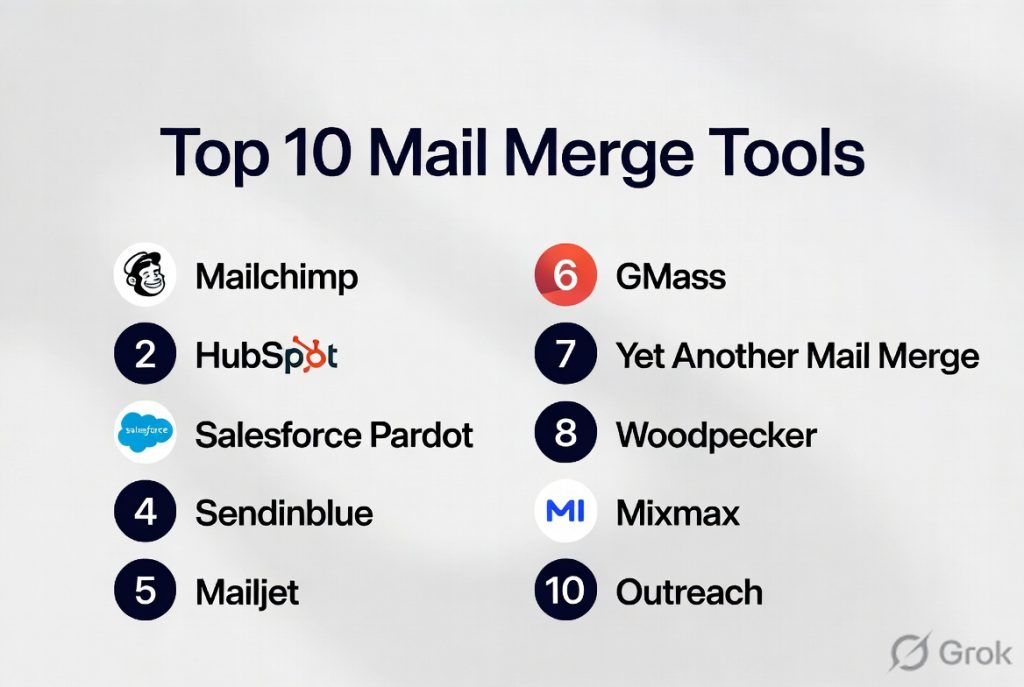
Top 10 Mail Merge Tools
#1 — HubSpot Marketing Hub
Short description: HubSpot Marketing Hub combines email marketing, automation, and CRM capabilities, enabling teams to send personalized bulk communications. Ideal for marketing teams in SMBs and mid-market organizations.
Key Features
- Drag-and-drop email editor with dynamic content
- Automated workflows for segmentation and follow-ups
- Native CRM integration for personalization
- Analytics dashboards for engagement tracking
- AI-powered content recommendations
- Multi-language support for global campaigns
Pros
- Seamless integration with HubSpot CRM
- High personalization capabilities
- Strong analytics and reporting
Cons
- Can be expensive for smaller teams
- Limited advanced template flexibility
- Steeper learning curve for non-marketers
Platforms / Deployment
- Web / iOS / Android
- Cloud
Security & Compliance
- SOC 2, GDPR
- SSO/SAML, MFA, encryption
Integrations & Ecosystem
HubSpot connects to hundreds of apps including CRMs, e-commerce, and analytics platforms.
- CRM integrations
- E-commerce platforms
- Marketing automation tools
- Social media management
- Web analytics
Support & Community
- Knowledge base, community forums, onboarding support
- Premium support tiers available
#2 — Microsoft Word Mail Merge
Short description: Microsoft Word Mail Merge generates personalized documents like letters, labels, and emails directly from Word using Excel or Access data. Best for SMBs and enterprises using Office productivity suites.
Key Features
- Integration with Excel, Access, and Outlook
- Template creation for letters, envelopes, labels
- Conditional fields for dynamic content
- Preview mode before sending
- Supports printing and email distribution
Pros
- Familiar Office interface
- No additional software required
- Highly customizable templates
Cons
- Limited automation and workflow capabilities
- Not ideal for high-volume email campaigns
- No built-in analytics or engagement tracking
Platforms / Deployment
- Windows / macOS
- Desktop / Cloud
Security & Compliance
- Not publicly stated
Integrations & Ecosystem
- Native integration with Excel, Access, Outlook
- Compatible with SharePoint and OneDrive
- Third-party add-ins supported
Support & Community
- Extensive Microsoft support documentation
- Active user forums
#3 — Mailchimp
Short description: Mailchimp is a popular email marketing platform offering personalization, automation, and segmentation. Ideal for SMBs and growing enterprises.
Key Features
- Drag-and-drop email builder
- AI recommendations for send times and content
- Dynamic merge tags for personalization
- Audience segmentation
- Detailed analytics and A/B testing
Pros
- Easy-to-use interface
- Strong AI-powered personalization
- Scalable for small to mid-market businesses
Cons
- Limited on-premise deployment options
- Can become costly with large audiences
- Template customization can be restrictive
Platforms / Deployment
- Web / iOS / Android
- Cloud
Security & Compliance
- GDPR compliant
- Encryption in transit and at rest
Integrations & Ecosystem
- Integrates with CRMs, e-commerce platforms, and analytics tools
- API access for custom workflows
- Social media integration
Support & Community
- Knowledge base, tutorials, and email support
- Community forums
#4 — GMass
Short description: GMass is a Gmail-based mail merge tool for marketers and sales professionals who need rapid personalized campaigns directly from Gmail.
Key Features
- Merge Google Sheets data with Gmail
- Automatic follow-ups and scheduling
- Personalization with tags and conditional logic
- Track opens, clicks, replies
- Campaign reporting dashboards
Pros
- Direct Gmail integration
- Quick setup
- Affordable for SMBs
Cons
- Limited to Gmail users
- Lacks advanced automation features
- Smaller ecosystem
Platforms / Deployment
- Web (Gmail add-on)
- Cloud
Security & Compliance
- Not publicly stated
Integrations & Ecosystem
- Google Workspace integration
- Chrome extension for enhancements
Support & Community
- Email support and tutorials
- Online community
#5 — Yet Another Mail Merge (YAMM)
Short description: YAMM is a Google Workspace add-on for sending personalized bulk emails from Gmail using Google Sheets. Ideal for SMBs and educational institutions.
Key Features
- Merge data from Google Sheets
- Track opens, clicks, and responses
- Schedule campaigns in advance
- Personalize emails with dynamic fields
- Supports attachments and images
Pros
- Simple, intuitive interface
- Works within Google Workspace
- Real-time tracking
Cons
- Limited automation beyond scheduling
- Gmail sending limits apply
- Not ideal for very large volumes
Platforms / Deployment
- Web / Gmail / Google Sheets
- Cloud
Security & Compliance
- Not publicly stated
Integrations & Ecosystem
- Google Workspace only
- Supports Google Drive attachments
Support & Community
- Tutorials, FAQ, email support
- Community forums
#6 — Streak CRM Mail Merge
Short description: Streak CRM integrates with Gmail to manage sales pipelines while sending personalized mail merges. Ideal for SMB sales teams.
Key Features
- Gmail-integrated CRM
- Pipeline management and tracking
- Email scheduling and follow-ups
- Merge templates with custom fields
- Engagement analytics
Pros
- Combines CRM and mail merge
- Easy for sales teams
- Tracks replies and interactions
Cons
- Limited to Gmail
- Advanced reporting requires premium
- Basic workflow automation
Platforms / Deployment
- Web / Gmail
- Cloud
Security & Compliance
- Not publicly stated
Integrations & Ecosystem
- Google Workspace
- Zapier connections
- Chrome extension
Support & Community
- Knowledge base and email support
- Community forums
#7 — Sendinblue
Short description: Sendinblue provides email, SMS, and transactional messaging with personalization and automation capabilities. Ideal for SMBs and enterprises.
Key Features
- Email and SMS campaigns
- Drag-and-drop editor with merge tags
- Automated workflows
- Analytics and A/B testing
- Transactional email support
Pros
- Multi-channel communication
- Robust automation
- Scalable
Cons
- Learning curve for advanced features
- Some integrations require third-party connectors
- Advanced analytics require premium plan
Platforms / Deployment
- Web / iOS / Android
- Cloud
Security & Compliance
- GDPR, SOC 2
- Encryption and audit logging
Integrations & Ecosystem
- CRM integrations
- API for custom solutions
- Marketplace apps
Support & Community
- Email, chat, and phone support
- Knowledge base and tutorials
#8 — ActiveCampaign
Short description: ActiveCampaign is a marketing automation platform with mail merge capabilities designed for SMBs seeking AI-driven personalization.
Key Features
- Email campaigns with personalization
- Conditional content based on behavior
- AI recommendations for subject lines
- Automation workflows and tagging
- CRM and lead scoring
Pros
- Powerful automation and personalization
- Flexible workflows
- Good SMB adoption
Cons
- Complex interface for beginners
- Pricing scales with contacts
- Limited on-premise options
Platforms / Deployment
- Web / iOS / Android
- Cloud
Security & Compliance
- GDPR compliant
- Not publicly stated for SOC 2
Integrations & Ecosystem
- Shopify, Salesforce, WordPress
- API for custom automation
- Marketplace apps
Support & Community
- Email and chat support
- Active user community
#9 — FormMule
Short description: FormMule is a Google Workspace add-on for sending personalized email notifications triggered by Google Forms or Sheets. Popular in education and SMBs.
Key Features
- Merge Google Sheets data into Gmail
- Trigger emails based on form submissions
- Schedule and batch emails
- HTML formatting support
- Track sends and errors
Pros
- Free for basic users
- Simple setup
- Automated form-triggered emails
Cons
- Limited analytics
- Gmail sending limits
- No multi-channel support
Platforms / Deployment
- Web / Gmail / Google Sheets
- Cloud
Security & Compliance
- Not publicly stated
Integrations & Ecosystem
- Google Forms and Sheets
- Google Drive attachments
Support & Community
- Documentation and email support
- Community forums
#10 — Mailmeteor
Short description: Mailmeteor is a Google Workspace add-on focused on secure and scalable mail merges with emphasis on privacy. Suitable for SMBs and privacy-conscious enterprises.
Key Features
- Merge data from Google Sheets
- Personalized email templates
- Track opens and clicks
- Supports attachments
- Privacy-focused design
Pros
- Secure and privacy-respecting
- Easy Gmail integration
- Scalable for moderate campaigns
Cons
- Limited to Gmail users
- Minimal advanced automation
- Basic analytics
Platforms / Deployment
- Web / Gmail / Google Sheets
- Cloud
Security & Compliance
- GDPR compliance
- Not publicly stated for SOC 2
Integrations & Ecosystem
- Google Workspace only
- Drive attachments
- Limited external integrations
Support & Community
- Email support and tutorials
- Active community
Comparison Table (Top 10)
| Tool Name | Best For | Platform(s) Supported | Deployment | Standout Feature | Public Rating |
|---|---|---|---|---|---|
| HubSpot Marketing Hub | Marketing teams, SMBs | Web / iOS / Android | Cloud | AI-driven personalization | N/A |
| Microsoft Word Mail Merge | Office users, SMBs | Windows / macOS | Desktop / Cloud | Template-based document merging | N/A |
| Mailchimp | SMBs, growing enterprises | Web / iOS / Android | Cloud | AI content optimization | N/A |
| GMass | Sales teams, marketers | Web (Gmail) | Cloud | Gmail-native mail merge | N/A |
| Yet Another Mail Merge | Google Workspace users | Web / Gmail / Sheets | Cloud | Spreadsheet-driven merge | N/A |
| Streak CRM Mail Merge | Sales teams | Web / Gmail | Cloud | CRM-integrated merge | N/A |
| Sendinblue | SMBs, multi-channel marketers | Web / iOS / Android | Cloud | Multi-channel marketing | N/A |
| ActiveCampaign | SMBs seeking automation | Web / iOS / Android | Cloud | AI-driven workflows | N/A |
| FormMule | Education, SMBs | Web / Gmail / Sheets | Cloud | Form-triggered emails | N/A |
| Mailmeteor | SMBs, privacy-conscious | Web / Gmail / Sheets | Cloud | Secure Gmail merge | N/A |
Evaluation & Scoring of Mail Merge Tools
| Tool Name | Core (25%) | Ease (15%) | Integrations (15%) | Security (10%) | Performance (10%) | Support (10%) | Value (15%) | Weighted Total (0–10) |
|---|---|---|---|---|---|---|---|---|
| HubSpot Marketing Hub | 9 | 8 | 9 | 8 | 9 | 8 | 7 | 8.7 |
| Microsoft Word Mail Merge | 7 | 9 | 6 | 7 | 7 | 8 | 9 | 7.6 |
| Mailchimp | 9 | 8 | 8 | 8 | 8 | 8 | 7 | 8.2 |
| GMass | 7 | 9 | 6 | 6 | 7 | 7 | 8 | 7.3 |
| Yet Another Mail Merge | 7 | 9 | 6 | 6 | 7 | 7 | 8 | 7.3 |
| Streak CRM Mail Merge | 7 | 8 | 7 | 6 | 7 | 7 | 7 | 7.0 |
| Sendinblue | 8 | 8 | 8 | 8 | 8 | 8 | 7 | 7.9 |
| ActiveCampaign | 9 | 7 | 8 | 7 | 8 | 8 | 7 | 7.9 |
| FormMule | 6 | 9 | 5 | 6 | 6 | 7 | 8 | 6.7 |
| Mailmeteor | 7 | 8 | 6 | 7 | 7 | 7 | 7 | 7.1 |
Interpretation: Weighted totals provide a comparative assessment of capabilities, ease of use, security, and value. Higher scores indicate broader suitability across SMBs and enterprise needs. Context-specific needs should guide the final selection.
Which Mail Merge Tools Tool Is Right for You?
Solo / Freelancer
- GMass, YAMM, Mailmeteor for quick Gmail-based merges. Simple setup, low cost, fast personalization.
SMB
- Mailchimp, Sendinblue, ActiveCampaign for multi-channel campaigns, balancing automation, analytics, and ease of use.
Mid-Market
- HubSpot Marketing Hub, ActiveCampaign, Sendinblue for integrated workflows, reporting, and AI personalization.
Enterprise
- HubSpot Marketing Hub, Sendinblue, ActiveCampaign for scalability, advanced segmentation, compliance, and analytics.
Budget vs Premium
- Budget: GMass, YAMM, FormMule, Mailmeteor
- Premium: HubSpot, ActiveCampaign, Mailchimp, Sendinblue
Feature Depth vs Ease of Use
- High feature depth: HubSpot, ActiveCampaign
- High ease of use: GMass, Mailmeteor, FormMule
Integrations & Scalability
- Extensive: HubSpot, Mailchimp, Sendinblue
- Limited: Gmail-only add-ons like GMass, YAMM
Security & Compliance Needs
- Enterprises needing GDPR/SOC2: HubSpot, Sendinblue, ActiveCampaign
- Lightweight privacy-focused: Mailmeteor, YAMM
Frequently Asked Questions (FAQs)
1. What is the best Mail Merge tool for Gmail users?
GMass, YAMM, and Mailmeteor integrate directly with Gmail, offering simple personalized campaigns without complex setup.
2. Can Mail Merge tools handle high-volume campaigns?
Cloud-based platforms like HubSpot, Mailchimp, and Sendinblue are designed for high-volume sending with automation and analytics.
3. Are Mail Merge tools GDPR-compliant?
Tools like HubSpot, Sendinblue, and ActiveCampaign provide GDPR features; Gmail add-ons rely on Google Workspace compliance.
4. Do I need technical skills to use these tools?
Many platforms are intuitive; Gmail add-ons are straightforward, while HubSpot or ActiveCampaign require workflow understanding.
5. Can these tools send attachments?
Yes, YAMM, Mailmeteor, and Sendinblue support attachments and inline images for personalized communications.
6. How do I track opens and clicks?
Analytics dashboards in Mailchimp, HubSpot, and Sendinblue provide detailed metrics for campaign performance.
7. Are multi-channel campaigns possible?
Sendinblue and ActiveCampaign support email and SMS; other tools are primarily email-only.
8. Can I automate follow-ups?
HubSpot, ActiveCampaign, and GMass allow automated follow-ups based on recipient interactions.
9. What is the cost range for Mail Merge tools?
Free or low-cost options include GMass, YAMM, FormMule, and Mailmeteor; premium platforms like HubSpot and ActiveCampaign scale with features and contacts.
10. Can I integrate Mail Merge tools with my CRM?
Most platforms, including HubSpot, Mailchimp, Sendinblue, and ActiveCampaign, offer native CRM integrations or APIs for extensibility.
Conclusion
Mail merge tools help businesses communicate effectively at scale, balancing personalization, automation, and compliance. Selection depends on factors such as platform compatibility, volume, AI personalization needs, and budget. For Gmail users or freelancers, lightweight add-ons like GMass, YAMM, and Mailmeteor are ideal. SMBs benefit from platforms like Mailchimp or Sendinblue for multi-channel campaigns, while enterprises should consider HubSpot or ActiveCampaign for advanced automation, integrations, and compliance. To get started, shortlist 2–3 tools that align with your workflow, run a small pilot to test features and integrations, then validate security and scale as needed for broader deployment.

I enjoyed reading this comparison of mail merge tools. The article explains the key features clearly and makes it easier to understand which solutions are best suited for different communication needs.