Introduction
Room Scheduling Displays are specialized tools that help organizations manage and communicate the availability of meeting rooms, shared spaces, huddle areas, and workspaces in real time. These digital displays typically mount outside a room or within shared spaces, showing current usage, upcoming bookings, and quick booking controls. By integrating with calendar systems and scheduling platforms, Room Scheduling Displays reduce confusion, eliminate double bookings, improve space utilization, and make workplace coordination more seamless.
Modern hybrid work models, flexible offices, and distributed teams are driving demand for real‑time visibility into workspace availability. Room Scheduling Displays streamline operations, support desk‑booking scenarios, and provide users with at‑a‑glance information to optimize how teams use physical spaces.
Real‑world use cases include:
- Visualizing meeting room availability outside conference rooms
- Allowing on‑the‑spot room bookings with touch or QR code scans
- Displaying daily schedules in lobbies and shared spaces
- Integrating with hot desk or desk hoteling systems
- Tracking space utilization and occupancy trends
Evaluation criteria for buyers:
- Calendar system integration and synchronization
- Real‑time display clarity and responsiveness
- Touch interaction or mobile booking capability
- Support for multiple room types and spaces
- Scalability for large facilities and campuses
- Reporting and analytics on room usage
- Security and access control mechanisms
- Ease of installation and management
- Hardware reliability and durability
- Support ecosystem and documentation
Best for: Facilities managers, IT teams, HR and workplace operations, hybrid workforce teams, and organizations with multiple meeting rooms or flexible workspaces.
Not ideal for: Small offices with few rooms or teams that do not need real‑time visible indicators of space usage.
Key Trends in Room Scheduling Displays
- Integration with hybrid workplace management and desk‑booking platforms
- Real‑time occupancy sensors and automatic status updates
- Touchless meeting check‑in and QR code booking
- AI suggestions for next available spaces
- Analytics dashboards for space utilization reporting
- Support for digital signage and wayfinding
- Cloud management of multiple display fleets
- Mobile app and voice‑controlled booking integration
- Multi‑platform calendar synchronization
- Energy saving and display bright‑ness automation
How We Selected These Tools
- Integration depth with major calendar and scheduling systems
- Hardware reliability and user experience design
- Scalability across multiple display deployments
- Reporting and analytics capabilities
- Security, access control, and enterprise governance
- Support for hybrid work and hot desk workflows
- Ease of installation and centralized management
- Support ecosystem, documentation, and training
- Touchless and mobile‑enabled booking features
- Long‑term roadmap and vendor viability
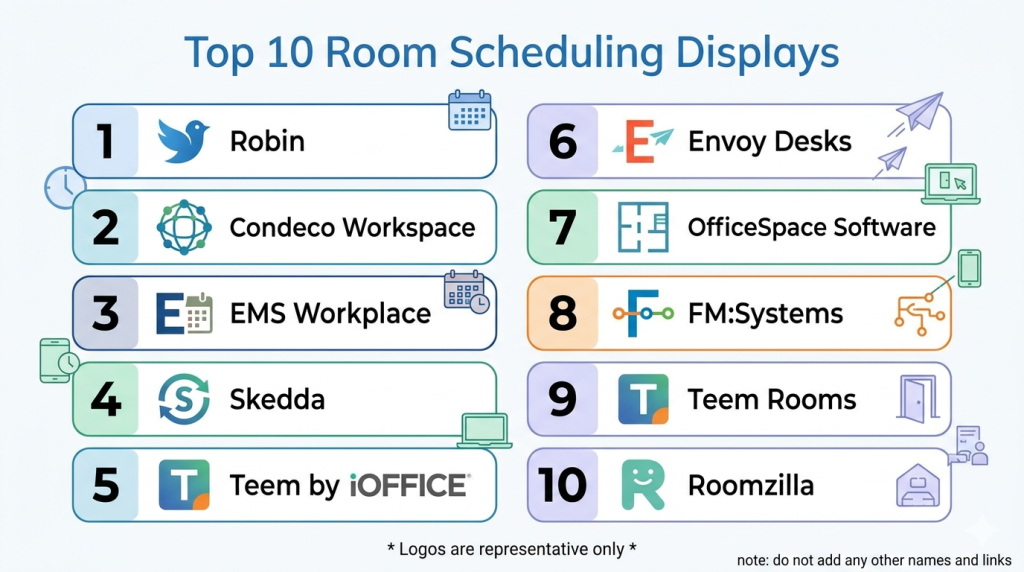
Top 10 Room Scheduling Displays
#1 — Robin Room Displays
Short description: Robin Room Displays provide real‑time room availability, booking controls, and integration with major calendar systems to help teams manage shared spaces and meeting rooms.
Key Features
- Real‑time room availability status
- On‑device booking and check‑in
- Calendar integration with major platforms
- Touch and mobile booking capabilities
- Visitor management and directions
- Analytics dashboards for utilization
Pros
- Broad calendar support
- Easy deployment and management
- Analytics and reporting
- Intuitive touch interface
Cons
- Premium pricing for hardware and software bundles
- Touch features may require calibration
- Analytics dashboards require setup
Platforms / Deployment
- Web / Display hardware
- Cloud
Security & Compliance
- Encryption and access controls
- Secure cloud management
- GDPR support
Integrations & Ecosystem
- Google Calendar
- Microsoft 365 / Exchange
- Teams and Zoom
- Workplace experience tools
Support & Community
- Enterprise support plans
- Documentation and onboarding guides
- Deployment services
#2 — Teem by iOFFICE + SpaceIQ
Short description: Teem Room Displays deliver real‑time scheduling visibility, quick booking, and room utilization insights as part of a broader workplace experience suite.
Key Features
- Live room status and booking controls
- Utilization reporting and dashboards
- Calendar syncing
- QR code and tap‑to‑book
- Occupancy sensor integration
Pros
- Strong workplace analytics
- On‑device and mobile booking
- Sensor‑enabled accuracy
- Integration with enterprise systems
Cons
- Suite complexity
- Premium deployment costs
- Customization requires planning
Platforms / Deployment
- Web / Display hardware
- Cloud
Security & Compliance
- Encryption
- Access controls
- Enterprise governance
Integrations & Ecosystem
- Google Workspace
- Outlook / Exchange
- Teams and Zoom
- Sensor systems
Support & Community
- Implementation support
- Knowledge base
- Training resources
#3 — Crestron Room Scheduling
Short description: Crestron Room Scheduling provides hardware and software solutions for real‑time room availability, display scheduling, and integration with AV and workplace systems.
Key Features
- Dedicated room scheduling displays
- Calendar system syncing
- On‑screen status and booking
- AV integration for meeting starts
- Occupancy detection
Pros
- Enterprise‑grade hardware
- AV and meeting integration
- Robust reliability
- Scalability for large deployments
Cons
- Hardware costs
- Requires AV/IT alignment
- Setup complexity
Platforms / Deployment
- Display hardware / Web
- Cloud / On‑prem where applicable
Security & Compliance
- Enterprise security standards
- Encryption
- Secure device provisioning
Integrations & Ecosystem
- Exchange / 365
- Google Calendar
- AV systems
- Building systems
Support & Community
- Enterprise support tiers
- Deployment services
- Technical documentation
#4 — Zoom Rooms Scheduling Display
Short description: Zoom Rooms Scheduling Display integrates with Zoom Rooms and calendar systems to show meeting schedules, availability, and allow quick bookings for rooms equipped with Zoom.
Key Features
- Real‑time meeting schedule display
- One‑tap booking
- Integration with Zoom Rooms
- Time zone and multi‑room support
- Simplified user interface
Pros
- Seamless for Zoom‑centric organizations
- Easy booking
- Unified video and room scheduling
- Clean UI
Cons
- Best for Zoom platforms
- Limited advanced analytics
- Requires Zoom Rooms subscription
Platforms / Deployment
- Display hardware / Web
- Cloud
Security & Compliance
- Zoom security standards
- Encryption
- Access controls
Integrations & Ecosystem
- Zoom Rooms
- Calendar systems
Support & Community
- Zoom support plans
- Help documentation
#5 — EMS Software Room Displays
Short description: EMS Software Room Displays provide scheduling screens tied to EMS scheduling software for enterprise coordination across rooms, resources, and events.
Key Features
- Real‑time schedule display
- Touch booking
- Resource and room tagging
- Calendar sync
- Utilization reporting
Pros
- Enterprise scheduling features
- Resource tagging support
- Analytics and reporting
- Flexible display configurations
Cons
- Best with EMS deployment
- Setup complexity
- Premium pricing
Platforms / Deployment
- Display hardware / Web
- Cloud / On‑prem options
Security & Compliance
- Enterprise access controls
- Encryption
- Compliance options
Integrations & Ecosystem
- EMS scheduling suite
- Calendar systems
- Enterprise workflows
Support & Community
- Enterprise onboarding
- Documentation
- Technical resources
#6 — Teatrix Room Displays
Short description: Teatrix Room Displays focus on clear availability signage, integrated booking, and visual cues for rooms in shared workplaces and campuses.
Key Features
- Availability status at a glance
- Touch booking and QR codes
- Calendar sync
- Color‑coded occupancy
- Multi‑space support
Pros
- Visual clarity for users
- Easy touch and QR booking
- Works with multiple calendar systems
Cons
- Mid‑market feature set
- Analytics features limited
- Hardware choices vary
Platforms / Deployment
- Web / Display hardware
- Cloud
Security & Compliance
- Encryption
- Access controls
Integrations & Ecosystem
- Google Calendar
- Outlook calendars
- Collaboration tools
Support & Community
- Support channels
- Documentation
#7 — AgilQuest Room Display
Short description: AgilQuest Room Displays provide scheduling and availability signage as part of a workplace reservation and hoteling system.
Key Features
- Real‑time schedule and occupancy
- Room and desk booking
- Calendar sync
- Analytics and reporting
- Visitor support
Pros
- Integrated hoteling
- Real‑time updates
- Flexible booking workflows
- Reporting tools
Cons
- Requires AgilQuest platform
- Pricing scales with deployment
- Setup planning needed
Platforms / Deployment
- Display hardware / Web
- Cloud
Security & Compliance
- Encryption
- Access controls
- Compliance features
Integrations & Ecosystem
- Calendar systems
- Desk booking tools
Support & Community
- Documentation
- Enterprise support
#8 — Evoko Room Displays
Short description: Evoko Room Displays provide elegant scheduling screens with quick status views, simple booking options, and energy‑saving features for small to large offices.
Key Features
- Occupancy and schedule view
- Easy booking
- Energy‑saving display modes
- Calendar sync
- Multi‑location support
Pros
- User‑friendly design
- Reliable hardware
- Energy‑efficient displays
Cons
- Limited analytics
- Best for small to mid‑sized deployments
- Integration requires setup
Platforms / Deployment
- Display hardware
- Cloud
Security & Compliance
- Encryption
- Access controls
Integrations & Ecosystem
- Calendar systems
- Basic booking tools
Support & Community
- Support resources
- Documentation
#9 — Condeco Room Displays
Short description: Condeco Room Displays provide room availability and booking controls integrated with Condeco workspace management systems for enterprises.
Key Features
- Show real‑time availability
- One‑touch booking
- Multi‑location room support
- Analytics dashboards
- Calendar and workspace sync
Pros
- Enterprise workspace integration
- Analytics and utilization reporting
- Scalable for multiple sites
Cons
- Best with Condeco systems
- Premium deployment cost
- Training required
Platforms / Deployment
- Display hardware / Web
- Cloud
Security & Compliance
- Encryption
- Access controls
- Compliance support
Integrations & Ecosystem
- Condeco workspace suite
- Calendar systems
Support & Community
- Enterprise support
- Training materials
#10 — Pyn Enterprise Displays
Short description: Pyn Enterprise Displays provide room signage with scheduling controls, real‑time status, and integration with workplace experience platforms.
Key Features
- Real‑time room schedules
- Booking and check‑in
- Calendar sync
- Visitor info and directions
- Analytics options
Pros
- Part of a broader workplace platform
- Clean UI
- Real‑time updates
Cons
- Mid‑tier feature set
- Deployment planning required
- Analytics features vary
Platforms / Deployment
- Display hardware / Web
- Cloud
Security & Compliance
- Encryption
- Access control
Integrations & Ecosystem
- Calendar and booking systems
- Workplace platforms
Support & Community
- Support channels
- Documentation
Comparison Table
| Tool Name | Best For | Platforms Supported | Deployment | Standout Feature | Public Rating |
|---|---|---|---|---|---|
| Robin Room Displays | Enterprise scheduling | Web / Displays | Cloud | Broad calendar integrations | N/A |
| Teem by iOFFICE + SpaceIQ | Workplace ops | Web / Displays | Cloud | Workplace analytics | N/A |
| Crestron Room Scheduling | Enterprise AV integration | Display / Web | Cloud/On‑prem | AV ecosystem integration | N/A |
| Zoom Rooms Scheduling Display | Zoom users | Displays / Web | Cloud | Zoom ecosystem integration | N/A |
| EMS Software Room Displays | Enterprise scheduling | Displays / Web | Cloud/On‑prem | Resource and event tagging | N/A |
| Teatrix Room Displays | Mid‑market rooms | Displays / Web | Cloud | Visual occupancy cues | N/A |
| AgilQuest Room Display | Hoteling + rooms | Displays / Web | Cloud | Desk + room booking | N/A |
| Evoko Room Displays | Small to mid offices | Display | Cloud | User‑friendly hardware | N/A |
| Condeco Room Displays | Large enterprise | Displays / Web | Cloud | Workspace ecosystem | N/A |
| Pyn Enterprise Displays | Workplace platforms | Displays / Web | Cloud | Part of workplace suite | N/A |
Evaluation & Scoring of Room Scheduling Displays
| Tool Name | Core 25% | Ease 15% | Integrations 15% | Security 10% | Performance 10% | Support 10% | Value 15% | Weighted Total |
|---|---|---|---|---|---|---|---|---|
| Robin Room Displays | 9 | 8 | 9 | 8 | 9 | 8 | 8 | 8.5 |
| Teem by iOFFICE + SpaceIQ | 8 | 7 | 8 | 8 | 8 | 7 | 7 | 7.7 |
| Crestron Room Scheduling | 9 | 7 | 9 | 9 | 9 | 8 | 7 | 8.3 |
| Zoom Rooms Scheduling Display | 7 | 9 | 7 | 8 | 8 | 8 | 8 | 7.9 |
| EMS Software Room Displays | 8 | 7 | 8 | 8 | 8 | 7 | 7 | 7.6 |
| Teatrix Room Displays | 7 | 8 | 7 | 8 | 8 | 7 | 7 | 7.5 |
| AgilQuest Room Display | 8 | 7 | 8 | 8 | 8 | 7 | 7 | 7.7 |
| Evoko Room Displays | 7 | 8 | 7 | 8 | 8 | 7 | 8 | 7.7 |
| Condeco Room Displays | 8 | 7 | 8 | 8 | 8 | 8 | 7 | 7.8 |
| Pyn Enterprise Displays | 7 | 7 | 7 | 8 | 8 | 7 | 7 | 7.4 |
Which Room Scheduling Display Tool Is Right for You?
Solo / Freelancer
Standalone display systems are rarely necessary for individuals. Simple calendar notifications and digital signage may suffice.
SMB
Teatrix and Evoko Room Displays provide affordable, easy‑to‑manage scheduling signage for small and mid‑sized offices.
Mid‑Market
Robin Room Displays, Teem by iOFFICE + SpaceIQ, and AgilQuest Room Display balance features, analytics, and usability for multiple rooms.
Enterprise
Crestron Room Scheduling, Condeco Room Displays, and Robin Room Displays are best suited for large deployments with deep integrations and governance.
Budget vs Premium
- Budget: Teatrix, Evoko Room Displays
- Premium: Robin Room Displays, Crestron Room Scheduling
Feature Depth vs Ease of Use
- Ease: Zoom Rooms Scheduling Display, Evoko Room Displays
- Depth: Robin Room Displays, Crestron Room Scheduling
Integrations & Scalability
Enterprises should prioritize tools with strong calendar, AV, and workplace platform integrations.
Security & Compliance Needs
Secure deployments require encryption, access controls, audit logging, and governance features.
Frequently Asked Questions
1. What is a Room Scheduling Display?
A Room Scheduling Display is a digital screen placed near rooms or shared spaces that shows availability, upcoming bookings, and allows quick scheduling actions.
2. How do they integrate with calendars?
Most displays sync with calendar systems such as Google Calendar, Exchange, or Workspace to reflect real‑time availability.
3. Can users book directly from the display?
Yes. Many displays allow on‑screen booking, touch or QR code booking, and mobile interactions.
4. Do these systems provide analytics?
Many tools include usage analytics and reporting dashboards to help workplace managers optimize space.
5. Are displays secure?
Enterprise‑grade tools offer encryption, access controls, and secure cloud management to protect scheduling data.
6. Do they work with desk hoteling?
Yes. Some solutions integrate desk and room booking for hybrid workplace experiences.
7. Can displays show multiple rooms?
Yes. Many systems support consolidated displays or campus‑wide views of multiple spaces.
8. Are there touchless options?
Yes. QR code, mobile QR scan, and proximity booking reduce the need for touch.
9. What hardware is required?
Displays vary from dedicated hardware tablets to wall‑mounted screens, depending on vendor.
10. What should buyers evaluate first?
Evaluate calendar integrations, daily usage visibility, touch or mobile booking, analytics needs, and deployment scale.
Conclusion
Room Scheduling Displays bring clarity, efficiency, and visibility to shared space utilization in hybrid and modern workplaces. From simple, affordable options like Teatrix and Evoko Room Displays to enterprise‑grade systems such as Robin Room Displays and Crestron Room Scheduling, there is a solution for every requirement and scale. Start by mapping your shared space needs, choose platforms that integrate with your calendar and workplace systems, and pilot displays in key areas to assess usability and adoption. A strategic deployment of room signage improves productivity, reduces conflicts, and enhances the overall workplace experience.

This was a useful read with a well-organized comparison of room scheduling displays. The feature highlights make it easy to understand the benefits of each option and how they can improve workspace management.