Introduction
Construction management software is designed to help companies plan, coordinate, and oversee construction projects from start to finish. These platforms provide tools for project scheduling, resource management, budgeting, document management, and collaboration among stakeholders. By streamlining workflows and centralizing project data, construction management software increases efficiency, reduces errors, and enhances communication between office staff, field teams, subcontractors, and clients.
Real-world use cases include managing project timelines, allocating labor and equipment, tracking budgets and expenses, collaborating on design documents, monitoring subcontractor progress, and maintaining safety compliance. Construction management software is essential for general contractors, engineering firms, and large construction enterprises that manage multiple projects simultaneously.
Evaluation criteria for buyers typically include:
- Project scheduling and task management
- Budgeting, cost tracking, and resource allocation
- Document management and version control
- Collaboration and communication tools
- Mobile access for field teams
- Reporting and analytics dashboards
- Integration with accounting, ERP, and BIM systems
- Workflow automation for approvals and notifications
- Security, compliance, and data protection
- Pricing, scalability, and deployment flexibility
Best for: General contractors, construction managers, engineering firms, and enterprise construction companies handling multiple complex projects.
Not ideal for: Small-scale builders or organizations with limited projects who may manage operations with spreadsheets or simpler project management tools.
Key Trends in Construction Management Software
- AI-assisted scheduling and resource allocation
- Cloud-based collaboration with real-time updates
- Mobile-first applications for field staff
- Integration with BIM (Building Information Modeling) and ERP systems
- Automated workflow approvals and notifications
- Advanced analytics for project performance and cost tracking
- Document version control and centralized project documentation
- Safety compliance tracking and reporting
- Subscription-based and usage-based pricing models
- IoT and sensor integration for real-time project monitoring
How We Selected These Tools (Methodology)
- Market adoption and recognition in construction industry
- Feature completeness, including project management, budgeting, scheduling, and collaboration
- Reliability and performance across multiple projects
- Security and compliance posture
- Integration with ERP, accounting, and BIM systems
- Fit across SMBs, mid-market, and enterprise construction companies
- Mobile access and offline functionality for field teams
- Workflow automation and alerts
- Documentation quality, customer support, and community resources
- Pricing and scalability for different organization sizes
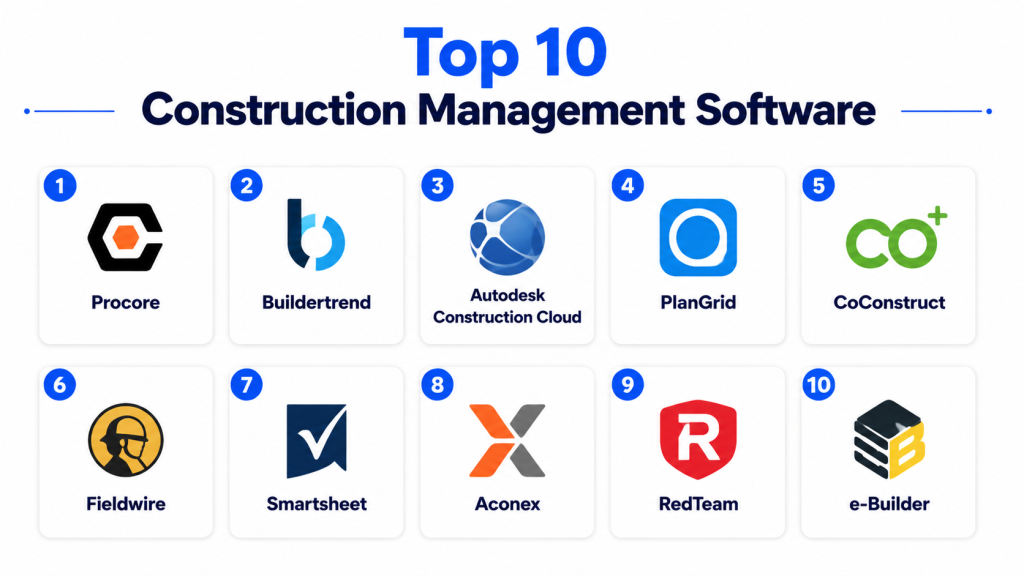
Top 10 Construction Management Software
#1 — Procore
Short description: Procore is a comprehensive construction management platform designed for enterprises, offering project management, budgeting, and collaboration tools. Ideal for large contractors and construction firms.
Key Features
- Project scheduling and task management
- Budgeting and cost tracking
- Document management and version control
- Mobile access for field teams
- Reporting dashboards and analytics
- Collaboration and communication tools
Pros
- Scalable for large projects
- Centralized document and workflow management
- Strong mobile capabilities
Cons
- High pricing for small companies
- Complex interface for new users
- Some integrations require additional configuration
Platforms / Deployment
- Web / iOS / Android
- Cloud
Security & Compliance
- SOC 2, ISO 27001
- Role-based access, encryption
Integrations & Ecosystem
- Accounting software, BIM systems, CRM
- Cloud storage
- Collaboration platforms
Support & Community
- Email, chat, and phone support
- Knowledge base and user forums
#2 — Buildertrend
Short description: Buildertrend offers project management and customer management solutions for residential construction companies. It streamlines scheduling, budgeting, and communication between teams.
Key Features
- Project scheduling and task management
- Budget tracking and change orders
- Client communication and collaboration
- Document storage and management
- Mobile access for field and office staff
Pros
- User-friendly interface
- Strong client communication features
- Mobile app for field staff
Cons
- Limited advanced analytics for enterprise-level projects
- Premium pricing for additional modules
- Best suited for residential construction
Platforms / Deployment
- Web / iOS / Android
- Cloud
Security & Compliance
- Not publicly stated
Integrations & Ecosystem
- QuickBooks, accounting software, CRM platforms
- Cloud storage and collaboration tools
Support & Community
- Email and phone support
- Tutorials and knowledge base
#3 — CoConstruct
Short description: CoConstruct is a construction project management tool tailored for custom home builders and remodelers, integrating budgeting, scheduling, and client communication.
Key Features
- Scheduling and task management
- Budgeting and expense tracking
- Client communication portal
- Document management
- Mobile app for field access
Pros
- Tailored for custom homes and remodels
- Strong client-facing features
- Centralized project data
Cons
- Limited suitability for commercial projects
- Learning curve for first-time users
- Some integrations require premium plan
Platforms / Deployment
- Web / iOS / Android
- Cloud
Security & Compliance
- Not publicly stated
Integrations & Ecosystem
- Accounting software, CRM platforms
- Cloud storage
Support & Community
- Email support, tutorials, knowledge base
#4 — PlanGrid (Autodesk Construction Cloud)
Short description: PlanGrid offers mobile-first construction management tools for drawings, document management, and collaboration, suitable for field teams.
Key Features
- Digital blueprint management
- Issue tracking and punch lists
- Field markups and annotations
- Task management
- Mobile access for field teams
Pros
- Excellent blueprint and drawing management
- Mobile-first for on-site work
- Streamlines field collaboration
Cons
- Limited project budgeting capabilities
- Premium pricing for advanced features
- Best suited for mid-to-large construction teams
Platforms / Deployment
- Web / iOS / Android
- Cloud
Security & Compliance
- SOC 2, GDPR
- Encryption and access controls
Integrations & Ecosystem
- Autodesk ecosystem, accounting, CRM
- Cloud storage and collaboration platforms
Support & Community
- Tutorials, live chat, and documentation
#5 — e-Builder
Short description: e-Builder provides construction management software for capital projects, offering project scheduling, cost control, and workflow automation. Ideal for large enterprises and public sector projects.
Key Features
- Project scheduling and task management
- Cost control and budgeting
- Workflow automation and approvals
- Document management
- Reporting and analytics
Pros
- Designed for capital projects and large-scale construction
- Strong workflow automation
- Comprehensive reporting
Cons
- Expensive for SMBs
- Steeper learning curve
- Implementation can be lengthy
Platforms / Deployment
- Web / iOS / Android
- Cloud
Security & Compliance
- SOC 2, ISO 27001
- Encryption and audit logs
Integrations & Ecosystem
- ERP systems, accounting, BIM tools
- Cloud storage and collaboration platforms
Support & Community
- Enterprise support, tutorials, and forums
#6 — Jonas Construction Software
Short description: Jonas Construction Software offers project management, accounting, and mobile field tools for construction companies, ideal for mid-market and enterprise firms.
Key Features
- Project scheduling and management
- Accounting and payroll integration
- Mobile field access
- Budgeting and cost tracking
- Reporting dashboards
Pros
- Combines project management and accounting
- Mobile access for field teams
- Scalable for growing businesses
Cons
- Higher learning curve
- Limited customization in mobile app
- Premium modules increase cost
Platforms / Deployment
- Web / iOS / Android
- Cloud
Security & Compliance
- Not publicly stated
Integrations & Ecosystem
- Accounting, ERP, CRM systems
- Cloud storage
Support & Community
- Email, phone support, tutorials
#7 — Buildertrend Mobile
Short description: Buildertrend Mobile enables field teams to access schedules, communicate with clients, and manage work orders while on site.
Key Features
- Task management and scheduling
- Client communication tools
- Work order updates
- Document and photo management
- Mobile dashboards
Pros
- Streamlined communication
- Easy mobile interface
- Works for residential projects
Cons
- Limited enterprise features
- Some workflows require desktop access
- Reporting features are basic
Platforms / Deployment
- Web / iOS / Android
- Cloud
Security & Compliance
- Not publicly stated
Integrations & Ecosystem
- QuickBooks, cloud storage, CRM platforms
Support & Community
- Tutorials, chat, and email support
#8 — RedTeam
Short description: RedTeam provides construction management software for commercial projects, focusing on project management, budgeting, and collaboration.
Key Features
- Project scheduling and task management
- Budgeting and cost tracking
- Mobile access for field teams
- Document management
- Reporting and analytics
Pros
- Strong for commercial construction
- Mobile and field access
- Integrated budgeting and reporting
Cons
- SMB-focused features limited
- Learning curve for new users
- Pricing can be high for smaller teams
Platforms / Deployment
- Web / iOS / Android
- Cloud
Security & Compliance
- Not publicly stated
Integrations & Ecosystem
- CRM, accounting, ERP, cloud storage
Support & Community
- Email support, knowledge base
#9 — Prolog Construction Software
Short description: Prolog is an enterprise construction management tool for project, cost, and document management, suitable for large-scale projects.
Key Features
- Project scheduling and management
- Cost control and budgeting
- Document management and versioning
- Mobile field access
- Reporting and analytics
Pros
- Comprehensive enterprise features
- Strong document management
- Mobile access for field staff
Cons
- High cost for SMBs
- Complex implementation
- Requires training
Platforms / Deployment
- Web / iOS / Android
- Cloud
Security & Compliance
- SOC 2, ISO 27001
- Encryption and access controls
Integrations & Ecosystem
- ERP, CRM, accounting systems
- BIM and collaboration tools
Support & Community
- Enterprise support, documentation
#10 — CoConstruct
Short description: CoConstruct is tailored for custom home builders, offering project scheduling, budgeting, and client communication tools with mobile access.
Key Features
- Scheduling and task management
- Budget and cost tracking
- Client communication portal
- Mobile app for field access
- Document management
Pros
- Ideal for custom home projects
- Mobile access for field and office
- Centralized project data
Cons
- Limited commercial project features
- Advanced integrations require higher tiers
- Learning curve for new users
Platforms / Deployment
- Web / iOS / Android
- Cloud
Security & Compliance
- Not publicly stated
Integrations & Ecosystem
- Accounting, CRM, cloud storage
Support & Community
- Email and phone support, tutorials
Comparison Table (Top 10)
| Tool Name | Best For | Platform(s) Supported | Deployment | Standout Feature | Public Rating |
|---|---|---|---|---|---|
| Procore | Large contractors & enterprises | Web / iOS / Android | Cloud | Project management & collaboration | N/A |
| Buildertrend | Residential construction | Web / iOS / Android | Cloud | Client communication & scheduling | N/A |
| CoConstruct | Custom home builders | Web / iOS / Android | Cloud | Client portal & project management | N/A |
| PlanGrid | Field teams & blueprints | Web / iOS / Android | Cloud | Mobile blueprint management | N/A |
| e-Builder | Capital projects | Web / iOS / Android | Cloud | Workflow automation & reporting | N/A |
| Jonas Construction Software | Mid-market & enterprise | Web / iOS / Android | Cloud | Project + accounting | N/A |
| RedTeam | Commercial projects | Web / iOS / Android | Cloud | Commercial project management | N/A |
| Prolog | Large-scale enterprise projects | Web / iOS / Android | Cloud | Cost control & document management | N/A |
| mHelpDesk | SMB service teams | Web / iOS / Android | Cloud | Billing & mobile access | N/A |
| FieldEdge | HVAC, plumbing, electrical | Web / iOS / Android | Cloud | Mobile scheduling & dispatch | N/A |
Evaluation & Scoring of Construction Management Software
| Tool Name | Core (25%) | Ease (15%) | Integrations (15%) | Security (10%) | Performance (10%) | Support (10%) | Value (15%) | Weighted Total (0–10) |
|---|---|---|---|---|---|---|---|---|
| Procore | 9 | 8 | 9 | 8 | 9 | 8 | 7 | 8.4 |
| Buildertrend | 8 | 8 | 8 | 7 | 8 | 8 | 7 | 7.8 |
| CoConstruct | 8 | 8 | 7 | 7 | 8 | 7 | 7 | 7.5 |
| PlanGrid | 8 | 8 | 8 | 8 | 8 | 7 | 7 | 7.8 |
| e-Builder | 9 | 7 | 8 | 9 | 8 | 8 | 7 | 8.2 |
| Jonas Construction Software | 8 | 7 | 8 | 8 | 8 | 7 | 7 | 7.7 |
| RedTeam | 8 | 8 | 7 | 8 | 8 | 7 | 7 | 7.7 |
| Prolog | 9 | 7 | 8 | 9 | 8 | 8 | 7 | 8.2 |
| mHelpDesk | 7 | 8 | 6 | 7 | 7 | 7 | 7 | 7.1 |
| FieldEdge | 8 | 8 | 7 | 8 | 8 | 7 | 7 | 7.8 |
Which Construction Management Tool Is Right for You?
Solo / Freelancer
- CoConstruct or mHelpDesk for small-scale residential projects.
SMB
- Buildertrend, FieldEdge, mHelpDesk for scheduling, billing, and mobile access.
Mid-Market
- PlanGrid, Jonas Construction Software, RedTeam for project tracking and collaboration.
Enterprise
- Procore, e-Builder, Prolog for multi-project management, reporting, and compliance.
Budget vs Premium
- Budget: mHelpDesk, FieldEdge, CoConstruct
- Premium: Procore, e-Builder, Prolog
Feature Depth vs Ease of Use
- High feature depth: Procore, e-Builder, Prolog
- High ease of use: CoConstruct, Buildertrend, FieldEdge
Integrations & Scalability
- Extensive: Procore, e-Builder, Prolog
- Limited: mHelpDesk, FieldEdge
Security & Compliance Needs
- Enterprise: Procore, e-Builder, Prolog
- SMB: CoConstruct, Buildertrend, FieldEdge
Frequently Asked Questions (FAQs)
1. Which construction management software is best for small builders?
CoConstruct, mHelpDesk, and FieldEdge provide user-friendly interfaces and mobile access for small projects.
2. Can these tools handle multi-project management?
Yes, Procore, e-Builder, and Prolog are designed for managing multiple large-scale projects.
3. Are mobile apps available for field teams?
Yes, all major platforms including Buildertrend, PlanGrid, and FieldEdge provide iOS and Android apps.
4. Can I track budgets and expenses?
Procore, e-Builder, and Jonas Construction Software include budgeting and cost-tracking features.
5. Do these tools integrate with ERP and CRM systems?
Yes, Procore, PlanGrid, and Prolog integrate with ERP, CRM, and accounting platforms.
6. Can I manage work orders on mobile?
mHelpDesk, FieldEdge, and Buildertrend provide mobile work order management for field teams.
7. Are these tools suitable for commercial construction?
RedTeam, Prolog, e-Builder, and Procore are optimized for commercial projects.
8. Do these platforms support document version control?
Yes, PlanGrid, Procore, and Prolog offer document management with version tracking.
9. Can these tools handle safety and compliance tracking?
Procore, e-Builder, and RedTeam provide features for safety reporting and compliance monitoring.
10. What is the cost range for construction management software?
mHelpDesk and CoConstruct are affordable for SMBs; Procore, e-Builder, and Prolog are premium enterprise solutions.
Conclusion
Construction management software centralizes project planning, scheduling, budgeting, and collaboration, improving efficiency and reducing errors. Small builders benefit from CoConstruct, mHelpDesk, or FieldEdge for mobile access and task tracking, while mid-market teams can use Buildertrend, PlanGrid, or RedTeam for project coordination and client communication. Enterprises should consider Procore, e-Builder, or Prolog for multi-project management, reporting, and compliance features. Start by shortlisting 2–3 solutions, run a pilot to test mobile functionality and integration capabilities, and scale across projects once validated.

Very informative and well-structured blog on construction management software. The comparison of features, pros, and cons makes it easy to understand which tools are best suited for different construction project needs.