Introduction
Capital Project Management Software helps organizations plan, execute, and control large-scale capital projects, including infrastructure, industrial, and construction initiatives. These tools integrate budgeting, scheduling, risk management, and resource allocation, allowing project managers and stakeholders to maintain control over timelines, costs, and compliance. They are especially critical for enterprises managing multi-million-dollar investments or long-term strategic initiatives.
Real-world use cases include:
- Engineering firms managing infrastructure projects with multiple phases.
- Construction companies tracking large-scale development budgets and schedules.
- Energy and utility companies coordinating multi-site capital investments.
- Government agencies overseeing public works and infrastructure programs.
- Corporations tracking long-term capital expenditures and ROI.
Evaluation criteria for buyers:
- Project planning and scheduling capabilities.
- Cost estimation, budgeting, and financial tracking.
- Resource allocation and workload management.
- Risk management and issue tracking.
- Reporting, dashboards, and analytics for stakeholders.
- Integration with ERP, accounting, and project management tools.
- Mobile and cloud access for field teams.
- Collaboration and workflow automation.
- Compliance and audit trail features.
- Scalability and pricing.
Best for: Large enterprises, government agencies, and infrastructure or industrial companies managing multi-year capital projects.
Not ideal for: Small projects or organizations with limited budgets or simple project tracking needs.
Key Trends in Capital Project Management Software
- Cloud-based platforms enabling real-time collaboration across sites.
- AI and predictive analytics for cost, schedule, and risk forecasting.
- Mobile apps for on-site updates and approvals.
- Integration with ERP, financial systems, and document management platforms.
- Workflow automation for approvals, change requests, and reporting.
- Risk assessment dashboards for proactive mitigation.
- Scenario modeling for budget and schedule planning.
- Role-based access control and compliance tracking.
- Subscription and usage-based pricing models for flexibility.
- Focus on multi-project portfolio management with resource optimization.
How We Selected These Tools (Methodology)
- Reviewed market adoption and enterprise deployment in capital-intensive industries.
- Assessed functionality in planning, budgeting, and scheduling.
- Evaluated risk and change management features.
- Checked integration with ERP, accounting, and document systems.
- Considered mobile and field accessibility.
- Reviewed reporting, analytics, and dashboard capabilities.
- Evaluated scalability from small projects to multi-billion-dollar portfolios.
- Verified security features, role-based access, and audit trails.
- Considered ease of deployment and training requirements.
- Compared pricing and total cost of ownership.
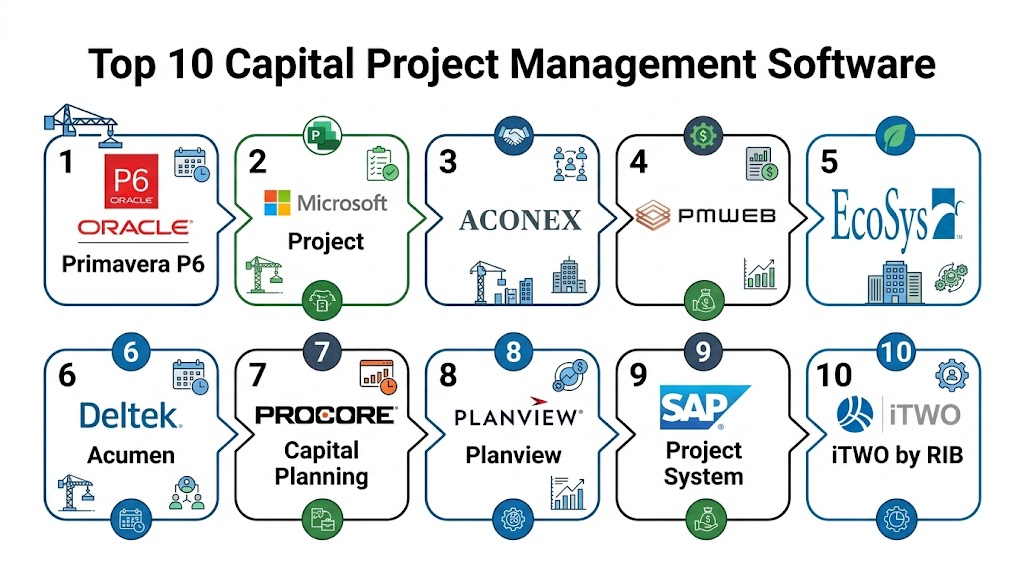
Top 10 Capital Project Management Software
#1 — Procore
Short description: Procore offers an integrated capital project management suite with budgeting, scheduling, and document control for large-scale construction projects.
Key Features
- Project budgeting and cost tracking
- Scheduling and Gantt charts
- Document management and version control
- Change order and risk tracking
- Reporting dashboards and analytics
Pros
- Enterprise-grade solution
- Strong collaboration and document control
- Real-time visibility into project costs
Cons
- Premium pricing
- Learning curve for complex features
- Full deployment requires training
Platforms / Deployment
- Web, iOS, Android
- Cloud
Security & Compliance
- Encryption, SSO, audit logs
- Not publicly stated specifics
Integrations & Ecosystem
- ERP, accounting, and project management integrations
- API access
- Real-time dashboards
Support & Community
- Documentation, webinars, live support
- Active enterprise user community
#2 — Oracle Primavera P6
Short description: Oracle Primavera P6 is a project portfolio management software widely used for large-scale capital and infrastructure projects, offering detailed scheduling and resource management.
Key Features
- Critical path scheduling and Gantt charts
- Resource and cost management
- Portfolio and program tracking
- Risk and issue management
- Reporting and dashboards
Pros
- Powerful scheduling capabilities
- Scales for large enterprises and portfolios
- Extensive resource management
Cons
- Complex interface
- High cost for small projects
- Requires training for effective use
Platforms / Deployment
- Web, Windows
- Cloud / On-prem
Security & Compliance
- Encryption, role-based access
- Not publicly stated specifics
Integrations & Ecosystem
- ERP, accounting, and reporting tools
- API support
- Portfolio analytics
Support & Community
- Documentation, professional services, community forums
- Enterprise support available
#3 — Aconex by Oracle
Short description: Aconex provides capital project collaboration, document management, and workflow automation for construction and engineering projects.
Key Features
- Centralized document management
- Workflow automation for approvals and change orders
- Mobile access for field teams
- Cost and schedule tracking
- Reporting dashboards
Pros
- Strong document control
- Mobile access for site teams
- Scales for enterprise projects
Cons
- Premium pricing
- Learning curve for new users
- Focused on document-heavy projects
Platforms / Deployment
- Web, iOS, Android
- Cloud
Security & Compliance
- Encryption, role-based access
- Not publicly stated specifics
Integrations & Ecosystem
- ERP, project management, BIM tools
- API access
- Reporting dashboards
Support & Community
- Documentation, webinars, enterprise support
- Community forums
#4 — Viewpoint Vista
Short description: Viewpoint Vista integrates accounting, project management, and capital project oversight, offering change order and cost control capabilities.
Key Features
- Integrated accounting and project management
- Budgeting and cost tracking
- Change order and contract management
- Reporting and analytics
- Mobile access
Pros
- Enterprise-grade integration
- Strong financial tracking
- Scales across multiple projects
Cons
- Complex setup
- Requires training
- Premium subscription for full suite
Platforms / Deployment
- Web, Windows, iOS
- Cloud / On-prem
Security & Compliance
- Encryption, role-based access
- Not publicly stated specifics
Integrations & Ecosystem
- ERP, accounting, project management tools
- API support
- Analytics dashboards
Support & Community
- Documentation, training, support tiers
- Enterprise community
#5 — PlanGrid by Autodesk
Short description: PlanGrid enables field collaboration, digital plans, and change tracking for capital construction projects with mobile accessibility.
Key Features
- Digital blueprint management
- Field markups and annotations
- Change order tracking
- Mobile field access
- Reporting dashboards
Pros
- Excellent for field collaboration
- Mobile-friendly
- Integration with BIM tools
Cons
- Best suited for construction-heavy projects
- Some advanced analytics require add-ons
- Limited ERP integration
Platforms / Deployment
- Web, iOS, Android
- Cloud
Security & Compliance
- Encryption, access control
- Not publicly stated specifics
Integrations & Ecosystem
- BIM, project management, ERP integration
- API access
- Reporting dashboards
Support & Community
- Documentation, email support, tutorials
- User community forums
#6 — CMiC Project Management
Short description: CMiC offers integrated capital project management with budgeting, scheduling, and workflow automation.
Key Features
- Budget and cost management
- Schedule and resource allocation
- Change order and issue tracking
- Reporting dashboards
- Mobile and cloud access
Pros
- Enterprise-grade solution
- Integrated financial and project management
- Scalable for large projects
Cons
- Premium pricing
- Learning curve for new users
- Setup requires professional services
Platforms / Deployment
- Web, iOS, Android
- Cloud
Security & Compliance
- Encryption, role-based access
- Not publicly stated specifics
Integrations & Ecosystem
- ERP, accounting, project management systems
- API access
- Reporting dashboards
Support & Community
- Enterprise support, documentation
- Community forums
#7 — e-Builder Enterprise
Short description: e-Builder provides capital project owners with project management, cost control, and workflow automation for multi-year projects.
Key Features
- Cost tracking and budgeting
- Change order management
- Workflow automation and approvals
- Reporting dashboards
- Document management
Pros
- Designed for owner organizations
- Scales for multi-year projects
- Real-time project visibility
Cons
- Enterprise-focused; small teams may find overkill
- Premium pricing
- Implementation requires training
Platforms / Deployment
- Web, iOS, Android
- Cloud
Security & Compliance
- Encryption, access control, audit logs
- Not publicly stated specifics
Integrations & Ecosystem
- ERP, accounting, project management
- API access
- Reporting dashboards
Support & Community
- Documentation, webinars, enterprise support
- Community resources
#8 — PMWeb
Short description: PMWeb provides project management, capital project budgeting, and change management with dashboards and analytics.
Key Features
- Budget and cost tracking
- Change order workflow
- Document management
- Reporting and dashboards
- Mobile accessibility
Pros
- Centralized project control
- Scalable for multiple projects
- Integrates cost and change tracking
Cons
- Learning curve for new users
- Premium pricing
- Enterprise setup required
Platforms / Deployment
- Web, iOS, Android
- Cloud
Security & Compliance
- Encryption and role-based access
- Not publicly stated specifics
Integrations & Ecosystem
- ERP, accounting, project tools
- API access
- Reporting dashboards
Support & Community
- Documentation, email support, tutorials
- User community
#9 — Aconex Capital Projects
Short description: Aconex, part of Oracle Construction, provides capital project management with document control, workflow, and change order tracking.
Key Features
- Document management
- Change order and issue tracking
- Workflow automation
- Reporting dashboards
- Mobile access
Pros
- Strong document and workflow integration
- Scales for large enterprise projects
- Cloud-based real-time collaboration
Cons
- Premium pricing
- Learning curve
- Focused on document-heavy projects
Platforms / Deployment
- Web, iOS, Android
- Cloud
Security & Compliance
- Encryption, access control
- Not publicly stated specifics
Integrations & Ecosystem
- ERP, BIM, project management
- API access
- Reporting dashboards
Support & Community
- Documentation, enterprise support
- Community resources
#10 — Viewpoint Vista Capital Projects
Short description: Viewpoint Vista provides comprehensive capital project management, including budgeting, scheduling, and change control for enterprise construction.
Key Features
- Cost and budget tracking
- Scheduling and resource allocation
- Change order management
- Reporting dashboards
- Mobile and cloud access
Pros
- Enterprise scalability
- Integrated financial and project management
- Strong reporting and analytics
Cons
- Premium pricing
- Requires training for full features
- Complex setup
Platforms / Deployment
- Web, iOS, Android
- Cloud / Hybrid
Security & Compliance
- Encryption, role-based access
- Not publicly stated specifics
Integrations & Ecosystem
- ERP, accounting, project management
- API access
- Reporting dashboards
Support & Community
- Enterprise support and documentation
- Community forums
Comparison Table (Top 10)
| Tool Name | Best For | Platform(s) Supported | Deployment | Standout Feature | Public Rating |
|---|---|---|---|---|---|
| Procore | Large construction projects | Web, iOS, Android | Cloud | Integrated PM & cost tracking | N/A |
| Oracle Primavera P6 | Infrastructure & industrial | Web, Windows | Cloud/On-prem | Advanced scheduling | N/A |
| Aconex by Oracle | Construction collaboration | Web, iOS, Android | Cloud | Document & workflow | N/A |
| Viewpoint Vista | Enterprise capital projects | Web, Windows, iOS | Cloud/Hybrid | Budget & cost integration | N/A |
| PlanGrid | Field collaboration & documentation | Web, iOS, Android | Cloud | Mobile field access | N/A |
| CMiC Project Management | Enterprise project control | Web, iOS, Android | Cloud | Integrated project management | N/A |
| e-Builder Enterprise | Owner organizations & multi-year | Web, iOS, Android | Cloud | Workflow automation | N/A |
| PMWeb | Multi-project capital portfolios | Web, iOS, Android | Cloud | Budget & change tracking | N/A |
| Aconex Capital Projects | Enterprise document-heavy projects | Web, iOS, Android | Cloud | Document & workflow | N/A |
| Viewpoint Vista Capital Projects | Enterprise projects | Web, iOS, Android | Cloud/Hybrid | Budgeting & scheduling | N/A |
Evaluation & Scoring of Capital Project Management Software
| Tool Name | Core (25%) | Ease (15%) | Integrations (15%) | Security (10%) | Performance (10%) | Support (10%) | Value (15%) | Weighted Total |
|---|---|---|---|---|---|---|---|---|
| Procore | 9 | 7 | 9 | 8 | 8 | 8 | 7 | 8.3 |
| Oracle Primavera P6 | 9 | 6 | 8 | 8 | 8 | 7 | 7 | 7.9 |
| Aconex by Oracle | 8 | 7 | 8 | 8 | 8 | 7 | 7 | 7.8 |
| Viewpoint Vista | 8 | 7 | 8 | 8 | 8 | 7 | 7 | 7.8 |
| PlanGrid | 7 | 8 | 7 | 7 | 7 | 7 | 7 | 7.2 |
| CMiC Project Management | 8 | 7 | 8 | 8 | 8 | 7 | 7 | 7.8 |
| e-Builder Enterprise | 8 | 7 | 8 | 8 | 8 | 7 | 7 | 7.8 |
| PMWeb | 8 | 7 | 7 | 7 | 8 | 7 | 7 | 7.4 |
| Aconex Capital Projects | 8 | 6 | 8 | 8 | 8 | 7 | 7 | 7.6 |
| Viewpoint Vista Capital Projects | 8 | 7 | 8 | 8 | 8 | 7 | 7 | 7.8 |
Which Capital Project Management Software Tool Is Right for You?
Solo / Freelancer
Smaller project teams may find PlanGrid or PMWeb sufficient for mobile collaboration and budgeting.
SMB
CMiC and e-Builder Enterprise provide scalable features for multi-project visibility and workflow automation.
Mid-Market
Viewpoint Vista and Aconex handle multi-project scheduling, budgeting, and document management for mid-size firms.
Enterprise
Procore, Oracle Primavera P6, and Aconex Enterprise solutions deliver comprehensive control over large capital investments.
Budget vs Premium
Small teams can start with PlanGrid or PMWeb, while enterprises require Procore or Oracle Primavera P6 for advanced integrations and analytics.
Feature Depth vs Ease of Use
PlanGrid offers ease for field teams, whereas Procore and Oracle provide deep capabilities at the cost of complexity.
Integrations & Scalability
Enterprise tools integrate with ERP, accounting, and project management systems, scaling for multiple projects and locations.
Security & Compliance Needs
For high-value capital projects, encryption, role-based access, and audit trails are essential. Procore and Aconex provide strong enterprise-grade security features.
Frequently Asked Questions
1. What pricing models are available?
Most platforms use subscription-based pricing with tiering by project size, users, or feature access. On-premises deployment may require licensing.
2. Do these tools support multi-project management?
Yes, enterprise tools like Procore and Oracle Primavera P6 allow portfolio-level management and multi-project visibility.
3. Can field teams access the system on mobile?
Most tools offer mobile apps for real-time updates, field approvals, and document capture.
4. Are change orders integrated into these platforms?
Yes, change management modules track revisions, approvals, and impact on cost and schedule.
5. How secure is project data?
Enterprise platforms provide encryption, access controls, and audit trails to protect sensitive project information.
6. Can these tools integrate with ERP and accounting systems?
Yes, integration with ERP, accounting, and project management tools ensures cost tracking and workflow alignment.
7. How scalable are these platforms?
Cloud-based solutions can scale from small projects to multi-billion-dollar capital portfolios across geographies.
8. Do these solutions provide analytics and dashboards?
Yes, most provide dashboards for costs, schedules, risks, and overall project performance.
9. Are these tools suitable for both construction and industrial projects?
Yes, enterprise tools are flexible for construction, engineering, energy, and industrial capital projects.
10. What should I evaluate before selecting a tool?
Consider project complexity, mobile needs, integration requirements, reporting capabilities, and budget.
Conclusion
Capital Project Management Software provides visibility, control, and efficiency for large-scale projects, helping organizations manage costs, schedules, and resources effectively. Smaller teams can leverage PlanGrid or PMWeb for collaboration and budget tracking, while mid-market and enterprise firms benefit from Procore, Oracle Primavera P6, or Aconex for portfolio-level control and analytics. Evaluating project complexity, mobile access, integrations, and security features is key to selecting the right solution. Pilot testing with 2–3 tools ensures alignment with workflow, budget, and reporting needs, enabling better project outcomes and ROI.

Very detailed and well-organized comparison of capital project management software. The blog explains features, pros, and limitations clearly, making it useful for understanding different project management solutions.
Great comparison of real estate property management software—this article clearly explains how these platforms help simplify tenant management, maintenance tracking, and overall property operations.
This article provides a clear and practical comparison of capital project management software. The structured breakdown of features helps readers quickly understand the strengths of each solution and make informed decisions.