Introduction
Template Management Tools help organizations centralize, standardize, and automate the creation and distribution of documents, emails, presentations, and other digital assets. By providing a structured environment for templates, these tools reduce errors, improve compliance, and accelerate workflows. Businesses increasingly rely on intelligent template management solutions to support hybrid workforces, ensure brand consistency, and leverage AI-driven personalization.
Real-world use cases include:
- Marketing teams creating standardized email campaigns across regions.
- Legal departments maintaining compliant contract templates.
- Sales teams using dynamic proposal and quotation templates.
- HR departments distributing onboarding documents.
- Project teams managing consistent reporting dashboards.
Evaluation criteria for buyers:
- Template creation flexibility and content editing features.
- Automation capabilities, including dynamic fields and workflows.
- Integration with CRM, ERP, collaboration, and marketing platforms.
- Security and compliance, including SSO, encryption, and audit logs.
- Collaboration and version control features.
- Ease of deployment and accessibility across devices.
- Scalability for teams of different sizes.
- AI-driven features for content suggestions and personalization.
- Analytics and usage tracking for insights and optimization.
- Pricing and total cost of ownership.
Best for: Marketing, sales, HR, and operations teams in SMBs to large enterprises looking to standardize document generation, maintain compliance, and improve operational efficiency.
Not ideal for: Organizations with minimal document standardization needs or teams that rely heavily on ad hoc, highly customized content where template standardization could be restrictive.
Key Trends in Template Management Tools
- AI-driven content suggestions and dynamic field population.
- Integration with cloud productivity suites and CRM/ERP platforms.
- Enhanced collaboration with real-time editing and comment tracking.
- Template version control with audit trails for compliance.
- Adoption of hybrid and cloud deployment models.
- Emphasis on GDPR, HIPAA, and SOC 2 compliance for sensitive templates.
- Analytics to track template usage and ROI.
- Low-code/no-code template customization for non-technical users.
- Integration with workflow automation and e-signature platforms.
- Subscription and usage-based pricing models becoming common.
How We Selected These Tools (Methodology)
- Evaluated market adoption and mindshare across industries.
- Analyzed feature completeness, focusing on AI, automation, and integrations.
- Reviewed reliability and performance signals through user feedback.
- Examined security posture, including compliance certifications and access controls.
- Considered integration ecosystem with popular productivity and collaboration tools.
- Assessed customer fit across SMB, mid-market, and enterprise segments.
- Checked flexibility for both cloud and hybrid deployment scenarios.
- Prioritized solutions with strong support, documentation, and training resources.
- Evaluated scalability for growing teams and distributed workforces.
- Compared pricing structures for value relative to features and performance.
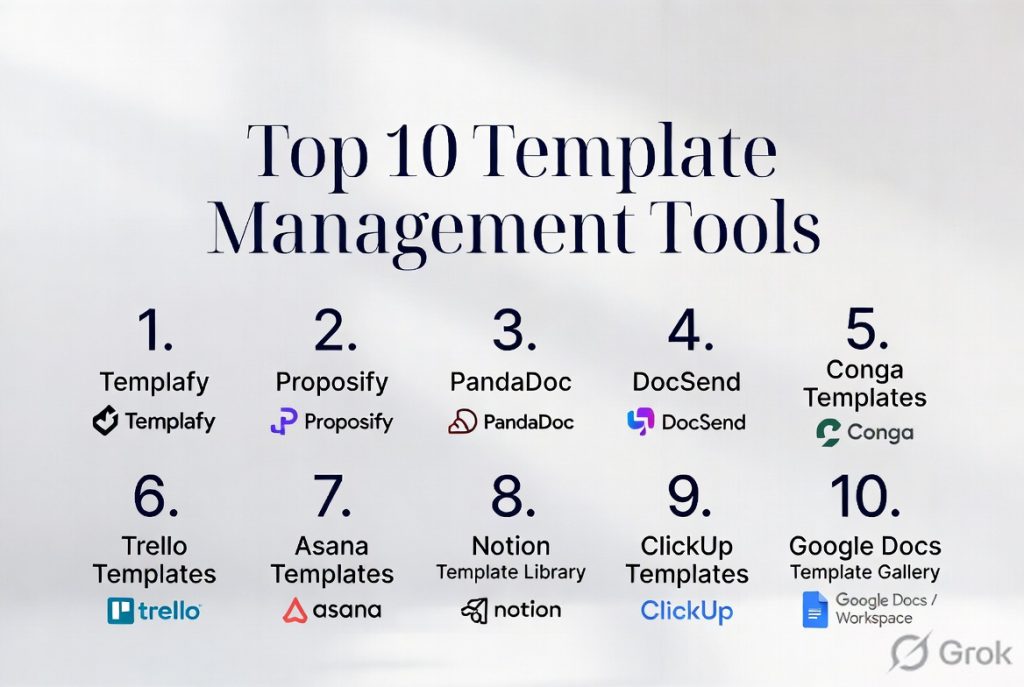
Top 10 Template Management Tools
#1 — Templafy
Short description: Centralizes corporate templates and brand assets for enterprises, ensuring compliance while enabling fast content creation across departments.
Key Features
- Centralized template library with role-based access
- Brand compliance and dynamic content fields
- Integration with Office 365, Google Workspace, and CRM platforms
- AI-based content recommendations
- Automated version control and approval workflows
Pros
- Strong brand compliance
- Robust integrations
- Scales well for large enterprises
Cons
- Higher pricing for smaller teams
- Learning curve for complex features
- Limited offline editing
Platforms / Deployment
- Windows, macOS, Web, iOS
- Cloud / Hybrid
Security & Compliance
- SSO/SAML, MFA, encryption, audit logs
- SOC 2, ISO 27001, GDPR
Integrations & Ecosystem
Supports Office 365, Google Workspace, Salesforce, Slack, Teams, and REST APIs.
- Automated template syncing
- CRM proposal integration
- Dynamic content insertion
- Approval workflow integration
Support & Community
- Comprehensive documentation, onboarding guides, and enterprise support tiers
- Active user community
#2 — PandaDoc
Short description: Streamlines document creation, approvals, and e-signatures, ideal for sales and marketing teams generating proposals quickly.
Key Features
- Drag-and-drop template editor
- E-signature and approval workflows
- Analytics on document engagement
- Integration with Salesforce, HubSpot, and CRM systems
- AI-generated content suggestions
Pros
- Simplifies proposals and contracts
- Supports native e-signatures
- Analytics provide actionable insights
Cons
- Advanced features require premium plans
- Limited offline editing
- May be overkill for very small teams
Platforms / Deployment
- Web, Windows, macOS, iOS, Android
- Cloud
Security & Compliance
- Not publicly stated
Integrations & Ecosystem
Supports Salesforce, HubSpot, Slack, Zapier, and REST APIs.
- CRM integration
- Payment gateway integration
- Custom workflow automation
Support & Community
- Documentation, live chat, and ticket support available
- Moderate online community engagement
#3 — DocuSign Gen
Short description: Automates template-driven document creation within DocuSign, suitable for enterprises needing CRM-integrated workflows.
Key Features
- Template creation within DocuSign
- Auto-population from CRM data
- Approval routing and tracking
- Salesforce and Microsoft Dynamics integration
- Multi-language support
Pros
- Tight integration with e-signatures
- Reduces manual data entry
- Enterprise-grade reliability
Cons
- Primarily suited for DocuSign users
- Less flexible for non-contract templates
- Pricing can be high for small teams
Platforms / Deployment
- Web
- Cloud
Security & Compliance
- SSO/SAML, encryption
- Not publicly stated
Integrations & Ecosystem
Supports Salesforce, Microsoft Dynamics, REST APIs
- CRM auto-fill
- Approval workflows
- Custom reporting
Support & Community
- Enterprise support with dedicated account management
- Community forums available
#4 — XaitPorter
Short description: Focuses on collaborative document production, ideal for complex proposals, bids, and technical documents.
Key Features
- Real-time collaboration
- Template-driven structured documents
- Automated numbering and referencing
- Workflow management for approvals
- CRM and ERP integration
Pros
- Excellent for multi-author documents
- Strong workflow and versioning controls
- Supports highly structured content
Cons
- Complex for simple templates
- Limited integrations compared to mainstream suites
- Higher learning curve
Platforms / Deployment
- Web
- Cloud
Security & Compliance
- Not publicly stated
Integrations & Ecosystem
- CRM and ERP connectors, REST API
- Workflow automation
- Document collaboration
- Version control
Support & Community
- Documentation and ticket-based support
- Varies / Not publicly stated for community
#5 — QorusDocs
Short description: Accelerates document creation for sales and marketing teams, combining templates with CRM integration.
Key Features
- Microsoft 365 integration
- Dynamic template library
- Proposal automation
- Analytics and usage tracking
- Workflow approvals
Pros
- Speeds up sales proposals
- Centralized content management
- Tight Microsoft ecosystem integration
Cons
- Microsoft-centric
- Training required for non-technical users
- Premium plans for full automation
Platforms / Deployment
- Web, Windows, macOS
- Cloud
Security & Compliance
- SSO/SAML, encryption
- Not publicly stated
Integrations & Ecosystem
- Office 365, Teams, Salesforce, Dynamics 365
- Automated proposal generation
- CRM data sync
- Analytics dashboards
Support & Community
- Documentation, tutorials, and support
- Limited community engagement
#6 — Conga Composer
Short description: Enables sophisticated document, presentation, and report generation from CRM data, enhancing business workflows.
Key Features
- Pulls data from Salesforce
- Template-based document generation
- Automated workflow triggers
- Email delivery and e-signature support
- Batch document processing
Pros
- Seamless Salesforce integration
- Supports complex templates
- Automates recurring tasks
Cons
- Salesforce dependency
- Some features require premium licensing
- Limited for non-Salesforce users
Platforms / Deployment
- Web
- Cloud
Security & Compliance
- Not publicly stated
Integrations & Ecosystem
- Salesforce, DocuSign, Adobe Sign, REST APIs
- Workflow automation
- Reporting dashboards
- Batch document generation
Support & Community
- Documentation, webinars, and support plans
- Moderate community resources
#7 — Template.io
Short description: Offers pre-built templates for marketing, HR, and operations teams, enabling rapid document creation.
Key Features
- Extensive template library
- Drag-and-drop editor
- Collaboration features
- Multi-format export
- Cloud storage
Pros
- Ready-to-use templates
- Intuitive interface
- Team collaboration
Cons
- Limited customization
- Not suitable for complex documents
- Fewer integrations
Platforms / Deployment
- Web, iOS, Android
- Cloud
Security & Compliance
- Not publicly stated
Integrations & Ecosystem
- Slack, Google Workspace, Zapier
- Template sharing
- Workflow integration
- API access
Support & Community
- Online documentation and email support
- Varies / Not publicly stated
#8 — Templately
Short description: Cloud-based template library specializing in website, email, and document templates for marketing teams.
Key Features
- Cloud storage and collaboration
- Pre-designed templates
- WordPress and Elementor integration
- Template versioning
- Team sharing and permissions
Pros
- Easy to use
- Rapid deployment
- Collaboration-friendly
Cons
- Limited enterprise workflow automation
- Focused on marketing/web templates
- Fewer analytics capabilities
Platforms / Deployment
- Web, Windows, macOS
- Cloud
Security & Compliance
- Not publicly stated
Integrations & Ecosystem
- WordPress, Elementor, Google Workspace
- Collaboration sharing
- Template backups
- Permission controls
Support & Community
- Documentation and email support
- Community forum available
#9 — TemplateMonster
Short description: Provides a marketplace of templates for web design, presentations, and marketing, suitable for SMBs and creatives.
Key Features
- Pre-designed website and marketing templates
- Drag-and-drop customization
- Cloud storage
- Collaboration tools
- Marketplace access
Pros
- Wide variety of templates
- Ideal for designers/SMBs
- Affordable pricing
Cons
- Limited automation or workflows
- Not enterprise-focused
- Fewer security controls
Platforms / Deployment
- Web
- Cloud
Security & Compliance
- Not publicly stated
Integrations & Ecosystem
- CMS platforms, Google Workspace, cloud apps
- Collaboration features
- Template downloads and uploads
Support & Community
- Email support and documentation
- Community forums and tutorials
#10 — WebMerge
Short description: Automates document generation from form and CRM data, streamlining operations for SMBs and mid-market companies.
Key Features
- Auto-populate templates
- Workflow automation
- Multiple output formats (PDF, Word, Excel)
- E-signature integration
- API access
Pros
- Simplifies repetitive creation
- Flexible automation
- Multiple output formats
Cons
- Limited design flexibility
- Cloud-only deployment
- Enterprise features require add-ons
Platforms / Deployment
- Web
- Cloud
Security & Compliance
- Not publicly stated
Integrations & Ecosystem
- Salesforce, HubSpot, Formstack, Zapier
- Workflow automation
- E-signature platforms
- API integration
Support & Community
- Email support and documentation
- Community resources available
Comparison Table (Top 10)
| Tool Name | Best For | Platform(s) Supported | Deployment | Standout Feature | Public Rating |
|---|---|---|---|---|---|
| Templafy | Enterprise template compliance | Windows, macOS, Web, iOS | Cloud/Hybrid | Brand compliance & workflow | N/A |
| PandaDoc | Sales proposals & contracts | Web, Windows, macOS, iOS, Android | Cloud | E-signature integration | N/A |
| DocuSign Gen | CRM-driven document generation | Web | Cloud | CRM data-driven templates | N/A |
| XaitPorter | Collaborative complex documents | Web | Cloud | Multi-author collaboration | N/A |
| QorusDocs | Sales & marketing templates | Web, Windows, macOS | Cloud | Microsoft 365 integration | N/A |
| Conga Composer | Salesforce-driven automation | Web | Cloud | Batch document generation | N/A |
| Template.io | Marketing & HR templates | Web, iOS, Android | Cloud | Ready-to-use templates | N/A |
| Templately | Web & marketing templates | Web, Windows, macOS | Cloud | Cloud-based collaboration | N/A |
| TemplateMonster | Web design & creative templates | Web | Cloud | Extensive marketplace | N/A |
| WebMerge | SMB automation & document routing | Web | Cloud | Auto-populated templates | N/A |
Evaluation & Scoring of Template Management Tools
| Tool Name | Core (25%) | Ease (15%) | Integrations (15%) | Security (10%) | Performance (10%) | Support (10%) | Value (15%) | Weighted Total |
|---|---|---|---|---|---|---|---|---|
| Templafy | 9 | 7 | 9 | 9 | 8 | 8 | 7 | 8.3 |
| PandaDoc | 8 | 8 | 8 | 7 | 8 | 7 | 8 | 7.9 |
| DocuSign Gen | 8 | 7 | 7 | 8 | 8 | 7 | 7 | 7.5 |
| XaitPorter | 8 | 6 | 6 | 7 | 8 | 6 | 6 | 6.9 |
| QorusDocs | 8 | 7 | 8 | 7 | 8 | 7 | 7 | 7.5 |
| Conga Composer | 8 | 7 | 8 | 7 | 7 | 7 | 6 | 7.3 |
| Template.io | 7 | 8 | 6 | 6 | 7 | 6 | 8 | 7.0 |
| Templately | 7 | 8 | 6 | 6 | 7 | 6 | 7 | 6.9 |
| TemplateMonster | 6 | 8 | 5 | 5 | 6 | 6 | 8 | 6.5 |
| WebMerge | 7 | 7 | 7 | 6 | 7 | 6 | 7 | 6.9 |
Interpretation: Weighted totals show comparative evaluation based on features, ease, integration, security, performance, support, and value. Use the scores to identify tools that align with team size, budget, and technical requirements.
Which Template Management Tools Tool Is Right for You?
Solo / Freelancer
Template.io and Templately are ideal for individuals needing ready-to-use templates with minimal setup and collaboration.
SMB
PandaDoc and WebMerge provide efficient proposal generation, automation, and CRM integrations without enterprise complexity.
Mid-Market
QorusDocs and Conga Composer are suited for mid-market teams requiring Microsoft 365 or Salesforce integration and structured workflow support.
Enterprise
Templafy and XaitPorter excel in large enterprises with multi-department needs, strong compliance, and multi-author collaboration.
Budget vs Premium
Freelancers and small teams can use Templately or Template.io for cost efficiency. Enterprise solutions like Templafy and XaitPorter require premium investment but offer scalability and compliance.
Feature Depth vs Ease of Use
PandaDoc balances ease of use with moderate automation. Templafy and XaitPorter provide advanced capabilities with higher complexity.
Integrations & Scalability
Conga Composer and QorusDocs scale well with Salesforce or Microsoft 365 ecosystems, supporting multi-team collaboration and growing data volumes.
Security & Compliance Needs
Enterprises handling sensitive contracts and regulatory documents should prefer Templafy, DocuSign Gen, or Conga Composer due to their strong compliance and security features.
Frequently Asked Questions
1. What pricing models do Template Management Tools offer?
Most tools offer subscription-based pricing, tiered by user count and feature access. Free tiers exist for basic templates, but advanced automation usually requires paid plans.
2. How easy is it to onboard teams?
Onboarding varies; cloud-based tools like Template.io are quick, while enterprise platforms like Templafy require structured training and change management.
3. Can templates be automated with CRM or ERP data?
Yes, tools like Conga Composer and DocuSign Gen can auto-populate templates using CRM or ERP data, reducing manual entry.
4. Are these tools secure for sensitive documents?
Security varies; enterprise tools like Templafy support SSO, MFA, encryption, and audit logs. Others may have basic cloud security measures only.
5. Can multiple users collaborate on templates?
Most tools support multi-author collaboration, versioning, and approval workflows, though feature depth differs across platforms.
6. What integrations are commonly available?
Integrations often include CRM systems, productivity suites, cloud storage, e-signature platforms, and workflow automation tools.
7. How scalable are these tools?
Cloud-based solutions generally scale from freelancers to large enterprises. Enterprise-focused tools handle multi-department and global deployments efficiently.
8. Can templates be customized for different departments?
Yes, role-based access allows department-specific templates while maintaining brand consistency.
9. How do these tools support compliance?
Enterprise tools track versions, enforce approvals, and provide audit logs, supporting GDPR, HIPAA, SOC 2, and ISO standards where applicable.
10. What are alternatives if a tool doesn’t fit?
Alternatives include manual template libraries,
Continue generating

This article provides a helpful overview of template management tools and their key features. The comparisons are clear and make it easier to identify the right solution for different workflow needs.