Introduction
Punch list management tools help construction teams, project managers, and field workers track, assign, and resolve issues that arise during a project lifecycle. A “punch list” is a worklist of incomplete or incorrect tasks discovered during inspections or at project closeout. Managing this list manually with spreadsheets or paper can lead to overlooked items, miscommunication, and delayed sign‑offs. Modern punch list management tools digitize this process, enabling teams to capture issues in real time, assign responsibilities, monitor resolution status, and archive records for compliance and accountability.
Real‑world use cases include on‑site inspections of construction defects, tracking maintenance items in facilities management, managing quality assurance checks on renovation projects, coordinating subcontractor corrections, and documenting close‑out conditions for client hand‑over. These tools improve communication between field and office teams, reduce rework, and support faster project completion.
Evaluation criteria for buyers typically include:
- Ease of capturing and annotating issues on mobile
- Real‑time status tracking and assignment
- Offline capabilities for remote sites
- Integration with project management and collaboration platforms
- Reporting and analytics for compliance and trend tracking
- Automated notifications and reminders
- Photo, markup, and drawing annotation support
- Security and data protection controls
- Scalability for multi‑project environments
- Pricing structure and deployment flexibility
Best for: Construction managers, general contractors, quality control teams, inspectors, facilities managers, and field supervisors responsible for tracking defects or tasks across projects.
Not ideal for: Organizations with minimal field or inspection activity that don’t require real‑time tracking and collaboration.
Key Trends in Punch List Management Tools
- Mobile‑first inspection applications with offline access
- Photo and drawing annotation for precise defect capture
- Real‑time collaboration with automated notifications
- Integration with project management, scheduling, BIM, and document systems
- AI‑assisted defect identification and categorization
- Analytics and dashboards for punch list performance trends
- Cloud‑based storage with role‑based access control
- Automated compliance tracking and audit histories
- Subscription and usage‑based pricing models with tiered features
- Increased adoption of QR/barcode scanning for asset‑linked punch items
How We Selected These Tools (Methodology)
- Market adoption and use in construction and facilities environments
- Feature completeness: capture, assignment, tracking, analytics
- Mobile applications with offline support
- Security posture and compliance support
- Integration ecosystem with project and collaboration software
- Scalability for SMB to enterprise needs
- Workflow automation and notifications
- Photo and markup capabilities
- Support resources, documentation, and community
- Pricing flexibility for different company sizes
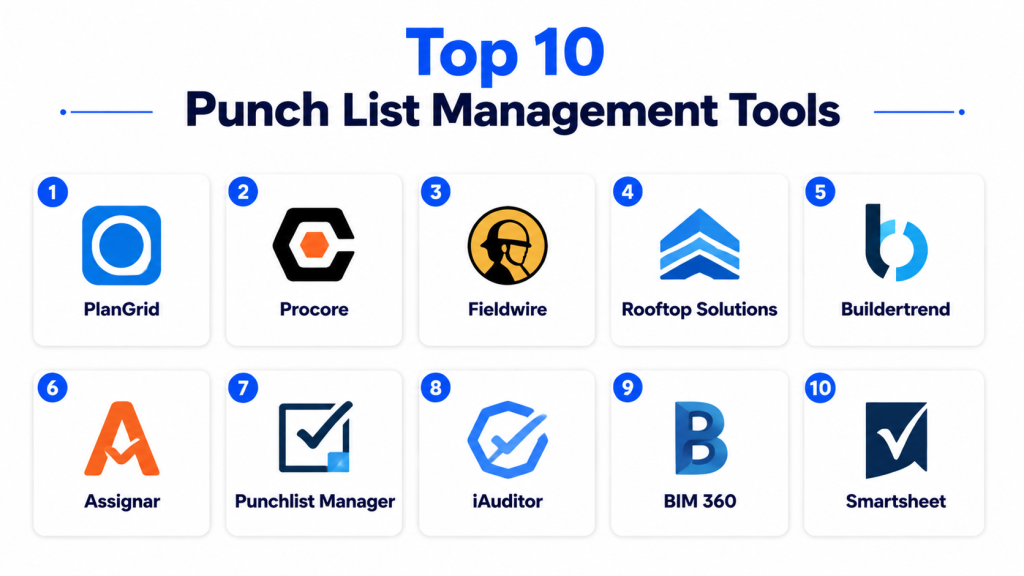
Top 10 Punch List Management Tools
#1 — Procore Punch List
Short description: Part of the Procore Construction OS, Procore Punch List centralizes defect tracking with mobile capture, assignments, and real‑time status updates. Ideal for general contractors and large construction teams.
Key Features
- Create, assign, and track punch items
- Mobile capture with photos and markups
- Integration with project documents and drawings
- Automated notifications
- Offline mobile access
- Analytics and dashboards
Pros
- Seamless integration with Procore’s broader suite
- Strong mobile capabilities
- Scales from small to large projects
Cons
- Best value within broader Procore implementation
- Can be complex for teams new to construction tech
- Premium pricing for full platform
Platforms / Deployment
- Web / iOS / Android
- Cloud
Security & Compliance
- SOC 2, ISO 27001
- Role‑based access, encryption
Integrations & Ecosystem
Deep integration within Procore ecosystem plus connectors to scheduling, BIM, accounting, and collaboration platforms.
- Project documents
- Drawings and photos
- ERP and financial systems
Support & Community
- Enterprise support tiers
- Knowledge base, training, user community
#2 — PlanGrid (Autodesk Build)
Short description: PlanGrid’s punch list features, now part of Autodesk Build, enable field teams to capture and manage issues directly from drawings and plans with photo annotations.
Key Features
- Punch items linked to drawings
- Annotate photos with markups
- Assign tasks with due dates
- Mobile offline support
- Real‑time syncing across teams
Pros
- Strong visual context for issues
- Excellent mobile annotation tools
- Integration with Autodesk ecosystem
Cons
- Best suited to users of Autodesk Build
- Pricing on higher end
- Some reporting features require additional modules
Platforms / Deployment
- Web / iOS / Android
- Cloud
Security & Compliance
- SOC 2, GDPR
- Encryption and access controls
Integrations & Ecosystem
Integrates with Autodesk tools, BIM workflows, cloud storage, and workflow engines.
- Autodesk Docs
- BIM 360 components
- ERP connectors
Support & Community
- Official Autodesk support
- Community forums and tutorials
#3 — Fieldwire
Short description: Fieldwire provides an intuitive punch list and task management app for field inspection and close‑out processes, empowering teams to capture issues on mobile with photos and tags.
Key Features
- Task and punch item creation
- Photo capture and markup
- Drawing markups and attachments
- Automatic reminders
- Offline mobile access
Pros
- User‑friendly interface
- Strong mobile performance
- Affordable for SMB teams
Cons
- Analytics capabilities are basic
- Integrations less extensive than large suites
- Reporting can be limited
Platforms / Deployment
- Web / iOS / Android
- Cloud
Security & Compliance
- GDPR compliant
- Encryption in transit and at rest
Integrations & Ecosystem
- Dropbox, Box, Google Drive, and popular project tools
- API for custom integrations
Support & Community
- Email and chat support
- Knowledge base and product updates
#4 — Raken
Short description: Raken’s mobile punch list and daily reporting combine inspection capture with productivity tracking, suitable for general contractors and subcontractors.
Key Features
- Punch list creation on mobile
- Photo and notes capture
- Daily reporting with task linkage
- Analytics and dashboards
- Automated notifications
Pros
- Combines reporting and punch list workflows
- Easy mobile capture
- Clear dashboards
Cons
- Focused more on SIMPLIFIED workflows than complex tasks
- Some integrations require API work
- Large‑scale enterprise analytics limited
Platforms / Deployment
- Web / iOS / Android
- Cloud
Security & Compliance
- GDPR compliant
- Encryption and secure storage
Integrations & Ecosystem
- Cloud storage, scheduling, and payroll systems
- API available for custom connections
Support & Community
- Email, chat support
- Knowledge base and guides
#5 — Buildertrend Punch List
Short description: Buildertrend offers punch list features within its residential construction platform, pairing task tracking with client communication and updates.
Key Features
- Punch items with photo capture
- Client and employee assignment
- Mobile app sync
- Notifications and due dates
- Integration with project documents
Pros
- Client communication strength
- Easy assignment and tracking
- Good for residential projects
Cons
- Less suited for large enterprise projects
- Advanced reporting limited
- Requires Buildertrend subscription
Platforms / Deployment
- Web / iOS / Android
- Cloud
Security & Compliance
- Encryption in transit
- Role access controls
Integrations & Ecosystem
- Accounting, CRM, and documentation storage
- Cloud backups
Support & Community
- Email and phone support
- Tutorials and articles
#6 — BIM 360 Issues
Short description: BIM 360’s punch list and issue management focus on field defect tracking with tight integration to design and construction documentation.
Key Features
- Create issues tied to drawings
- Photo and annotation capture
- Workflows and assignments
- Sync with BIM and design context
- Dashboard reporting
Pros
- Connects punch items to BIM context
- Great for large commercial projects
- Collaboration within design/field workflows
Cons
- Best used within Autodesk BIM 360 ecosystem
- Higher complexity
- Premium modules increase cost
Platforms / Deployment
- Web / iOS / Android
- Cloud
Security & Compliance
- SOC 2, ISO standards
- Encryption and RBAC
Integrations & Ecosystem
- Deep Autodesk integration
- ERP and data connectors
Support & Community
- Autodesk support network
- Community knowledge sharing
#7 — Smartsheet
Short description: Smartsheet isn’t a dedicated punch list tool, but its flexible work management grids, attachments, and workflows make it a strong option for punch list tracking in customizable projects.
Key Features
- Custom task sheet creation
- Attach photos and files
- Automated reminders
- Dashboards and reporting
- Integration with calendars and project tools
Pros
- Highly configurable
- Good for hybrid teams
- Strong reporting and dashboards
Cons
- Requires configuration to match punch list needs
- Lacks specialized mobile capture features
- Offline access limited
Platforms / Deployment
- Web / iOS / Android
- Cloud
Security & Compliance
- SOC 2, GDPR
- Encryption and access controls
Integrations & Ecosystem
- Microsoft 365, Google Workspace, Slack
- Project and ERP integrations
Support & Community
- Extensive tutorials
- Support tiers and community forums
#8 — ConstructionOnline Punch Lists
Short description: ConstructionOnline offers punch list capabilities as part of its broader project suite, with photo capture, assignments, and status tracking.
Key Features
- Create and assign punch list items
- Photo annotations
- Project dashboards
- Notifications and reminders
- Mobile support
Pros
- Integrated with broader project suite
- Simple for teams already using ConstructionOnline
- Photo handling
Cons
- Less powerful than dedicated tools
- Reporting is basic
- Integrations fewer than enterprise suites
Platforms / Deployment
- Web / iOS / Android
- Cloud
Security & Compliance
- Encryption in transit
- Access controls
Integrations & Ecosystem
- Project docs and scheduling
- Cloud storage
Support & Community
- Tutorials, chat support
#9 — PunchList Manager
Short description: PunchList Manager is a lightweight, purpose‑built platform focused solely on capturing, assigning, and closing punch list items with simplicity.
Key Features
- Create and assign punch items
- Photo and file attachments
- Mobile access
- Simple dashboards
- Notifications
Pros
- Easy to adopt
- Focused on core punch list needs
- Affordable for SMB teams
Cons
- Fewer advanced features
- Integrations limited
- Reporting basic
Platforms / Deployment
- Web / iOS / Android
- Cloud
Security & Compliance
- GDPR compliant
- Encryption
Integrations & Ecosystem
- Basic cloud storage
- API for limited integrations
Support & Community
- Email support
- Help docs
#10 — FieldLens
Short description: FieldLens (part of Autodesk) focuses on real‑time field communication and punch list tracking with photo capture and collaboration.
Key Features
- Capture issues and comments
- Photo annotations
- Assign and track tasks
- Real‑time sync
- Mobile and web access
Pros
- Easy field capture and collaboration
- Good for fast‑moving teams
- Photo context is strong
Cons
- Smaller ecosystem than larger suites
- Advanced analytics limited
- Tied to Autodesk ecosystem
Platforms / Deployment
- Web / iOS / Android
- Cloud
Security & Compliance
- Autodesk security standards
- Encryption
Integrations & Ecosystem
- Autodesk suite
- Cloud storage
Support & Community
- Autodesk support lines
- Documentation
Comparison Table (Top 10)
| Tool Name | Best For | Platform(s) Supported | Deployment | Standout Feature | Public Rating |
|---|---|---|---|---|---|
| Procore Punch List | Large contractors | Web / iOS / Android | Cloud | Integrated suite punch list | N/A |
| PlanGrid (Autodesk Build) | Field teams & plans | Web / iOS / Android | Cloud | Drawing‑linked items | N/A |
| Fieldwire | SMB & mid‑market | Web / iOS / Android | Cloud | Intuitive mobile capture | N/A |
| Raken | Reporting + punch | Web / iOS / Android | Cloud | Combined reporting & punch | N/A |
| Buildertrend Punch List | Residential projects | Web / iOS / Android | Cloud | Client communication | N/A |
| BIM 360 Issues | Enterprise | Web / iOS / Android | Cloud | BIM context punch | N/A |
| Smartsheet | Configurable teams | Web / iOS / Android | Cloud | Custom dashboards | N/A |
| ConstructionOnline | Project suite users | Web / iOS / Android | Cloud | Project‑wide tracking | N/A |
| PunchList Manager | SMB punch focus | Web / iOS / Android | Cloud | Lightweight punch list | N/A |
| FieldLens | Field communication | Web / iOS / Android | Cloud | Simple collaboration | N/A |
Evaluation & Scoring of Punch List Management Tools
| Tool Name | Core (25%) | Ease (15%) | Integrations (15%) | Security (10%) | Performance (10%) | Support (10%) | Value (15%) | Weighted Total (0–10) |
|---|---|---|---|---|---|---|---|---|
| Procore Punch List | 9 | 8 | 9 | 8 | 9 | 8 | 7 | 8.4 |
| PlanGrid (Autodesk Build) | 9 | 8 | 9 | 8 | 8 | 8 | 7 | 8.2 |
| Fieldwire | 8 | 9 | 7 | 8 | 8 | 8 | 8 | 8.0 |
| Raken | 8 | 9 | 7 | 8 | 8 | 8 | 8 | 8.0 |
| Buildertrend Punch List | 8 | 8 | 7 | 7 | 8 | 8 | 7 | 7.7 |
| BIM 360 Issues | 9 | 7 | 9 | 8 | 8 | 8 | 7 | 8.0 |
| Smartsheet | 7 | 8 | 9 | 8 | 8 | 8 | 8 | 7.9 |
| ConstructionOnline | 7 | 8 | 7 | 8 | 8 | 7 | 7 | 7.4 |
| PunchList Manager | 7 | 9 | 6 | 8 | 7 | 7 | 8 | 7.3 |
| FieldLens | 7 | 9 | 6 | 8 | 8 | 7 | 8 | 7.5 |
Interpretation: Weighted totals help compare core capabilities, ease, integration depth, security, and value. Higher scores indicate broad utility across construction, project, and facilities environments. Context and workflow needs should guide final choice.
Which Punch List Management Tool Is Right for You?
Solo / Freelancer
- PunchList Manager, Fieldwire, or FieldLens for lightweight, easy punch tracking.
SMB
- Fieldwire, Raken, Smartsheet for mobile capture and reporting plus punch list features.
Mid‑Market
- Procore Punch List, PlanGrid, Buildertrend Punch List for deeper coordination and project context.
Enterprise
- Procore Punch List, PlanGrid (Autodesk Build), BIM 360 Issues for BIM integration, advanced workflows, and analytics.
Budget vs Premium
- Budget: PunchList Manager, Fieldwire, FieldLens
- Premium: Procore Punch List, PlanGrid, BIM 360 Issues
Feature Depth vs Ease of Use
- High feature depth: Procore Punch List, PlanGrid, BIM 360 Issues
- High ease of use: Fieldwire, Raken, PunchList Manager
Integrations & Scalability
- Extensive: Procore Punch List, PlanGrid, Smartsheet
- Limited: PunchList Manager, FieldLens
Security & Compliance Needs
- Enterprise compliance: Procore Punch List, PlanGrid, BIM 360 Issues
- SMB lightweight needs: Fieldwire, Raken
Frequently Asked Questions (FAQs)
1. What is a punch list tool?
A punch list tool is software that helps teams capture, assign, track, and resolve construction defects or task items during inspections or project close‑out.
2. Do these tools work offline?
Many tools like Fieldwire, Raken, and Procore support offline capture, enabling teams to record issues without connectivity and sync later.
3. Can I attach photos and drawings?
Yes, most tools allow photo attachments and annotations. PlanGrid, BIM 360, and Fieldwire link issues directly to drawings for context.
4. Do punch list tools integrate with project management suites?
Yes, Procore, PlanGrid, BIM 360, and Smartsheet integrate with broader project and collaboration platforms to unify workflows.
5. Are notifications automated?
Most platforms provide automated notifications and reminders for assigned tasks and status changes.
6. Can subcontractors use these tools?
Yes, tools like Raken, Fieldwire, and Buildertrend allow subcontractor access with controlled permissions.
7. Is reporting available?
Platforms with analytics like Procore, PlanGrid, and Smartsheet provide dashboards and exportable reports for compliance and performance tracking.
8. Which tool is best for large enterprise projects?
Procore Punch List, PlanGrid (Autodesk Build), and BIM 360 Issues are strong choices for enterprise and BIM‑linked workflows.
9. Are there lightweight tools for smaller teams?
Yes, PunchList Manager, Fieldwire, and FieldLens offer focused punch list features that are easy to adopt.
10. What should I consider when choosing a tool?
Consider mobile capture, integration with existing systems, ease of use, scalability, analytics, and pricing to match your project scope.
Conclusion
Punch list management tools streamline defect capture, assignment, and resolution across construction and facilities environments, improving project quality and closing tasks faster. SMBs and smaller teams benefit from Fieldwire, Raken, or PunchList Manager for mobile capture and simple tracking. Mid‑market organizations can leverage PlanGrid, Buildertrend Punch List, or Smartsheet for deeper coordination and analytics, while enterprise teams should consider Procore Punch List or BIM 360 Issues for advanced workflows and integration with broader project systems. Start with a short list of 2–3 tools aligned with your workflows, pilot their mobile capabilities and integrations, and scale adoption as your team gains confidence.

Very informative and well-structured blog on punch list management tools. The comparison is clear, practical, and helpful for understanding different solutions used in construction project closeouts.