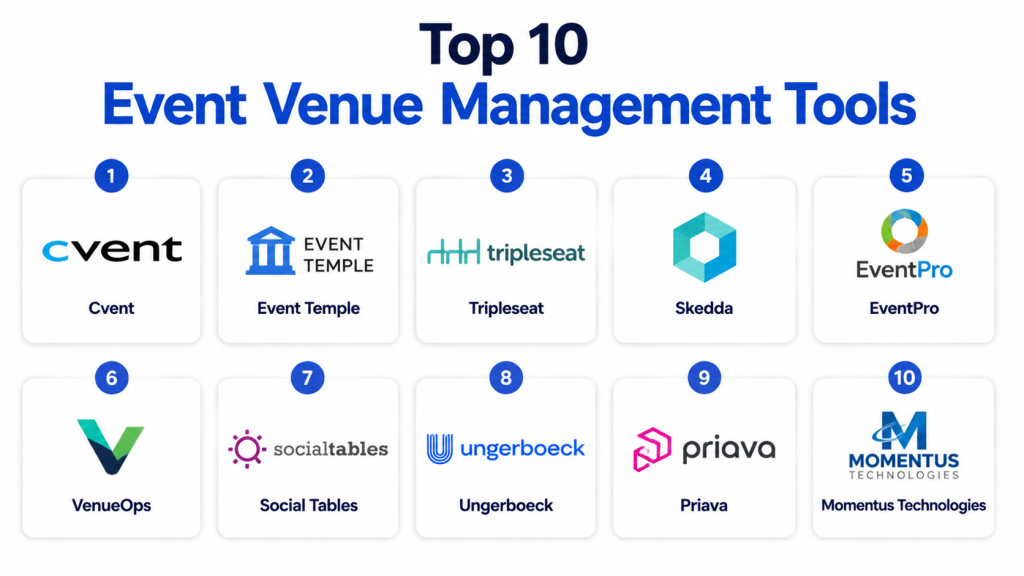
Managing event venues efficiently requires tools that streamline bookings, optimize space utilization, enhance attendee experiences, and provide real-time insights for operations. Event Venue Management Tools help organizers, venue managers, and planners coordinate all aspects of events, from reservations and floor planning to billing and reporting. These tools are increasingly crucial for venues hosting conferences, weddings, concerts, and corporate meetings, where operational efficiency and seamless customer experiences are critical.
Why It Matters:
With growing competition in the events industry, venues must deliver smooth, professional experiences. Manual processes lead to double bookings, operational inefficiencies, and frustrated clients. Event Venue Management Tools automate scheduling, resource allocation, and communication, enabling venues to maximize revenue while improving client satisfaction.
Real-World Use Cases:
- A convention center managing hundreds of conference room bookings monthly.
- Wedding venues coordinating multiple events simultaneously with catering and vendor integrations.
- Corporate event spaces handling recurring bookings, floor layouts, and attendee check-ins.
- Music halls managing ticketed events alongside private bookings.
- Sports arenas scheduling tournaments, practices, and public events efficiently.
Evaluation Criteria for Buyers:
- Ease of booking and calendar management
- Floor planning and seating arrangement features
- Integration with CRM, payment gateways, and ticketing platforms
- Reporting and analytics capabilities
- Multi-venue management
- Customer support and onboarding
- Pricing flexibility
Best For: Medium to large event venues, corporate spaces, and multi-event facilities looking to automate scheduling, streamline operations, and enhance attendee experience.
Not Ideal For: Small venues with minimal events or those relying solely on informal booking processes.
Key Trends in Event Venue Management Tools
- Shift towards cloud-based SaaS platforms for remote access and scalability
- Integration with virtual event platforms for hybrid experiences
- Enhanced reporting and analytics for revenue optimization
- Mobile apps for on-the-go management and check-in processes
- AI-driven space optimization and predictive scheduling
- Real-time collaboration between vendors, staff, and clients
- Automated billing and invoicing capabilities
- Customizable floor plans and seating arrangements
How We Selected These Tools
- Functionality: Core booking, floor planning, and resource management features
- User Experience: Intuitive interfaces and ease of adoption
- Integrations: Compatibility with CRM, payment, and ticketing systems
- Security: Data privacy and compliance measures
- Customer Support: Availability, responsiveness, and knowledge base
- Market Presence: Reviews, adoption, and industry recognition
- Pricing Models: Flexibility for different venue sizes
- Feature Updates: Regular updates and innovation
- Scalability: Suitability for small to large venues
- Analytics: Reporting and insights capabilities
Top 10 Event Venue Management Tools
1- Skedda
Short Description: Skedda is a cloud-based venue scheduling platform that automates bookings and provides a clear calendar overview for multiple spaces.
Key Features:
- Online booking and reservations
- Automated notifications and reminders
- Flexible pricing and access control
- Real-time space availability
- Custom booking rules
- Integration with calendars
- User management for clients and staff
Pros: Simple to use, clear interface, great for multi-space management
Cons: Limited advanced reporting, relies on internet connectivity
Platforms / Deployment: Web, iOS, Android, Cloud
Security & Compliance: Data encrypted in transit, GDPR compliant
Integrations & Ecosystem: Google Calendar, Outlook, Zoom, Stripe
Support & Community: Email support, documentation, user forums
2- EventBooking
Short Description: EventBooking offers comprehensive event management for venues, including booking, catering, and resource allocation.
Key Features:
- Centralized event calendar
- Catering and resource management
- Automated billing and invoicing
- Client portals and contract management
- Reporting dashboards
- Floor plan management
- Multi-venue management
Pros: Robust feature set, suitable for complex venues
Cons: Steeper learning curve, higher pricing for smaller venues
Platforms / Deployment: Web, Cloud
Security & Compliance: Role-based access, secure data storage
Integrations & Ecosystem: CRM, payment gateways, marketing tools
Support & Community: Dedicated support, training webinars, documentation
3- Tripleseat
Short Description: Tripleseat simplifies booking and event management for restaurants, hotels, and unique venues with an intuitive interface.
Key Features:
- Lead management and client tracking
- Proposal and contract generation
- Event calendar and floor plan layouts
- Budgeting and invoicing tools
- Reporting and analytics
- Task and team management
- Payment processing
Pros: User-friendly, great for hospitality venues
Cons: Less suited for large convention centers
Platforms / Deployment: Web, Cloud
Security & Compliance: PCI compliant, secure client data
Integrations & Ecosystem: QuickBooks, Google Calendar, CRM platforms
Support & Community: Email and phone support, knowledge base
4- VenueOps
Short Description: VenueOps provides end-to-end venue management with real-time scheduling, operations tracking, and client management tools.
Key Features:
- Online booking and requests
- Event production management
- Reporting and analytics
- Resource allocation
- Automated communications
- Financial management
- Multi-venue support
Pros: Comprehensive, scalable for large venues
Cons: Interface can be complex for new users
Platforms / Deployment: Web, Cloud
Security & Compliance: GDPR compliant, encrypted storage
Integrations & Ecosystem: CRM, payment gateways, email platforms
Support & Community: Dedicated support team, user training
5- Priava
Short Description: Priava is a flexible venue management system for corporate, education, and leisure facilities, focusing on booking and reporting.
Key Features:
- Centralized booking management
- Client relationship management
- Reporting dashboards
- Floor plan and seating arrangements
- Resource allocation
- Automated billing
- Multi-site support
Pros: Customizable, strong reporting features
Cons: Requires setup and training
Platforms / Deployment: Web, Cloud
Security & Compliance: Data encryption, role-based access
Integrations & Ecosystem: Payment systems, CRM platforms
Support & Community: Customer support, documentation, webinars
6- eVenues
Short Description: eVenues simplifies event planning with online booking, client management, and seamless communication tools.
Key Features:
- Online venue search and booking
- Client management dashboard
- Automated emails and reminders
- Billing and invoicing
- Resource scheduling
- Event calendar
- Reporting and insights
Pros: Easy to adopt, improves client communication
Cons: Limited advanced features for large-scale operations
Platforms / Deployment: Web, Cloud
Security & Compliance: GDPR compliant
Integrations & Ecosystem: Payment gateways, calendar sync
Support & Community: Email support, tutorials
7- EventPro
Short Description: EventPro is designed for event management companies and venues needing integrated CRM, booking, and reporting.
Key Features:
- Lead and client tracking
- Event booking and scheduling
- Invoicing and payments
- Floor plan management
- Reporting analytics
- Multi-user access
- Automated communications
Pros: Combines CRM and venue management
Cons: Setup can be time-consuming
Platforms / Deployment: Web, Cloud
Security & Compliance: Role-based permissions, encrypted data
Integrations & Ecosystem: CRM tools, payment gateways
Support & Community: Support portal, documentation
8- Skedda Pro
Short Description: Skedda Pro extends the Skedda platform with advanced booking rules, analytics, and priority scheduling.
Key Features:
- Advanced scheduling options
- Analytics and utilization reporting
- Priority access for VIP clients
- Resource management
- Custom booking workflows
- Notifications and reminders
- Integration with calendars
Pros: Advanced features for premium venues
Cons: Premium pricing
Platforms / Deployment: Web, Cloud
Security & Compliance: Secure access, GDPR compliance
Integrations & Ecosystem: Google Calendar, Outlook, Stripe
Support & Community: Email support, dedicated guides
9- Priava Pro
Short Description: Priava Pro is an upgraded solution for complex venues needing automation, reporting, and multi-site management.
Key Features:
- Multi-site booking
- Automated workflows
- Advanced reporting dashboards
- Resource and staff allocation
- Client portal
- Billing and invoicing automation
- Floor plan customization
Pros: Highly scalable, suitable for large venues
Cons: Requires training and configuration
Platforms / Deployment: Web, Cloud
Security & Compliance: Role-based access, encrypted storage
Integrations & Ecosystem: CRM, payment, email platforms
Support & Community: Dedicated support, webinars
10- ArtifaxEvent
Short Description: ArtifaxEvent is built for managing complex venues and events with integrated scheduling, resource, and client management.
Key Features:
- Scheduling for multiple spaces
- Resource and equipment management
- Client portal and contracts
- Reporting and analytics
- Floor plan layouts
- Automated communication
- Multi-user access
Pros: Ideal for theaters, museums, and conference centers
Cons: Interface may require adaptation
Platforms / Deployment: Web, Cloud
Security & Compliance: Encrypted data, role-based permissions
Integrations & Ecosystem: CRM, email, payment tools
Support & Community: Support portal, knowledge base
Comparison Table
| Tool Name | Best For | Platforms Supported | Deployment | Standout Feature | Public Rating |
|---|---|---|---|---|---|
| Skedda | Multi-space venues | Web, iOS, Android | Cloud | Online booking | N/A |
| EventBooking | Large venues | Web | Cloud | Catering + resource mgmt | N/A |
| Tripleseat | Restaurants & hotels | Web | Cloud | Proposal & contract mgmt | N/A |
| VenueOps | Convention centers | Web | Cloud | Real-time operations | N/A |
| Priava | Corporate & leisure venues | Web | Cloud | Reporting dashboards | N/A |
| eVenues | Small to mid venues | Web | Cloud | Client communication | N/A |
| EventPro | Event management companies | Web | Cloud | CRM + bookings | N/A |
| Skedda Pro | Premium venues | Web | Cloud | Advanced scheduling | N/A |
| Priava Pro | Multi-site complex venues | Web | Cloud | Automated workflows | N/A |
| ArtifaxEvent | Theaters & museums | Web | Cloud | Multi-space management | N/A |
Evaluation & Scoring Table
| Tool | Core | Ease | Integrations | Security | Performance | Support | Value | Weighted Total |
|---|---|---|---|---|---|---|---|---|
| Skedda | 9 | 9 | 8 | 8 | 8 | 8 | 9 | 8.6 |
| EventBooking | 10 | 7 | 9 | 9 | 9 | 8 | 7 | 8.5 |
| Tripleseat | 8 | 9 | 8 | 9 | 8 | 8 | 8 | 8.2 |
| VenueOps | 10 | 7 | 8 | 9 | 9 | 8 | 7 | 8.3 |
| Priava | 9 | 8 | 8 | 9 | 8 | 8 | 8 | 8.3 |
| eVenues | 8 | 9 | 7 | 8 | 7 | 8 | 8 | 7.9 |
| EventPro | 9 | 7 | 8 | 8 | 8 | 8 | 8 | 8.1 |
| Skedda Pro | 9 | 8 | 8 | 8 | 8 | 8 | 8 | 8.2 |
| Priava Pro | 10 | 7 | 8 | 9 | 9 | 8 | 7 | 8.3 |
| ArtifaxEvent | 10 | 7 | 8 | 9 | 9 | 8 | 7 | 8.3 |
Which Tool Is Right for You
- Solo / Freelancer: eVenues or Skedda for simple booking and client management
- SMB: Tripleseat or Skedda Pro for small to medium venues needing scheduling + payments
- Mid-Market: Priava or EventPro for corporate venues with reporting and multi-space features
- Enterprise: VenueOps, Priava Pro, ArtifaxEvent for complex, multi-site operations
- Budget vs Premium: Skedda / eVenues are cost-effective, Priava Pro / VenueOps offer premium capabilities
- Feature Depth vs Ease of Use: Skedda & Tripleseat balance usability and features, EventBooking & VenueOps offer depth at the cost of learning curve
- Integrations & Scalability: Priava, VenueOps, ArtifaxEvent support multiple integrations and scale for large venues
- Security & Compliance Needs: All tools provide basic encryption; larger platforms offer role-based permissions and GDPR compliance
Implementation Playbook 30/60/90 Days
- 30 Days: Set up core booking workflows, import venue resources, and onboard key staff
- 60 Days: Configure floor plans, automate notifications, integrate payment and CRM systems
- 90 Days: Optimize reporting, monitor analytics, refine client communications, and scale to multiple venues
Common Mistakes
- Overlooking integration requirements with CRM or payment systems
- Underestimating staff training for complex platforms
- Ignoring mobile access and on-the-go management needs
- Failing to customize floor plans for unique events
- Not leveraging reporting dashboards for operational improvements
- Skipping automated communications setup with clients and vendors
- Overbooking due to manual double-checking gaps
- Neglecting to monitor platform updates and enhancements
- Choosing tools solely based on cost, ignoring features
- Lack of clear workflow documentation for team
Frequently Asked Questions (FAQs)
1- What is an Event Venue Management Tool?
Event Venue Management Tools are software platforms designed to streamline bookings, manage spaces, coordinate resources, handle billing, and improve communication for venues hosting events.
2- Can these tools handle multiple venues?
Yes, many platforms like Priava Pro, VenueOps, and ArtifaxEvent support multi-venue management with centralized scheduling and reporting.
3- Are these tools suitable for small venues?
Yes, tools like Skedda and eVenues are ideal for smaller venues, offering simple scheduling and client communication without complex features.
4- Do these platforms integrate with payment systems?
Most platforms offer integration with payment gateways like Stripe or PayPal, enabling automated invoicing and online payment collection.
5- Can floor plans be customized?
Yes, many tools include floor plan management, allowing seating arrangements, resource placement, and event layout customization.
6- How secure is my data with these platforms?
Top tools implement encryption, role-based access, and GDPR compliance to ensure data security and privacy.
7- Do these tools offer reporting and analytics?
Yes, advanced tools like Priava and VenueOps provide reporting dashboards, analytics on bookings, revenue, and space utilization.
8- Is mobile access available?
Most tools have web and mobile interfaces, enabling staff and managers to oversee events and bookings on the go.
9- How steep is the learning curve?
Platforms vary; simpler tools like Skedda are easy to adopt, whereas robust solutions like VenueOps may require staff training.
10- Can these tools handle automated notifications?
Yes, automated emails, reminders, and alerts for clients and staff are common features to enhance communication and reduce errors.
Conclusion
Event Venue Management Tools are essential for modern venues looking to optimize bookings, streamline operations, and enhance client experiences. Whether you manage a small boutique space or a large convention center, these tools automate scheduling, simplify resource allocation, and improve reporting for better decision-making. Choosing the right tool depends on your venue size, integration needs, and desired feature depth. Implementing a structured 30/60/90-day plan ensures smooth adoption and maximizes the benefits of these platforms. Start by shortlisting a few tools, pilot them with real events, and validate the workflows before scaling across multiple venues. Investing in the right Event Venue Management Tool can significantly increase efficiency, reduce errors, and improve revenue while delivering memorable experiences for clients and attendees.

Very helpful and well-organized comparison of event venue management tools. The features, pros, and cons are explained clearly, making the blog easy to understand for both beginners and professionals.
Excellent comparison of event venue management tools—this article does a great job explaining how these platforms simplify scheduling, coordination, and overall venue management operations.
This was a useful read with a well-organized comparison of event venue management tools. The detailed feature breakdown helps in understanding which platforms can best support venue operations and event planning.