Introduction
Digital signage software allows businesses, institutions, venues, and retail spaces to display dynamic visual content on screens, video walls, kiosks, and interactive displays. These tools help organizations deliver targeted messages, real‑time updates, wayfinding, advertising, and branding experiences without manual signage updates. By centralizing content creation, scheduling, and playback management, digital signage software enhances communication, engagement, and operational efficiency.
Real‑world use cases include displaying promotional content in retail stores, wayfinding and schedules in campuses or hospitals, menus in quick‑service restaurants, internal communications in corporate offices, event schedules in venues, and real‑time dashboards in lobbies or control rooms. These platforms support multimedia content such as images, videos, tickers, social feeds, news, and data visualizations.
Evaluation criteria for buyers typically include:
- Content creation and scheduling tools
- Support for multimedia formats and templates
- Remote device management and monitoring
- Real‑time updates and alerting
- Integration with live data sources (weather, news, dashboards)
- Security and content access controls
- Scalability across multiple screens and locations
- Analytics and reporting on viewership and performance
- Ease of deployment and maintenance
- Pricing and support options
Best for: Retail brands, corporate communications teams, hospitality venues, education institutions, transportation hubs, healthcare facilities, and event organizers that use screens for communication.
Not ideal for: Small organizations with minimal display needs or those satisfied with static printed signage.
Key Trends in Digital Signage Software
- Cloud‑based content management systems for remote updates
- Integration with live data feeds (social, news, dashboards)
- AI‑driven content personalization and scheduling automation
- Support for interactive screens and touch‑based experiences
- Analytics tracking audience engagement and play counts
- Multi‑location deployment with centralized control
- Content templating and drag‑and‑drop editors
- Integration with building systems and IoT displays
- Subscription‑based pricing with tiered features
- Enhanced security for content and network access
How We Selected These Tools (Methodology)
- Market adoption and relevance across industries
- Completeness of core digital signage features
- Remote device and playlist management
- Ease of content creation and publishing
- Integration with data sources and third‑party apps
- Scalability from small to enterprise deployments
- Security and authentication controls
- Analytics and reporting capabilities
- Support resources, documentation, and community
- Pricing flexibility and deployment options
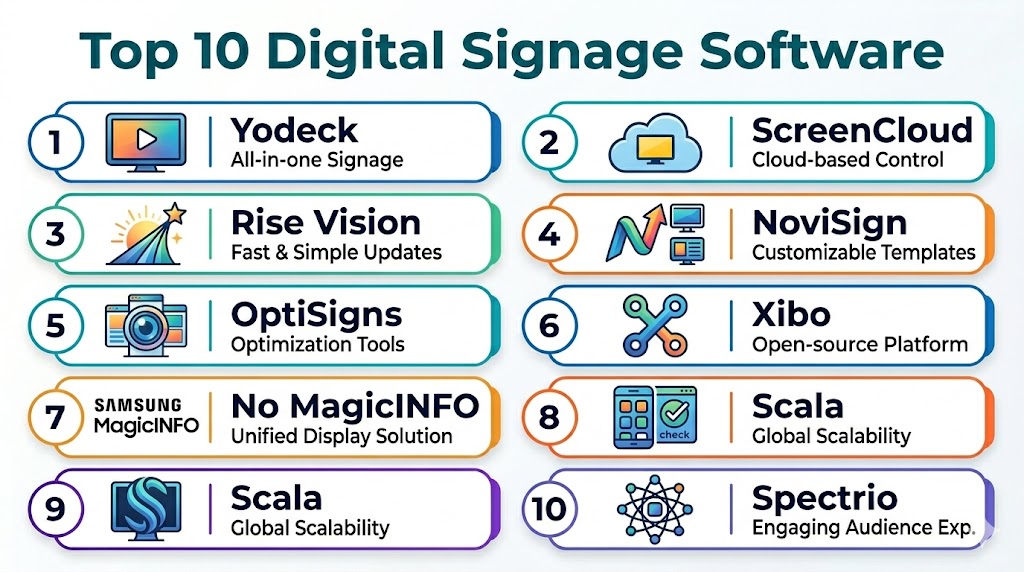
Top 10 Digital Signage Software
#1 — NoviSign
Short description: NoviSign is a cloud‑based digital signage platform with a drag‑and‑drop editor, real‑time updates, scheduling, and remote device management suited for retail, corporate, and public environments.
Key Features
- Drag‑and‑drop content creation
- Scheduled playlists and templates
- Remote device monitoring
- Integration with data feeds
- Multi‑region display support
Pros
- Intuitive editing and scheduling
- Strong remote management
- Scales across locations
Cons
- Analytics could be deeper
- Premium pricing for advanced modules
- Some templates limited
Platforms / Deployment
- Web / Android / iOS
- Cloud
Security & Compliance
- Encryption, role‑based access
- Secure device authentication
Integrations & Ecosystem
- Live data feeds (weather, social)
- APIs for custom dashboards
- Cloud storage connectivity
Support & Community
- Email/chat support, knowledge base
#2 — ScreenCloud
Short description: ScreenCloud is a cloud‑hosted digital signage platform with support for multimedia content, app integrations, and remote management, ideal for retail and workplace scenarios.
Key Features
- App marketplace (weather, social, dashboards)
- Template and playlist management
- Remote updates and monitoring
- Multi‑screen control
- Scheduling and alerts
Pros
- Easy setup and onboarding
- Wide app integrations
- Responsive support
Cons
- Costs scale with screens
- Some advanced customization limited
- Analytics not deep by default
Platforms / Deployment
- Web / Android / iOS
- Cloud
Security & Compliance
- Encryption, single sign‑on (SSO)
- Access controls
Integrations & Ecosystem
- Slack, Google Sheets, social feeds
- Data dashboards and APIs
Support & Community
- Guides, email/chat support
#3 — Rise Vision
Short description: Rise Vision is a subscription‑based digital signage platform tailored to education, corporate, and SMB environments with scheduling, templates, and remote management.
Key Features
- Template library
- Scheduled playlists
- Device monitoring
- Remote content publishing
- Role‑based user access
Pros
- Affordable for institutions
- Built‑in templates and scheduling
- Easy device onboarding
Cons
- Basic analytics capability
- Custom integrations require development
- UI can feel dated
Platforms / Deployment
- Web / Android / Chrome OS
- Cloud
Security & Compliance
- Data encryption
- Access controls per user
Integrations & Ecosystem
- Google Workspace, cloud storage
- APIs for custom content
Support & Community
- Email support, documentation
#4 — Yodeck
Short description: Yodeck is a digital signage platform with a strong focus on ease of deployment, remote content management, and affordable pricing for SMBs and enterprises.
Key Features
- Drag‑and‑drop editor
- Media scheduling
- Remote device health monitoring
- Integration with live data
- User roles and permissions
Pros
- Cost‑effective, scalable
- Easy for non‑technical users
- Supports many media types
Cons
- Advanced analytics limited
- Requires external players for some screens
- Support tiers vary by plan
Platforms / Deployment
- Web / Android
- Cloud
Security & Compliance
- Secure connections, access control
Integrations & Ecosystem
- Social feeds, ticker apps
- APIs for custom feeds
Support & Community
- Tutorials and email support
#5 — Concerto Signage
Short description: Concerto Signage offers enterprise‑grade digital signage with powerful content management, scheduling, and custom layout capabilities tailored for large venues and enterprise deployments.
Key Features
- Content scheduling and zones
- Multi‑location support
- Advanced layout designer
- Data integrations
- Device and content analytics
Pros
- Enterprise‑ready
- Highly customizable
- Strong multi‑screen support
Cons
- Higher pricing tier
- Requires configuration support
- Learning curve for advanced features
Platforms / Deployment
- Web / Android / iOS
- Cloud / Hybrid
Security & Compliance
- Encryption, role‑based access
Integrations & Ecosystem
- Live scoreboards, dashboards
- APIs and custom feeds
Support & Community
- Professional support, knowledge base
#6 — Xibo
Short description: Xibo is an open‑source digital signage platform offering flexibility, central content management, scheduling, and extensibility for on‑premise or cloud deployments.
Key Features
- Central content scheduling
- Layout designer
- Multi‑screen support
- Remote publishing
- Extensible via modules
Pros
- Open‑source flexibility
- Cost‑effective
- Community extensibility
Cons
- Setup requires technical expertise
- Support depends on community or paid plans
- Analytics modules vary
Platforms / Deployment
- Web / Android / Windows / Linux
- Cloud / On‑premise
Security & Compliance
- Varies by deployment
- Supports encryption and access control
Integrations & Ecosystem
- APIs for custom content
- Plugins and integrations
Support & Community
- Community forums, documentation
#7 — Navori QL
Short description: Navori QL provides commercial digital signage solutions with advanced scheduling, analytics, and multi‑screen control for retail and enterprise environments.
Key Features
- Smart content scheduling
- Real‑time reporting and analytics
- Multi‑screen and zone control
- Interactive content support
- API integrations
Pros
- Advanced analytics
- Enterprise scalable
- Interactive experience support
Cons
- Higher pricing
- Requires training for advanced features
- On‑premise setup more complex
Platforms / Deployment
- Web / Android / Windows
- Cloud / On‑premise
Security & Compliance
- Encryption, role‑based access
- Secure device authentication
Integrations & Ecosystem
- ERP and CRM data feeds
- Sensor and IoT integrations
Support & Community
- Professional support, documentation
#8 — Screenly
Short description: Screenly is a user‑friendly digital signage tool for SMBs and retail users with remote content updates, scheduling, and support for media playback.
Key Features
- Simple playlist scheduling
- Image and video support
- Remote device control
- Low‑cost deployment
- Template support
Pros
- Affordable and easy to use
- Quick deployment
- Great for small screens and retail
Cons
- Basic analytics
- Limited advanced features
- Not ideal for large multi‑site deployments
Platforms / Deployment
- Web / Raspberry Pi / Android
- Cloud
Security & Compliance
- Encryption for remote connections
Integrations & Ecosystem
- Basic data feeds
- APIs for simple integrations
Support & Community
- Tutorials and email support
#9 — Poppulo Digital Signage
Short description: Poppulo’s digital signage combines corporate communication tools with screen content delivery, enabling internal broadcast of messages, alerts, and news.
Key Features
- Corporate message scheduling
- Alerts and notifications
- Integration with internal comms systems
- Analytics and tracking
- Central content management
Pros
- Designed for internal comms teams
- Strong message targeting
- Analytics for engagement
Cons
- Limited external audience features
- Higher cost
- Integrations geared to internal systems
Platforms / Deployment
- Web / iOS / Android
- Cloud
Security & Compliance
- Encryption, access control
Integrations & Ecosystem
- Internal comms systems
- Alerts and data systems
Support & Community
- Professional support, tutorials
#10 — Signagelive
Short description: Signagelive is a cloud‑managed digital signage platform supporting media playback, scheduling, analytics, and remote device management for enterprise and SMB use.
Key Features
- Playlist and scheduling
- Remote device monitoring
- Analytics and reporting
- Template and content library
- Multi‑screen control
Pros
- Widely compatible with players
- Scales from SMB to enterprise
- Strong analytics
Cons
- Pricing scales with features
- Some advanced features need add‑ons
- Onboarding requires training
Platforms / Deployment
- Web / Android / iOS
- Cloud
Security & Compliance
- Encryption, role‑based access
Integrations & Ecosystem
- Data dashboards
- CRM and IoT feeds
Support & Community
- Email and phone support
Comparison Table (Top 10)
| Tool Name | Best For | Platform(s) Supported | Deployment | Standout Feature | Public Rating |
|---|---|---|---|---|---|
| NoviSign | Retail & corporate | Web / Android / iOS | Cloud | Drag‑and‑drop editor | N/A |
| ScreenCloud | Multi‑site deployment | Web / Android / iOS | Cloud | App integrations | N/A |
| Rise Vision | Education & SMB | Web / Android / Chrome OS | Cloud | Templates library | N/A |
| Yodeck | SMB & enterprise | Web / Android | Cloud | Cost‑effective scalability | N/A |
| Concerto Signage | Enterprise venues | Web / Android / iOS | Cloud / Hybrid | Custom layouts | N/A |
| Xibo | Tech‑savvy teams | Web / Android / Windows / Linux | Cloud / On‑premise | Open‑source flexibility | N/A |
| Navori QL | Retail & enterprise | Web / Android / Windows | Cloud / On‑premise | Advanced analytics | N/A |
| Screenly | Retail & small screens | Web / Raspberry Pi / Android | Cloud | Quick deployment | N/A |
| Poppulo Digital Signage | Internal comms | Web / iOS / Android | Cloud | Internal message targeting | N/A |
| Signagelive | SMB & enterprise | Web / Android / iOS | Cloud | Remote device management | N/A |
Evaluation & Scoring of Digital Signage Software
| Tool Name | Core (25%) | Ease (15%) | Integrations (15%) | Security (10%) | Performance (10%) | Support (10%) | Value (15%) | Weighted Total (0–10) |
|---|---|---|---|---|---|---|---|---|
| NoviSign | 9 | 8 | 8 | 8 | 8 | 8 | 7 | 8.1 |
| ScreenCloud | 8 | 9 | 8 | 8 | 8 | 8 | 7 | 8.0 |
| Rise Vision | 7 | 9 | 7 | 8 | 7 | 7 | 8 | 7.7 |
| Yodeck | 8 | 8 | 7 | 8 | 8 | 7 | 8 | 7.9 |
| Concerto Signage | 9 | 7 | 8 | 8 | 8 | 8 | 7 | 8.0 |
| Xibo | 7 | 7 | 7 | 7 | 7 | 7 | 8 | 7.4 |
| Navori QL | 9 | 7 | 9 | 8 | 8 | 8 | 7 | 8.1 |
| Screenly | 7 | 9 | 6 | 8 | 7 | 7 | 8 | 7.5 |
| Poppulo | 8 | 7 | 7 | 8 | 7 | 8 | 7 | 7.6 |
| Signagelive | 8 | 8 | 8 | 8 | 8 | 8 | 7 | 7.9 |
Which Digital Signage Software Tool Is Right for You?
Solo / SMB
- Screenly, Rise Vision, or Yodeck for affordable, easy‑to‑deploy signage.
Mid‑Market
- ScreenCloud, NoviSign, Signagelive for scalable content and integrations.
Enterprise
- Concerto Signage, Navori QL, ScreenCloud for analytics, multi‑region control, and advanced workflows.
Budget vs Premium
- Budget: Screenly, Rise Vision
- Premium: NoviSign, Concerto Signage, Navori QL
Feature Depth vs Ease of Use
- High depth: Concerto Signage, Navori QL, Signagelive
- High ease: ScreenCloud, Rise Vision, Screenly
Integrations & Scalability
- Extensive: ScreenCloud, NoviSign, Navori QL
- Limited: Screenly, Rise Vision
Security & Compliance Needs
- Enterprise compliance: NoviSign, Concerto Signage, Navori QL
- SMB needs: Yodeck, Screenly
Frequently Asked Questions (FAQs)
1. What is digital signage software?
It’s software that enables the creation, scheduling, and remote management of dynamic display content across screens or kiosks.
2. Can I schedule content in advance?
Yes, all major platforms like ScreenCloud, NoviSign, and Yodeck support scheduling playlists and campaigns.
3. Do these tools support live data feeds?
Many do, including ScreenCloud, NoviSign, and Signagelive, with integrations for weather, dashboards, social feeds, and internal data.
4. Is remote device management possible?
Yes, platforms like ScreenCloud, Signagelive, and NoviSign let you monitor and update screens from anywhere.
5. Are interactive displays supported?
Some platforms like Navori QL and Concerto Signage support interactive and touch‑based experiences.
6. Can I display multimedia content?
Yes, most tools support images, video, tickers, HTML overlays, and embedded dashboards.
7. Do these platforms offer analytics?
Yes, Navori QL, ScreenCloud, and Signagelive provide analytics on playback, engagement, and error reporting.
8. Are templates available?
Yes, platforms such as Rise Vision, ScreenCloud, and NoviSign offer template libraries for faster content creation.
9. Is cloud deployment standard?
Cloud deployment is common for most digital signage tools, enabling remote updates and scaling.
10. What’s important when choosing a platform?
Consider ease of content creation, scheduling, remote management, analytics, integrations, and pricing relative to screen count and locations.
Conclusion
Digital signage software transforms how organizations communicate with audiences by delivering dynamic, remote‑managed visual content across screens and kiosks. SMBs and small venues can benefit from affordable and easy‑to‑deploy solutions like Screenly, Rise Vision, and Yodeck, while mid‑market teams should consider ScreenCloud or NoviSign for scalable playlists and integrations. Enterprise users seeking advanced analytics and multi‑region control can explore Concerto Signage or Navori QL. To choose the right platform, shortlist 2–3 vendors based on your deployment size, content workflows, integration needs, and screen footprint, then pilot content scheduling and remote management before full rollout.

Very informative and well-presented comparison of digital signage software. The features, pros, and cons are explained in a simple and professional way, making the blog easy to understand.
Very informative overview of digital signage software—this article clearly explains how these platforms help businesses manage content, improve communication, and enhance customer engagement.
This blog presents a clear comparison of digital signage software and highlights the key features that set each platform apart. The straightforward explanations make it easy to compare options and understand their value.