Introduction
Print Management Tools are software solutions designed to control, optimize, secure, and analyze printing activity within organizations. These tools help IT teams manage printer fleets, set print policies, track usage, enforce cost‑saving rules, secure sensitive documents, and gain visibility into printing behavior across offices, campuses, and hybrid environments. Instead of unmanaged printer access that increases waste, security risk, and cost, print management platforms bring governance and automation to enterprise printing.
Organizations use Print Management Tools for centralized printer administration, usage tracking and reporting, user quota and cost allocation, secure release and pull printing, mobile and remote print support, rules‑based printing, and integration with directory and authentication systems. Buyers evaluating print management software should consider device compatibility, security and authentication features, cost‑control capabilities, analytics and reporting, mobility support, cloud vs on‑premises deployment, integration with identity systems, remote print support, ease of administration, and scalability.
Best for: IT administrators, office managers, enterprise operations teams, distributed workforces, and organizations with high printing volume or stringent security requirements.
Not ideal for: Very small teams with minimal printing needs or organizations that have fully transitioned to paperless workflows.
Key Trends in Print Management Tools
- Secure release and pull printing to reduce waste and increase confidentiality
- Mobile and cloud‑native print support for hybrid workplaces
- Print usage analytics and cost allocation dashboards
- Rules‑based printing to enforce duplex, grayscale, and cost policies
- Integration with directory services and identity providers for access control
- Self‑service print portals for users
- AI‑driven insights for print optimization
- Printer fleet monitoring with predictive alerts
- Green printing initiatives and sustainability measurement
- Cloud print management replacing legacy server‑based models
How We Selected These Tools
- Evaluated core print governance and control capabilities
- Assessed security and authentication features like pull printing and secure release
- Reviewed analytics, reporting, and cost allocation tools
- Considered integration with directories, identity providers, and collaboration systems
- Evaluated mobile and cloud printing support
- Assessed scalability in distributed environments
- Reviewed ease of setup and administration
- Evaluated fleet monitoring and alerting capabilities
- Considered overall value and deployment flexibility
- Reviewed documentation and support quality
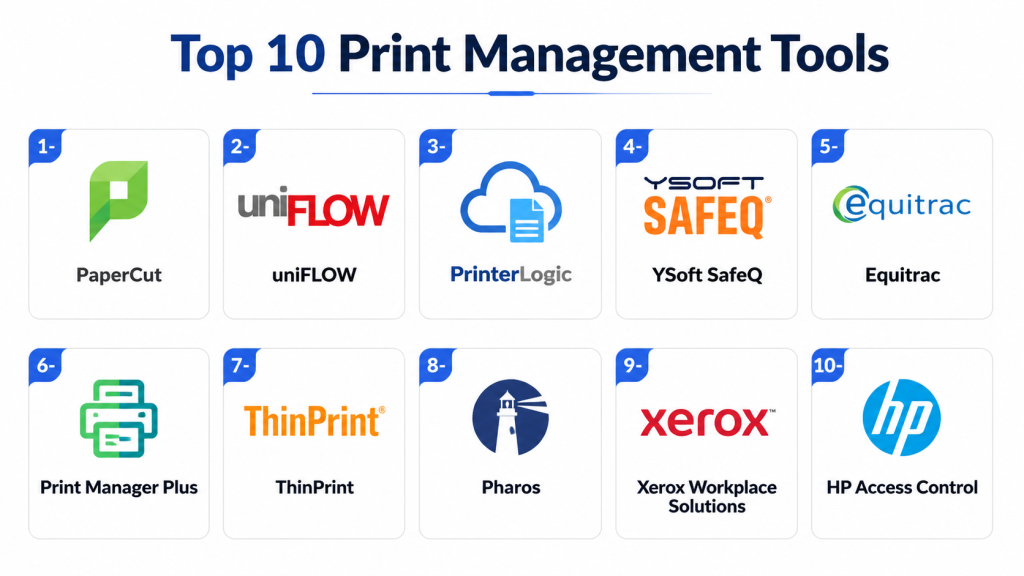
Top 10 Print Management Tools
1 — PaperCut MF
Short description: PaperCut MF is an enterprise print management solution that offers comprehensive control over printers, secure release, cost tracking, and sustainability reporting.
Key Features
- Centralized print tracking and reporting
- Secure print release and authentication
- Rules‑based printing and quotas
- Mobile and cloud print support
- Cost allocation and chargeback
- Sustainability analytics
- Integration with directory services
Pros
- Extremely feature‑rich and scalable
- Excellent security controls and pull printing
- Strong analytics and cost reporting
Cons
- Setup complexity for large fleets
- Licensing cost can be high
- Some mobile workflows require configuration
Platforms / Deployment
- Web, Windows, macOS, Linux
- Cloud, On‑premises/Hybrid
Security & Compliance
- Secure release printing
- User authentication integration
- Audit logs and encryption
Integrations & Ecosystem
Integrates with identity and directory systems for secure access.
- Active Directory
- Azure AD
- Google Workspace
- LDAP
Support & Community
Extensive documentation, global support, and active user community.
2 — UniPrint Infinity
Short description: UniPrint Infinity is a print management and universal printer driver solution designed to simplify print deployment and enhance security and performance.
Key Features
- Universal print driver
- Secure release printing
- Mobile and remote printing
- Print optimization
- Analytics and reporting
- Cloud, on‑premises hybrid support
Pros
- Simplifies driver management
- Secure print release features
- Good remote and mobile support
Cons
- Licensing can be complex
- Analytics are less advanced than some peers
- UI may feel dated
Platforms / Deployment
- Web, Windows, macOS
- Cloud, On‑premises/Hybrid
Security & Compliance
- Secure print release
- Authentication integration
- Encryption
Integrations & Ecosystem
Works with directory and identity services.
- Active Directory
- Azure AD
- LDAP
Support & Community
Support with onboarding and documentation.
3 — PrinterLogic
Short description: PrinterLogic eliminates print servers by delivering direct IP printing with centralized management, secure release, and user self‑service installation.
Key Features
- Serverless print management
- Secure pull printing
- Centralized printer deployment
- User self‑service installation
- Analytics dashboards
- Mobile printing
Pros
- Removes need for print servers
- Great user self‑service capabilities
- Centralized management
Cons
- Smaller analytics depth than some competitors
- Enterprise licensing can be significant
- Onboarding is required for full rollout
Platforms / Deployment
- Web, Windows, macOS
- Cloud, On‑premises/Hybrid
Security & Compliance
- Secure pull printing
- Directory authentication
- Standard encryption
Integrations & Ecosystem
Integrates with directory and identity environments.
- Active Directory
- Azure AD
- Google Workspace
Support & Community
Responsive support with implementation resources.
4 — Y Soft SAFEQ
Short description: Y Soft SAFEQ is a scalable print management and workflow platform with strong cost control, analytics, secure release, and document workflow orchestration.
Key Features
- Secure print release
- Cost allocation and quotas
- Analytics and dashboards
- Mobile and cloud printing
- Document scanning workflows
- Rules‑based printing
- Integration with identity systems
Pros
- Enterprise‑grade analytics
- Strong workflow automation
- Good hybrid deployment support
Cons
- Setup complexity
- Premium pricing
- Admin learning curve
Platforms / Deployment
- Web, Windows, Linux
- Cloud, On‑premises/Hybrid
Security & Compliance
- Pull printing
- Authentication integration
- Audit logging
Integrations & Ecosystem
Integrates with directories and enterprise systems.
- Active Directory
- Azure AD
- LDAP
Support & Community
Enterprise support and consulting services.
5 — Printix
Short description: Printix is a modern cloud print management platform that supports secure printing, mobile access, cloud integration, and analytics for hybrid environments.
Key Features
- Cloud print management
- Secure release
- Mobile and remote printing
- Analytics and usage reports
- Rules‑based policies
- Integration with identity providers
- Automated driver distribution
Pros
- Cloud‑native simplicity
- Good mobile support
- Automated print management
Cons
- Advanced analytics are limited
- On‑premises integration less deep than traditional tools
- Some features require higher plans
Platforms / Deployment
- Web, Windows, macOS, iOS, Android
- Cloud
Security & Compliance
- Secure print release
- Directory authentication
- Encryption
Integrations & Ecosystem
Works with cloud identity systems.
- Azure AD
- Google Workspace
- Active Directory
Support & Community
Responsive support and onboarding resources.
6 — UniFlow
Short description: uniFLOW is a comprehensive print and scan management platform focused on secure printing, cost control, analytics, and workflow integration.
Key Features
- Secure pull printing
- Cost tracking and quotas
- Scan workflows
- Analytics dashboards
- Mobile printing
- Rules‑based policies
- Directory integration
Pros
- Strong enterprise workflow features
- Track and govern print and scan
- Mobile and secure printing
Cons
- Complex pricing
- Setup and configuration require expertise
- UI can feel dated
Platforms / Deployment
- Web, Windows, macOS
- Cloud, On‑premises/Hybrid
Security & Compliance
- Secure authentication
- Encryption
- Audit logs
Integrations & Ecosystem
Supports identity integrations.
- Active Directory
- Azure AD
- LDAP
Support & Community
Enterprise support with configuration help.
7 — Equitrac
Short description: Equitrac is a print management platform offering secure printing, cost recovery, reporting, and rules‑based printing optimized for enterprise and mixed fleets.
Key Features
- Cost recovery and allocation
- Secure print release
- Rules‑based printing
- Detailed reporting
- Print fleet monitoring
- Integration with accounting systems
Pros
- Strong cost allocation features
- Detailed reporting capabilities
- Works with mixed fleets
Cons
- UI is dated
- Analytics require configuration
- Mobile support is limited
Platforms / Deployment
- Web, Windows
- On‑premises/Hybrid
Security & Compliance
- Secure release
- User authentication
- Standard encryption
Integrations & Ecosystem
Integrates with identity and accounting environments.
- Active Directory
- LDAP
- Accounting systems
Support & Community
Support with documentation and enterprise services.
8 — Papercut Hive
Short description: PaperCut Hive is a cloud‑centric print management solution that offers core print governance, secure release, analytics, and simple deployment for SMBs and mid‑market users.
Key Features
- Cloud print governance
- Secure release printing
- Usage analytics
- Mobile printing
- Rules‑based policies
- Simple deployment
Pros
- Affordable and easy to deploy
- Good for SMBs and remote teams
- Cloud‑native simplicity
Cons
- Less deep analytics than enterprise versions
- Limited advanced features
- Core functions only
Platforms / Deployment
- Web, Windows, macOS, iOS, Android
- Cloud
Security & Compliance
- Secure release
- Directory authentication
- Encryption
Integrations & Ecosystem
Works with common identity providers.
- Azure AD
- Google Workspace
- Active Directory
Support & Community
Support with guides and onboarding.
9 — ManagePrint Services
Short description: ManagePrint Services combines print management software with device services and optimization consulting to reduce costs and improve print fleet efficiency.
Key Features
- Usage tracking and reporting
- Device fleet optimization
- Secure print release
- Cost allocation
- Analytics dashboards
- Managed services
Pros
- Combines software with consulting
- Helps reduce operational costs
- Reports tailored to business metrics
Cons
- Consulting services may increase cost
- Less flexible for self‑service IT teams
- Analytics depend on configuration
Platforms / Deployment
- Web, Windows, macOS
- Cloud, On‑premises/Hybrid
Security & Compliance
- Secure release
- Encryption
- Access control
Integrations & Ecosystem
Works with identity and fleet management tools.
- Active Directory
- Azure AD
Support & Community
Professional services and support.
10 — Print Manager Plus
Short description: Print Manager Plus provides print tracking, quota allocation, reporting, and cost‑recovery tools suitable for organizations seeking control and accountability.
Key Features
- Print tracking and reporting
- Quotas and cost allocation
- Detailed usage reports
- Print rules and policies
- User dashboards
- Accounting and billing features
Pros
- Good cost tracking and allocation
- Simple admin dashboards
- Works well for mixed fleets
Cons
- Lacks secure print release
- Mobile and remote workflows are limited
- Not cloud‑native
Platforms / Deployment
- Web, Windows
- On‑premises/Hybrid
Security & Compliance
- LDAP authentication
- Standard encryption
Integrations & Ecosystem
Connects to directory systems.
- Active Directory
- Azure AD
Support & Community
Support with documentation and help resources.
Comparison Table Top 10
| Tool Name | Best For | Platforms Supported | Deployment | Standout Feature | Public Rating |
|---|---|---|---|---|---|
| PaperCut MF | Enterprise print governance | Web, Windows, macOS, Linux | Cloud, On‑premises/Hybrid | Secure release & analytics | N/A |
| UniPrint Infinity | Universal driver management | Web, Windows, macOS | Cloud, On‑premises/Hybrid | Universal print driver | N/A |
| PrinterLogic | Serverless print management | Web, Windows, macOS | Cloud, On‑premises/Hybrid | Serverless deployment | N/A |
| Y Soft SAFEQ | Enterprise workflows | Web, Windows, Linux | Cloud, On‑premises/Hybrid | Workflow automation | N/A |
| Printix | Cloud‑native print | Web, Windows, macOS, iOS, Android | Cloud | Cloud simplicity | N/A |
| uniFLOW | Print and scan governance | Web, Windows, macOS | Cloud, On‑premises/Hybrid | Scan workflows | N/A |
| Equitrac | Cost allocation | Web, Windows | On‑premises/Hybrid | Cost recovery | N/A |
| PaperCut Hive | SMB cloud print | Web, Windows, macOS, iOS, Android | Cloud | Affordable cloud | N/A |
| ManagePrint Services | Software + services | Web, Windows, macOS | Cloud, On‑premises/Hybrid | Professional optimization | N/A |
| Print Manager Plus | Cost tracking | Web, Windows | On‑premises/Hybrid | Cost tracking | N/A |
Evaluation & Scoring
| Tool Name | Core 25% | Ease 15% | Integrations 15% | Security 10% | Performance 10% | Support 10% | Value 15% | Weighted Total |
|---|---|---|---|---|---|---|---|---|
| PaperCut MF | 9 | 7 | 9 | 9 | 9 | 8 | 7 | 8.45 |
| UniPrint Infinity | 8 | 7 | 8 | 8 | 8 | 7 | 7 | 7.75 |
| PrinterLogic | 8 | 8 | 8 | 8 | 8 | 8 | 7 | 7.90 |
| Y Soft SAFEQ | 9 | 7 | 8 | 9 | 9 | 8 | 7 | 8.20 |
| Printix | 8 | 9 | 8 | 8 | 8 | 8 | 8 | 8.15 |
| uniFLOW | 9 | 6 | 8 | 9 | 9 | 8 | 6 | 8.00 |
| Equitrac | 8 | 6 | 7 | 8 | 8 | 7 | 7 | 7.40 |
| PaperCut Hive | 7 | 8 | 7 | 8 | 7 | 8 | 8 | 7.75 |
| ManagePrint Services | 8 | 7 | 7 | 8 | 8 | 7 | 7 | 7.50 |
| Print Manager Plus | 7 | 7 | 6 | 7 | 7 | 7 | 8 | 7.30 |
Which Tool Is Right for You
Solo / Freelancer
- Print Manager Plus or PaperCut Hive for basic tracking and low‑overhead cloud printing.
SMB
- Printix or PaperCut Hive for cloud simplicity and secure release workflows.
Mid‑Market
- PrinterLogic or UniPrint Infinity for centralized management without complex servers.
Enterprise
- PaperCut MF or Y Soft SAFEQ for robust governance, analytics, and hybrid workflows.
Budget vs Premium
- Budget‑friendly: PaperCut Hive, Print Manager Plus
- Premium: PaperCut MF, Y Soft SAFEQ
Feature Depth vs Ease of Use
- Deep enterprise workflows: PaperCut MF, Y Soft SAFEQ
- Easier deployment: Printix, PrinterLogic
Integrations & Scalability
- Strong enterprise integration: PaperCut MF, Y Soft SAFEQ
- Cloud identity focus: Printix, PaperCut Hive
Security & Compliance Needs
- High‑security environments: PaperCut MF, uniFLOW
- Standard print governance: Printix, PrinterLogic
Frequently Asked Questions
1. What is print management software
Print management software helps organizations control printing behavior, secure documents, track usage, and manage printer fleets across locations.
2. Why do organizations use print management tools
These tools reduce waste and cost, enforce secure release printing, provide analytics on usage patterns, and centralize administration for print devices.
3. Do these tools support cloud printing
Yes, cloud‑native platforms like Printix and PaperCut Hive support hybrid and remote printing without traditional server dependencies.
4. What is secure release printing
Secure release printing requires users to authenticate at the printer before their job prints, reducing waste and protecting sensitive documents.
5. Can print management tools integrate with identity systems
Most integrate with directory and identity providers like Active Directory, Azure AD, and Google Workspace for authentication and policies.
6. Are analytics included
Yes, leading tools include dashboards showing usage, cost, trends, and policy compliance to guide optimization.
7. How do these tools improve sustainability
Rules‑based printing, quotas, and analytics help reduce unnecessary prints and promote greener, more sustainable office practices.
8. Do these tools support mobile printing
Many offer mobile and remote print support to enable hybrid workforces to print securely from devices and locations.
9. Which industries need print management software
Healthcare, finance, education, legal, government, and large corporate enterprises benefit due to compliance, high print volumes, and security needs.
10. How should organizations choose a tool
Evaluate deployment model (cloud vs on‑premises), identity integration needs, secure release support, analytics maturity, user experience, and scalability before deciding.
Conclusion
Print Management Tools are a critical foundation for organizations that rely on secure, cost‑controlled printing and fleet administration. SMBs often benefit from cloud‑native solutions like Printix and PaperCut Hive for simplicity and mobile workflows, while enterprises require robust analytics, secure release workflows, hybrid support, and integration with identity and access systems offered by PaperCut MF and Y Soft SAFEQ. Key differentiators include secure release workflows, rules‑based policies, cost and sustainability reporting, mobile and remote print options, and automation of driver deployment. Organizations should shortlist a few platforms, pilot them with real‑world print scenarios, validate integration with directory services and calendars, and measure improvements in cost reduction and security outcomes before full deployment. Choosing the right print management tool can significantly streamline operations, reduce waste, and improve print governance across the organization.

This article provides a clear and practical overview of print management tools. The comparisons are well presented and make it easy to understand how each platform can help improve printing efficiency and control.