Introduction
Mailroom Management Tools are software solutions that help organizations streamline the intake, processing, tracking, sorting, routing, and archiving of physical mail, packages, and courier deliveries. These tools reduce manual effort, improve accuracy in mail distribution, and provide real‑time visibility into incoming and outgoing mail activity. With features such as barcode scanning, digital logging, automated notifications, reporting dashboards, and integration with user directories, Mailroom Management Tools improve efficiency for facilities, reception teams, and operations staff.
In today’s distributed and hybrid workplaces, mailroom operations often span multiple locations, departments, and workflows, making manual processes inefficient and error‑prone. Mailroom Management Tools automate repetitive tasks, ensure accountability, provide searchable archives, and help teams manage volume surges with less administrative burden.
Real‑world use cases include:
- Digital logging and tracking of incoming mail and packages
- Automated notifications to recipients upon arrival
- Barcode scanning and sorting automation
- Multi‑location mail routing and distribution
- Reporting and analytics on mail operations
Evaluation criteria for buyers:
- Barcode and scanning support
- Real‑time tracking and logging features
- Automated notifications and routing
- Integration with directory and communication systems
- Reporting and analytics dashboards
- Custom workflows and automation
- Recipient self‑service portals
- Security and audit trail controls
- Ease of deployment and onboarding
- Mobile or tablet access
Best for: Facilities managers, reception teams, mailroom staff, operations teams, hybrid and distributed workplaces, and organizations that process high volumes of mail and package deliveries.
Not ideal for: Very small offices with minimal mailroom activity that can be managed with basic manual logs or simple email notifications.
Key Trends in Mailroom Management Tools
- Barcode and QR code scanning with mobile or tablet devices
- Automated email and SMS notifications to recipients
- Real‑time mailroom dashboards and tracking views
- Integration with security and access control systems
- Custom workflows for department‑level routing
- Cloud‑based mailroom systems
- Reporting and analytics for volume and cost tracking
- Self‑service portals for recipients
- Package locker and pickup integrations
- Compliance and audit trails for regulated environments
How We Selected These Tools
- Barcode scanning and tracking capabilities
- Integration support with communication and directory systems
- Automation and workflow flexibility
- Real‑time visibility and reporting analytics
- Security, audit trail, and compliance features
- Ease of setup and mobile access
- Scalability for multiple locations
- Support for self‑service recipient workflows
- Vendor reliability and support quality
- Long‑term viability and product roadmap
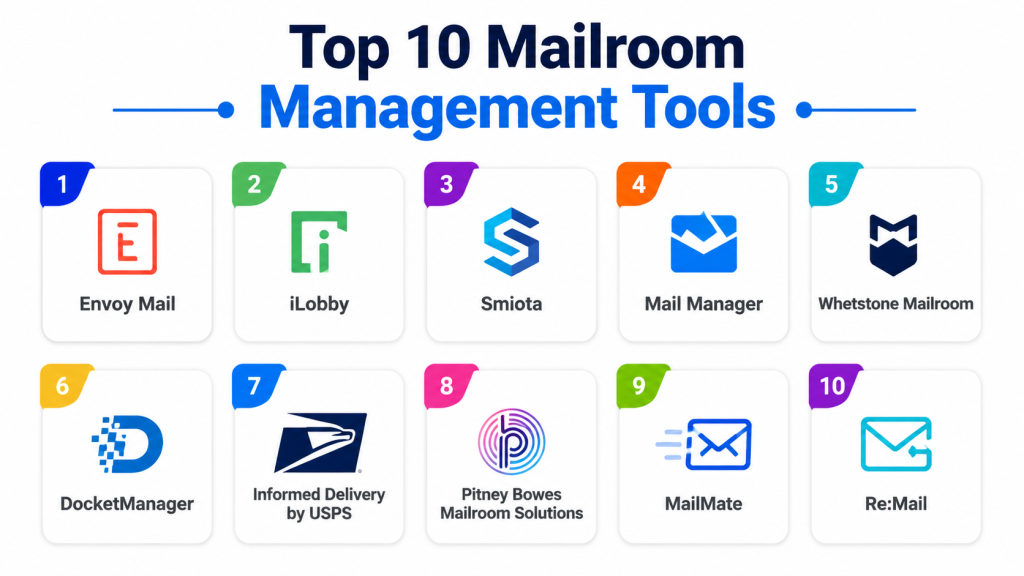
Top 10 Mailroom Management Tools
#1 — Envoy Deliveries
Short description: Envoy Deliveries provides mailroom automation with digital logging, package tracking, automated recipient notifications, and reporting dashboards to streamline mailroom operations.
Key Features
- Barcode scanning and digital logging
- Automatic email and SMS notifications
- Package status tracking
- Searchable history and archive
- Reporting and analytics dashboards
Pros
- Easy to use with intuitive interface
- Real‑time tracking and visibility
- Strong notification system
- Searchable archives
Cons
- Premium pricing for full features
- Some advanced workflows require configuration
- Best suited to mid‑sized and enterprise environments
Platforms / Deployment
- Web / Android / iOS
- Cloud
Security & Compliance
- Encryption and access controls
- Audit logging
- GDPR support
Integrations & Ecosystem
- Directory systems
- Communication tools
- Digital directories
Support & Community
- Enterprise support plans
- Documentation and tutorials
#2 — iPostal1
Short description: iPostal1 is a virtual mailbox and mailroom solution that provides digital mail scanning, forwarding, package notifications, and centralized mail management for organizations and individuals.
Key Features
- Virtual mailbox and scanning
- Package and mail forwarding
- Automated notifications
- Digital mail archive
- Mobile app access
Pros
- Supports physical and virtual mail workflows
- Good mobile accessibility
- Flexible forwarding options
- Centralized mail archive
Cons
- More consumer‑oriented
- Less advanced enterprise automation
- Some features limited on lower plans
Platforms / Deployment
- Web / Android / iOS
- Cloud
Security & Compliance
- Encryption and access controls
- Audit trail features
Integrations & Ecosystem
- Mobile notifications systems
Support & Community
- Documentation and help center
- Customer support
#3 — Pitney Bowes SendSuite
Short description: Pitney Bowes SendSuite is a mailroom software suite that offers mail tracking, package routing, automation workflows, and reporting for corporate mailrooms.
Key Features
- Mail tracking and scanning
- Routing workflows
- Reporting and analytics
- Integration with postal and courier systems
- Volume tracking
Pros
- Enterprise‑grade mailroom features
- Integration with physical mailing systems
- Strong automation workflows
- Designed for high‑volume environments
Cons
- Requires training for advanced features
- Costly for smaller teams
- Setup complexity
Platforms / Deployment
- Web / On‑prem where applicable
- Cloud
Security & Compliance
- Encryption and access control
- Audit logging
Integrations & Ecosystem
- Postal and courier systems
- ERP systems
Support & Community
- Enterprise support
- Technical documentation
#4 — Mailroom Connect
Short description: Mailroom Connect provides digital mail capture, automated routing, barcode scanning, and reporting to help organizations manage physical mail and package workflows.
Key Features
- Digital logging and scanning
- Automated routing workflows
- Barcode support
- Recipient notifications
- Analytics dashboards
Pros
- Simple user interface
- Effective routing automation
- Real‑time tracking
- Good reporting
Cons
- Mid‑tier feature set
- Smaller integration ecosystem
- Advanced features require configuration
Platforms / Deployment
- Web / Cloud
Security & Compliance
- Encryption
- Access controls
- Audit trails
Integrations & Ecosystem
- Directory services
- Notifications systems
Support & Community
- Support channels
- User documentation
#5 — MailManager
Short description: MailManager is a mailroom tool that digitizes incoming mail, automates routing, integrates with systems, and provides tracking and reporting dashboards.
Key Features
- Digital mail capture
- Automated routing and tagging
- Barcode scanning
- Reporting and search
- Alerts and notifications
Pros
- Strong digital logging workflows
- Effective search and archive
- Integration capabilities
- Scalable for medium and large teams
Cons
- Interface not as modern as some competitors
- Setup takes planning
- Advanced automation requires support
Platforms / Deployment
- Web / Cloud
Security & Compliance
- Access controls
- Encryption
- Audit logging
Integrations & Ecosystem
- Directory systems
- Email notifications
Support & Community
- Customer support
- Documentation
#6 — Zoho Mailroom
Short description: Zoho Mailroom integrates mail tracking, notifications, and mail workflows with other Zoho applications to streamline mail handling and operations.
Key Features
- Digital logging and tracking
- Notifications and alerts
- Integration with Zoho suite
- Analytics and reports
- Searchable history
Pros
- Integrated with Zoho ecosystem
- Affordable for SMBs
- Good notification system
- Cloud accessibility
Cons
- Limited advanced automation
- Smaller third‑party ecosystem
- Mid‑tier analytics features
Platforms / Deployment
- Web
- Cloud
Security & Compliance
- Encryption
- Access control
- Audit trails
Integrations & Ecosystem
- Zoho apps
- Notifications systems
Support & Community
- Documentation
- Customer support
#7 — DocuWare Mailroom
Short description: DocuWare Mailroom provides automated capture, indexing, and routing of physical mail and documents into digital workflows for enterprises.
Key Features
- Automated capture and indexing
- OCR support for mail content
- Workflow routing
- Integration with document systems
- Reporting dashboards
Pros
- Enterprise‑grade content capture
- Integrated workflow automation
- OCR and indexing features
- Good compliance support
Cons
- More document‑workflow focus
- Setup complexity
- Premium pricing
Platforms / Deployment
- Web / Cloud
Security & Compliance
- Encryption
- Access control
- Compliance features
Integrations & Ecosystem
- Document management
- ERP systems
Support & Community
- Enterprise support
- Training resources
#8 — Package Tracker Pro
Short description: Package Tracker Pro focuses on tracking packages and deliveries, providing mailroom teams with visibility, alerts, and reporting for inbound logistics.
Key Features
- Package and mail tracking
- Alerts and notifications
- Delivery status updates
- Searchable logs
- Barcode scanning
Pros
- Good package tracking focus
- Real‑time alerts
- Easy to use
Cons
- Limited routing automation
- Fewer integration options
- Analytics limited
Platforms / Deployment
- Web / Cloud
Security & Compliance
- Encryption
- Access control
Integrations & Ecosystem
- Notifications systems
Support & Community
- Customer support
- Documentation
#9 — Mailroom OPS
Short description: Mailroom OPS provides scheduling, tracking, routing, and reporting for mailroom operations with alerts and barcoding to improve workflows.
Key Features
- Real‑time mail tracking
- Barcoding and scanning
- Automated notifications
- Analytics dashboards
- Workflow routing
Pros
- Good tracking and alerts
- Barcode support
- Reporting tools
Cons
- Feature set mid‑tier
- Integration ecosystem limited
- Requires configuration
Platforms / Deployment
- Web / Cloud
Security & Compliance
- Encryption
- Access controls
Integrations & Ecosystem
- Notifications
- Directory systems
Support & Community
- Support resources
- Documentation
#10 — Smartsheet Mailroom Template
Short description: Smartsheet Mailroom Template is a customizable workflow template built on Smartsheet to manage mailroom tasks, tracking, notifications, and reporting for teams that prefer flexible spreadsheet‑style workflows.
Key Features
- Customizable mail tracking template
- Alerts and notifications
- Reporting dashboards
- Task assignments
- Integration with Smartsheet features
Pros
- Highly customizable
- Works with Smartsheet ecosystem
- Affordable and flexible
- Suitable for small to mid‑sized operations
Cons
- Requires manual template setup
- Limited automation outside Smartsheet
- Not a dedicated mailroom system
Platforms / Deployment
- Web
- Cloud
Security & Compliance
- Smartsheet security controls
- Access permissions
Integrations & Ecosystem
- Smartsheet ecosystem
Support & Community
- Smartsheet documentation
- Support resources
Comparison Table
| Tool Name | Best For | Platforms Supported | Deployment | Standout Feature | Public Rating |
|---|---|---|---|---|---|
| Envoy Deliveries | Mailroom automation | Web / Mobile | Cloud | Real‑time tracking & notifications | N/A |
| iPostal1 | Virtual mail solutions | Web / Mobile | Cloud | Virtual mailbox & forwarding | N/A |
| Pitney Bowes SendSuite | High‑volume mailrooms | Web / Cloud | Cloud/On‑prem | Enterprise mailroom automation | N/A |
| Mailroom Connect | Mail routing & reports | Web / Cloud | Cloud | Routing workflows | N/A |
| MailManager | Digital logging & routing | Web / Cloud | Cloud | Scalable tracking & search | N/A |
| Zoho Mailroom | SMB mail workflows | Web | Cloud | Zoho suite integration | N/A |
| DocuWare Mailroom | Document workflows | Web | Cloud | OCR & workflow automation | N/A |
| Package Tracker Pro | Package tracking | Web | Cloud | Package delivery visibility | N/A |
| Mailroom OPS | Mail tracking & routing | Web | Cloud | Barcode & analytics | N/A |
| Smartsheet Mailroom Template | Custom tracking | Web | Cloud | Flexible Smartsheet workflows | N/A |
Evaluation & Scoring of Mailroom Management Tools
| Tool Name | Core 25% | Ease 15% | Integrations 15% | Security 10% | Performance 10% | Support 10% | Value 15% | Weighted Total |
|---|---|---|---|---|---|---|---|---|
| Envoy Deliveries | 9 | 8 | 8 | 8 | 9 | 8 | 8 | 8.4 |
| iPostal1 | 7 | 9 | 7 | 8 | 8 | 8 | 8 | 7.9 |
| Pitney Bowes SendSuite | 8 | 7 | 8 | 8 | 8 | 7 | 7 | 7.7 |
| Mailroom Connect | 8 | 8 | 7 | 8 | 8 | 7 | 7 | 7.7 |
| MailManager | 8 | 7 | 8 | 8 | 8 | 7 | 7 | 7.7 |
| Zoho Mailroom | 7 | 8 | 7 | 8 | 8 | 8 | 8 | 7.7 |
| DocuWare Mailroom | 8 | 7 | 8 | 9 | 8 | 7 | 7 | 7.8 |
| Package Tracker Pro | 7 | 8 | 6 | 8 | 8 | 7 | 7 | 7.0 |
| Mailroom OPS | 7 | 7 | 7 | 8 | 8 | 7 | 7 | 7.1 |
| Smartsheet Mailroom Template | 6 | 7 | 6 | 8 | 7 | 7 | 8 | 7.0 |
Which Mailroom Management Tool Is Right for You?
Solo / Freelancer
Small offices may benefit from Smartsheet Mailroom Template or iPostal1 for lightweight mail tracking and virtual mailbox management.
SMB
Envoy Deliveries, Zoho Mailroom, and Mailroom Connect offer balanced features for mid‑sized teams, automated notifications, and digital logging.
Mid‑Market
MailManager, DocuWare Mailroom, and Pitney Bowes SendSuite provide scalable tracking, routing automation, and reporting for larger operations.
Enterprise
Pitney Bowes SendSuite, Envoy Deliveries, and DocuWare Mailroom are suited for enterprise environments with high volume and complex workflows.
Budget vs Premium
- Budget: Smartsheet Mailroom Template, iPostal1
- Premium: Pitney Bowes SendSuite, Envoy Deliveries
Feature Depth vs Ease of Use
- Ease: iPostal1, Smartsheet Mailroom Template
- Depth: Pitney Bowes SendSuite, DocuWare Mailroom
Integrations & Scalability
Organizations needing deep integrations with calendars, directories, and workflows should prioritize tools with robust ecosystems.
Security & Compliance Needs
Secure mailroom environments should focus on encryption, audit trails, access control, and compliance support.
Frequently Asked Questions
1. What is a Mailroom Management Tool?
A Mailroom Management Tool helps organizations digitize, track, route, and analyze physical mail and package workflows to improve accuracy and efficiency.
2. What features should buyers look for?
Look for barcode scanning, automated notifications, routing workflows, integration with directories, and reporting analytics to support workflows.
3. Can these tools integrate with communication systems?
Yes. Many tools notify recipients via email and SMS directly when mail or packages arrive.
4. Do tools provide analytics?
Most Mailroom Management Tools include reporting dashboards to analyze volume, turnaround times, and cost.
5. Are there mobile options?
Yes. Many platforms support Android and iOS apps for scanning, tracking, and logging on the go.
6. Do these tools support multiple locations?
Yes. Enterprise‑focused tools support fleet deployments, multiple mailrooms, and centralized dashboards.
7. Is training required?
Complex enterprise solutions may require training, while simpler tools have intuitive interfaces that need minimal onboarding.
8. Can tools handle packages and mail?
Yes. Most support both mail and package tracking with notifications and searchable logs.
9. Are these solutions secure?
Enterprise tools use encryption, access controls, audit trails, and compliance features to protect operations data.
10. What should organizations evaluate first?
Evaluate integration with directory services, barcode support, notification workflows, analytics, and deployment scale.
Conclusion
Mailroom Management Tools provide digital logging, tracking, notifications, and automation to transform mailroom operations into efficient, accurate, and transparent workflows. From basic templates like Smartsheet Mailroom Template and virtual solutions like iPostal1 to enterprise‑grade suites like Pitney Bowes SendSuite, Envoy Deliveries, and DocuWare Mailroom, organizations of all sizes can find tools suited to their needs. Start by identifying your mail volume, workflow complexity, and integration needs, shortlist platforms aligned with your directory and notification systems, and pilot tracking and routing workflows to assess adoption and impact. Implementing a robust mailroom management solution strengthens accountability, improves distribution efficiency, and provides valuable operational insights.

This was a helpful and informative comparison of mailroom management tools. The feature breakdown is easy to understand and provides useful insights into how different solutions streamline mail handling processes.