Introduction
Meeting Transcription Tools are software platforms designed to convert spoken conversations from meetings, presentations, interviews, and webinars into accurate, searchable text. These tools help teams capture key insights, generate summaries, enhance accessibility, and streamline note‑taking without manual effort. By combining speech‑to‑text engines with collaboration features, keyword highlights, and integrations with communication platforms, Meeting Transcription Tools improve productivity and knowledge capture.
In hybrid and remote work environments, meetings occur constantly across teams and time zones. Manual transcription is inefficient, inconsistent, and often inaccurate. Meeting Transcription Tools automate this process, enabling participants to focus on engagement instead of typing notes. The result is more complete records, better knowledge management, and improved decision‑making.
Real‑world use cases include:
- Recording and transcribing internal meetings
- Transcribing client calls and sales demos
- Generating searchable archives of webinars and interviews
- Providing accessibility through written transcripts
- Creating summaries and action items automatically
Evaluation criteria for buyers:
- Accuracy of speech‑to‑text conversion
- Support for multiple languages and accents
- Real‑time versus post‑meeting transcription
- Speaker identification and speaker separation
- Summarization and keyword extraction
- Integration with meeting and collaboration platforms
- Searchable transcript libraries
- Security and compliance controls
- Ease of use and onboarding
- Export formats and collaboration features
Best for: Remote and hybrid teams, sales and customer success teams, HR and recruiting functions, research groups, accessibility services, content creators, and businesses seeking accurate, automated documentation of meetings.
Not ideal for: Very small teams with infrequent meetings or organizations where manual note‑taking suffices.
Key Trends in Meeting Transcription Tools
- AI‑driven summarization and action item extraction
- Automatic speaker identification and diarization
- Real‑time transcription during live meetings
- Language translation and multilingual support
- Integration with video conferencing and collaboration platforms
- Searchable transcript libraries and tagging
- Smart keyword detection and topic grouping
- Voice recognition personalization per user
- Compliance with privacy and data governance standards
- Enhanced accessibility features for hearing‑impaired users
How We Selected These Tools
- Accuracy and quality of speech‑to‑text engines
- Support for live and post‑meeting transcription
- Integration ecosystem with video conferencing and productivity apps
- AI summarization and insight features
- Security, privacy, and compliance
- Multi‑language and accent support
- Search and archival transcript capabilities
- Customization and export options
- Usability and onboarding ease
- Vendor support and long‑term viability
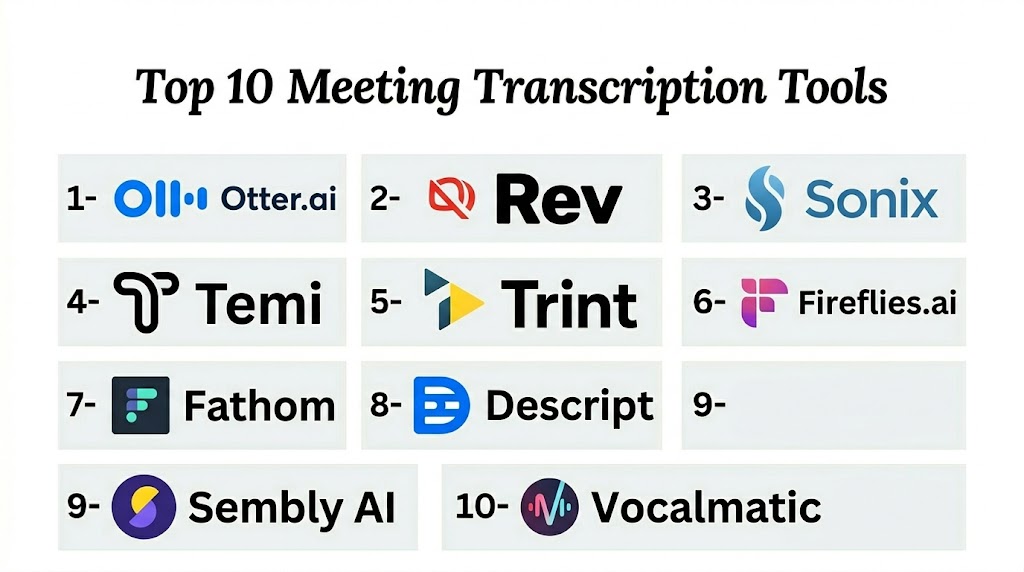
Top 10 Meeting Transcription Tools
#1 — Otter.ai
Short description: Otter.ai provides real‑time and post‑meeting transcription with speaker identification, searchable transcripts, and summaries designed for teams and individuals.
Key Features
- Real‑time and post‑meeting transcription
- Speaker identification
- Searchable transcripts with keyword highlights
- Automated summaries and key points
- Integration with video conferencing
- Export to multiple formats
Pros
- High transcription accuracy
- Easy to use with real‑time notes
- Collaborative transcript sharing
- Good integration ecosystem
Cons
- Advanced features require premium subscriptions
- Accuracy can vary with noisy environments
- Limited language support compared to some competitors
Platforms / Deployment
- Web / Windows / macOS / Android / iOS
- Cloud
Security & Compliance
- Encryption in transit and at rest
- Access controls and permissions
- GDPR support
Integrations & Ecosystem
- Video conferencing platforms
- Productivity and collaboration tools
- Calendar systems
Support & Community
- Email and documentation support
- Tutorials and onboarding resources
#2 — Rev
Short description: Rev offers human‑assisted and automated transcription services, combining accuracy with flexible delivery options for diverse meeting and content types.
Key Features
- Automated and human‑assisted transcription
- Speaker identification
- Multiple export formats
- Captioning and subtitling options
- Searchable transcripts
Pros
- Human‑assisted accuracy option
- Flexible transcription offerings
- Supports captions and subtitles
- High accuracy for clarity
Cons
- Human services cost more
- Workflow slower than fully automated tools
- Limited real‑time transcription
Platforms / Deployment
- Web / Cloud
Security & Compliance
- Encryption and secure delivery
- Access controls
Integrations & Ecosystem
- Collaboration tools
- Video platforms
- Content workflows
Support & Community
- Customer support channels
- Documentation
#3 — Descript
Short description: Descript is a recording, transcription, and editing tool that turns audio and video into editable text with powerful editing, collaboration, and sharing features.
Key Features
- Audio and video transcription
- Text‑based editing of media
- Automated summaries and highlights
- Search and keyword tagging
- Export to multiple formats
Pros
- Integrated transcription and editing
- Excellent for podcasts and videos
- Collaborative features
- High accuracy
Cons
- Steeper learning curve
- Premium pricing for full features
- More than basic transcription for simple meetings
Platforms / Deployment
- Windows / macOS / Web
- Cloud
Security & Compliance
- Encryption
- Access controls
Integrations & Ecosystem
- Collaboration tools
- Content creation workflows
Support & Community
- Documentation and tutorials
- Community forums
#4 — Zoom Transcription
Short description: Zoom Transcription provides live and post‑meeting transcription within the Zoom video conferencing platform, enabling searchable transcripts for recorded meetings.
Key Features
- Live and recorded meeting transcription
- Speaker identification
- Searchable text
- Automated summaries
- Integration with Zoom recordings
Pros
- Built‑in Zoom integration
- Real‑time captions
- Easy access for Zoom users
- Searchable archives
Cons
- Best for Zoom‑centric workflows
- Limited advanced analytics
- Features depend on Zoom subscription tier
Platforms / Deployment
- Web / Desktop / Mobile
- Cloud
Security & Compliance
- Zoom security controls
- Encryption
- Access permissions
Integrations & Ecosystem
- Zoom ecosystem
- Calendar integrations
Support & Community
- Zoom support
- Help documentation
#5 — Google Meet Transcription
Short description: Google Meet Transcription enables live captioning and post‑meeting transcripts for meetings held in Google Meet, providing basic transcription and text export.
Key Features
- Live captioning
- Post‑meeting transcripts
- Speaker labels
- Search within transcripts
- Integration with Google Workspace
Pros
- Seamless Google Workspace integration
- Reliable basic transcription
- Easy setup for teams using Google Meet
Cons
- Basic feature set compared to specialized tools
- Limited summary and insight features
- Quality varies with speaker clarity
Platforms / Deployment
- Web / Mobile
- Cloud
Security & Compliance
- Workspace security controls
- Encryption and permissions
Integrations & Ecosystem
- Google Workspace apps
Support & Community
- Documentation
- Workspace support
#6 — Microsoft Teams Transcription
Short description: Microsoft Teams Transcription provides live transcripts and searchable meeting notes within the Teams collaboration platform for real‑time and post‑meeting review.
Key Features
- Live transcription during Teams meetings
- Speaker identification
- Searchable transcripts
- Integration with Teams recordings
- Export available
Pros
- Deep Microsoft 365 integration
- Real‑time transcription
- User familiarity for Teams users
Cons
- Feature availability depends on subscription
- Less flexible than standalone tools
- Limited advanced filtering
Platforms / Deployment
- Web / Desktop / Mobile
- Cloud
Security & Compliance
- Microsoft security standards
- Encryption and access controls
Integrations & Ecosystem
- Teams ecosystem
- Calendar and collaboration platforms
Support & Community
- Microsoft support
- Training and documentation
#7 — Fathom
Short description: Fathom is a meeting assistant that automatically transcribes calls, highlights key moments, and generates shareable summaries for collaborative teams.
Key Features
- Automated transcription
- Highlight and clip key moments
- Summary generation
- Searchable transcripts
- Export and sharing
Pros
- Focused on insights and summaries
- Easy sharing of highlights
- Integrates with major meeting platforms
Cons
- Niche focus on summaries
- Subscription pricing for full features
- Limited language support
Platforms / Deployment
- Web / Cloud
Security & Compliance
- Encryption
- Access controls
Integrations & Ecosystem
- Meeting platforms
- Collaboration tools
Support & Community
- Documentation
- Support resources
#8 — Fireflies.ai
Short description: Fireflies.ai is an AI‑powered assistant that captures meeting audio, transcribes conversations, and provides keyword search, summaries, and collaboration features.
Key Features
- Automated live and post‑meeting transcription
- Keyword search and tagging
- Summaries and insights
- Integration with meeting platforms
- Searchable transcript archives
Pros
- Strong AI capabilities
- Good search and insights
- Broad integration support
- Real‑time and post‑meeting options
Cons
- Accuracy varies with audio quality
- Advanced features require subscription
- Some integrations need configuration
Platforms / Deployment
- Web / Desktop / Mobile
- Cloud
Security & Compliance
- Encryption
- Access controls
Integrations & Ecosystem
- Video conferencing
- Collaboration and productivity tools
Support & Community
- Documentation
- Tutorials
- Support channels
#9 — Gong.io
Short description: Gong.io provides meeting transcription along with sales intelligence, call analytics, and performance insights for revenue teams and customer‑facing organizations.
Key Features
- Automated transcription
- Conversation analytics
- Deal insights and tracking
- Keyword and topic extraction
- Sales performance dashboards
Pros
- Deep sales analytics integration
- Actionable insights for revenue teams
- Scalable enterprise deployment
Cons
- Premium pricing
- Focused on sales use cases
- Complexity for non‑sales teams
Platforms / Deployment
- Web / Cloud
Security & Compliance
- Encryption
- Access controls
Integrations & Ecosystem
- CRM and sales tools
- Collaboration platforms
Support & Community
- Enterprise support
- Training resources
#10 — Chorus.ai
Short description: Chorus.ai offers AI‑powered meeting transcription and analysis to help teams derive insights from conversations, with strong focus on sales engagements and coaching.
Key Features
- Automated transcription
- Conversation insights
- Coaching and performance analytics
- Keyword extraction
- Searchable library
Pros
- Detailed analytical insights
- Useful for sales and coaching
- Scalable
Cons
- Enterprise pricing
- Narrow focus on sales
- Learning curve for analytics
Platforms / Deployment
- Web / Cloud
Security & Compliance
- Encryption
- Access controls
Integrations & Ecosystem
- CRM
- Meeting and collaboration tools
Support & Community
- Support plans
- Training
Comparison Table
| Tool Name | Best For | Platforms Supported | Deployment | Standout Feature | Public Rating |
|---|---|---|---|---|---|
| Otter.ai | Teams and individuals | Web / Mobile / Desktop | Cloud | Summaries and speaker identification | N/A |
| Rev | High‑accuracy transcription | Web | Cloud | Human‑assisted transcription option | N/A |
| Descript | Media and content editing | Web / Desktop | Cloud | Editable transcripts and media tools | N/A |
| Zoom Transcription | Zoom users | Web / Desktop / Mobile | Cloud | Built‑in Zoom transcript | N/A |
| Google Meet Transcription | Workspace users | Web / Mobile | Cloud | Basic live transcription | N/A |
| Microsoft Teams Transcription | Teams collaboration | Web / Desktop / Mobile | Cloud | Integrated Teams transcripts | N/A |
| Fathom | Highlight‑centric meetings | Web | Cloud | Key moments and summaries | N/A |
| Fireflies.ai | Broad integrations | Web / Desktop / Mobile | Cloud | Strong AI search & summaries | N/A |
| Gong.io | Revenue teams | Web | Cloud | Analytics + insights for sales | N/A |
| Chorus.ai | Sales coaching and analysis | Web | Cloud | Sales conversation analytics | N/A |
Evaluation & Scoring of Meeting Transcription Tools
| Tool Name | Core 25% | Ease 15% | Integrations 15% | Security 10% | Performance 10% | Support 10% | Value 15% | Weighted Total |
|---|---|---|---|---|---|---|---|---|
| Otter.ai | 9 | 9 | 8 | 8 | 9 | 8 | 8 | 8.6 |
| Rev | 8 | 7 | 7 | 8 | 8 | 7 | 7 | 7.6 |
| Descript | 9 | 7 | 8 | 8 | 8 | 8 | 7 | 8.0 |
| Zoom Transcription | 7 | 9 | 7 | 8 | 8 | 8 | 8 | 7.9 |
| Google Meet Transcription | 7 | 9 | 7 | 8 | 8 | 8 | 8 | 7.9 |
| Microsoft Teams Transcription | 8 | 8 | 8 | 9 | 8 | 8 | 7 | 8.0 |
| Fathom | 8 | 8 | 7 | 7 | 8 | 7 | 7 | 7.7 |
| Fireflies.ai | 8 | 8 | 8 | 8 | 8 | 7 | 7 | 7.9 |
| Gong.io | 9 | 7 | 8 | 8 | 9 | 8 | 7 | 8.2 |
| Chorus.ai | 9 | 7 | 8 | 8 | 9 | 8 | 7 | 8.1 |
Which Meeting Transcription Tool Is Right for You?
Solo / Freelancer
Otter.ai, Fireflies.ai, and Zoom Transcription provide easy‑to‑use transcription and summaries for individual professionals.
SMB
Otter.ai, Descript, and Fireflies.ai offer robust transcription with collaboration features and summary capabilities.
Mid‑Market
Microsoft Teams Transcription, Zoom Transcription, and Fathom support team workflows with integrated meeting and transcript features.
Enterprise
Gong.io, Chorus.ai, and Otter.ai Enterprise provide advanced analytics, integrations, and scalability for large organizations.
Budget vs Premium
- Budget: Google Meet Transcription, Zoom Transcription
- Premium: Gong.io, Chorus.ai, Descript
Feature Depth vs Ease of Use
- Ease: Otter.ai, Google Meet Transcription, Zoom Transcription
- Depth: Gong.io, Chorus.ai, Descript
Integrations & Scalability
Organizations needing broad ecosystem support should choose platforms with strong integrations into collaboration, CRM, and analysis tools.
Security & Compliance Needs
Enterprise environments should focus on encryption, access controls, audit logging, and data governance features.
Frequently Asked Questions
1. What is a Meeting Transcription Tool?
A Meeting Transcription Tool automatically converts spoken language from meetings into written text, capturing conversations in real‑time or after the meeting finishes.
2. Why do teams use transcription tools?
Teams use transcription tools to capture accurate records of discussions, create searchable archives, improve accessibility, and support collaboration and decision‑making.
3. How accurate are automated transcriptions?
Accuracy depends on audio quality, accents, and noise levels. Many tools use AI to improve accuracy, and some offer human‑assisted options for higher precision.
4. Do these tools support real‑time transcription?
Yes. Many tools provide live transcription during meetings, allowing participants to follow along in text as the conversation happens.
5. Can transcriptions identify speakers?
Many tools offer speaker identification and separation to distinguish dialogue between multiple participants.
6. Are transcripts searchable?
Yes. Most tools provide searchable transcripts with keyword highlights and tagging to quickly find relevant content.
7. Do meeting transcription tools integrate with other apps?
Yes. Integrations with video conferencing, CRM, calendars, and collaboration platforms are common to streamline workflows.
8. Can these tools generate summaries?
Many modern transcription tools include AI‑generated summaries and key points to save time and improve understanding.
9. Are transcripts secure?
Enterprise tools include encryption, access controls, compliance support, and governance features to protect sensitive meeting content.
10. What export formats are available?
Users can export transcripts to formats like text files, PDFs, Word documents, or subtitle files depending on the platform.
Conclusion
Meeting Transcription Tools save time, improve accuracy, and enhance knowledge capture across teams by converting spoken conversations into text with searchable, shareable, and actionable transcripts. From simple built‑in options like Google Meet Transcription and Zoom Transcription to feature‑rich platforms such as Otter.ai, Descript, Gong.io, and Chorus.ai, the right choice depends on your organization’s workflow, integration needs, and analytic requirements. Start by identifying your transcription goals, shortlist tools compatible with your conferencing and productivity ecosystems, and pilot automated transcription settings to measure accuracy, adoption, and insights. Implementing a reliable transcription strategy enhances collaboration, accessibility, and decision‑making across teams.

This was an informative comparison of meeting transcription tools with a clear breakdown of features and capabilities. The article makes it easy to understand the differences between platforms and their potential benefits.