Crowd Management Tools help venues, event organizers, stadium operators, transport hubs, campuses, malls, and public safety teams monitor, guide, and control large groups of people in real time. These tools combine people counting, crowd density monitoring, queue management, access control, indoor positioning, analytics dashboards, alerts, and sometimes AI-based video intelligence. Modern crowd management is not only about security; it is also about comfort, faster movement, better staff deployment, and safer visitor experiences. Platforms such as Xovis focus on real-time and historical people-flow insights, while Crowd Connected supports wayfinding, tracking, and occupancy counting for moving people and assets.
Why It Matters
Poor crowd planning can create long queues, bottlenecks, unsafe congestion, entry delays, emergency response gaps, and negative guest experiences. A strong crowd management tool gives operations teams visibility into density, movement patterns, entry points, exits, queues, and high-risk zones. Many modern tools also support real-time dashboards, predictive planning, route optimization, and alerting, helping teams respond before small issues become major incidents. AI and computer vision are increasingly used for crowd counting, people tracking, and anomaly detection in crowded spaces.
Real-World Use Cases
- Stadiums monitoring gate queues, concourse crowding, and exit flow
- Festivals managing entry lanes, VIP zones, vendor areas, and emergency routes
- Airports tracking passenger flow through check-in, security, and boarding areas
- Shopping malls monitoring visitor density and queue pressure
- Public events using dashboards to detect congestion and deploy staff quickly
- Conferences tracking room capacity, session movement, and check-in volume
- Transport hubs managing pedestrian flow during peak hours
Evaluation Criteria for Buyers
- Real-time crowd density monitoring
- People counting accuracy
- Queue and bottleneck detection
- Integration with CCTV, sensors, ticketing, and access systems
- Alerting and incident response workflows
- Dashboards and historical analytics
- Multi-zone and multi-venue support
- Ease of deployment and staff usability
- Privacy, security, and compliance controls
- Reporting for safety, planning, and operations
Best for: Stadiums, event venues, airports, campuses, malls, festivals, convention centers, transport hubs, and public safety teams that need live crowd visibility and better movement control.
Not ideal for: Very small events where simple manual headcount, basic ticket scanning, or standard venue staffing is enough.
Key Trends in Crowd Management Tools
- Real-time crowd intelligence: Venues now want live dashboards showing crowd density, gate pressure, queue build-up, and movement flow.
- AI-based video analytics: Computer vision is being used for crowd counting, behavior detection, and movement analysis.
- Sensor-based people counting: Dedicated people-counting sensors help measure flow without relying only on ticket scans.
- Indoor positioning and wayfinding: Tools now help visitors move through complex spaces more easily while giving teams movement visibility.
- Predictive crowd planning: Some platforms support simulation and planning before the event starts.
- Integrated safety workflows: Crowd monitoring is becoming connected with access control, emergency response, security teams, and command centers.
- Privacy-aware analytics: Buyers are paying closer attention to data minimization, anonymization, and privacy controls.
- Multi-zone operations: Large venues need different rules for gates, seating areas, concessions, VIP sections, transport points, and emergency exits.
- Post-event reporting: Historical data helps teams improve layouts, staffing, entry timing, and vendor placement.
- Mobile command access: Operations teams increasingly need dashboards that work from tablets, control rooms, and field devices.
How We Selected These Tools
- Strong relevance to crowd monitoring, people flow, access, queue, or venue operations
- Practical use for physical spaces and live events
- Ability to support large or high-traffic environments
- Analytics and reporting depth
- Real-time visibility and alerting capabilities
- Integration potential with cameras, sensors, ticketing, access control, or venue systems
- Deployment flexibility for venues, campuses, stadiums, and public spaces
- Ease of use for operations and security teams
- Credibility in event, venue, or facility environments
- Scalability for multi-zone or multi-site operations
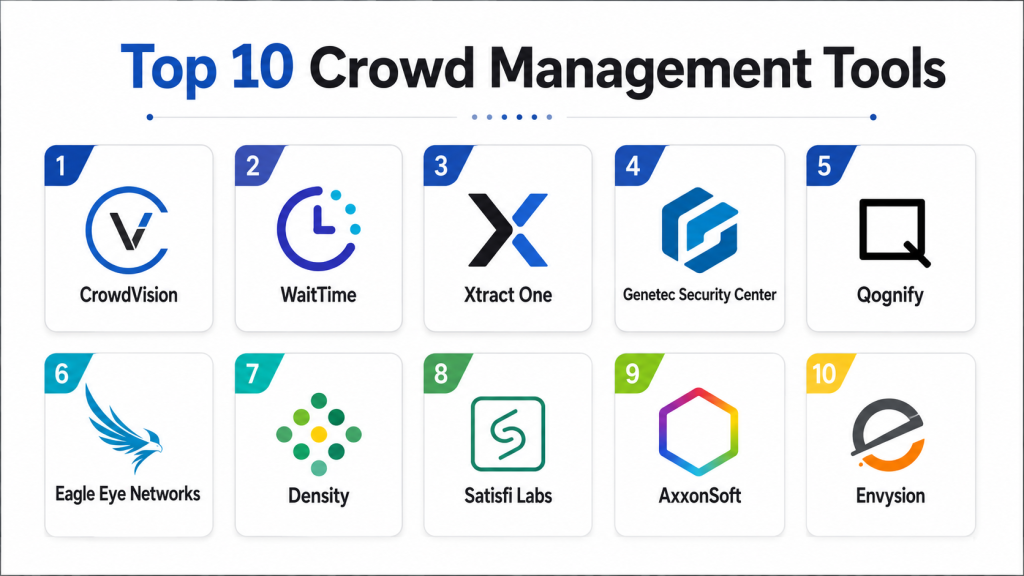
Top 10 Crowd Management Tools
1- Crowd Connected
Crowd Connected is a location intelligence platform focused on wayfinding, tracking, occupancy counting, and movement analytics. It is useful for venues, campuses, events, and smart buildings that need to understand how people and assets move through physical environments. The platform can support visitor navigation, indoor positioning, crowd flow insights, and operational visibility. It is especially valuable when teams want to combine visitor experience improvement with practical crowd movement data.
Key Features
- Indoor positioning and wayfinding
- Occupancy counting
- People and asset tracking
- Location analytics
- Event and smart building support
- Movement pattern visibility
- Operational insights for physical spaces
Pros
- Strong fit for venues with complex navigation needs
- Useful for both visitor experience and operations
- Good option for indoor movement intelligence
Cons
- May require location infrastructure planning
- Best value appears in larger or more complex environments
- Pricing details may vary by deployment
Platforms / Deployment
- Cloud-based platform
- Event and smart building deployment
- Mobile and location-aware experience support
Security & Compliance
- Not publicly stated in full detail
Integrations & Ecosystem
Crowd Connected can fit into environments where teams need wayfinding, occupancy, movement tracking, and location-based analytics. It may be used alongside event apps, building systems, maps, operational dashboards, and visitor engagement systems depending on deployment needs.
Support & Community
- Vendor support available
- Documentation and deployment guidance likely vary by plan
- Best suited for teams that can plan implementation with technical support
2- Xovis
Xovis provides people-flow measurement solutions using sensor-based analytics for venues, airports, retail spaces, and live events. It helps teams understand how people move through indoor and outdoor environments with real-time and historical data. For event planners and venue operators, Xovis can support crowd flow optimization, bottleneck detection, space usage analysis, and operational reporting. It is especially useful for organizations that want reliable counting and movement visibility without depending only on manual observation.
Key Features
- People counting sensors
- Real-time people-flow data
- Historical movement analytics
- Crowd density visibility
- Bottleneck and process analysis
- Event and venue use cases
- Reporting for planning and optimization
Pros
- Strong people-counting focus
- Useful for high-traffic environments
- Helps improve layouts, staffing, and crowd flow
Cons
- Hardware deployment may require planning
- Best suited for physical venues with measurable flow zones
- May need integration work for full operational command centers
Platforms / Deployment
- Sensor-based deployment
- Analytics platform
- Suitable for venues, airports, retail, and event environments
Security & Compliance
- Not publicly stated in full detail
Integrations & Ecosystem
Xovis can be useful when combined with venue operations dashboards, facility analytics, business intelligence tools, and planning workflows. It is more sensor-focused than general event management software.
Support & Community
- Vendor support available
- Deployment support may be required for sensor placement and configuration
- Useful for operations, planning, and facility analytics teams
3- WaitTime
WaitTime is a crowd intelligence and line management platform designed to help venues understand congestion, wait times, and crowd movement. It is especially relevant for stadiums, arenas, entertainment venues, and large public spaces where queues and crowd density directly affect guest experience. The tool focuses on helping teams identify where crowd pressure is building so they can redirect visitors, deploy staff, and improve movement across the venue.
Key Features
- Crowd density analytics
- Queue and wait-time visibility
- Real-time operational dashboards
- Venue flow insights
- Bottleneck detection
- Guest experience optimization
- Large venue support
Pros
- Strong for stadiums and live event venues
- Helps reduce congestion and improve movement
- Useful for guest experience and operations teams
Cons
- More useful for larger venues than small events
- May require camera or sensor integration
- Public technical details may vary by deployment
Platforms / Deployment
- Cloud-based analytics
- Venue-based deployment
- Works best in high-traffic physical environments
Security & Compliance
- Not publicly stated
Integrations & Ecosystem
WaitTime can be used alongside venue operations systems, cameras, dashboards, and guest experience tools. It is best when integrated into a broader operational workflow for staffing, signage, and crowd routing.
Support & Community
- Vendor support available
- Best suited for operations teams needing guided implementation
- Support details vary by contract
4- Density
Density provides occupancy analytics and space utilization intelligence for workplaces, campuses, retail spaces, and public environments. It helps teams understand how spaces are used, how many people are present, and where occupancy patterns change over time. While it is often used for workplace analytics, it can also support crowd-aware planning in facilities, large buildings, and controlled spaces. Its strength is privacy-conscious occupancy intelligence rather than full event ticketing or access management.
Key Features
- Occupancy measurement
- Space utilization analytics
- People counting
- Real-time and historical dashboards
- Workplace and facility intelligence
- Capacity planning insights
- Multi-location visibility
Pros
- Strong for occupancy and space analytics
- Useful for facility planning and safety thresholds
- Good fit for buildings and campuses
Cons
- Not a complete event operations suite
- May need additional tools for access control and ticket scanning
- Best value comes from ongoing space analytics
Platforms / Deployment
- Sensor and cloud analytics deployment
- Web-based dashboards
- Suitable for offices, campuses, and facilities
Security & Compliance
- Not publicly stated in full detail
Integrations & Ecosystem
Density can connect with workplace, facility, and analytics ecosystems depending on the deployment. It is best used where occupancy trends and space usage are important for decisions.
Support & Community
- Vendor support available
- Deployment support may be needed
- Best for facility, workplace, and operations teams
5- BriefCam
BriefCam is a video analytics platform that can support crowd management through video search, review, and analytics. It is useful for security teams that need to understand movement patterns, investigate incidents, and analyze large amounts of video footage. In crowd-heavy spaces, BriefCam can help identify patterns, review events faster, and support operational security workflows. It is more security-video focused than event management focused.
Key Features
- Video analytics
- Object and people search
- Video review acceleration
- Crowd and movement insights
- Incident investigation support
- Security operations use cases
- Dashboard and reporting capabilities
Pros
- Strong for video-based investigation
- Useful for security and command centers
- Helps teams review footage faster
Cons
- Requires video infrastructure
- Not designed as a standalone event planning tool
- May require technical configuration
Platforms / Deployment
- Video analytics platform
- Works with surveillance environments
- Deployment varies by security architecture
Security & Compliance
- Not publicly stated in full detail
Integrations & Ecosystem
BriefCam is commonly positioned around video management and security operations. It can complement CCTV, VMS, command center, and incident response systems.
Support & Community
- Vendor support available
- Security team onboarding may be needed
- Documentation and technical support vary by deployment
6- Ipsotek
Ipsotek, part of Eviden, provides AI video analytics for safety, security, and operational monitoring. It can support crowd management by analyzing video feeds for movement, congestion, behavior, and situational awareness. The platform is relevant for public safety, transport, critical infrastructure, and venues that already rely on camera systems. It is best suited for organizations needing AI-assisted video intelligence rather than simple event check-in or queue tools.
Key Features
- AI video analytics
- Crowd and movement monitoring
- Behavior-based rules
- Security event detection
- Operational alerts
- Surveillance system integration
- Public safety and infrastructure use cases
Pros
- Strong AI video analytics focus
- Useful for security-heavy environments
- Can support complex monitoring rules
Cons
- Requires camera infrastructure
- May be too advanced for small event teams
- Setup and tuning may require expertise
Platforms / Deployment
- Video analytics deployment
- Works with surveillance environments
- Suitable for venues, transport, and public spaces
Security & Compliance
- Not publicly stated in full detail
Integrations & Ecosystem
Ipsotek can fit into video surveillance, public safety, and security operations ecosystems. It is best when connected with cameras, monitoring teams, and alert response workflows.
Support & Community
- Enterprise vendor support available
- Implementation support likely required
- Best for trained security and operations teams
7- Genetec Security Center
Genetec Security Center is a unified security platform that brings video surveillance, access control, and other security operations into one environment. For crowd management, it can help teams monitor entry points, public areas, restricted zones, and movement through camera and access control data. It is not only a crowd analytics tool, but it is highly relevant for organizations that want crowd visibility as part of a broader security operations platform.
Key Features
- Unified security platform
- Video surveillance management
- Access control management
- Incident monitoring
- Security dashboards
- Multi-site operations
- Integration ecosystem
Pros
- Strong for enterprise security environments
- Useful when access control and video need to work together
- Scales across large facilities and campuses
Cons
- More complex than simple crowd tools
- May require security system expertise
- Pricing and setup vary significantly
Platforms / Deployment
- Enterprise security platform
- Cloud, hybrid, or on-premises options may vary
- Suitable for large venues, campuses, and critical facilities
Security & Compliance
- Not publicly stated in full detail for every deployment
Integrations & Ecosystem
Genetec has a broad security ecosystem and can integrate with cameras, access devices, alarms, analytics tools, and operational systems depending on the environment.
Support & Community
- Enterprise support available
- Partner and integrator ecosystem
- Strong fit for professional security teams
8- CrowdPass
CrowdPass is an event management and access control platform focused on registration, NFC access control, and real-time analytics. It is useful for organizers that want to combine attendee registration, entry validation, access workflows, and event intelligence. CrowdPass publicly positions itself around secure, data-driven event experiences and highlights event access capabilities. It also states SOC 2 compliance on its site.
Key Features
- Event registration
- NFC access control
- Real-time analytics
- Attendee management
- Event access workflows
- Secure check-in support
- Multi-event use cases
Pros
- Combines registration and access control
- Useful for modern event entry workflows
- Strong fit for organizers needing attendee data and access visibility
Cons
- May not replace dedicated crowd density analytics
- Best within event registration and access workflows
- Hardware and deployment needs may vary
Platforms / Deployment
- Cloud-based event platform
- NFC and access-control oriented deployment
- Suitable for events of different sizes
Security & Compliance
- SOC 2 compliance is publicly stated by the vendor
Integrations & Ecosystem
CrowdPass can support event registration, access control, real-time analytics, and attendee operations. It may work alongside badge, access, CRM, and reporting workflows depending on event requirements.
Support & Community
- Vendor support available
- Event onboarding support likely available
- Best for teams managing registration and access together
9- Virtual Venue
Virtual Venue offers operational crowd management software for stadiums and arenas. It focuses on crowd flow, access, safety, route planning, and real-time monitoring during live events. The platform highlights features such as digital simulations, real-time crowd monitoring, accessibility route planning, and dynamic crowd control. This makes it a strong fit for large sports venues and event spaces that need planning and live operational response.
Key Features
- Crowd flow planning
- Digital simulations
- Real-time crowd monitoring
- Access and route planning
- Safety-focused venue operations
- Congestion identification
- Dynamic crowd control workflows
Pros
- Strong fit for stadiums and arenas
- Combines planning with live monitoring
- Useful for safety and operations teams
Cons
- More specialized for large venues
- May not be needed for small events
- Setup likely requires venue mapping and operational planning
Platforms / Deployment
- Crowd management software
- Stadium and arena operations focus
- Cloud or venue-based operational deployment may vary
Security & Compliance
- Not publicly stated in full detail
Integrations & Ecosystem
Virtual Venue can support venue operations, crowd flow planning, accessibility routing, and safety workflows. It is most valuable when used by operations, security, and public safety teams together.
Support & Community
- Vendor support available
- Best suited for professional venue operations teams
- Implementation guidance likely required
10- Qminder
Qminder is a queue management platform that helps organizations manage waiting lines, visitor flow, service queues, and customer check-ins. While it is not a full stadium crowd analytics platform, it is useful for environments where crowd pressure forms around service points, counters, check-ins, support desks, clinics, offices, and public service locations. It helps teams reduce perceived waiting time, organize visitors, and improve frontline service flow.
Key Features
- Queue management
- Visitor check-in
- Wait-time visibility
- Staff performance insights
- Appointment and walk-in flow
- Customer notifications
- Service analytics
Pros
- Strong for service queue control
- Easy to understand and deploy
- Useful for reducing front-desk congestion
Cons
- Not built for full outdoor crowd monitoring
- Limited use for stadium-scale density analytics
- Best for structured queues rather than open crowd flow
Platforms / Deployment
- Cloud-based queue management
- Web-based dashboards
- Tablet and visitor-facing check-in support
Security & Compliance
- Not publicly stated in full detail
Integrations & Ecosystem
Qminder can work with visitor management, appointment systems, CRM tools, and service operations workflows. It is best for managing controlled waiting areas rather than broad crowd intelligence.
Support & Community
- Vendor support available
- Help documentation available
- Suitable for operations and customer service teams
Comparison Table
| Tool Name | Best For | Deployment | Core Strength | Crowd Visibility | Access Support | Best Fit |
|---|---|---|---|---|---|---|
| Crowd Connected | Wayfinding and occupancy | Cloud | Indoor positioning | High | Limited / Varies | Events, campuses, venues |
| Xovis | People counting and flow | Sensor + analytics | Real-time people flow | High | Limited | Airports, venues, retail |
| WaitTime | Venue congestion insights | Cloud / venue analytics | Wait-time and density analytics | High | Limited / Varies | Stadiums, arenas |
| Density | Occupancy analytics | Sensor + cloud | Space utilization | Medium to High | Limited | Facilities, workplaces, campuses |
| BriefCam | Video analytics | Video analytics platform | Investigation and movement analysis | Medium to High | Limited | Security operations |
| Ipsotek | AI video intelligence | Video analytics platform | Behavior and safety analytics | High | Limited | Public safety, transport, venues |
| Genetec Security Center | Unified security operations | Cloud / hybrid / on-premises varies | Video and access security | Medium to High | High | Enterprise venues and campuses |
| CrowdPass | Event access and registration | Cloud | NFC access and analytics | Medium | High | Event organizers |
| Virtual Venue | Stadium crowd operations | Venue software | Flow simulation and monitoring | High | Medium | Stadiums, arenas |
| Qminder | Queue management | Cloud | Service flow and check-in | Medium | Limited | Offices, clinics, service spaces |
Evaluation and Scoring Table
| Tool | Core 25 | Ease 15 | Integrations 15 | Security 10 | Performance 10 | Support 10 | Value 15 | Weighted Total |
|---|---|---|---|---|---|---|---|---|
| Crowd Connected | 8.8 | 8.2 | 8.2 | 7.8 | 8.5 | 8.0 | 8.2 | 8.32 |
| Xovis | 9.0 | 7.8 | 8.0 | 7.8 | 9.0 | 8.0 | 8.0 | 8.37 |
| WaitTime | 8.8 | 8.0 | 7.8 | 7.6 | 9.0 | 8.0 | 8.0 | 8.28 |
| Density | 8.4 | 8.4 | 8.0 | 8.0 | 8.6 | 8.0 | 8.2 | 8.26 |
| BriefCam | 8.4 | 7.4 | 8.2 | 8.0 | 8.6 | 8.0 | 7.6 | 8.05 |
| Ipsotek | 8.8 | 7.2 | 8.2 | 8.0 | 8.8 | 8.0 | 7.4 | 8.11 |
| Genetec Security Center | 8.8 | 7.4 | 9.0 | 8.8 | 8.8 | 8.5 | 7.6 | 8.38 |
| CrowdPass | 8.2 | 8.5 | 8.0 | 8.4 | 8.2 | 8.0 | 8.2 | 8.22 |
| Virtual Venue | 8.8 | 7.8 | 7.8 | 7.6 | 8.8 | 8.0 | 8.0 | 8.18 |
| Qminder | 7.8 | 9.0 | 7.8 | 7.8 | 8.0 | 8.0 | 8.8 | 8.16 |
Which Crowd Management Tool Is Right for You?
Solo or Small Event Teams
For smaller events, simple queue or access-focused tools are usually enough. Qminder works well when the main problem is waiting lines, visitor check-in, and service-point congestion. CrowdPass can also be useful for smaller professional events that need registration and secure access workflows.
SMB Venues
SMB venues should look for a balance between simplicity and visibility. Crowd Connected is useful if wayfinding and indoor positioning matter. Density is helpful if the venue needs occupancy data and long-term space utilization insights. Qminder is a strong choice when the focus is service queues rather than full crowd analytics.
Mid-Market Venues
Mid-market venues should evaluate Xovis, WaitTime, Crowd Connected, and Virtual Venue depending on their operational needs. Xovis is strong for people flow measurement, WaitTime is useful for congestion and wait-time visibility, and Virtual Venue is a good fit for structured crowd operations in stadium-like environments.
Enterprise Venues
Enterprise teams should prioritize scalability, security, integration, and command-center workflows. Genetec Security Center is a strong fit when crowd monitoring must connect with video surveillance and access control. Ipsotek and BriefCam are good options for AI video analytics and investigation-heavy use cases.
Budget vs Premium
Budget-conscious teams may start with queue management or access-focused tools like Qminder or CrowdPass. Premium environments with complex flow, CCTV infrastructure, and safety requirements may need Xovis, Ipsotek, BriefCam, Genetec, WaitTime, or Virtual Venue.
Feature Depth vs Ease of Use
Qminder and CrowdPass are easier to understand for frontline workflows. Genetec, Ipsotek, and BriefCam offer deeper capabilities but usually require more planning, configuration, and trained staff. Xovis, WaitTime, and Crowd Connected sit between operational analytics and specialized venue intelligence.
Integrations and Scalability
Large venues should prioritize tools that integrate with cameras, access control systems, event platforms, dashboards, and emergency response workflows. Stadiums, airports, and campuses should avoid isolated tools and choose platforms that connect to broader operational systems.
Security and Compliance Needs
Security-sensitive environments should evaluate access controls, audit trails, encryption, video data handling, retention policies, privacy controls, and compliance documentation. Where personal data or video analytics are involved, privacy review should be part of the buying process.
Implementation Playbook
First 30 Days
- Define crowd management goals such as reducing queues, improving safety, or tracking occupancy.
- Map critical zones including gates, exits, corridors, ticket counters, VIP areas, and emergency routes.
- Decide whether the primary need is people counting, queue control, video analytics, access control, or wayfinding.
- Select a pilot area with measurable crowd flow challenges.
- Identify required integrations with cameras, sensors, ticketing, access control, and dashboards.
- Train a small operations team on basic monitoring and response workflows.
First 60 Days
- Deploy sensors, dashboards, queue tools, or access workflows in selected zones.
- Test alert thresholds for crowd density, wait times, and restricted areas.
- Create response playbooks for congestion, queue overflow, access failure, and emergency movement.
- Validate data accuracy against manual observations.
- Review privacy and security settings with internal stakeholders.
- Build reports for operations, safety, staffing, and executive review.
First 90 Days
- Expand the tool to more zones, gates, service points, or venues.
- Use historical data to improve staffing plans and visitor routing.
- Create standard dashboards for event day operations.
- Integrate with incident response, access control, or venue command systems where needed.
- Review post-event analytics to improve future layouts and movement design.
- Document lessons learned and create a repeatable crowd management framework.
Common Mistakes and How to Avoid Them
- Choosing a tool without defining the problem: Start with whether you need queue control, crowd density, access control, wayfinding, or video analytics.
- Ignoring physical layout: Even the best tool cannot fix poor entry design, narrow routes, or blocked exits without operational changes.
- Skipping pilot testing: Always test in a real zone before expanding across the full venue.
- Relying only on manual observation: Manual monitoring is useful, but it can miss fast-changing congestion.
- Not training frontline teams: Dashboards only help if staff know what actions to take.
- Overbuying advanced AI tools: Smaller venues may not need complex video analytics.
- Underestimating integration needs: Large venues often need links to cameras, ticketing, access control, and command centers.
- Ignoring privacy review: Crowd analytics, cameras, and location data should be reviewed carefully.
- Not setting alert thresholds: Without clear thresholds, teams may receive too many or too few alerts.
- Forgetting post-event analysis: Historical data is valuable for improving future staffing, layout, and routing.
- Using one tool for every problem: Queue tools, people counters, and video analytics solve different parts of crowd management.
- Not planning backup workflows: Manual processes should exist if network, device, or sensor systems fail.
Frequently Asked Questions
1- What are Crowd Management Tools?
Crowd Management Tools are software and sensor-based systems that help teams monitor, guide, and control large groups of people. They can include people counting, queue management, crowd density dashboards, access monitoring, wayfinding, and video analytics.
2- Who uses Crowd Management Tools?
They are used by stadiums, airports, malls, campuses, transport hubs, event organizers, public safety teams, convention centers, and large venues. Any organization managing large physical movement can benefit from these tools.
3- Are Crowd Management Tools only for security teams?
No. Security teams use them, but operations, guest experience, facility management, event planning, and executive teams also benefit. These tools help improve safety, comfort, staffing, layout planning, and visitor movement.
4- What is the difference between crowd management and access control?
Access control focuses on who is allowed to enter a space, while crowd management focuses on how people move, gather, queue, and disperse. Some platforms combine both, especially in event and venue environments.
5- Can Crowd Management Tools reduce long queues?
Yes. Queue-focused tools can show wait times, service load, and bottlenecks. Venue analytics tools can also help teams open more lanes, redirect visitors, deploy staff, or adjust entry timing.
6- Do these tools use AI?
Some tools use AI, especially video analytics platforms that detect people, movement patterns, congestion, and unusual activity. Others rely on sensors, check-in data, location signals, or manual operational inputs.
7- Are these tools suitable for small events?
Small events may not need advanced crowd analytics. Basic queue management, ticket scanning, or access tools may be enough. Advanced platforms are better for larger venues, repeated events, or safety-critical environments.
8- What integrations should buyers look for?
Buyers should check integrations with CCTV, access control, ticketing, visitor management, emergency response systems, analytics dashboards, digital signage, and staff communication tools. Integration needs depend on venue complexity.
9- How do Crowd Management Tools improve safety?
They help teams detect congestion, blocked routes, overcrowded areas, long queues, and movement pressure. With better visibility, teams can respond faster, adjust routes, deploy staff, and keep emergency paths clear.
10- Which Crowd Management Tool is best overall?
There is no single best tool for every use case. Xovis is strong for people flow, Crowd Connected is strong for wayfinding and occupancy, Genetec is strong for security operations, and Qminder is strong for queue management. The best choice depends on venue size, risk level, integrations, and operational goals.
Conclusion
Crowd Management Tools are becoming essential for venues and organizations that manage large physical movement. The right platform can reduce queues, improve safety, optimize staffing, and give teams real-time visibility into how people move through a space. For people counting and flow analytics, Xovis and WaitTime are strong options; for indoor positioning and wayfinding, Crowd Connected is a practical fit; for enterprise security operations, Genetec, BriefCam, and Ipsotek offer deeper monitoring capabilities. Smaller teams may prefer CrowdPass or Qminder when the focus is access and queue control. The best next step is to shortlist tools based on your main problem, run a pilot in one high-traffic zone, and then validate accuracy, staff usability, privacy controls, and integration readiness before scaling across the full venue.

Excellent overview of crowd management tools—this article clearly explains how these platforms help improve event safety, monitoring, and real-time crowd coordination.
I enjoyed reading this comparison of crowd management tools. The article presents the key features in a simple way, making it easier to identify the most suitable solution for different event and safety requirements.