Introduction
Cartography and map design tools help users create clear, attractive, and accurate maps for communication, research, planning, storytelling, publishing, and spatial analysis. These tools are used to design thematic maps, interactive web maps, print maps, atlas layouts, navigation visuals, dashboards, and data-driven geographic graphics.
Unlike basic mapping apps, cartography tools focus on visual design, symbolization, labeling, projection choices, typography, color schemes, map layout, and data storytelling. They are useful for GIS professionals, urban planners, researchers, journalists, designers, educators, government teams, and businesses that need location-based visuals.
Real-world use cases:
- Designing print-ready maps for reports and publications
- Creating interactive web maps for public communication
- Building thematic maps for population, climate, or infrastructure data
- Producing custom maps for tourism, logistics, and planning
- Creating data storytelling visuals for dashboards and articles
Evaluation Criteria for Buyers:
- Map styling and cartographic design control
- Support for vector, raster, and spatial data formats
- Print and web publishing capabilities
- Ease of labeling, legends, and layout design
- Projection and coordinate system support
- Interactivity and web map deployment
- Data visualization and thematic mapping
- Integration with GIS and design tools
- Collaboration and sharing features
- Pricing, scalability, and learning curve
Best for: GIS analysts, cartographers, designers, researchers, journalists, government teams, educators, urban planners, and organizations creating professional maps.
Not ideal for: Users who only need simple navigation maps or basic location search without custom design or spatial data visualization.
Key Trends in Cartography & Map Design Tools
- Web-first and interactive map publishing
- Vector tile styling for fast, scalable maps
- Data storytelling with narrative map layouts
- AI-assisted design suggestions and styling workflows
- Integration between GIS platforms and design software
- Open-source cartography workflows gaining adoption
- 3D map visualization and terrain-based storytelling
- Real-time maps powered by live data feeds
- Accessibility-focused color and label design
- Cloud collaboration for teams building shared map products
How We Selected These Tools
- Strength of cartographic design controls
- Support for spatial data formats and projections
- Ability to create print and interactive maps
- Adoption by GIS, design, and data teams
- Integration with GIS databases and web platforms
- Ease of use for beginners and professionals
- Export quality for reports, dashboards, and publishing
- Styling flexibility for labels, layers, legends, and symbols
- Community, documentation, and support availability
- Value for individuals, SMBs, and enterprise teams
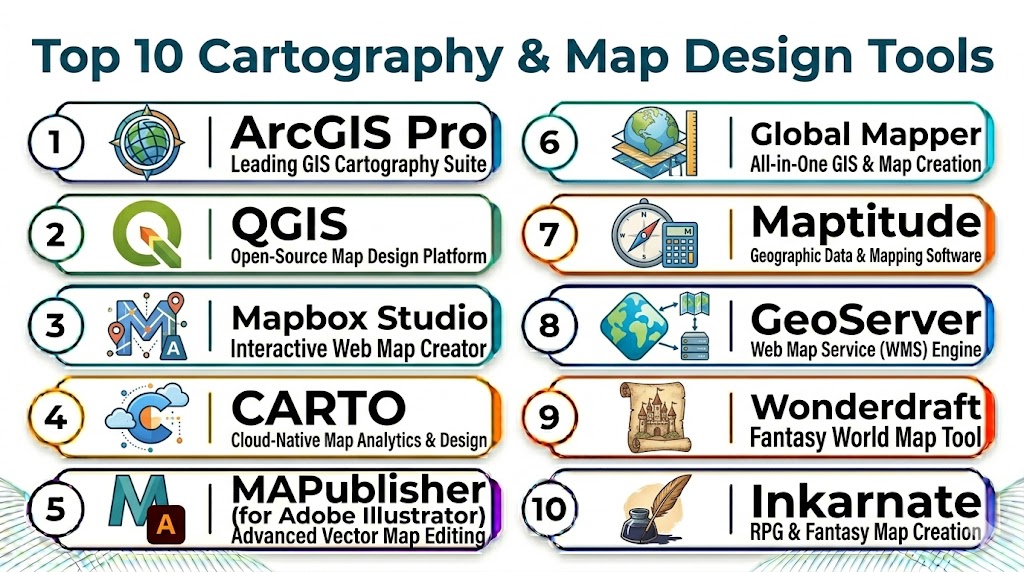
Top 10 Cartography & Map Design Tools
#1 — ArcGIS Pro
Short description: ArcGIS Pro is a professional desktop GIS and cartography platform used for advanced map design, spatial analysis, layout production, and enterprise geospatial workflows. It is best for organizations that need precise cartographic control, spatial analytics, and high-quality print or digital map outputs.
Key Features
- Advanced map layout and symbolization
- 2D and 3D cartographic design
- Spatial analysis and geoprocessing
- Projection and coordinate system support
- Labeling, legends, and print map exports
- Integration with ArcGIS Online and ArcGIS Enterprise
Pros
- Enterprise-grade cartography and GIS tools
- Strong layout and print production features
- Excellent support for large geospatial workflows
Cons
- Premium pricing for many users
- Learning curve for beginners
- Best suited for GIS-heavy teams
Platforms / Deployment
- Windows
- Desktop / Cloud-connected / Hybrid
Security & Compliance
- Role-based access through ArcGIS ecosystem
- Encryption and enterprise identity integration
- Advanced controls depend on deployment
Integrations & Ecosystem
ArcGIS Pro connects with GIS databases, online mapping portals, CAD systems, field apps, imagery tools, and enterprise data platforms.
- ArcGIS Online
- ArcGIS Enterprise
- CAD and BIM systems
- Spatial databases
- Field data collection apps
Support & Community
- Extensive documentation and training resources
- Large global GIS community
- Enterprise support options available
#2 — QGIS
Short description: QGIS is an open-source GIS and cartography tool used for map creation, spatial analysis, data styling, and print layout design. It is popular among researchers, nonprofits, governments, and GIS professionals seeking powerful mapping without commercial licensing costs.
Key Features
- Advanced layer styling and symbolization
- Print layout designer
- Plugin ecosystem
- Support for vector and raster data
- Projection and coordinate system tools
- Integration with spatial databases
Pros
- Free and open-source
- Strong community and plugin ecosystem
- Flexible for many cartography workflows
Cons
- Interface can feel technical for beginners
- Support depends on community or partners
- Some advanced workflows require plugins
Platforms / Deployment
- Windows / macOS / Linux
- Desktop / Self-hosted workflows
Security & Compliance
- Depends on deployment and data environment
- Local data control available
- Access control handled through connected systems
Integrations & Ecosystem
QGIS integrates with many open-source and enterprise geospatial tools, making it flexible for custom cartography and spatial analysis.
- PostGIS
- GeoPackage
- OpenStreetMap
- Python plugins
- Remote sensing tools
Support & Community
- Very active open-source community
- Extensive tutorials and plugins
- Professional support available through partners
#3 — Mapbox Studio
Short description: Mapbox Studio is a web-based map design platform for creating custom interactive maps, vector tile styles, and location-based visual experiences. It is ideal for developers, designers, and product teams building modern web and mobile maps.
Key Features
- Custom vector tile styling
- Interactive web map design
- Brand-focused map themes
- Data layer styling
- APIs and SDKs for deployment
- Real-time preview and publishing
Pros
- Excellent for custom digital maps
- Strong developer ecosystem
- Highly flexible visual styling
Cons
- Requires technical knowledge for advanced use
- Not designed for traditional print cartography
- Usage-based pricing can scale quickly
Platforms / Deployment
- Web / iOS / Android SDKs
- Cloud
Security & Compliance
- Secure API authentication
- Access tokens and usage controls
- Enterprise controls vary by plan
Integrations & Ecosystem
Mapbox Studio is built for modern app and web map experiences, connecting with APIs, geospatial data sources, and developer workflows.
- Web apps
- Mobile apps
- Location APIs
- Data visualization tools
- Custom dashboards
Support & Community
- Developer documentation
- Community examples and templates
- Enterprise support options available
#4 — CARTO
Short description: CARTO is a cloud-native spatial analytics and map design platform used for location intelligence, interactive dashboards, and data-driven map visualizations. It is best for teams working with cloud data warehouses and large geospatial datasets.
Key Features
- Cloud-based spatial analytics
- Interactive map visualizations
- Spatial SQL workflows
- Dashboard publishing
- Data warehouse integrations
- Scalable geospatial analysis
Pros
- Strong cloud analytics capabilities
- Excellent for data-driven maps
- Good integration with modern BI workflows
Cons
- Less focused on traditional print map layouts
- Requires data analytics knowledge
- Enterprise pricing may be high for small teams
Platforms / Deployment
- Web
- Cloud
Security & Compliance
- Encryption and role-based access
- Enterprise security controls
- Data governance depends on connected warehouse
Integrations & Ecosystem
CARTO connects strongly with cloud data platforms and BI tools, making it suitable for business mapping and analytics.
- BigQuery
- Snowflake
- Databricks
- Tableau
- Power BI
Support & Community
- Documentation and developer resources
- Enterprise support available
- Active spatial analytics community
#5 — Adobe Illustrator with MAPublisher
Short description: Adobe Illustrator with MAPublisher combines professional graphic design with GIS-aware cartographic tools. It is ideal for cartographers and designers creating publication-quality maps, atlases, tourism maps, and editorial graphics.
Key Features
- Professional vector map design
- GIS data import and styling
- Labeling and symbolization tools
- Print-ready layout design
- Typography and graphic design control
- Export for publishing workflows
Pros
- Excellent design and typography control
- Ideal for print and editorial cartography
- Strong professional publishing workflow
Cons
- Requires Adobe Illustrator license
- MAPublisher adds extra cost
- Less suited for live interactive maps
Platforms / Deployment
- Windows / macOS
- Desktop
Security & Compliance
- Not publicly stated
- Security depends on local file and enterprise Adobe setup
Integrations & Ecosystem
This workflow connects GIS data with professional graphic design, making it useful for premium map production.
- GIS data formats
- Adobe Creative Cloud
- Print publishing tools
- Vector design workflows
Support & Community
- Adobe documentation and learning resources
- MAPublisher vendor support
- Professional cartography community
#6 — Felt
Short description: Felt is a modern web-based mapping and collaboration tool designed for teams that need fast map creation, sharing, annotation, and lightweight spatial analysis. It is useful for planning, storytelling, public projects, and collaborative map reviews.
Key Features
- Web-based map creation
- Collaborative editing and comments
- Data import and styling
- Interactive sharing
- Lightweight spatial analysis
- Annotation and presentation tools
Pros
- Very easy to use
- Strong collaboration features
- Good for quick interactive maps
Cons
- Less advanced than full GIS platforms
- Not ideal for complex geoprocessing
- Enterprise governance may vary by plan
Platforms / Deployment
- Web
- Cloud
Security & Compliance
- Not publicly stated
- Access controls available based on workspace setup
Integrations & Ecosystem
Felt works well for collaborative mapping, public communication, and lightweight GIS workflows.
- CSV and geospatial files
- Web sharing
- Team workspaces
- Map annotations
Support & Community
- Product documentation
- Growing user community
- Support options vary by plan
#7 — MapTiler
Short description: MapTiler provides map design, tile hosting, geocoding, and custom map styling tools for developers, GIS teams, and organizations building interactive web maps.
Key Features
- Custom map style editor
- Vector and raster tile hosting
- Basemap customization
- Web map publishing
- Geocoding and APIs
- Offline map support options
Pros
- Strong basemap customization
- Good developer tooling
- Flexible hosting options
Cons
- Developer knowledge helpful
- Less suited for print-first cartography
- Advanced usage may increase cost
Platforms / Deployment
- Web / Desktop tools / APIs
- Cloud / Self-hosted / Hybrid
Security & Compliance
- Secure API access
- Deployment controls vary by setup
- Self-hosting available for more control
Integrations & Ecosystem
MapTiler supports modern web mapping, offline maps, custom basemaps, and spatial app development.
- Web map frameworks
- Mobile applications
- Tile servers
- GIS data workflows
Support & Community
- Developer documentation
- Technical support resources
- Active mapping community
#8 — Datawrapper
Short description: Datawrapper is a user-friendly data visualization tool that supports maps, charts, and tables for journalism, reports, and public communication. It is ideal for non-technical users who need clean thematic maps quickly.
Key Features
- Choropleth maps
- Symbol maps
- Locator maps
- Simple data upload workflows
- Responsive publishing
- Clean visual templates
Pros
- Very easy for beginners
- Excellent for journalism and reports
- Fast web publishing
Cons
- Limited advanced GIS analysis
- Less control than professional GIS tools
- Not ideal for complex spatial datasets
Platforms / Deployment
- Web
- Cloud
Security & Compliance
- Not publicly stated
- Team and access controls vary by plan
Integrations & Ecosystem
Datawrapper works well for publishing clean maps in articles, dashboards, and reports.
- CSV and spreadsheet data
- Web publishing
- CMS embeds
- Data visualization workflows
Support & Community
- Helpful documentation
- Tutorials and examples
- Support options vary by plan
#9 — Flourish
Short description: Flourish is a visual storytelling and data visualization platform that supports animated and interactive maps for presentations, media, dashboards, and public reports.
Key Features
- Interactive map templates
- Animated data storytelling
- Choropleth and symbol maps
- Web embedding
- Presentation-ready visuals
- Team collaboration
Pros
- Strong storytelling visuals
- Easy interactive publishing
- Good for media and communication teams
Cons
- Limited advanced GIS functions
- Template-based customization limits
- Not suitable for heavy spatial analysis
Platforms / Deployment
- Web
- Cloud
Security & Compliance
- Not publicly stated
- Workspace permissions vary by plan
Integrations & Ecosystem
Flourish is useful for creating engaging maps that work inside articles, presentations, and public-facing pages.
- Spreadsheets
- Web embeds
- Data storytelling workflows
- Presentation tools
Support & Community
- Documentation and templates
- Learning resources
- Support options vary by plan
#10 — Mapme
Short description: Mapme is a no-code interactive map builder for organizations creating public-facing story maps, directories, tourism maps, real estate maps, and community resource maps.
Key Features
- No-code interactive map builder
- Custom points and categories
- Story map layouts
- Media-rich map markers
- Embeddable web maps
- Branding and visual customization
Pros
- Easy no-code map publishing
- Good for directories and tourism maps
- Fast public-facing deployment
Cons
- Limited spatial analysis
- Not designed for enterprise GIS workflows
- Customization depth may be limited
Platforms / Deployment
- Web
- Cloud
Security & Compliance
- Not publicly stated
- Access controls vary by plan
Integrations & Ecosystem
Mapme is best for public-facing interactive maps where storytelling and simplicity matter more than GIS analysis.
- Web embeds
- Media content
- Public directories
- Tourism and community maps
Support & Community
- Documentation and support resources
- Template-based onboarding
- Community examples available
Comparison Table
| Tool Name | Best For | Platform(s) Supported | Deployment | Standout Feature | Public Rating |
|---|---|---|---|---|---|
| ArcGIS Pro | Enterprise cartography | Windows | Desktop / Hybrid | Advanced GIS map production | N/A |
| QGIS | Open-source cartography | Windows / macOS / Linux | Desktop / Self-hosted | Free professional GIS design | N/A |
| Mapbox Studio | Web and mobile maps | Web / Mobile SDKs | Cloud | Custom vector map styling | N/A |
| CARTO | Spatial analytics maps | Web | Cloud | Cloud-native location intelligence | N/A |
| Adobe Illustrator with MAPublisher | Print cartography | Windows / macOS | Desktop | Publication-quality map design | N/A |
| Felt | Collaborative mapping | Web | Cloud | Team-based map editing | N/A |
| MapTiler | Custom basemaps | Web / Desktop / APIs | Cloud / Hybrid | Tile hosting and styling | N/A |
| Datawrapper | Journalism maps | Web | Cloud | Simple thematic maps | N/A |
| Flourish | Storytelling maps | Web | Cloud | Animated interactive maps | N/A |
| Mapme | No-code interactive maps | Web | Cloud | Public story maps | N/A |
Evaluation & Scoring of Cartography & Map Design Tools
| Tool Name | Core (25%) | Ease (15%) | Integrations (15%) | Security (10%) | Performance (10%) | Support (10%) | Value (15%) | Weighted Total (0–10) |
|---|---|---|---|---|---|---|---|---|
| ArcGIS Pro | 10 | 7 | 9 | 9 | 9 | 9 | 7 | 8.7 |
| QGIS | 8 | 7 | 8 | 7 | 8 | 8 | 10 | 8.0 |
| Mapbox Studio | 8 | 7 | 9 | 8 | 9 | 8 | 7 | 8.0 |
| CARTO | 8 | 8 | 9 | 8 | 9 | 8 | 7 | 8.1 |
| Adobe Illustrator with MAPublisher | 9 | 7 | 8 | 7 | 8 | 8 | 7 | 7.9 |
| Felt | 7 | 9 | 7 | 7 | 8 | 7 | 8 | 7.6 |
| MapTiler | 8 | 7 | 8 | 8 | 8 | 7 | 8 | 7.8 |
| Datawrapper | 6 | 10 | 6 | 7 | 8 | 8 | 9 | 7.7 |
| Flourish | 6 | 9 | 6 | 7 | 8 | 8 | 8 | 7.4 |
| Mapme | 6 | 9 | 6 | 7 | 7 | 7 | 8 | 7.2 |
Weighted scores compare design control, usability, integration strength, security, performance, support, and value. Higher scores usually indicate stronger professional cartography and enterprise readiness. Simpler tools may score lower on GIS depth but still be better for fast publishing, storytelling, or non-technical map creation.
Which Cartography & Map Design Tool Is Right for You?
Solo / Freelancer
- QGIS, Datawrapper, or Mapme for affordable map creation, lightweight design, and quick publishing.
SMB
- Felt, MapTiler, or Mapbox Studio for collaborative map design, custom basemaps, and web publishing.
Mid-Market
- CARTO, Mapbox Studio, or Adobe Illustrator with MAPublisher for advanced design, spatial analytics, and branded map products.
Enterprise
- ArcGIS Pro, CARTO, or Mapbox Studio for scalable GIS workflows, enterprise integrations, and professional map production.
Budget vs Premium
- Budget: QGIS, Datawrapper, Flourish
- Premium: ArcGIS Pro, Adobe Illustrator with MAPublisher, CARTO
Feature Depth vs Ease of Use
- High feature depth: ArcGIS Pro, QGIS, CARTO
- High ease of use: Datawrapper, Felt, Mapme
Integrations & Scalability
- Extensive: ArcGIS Pro, CARTO, Mapbox Studio
- Limited: Mapme, Flourish, Datawrapper
Security & Compliance Needs
- Enterprise-grade: ArcGIS Pro, CARTO, Mapbox Studio
- Lightweight publishing: Datawrapper, Flourish, Mapme
Frequently Asked Questions
1. What are cartography and map design tools?
Cartography and map design tools help users create maps that are accurate, readable, and visually effective. They support styling, labeling, layouts, legends, projections, and spatial data visualization. These tools are used for print maps, web maps, dashboards, reports, and storytelling.
2. How are cartography tools different from GIS tools?
GIS tools focus on managing, analyzing, and processing geographic data, while cartography tools focus more on how maps look and communicate information. Many platforms, such as ArcGIS Pro and QGIS, do both. Design-focused tools like Datawrapper or Flourish are better for fast visual publishing.
3. Which tool is best for professional print maps?
ArcGIS Pro and Adobe Illustrator with MAPublisher are strong choices for print-ready professional cartography. They provide layout control, labeling, symbolization, and export quality. QGIS is also a strong option for users who want open-source map layout capabilities.
4. Which tool is best for interactive web maps?
Mapbox Studio, CARTO, Felt, MapTiler, and Mapme are strong options for interactive web maps. Mapbox Studio and MapTiler are better for custom basemaps and developer workflows. Felt and Mapme are easier for collaborative or no-code map publishing.
5. Which tools are best for beginners?
Datawrapper, Felt, Flourish, and Mapme are easier for beginners because they provide templates, simple data uploads, and web-based interfaces. These tools are good for communication teams and journalists. Users needing deeper GIS analysis may later move to QGIS or ArcGIS Pro.
6. Can open-source tools create professional maps?
Yes, QGIS can create highly professional maps with advanced styling, print layout design, and plugin support. GRASS GIS and other open-source tools can also support analysis workflows, though QGIS is more commonly used for cartographic design. Open-source tools require more self-learning but offer strong value.
7. What should I consider when choosing a map design tool?
Consider whether you need print maps, interactive maps, spatial analysis, collaboration, custom branding, or developer APIs. Also evaluate supported data formats, export quality, security needs, and pricing. The best choice depends on your workflow, not just feature count.
8. Do these tools support real-time data?
Some tools support real-time or frequently updated map data through APIs, cloud databases, or dashboards. CARTO, Mapbox Studio, ArcGIS, and MapTiler are stronger for dynamic data workflows. Simpler tools may require manual data updates.
9. Can cartography tools be used for storytelling?
Yes, tools like Flourish, Datawrapper, Felt, Mapme, and ArcGIS story-based workflows are useful for map storytelling. They help combine maps with text, charts, images, and interactive layers. This is especially useful for journalism, public communication, tourism, and civic projects.
10. Which tool is best overall?
ArcGIS Pro is strongest for enterprise GIS and professional cartography, while QGIS is the best open-source option. Mapbox Studio is excellent for custom web maps, and Datawrapper is ideal for fast thematic maps. The best tool depends on whether your priority is analysis, design, interactivity, cost, or ease of use.
Conclusion
Cartography and map design tools help organizations turn geographic data into clear, useful, and visually engaging maps for planning, analysis, storytelling, and public communication. Beginners and small teams can start with Datawrapper, Flourish, Felt, or Mapme for fast interactive maps, while GIS professionals may prefer QGIS or ArcGIS Pro for deeper spatial analysis and professional layout control. Design-heavy teams should consider Adobe Illustrator with MAPublisher for print-quality cartography, while developers and data teams can evaluate Mapbox Studio, MapTiler, or CARTO for scalable web mapping and spatial analytics. Start by defining whether your primary output is print, web, analytics, or storytelling, shortlist 2–3 tools, test them with real spatial data, and validate export quality, collaboration, and integration needs before scaling your workflow.

Very informative and well-structured blog on cartography and map design tools. The comparison of features, pros, and cons is clear and practical, making it helpful for understanding different mapping and visualization solutions.
Great overview of cartography and map design tools—this article makes it easy to understand how these platforms support accurate mapping, visualization, and spatial data management.
Cartography and map design tools should be evaluated by how effectively they communicate spatial information to the intended audience, not just by the number of mapping features they provide. A technically accurate map can still be difficult to interpret if visual hierarchy, labeling, scale, or accessibility is overlooked. It would be useful to discuss automated label placement, accessibility-friendly color schemes, responsive map design, multi-scale visualization, and user testing. These considerations can help organizations create maps that are not only visually polished but also easier to understand and more useful for real-world planning and decision-making.